

Generate Professional Front-End Designs in Claude Code with Impeccable
Impeccable is an open-source skill that gives Claude Code a genuine design vocabulary — seven domain-specific reference files, 23 targeted slash commands, and a curated list of anti-patterns that tell Claude what not to build. After completing this tutorial, you’ll be able to install Impeccable, generate a multi-variant landing page from a plain-English brief, and iterate on individual components through a live browser editing session — without writing a line of design code yourself.
- Navigate to the Impeccable GitHub repository and copy the single-line installation command from the README.
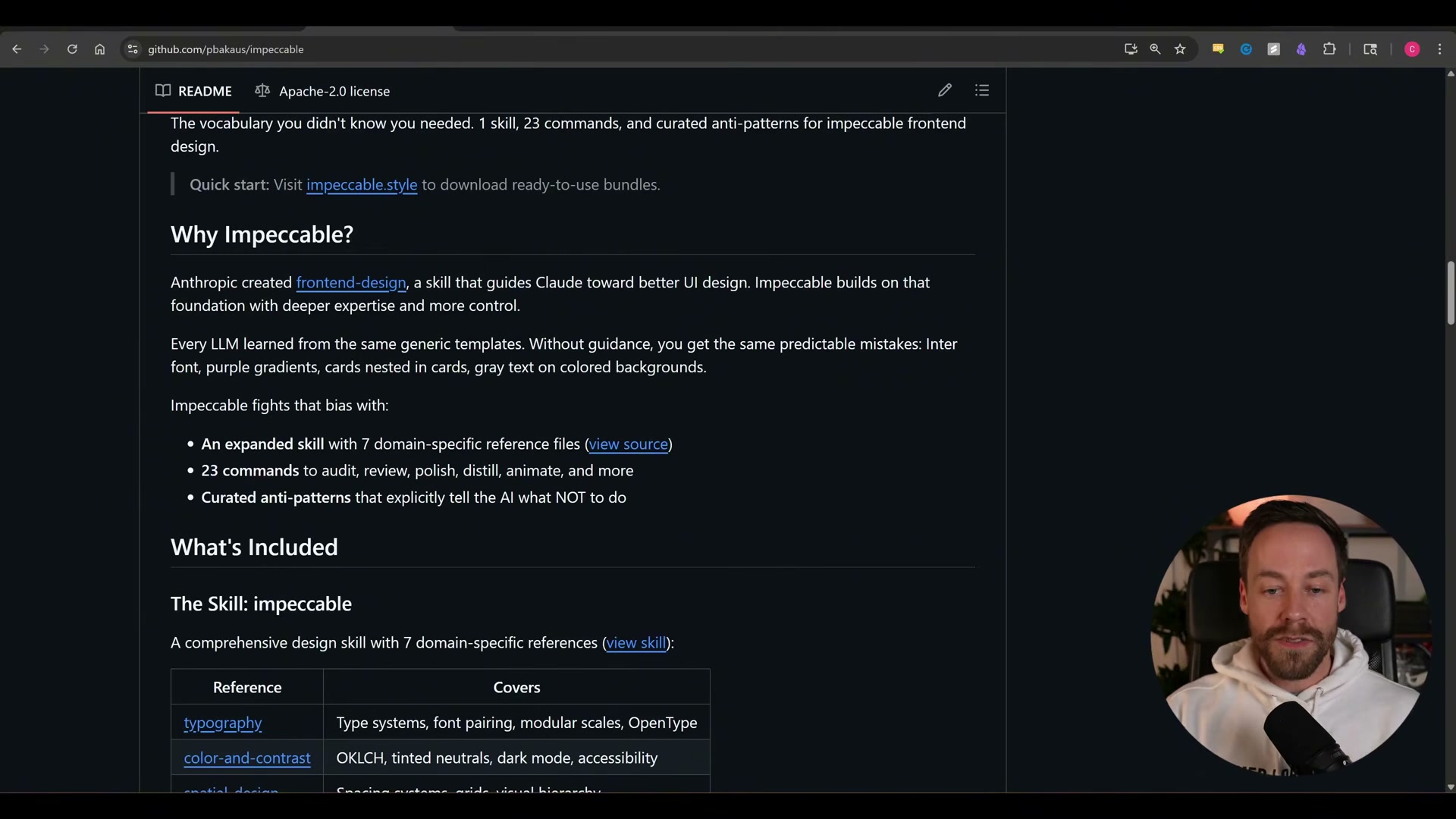
- Paste the command into your terminal to register Impeccable as a Claude Code skill. Open Claude Code in a fresh project directory — the demo uses
impeccable-test.
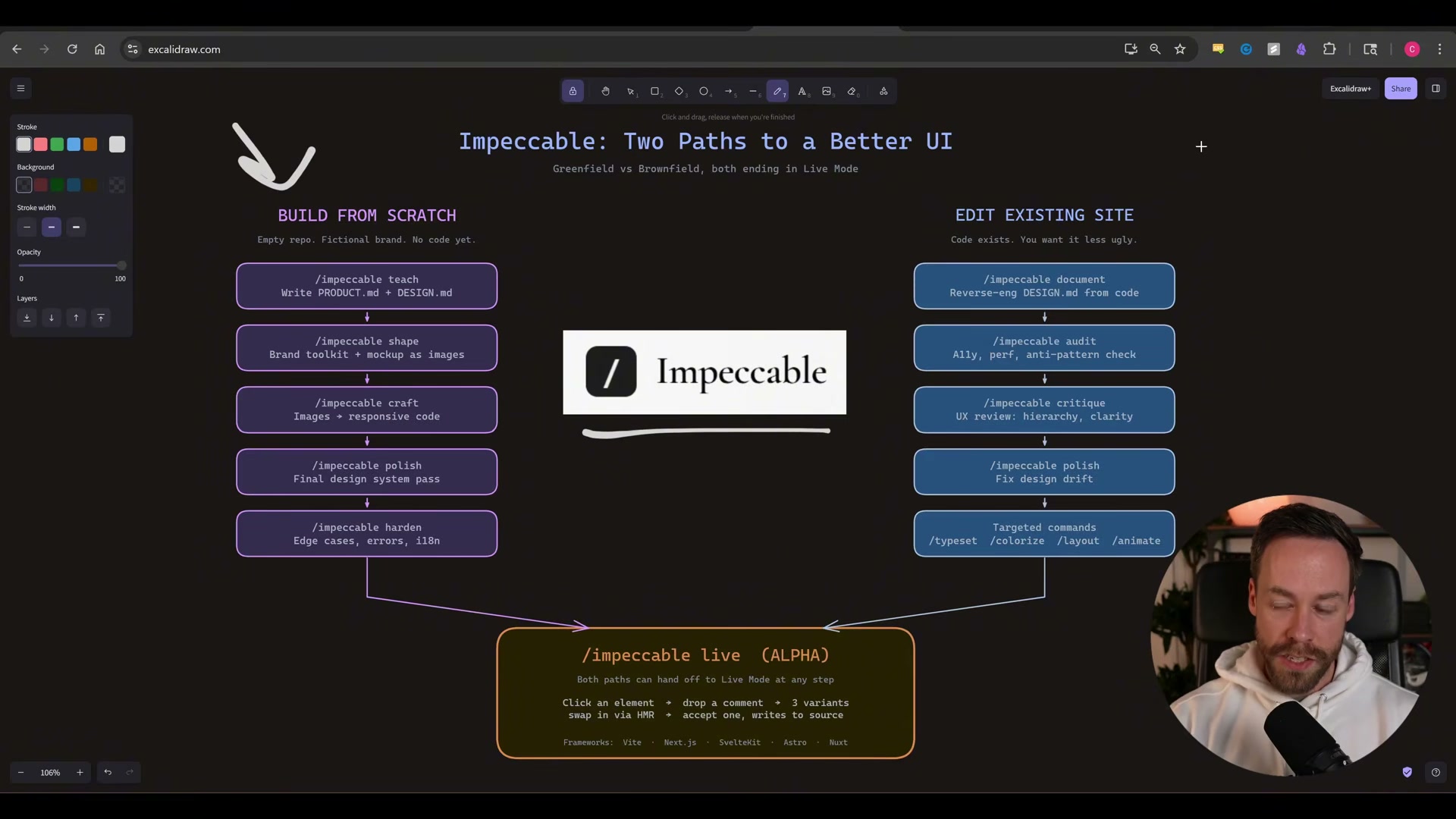
- Run
/impeccable craftfollowed by a natural-language product brief. The command in the demo reads: “Let’s build a landing page for my fake SaaS product, Lighthouse. It’s an analytics platform for solo founders / small teams. Ask me any questions you want.”
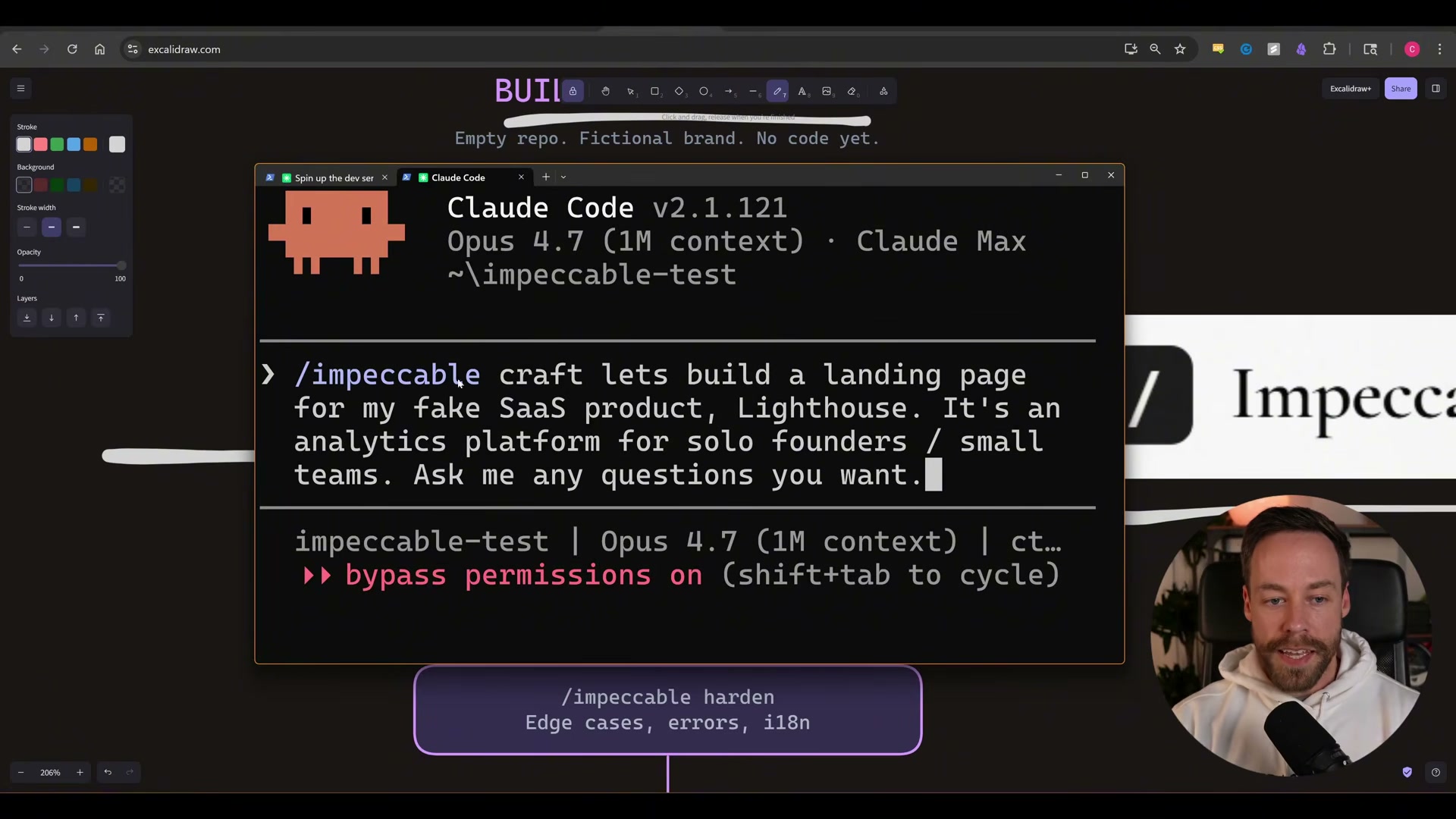
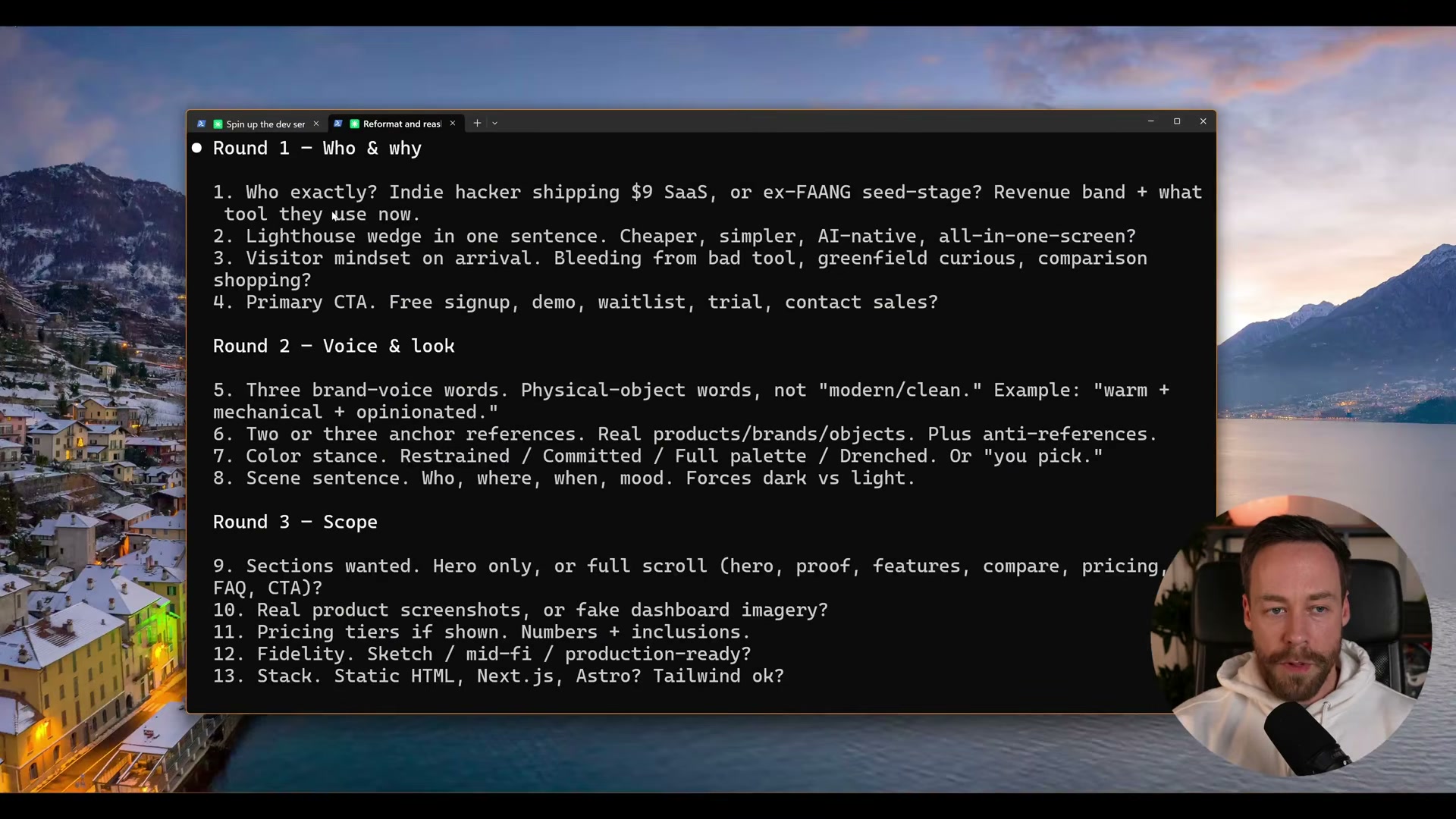
- Work through the 13-question discovery interview that Craft surfaces across three rounds. Round 1 covers product positioning and visitor mindset. Round 2 addresses brand voice, color stance, and typography instincts. Round 3 locks in scope — hero only, full scroll, or asset-rich — before a single line of HTML is written.
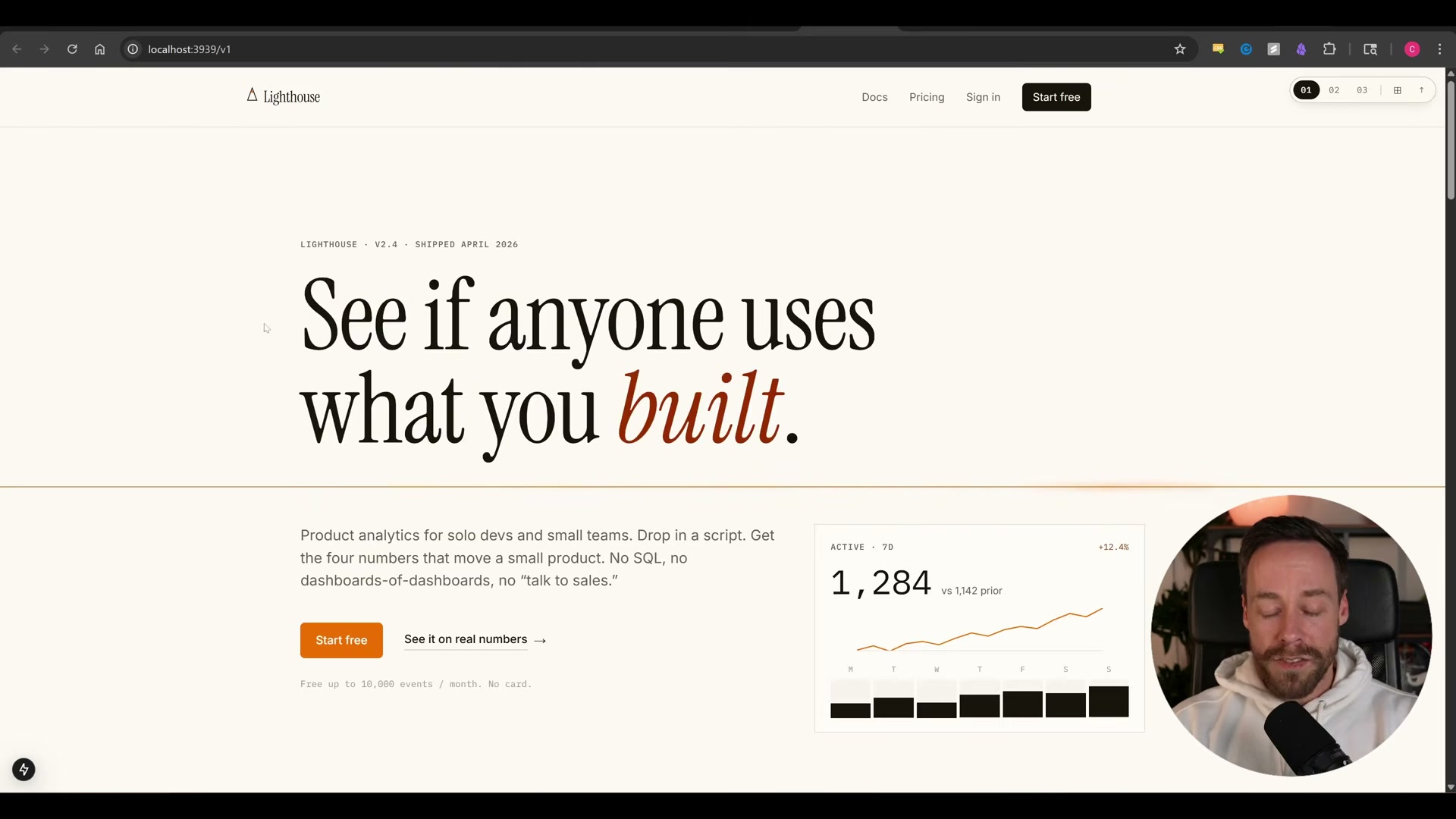
- Review the initial landing page rendered at your local host URL. Impeccable’s first pass in the demo produces a full-scroll page with a dashboard section, pricing block, and email capture — with no reference images or design assets provided.
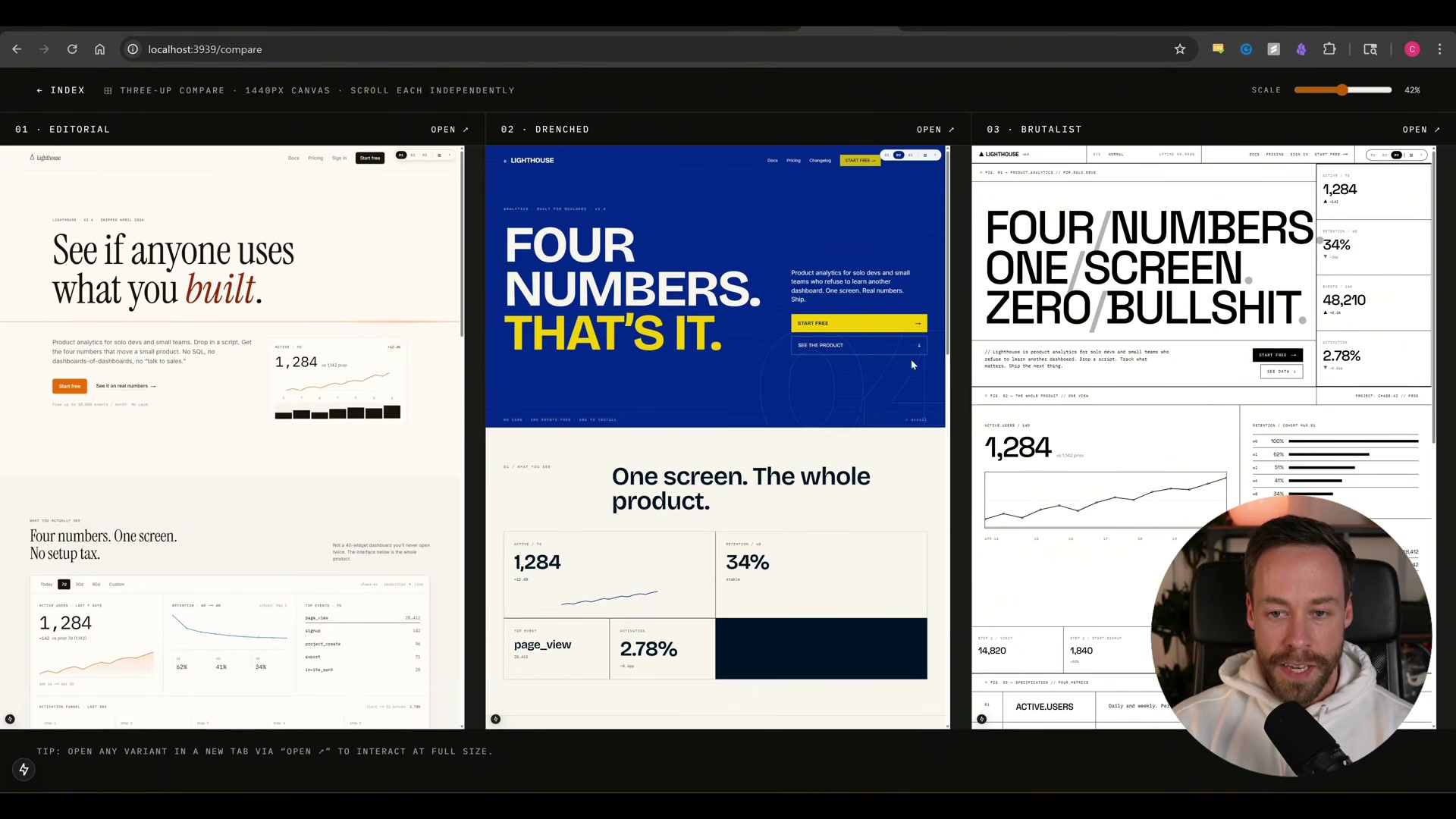
- Prompt Claude Code to produce three visually distinct layout variants — the demo requests Editorial, Drenched, and Brutalist — and to display them side-by-side on a compare canvas with a full-screen toggle per variant. Requesting multiple simultaneous variants is a personal workflow preference of the creator, not a built-in Impeccable behavior.
Warning: this step may differ from current official documentation — see the verified version below.
-
Select the variant you want to develop — Brutalist in the demo — and move to the live editing phase.
-
Run
/impeccable liveon the chosen page file. Claude Code returns a local host URL; refresh your browser to connect. -
Click any component in the browser to surface the Impeccable command palette. Available commands include
bolder,quieter,distill,polish,adapt, andfreeform. Select a command, optionally append a plain-English direction (e.g., “add color”), and choose a variation count. -
Review the generated micro-variants, use the tune slider to adjust intensity or offset, and hit Accept. Claude Code writes the changes back to source and reloads the page automatically via HMR.
-
Run the
detectcommand on any component or the full page to scan for AI slop patterns and design anti-patterns before you ship.
How does this compare to the official docs?
The steps above reflect what the video demonstrates, but Impeccable’s own documentation describes a more structured greenfield sequence — and the differences in command order carry real consequences for the design output you get.
Here’s What the Official Docs Show
The tutorial above gives you a solid working foundation, and most of what the video demonstrates holds up — the docs simply add a few layers that make the difference between a demo that works and a workflow you can trust on a real project. The additions below slot into the same sequence; nothing overturns the approach.
Step 1 — Install Impeccable
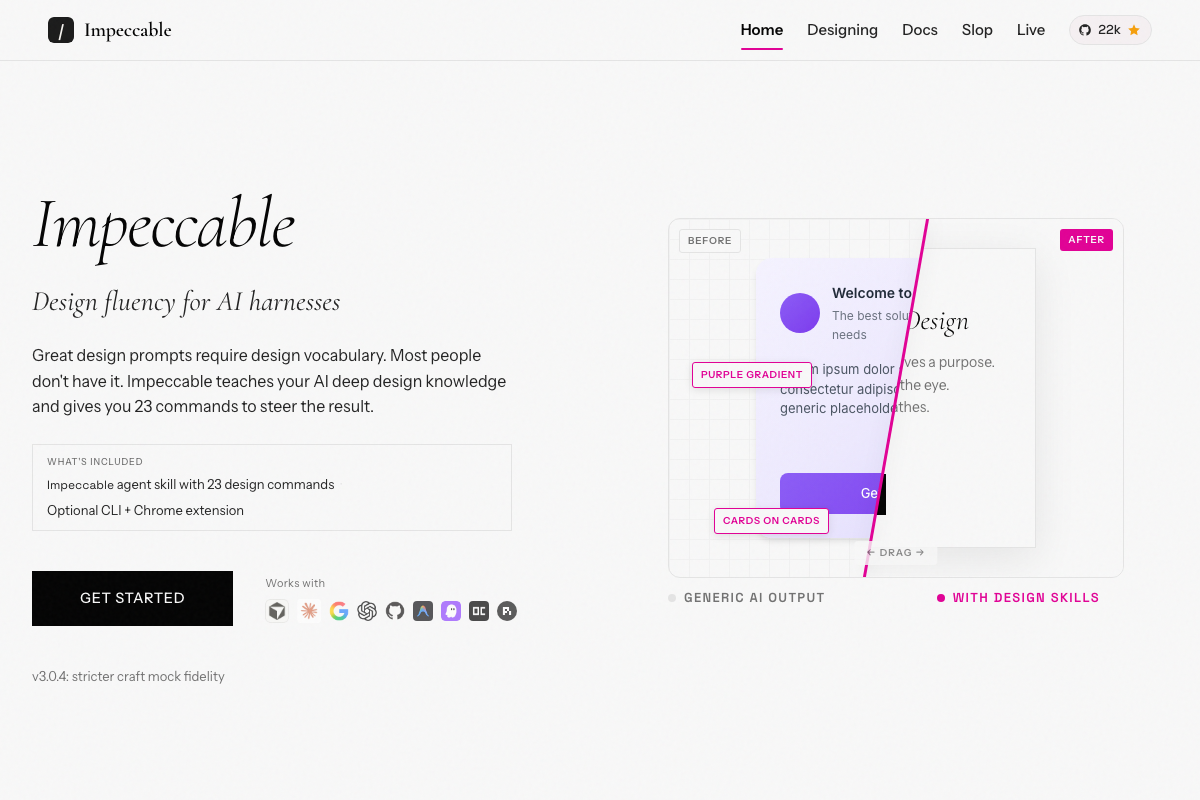
The video’s approach here matches the current docs exactly. Impeccable v3.0.4 is a confirmed, actively maintained agent skill. One detail the tutorial omits: the install also includes an optional CLI and Chrome extension listed separately under “What’s Included.” Neither is required to follow the steps above, but both exist if your workflow calls for them. The official site also makes clear this is a multi-platform skill — the tutorial demos it in Claude Code, which is accurate for that context, but Impeccable runs on other AI harnesses as well.
Steps 2–3 — Set up Claude Code and connect to a project
No official documentation was found for these steps — proceed using the video’s approach and verify independently.
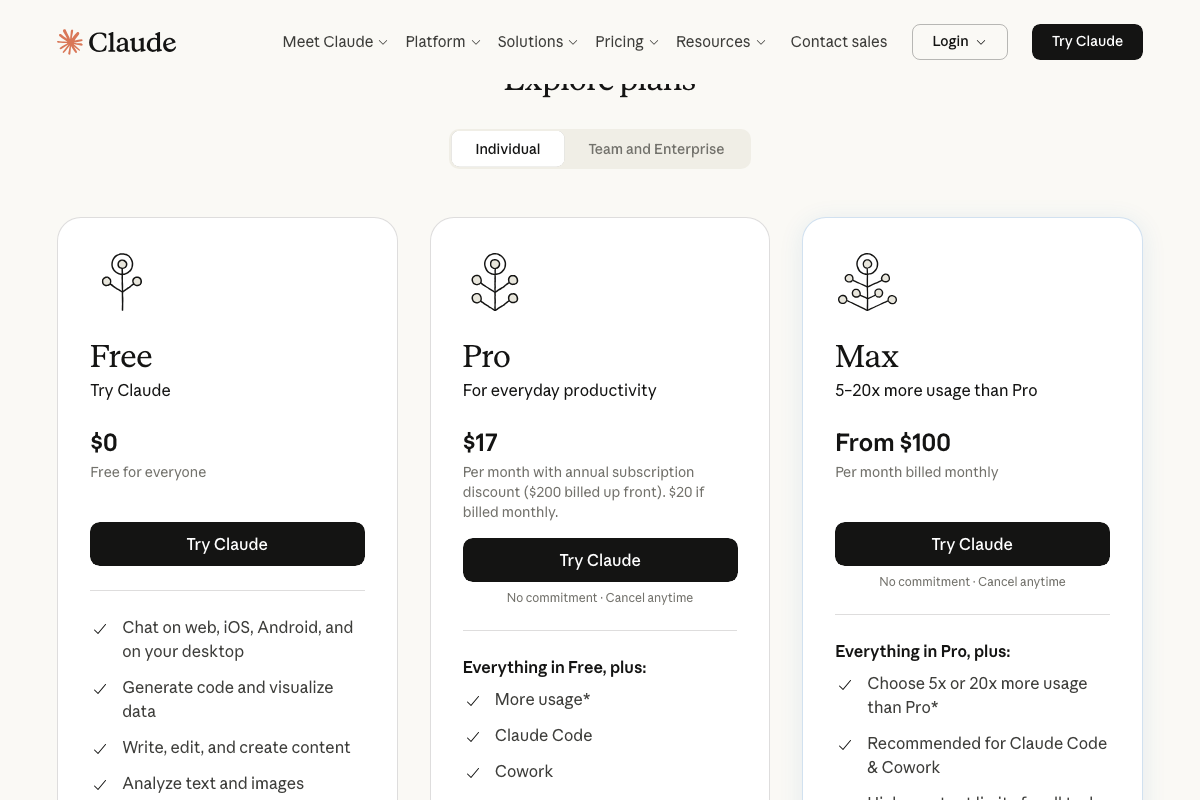
One clarification comes directly from the Claude.ai pricing page: Claude Code is not available on the Free plan. You need a minimum Pro subscription at $17/month (billed annually) to access it. The Max plan (from $100/month) is Anthropic’s labeled recommendation for Claude Code-intensive work.
Before Step 3 — Run /impeccable teach first
This is the most consequential gap in the tutorial. The official docs define a prerequisite command the video skips entirely: /impeccable teach. Run it once per project before any other Impeccable command. The documentation is explicit — “every command benefits” from the design context it sets.
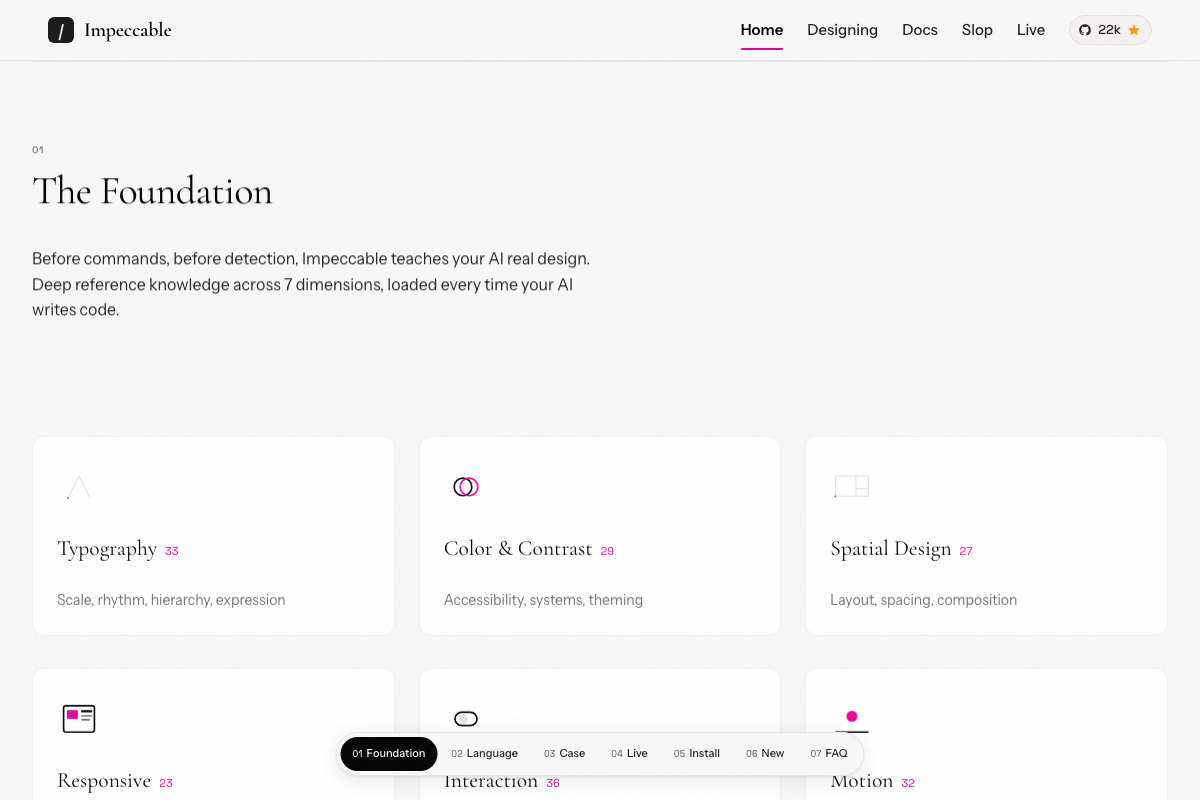
The same documentation page explains why Impeccable’s output feels design-aware rather than generic: the foundation layer loads 7 design knowledge dimensions on every code-writing call — Typography (33 rules), Color & Contrast (29), Spatial Design (27), Responsive (28), Interaction (36), Motion (32), and UX Writing (22) — 207 codified rules running silently in the background.
Steps 3–8 — Craft, discovery interview, variants, and entering live mode
No official documentation was found for these steps — proceed using the video’s approach and verify independently.
The 13-question interview count for /impeccable craft could not be confirmed or contradicted by current documentation. /impeccable live is confirmed as a distinct, named product section — the video’s approach here matches the current docs exactly.
Steps 9–12 — The command palette
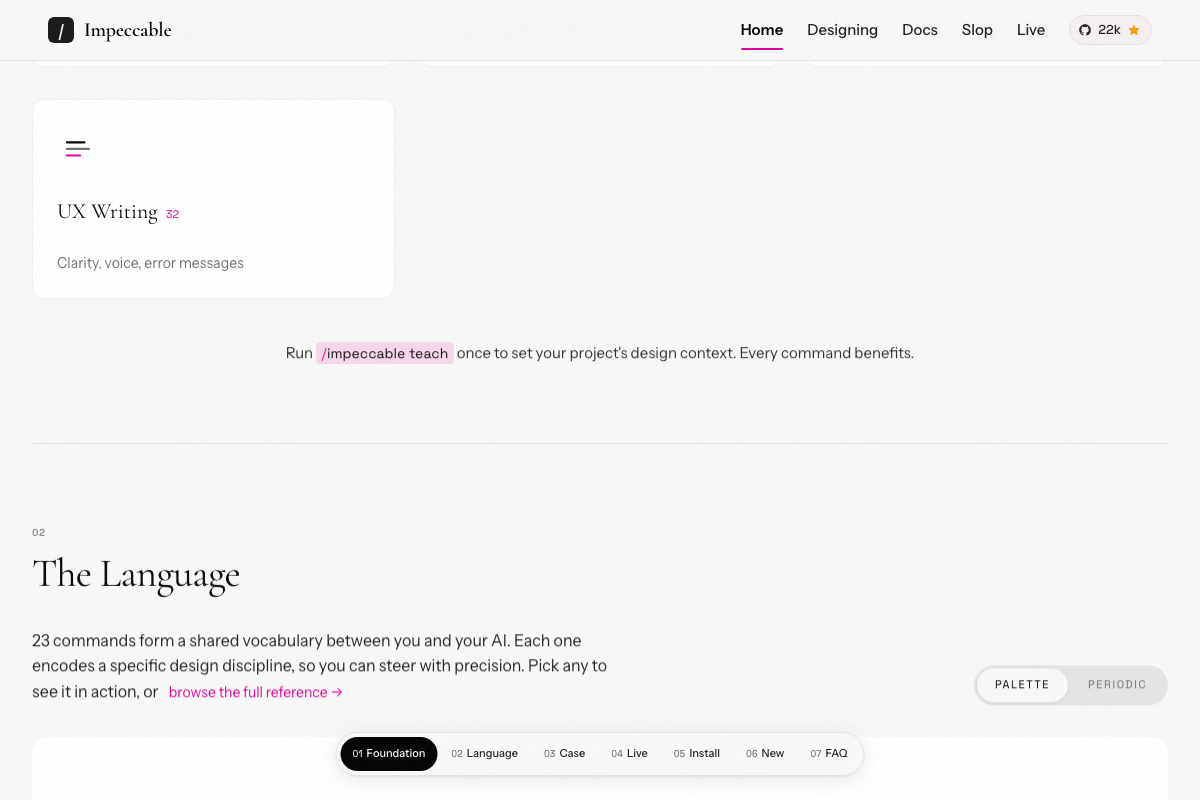
The video’s approach here matches the current docs exactly. The full command set contains exactly 23 named commands, organized in two browseable views: Palette and Periodic. The tutorial walks through six commands by name; the Language section links directly to the full reference if you want to explore the remaining 17.
Step 11 — Running detect
The video’s approach here matches the current docs exactly. The Slop section appears as a dedicated area of the official site navigation, confirming detect as a purpose-built, named command for AI slop and design anti-pattern scanning before you ship.
Useful Links
- Impeccable: The missing upgrade to Anthropic’s impeccable skill — Official homepage covering installation, the 23-command reference, Foundation layer design dimensions, the
/impeccable teachsetup command, and Live mode documentation. - Claude.ai Pricing — Claude subscription tier breakdown confirming Claude Code access requires the Pro plan ($17/mo annual) or higher; the Free plan does not include Claude Code.


0 Comments