

The Caveman Skill for Claude Code: Token Savings, Accuracy Gains, and the Science Behind It
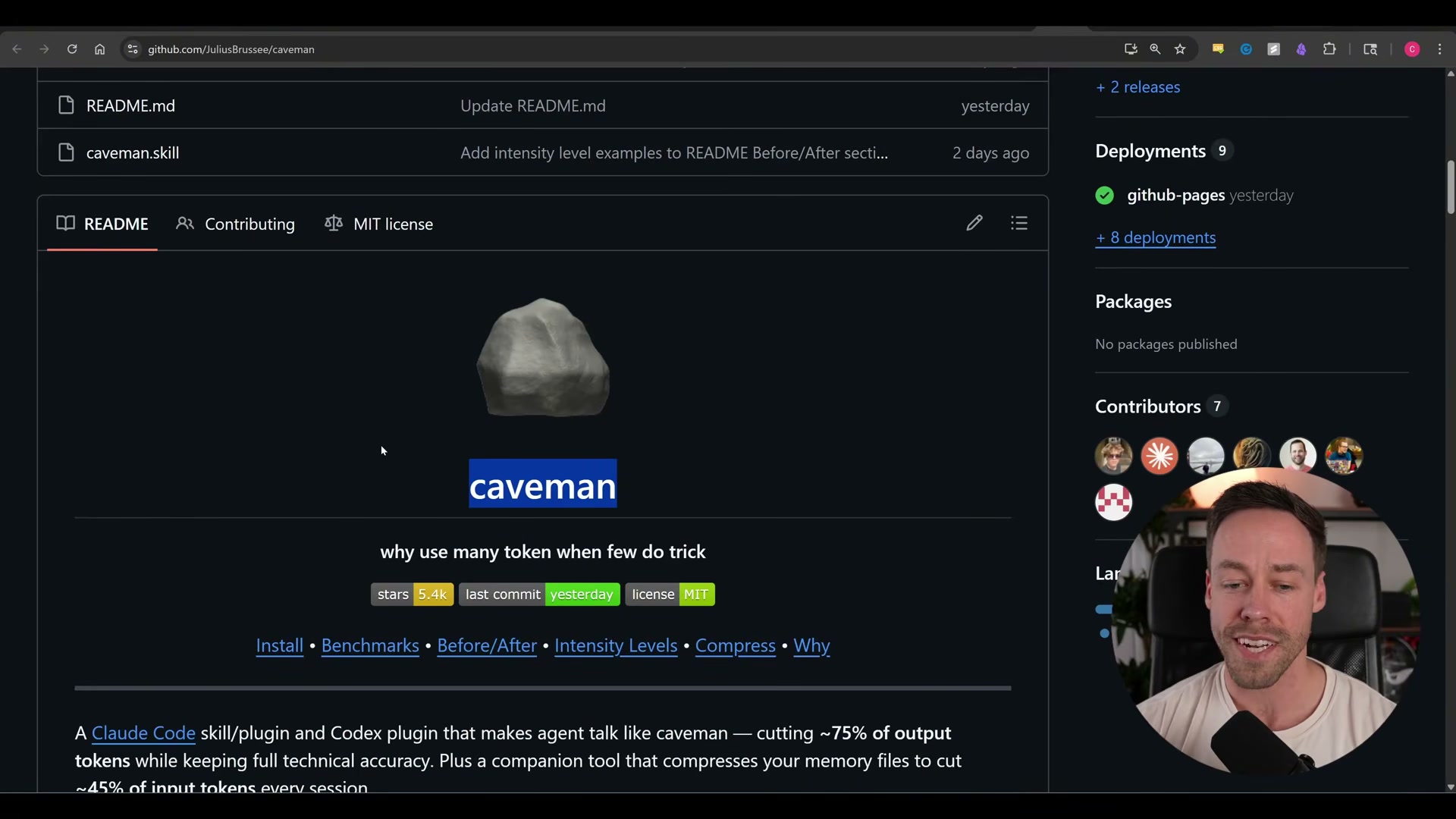
A GitHub repo with 5,400 stars that forces Claude Code to speak in stripped-down fragments sounds like a joke — until you read the research paper buried inside it. After working through this tutorial, you’ll understand exactly how the Caveman skill works, what it actually saves in a real session (the headline numbers mislead), and why a March 2026 arXiv paper suggests brevity constraints can improve LLM accuracy, not just cut spend.
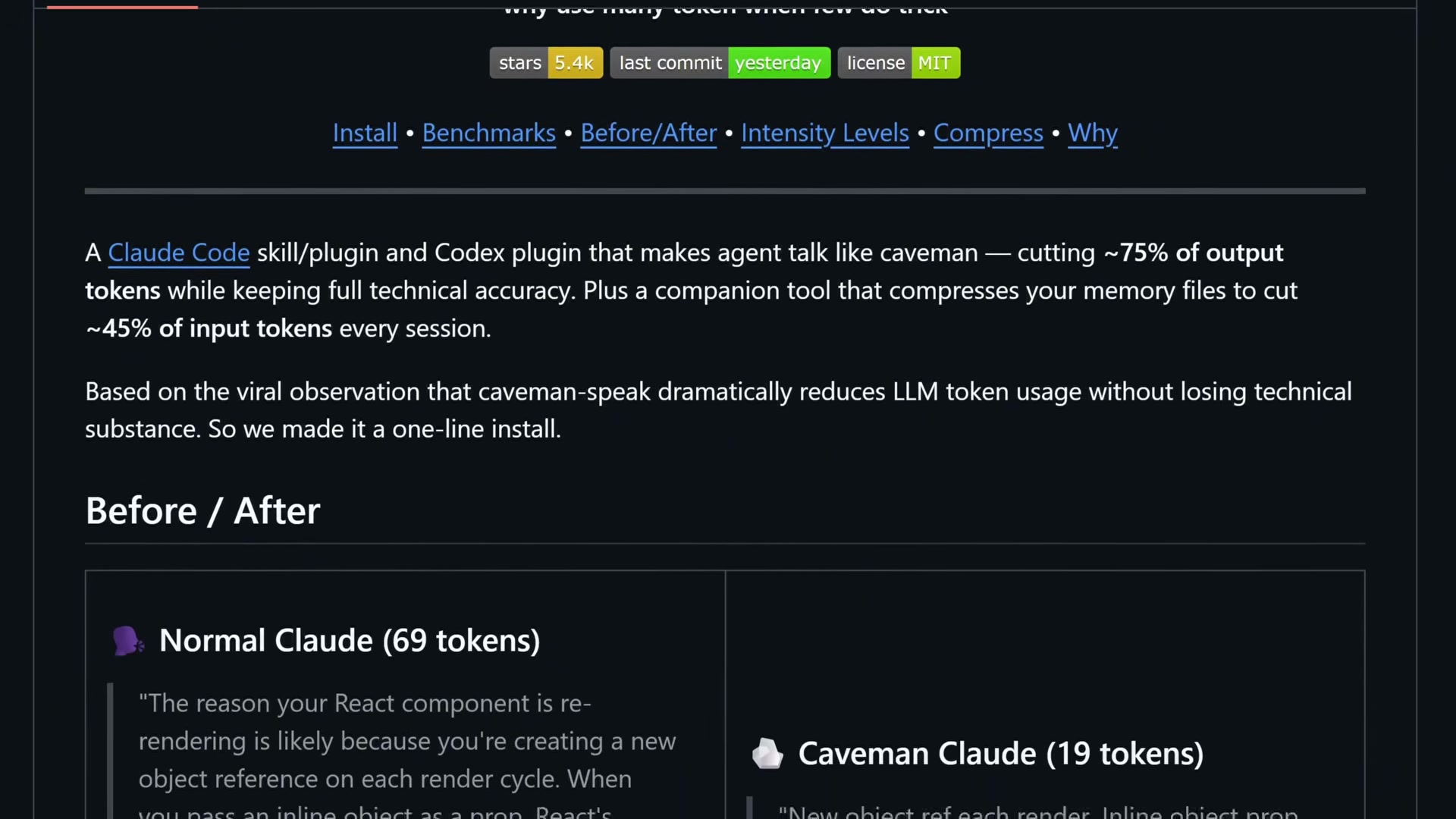
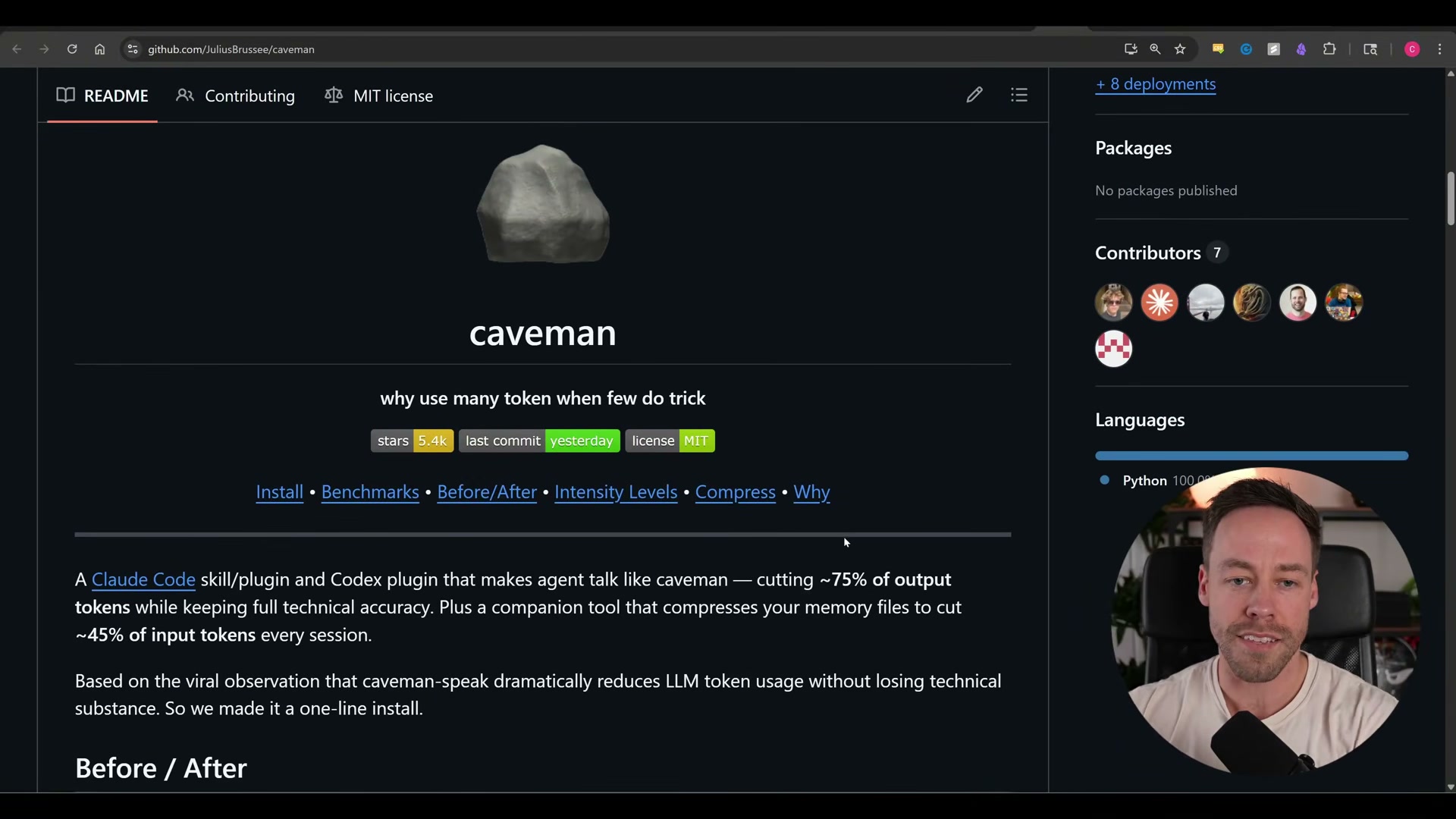
- Understand what the Caveman skill does. The repo strips filler from Claude Code’s prose responses — the conversational text you read in the terminal. It doesn’t touch code generation, tool calls, or internal reasoning. The before/after comparison in the README shows a 69-token response dropping to 19 tokens in caveman mode: same technical content, no padding.
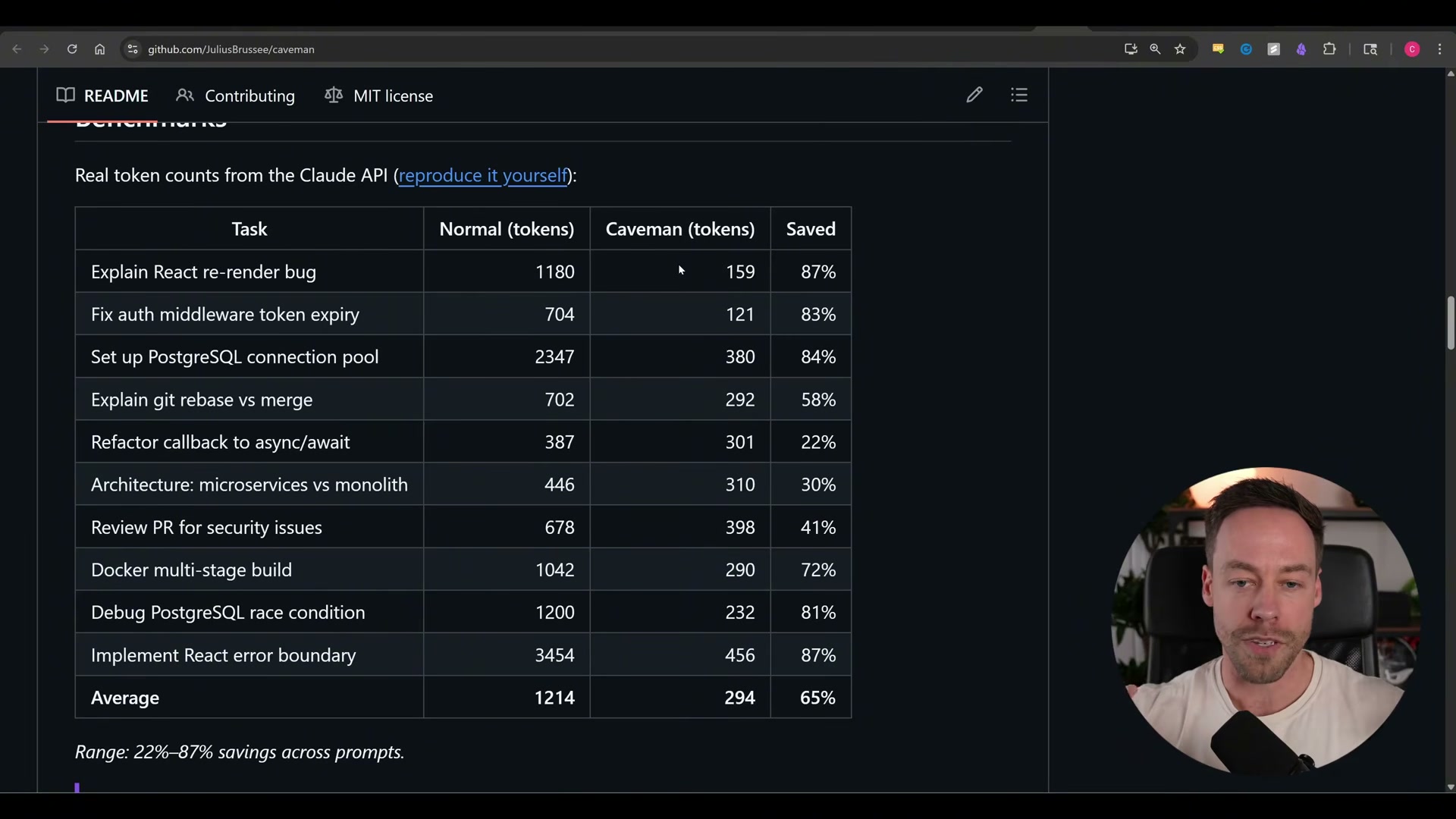
- Read the benchmark table with appropriate skepticism. The repo benchmarks 11 real dev tasks — explaining a React re-render bug, summarizing a diff, and similar work — showing token counts for normal vs. caveman output. Savings range from 22% to 87% per task, averaging around 65%. Those numbers are accurate for that specific slice of output, which is not the whole story.
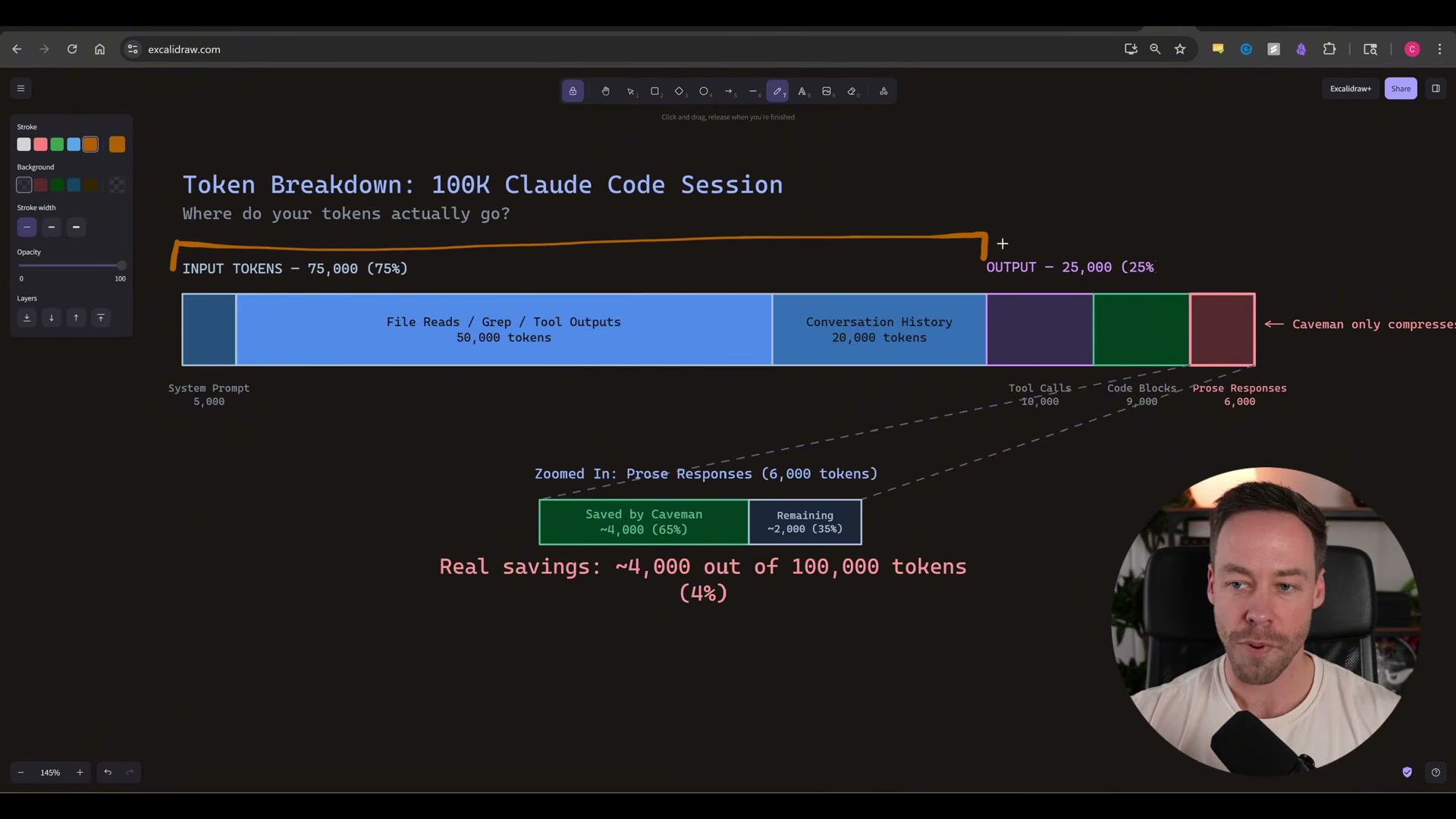
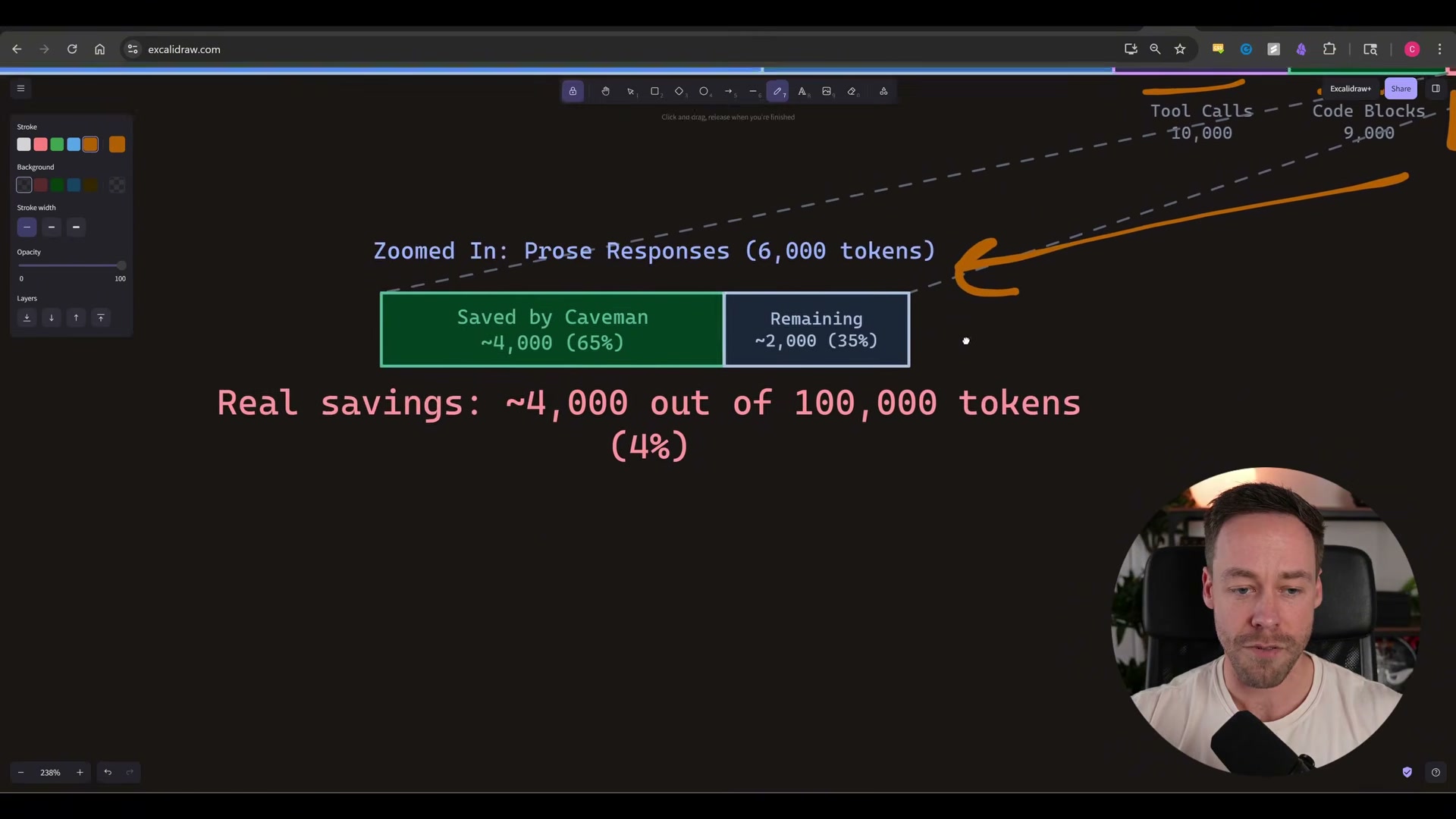
- Calibrate what the savings mean across a full session. Prose responses represent roughly 6,000 tokens in a 100,000-token session. Caveman compresses that slice by ~65%, saving around 4,000 tokens. The real session-wide impact lands at approximately 4–5% — not the 75–87% the benchmark table implies. That’s still meaningful at high usage volumes, but go in with accurate expectations.
-
Note the companion memory-compression tool. A secondary tool in the repo rewrites your
CLAUDE.mdinto caveman-speak, with a stated claim of 45% input token reduction. Apply the same logic from step 3:CLAUDE.mdis a small fraction of total input tokens, so real session-wide savings are again incremental — roughly 1,000–2,000 tokens per session at scale. -
Install the skill. Installation is a single command. Once added, the skill is available immediately in any Claude Code session.
-
Invoke caveman mode. Trigger it with
/caveman, or use natural-language phrases like “talk like a caveman” or “less tokens please.” Three intensity levels are available: Lite drops filler words, Full switches to fragment-style responses, and Ultra compresses everything telegraphically.
-
Know what caveman mode leaves untouched. Code generation, tool calls, reasoning chains, and exact error message quoting are unaffected. The skill operates only on the prose layer — explanatory text, not functional output.
-
Read the research backing. A March 2026 arXiv paper, Brevity Constraints Reverse Performance Hierarchies in Language Models, evaluated 31 open-weight models across 1,485 problems. Brevity constraints improved accuracy by 26 percentage points and reduced performance gaps between large and small models by up to two-thirds. The proposed mechanism — “spontaneous scale-dependent verbosity” — holds that large models over-elaborate and reason themselves into wrong answers, a phenomenon the paper calls overthinking. The study covers open-weight models, not frontier APIs like Claude, so the magnitude of the effect on commercial models remains an open question.
-
Use the minimal alternative if you prefer not to install the skill. A single line added to your
CLAUDE.md— “be concise, no filler, straight to the point” — captures much of the same directional benefit without the skill dependency.
How does this compare to the official docs?
The video makes a strong case on both the token math and the research paper, but the install command, exact slash-command syntax, and Claude Code’s current skill registration behavior are worth verifying against Anthropic’s official documentation before you ship this into a production workflow.
Here’s What the Official Docs Show
The video covers a third-party GitHub tool, so most of its install and benchmark claims sit outside Anthropic’s official documentation — that’s expected, not a gap to worry about. Where the docs do speak directly to this tutorial is on the two mechanisms the Caveman skill depends on: how skills surface in context and how CLAUDE.md persistence works, and those two touchpoints have detail worth getting right.
Step 1 — What the Caveman skill does
No official documentation was found for this step —
proceed using the video’s approach and verify independently.
Step 2 — The benchmark table
No official documentation was found for this step —
proceed using the video’s approach and verify independently.
Step 3 — Session-wide token math
No official documentation was found for this step —
proceed using the video’s approach and verify independently.
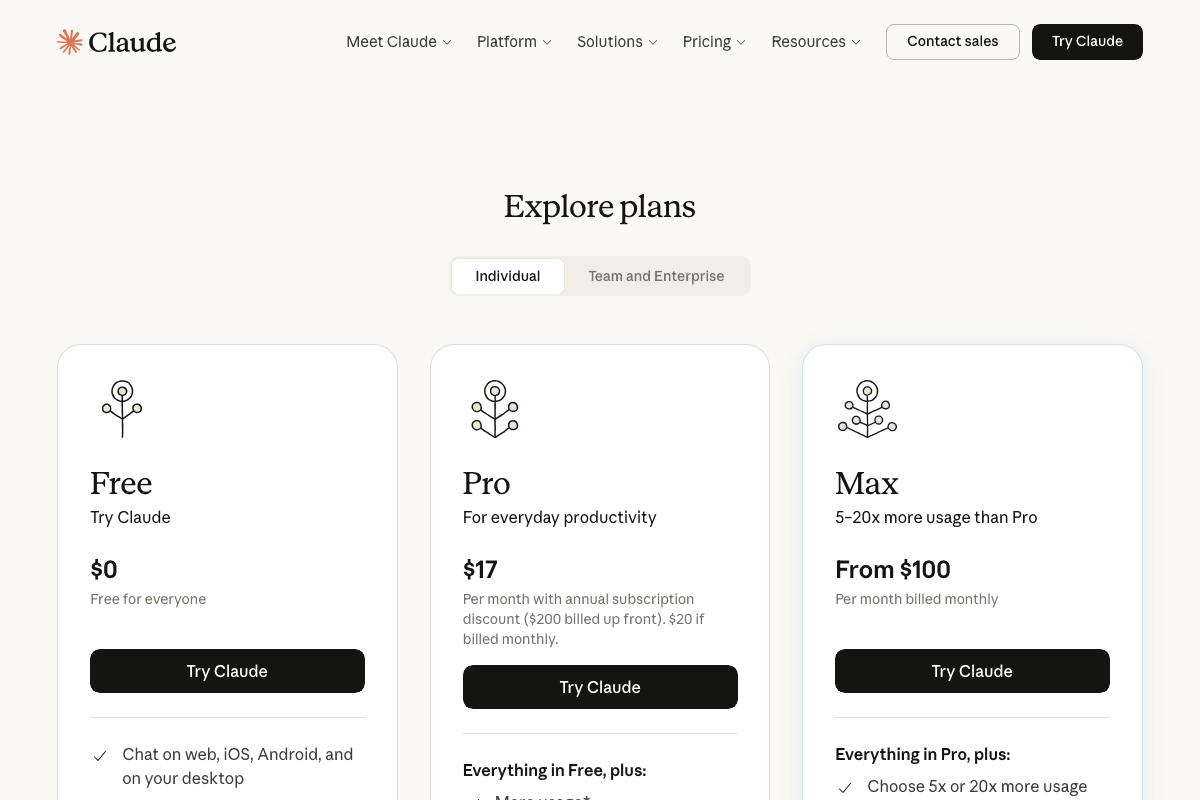
One relevant anchor: Max plan offers 5–20× more usage than Pro. The practical value of any 4–5% session saving scales with how close to your ceiling you run.
Step 4 — The companion memory-compression tool
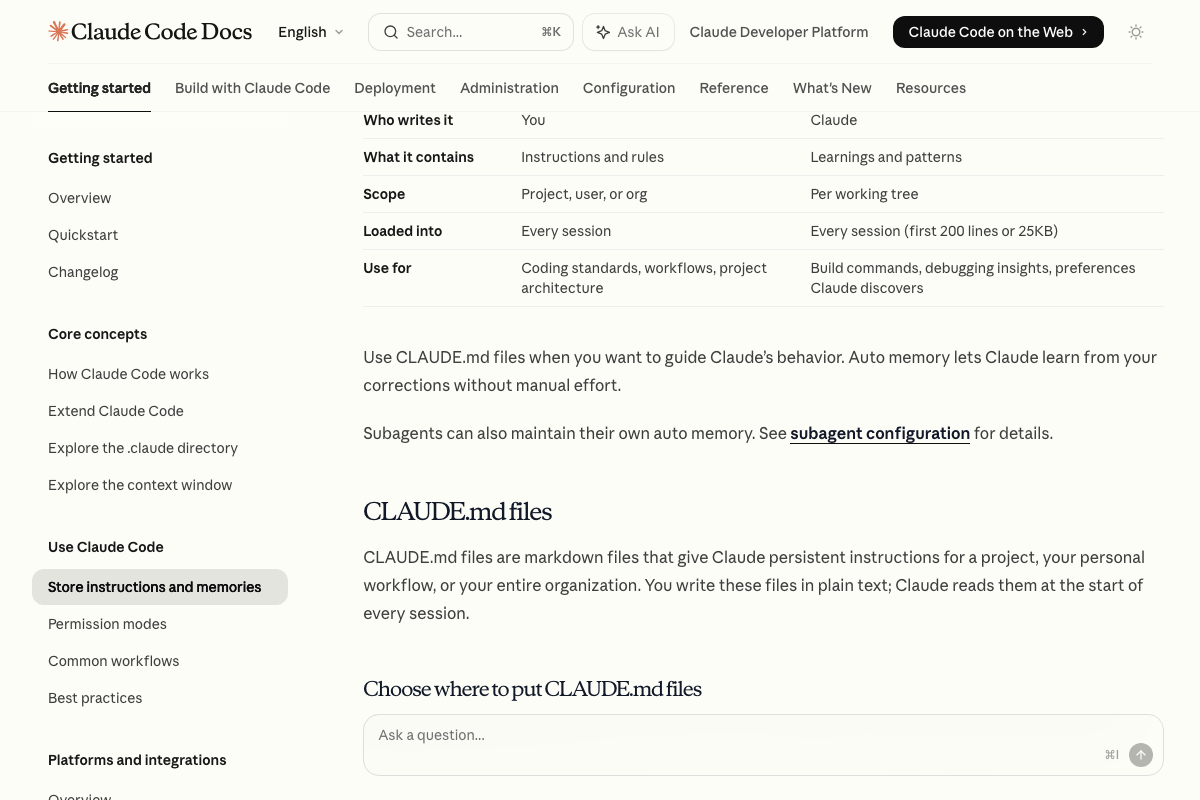
The video’s approach here matches the current docs exactly. CLAUDE.md is an officially documented, user-written instruction file loaded at the start of every session — compressing it does reduce per-session input tokens.
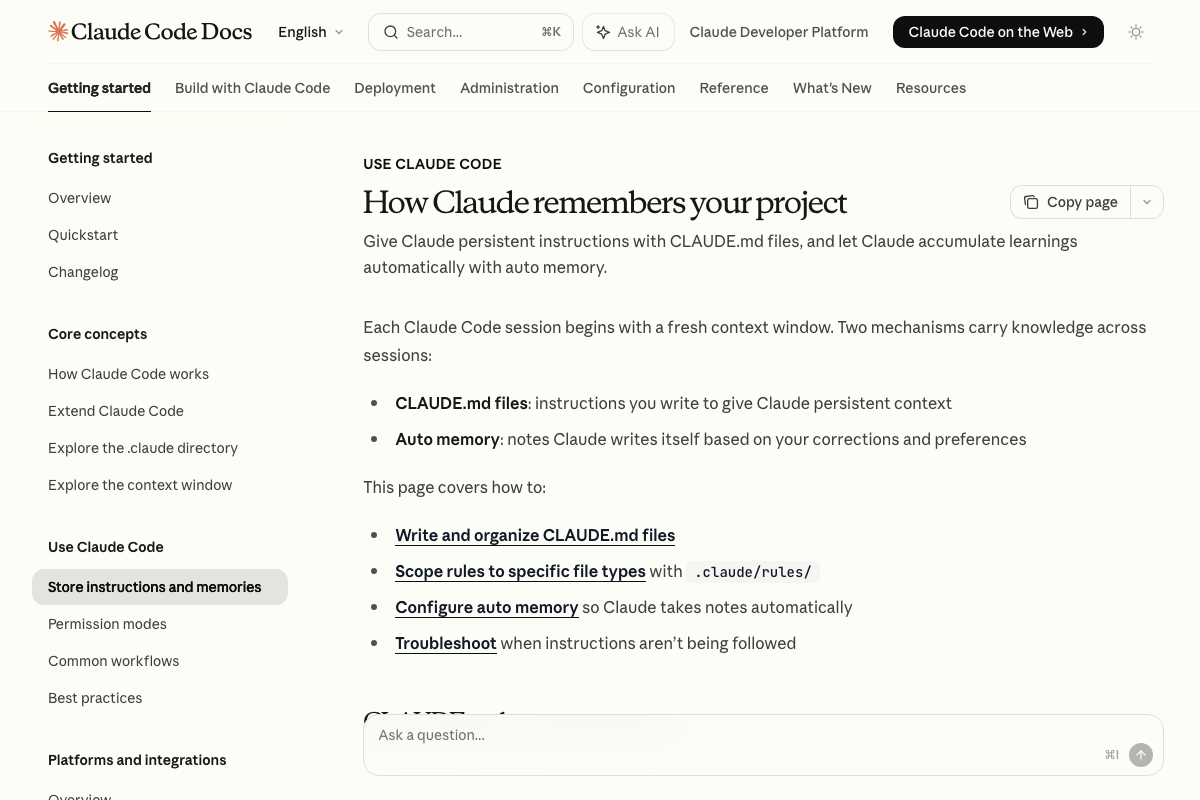
One thing the video doesn’t address: auto memory is a second, parallel persistence channel — Claude-written notes derived from corrections and preferences, capped at 200 lines or 25 KB per session. The memory-compression tool targets CLAUDE.md only. Verbose auto memory runs untouched.
Steps 5–8 — Install, invocation, what stays untouched, and the research paper
No official documentation was found for these steps —
proceed using the video’s approach and verify independently.
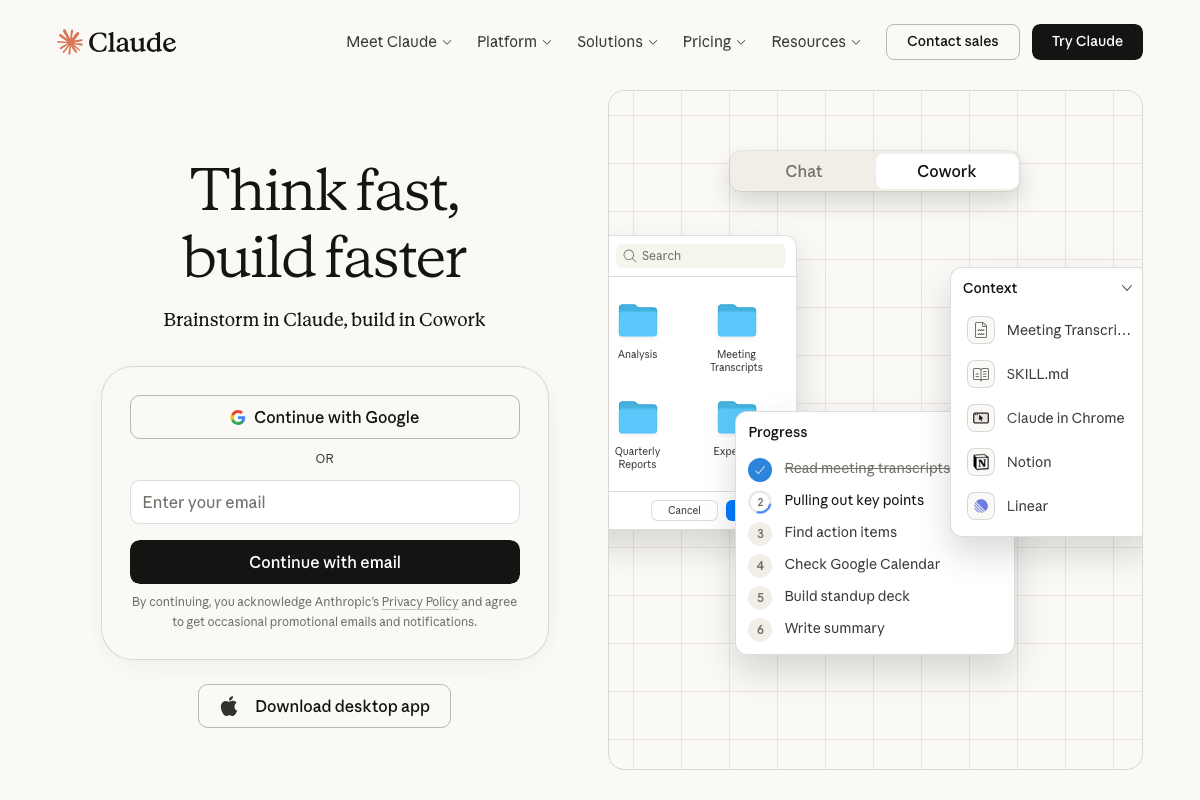
The SKILL.md entry visible in the Claude Code interface is consistent with how skills are loaded as named markdown files — but the specific install command, slash-command syntax, and the arXiv benchmark claims are not covered in Anthropic’s official docs.
Step 9 — Adding a conciseness directive to CLAUDE.md
The video’s approach here matches the current docs exactly. A directive like “be concise, no filler, straight to the point” placed in CLAUDE.md is a legitimate, documented way to shape Claude’s response style across sessions.
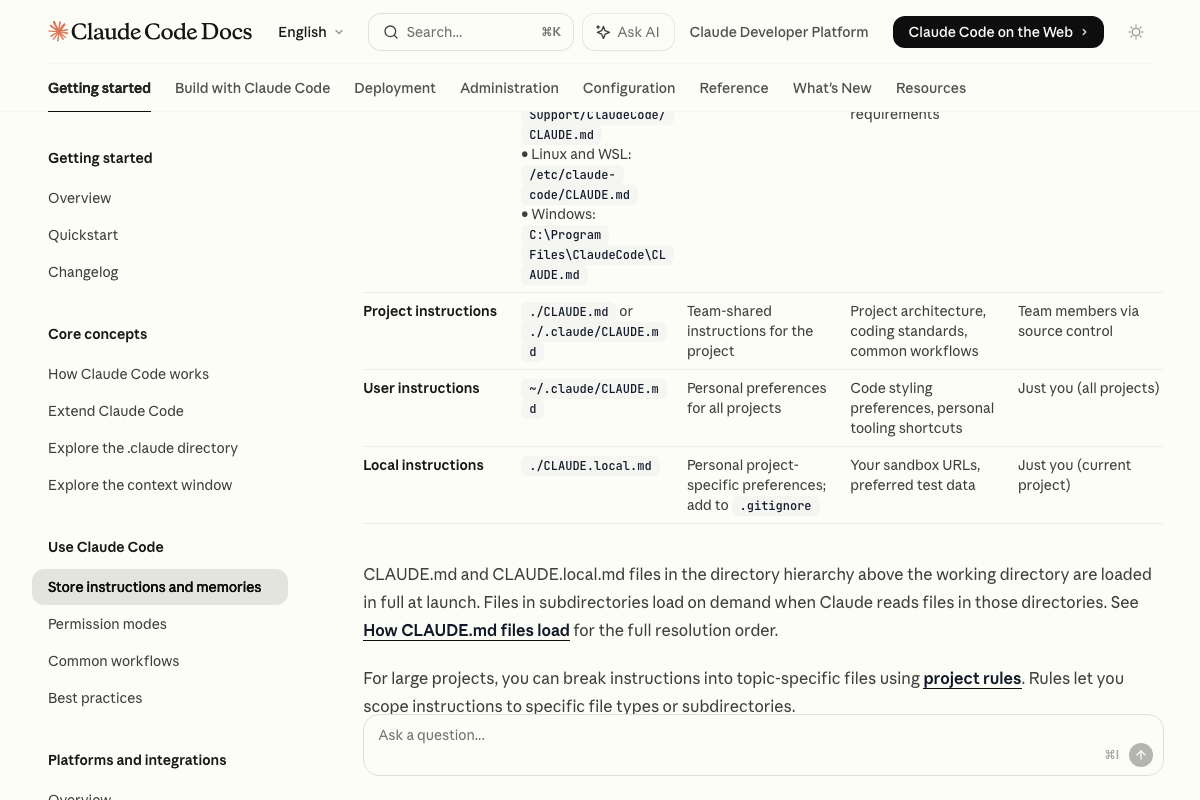
One scope distinction the video skips: there are three separate CLAUDE.md files. Placing your directive in ./CLAUDE.md limits it to the current project. Place it in ~/.claude/CLAUDE.md and it applies across every project you work in. The local variant, ./CLAUDE.local.md, is gitignored — right for personal preferences you don’t want committed. As of April 7, 2026, the choice between project-level and user-level scope meaningfully changes how broadly the conciseness constraint applies.
Useful Links
- How Claude remembers your project – Claude Code Docs — Official documentation covering all three CLAUDE.md scopes, file paths, and the auto memory mechanism including its 200-line / 25 KB session load cap
- Claude Code — The claude.ai Claude Code landing page, including the pricing tiers relevant for evaluating token-reduction tools at different usage volumes
- Claude Code overview – Claude Code Docs — The intended Claude Code documentation overview; note that screenshots labeled with this URL in our research were sourced from the claude.ai marketing site rather than the docs themselves


0 Comments