

10 New Open-Source Claude Code Tools Worth Your Time
The open-source ecosystem around Claude Code has exploded in the last thirty days, and most of it quietly disappears. These ten tools — covering token compression, knowledge graphs, video processing, front-end design, and browser automation — made the cut. Work through the list and you’ll have a toolkit that trims API spend, sharpens UI output, and extends Claude Code into workflows it couldn’t handle before.
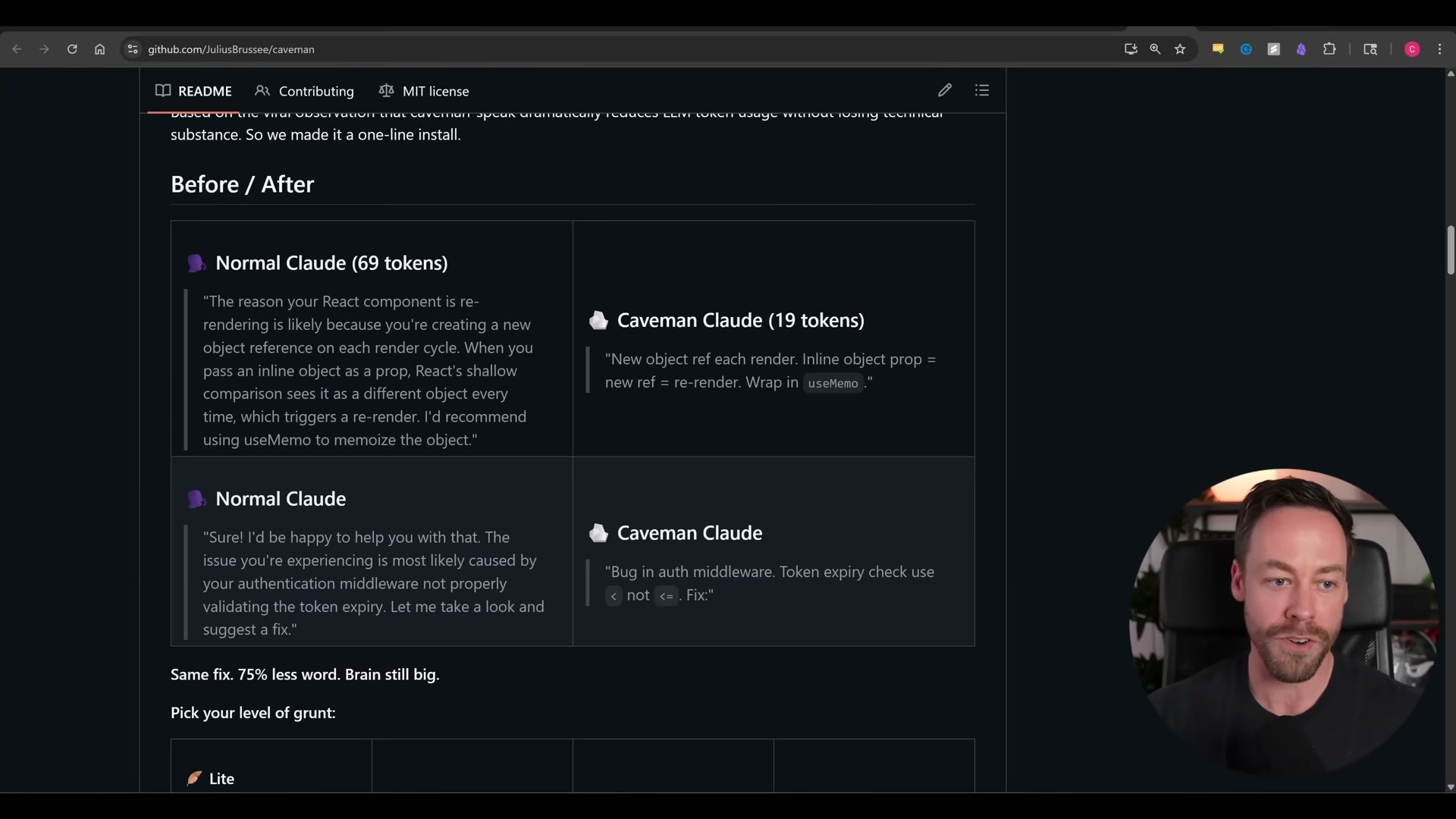
- Caveman Skill — Install by running the repo command or pasting the repo URL directly into Claude Code, then select a verbosity level:
light,full, orultra. The repo advertises 75% output token savings; in practice, because Caveman only affects output tokens, overall session savings land closer to 5%. The stronger argument for it comes from a March 2026 paper showing that brevity constraints improve accuracy — concise models are less likely to reason themselves into wrong answers.
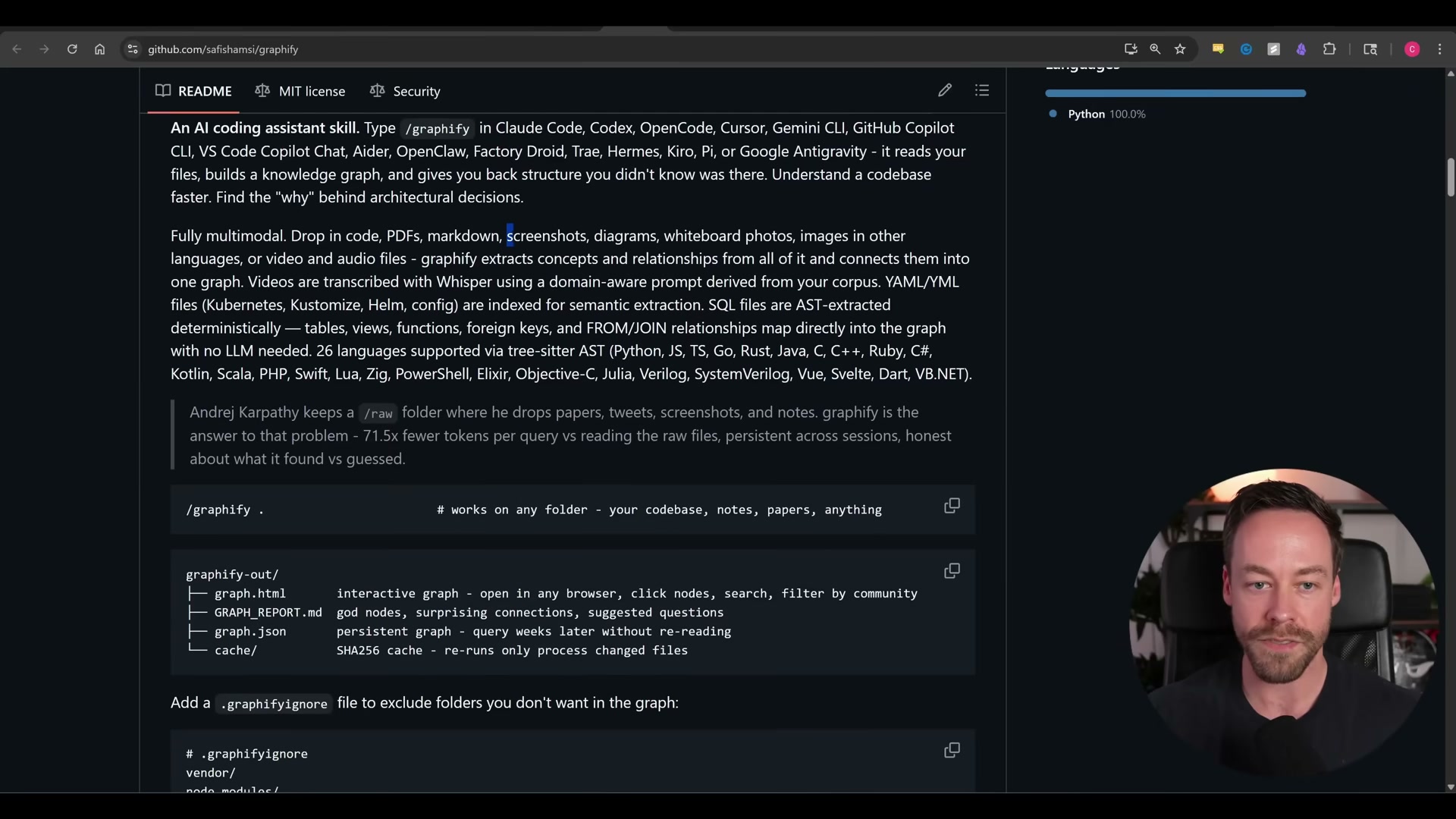
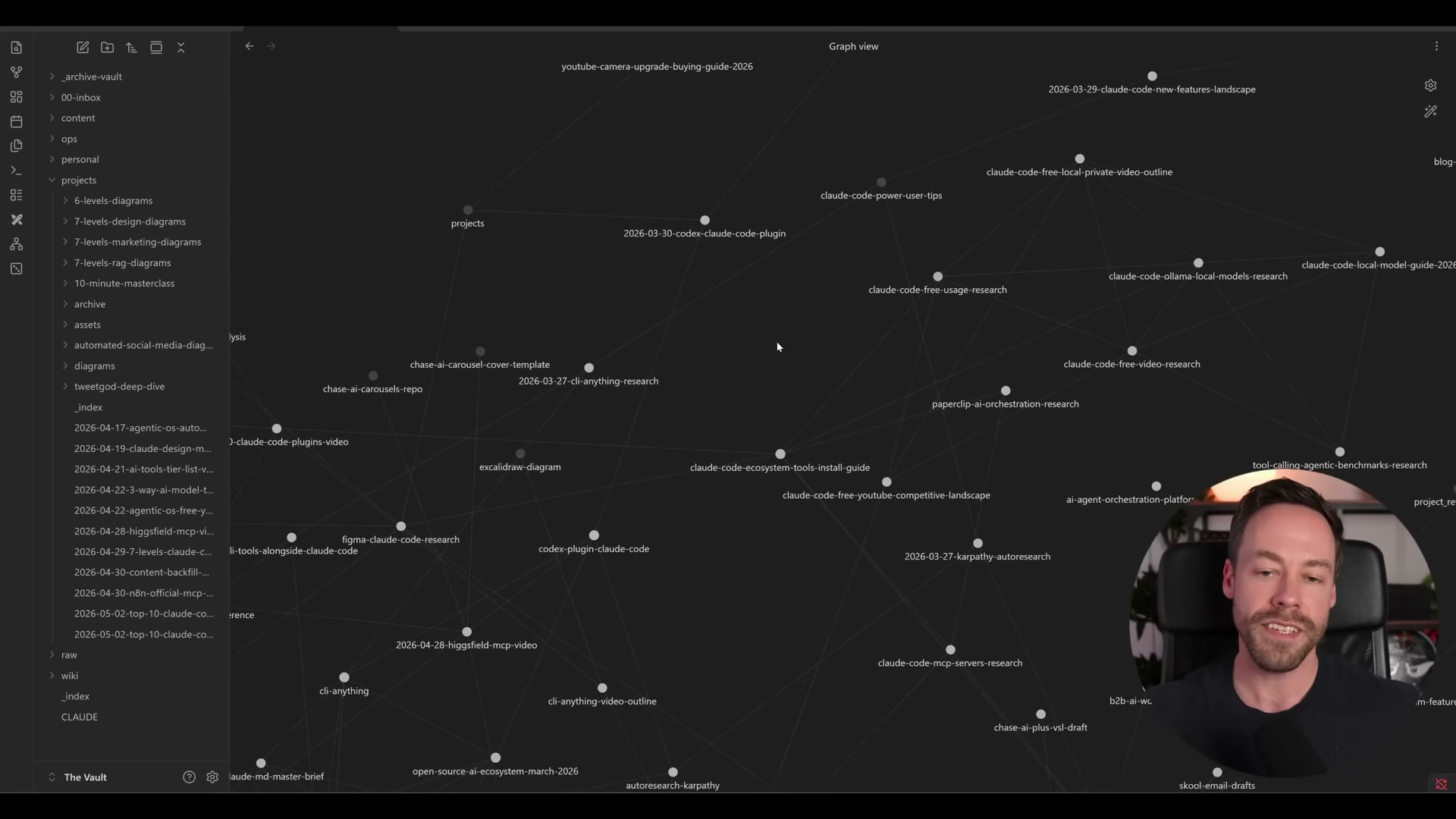
- Graphify — Point it at your workspace and it reads files — PDFs, screenshots, diagrams, and videos via Whisper — then assembles a knowledge graph. The project claims 71.5× fewer tokens per query compared to raw-file reads. Obsidian can layer on top for visualization, but Graphify’s architecture sits closer to a graph-RAG system than Obsidian’s markdown-only model.
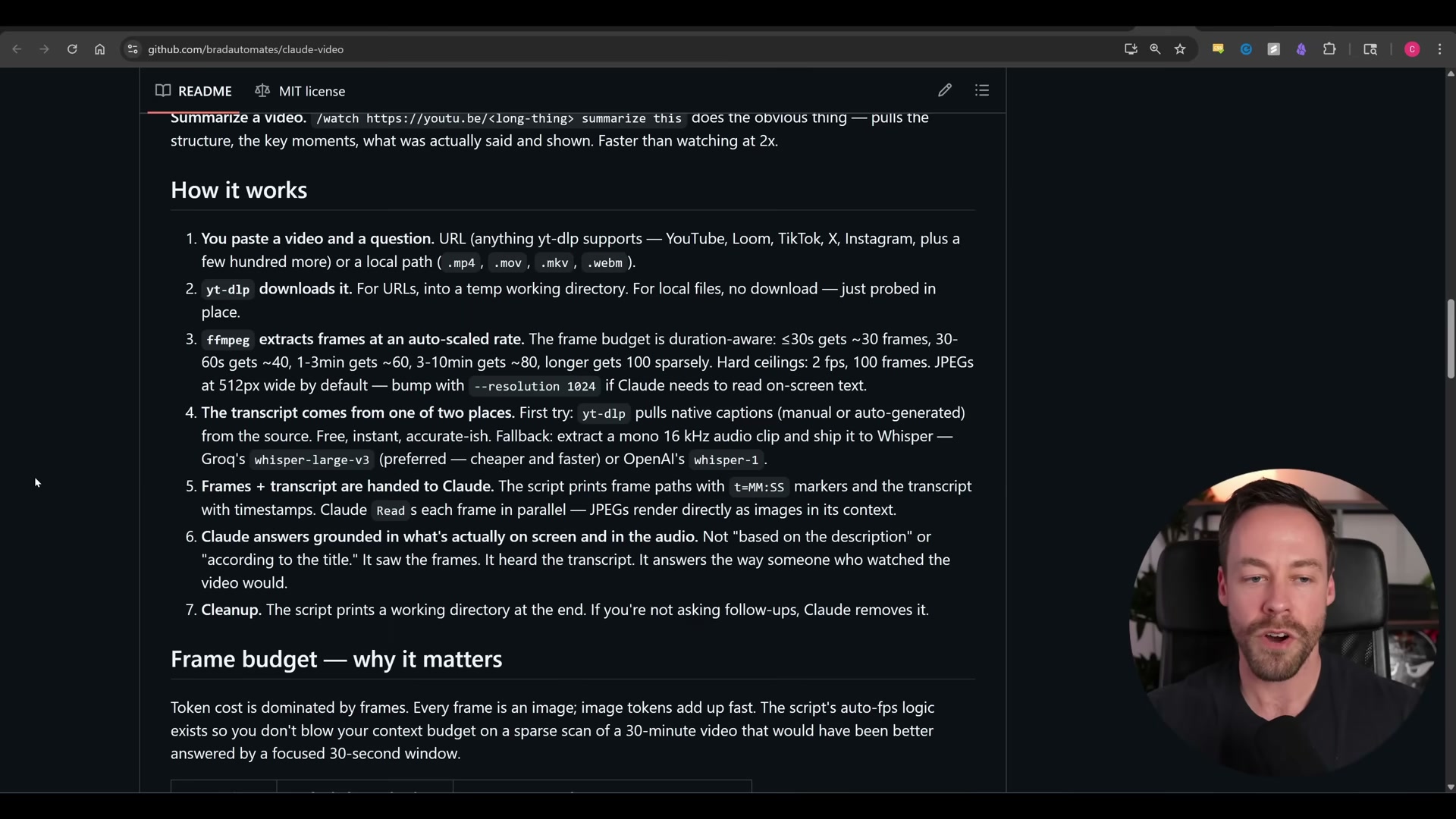
- Claude Video — Pass a video file; FFmpeg extracts frames on a duration-based budget (30 frames for clips under 30 seconds, 100 for anything over 10 minutes), and Whisper transcribes the audio track. Both are fed to Claude Code together, giving it grounded video comprehension without routing through Gemini or a third-party multimodal API.
Warning: this step may differ from current official documentation — see the verified version below.
-
Open Design — Run the bundled 31-skill package locally to access prototype, slide deck, and image/video API generation commands without consuming Claude Design usage limits. It consolidates four existing open-source projects: Huashu Design, the Guzheng PowerPoint skill, Open Code Design, and Multika.
-
Codeburn — Connect it to your Claude Code or API workflow for a dashboard that breaks spend down by project, model, activity type, shell commands, and MCP servers — well beyond what
/usagesurfaces natively. Beyond visibility, it surfaces optimization suggestions to reduce ongoing token burn.

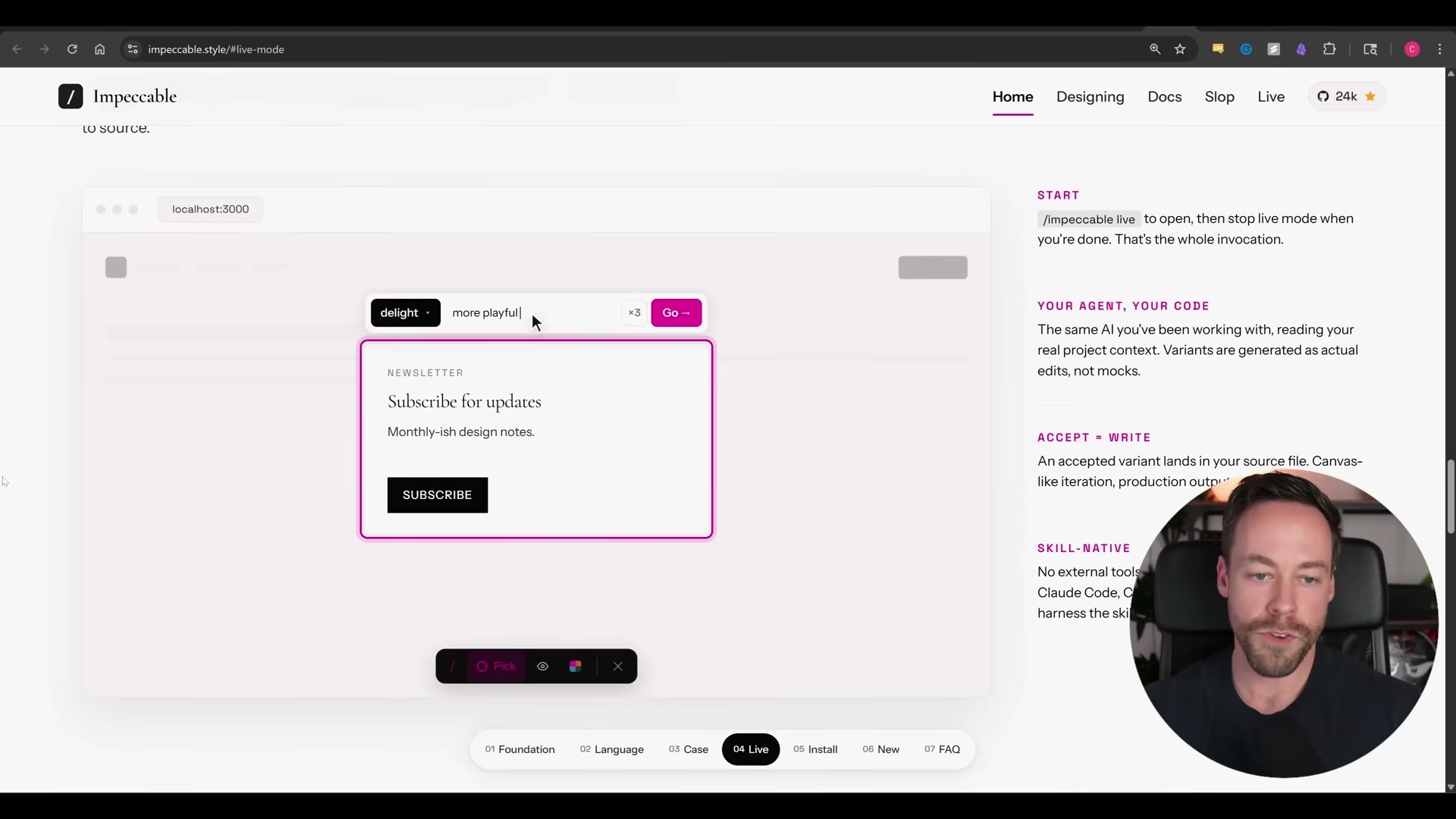
- Impeccable — Invoke the single skill to access 23 front-end design commands. Browse the reference site at impeccable.style to preview before/after states for each command, then activate live mode — new in version 3.0 — to click components directly in the browser and cycle through generated variants; accepted variants write back to your source file automatically.
-
Design Extract — Point it at any target URL and a headless browser extracts layout, color palette, spacing, motion language, and component anatomy as a ready-to-use design brief for your coding agent.
-
Career Ops — Paste a job URL or description; the tool classifies the role, scores fit against your CV, generates a tailored PDF application, and logs the position to a job tracker — all in a single pass.
-
Browser Harness — Assign a browser task and the agent completes it, then writes site-specific knowledge back to its own skill file so future runs on the same domain start with accumulated context rather than from scratch. The transcript cuts off before the full setup walkthrough.
-
The source transcript ends before the tenth tool is introduced.
How does this compare to the official docs?
Each tool in this list wraps a different set of upstream dependencies — FFmpeg, Whisper, headless Chromium, and others — and Act 2 checks every install path and key claim against the source documentation so you know exactly where the video departs from verified ground.
Here’s What the Official Docs Show
The video gives you an accurate reading of this emerging Claude Code ecosystem — the tool stack and core behaviors hold up. What follows adds verified context where official documentation exists and flags the eight tools that currently live only in their own repos.
1. Caveman Skill
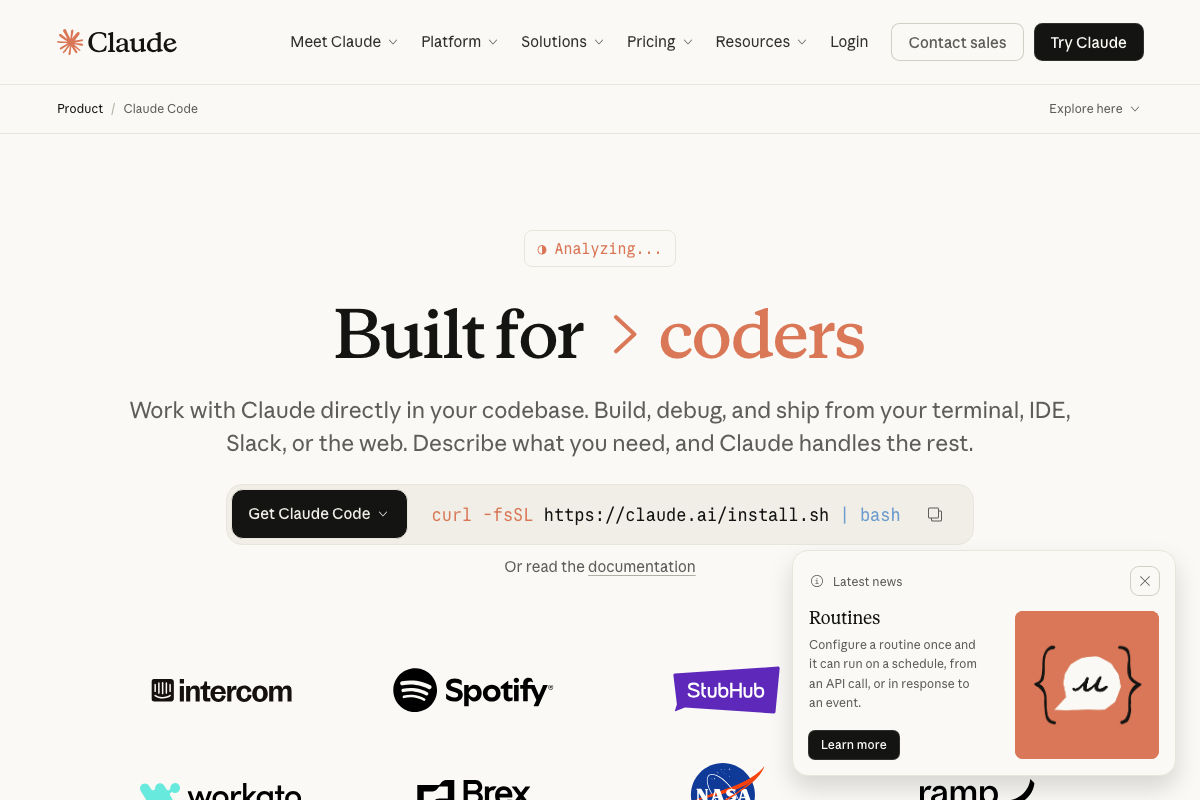
One install-path distinction the docs surface: curl -fsSL https://claude.ai/install.sh | bash installs Claude Code itself, not third-party skills. Caveman’s repo-command or repo-URL method is a separate, skill-level installation layered on top of an existing Claude Code instance.
No official documentation was found for Caveman itself — proceed using the video’s approach and verify independently.
2. Graphify
No official documentation was found for this step — proceed using the video’s approach and verify independently.
3. Claude Video
FFmpeg and Whisper are confirmed as the correct underlying tools. The video’s approach here matches the verified stack.
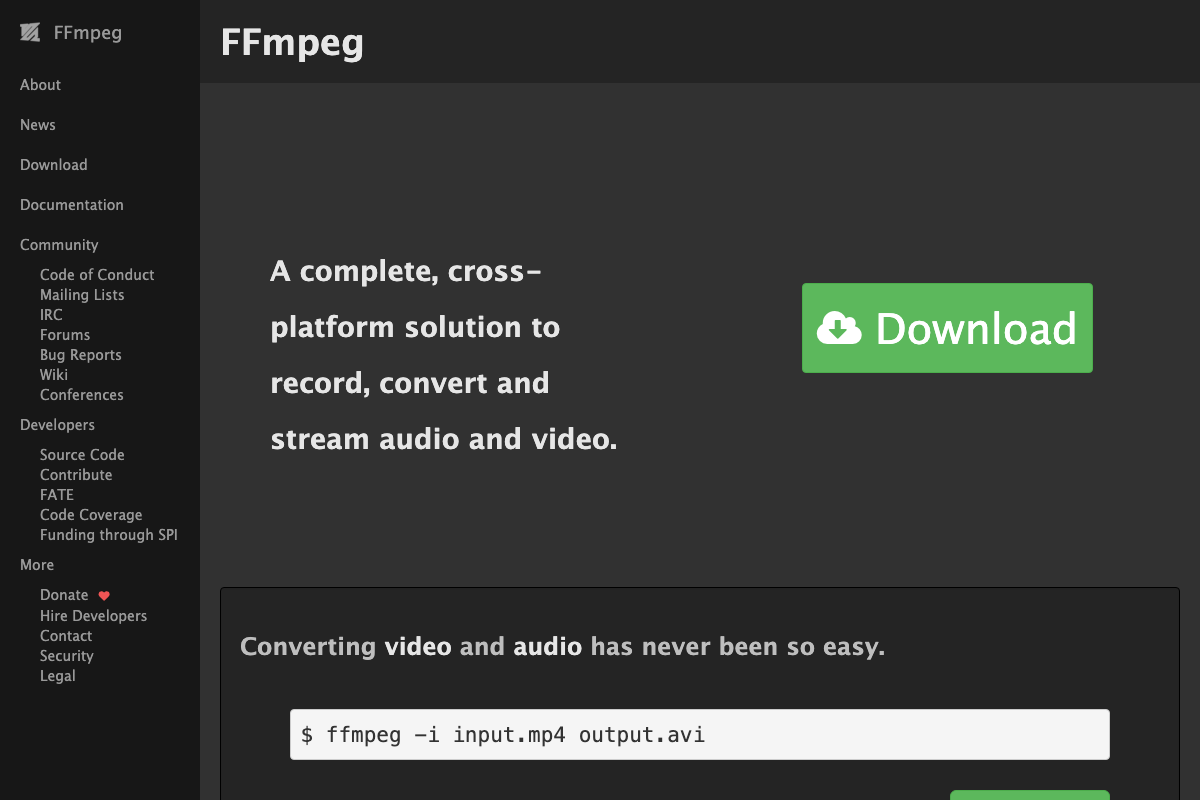
The “duration-based budget” for frame sampling is a Claude Video abstraction — FFmpeg itself has no native token-budget or frame-budget concept; frame extraction requires explicit filter flags like -vf fps=. Also worth flagging: FFmpeg 8.0 added an internal audio filter named “Whisper.” This is an unrelated FFmpeg-native processing filter, not OpenAI Whisper. The two operate independently in Claude Video’s pipeline.
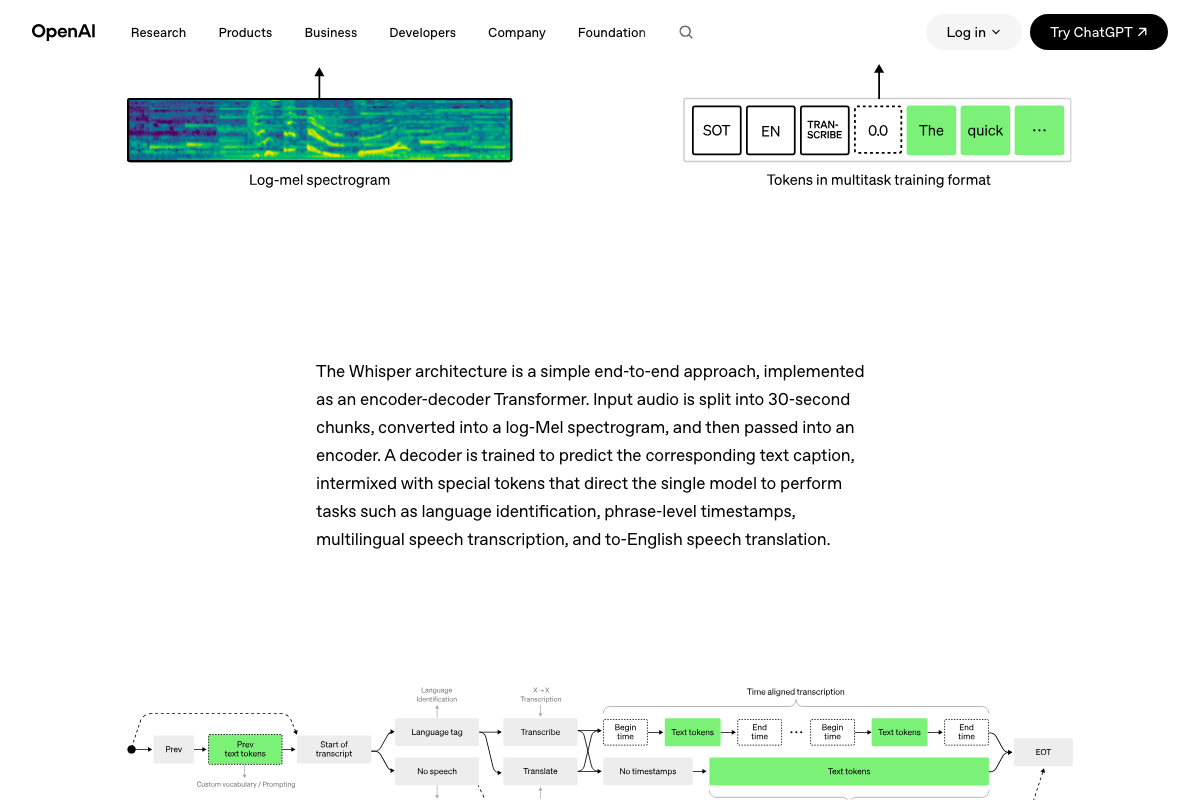
Whisper processes audio in fixed 30-second windows. For longer videos, transcripts span multiple segments. The tutorial does not describe how Claude Video handles multi-segment reassembly or truncation, and it does not specify which Whisper model size (tiny through large) is used by default — a choice with meaningful speed-vs-accuracy tradeoffs.
4. Open Design
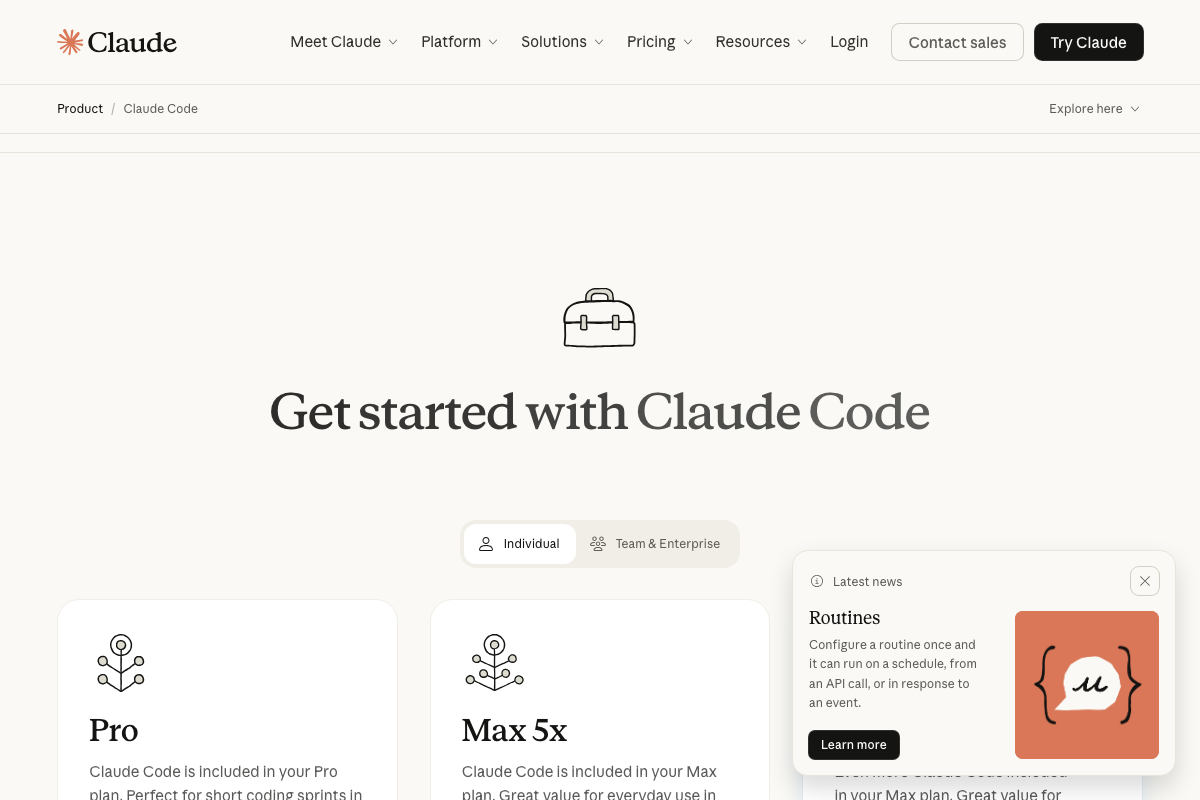
The usage-limit rationale the video cites is consistent with how Claude Code’s plan tiers work. The Max plan offers 5× higher usage versus Pro — useful baseline when evaluating whether running design tools locally genuinely reduces API spend for your volume.
No official documentation was found for Open Design itself — proceed using the video’s approach and verify independently.
5–8. Codeburn, Impeccable, Design Extract, Career Ops
No official documentation was found for these steps — proceed using the video’s approach and verify independently.
9. Browser Harness
The video’s approach here matches the current docs exactly — and the docs explain the mechanism the tutorial skips.
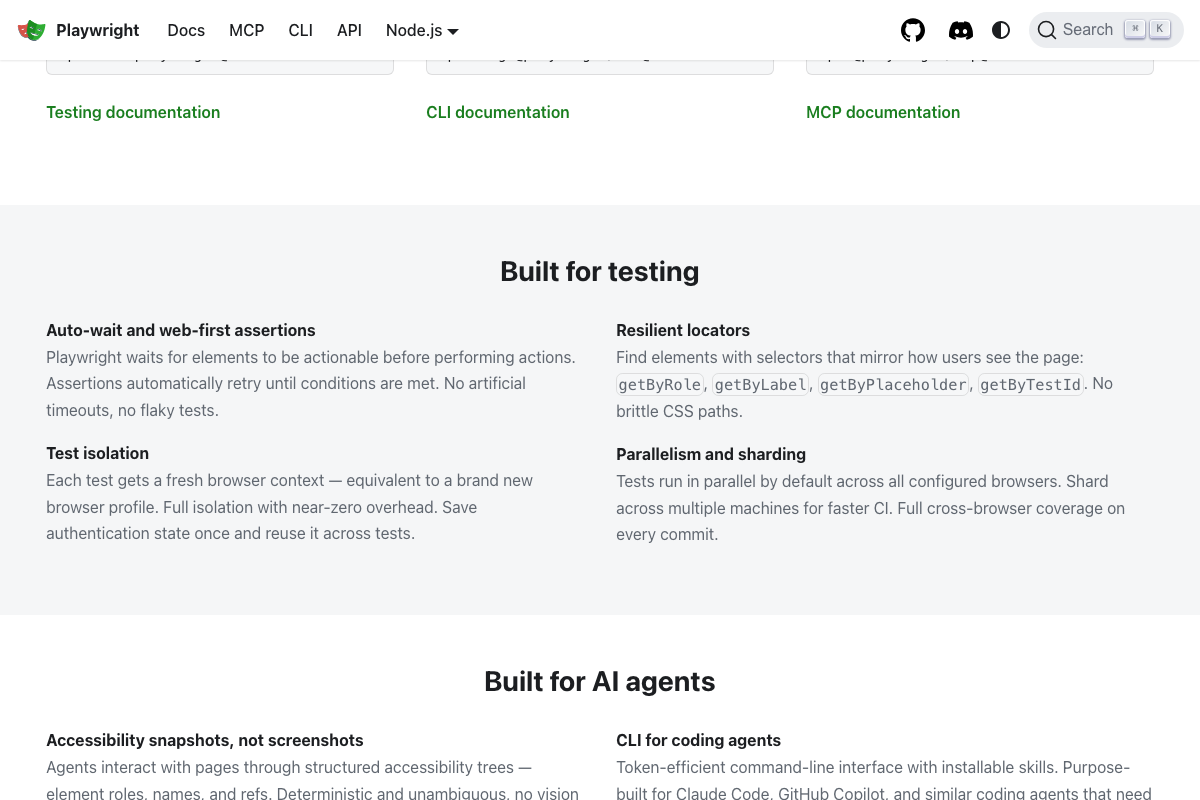
Playwright’s official documentation uses “installable skills” as its named architectural pattern and cites Claude Code as a primary target agent — directly validating the skill-file write-back behavior described in the video. The token-efficiency story has a specific technical cause: Playwright uses accessibility snapshots, not screenshots, for page interaction. Structured accessibility trees cost a fraction of vision tokens, which is what makes unattended browser runs practical without blowing context budgets.

Playwright also offers an MCP server path alongside the CLI skill approach. The tutorial does not specify which Browser Harness uses, and the two differ in token cost and control surface.
10. Tool #10
No official documentation was found for this step — proceed using the video’s approach and verify independently.
Useful Links
- Claude Code by Anthropic | AI Coding Agent, Terminal, IDE — Official product page covering Claude Code’s install command, supported environments across Desktop, Terminal, IDE, Web/iOS, and Slack, and individual plan tiers.
- FFmpeg — Homepage and release notes for FFmpeg, the frame-extraction backend in Claude Video; current stable release is 8.1 “Hoare” (March 2026).
- Introducing Whisper | OpenAI — OpenAI’s Whisper research page covering model architecture, available size variants, and the 30-second audio chunk processing behavior relevant to long-video transcription.
- Fast and reliable end-to-end testing for modern web apps | Playwright — Official Playwright documentation confirming installable skills architecture, accessibility-snapshot-based page interaction, and Claude Code as a named primary target agent.


0 Comments