

Five Open-Source Repos That Extend Claude Code With Self-Improving Loops and Multi-Agent Communication
Released within the last 30 days, these five GitHub repositories collectively push Claude Code far beyond its defaults — enabling autonomous optimization loops, self-evolving skill libraries, one-command CLI generation, and cross-instance agent communication. After working through this tutorial, you’ll have a working mental model for each tool, know which use cases each one fits, and understand how to wire them into an existing Claude Code workflow. The repos range from Karpathy’s 59K-star autoresearch to a four-day-old MCP from Hong Kong’s HCUs lab, so the signal-to-noise ratio here is unusually high.
- Clone the autoresearch repo and study its three files before running anything.
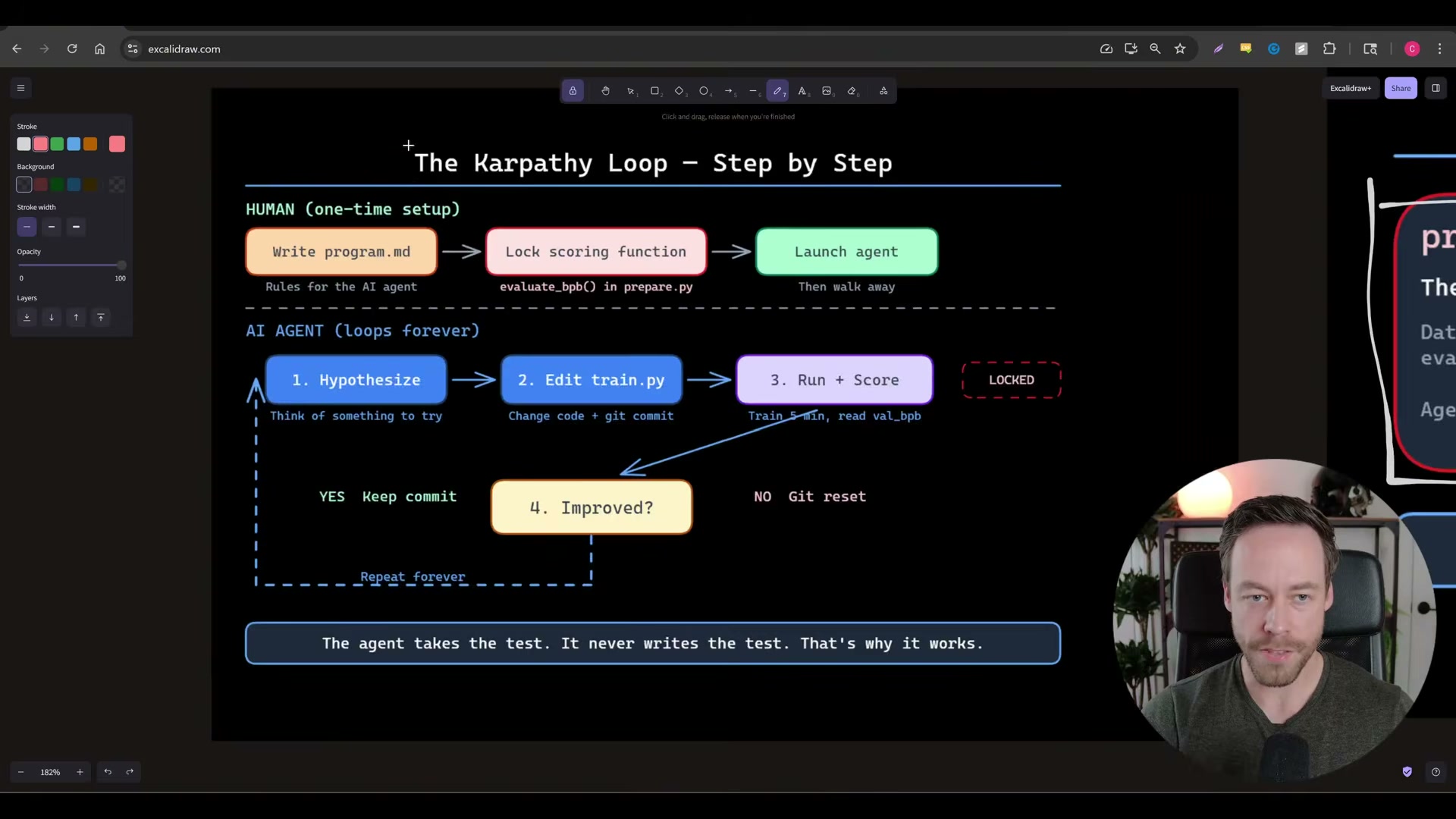
program.mddefines the task and constraints the agent must satisfy.train.pyis the agent-editable code that acts as the loop’s “weights” — the only file Claude Code is permitted to modify.prepare.pyis Karpathy’s locked scoring scaffolding; the agent can never touch it, which preserves the integrity of every measurement.
- Before launching the loop, write a binary-scorable objective into
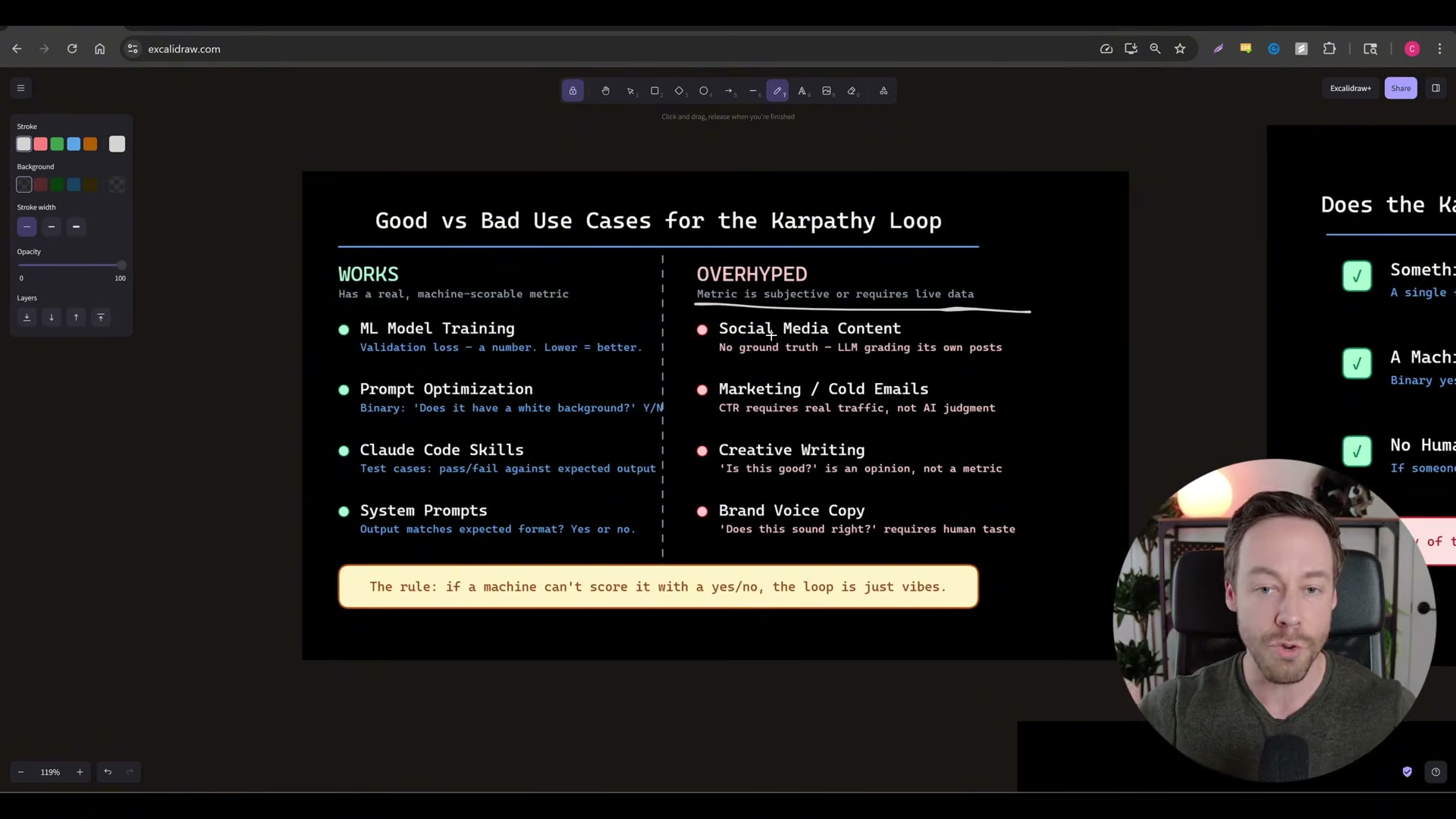
program.md. Strong candidates include Python script execution time, prompt-format match rate, and Claude Code skill pass/fail. Anything requiring human judgment — email tone, creative writing quality, social content — cannot be scored programmatically and will produce meaningless results. If a machine cannot answer the scoring question with yes or no, the loop has no signal to optimize against.
- Launch the autoresearch agent. On each iteration, Claude Code edits
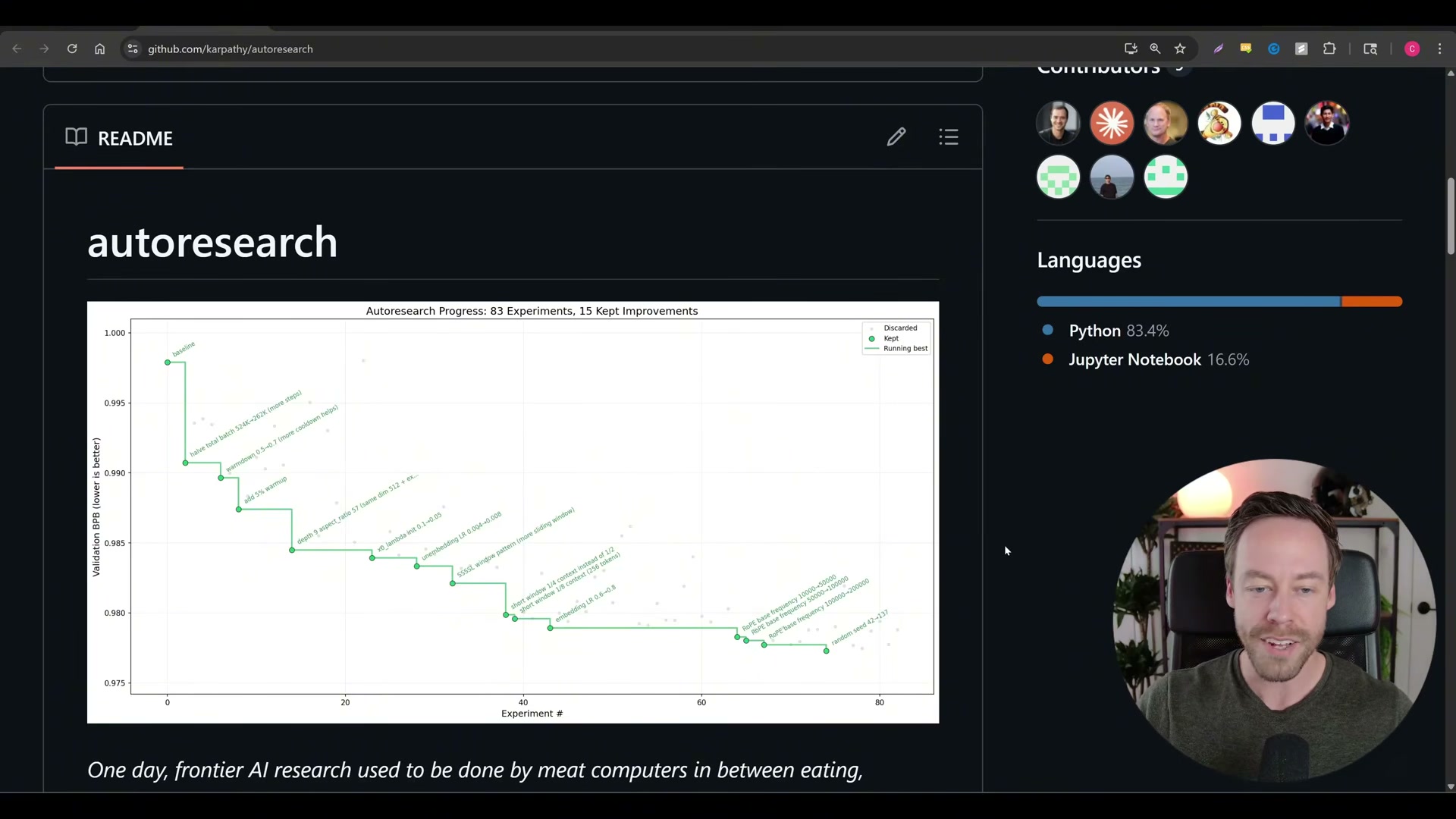
train.py, executes a run, and receives a numeric score. An improvement triggers agit commit; a regression triggers agit resetback to the previous state. The agent then hypothesizes a new approach and repeats — 83 experiments and 15 kept improvements is a representative run from the repo’s own README.
-
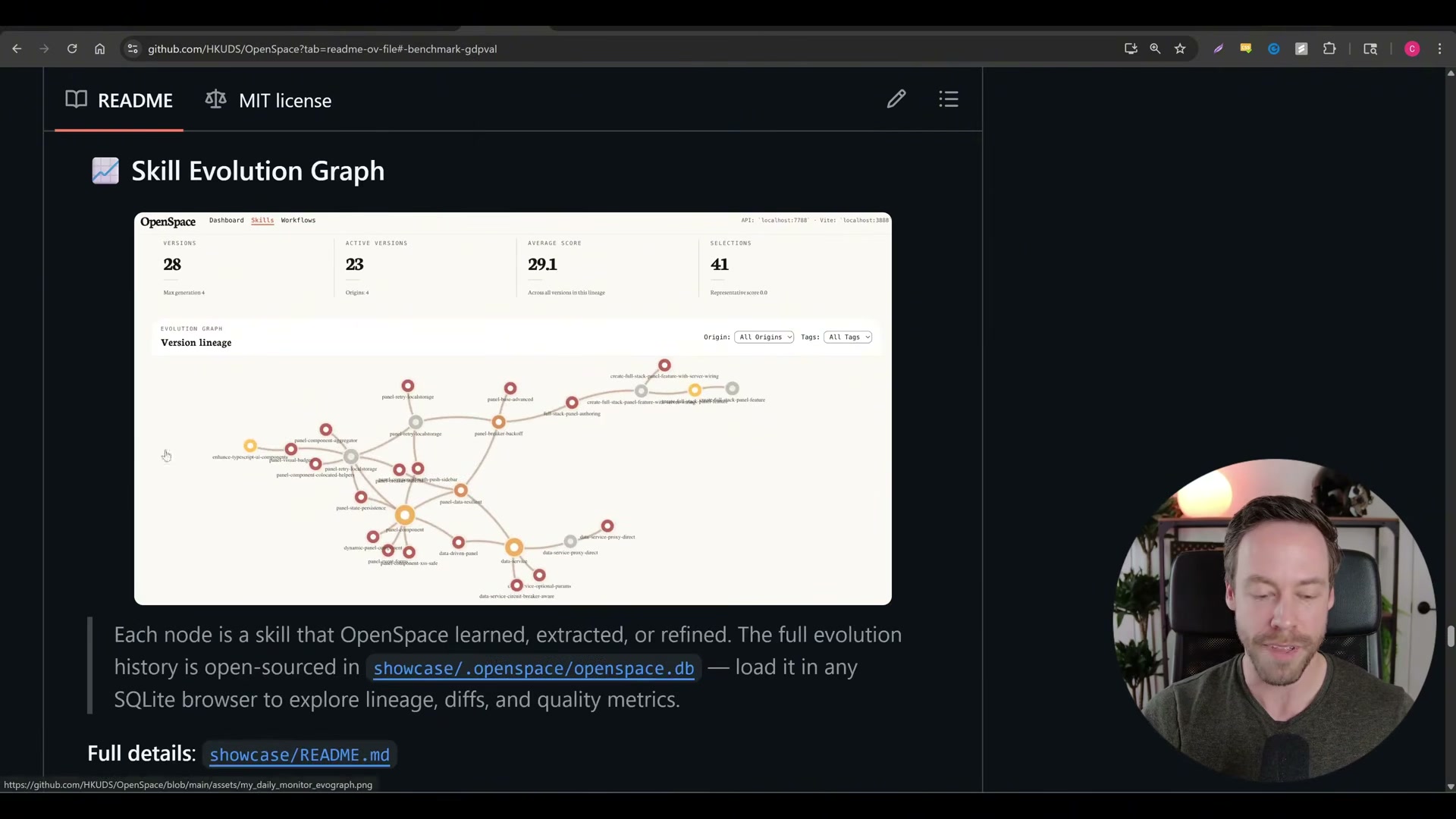
Install the OpenSpace MCP server and connect it to Claude Code. Once live, OpenSpace begins observing skill usage passively across every task, building a performance record without requiring any changes to your existing workflow.
-
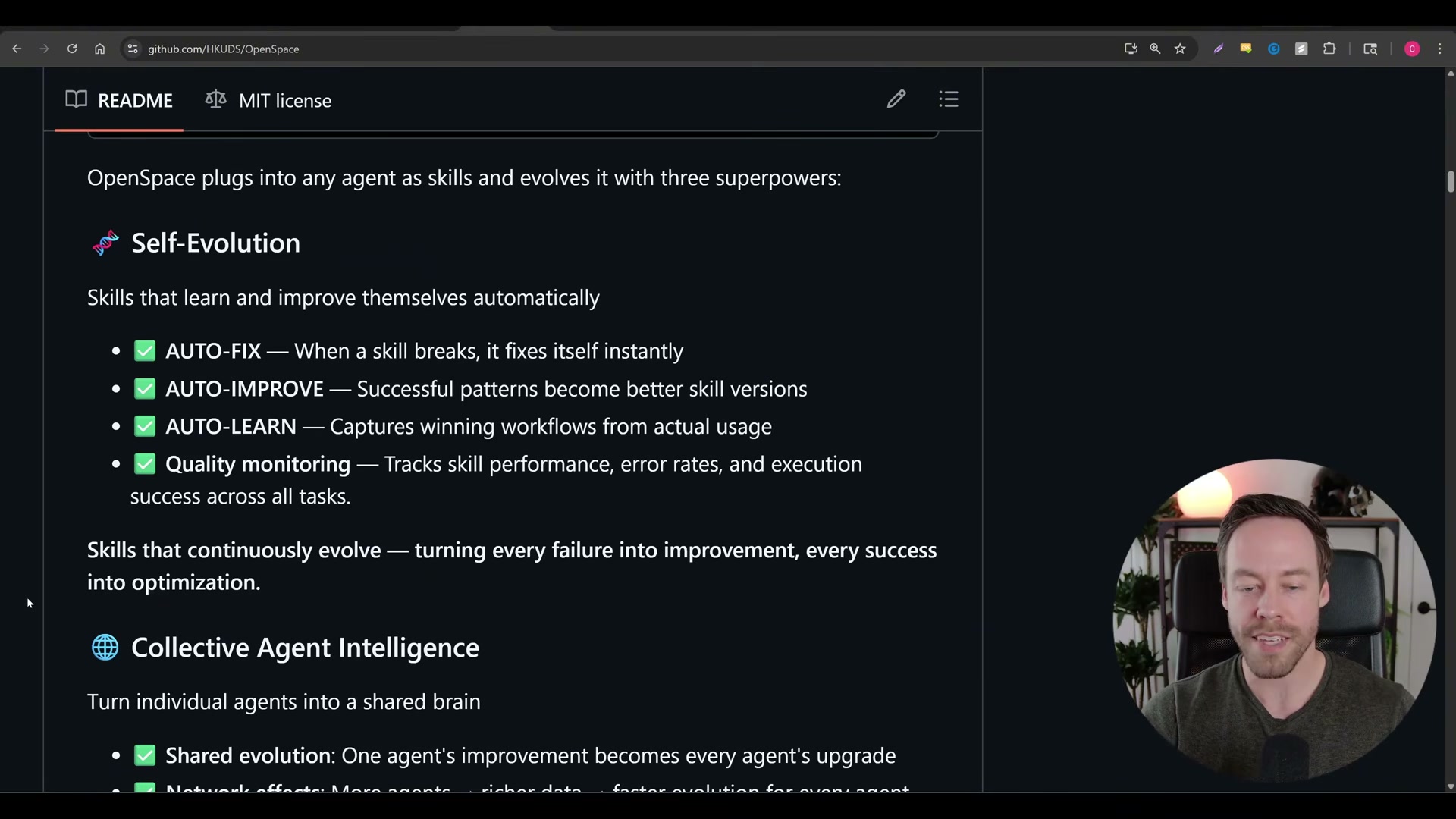
Allow OpenSpace to classify tracked skills into three buckets: autofix for skills failing outright, autoimprove for skills that work but have optimization headroom, and autolearn for ceiling-level skills that should be locked. The system applies refinements automatically and stores the full skill lineage — every version, score, and selection — in a local SQLite database.
-
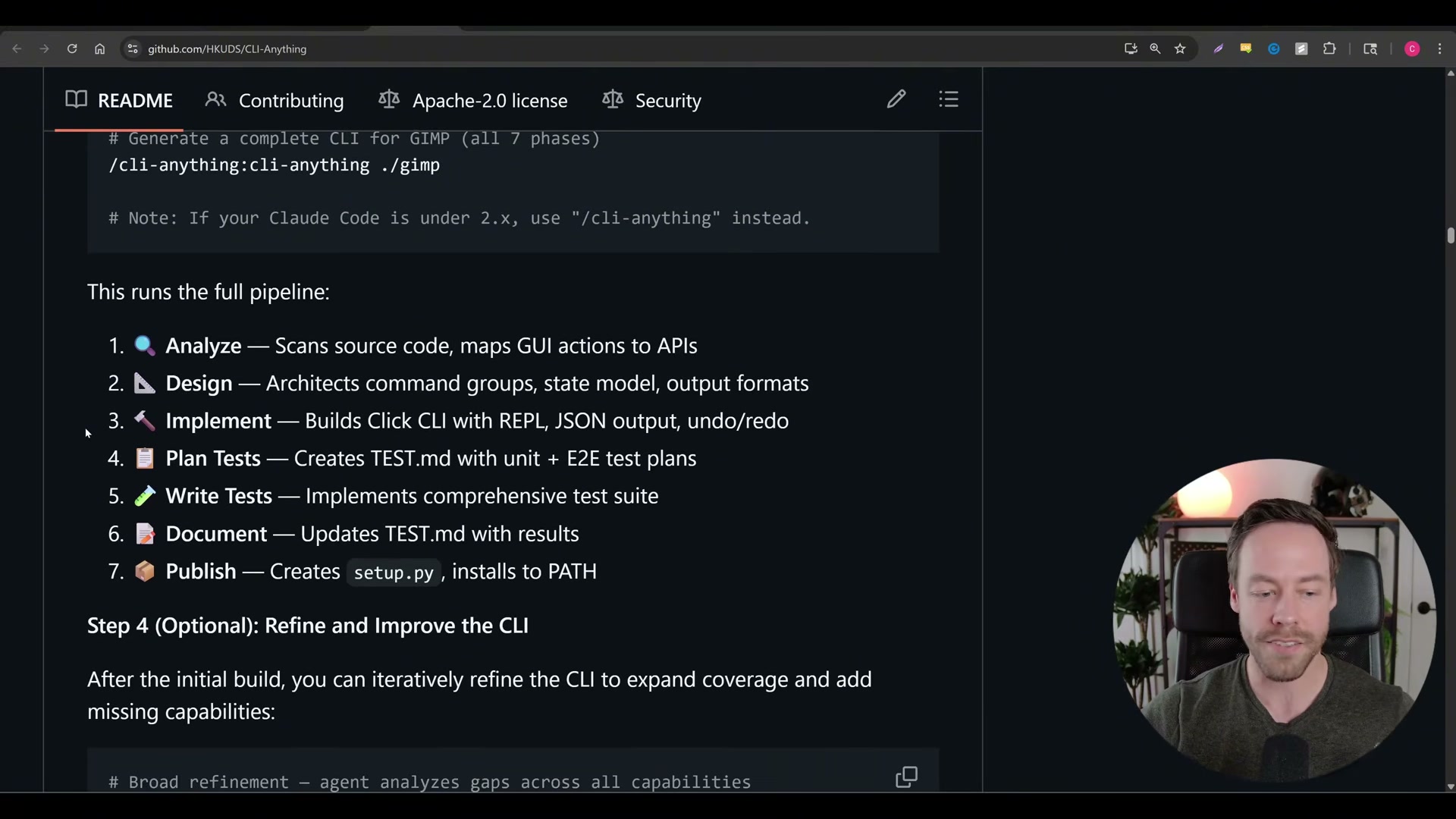
Install CLI Anything with its two-line setup — plugin first, then the tool — and run the single conversion command pointed at any open-source repository. The tool runs a seven-phase pipeline: source analysis, interface design, implementation, test planning, test writing, documentation, and publication as a PATH-installed CLI Claude Code can invoke directly.
-
Review the generated CLI for completeness. If the first pass omits commands or flags, re-run the agent against the same repo with additional instructions. Iterative refinement is expected behavior, not a failure state.
-
Install the Claude Code Peers MCP server and launch a primary session. The server initializes a local SQLite message bus automatically and begins listening for peer connections from other Claude Code instances.
-
Spawn additional Claude Code sessions. Each session pushes its current plan and state summary to the shared database, making that context readable by every other active instance — a foundation for plan/execute/evaluate harness architectures where specialized agents share live state without a centralized orchestrator.
Warning: this step may differ from current official documentation — see the verified version below.
How does this compare to the official docs?
Anthropic’s official guidance on multi-agent patterns, MCP server configuration, and skill management describes a different architecture than several of these community repos — and tracing those differences reveals exactly where the ecosystem is running ahead of the documentation.
Here’s What the Official Docs Show
The video covers these five repos accurately at the conceptual level. What follows layers in documentation-grounded precision on the foundational technologies underneath them — and flags one flag-level ambiguity in step 3 that could silently corrupt your regression recovery if left unaddressed.
Step 1 — Clone autoresearch and study the three files
No official documentation was found for this step — proceed using the video’s approach and verify independently.
Step 2 — Write a binary-scorable objective into program.md
No official documentation was found for this step — proceed using the video’s approach and verify independently.

Step 3 — Launch the autoresearch loop
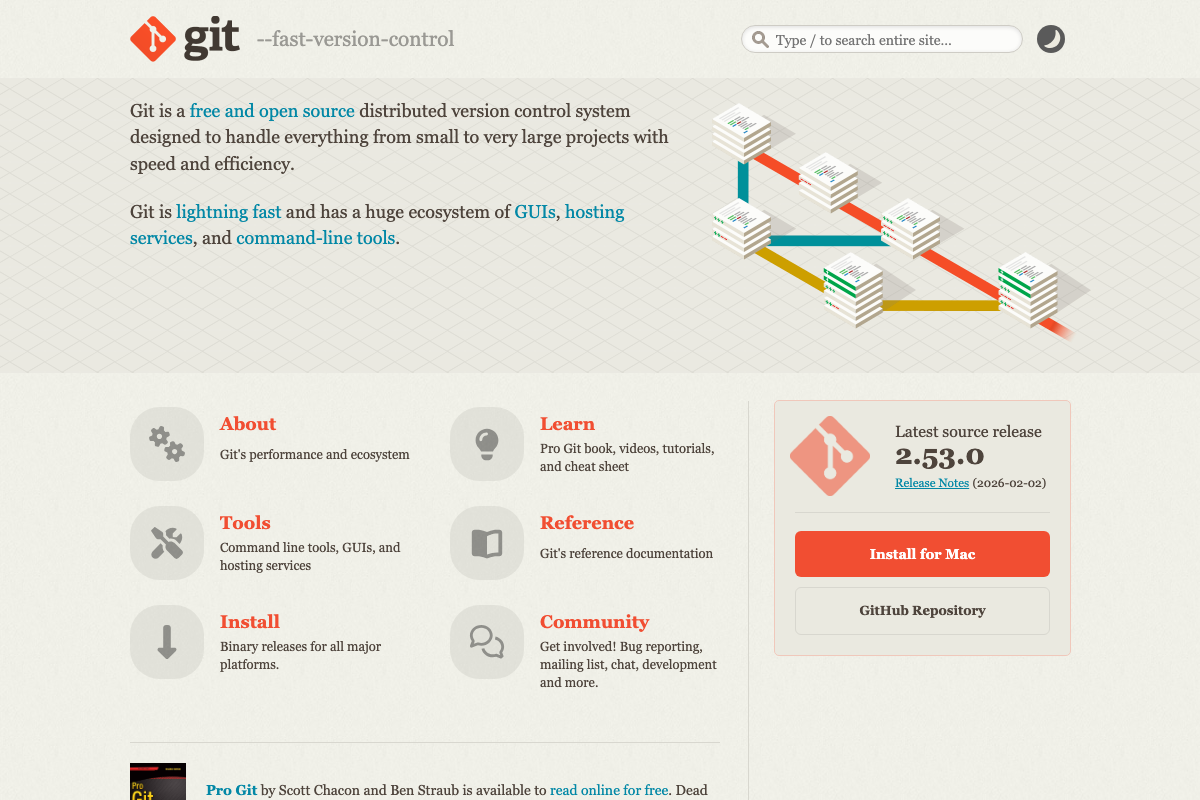
The video’s approach here matches the current docs exactly. One addition worth noting before you run: git reset without a mode flag performs a mixed reset — it clears the index but leaves the working tree intact. Fully discarding a regressed train.py requires git reset --hard HEAD~1. Check the Auto Research source to confirm which mode the loop uses, because a mixed reset means Claude Code’s next hypothesis starts from corrupted working-tree state, not the prior clean checkpoint.
Step 4 — Install OpenSpace MCP and connect to Claude Code
No official documentation was found for this step — proceed using the video’s approach and verify independently.
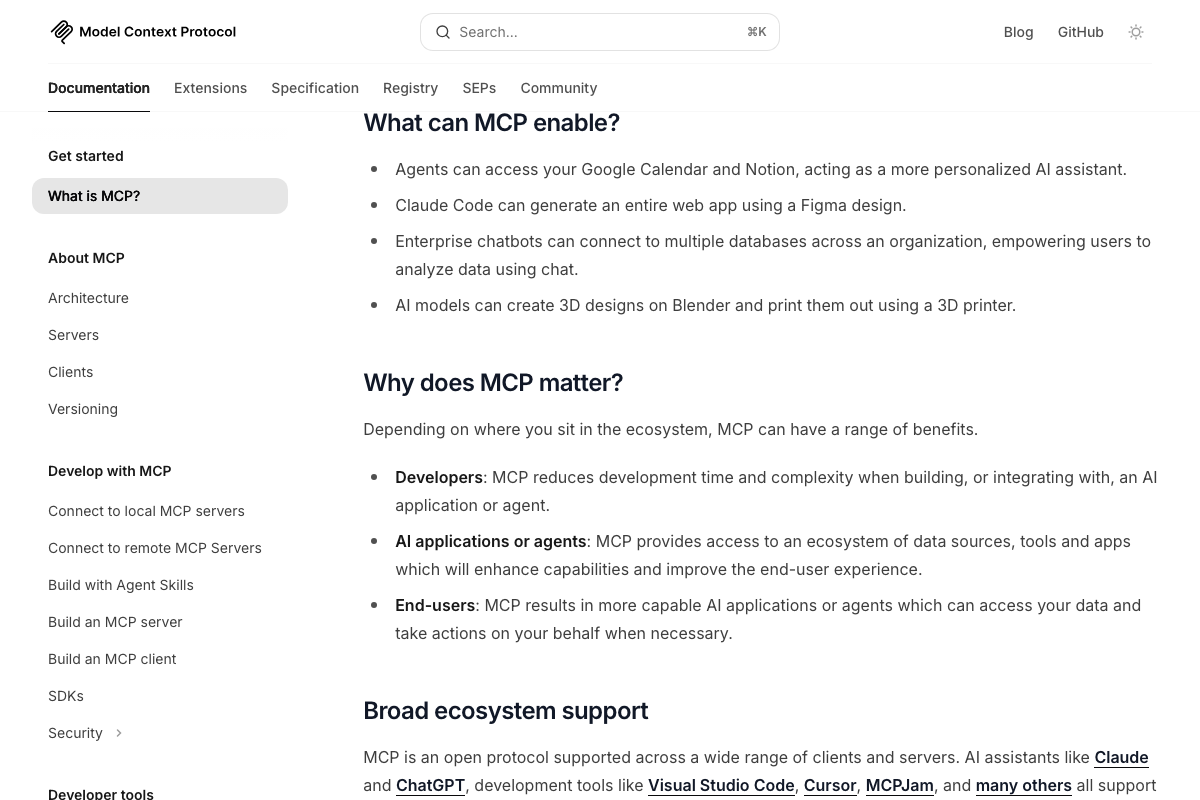
Step 5 — Let OpenSpace classify skills into autofix / autoimprove / autolearn
No official documentation was found for this step — proceed using the video’s approach and verify independently.

Step 6 — Install CLI Anything and run the seven-phase conversion pipeline
No official documentation was found for this step — proceed using the video’s approach and verify independently.
Step 7 — Review the generated CLI and iterate
No official documentation was found for this step — proceed using the video’s approach and verify independently.
Step 8 — Install Claude Code Peers and launch the primary session
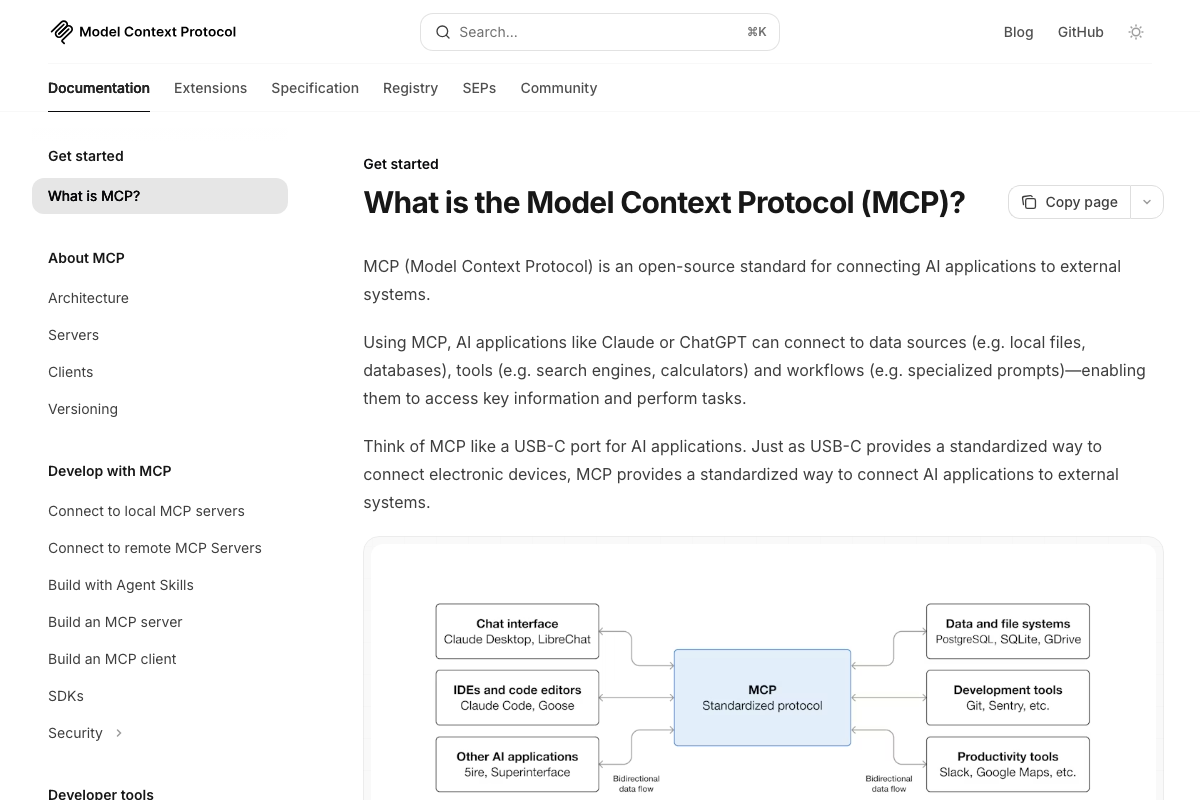
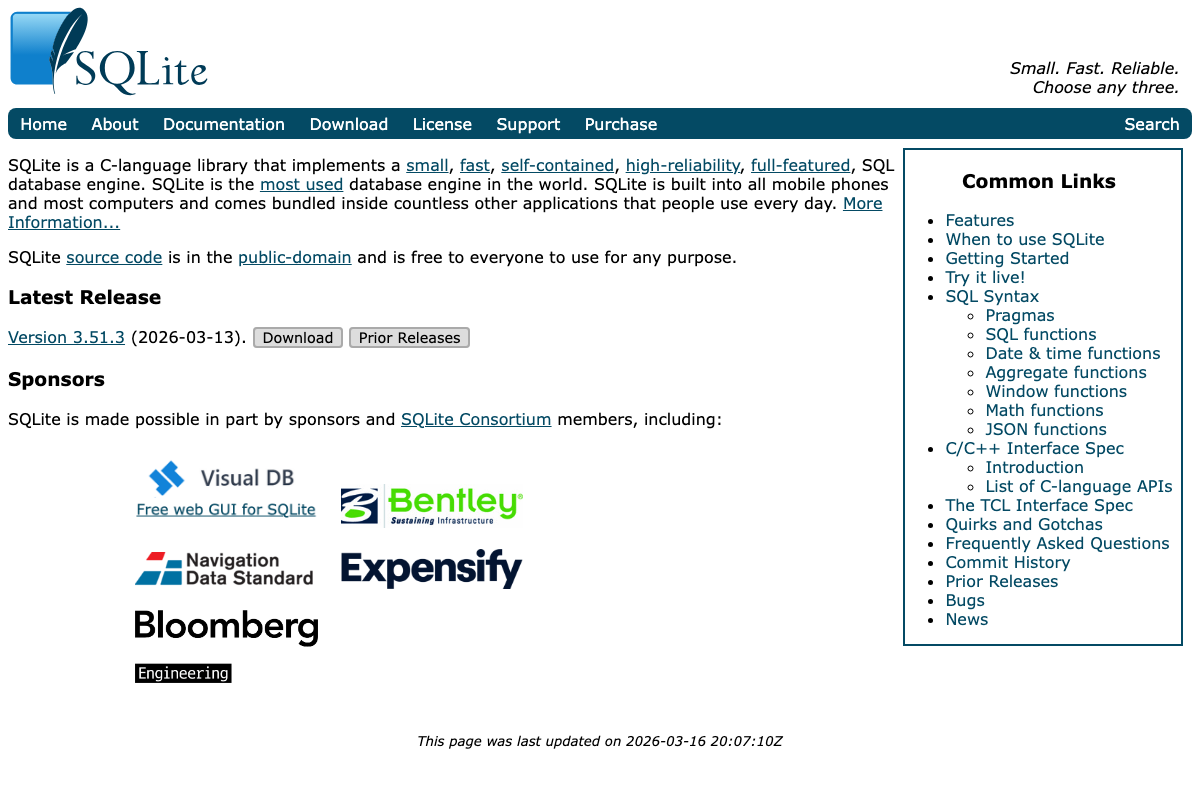
The video’s approach here matches the current docs exactly. The official MCP architecture diagram explicitly names SQLite as a supported data source, directly corroborating the Peers server’s SQLite-backed message bus. SQLite 3.51.3 — released March 13, 2026 — is public-domain and pre-installed on most developer machines, which supports the low-friction setup the video implies. No separate database service is required.
Step 9 — Spawn additional sessions and share live state
No official documentation was found for this step — proceed using the video’s approach and verify independently.
Useful Links
- What is the Model Context Protocol (MCP)? — Official MCP documentation covering architecture, server and client development, and the formal Agent Skills framework relevant to OpenSpace and Claude Code Peers.
- SQLite Home Page — Confirms SQLite 3.51.3, self-contained serverless design, and public-domain licensing — the backing store for OpenSpace’s skill lineage database and the Claude Code Peers message bus.
- Git — Official Git reference distinguishing
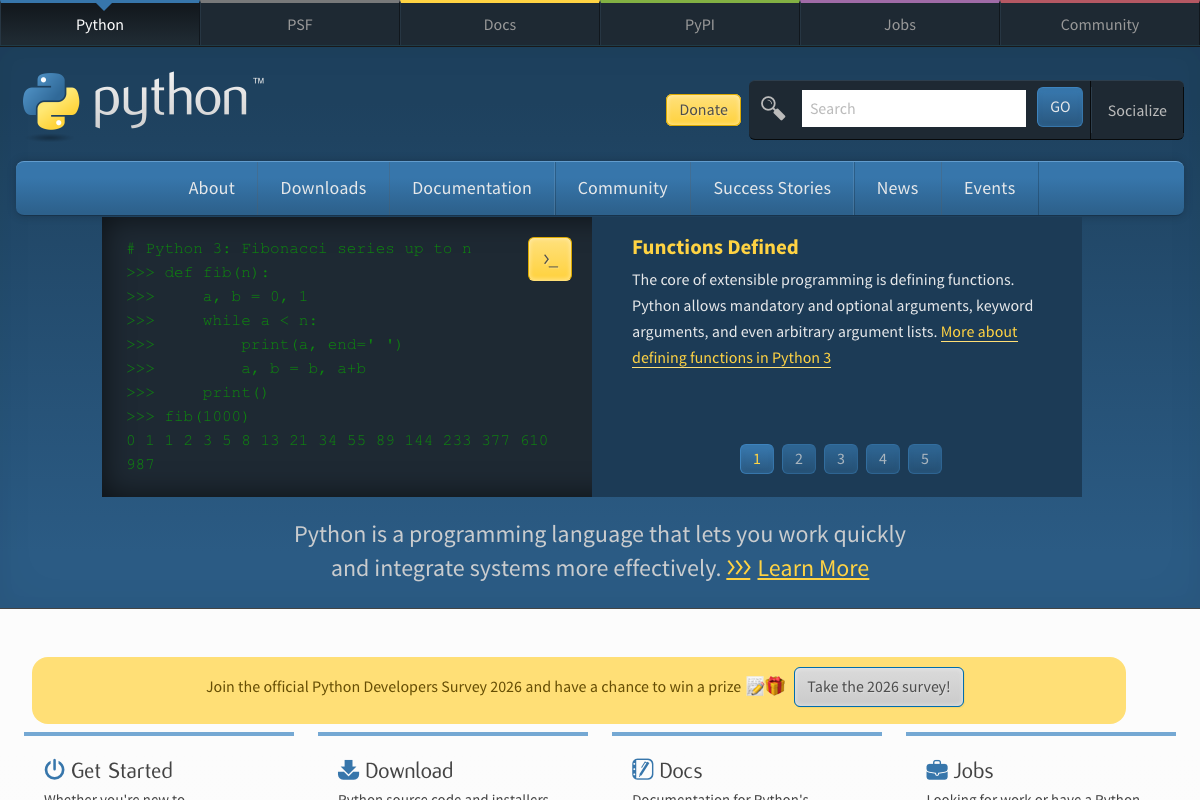
--soft,--mixed, and--hardreset modes, directly relevant to Auto Research’s regression-recovery behavior in step 3. - Welcome to Python.org — Python 3.14.3 is the current stable release; Anthropic is listed among official Python AI/ML ecosystem use cases alongside PyTorch and LangChain.
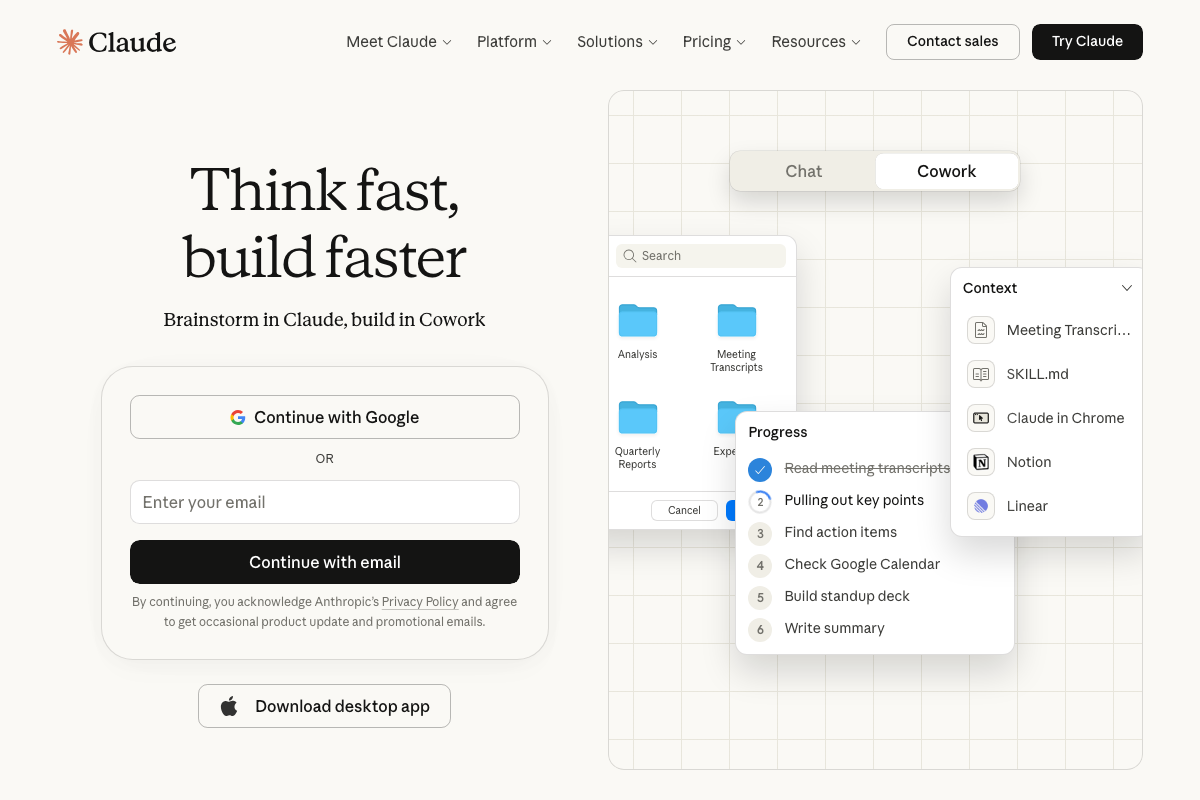
- Claude — Think fast, build faster — Anthropic’s consumer product homepage featuring the Cowork autonomous-task UI; this is the claude.ai surface, not the Claude Code CLI documentation found at docs.anthropic.com/en/docs/claude-code.


0 Comments