

Build a Structured Claude Code Agentic OS in Three Steps
Most Claude Code users treat the tool like a slot machine — random prompts, random tasks, random results. This tutorial walks you through a three-step framework for turning that chaos into a structured Agentic OS: a skill-and-automation architecture, an Obsidian-based memory layer, and a visual observability dashboard that lets anyone on your team execute complex workflows without touching a terminal. By the end, you’ll have a codified, trackable system you can hand off to teammates or clients.
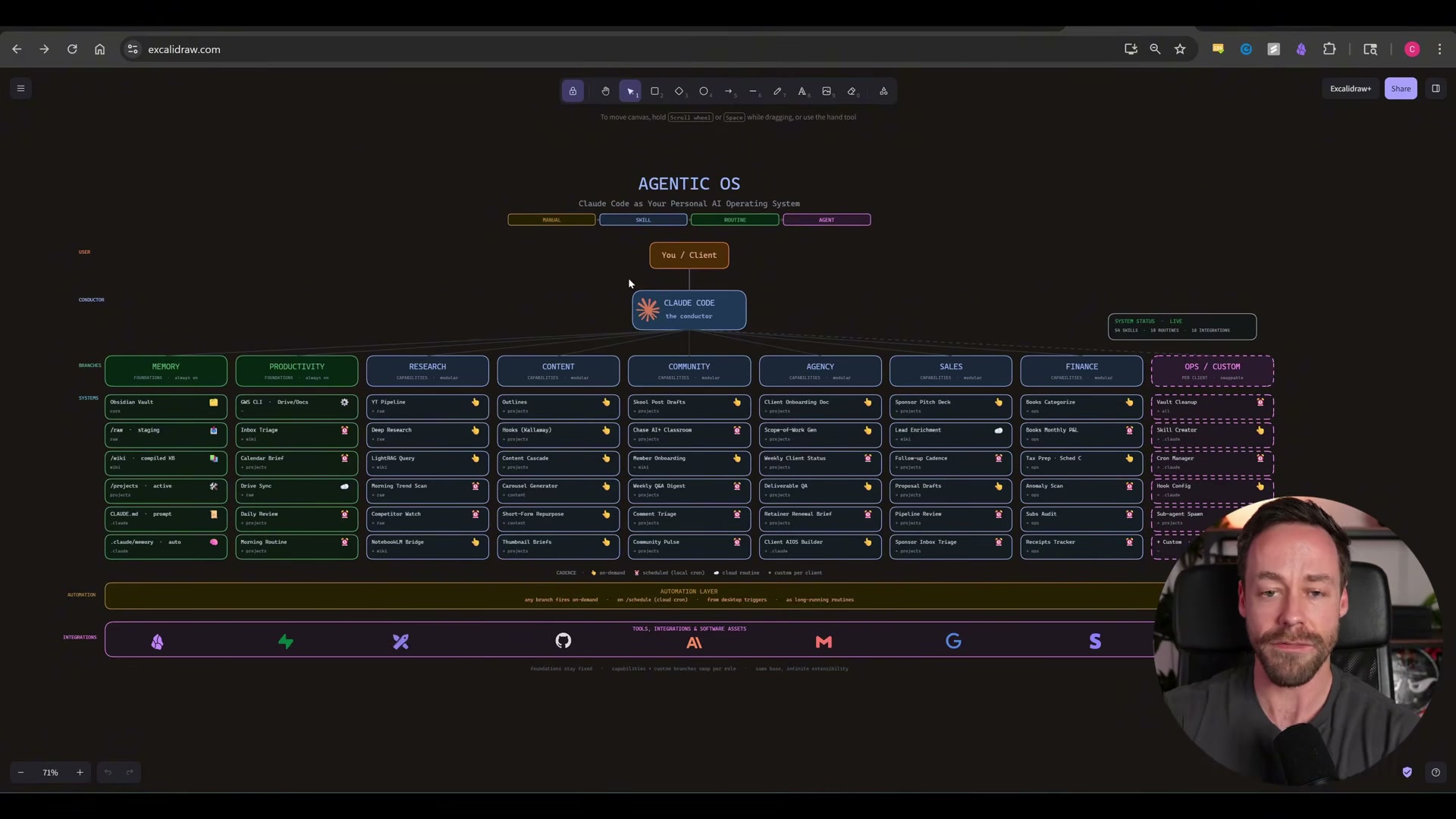
- Map your domains and build the skill architecture. Open your terminal and start a stream-of-consciousness conversation with Claude Code using the architecture-building prompt. With your microphone on, describe your day-to-day work across every relevant domain — research, content, finance, community, or whatever applies to your business. Claude Code interviews you, identifies discrete repeatable tasks, and converts each one into a named skill using the skill creator skill. Once the skills are defined, Claude Code assesses which should remain on-demand and which warrant automation — and whether that automation runs locally or via a remote scheduled routine.
Warning: this step may differ from current official documentation — see the verified version below.
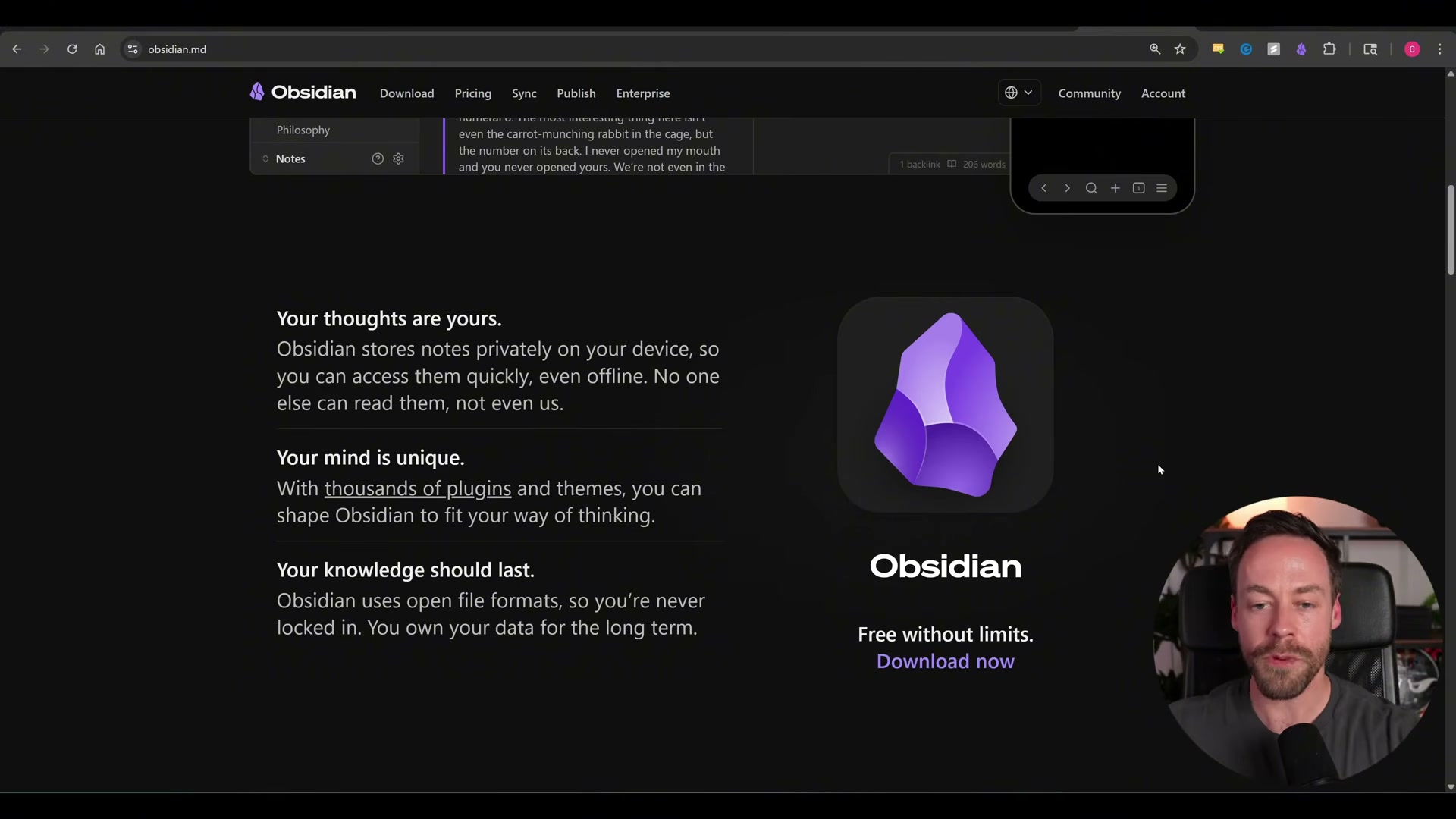
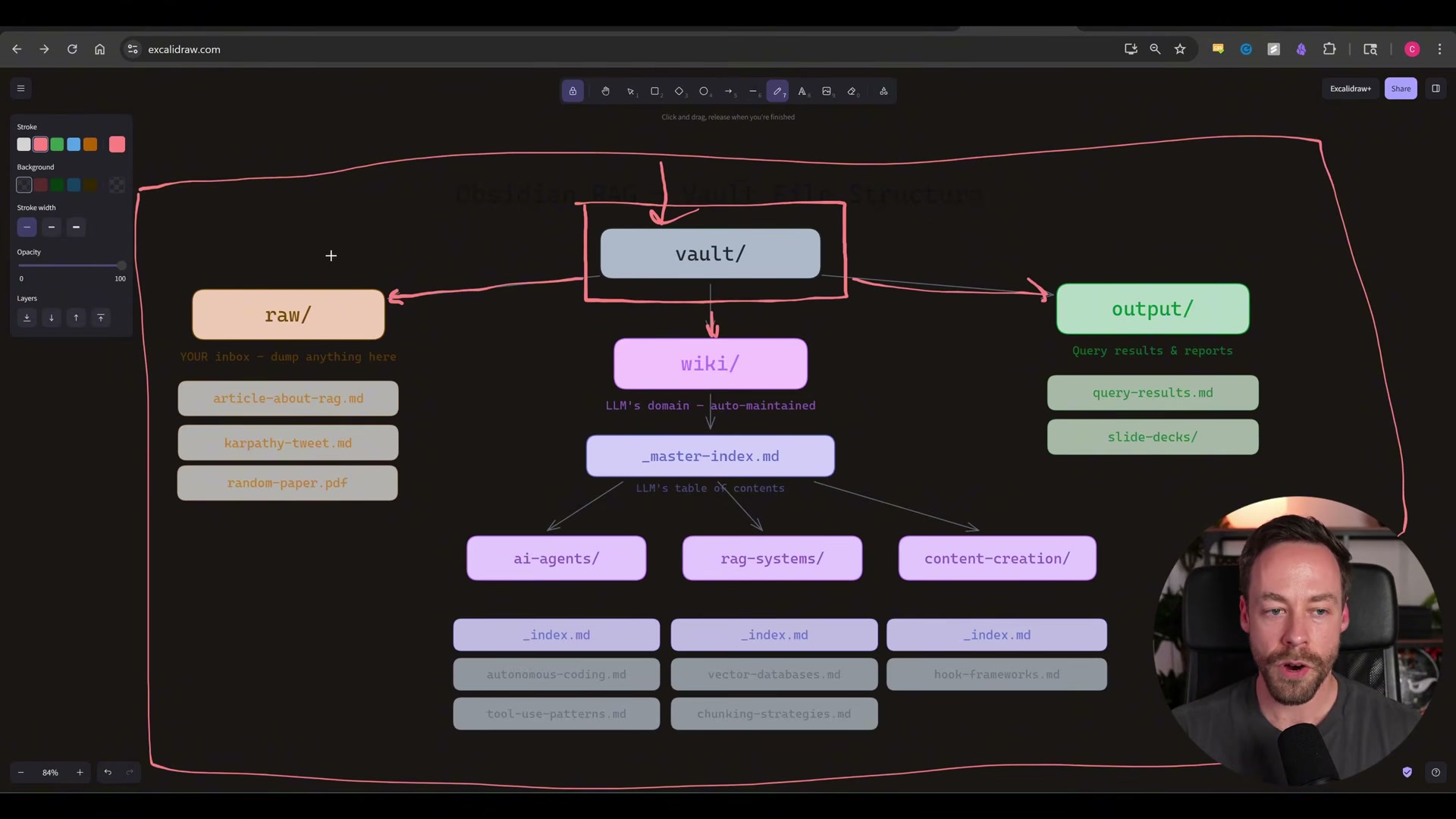
- Build the Obsidian memory layer. Download Obsidian and designate a folder as your vault — this becomes the root directory where Claude Code reads and writes. Inside, create three subfolders following the Karpathy RAG structure:
raw/(your unstructured drop zone for notes, research dumps, and transcripts),wiki/(Claude’s auto-maintained domain where raw content gets synthesized into structured articles), andoutput/(query results, reports, and any deliverables). Withinwiki/, create topic subfolders — each with its own_index.md— so Claude can navigate the knowledge graph without losing orientation. Add aCLAUDE.mdfile at the vault root that defines the OS purpose, memory structure, and folder conventions for the LLM to follow on every session.
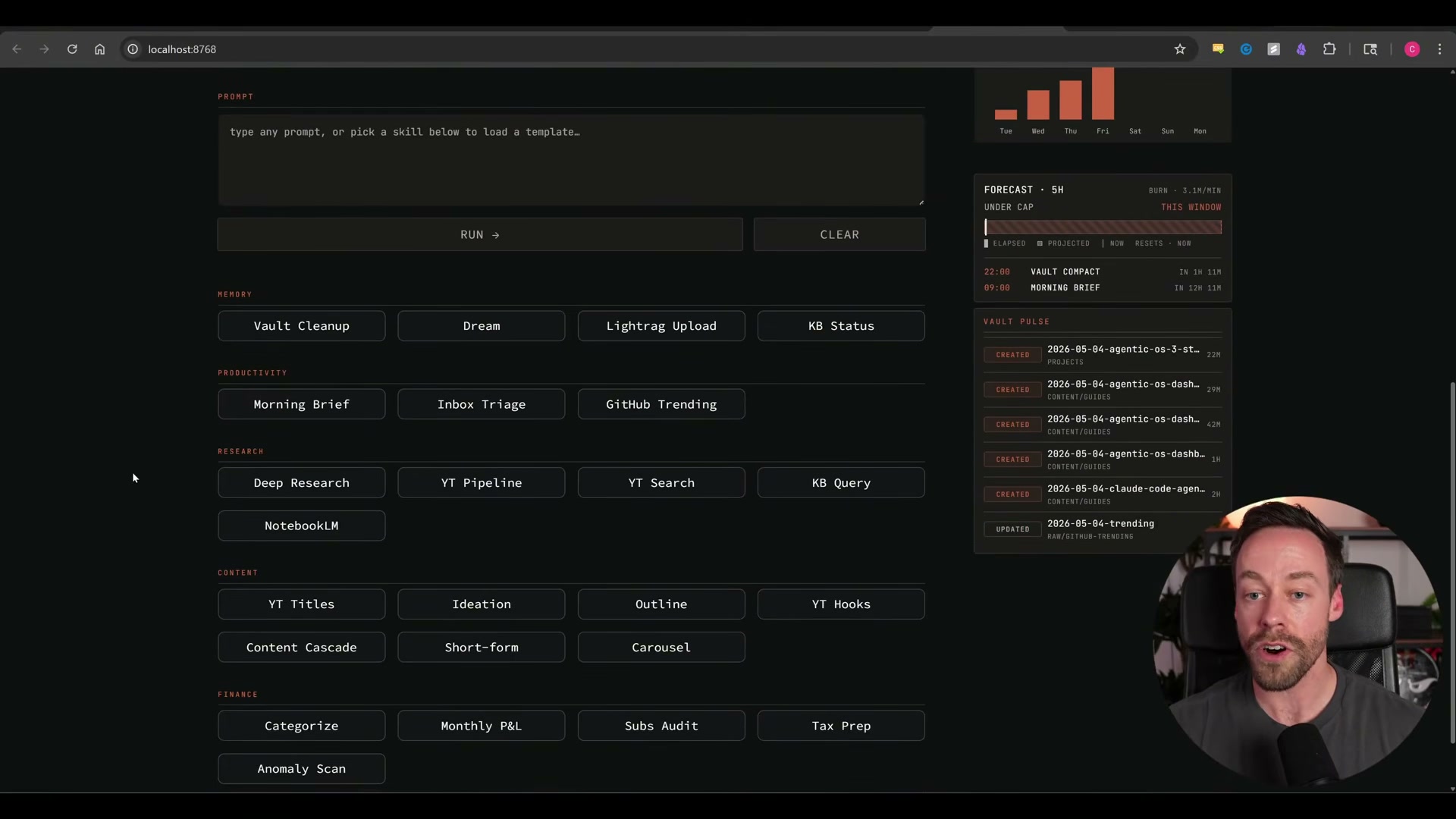
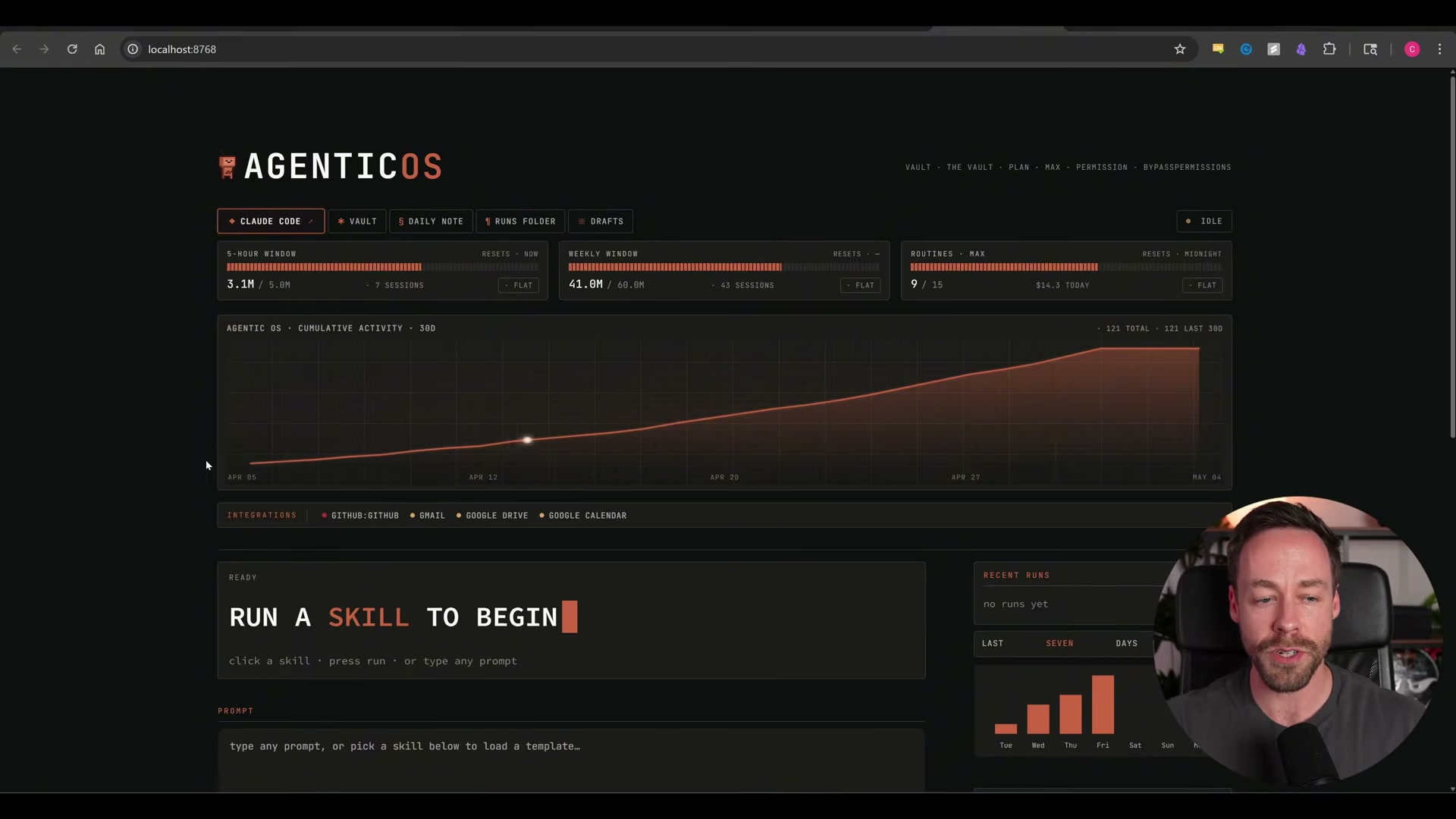
- Wire the skills into an observability dashboard. Map every skill and automation into a button-based dashboard UI. Each button pre-populates the associated skill prompt into Claude Code — no command typing required. The dashboard surfaces token usage across multiple time windows, a cumulative activity chart, integration status for connected services like GitHub and Gmail, and a live feed of recent skill runs. Any team member can trigger a complex multi-step workflow with a single click, no terminal access needed.

How does this compare to the official docs?
The framework above blends Claude Code’s native tooling with custom skills, a specific Obsidian folder convention, and a third-party dashboard layer — and the distance between what’s demonstrated and what Anthropic officially documents is worth mapping precisely.
Here’s What the Official Docs Show
The three-step framework in the video is a genuinely useful construction — and the official documentation fills in several details that make it more reliable in production. What follows covers the same sequence with the specifics Anthropic and Obsidian have actually published.
Step 1: Map Your Domains and Build the Skill Architecture
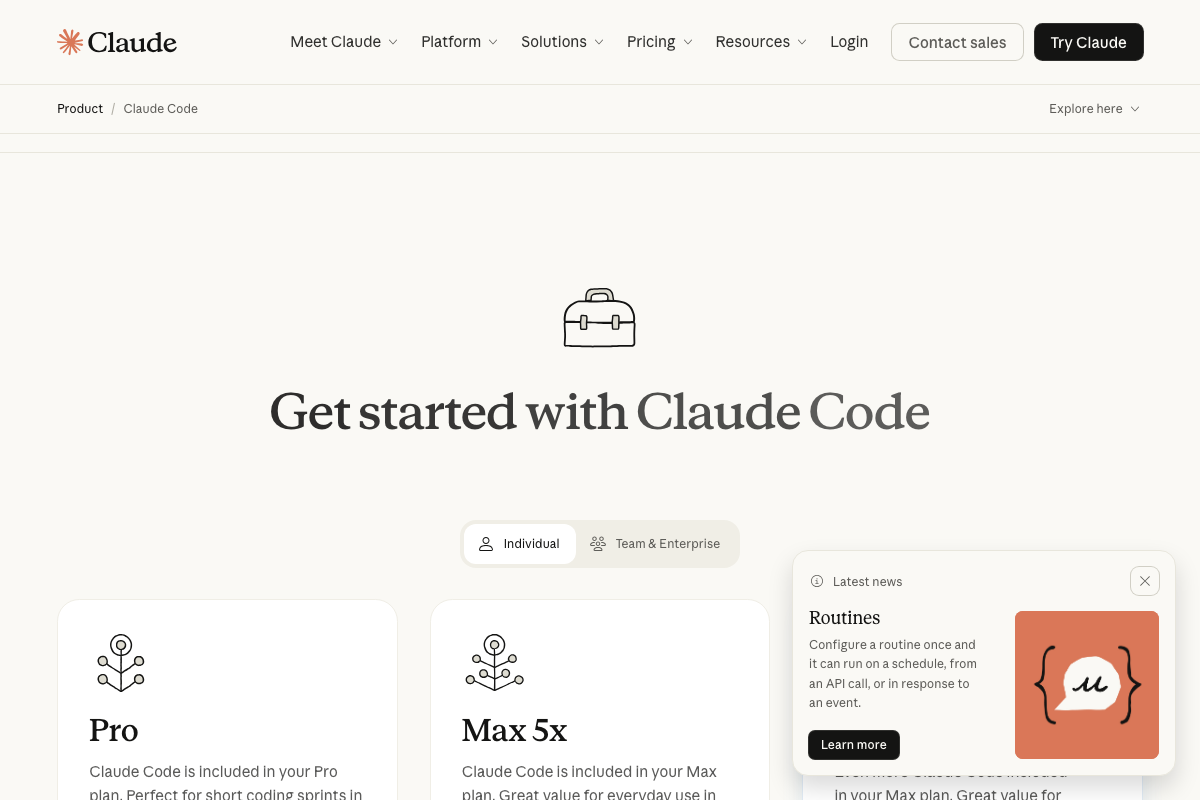
Before you open a terminal, check your plan tier. Claude Code requires an active Anthropic subscription — Pro or Max 5x — and the volume of automated skill executions described in the tutorial aligns more closely with Max 5x (“Great for everyday use”) than with Pro (“Perfect for short coding sprints”).
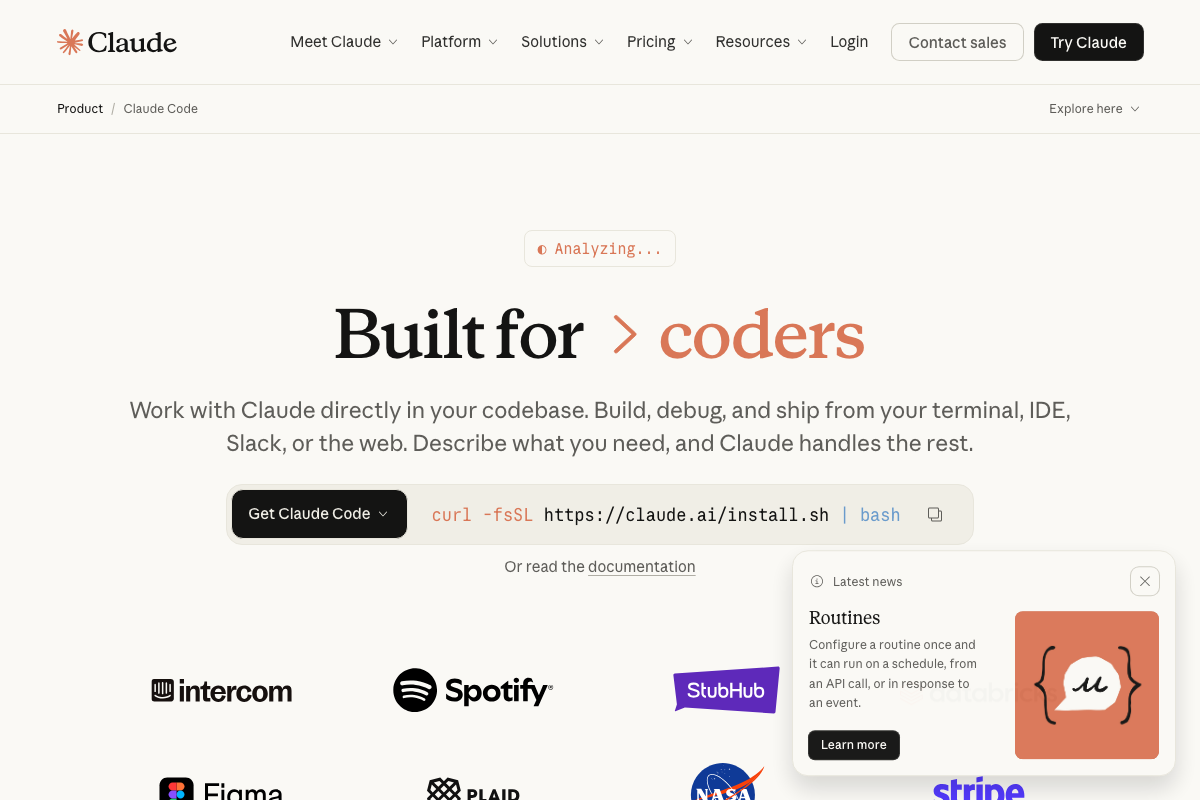
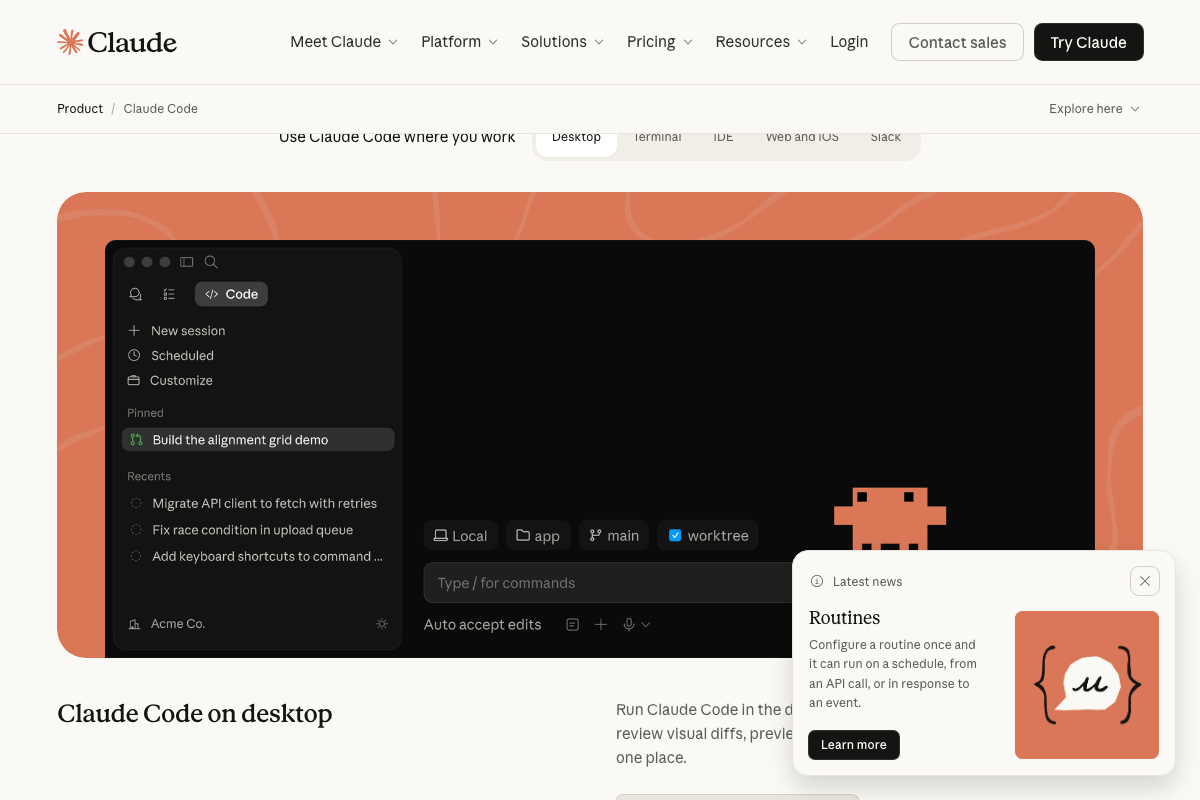
Installation is straightforward: curl -fsSL https://claude.ai/install.sh | bash. The product page also announces a feature called Routines — “Configure a routine once and it can run on a schedule, from an API call, or in response to an event” — which is the official Anthropic term for what the video calls local and remote automation. Use this term when you’re searching the docs or filing support tickets.
One important boundary: the skill creator skill described in this step is not a documented Anthropic feature. It appears to be a user-constructed meta-skill.
No official documentation was found for this step — proceed using the video’s approach and verify independently.
Step 2: Build the Obsidian Memory Layer
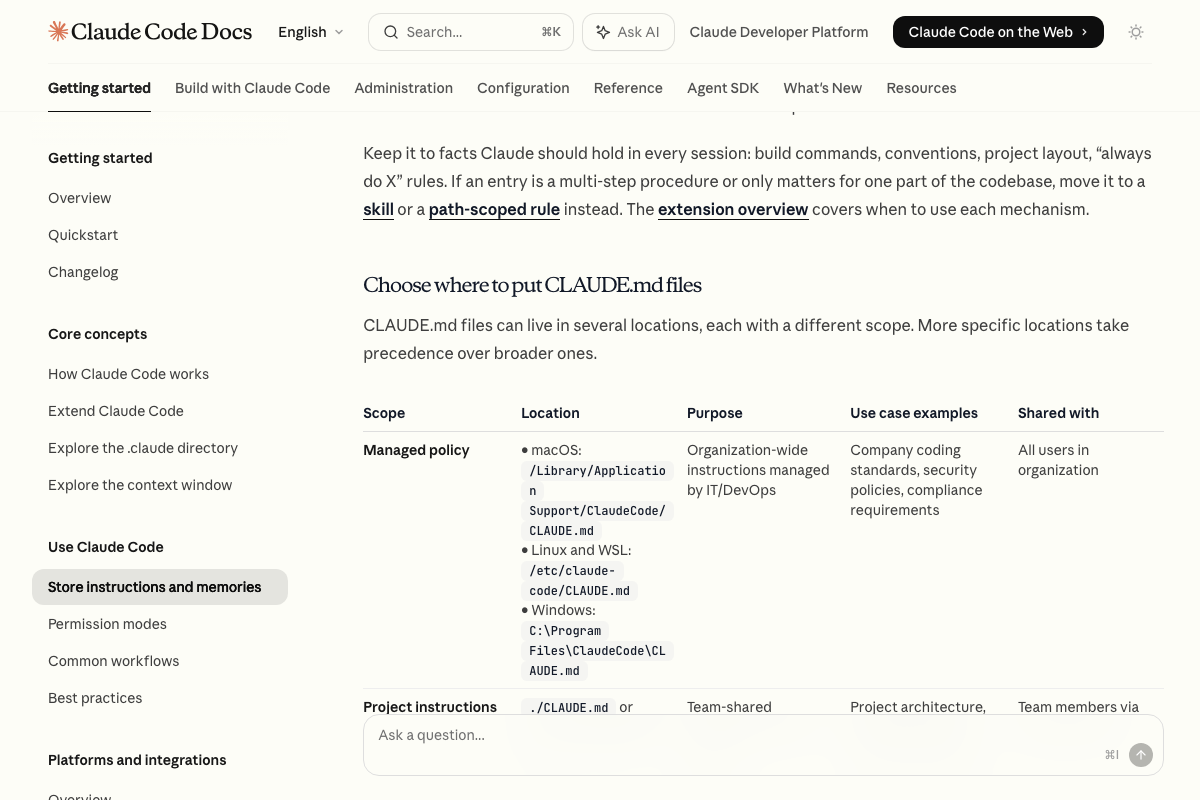
The video’s approach here matches the current docs exactly on the core mechanism. The Claude Code memory page confirms: “Give Claude persistent instructions with CLAUDE.md files” — loaded into every session, project-scoped at ./CLAUDE.md, with more specific placements taking precedence over broader ones.
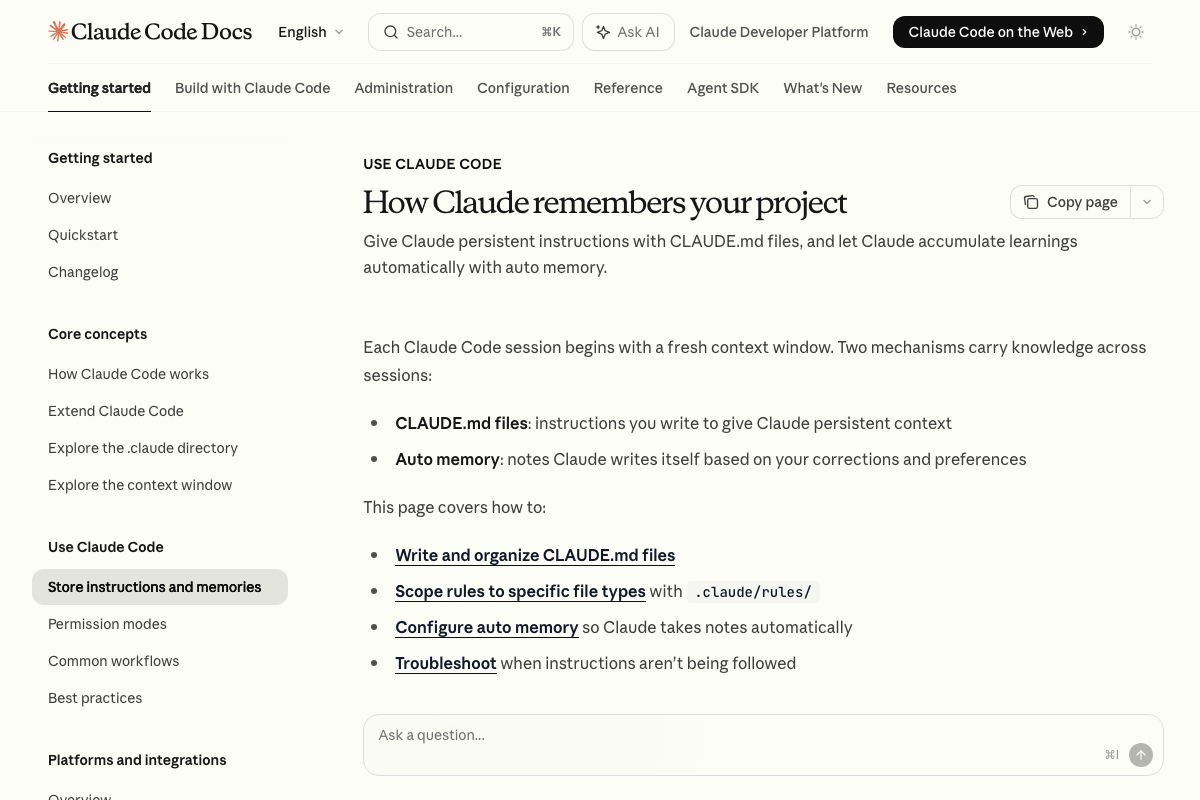
Two additions the video skips: First, the docs recommend that multi-step procedures belong in skills, not CLAUDE.md. Keep your vault root CLAUDE.md to navigation rules, folder conventions, and OS purpose — skill definitions get their own files. Second, Auto memory is a parallel mechanism where Claude itself writes notes based on corrections and preferences, stored per working tree. It complements the Obsidian layer without replacing it.
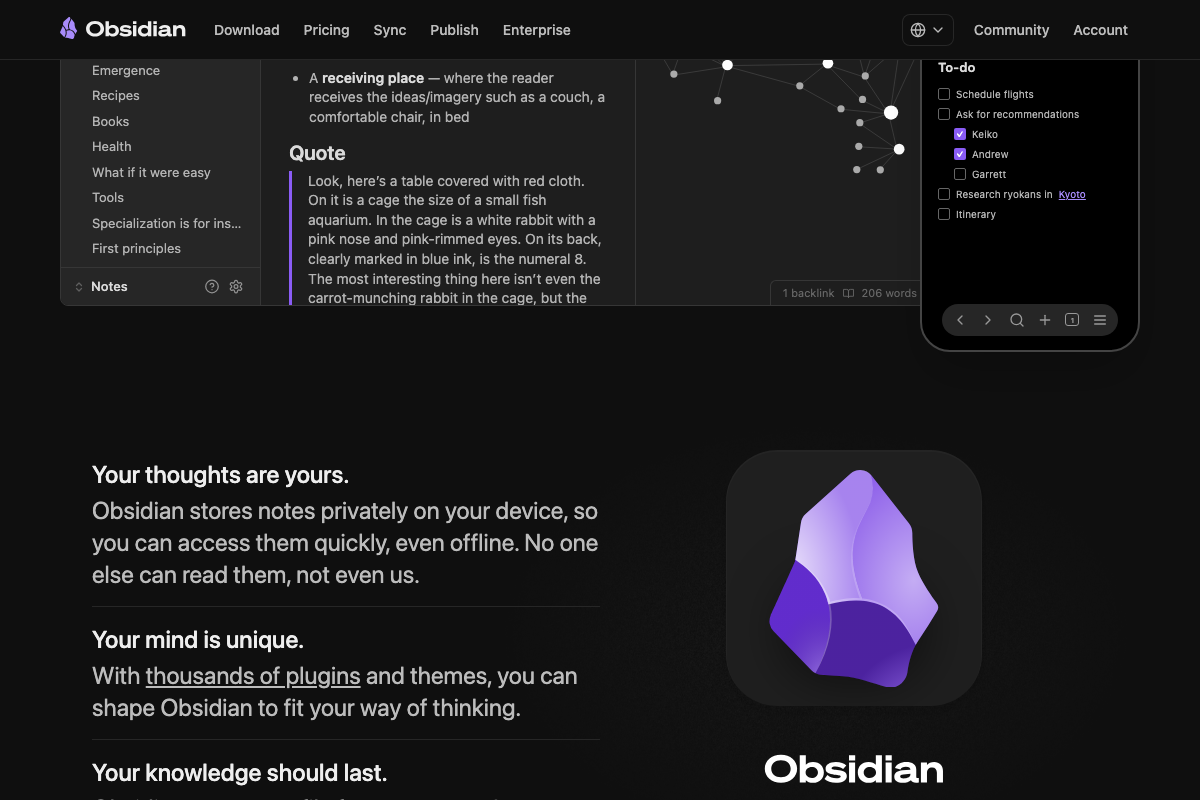
Obsidian’s local-only storage is confirmed by the official site: notes never leave your device. The raw/wiki/output folder schema attributed to Karpathy’s RAG methodology, however, does not appear in Obsidian’s documentation — it’s a sound organizational pattern, but treat it as convention, not a prescribed standard.
Step 3: Wire the Skills Into an Observability Dashboard
The closest native analog to the video’s button-based dashboard is the Claude Code desktop app’s Pinned sessions sidebar combined with the slash-command input (“Type / for commands”). These are confirmed UI features — not a full dashboard, but the foundation the video’s custom layer builds on.
No official documentation was found for this step — proceed using the video’s approach and verify independently.
Useful Links
- Claude Code by Anthropic | AI Coding Agent, Terminal, IDE — Official product page with install command, Routines feature announcement, and subscription tier details.
- Obsidian – Sharpen your thinking — Official Obsidian site confirming free download, local-only storage, and native folder-based vault organization.
- How Claude remembers your project – Claude Code Docs — Anthropic’s official memory documentation covering CLAUDE.md placement hierarchy, Auto memory, and the skills-vs-CLAUDE.md distinction.


0 Comments