

Google Ads Bidding Strategies 2026: How to Bid Successfully on Search and Performance Max
Google Ads offers seven bidding strategies, but selecting the wrong one at the wrong stage of account maturity is one of the fastest ways to burn budget. This tutorial maps every strategy available for Search and Performance Max campaigns, identifies the four that consistently outperform the rest, and walks through a clear progression from zero conversion data to a revenue-optimized Target ROAS setup.
- Review the full menu of available bidding strategies: Manual CPC, Maximize Clicks, Maximize Conversions, Target CPA, Target ROAS, Maximize Conversion Value, and Target Impression Share. The first two are traffic-driving strategies. Maximize Conversions and Target CPA optimize for conversion volume. Target ROAS and Maximize Conversion Value optimize for revenue. Target Impression Share generates more spend than measurable return in most accounts and is excluded from the core framework here.

-
Identify the four strategies worth mastering: Maximize Conversions, Target CPA, Target ROAS, and Maximize Conversion Value. These four deliver the best results across account types regardless of industry. Manual CPC remains a legitimate option for niche B2B Search campaigns with small budgets — treat it as a temporary qualification tool, not a long-term strategy.
-
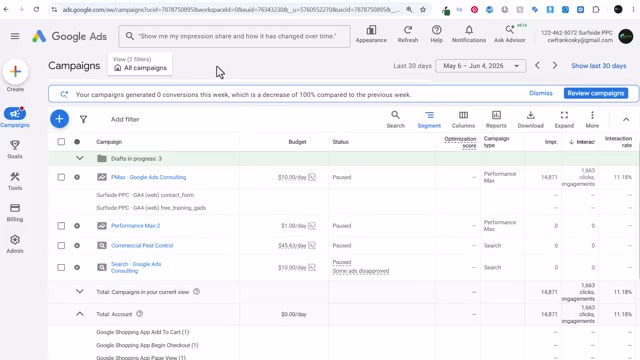
Before selecting any bidding strategy, verify that conversion tracking is fully configured and reporting clean data. Smart Bidding depends on accurate conversion signals to enter the auction intelligently. For e-commerce accounts, set up conversion actions for add to cart, begin checkout, and purchase — each with an associated conversion value.
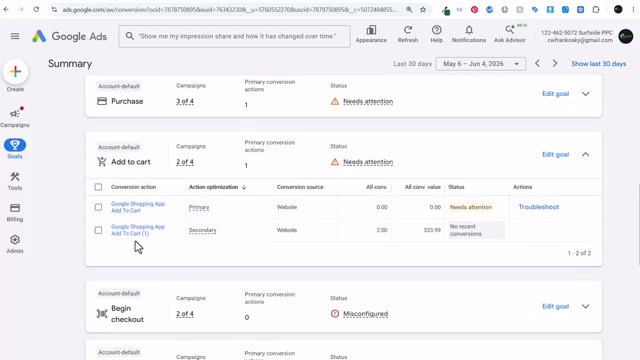
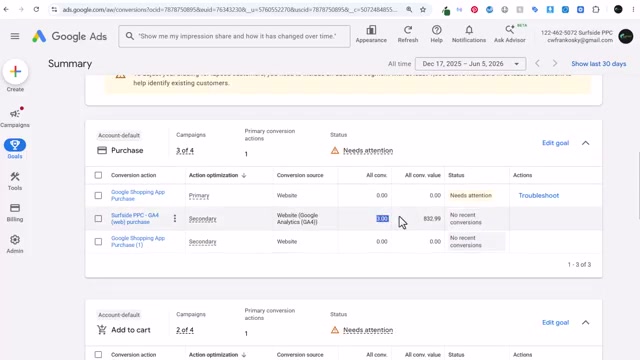
- Audit for duplicate conversion actions imported from GA4. A secondary GA4 action carrying revenue data can inflate your reported conversion value, causing any Target ROAS strategy to optimize against numbers that don’t reflect actual business performance.
-
For campaigns launching with zero conversion history, start with Manual CPC using exact-match keywords. Set individual max CPC bids at the keyword level to control spend and audit which search terms attract qualified clicks before switching to Smart Bidding.
-
Alternatively, launch with Maximize Clicks and a max CPC cap set at the campaign level to generate traffic data faster while preventing the algorithm from overbidding during the learning phase.
Warning: this step may differ from current official documentation — see the verified version below.
- Once you’ve accumulated sufficient conversion volume — 50 conversions at a known cost is the benchmark used here — transition to Maximize Conversions first to let the algorithm establish a baseline, then add a Target CPA. Set your initial CPA target slightly above your observed cost per conversion (e.g., if actual CPA is $100, target $100–$125) to give the algorithm room to operate without immediately throttling volume.
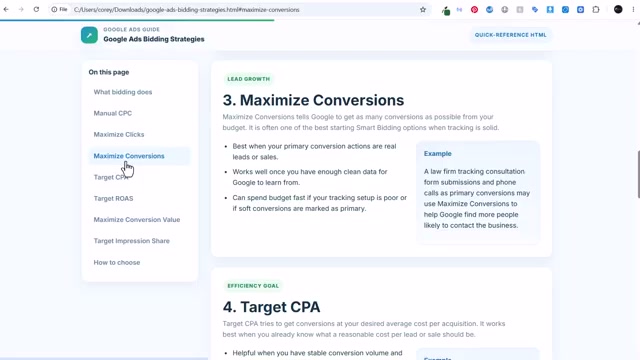
- When revenue data is stable — $5,000 in spend consistently driving $30,000 in revenue, for example — move to Target ROAS. A 600% target instructs the algorithm to maintain a 6:1 return as it scales. Use Maximize Conversion Value when maximizing total revenue matters more than constraining the algorithm to a specific return ratio.
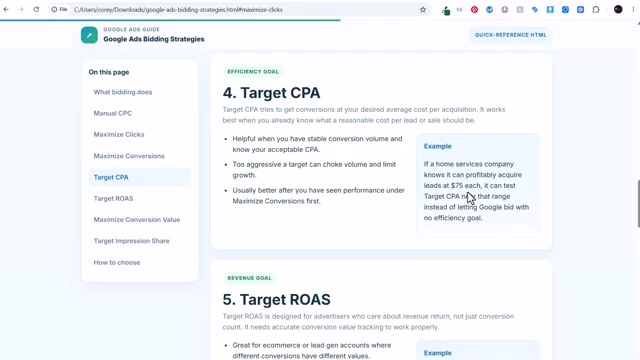
- Avoid pairing Maximize Conversions or Maximize Conversion Value with broad-match keywords on new campaigns. Without historical conversion data, the algorithm will overbid on competitive, low-quality queries — sometimes spending hundreds of dollars on the first two clicks.
Warning: this step may differ from current official documentation — see the verified version below.
- Add the estimated first-page bid and estimated top-of-page bid columns to your Keywords view once campaigns are live. These keyword-level benchmarks reveal what competitors are paying and help you evaluate whether your Smart Bidding targets are realistic for your specific market.
How does this compare to the official docs?
Google’s own documentation frames bidding strategy selection through a notably different lens — and the gaps between this practitioner approach and platform guidance surface decisions that neither source fully accounts for on its own.
Here’s What the Official Docs Show
The video gives you a solid practitioner framework for moving through Google Ads bidding strategies in sequence — Act 2 adds the platform’s own goal-first lens alongside one emerging platform gap that affects how conversion data is counted. Note that the screenshot capture process retrieved Google Ads and Shopify marketing homepages rather than the underlying help documentation, so the majority of steps below carry an unverified flag and should be cross-checked directly against the linked support articles before you implement.
Step 1 — Review the full bidding strategy menu
No official documentation was found for this step — proceed using the video’s approach and verify independently.
Step 2 — Identify the four strategies worth mastering
No official documentation was found for this step — proceed using the video’s approach and verify independently.
Step 3 — Verify conversion tracking before selecting a strategy
Google’s own homepage frames measurable outcomes as phone calls, site visits, and form fills — confirming that non-purchase conversion actions are first-class signals, not workarounds. This is consistent with the video’s instruction to configure conversion tracking before touching any bidding strategy.
No official documentation was found for the specific conversion tracking configuration steps — proceed using the video’s approach and verify independently.
Step 4 — Audit for duplicate GA4 conversion actions
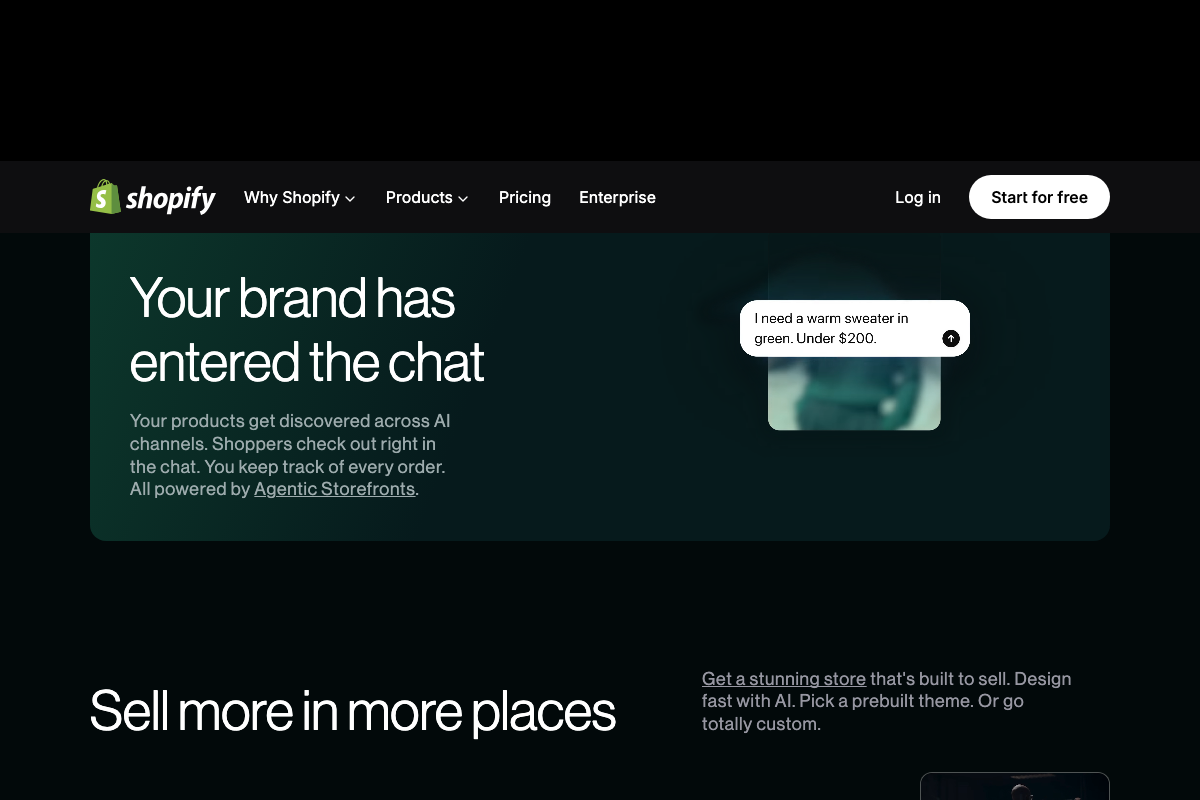
One gap the video does not address: as of June 2026, Shopify’s Agentic Storefronts feature enables purchases completed directly inside AI chat interfaces. If your Shopify store has this active, those transactions may generate conversion events outside your standard add-to-cart → checkout → purchase funnel — meaning your reported conversion value could be undercounted or attributed differently before it reaches Google Ads.
No official documentation was found for the GA4 deduplication steps — proceed using the video’s approach and verify independently.
Steps 5–6 — Manual CPC and Maximize Clicks for new campaigns
No official documentation was found for these steps — proceed using the video’s approach and verify independently.
Steps 7–8 — Transitioning to Target CPA and Target ROAS
No official documentation was found for these steps — proceed using the video’s approach and verify independently.
Step 9 — Avoid broad match on new campaigns without conversion history
Google Ads organizes its products around four advertiser goals — Lead Generation, Sales, Brand Awareness, and App Promotion — rather than the strategy-by-strategy taxonomy the video presents. This goal-first entry point is worth knowing: if you’re configuring a new campaign through the standard UI wizard, Google will steer you toward a goal before surfacing bidding options, which may pre-select a strategy for you.
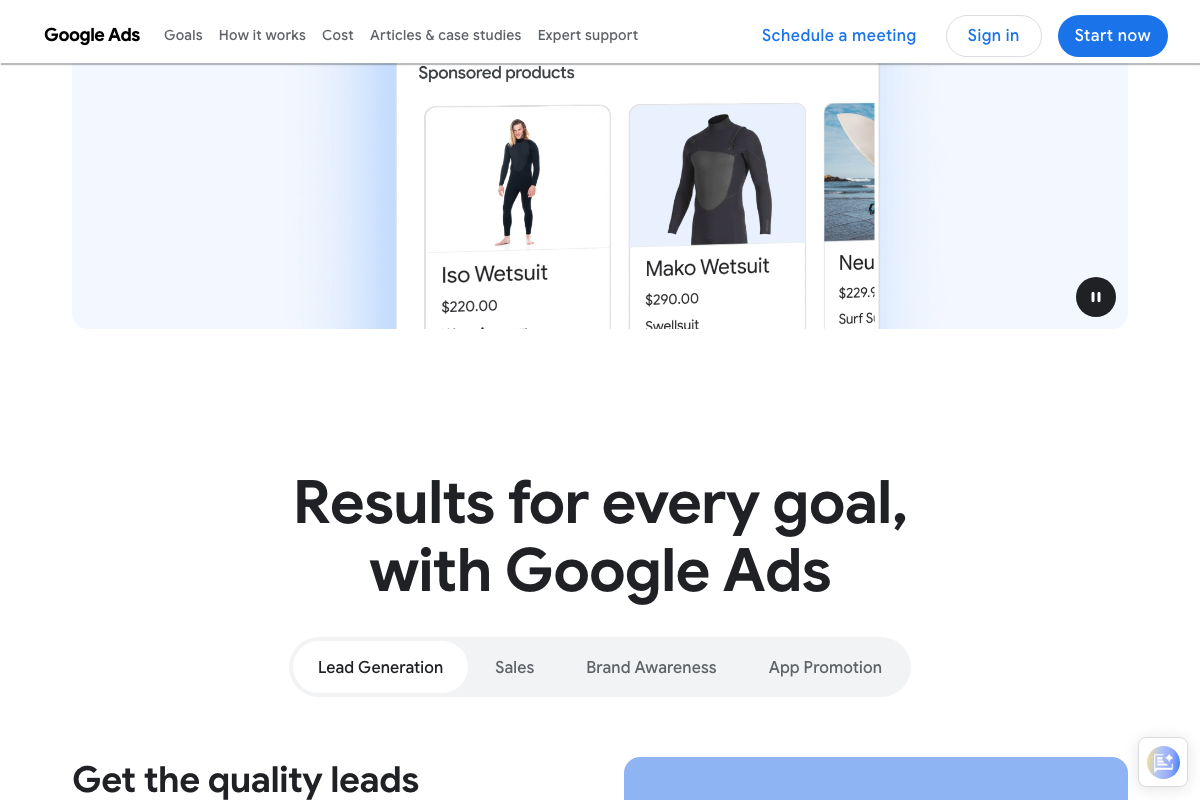
No official documentation was found for the specific match type / broad match warning — proceed using the video’s approach and verify independently.
Steps 10–11 — Bid estimate columns in the Keywords view
No official documentation was found for these steps — proceed using the video’s approach and verify independently.
Useful Links
- Determine a bid strategy based on your goals — Google Ads Help — The canonical Google support article defining each bidding strategy and mapping them to advertiser objectives.
- Reach Customers Across YouTube & Search — Google Ads — Google Ads platform homepage showing the current goal-first framework (Lead Generation, Sales, Brand Awareness, App Promotion).
- Set up Google & YouTube channel — Shopify Help Center — Shopify’s official guide for connecting your store to Google Ads and configuring conversion actions.
- Shopify: The All-in-One Commerce Platform — Shopify marketing homepage where the Agentic Storefronts AI commerce channel feature is currently documented at a product level.


0 Comments