

How to Audit a Small YouTube Channel and Fix What’s Holding It Back
After walking through this live channel audit, you’ll know how to evaluate your own channel’s direction, titles, thumbnails, and intro hook against a scored framework — and you’ll have specific, same-day fixes for each one. vidIQ’s audit of FastFreddyRC, a small RC car channel with 4,000 subscribers and 1,000 videos, surfaces the patterns that stall growth regardless of niche. Every problem the audit uncovers maps to an action you can take inside your own channel today.
- Evaluate channel direction by auditing the name, artwork, and content together. Open the channel homepage and ask two questions: who is this for, and can a first-time visitor tell what the channel is about? FastFreddyRC passes both — the name signals RC cars, the thumbnails confirm it, and the content serves enthusiasts who build from-scratch kits. The risk is hyper-specificity: when every video targets people who own the same exact kit, the potential audience shrinks from thousands to dozens.

- Score channel direction and note its ceiling. A focused niche earns a high clarity score — FastFreddyRC lands at 7/10. The deduction reflects a growth ceiling: one-to-one content (build this specific car, step by step) only reaches viewers who already own that kit. When you score your own channel direction, factor in not just clarity but the size of the audience that clarity allows.
- Audit a video title for length, technical language, and emotional pull. Paste your title into a character counter and flag anything over 60 characters — mobile truncates it there, so the hook must come first. “History and Unboxing the Tamiya Big Wig 2025 Re-release — What’s the Big Deal” buries the curiosity angle at the end and leads with dry technical language. “History” in a 23-minute unboxing video adds nothing a viewer weighs before clicking.
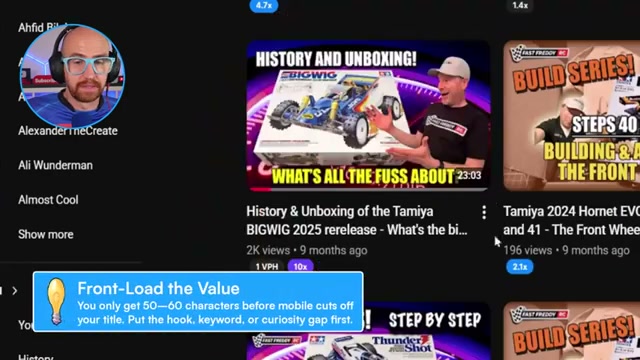
- Rewrite the title using one of three proven structures. Question-based framing creates curiosity: “The Tamiya Big Wig Is Back — But Is It Actually Any Good?” Passion framing signals authentic enthusiasm: “New Tamiya Big Wig Release — I’ve Waited Years for This.” Comprehensive-guide framing sells completeness: “The Ultimate Guide to the Tamiya Big Wig 2025.” Each gives the algorithm and the viewer a reason to click that the original title withholds.

- Review the thumbnail for font choice, background complexity, and text load. Impact font carries meme associations that undercut credibility in a hobbyist context. A busy green-screen composite background adds visual noise without adding meaning. When text appears in multiple locations at competing sizes, viewers skip past rather than read — and the thumbnail fails before the title gets a chance.
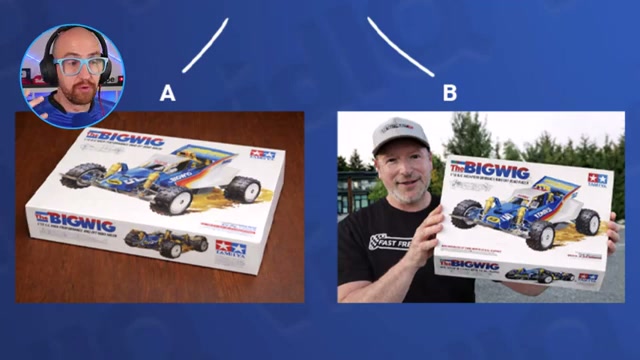
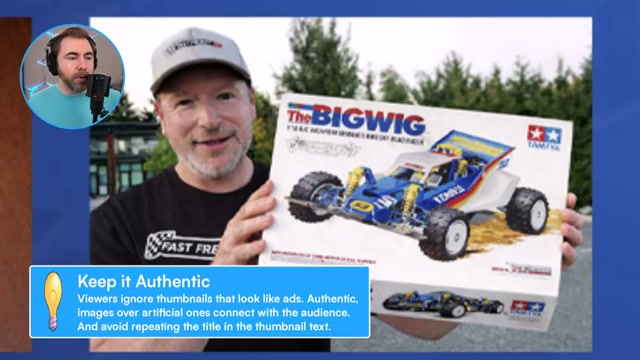
- Replace designed composites with authentic video screenshots. A raw frame of you holding your subject — shot in your garage or studio — outperforms a graphic-heavy template because it reads as a real person, not a production. FastFreddyRC already had a strong candidate frame inside existing footage; a screenshot pulled directly from the video served as a ready-to-use thumbnail with zero additional design work.
-
Watch your own intro through the first 52 seconds. Measure how long it takes before a new viewer sees your face and hears your voice. FastFreddyRC’s unboxing opens with 52 seconds of B-roll before the host appears — past the 30-second drop-off window YouTube analytics consistently flags. Beauty shots earn their place; the fix is one edit: layer your A-roll audio underneath the opening B-roll so you’re speaking from the first frame while the visuals play behind you.
-
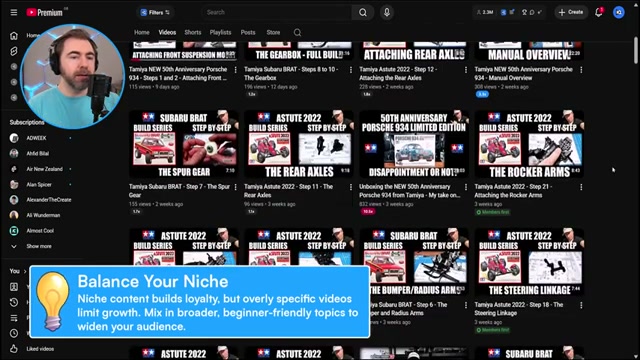
Test whether mid-series videos give new viewers any orientation. Jump into any episode in the middle of a build series cold and ask: would someone who has never seen this channel know what’s being built, why, or where this fits in the project? A viewer landing on “Step 12: Attaching the Rear Axles” with no model reference and no intro has no parachute — they leave before they can subscribe.
-
Consolidate multi-part build series into single long-form videos. FastFreddyRC publishes approximately four videos per week; that frequency can artificially fragment a single build into six step videos, each reaching a tiny slice of an already small audience. A complete build — unboxing to finished car — in one video is easier to discover, easier to navigate, and easier for the algorithm to recommend.
-
Expand into content buckets with broader audience reach. Collection showcases, hobby-entry primers, beginner car guides, and pricing breakdowns all reach viewers who are still deciding whether to enter the hobby. Those videos convert curious newcomers into the enthusiasts a build series needs in its audience.
How does this compare to the official docs?
vidIQ’s audit framework aligns with its published guidance, but the platform’s official documentation goes deeper on title scoring methodology, thumbnail A/B testing workflows, and the specific engagement metrics that define an outlier video worth modeling — which is exactly where Act 2 picks up.
Here’s What the Official Docs Show
The live audit above gives you a solid qualitative framework for diagnosing a stalled channel. What the official vidIQ documentation adds is a quantitative layer — putting actual numbers on the title and thumbnail judgments the tutorial makes by eye, and surfacing those scores earlier in your workflow than a post-publish audit allows.
Steps 1–2 — Channel direction and niche scoring
No official documentation was found for these steps —
proceed using the video’s approach and verify independently.
Step 3 — Title audit
The video’s approach here matches the current docs exactly. vidIQ’s Optimize & Publish workflow assigns a numerical Title score — 24/100 in the platform’s sample — making explicit what the tutorial approximates by judgment: titles have a measurable quality threshold you can hit before publishing, not just after. That same score is also available inside YouTube Studio via the browser extension, with a live character counter overlay during upload, a capability the tutorial’s post-publish audit methodology doesn’t reference.

Step 4 — Title rewrite structures
No official documentation was found for this step —
proceed using the video’s approach and verify independently.
Step 5 — Thumbnail review
The video’s approach here matches the current docs exactly. Thumbnail is scored independently from Title in vidIQ’s workflow — 16/100 in the same sample — confirming the tutorial’s instinct to treat them as separate audit dimensions. The numerical gap between the two scores tells you which lever to move first, with no guesswork required.

Steps 6–12 — Authentic thumbnails, intro timing, series consolidation, upload frequency, and content buckets
No official documentation was found for these steps —
proceed using the video’s approach and verify independently.
Step 13 — Using vidIQ’s free channel audit tool
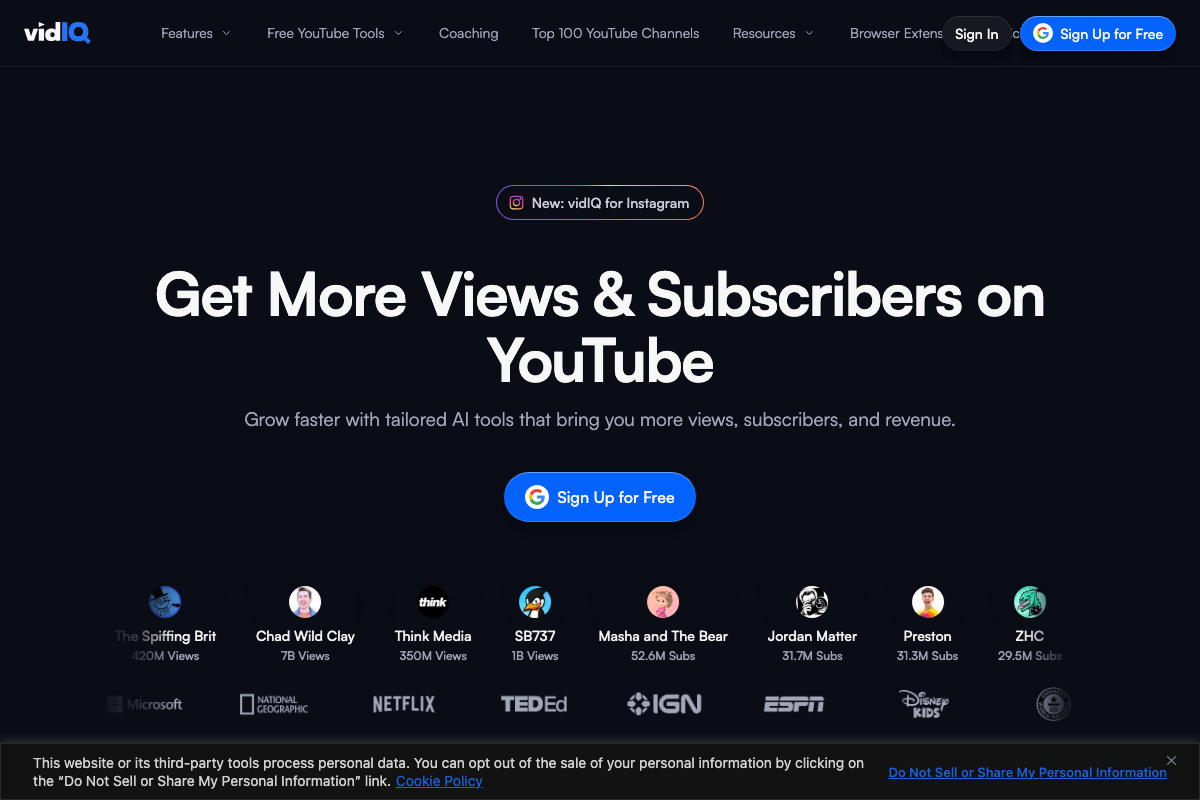
The video’s approach here matches the current docs exactly. The URL vidiq.com/youtube-channel-audit is a confirmed, active vidIQ product page with a free Google sign-in entry point. One useful addition: the captured screenshot resolved to the marketing homepage rather than the audit tool’s interface, so the specific input flow and scoring methodology aren’t visible in any screenshot here — visit the URL directly to access the scored audit. As of June 2026, vidIQ has also launched a dedicated Instagram product not present in the tutorial, worth noting if you manage content across platforms.
Useful Links
- Free YouTube Channel Audit Tool | Instant Score | vidIQ — vidIQ’s dedicated channel audit page; enter your channel URL to receive a scored breakdown of title, thumbnail, and optimization metrics.
- vidIQ: Get More Subscribers & Views on YouTube | YouTube Tools — vidIQ’s main product hub, covering keyword research, thumbnail design, script writing, clip repurposing, and personalized coaching features.
- Live stream on YouTube – YouTube Help — Google’s official YouTube Help resource for live streaming; the captured screenshot resolved to the logged-out YouTube homepage rather than this article.
- Reddit – The heart of the internet — General Reddit homepage; the captured screenshots surfaced no vidIQ community threads or RC car channel strategy discussions verifiable against the tutorial’s claims.


0 Comments