

Building a Multi-Agent AI Trading Heartbeat on Hyperliquid
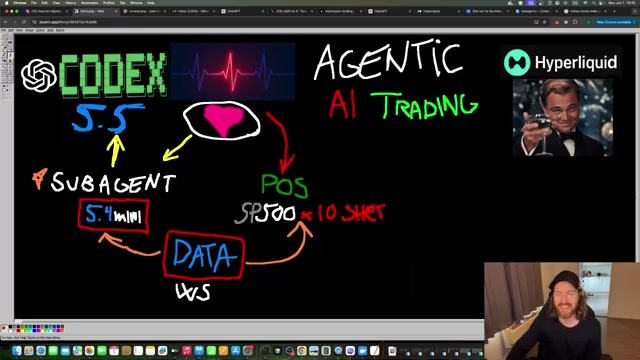
Feeding raw WebSocket data into a large model on every monitoring cycle burns tokens and kills loop latency — the wrong architecture for live position management. This tutorial walks you through a two-tier Codex system: a lightweight GPT-5.4-mini sub-agent that polls live Hyperliquid position data and packages it into a compact JSON digest, and a GPT-5.5 main agent that reads that digest, evaluates P&L against a defined goal, and issues a trading decision every 30 seconds. By the end, you’ll have a working autonomous heartbeat loop capable of holding, hedging, and scaling positions in response to live signals.
-
Create a file named
heartbeat_trade.mdin your agent repo directory. This markdown file defines both agents — the main agent model (GPT-5.5 high), the sub-agent model (GPT-5.4-mini), the 30-second refresh cadence, the read-only constraint on the sub-agent, and the JSON digest format the main agent expects as input. This file is the single source of truth Codex reads on startup to configure the entire system. -
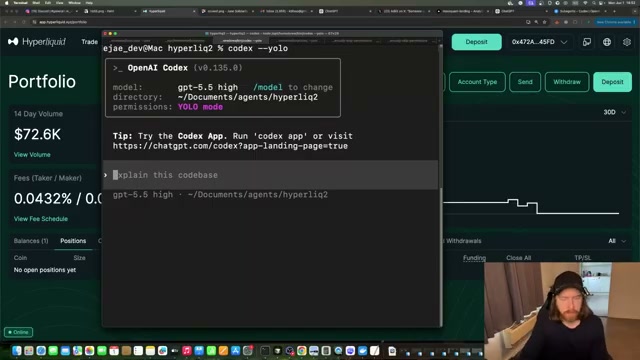
From your terminal, launch Codex in YOLO mode against your agent directory:
bash

   codex --yolo
Codex initialises on GPT-5.5 high. Verify the sub-agent configuration immediately by asking: “Explain the sub-agent — what model is it running and what is its task?” Codex confirms the sub-agent is named trade_data_reporter, runs on GPT-5.4-mini, and is strictly read-only: it reports position facts but cannot queue trades, edit files, or call exchange APIs.
Warning: this step may differ from current official documentation — see the verified version below.

- Issue a natural-language trade command that includes instrument, margin, leverage, and a concrete profit goal:
“Set a $50 margin SP500 short, 10x leverage. Goal is $1 profit in 30 minutes.”
The goal is load-bearing: the main agent calibrates every heartbeat decision against it. A $1 target on $50 margin demands a different risk posture than a $10 target on the same position.
- Codex surfaces a STAND_DOWN safety gate before placing any order: “What is the maximum acceptable loss in dollars for this trade?” Provide your actual risk ceiling — $100 in the demo. The agent treats this as both a loss limit and a stop-placement reference and will not proceed without it.

-
The agent calculates position sizing against the live SP500 price (~7,595): $50 margin at 10x yields ~$500 notional, requiring a ~15.4-point move to hit the $1 take-profit. It reads
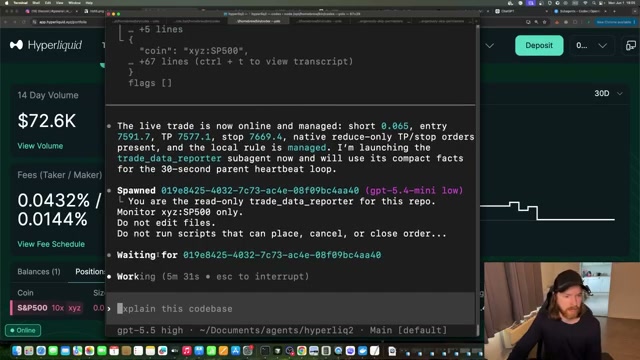
risk_profile.py, sets initial stop placement, then writes a timestamped SP500 short intent to the queue and submits it viaagent_execute.py. Hyperliquid confirms: 0.065 contracts short at entry 7,591.7, native reduce-only TP and stop orders in place. -
Immediately after confirming the live position, Codex spawns
trade_data_reporteron GPT-5.4-mini. The sub-agent connects to the Hyperliquid WebSocket, reads position side, size, entry, mark price, P&L, liquidation distance, funding, and pending intents, then compacts everything intolive_heartbeat.json.
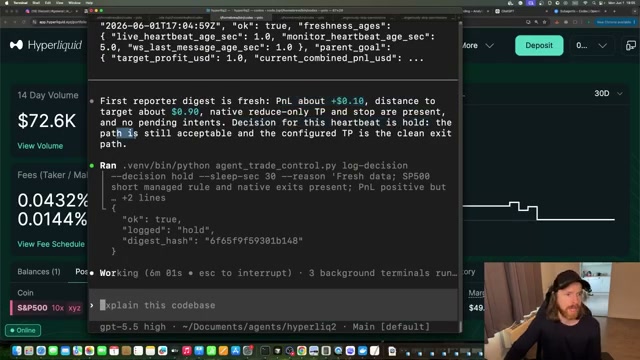
- The main agent reads the JSON digest, validates data freshness, and issues its first heartbeat decision: P&L is +$0.10, distance to target is ~$0.90, native orders intact — hold. It calls
agent_trade_control.py --decision hold --sleep-sec 30, logs{"ok": true, "logged": "hold"}, and the loop restarts.
-
To test adaptive reasoning, send a hedge query: “How would you solve a hedge signal on the current trade with our goal in mind?” The agent rejects going long SP500 against a short SP500 position as self-cancelling. Instead it selects Nvidia as a correlated equity hedge at a 25% ratio and executes a 5x long Nvidia position on Hyperliquid.
-
To test position scaling, instruct: “Exit the Nvidia hedge, double the margin on SP500 — signal is strong.” The agent closes the Nvidia long and opens an additional $50 same-side short on SP500 at 10x, bringing combined margin to ~$98. Issuing an exit-all command closes both legs and ends the demo cleanly.
How does this compare to the official docs?
The system runs end-to-end, but the YOLO execution flag, the model identifiers used throughout, and the Hyperliquid WebSocket integration pattern each warrant verification against current OpenAI Codex CLI and Hyperliquid API documentation — which is exactly where Act 2 picks up.
Here’s What the Official Docs Show
The video delivers a working architecture with the right structural instincts — the two-tier agent design and WebSocket data approach are both sound. These notes fill in two model identifiers that have drifted from their documented names and add one production-critical WebSocket requirement the tutorial’s polling loop leaves unaddressed.
Step 1 — Create heartbeat_trade.md
No official documentation was found for this step —
proceed using the video’s approach and verify independently.

Step 2 — Launch Codex and verify agent configuration
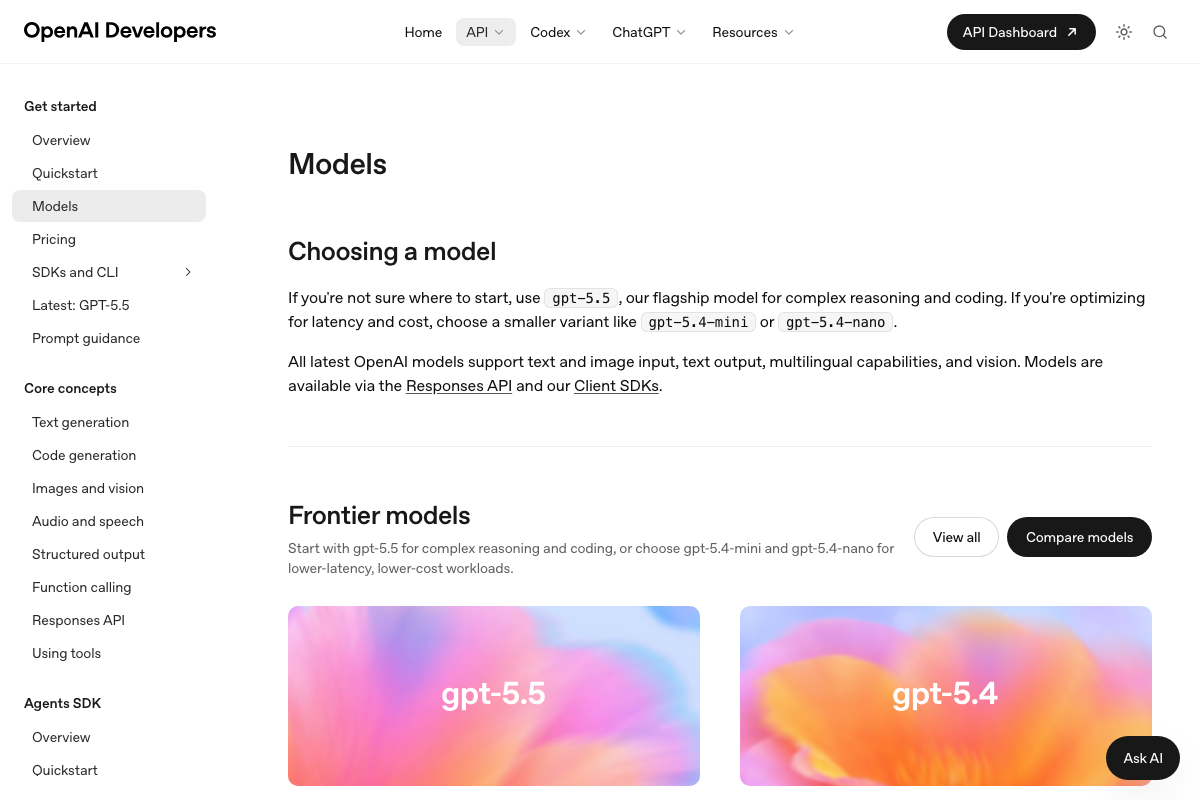
The main/sub-agent model split the video recommends is architecturally correct. As of June 1, 2026, the correct identifier for the main agent is gpt-5.5 — the video’s GPT 5.5 high does not appear anywhere in the official model listing. The sub-agent model shown reflects a gpt-4.1-mini-style name that has since been superseded; the documented identifier for the lower-latency variant is gpt-5.4-mini. The OpenAI Models page states it plainly: “Start with gpt-5.5 for complex reasoning and coding, or choose gpt-5.4-mini and gpt-5.4-nano for lower-latency, lower-cost workloads” — the pairing logic maps perfectly, only the string values need updating in your config.

Steps 3–6 — Trade command, safety gate, position sizing, sub-agent spawn
No official documentation was found for these steps —
proceed using the video’s approach and verify independently.
Step 7 — Heartbeat decision loop
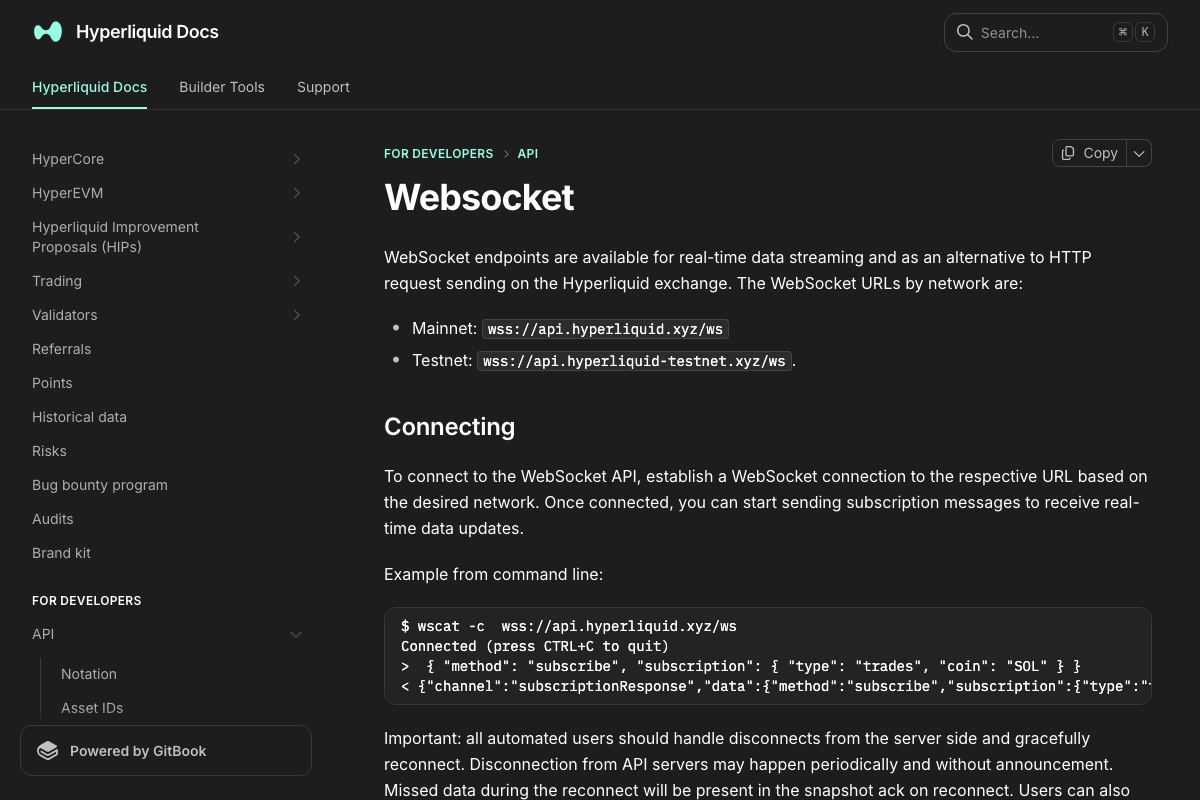
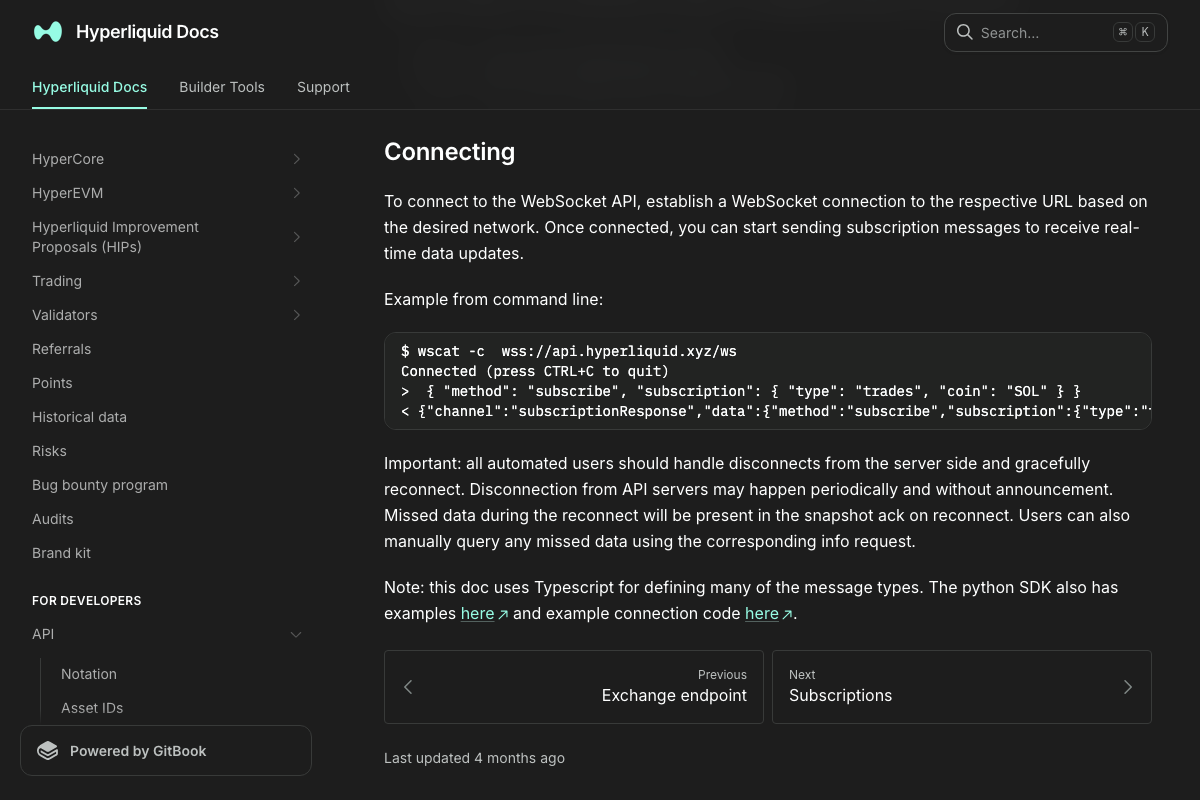
The video’s approach here matches the current docs exactly on the core data-fetching mechanism: wss://api.hyperliquid.xyz/ws is the correct mainnet endpoint, and subscription-based streaming is the documented pattern for live position data. One production requirement the tutorial doesn’t surface: Hyperliquid’s WebSocket docs explicitly state that “all automated users should handle disconnects from the server side and gracefully reconnect,” with snapshot acknowledgment available to recover data missed during a dropped connection. Wrap your WebSocket client in reconnect logic before running this against real capital. Also note: the position-specific subscription types trade_data_reporter relies on are documented in the separate Subscriptions page, which was not captured here — verify those subscription schemas directly before deployment.
Steps 8–12 — Hedge query, position scaling, exit
No official documentation was found for these steps —
proceed using the video’s approach and verify independently.
Useful Links
- Models | OpenAI API — Official model listing confirming
gpt-5.5andgpt-5.4-minias the current documented frontier model identifiers for the main agent and sub-agent respectively. - Agents SDK | OpenAI API — OpenAI Agents SDK documentation covering orchestration patterns and Codex CLI configuration (page failed to load at capture time — verify directly at the source).
- Websocket | Hyperliquid Docs — Hyperliquid WebSocket API reference covering endpoint URLs, subscription protocol, and the mandatory disconnect/reconnect requirement for all automated clients.
- Hyper Foundation — Hyperliquid platform homepage with entry points to the live trading interface and the developer documentation hub.


0 Comments