

Build Skill Systems in Claude Code: Chain Modular Skills into End-to-End Automations
Downloaded Claude Code skills solve one task. Real business workflows are sequences of connected processes — and if you keep treating skills as isolated tools, you’re still the one copying outputs and pasting them into the next prompt. This tutorial shows you how to architect a skill system: an orchestrator skill that wires multiple focused component skills into a single automation, running end-to-end from a single prompt.
- Recognize the two anti-patterns. Using a skill in isolation means Claude does one job while you manually handle everything around it — topic research, scheduling, distribution. You’ve replicated ChatGPT, not automated a workflow. The opposite mistake is the mega-skill: a 1,000-line
skill.mdthat tries to handle research, writing, repurposing, and scheduling in one file. Mega-skills destroy modularity, make updates painful, and blow out the context window — Anthropic’s own design intent is that skills load only the context needed for one job.
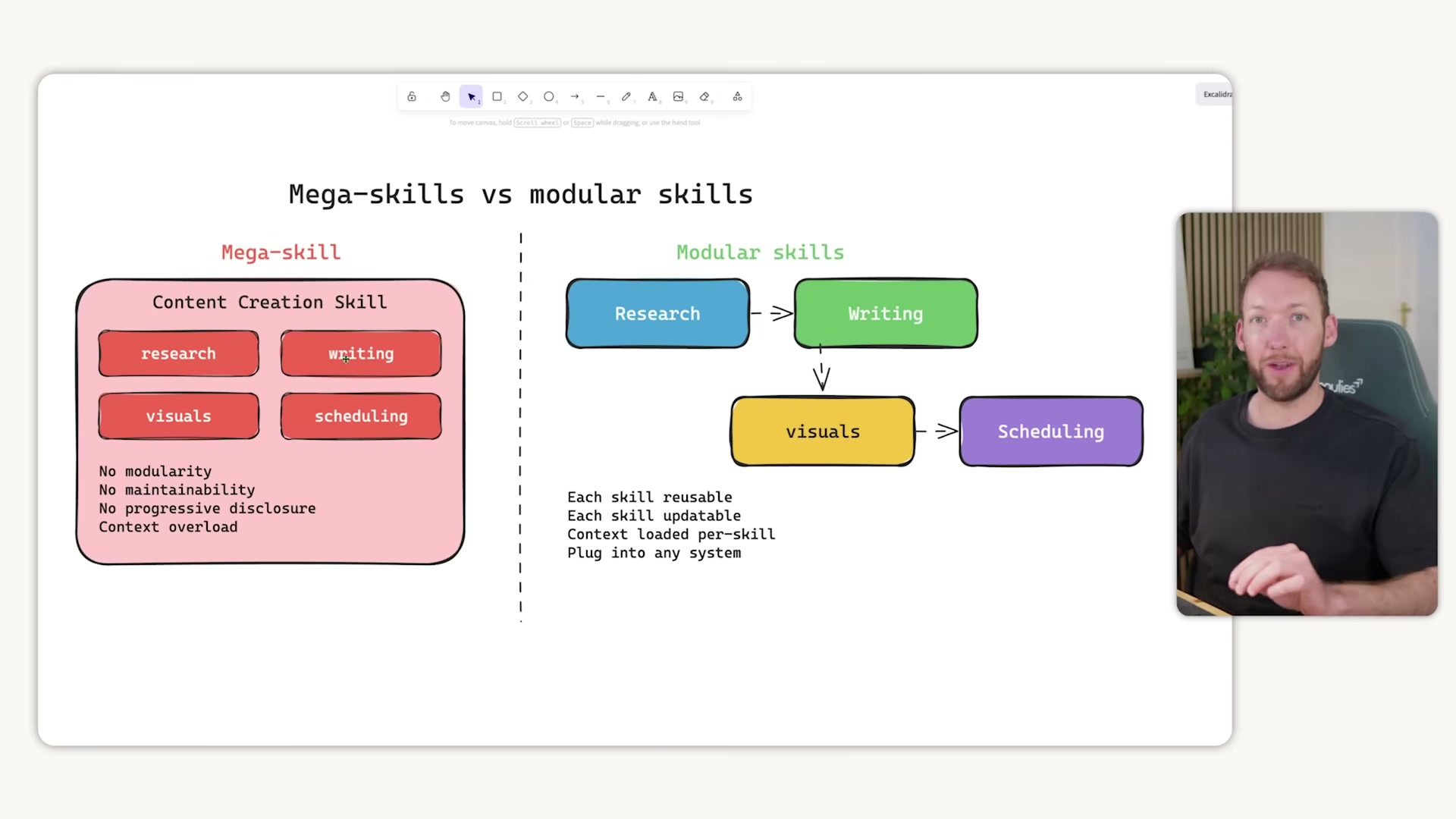
- Define the skill system pattern. Build small, focused skills and wire them together with a single orchestrator skill. The orchestrator’s
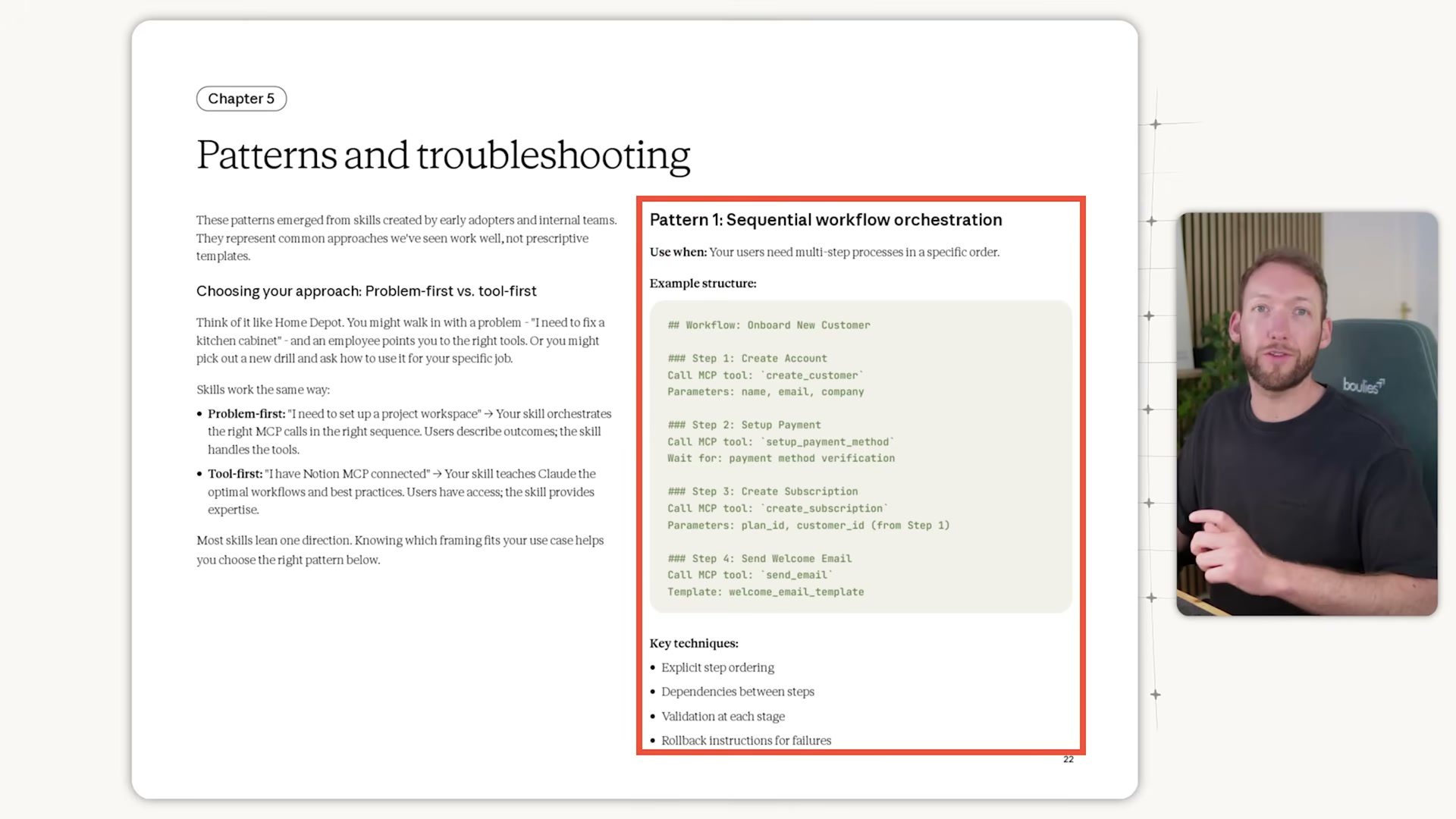
skill.mdfile manages five things: which skills run in what order, what inputs each step requires, how outputs hand off cleanly to the next skill, where human-in-the-loop checkpoints occur, and how results surface back to you visually. Component skills stay independent, reusable, and updatable in isolation.

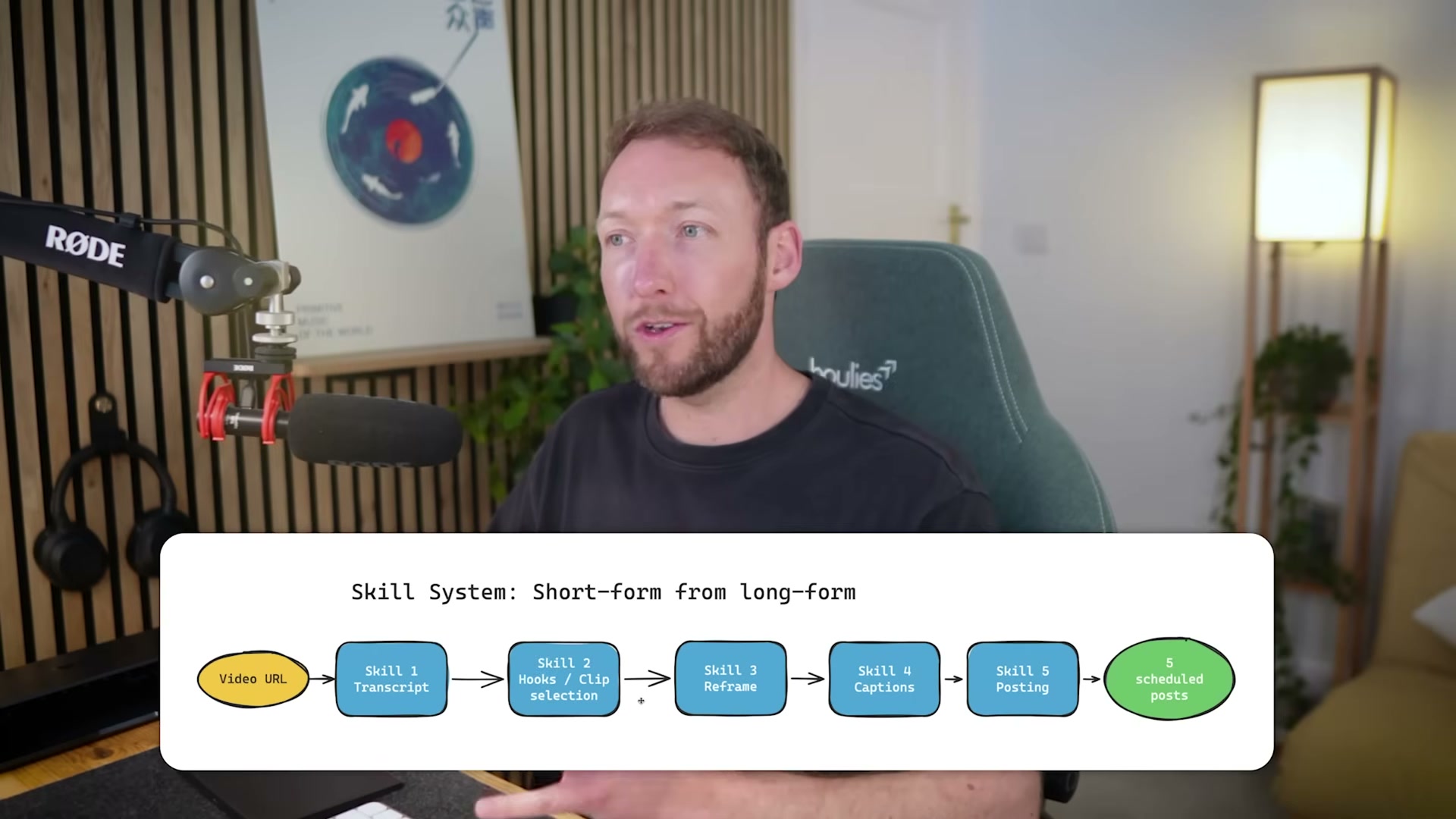
- See the complete skill system in action. The worked example accepts a single long-form YouTube video URL and outputs five short-form clips — face-tracked to portrait mode, captioned, illustrated, and ready to schedule across YouTube Shorts, LinkedIn, and X — triggered by one prompt, no manual steps.
-
Skill 1 — Transcript extraction. Input is the video URL; output is a word-level timestamped transcript. Timestamp precision matters: downstream skills use it to sync illustrations to the exact frame when a keyword is spoken.
-
Skill 2 — Clip selection. The skill reads the transcript, identifies five clip-worthy moments, and scores each candidate across five categories to rank shareability before passing approved definitions forward.
-
Skill 3 — Reframe and clip extraction. Face detection runs on every sampled frame; each clip is rendered to 9:16 portrait with continuous face tracking so the subject stays centered regardless of movement across the original frame.
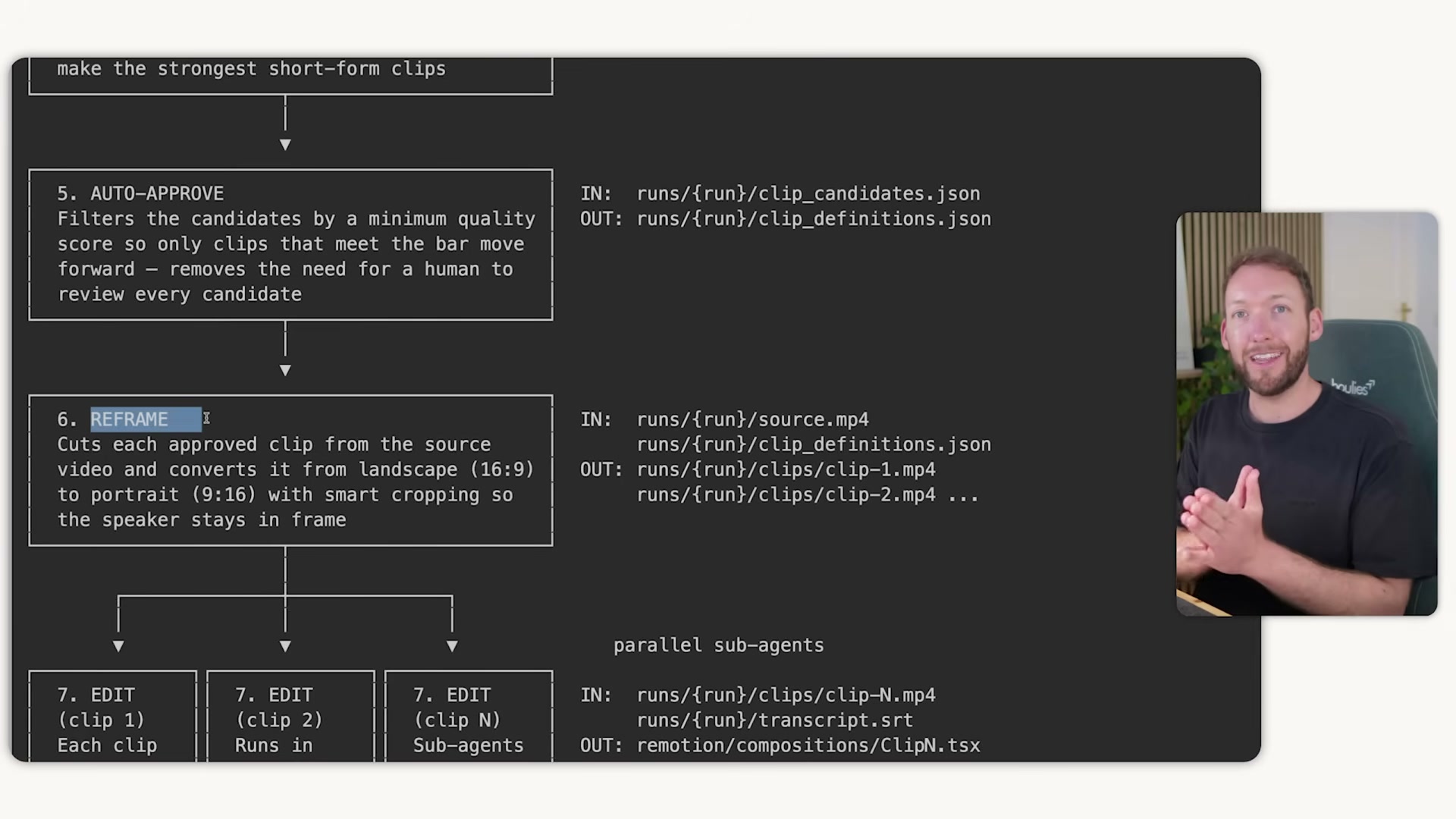
- Skill 4 — Editing. The reframed clip and timestamped transcript feed a Remotion composition generator that produces pop-out illustrations timed to exact keyword frames — unique per clip, no repeated visuals across videos.
-
Skill 5 — Packaging. The rendered clip is bundled with a thumbnail, title, description, and file path into a post-ready package. Zioo receives that package to schedule distribution across platforms as either drafts or live posts.
-
Schedule output via Zioo. Pass the packaged clips to Zioo across YouTube Shorts, LinkedIn, and X. The full pipeline runs unattended — you re-enter only when it pings you with finished outputs for a final approval check.

-
Reuse skills across multiple systems. The transcript skill powering this video pipeline feeds a separate newsletter creation skill system without modification. One skill, two orchestrators — updates propagate automatically to every system that depends on it.
-
Adopt the skill library model. Each skill is built once to a defined interface — clear inputs, clear outputs — then pulled into any orchestrator that needs it. New automations draw from the same tested, maintained components, so the library compounds in value over time.
How does this compare to the official docs?
The orchestrator pattern here maps closely to Anthropic’s published guidance on sequential workflow orchestration — but the official documentation surfaces specific implementation details around context management, sub-agent spawning, and validation checkpoints that are worth comparing directly before you start building.
Here’s What the Official Docs Show
The video’s skill system concept is a legitimate design pattern worth building — this act layers in the subscription costs, documentation gaps, and third-party tool verification you’ll need before you commit resources to the build. One step has direct doc support; the rest require your own validation.
Steps 1–2: The skill system framework
As of April 30, 2026, the skills-guide URL returns a 404. The named constructs in these steps — “skills,” “orchestrator skill,” “skill library model” — do not appear in official Anthropic documentation at any captured URL. The underlying chained-agent pattern is consistent with Anthropic’s agentic product direction, but the specific framework is the creator’s own design, not a documented Anthropic construct.
No official documentation was found for this step — proceed using the video’s approach and verify independently.
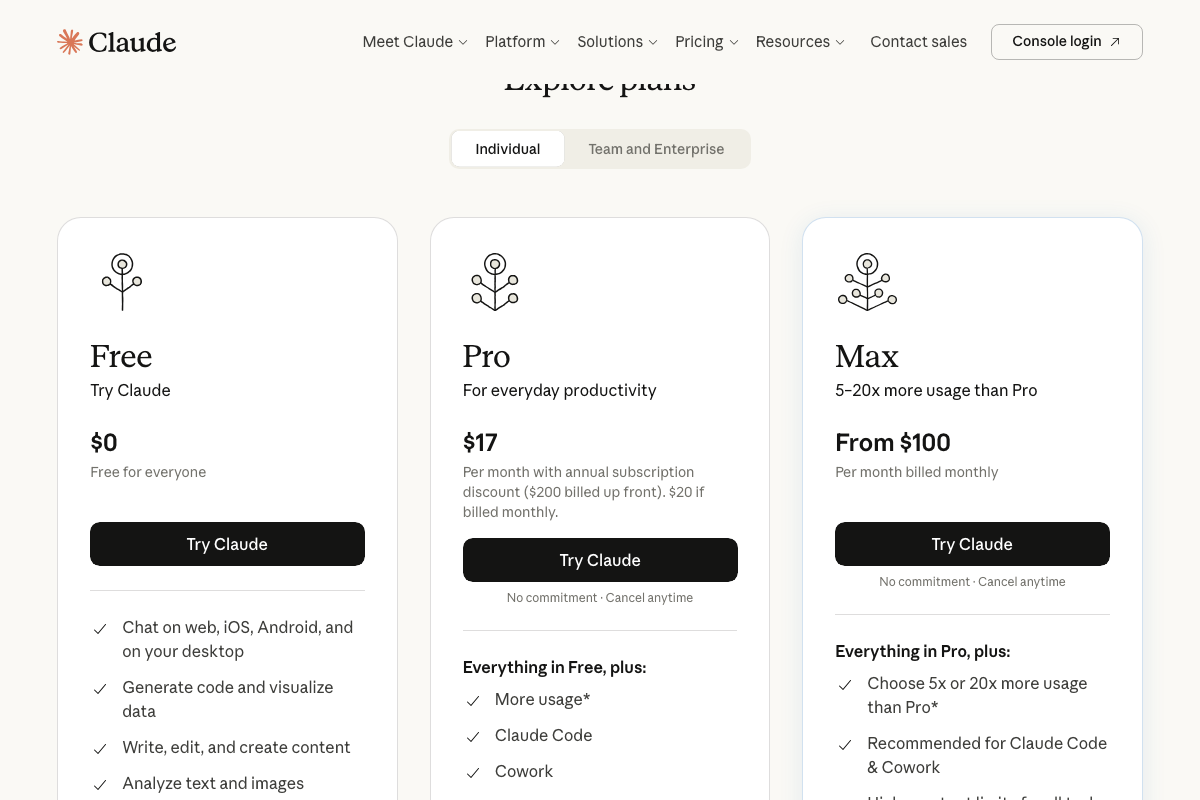
One important addition the video omits: Claude Code is a paid feature. Pro starts at $17/month annually; Max — Anthropic’s recommended tier for heavy Claude Code use — starts at $100/month. Build that into your stack cost before committing.
Steps 3–5: System overview, transcript extraction, clip selection
No official documentation was found for these steps — proceed using the video’s approach and verify independently.
Step 6: Portrait reframe with face tracking
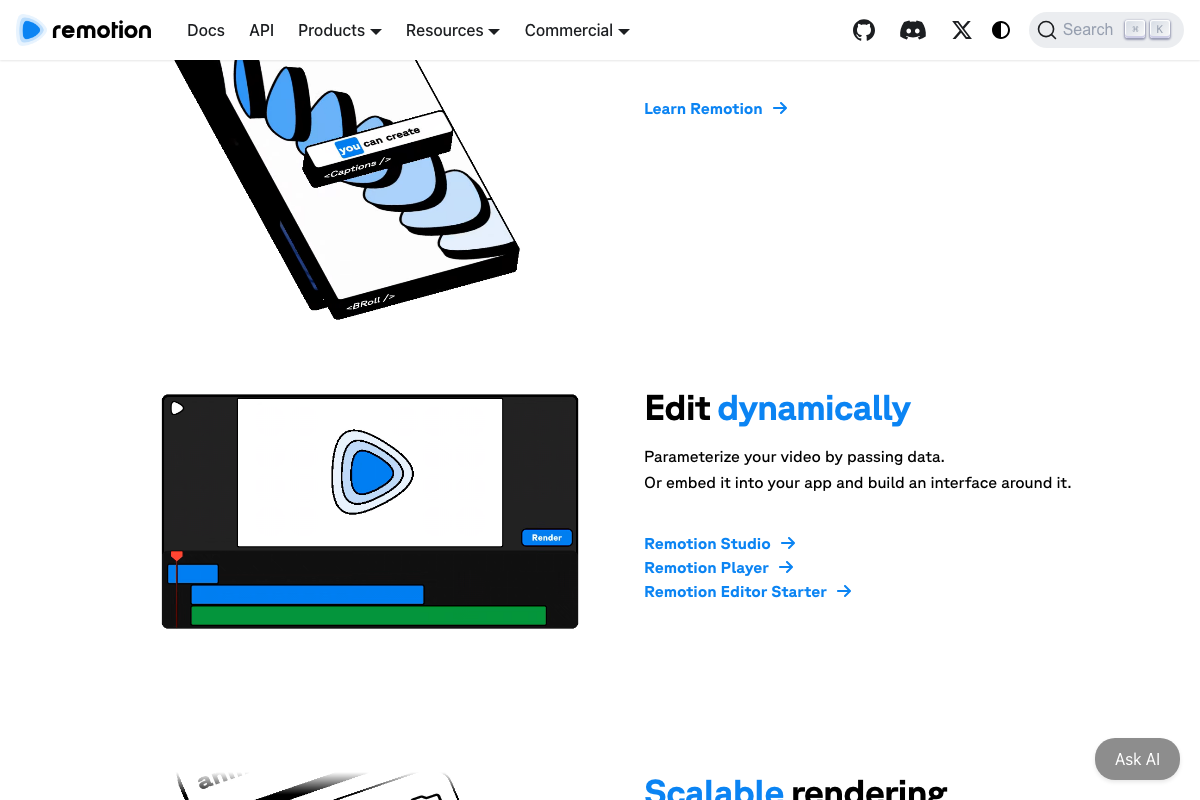
Remotion confirms native support for portrait-format (9:16) video and timed caption overlays. Face detection and continuous face tracking during reframing, however, do not appear in any official Remotion documentation captured — this component likely depends on a separate computer vision library not named in the video.
No official documentation was found for the face-tracking component — proceed using the video’s approach and verify independently.
Step 7: Editing with Remotion

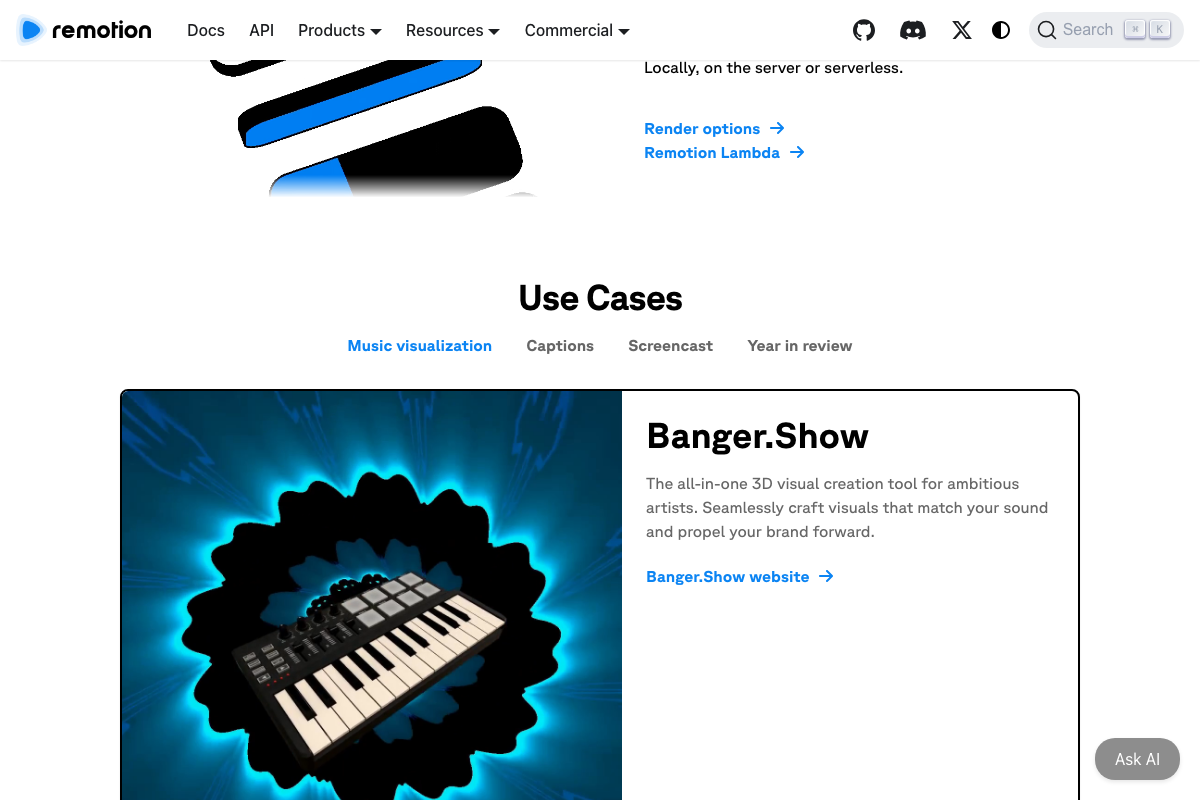
The video’s approach here matches the current docs exactly. Remotion produces MP4s from React components, supports parametrized data-driven content, and scales via Remotion Lambda — all confirmed in official documentation.
Step 8: Packaging
No official documentation was found for this step — proceed using the video’s approach and verify independently.
Step 9: Zioo scheduling
No official documentation was found for this step — Zioo does not appear in any official screenshot; verify its current API capabilities and platform integrations independently before building against it.
Steps 10–11: Skill reuse and the skill library model
Claude Code and AI Agents are confirmed official Anthropic product lines, and the reuse concept is sound engineering practice. The specific skill library model and cross-orchestrator skill sharing described in steps 10–11, however, map to no official documentation page — treat them as the creator’s design convention, not a platform-native feature.
No official documentation was found for these steps — proceed using the video’s approach and verify independently.
Useful Links
- Claude Code overview – Claude Code Docs — Official Claude Code documentation overview; captured screenshots redirected to authentication pages, so verify direct access at this URL.
- Make videos programmatically | Remotion — Official Remotion documentation confirming React-based MP4 creation, parametrized overlays, caption components, and Remotion Lambda for scalable rendering.
- Claude Code skills guide — Returns 404 as of April 30, 2026; no official skills framework documentation exists at this URL.


0 Comments