

How to Build a Linkable Asset That Earns Thousands of Backlinks
A single free web tool — built in a day, hosted for pennies — can attract more backlinks than a six-figure link-buying budget ever could. Edward Sturm’s playbook covers the full cycle: ideate with AI, build with vibe coding, distribute through Product Hunt and journalist outreach, then funnel all that accumulated link equity back into your main domain. You’ll finish with a repeatable system for creating assets that have earned anywhere from 35,000 to 384,000 backlinks from thousands of unique root domains.
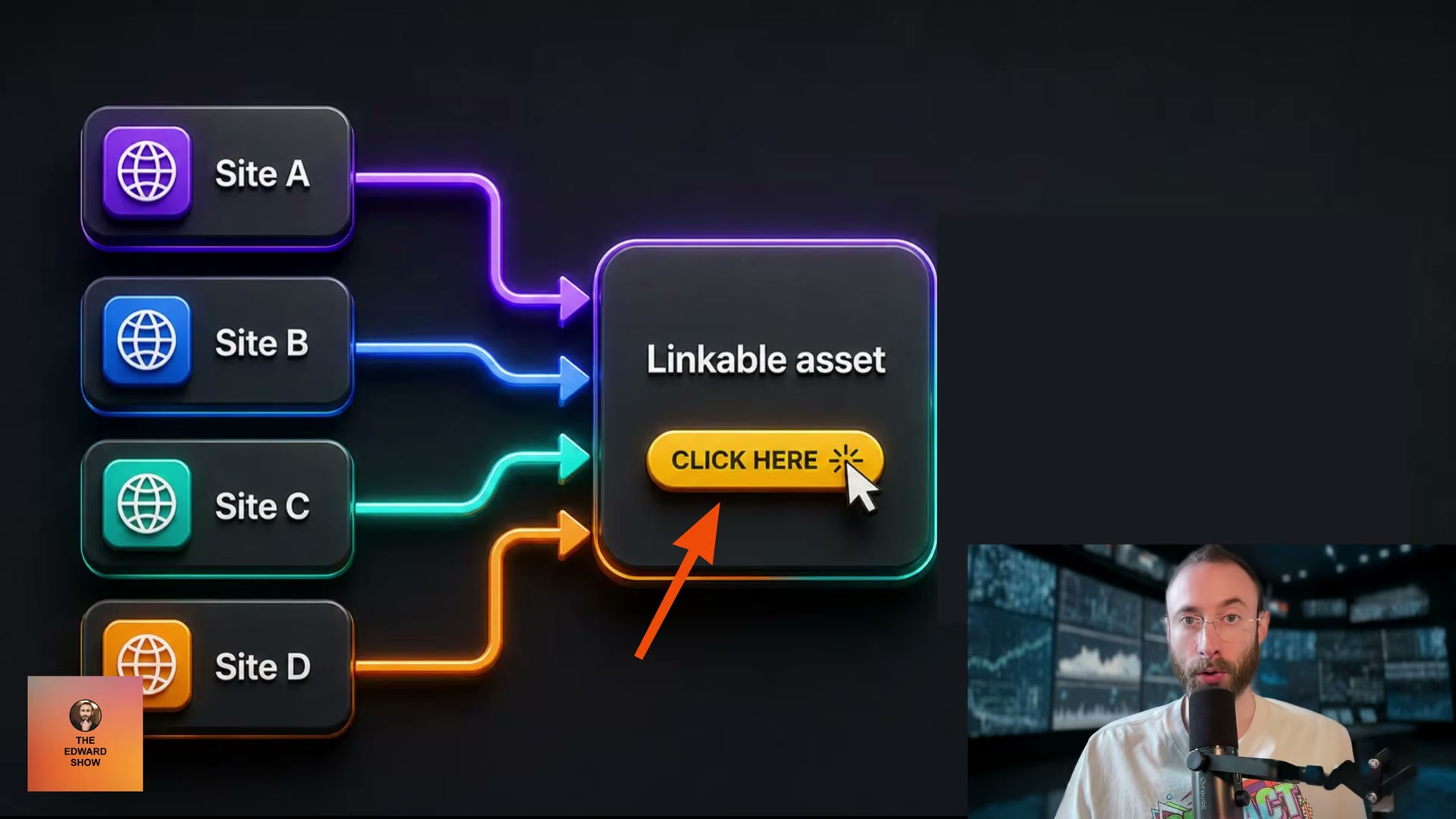
- Run the following prompt in ChatGPT, substituting your actual niche for the placeholder: “Act as a world-class viral growth marketer and SEO strategist. Generate 15 simple, highly shareable, linkable asset ideas for the [niche/industry] industry. Prioritize tools, calculators, generators, visualizers, quizzes, databases, maps, trackers, or micro apps that journalists, bloggers, Reddit users, and social media creators would naturally link to. Focus on ideas that are cheap to build, instantly understandable, emotionally compelling, and capable of earning backlinks organically.”
![The exact AI prompt to generate 15 linkable asset ideas for any niche — just swap in [NICHE] and run it.](https://marketingagent.blog/wp-content/uploads/2026/05/frame_0016-4.jpg)
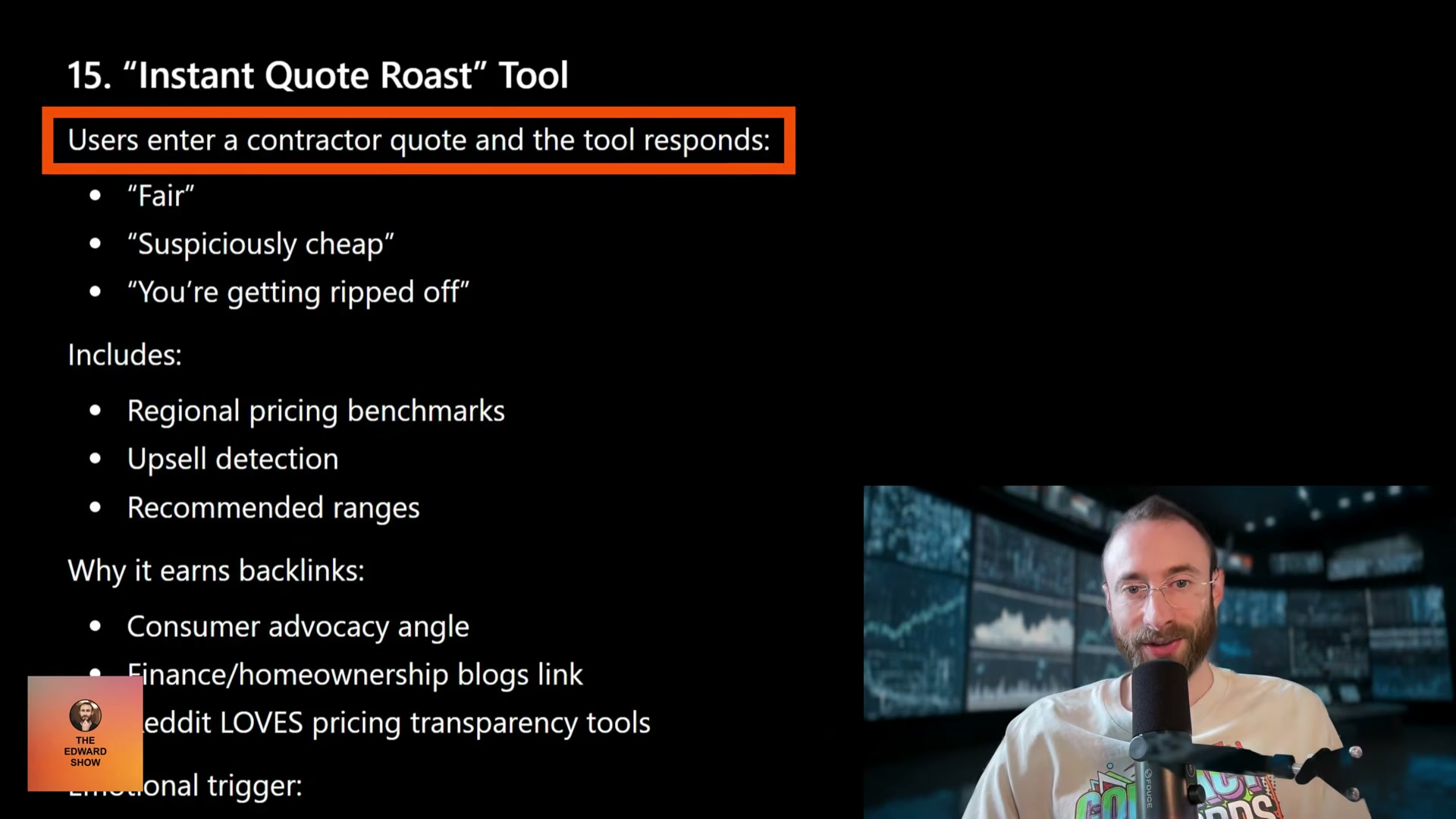
- Review the output and select the idea that best satisfies four criteria simultaneously: cheap to build, instantly understandable at a glance, emotionally compelling, and naturally link-worthy to journalists, bloggers, and Reddit communities. The AI often embeds its own link rationale directly into the output — for example, an “Instant Quote Roast Tool” that flags whether a contractor bid is fair or a rip-off, with an explanation of why pricing-transparency tools consistently surface on Reddit and consumer advocacy blogs.
- Build the asset using AI-assisted vibe coding. The video points to episodes 98 and 1025 of The Edward Show for the specific workflow rather than demonstrating the build process on screen.
Warning: this step may differ from current official documentation — see the verified version below.
-
Host the asset either as a subdirectory on your main domain or on a standalone domain with a catchy, memorable name. Every standalone domain needs a prominent call-to-action pointing visitors back to your brand.
-
Submit to Product Hunt and BetaList on launch day. Both platforms have active communities that surface and share new tools organically, seeding your first wave of backlinks without any outreach required.
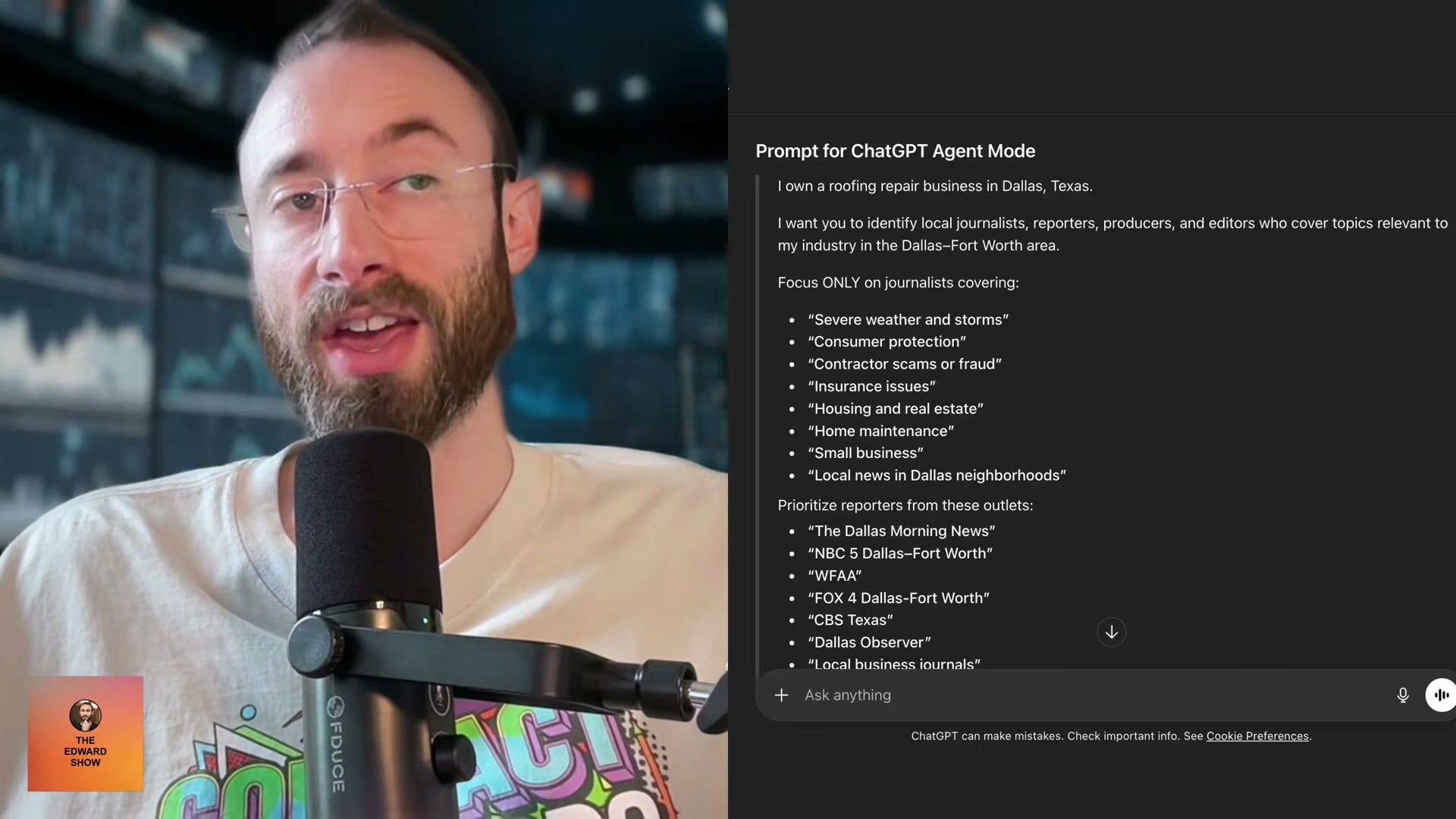
- Identify journalists covering your niche by beat, geography, and outlet type, then use ChatGPT Agent Mode to generate personalized pitches at scale. The video links to a multi-prompt outreach system in the episode description that handles journalist discovery, story angle generation, and pitch writing in sequence.
- Once the standalone asset has accumulated meaningful backlinks, set up a 301 redirect from that domain to the relevant page on your main site. The redirect transfers the accumulated SEO authority to your primary domain.
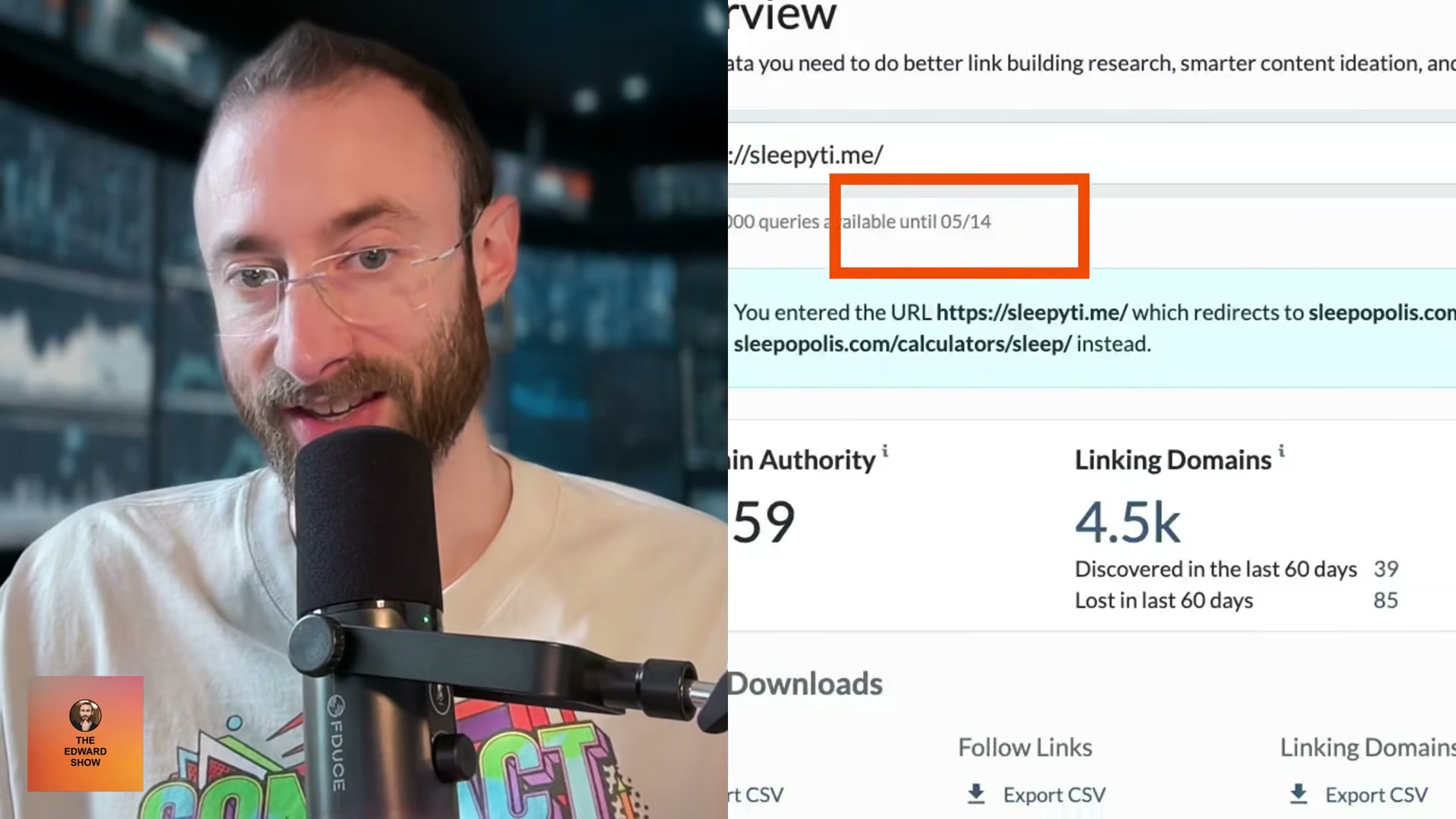
- From the landing page on your main site, add internal links to hub pages targeting bottom-of-funnel keywords. The link authority flowing into the asset page travels through those internal links to your highest-value conversion pages, boosting their ability to rank for commercial and transactional queries.
How does this compare to the official docs?
Several phases — especially the vibe coding workflow and the journalist outreach prompt chain — rely on proprietary resources that live outside the video itself, so Act 2 maps each step against Google’s published guidance and established SEO research to show you exactly what holds up under scrutiny.
Here’s What the Official Docs Show
The tutorial’s framework is sound — the documentation fills in platform mechanics and hosting details the video moves past quickly. What follows tracks each step in sequence, with doc-grounded additions layered in where the screenshots add something actionable.
Step 1: Prompt ChatGPT to generate linkable asset ideas
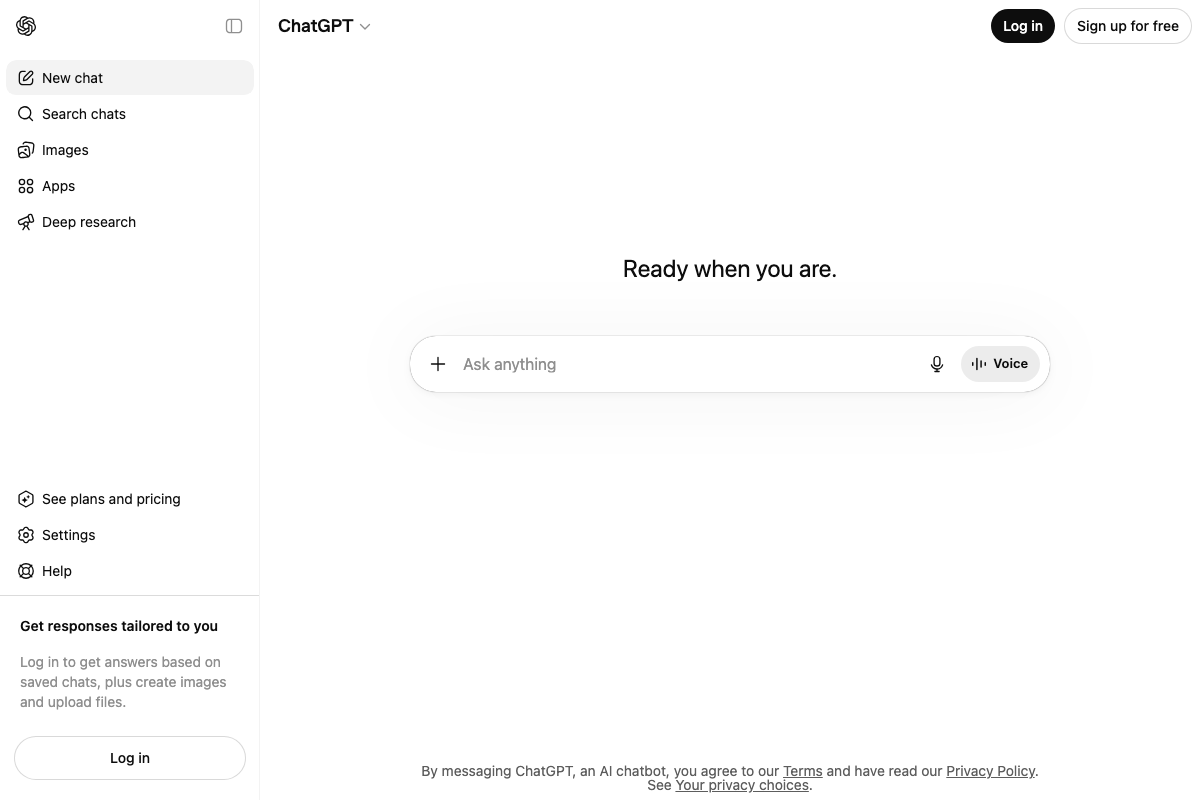
The video’s approach here matches the current docs exactly. The ChatGPT interface at chatgpt.com presents the “Ask anything” prompt to free-tier users without requiring a login, confirming accessibility. Worth noting: full capabilities — saved chat history, file uploads — require an account, and a “See plans and pricing” link in the sidebar indicates paid tiers that may affect model output quality and depth.
Step 2: Select the best idea using the four-criteria filter
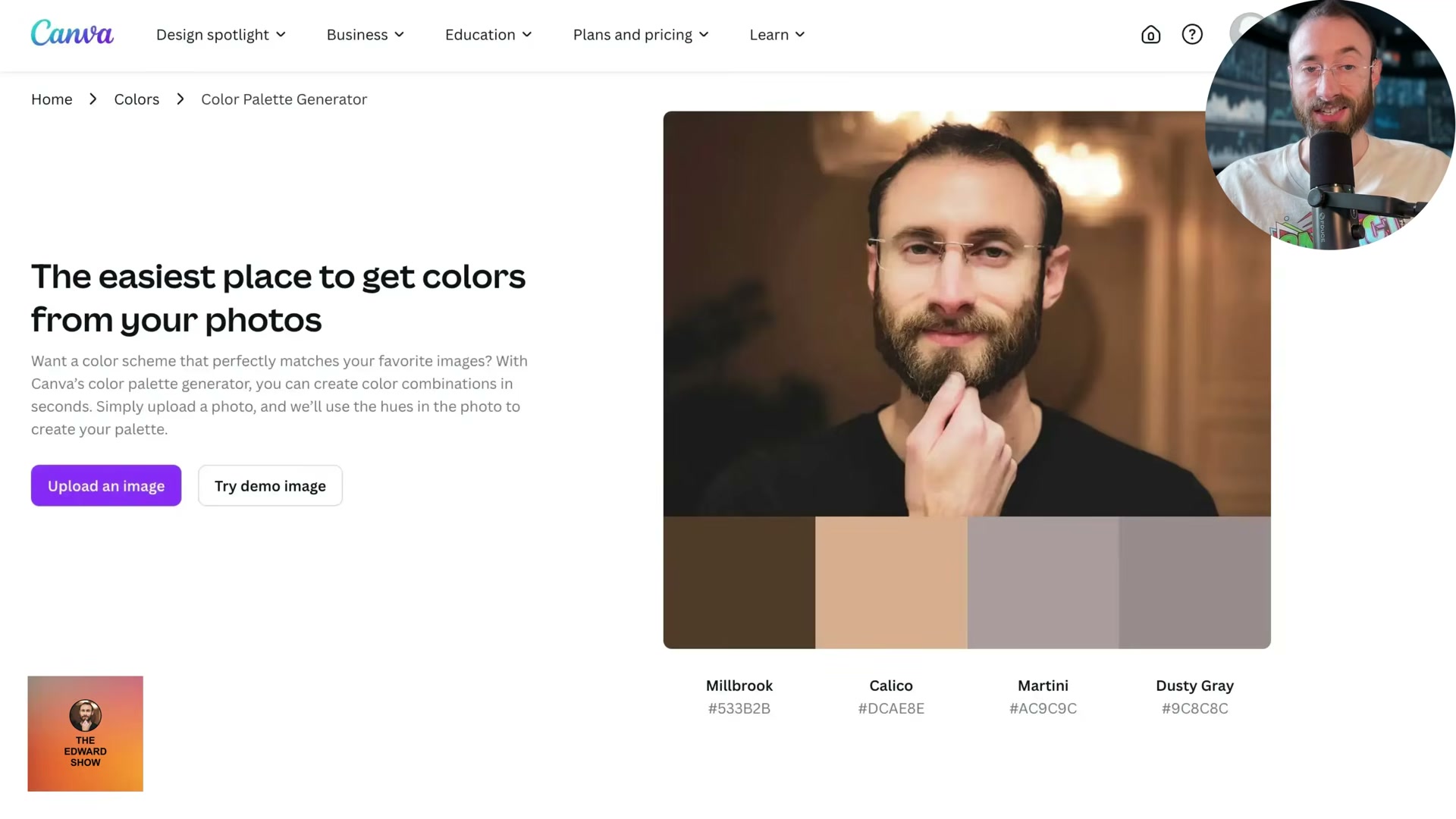
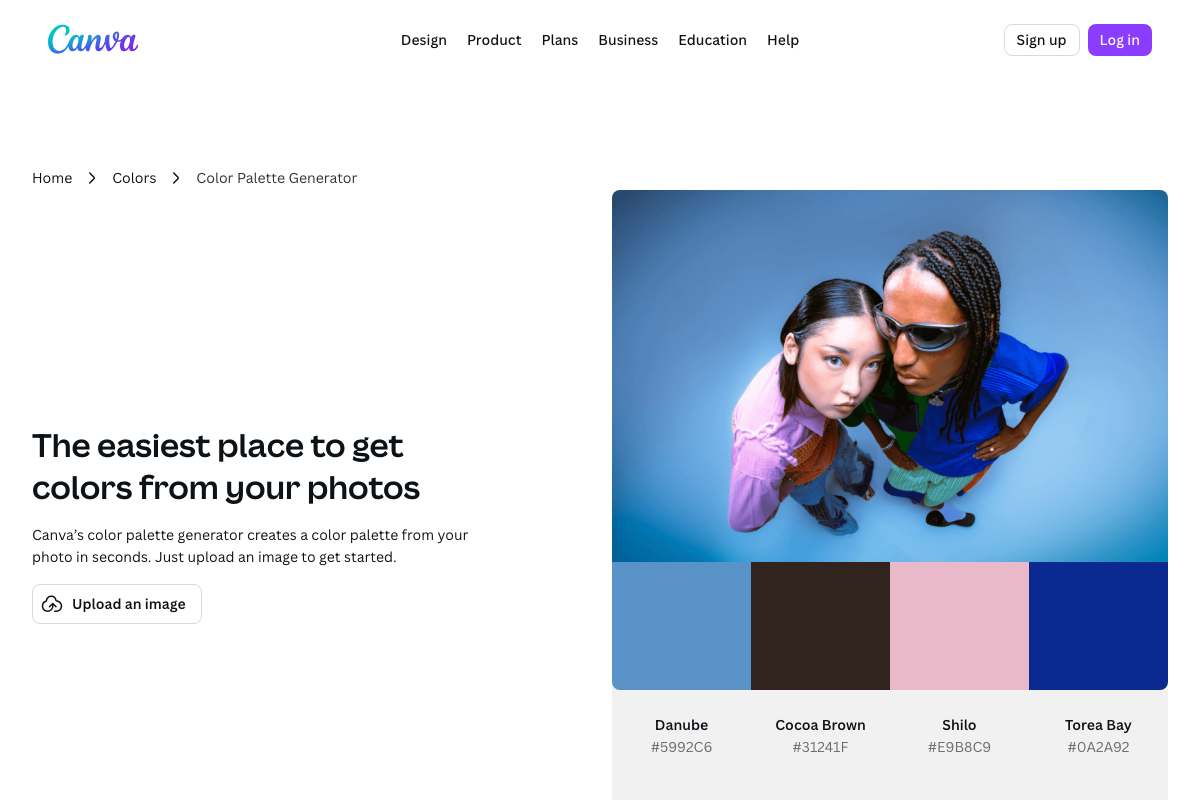
The video’s approach here matches the current docs exactly. Canva’s Color Palette Generator — a live deployed tool at canva.com — confirms what a correctly scoped linkable asset looks like in practice: single-purpose, instant tangible output (named hex codes extracted from a photo upload), hosted on the main domain, and naturally link-worthy to designers, bloggers, and educators.
Step 3: Build the asset using AI-assisted vibe coding
No official documentation was found for this step — proceed using the video’s approach and verify independently.
Step 4: Host on your main domain or a standalone domain with a brand CTA
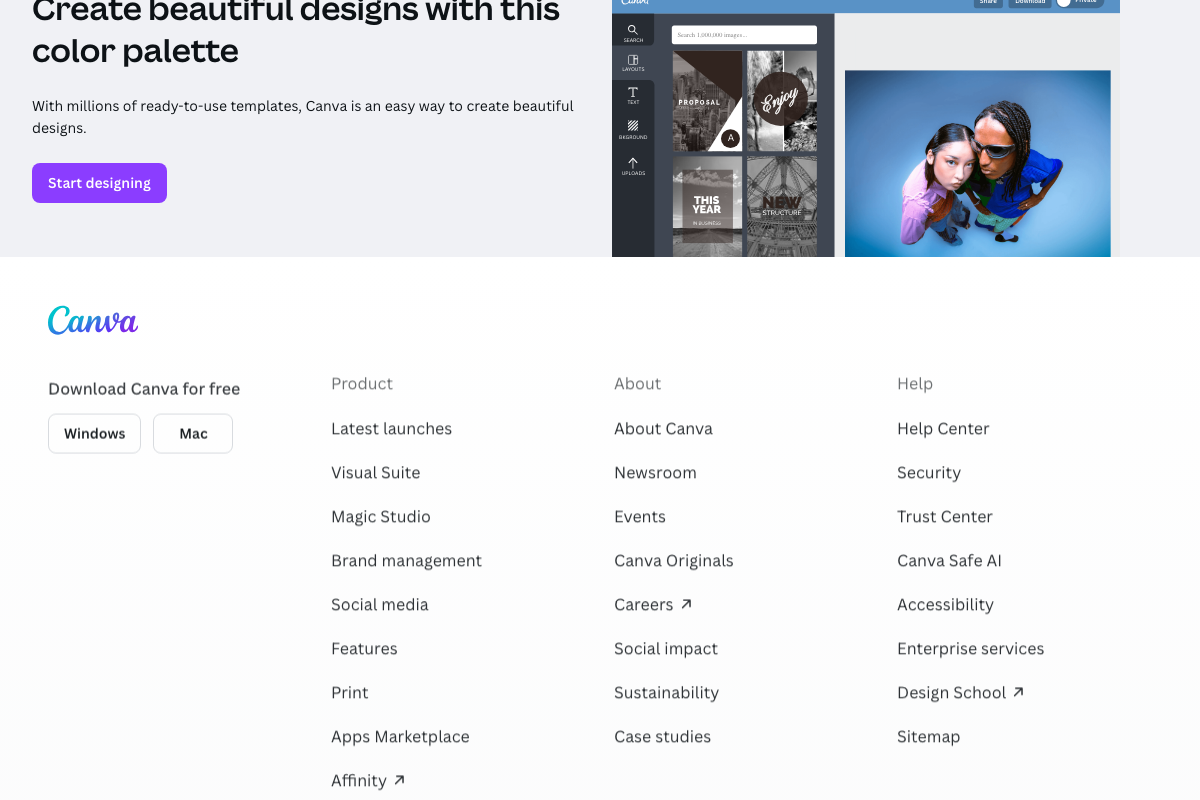
The video’s approach here matches the current docs exactly. The Canva page illustrates the pattern precisely: descriptive subdirectory path (/colors/color-palette-generator/), a “Start designing” CTA pointing visitors into the core product, and breadcrumb placement within a topical “Colors” hub that confirms the asset is one node in a larger content architecture.
Step 5: Submit to Product Hunt and BetaList on launch day
The video’s approach here matches the current docs exactly for core channel accessibility. Three additions the tutorial doesn’t cover:
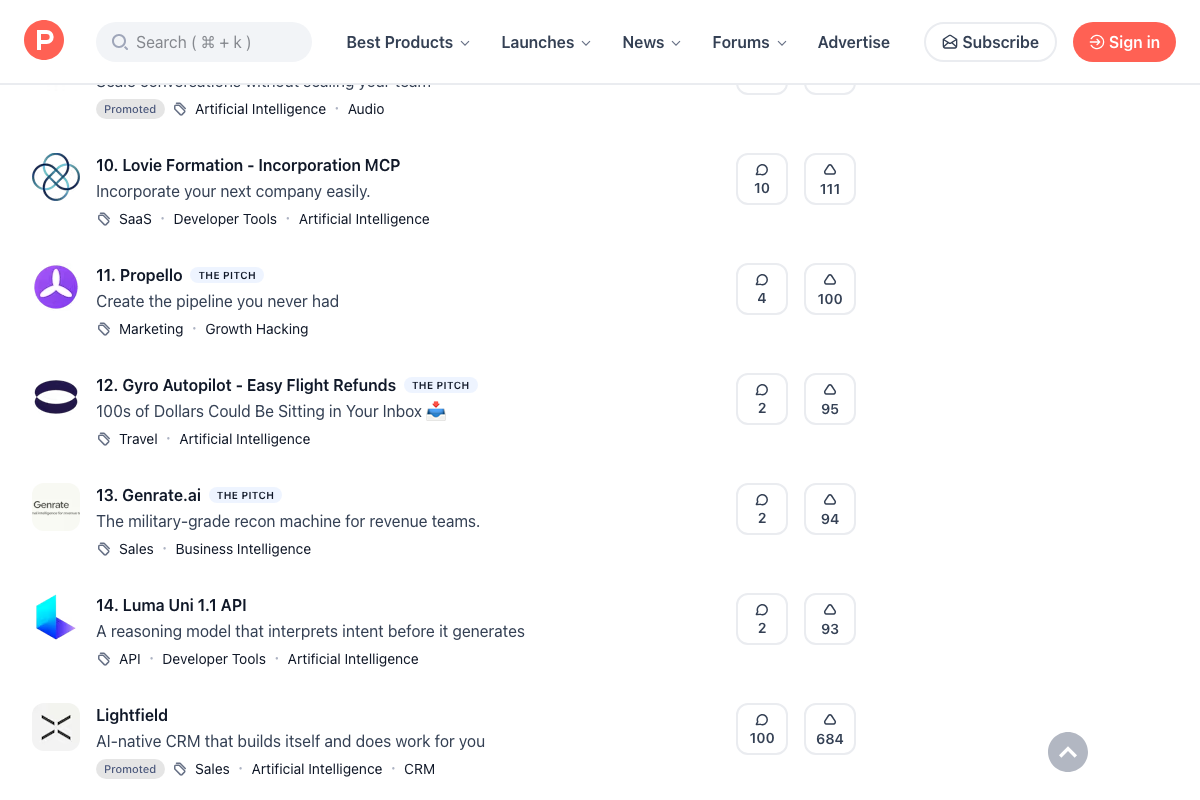
- Product Hunt ranks daily listings by upvote count with a visible countdown timer — voting resets at midnight, so launch timing and early vote mobilization affect final rank. “THE PITCH” and “Promoted” paid placement types appear throughout the daily feed alongside free organic listings; the tutorial presents Product Hunt as an entirely free channel.
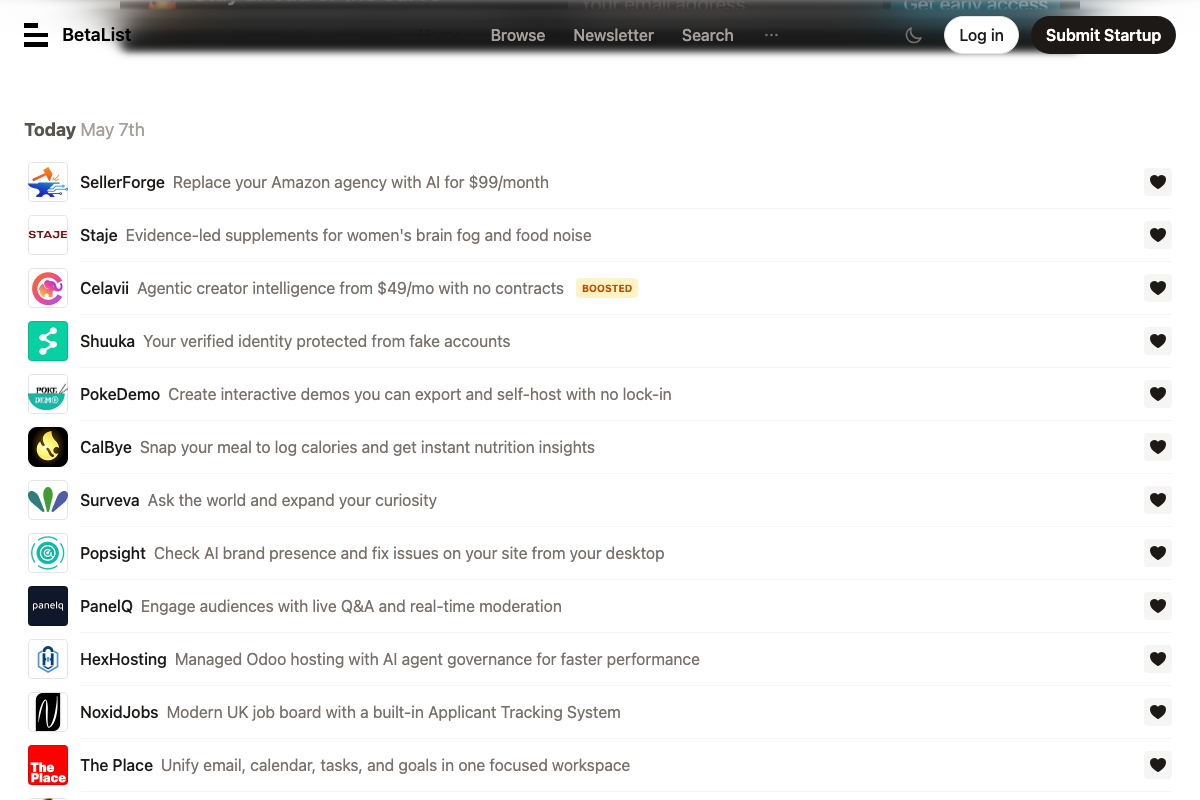
- BetaList lists approved submissions in strict chronological order, not by votes — a meaningfully different mechanic from Product Hunt. A “BOOSTED” paid option exists for elevated placement. BetaList also distributes new submissions to its email newsletter subscriber base, generating an additional wave of traffic and backlink potential beyond the on-site listing.
Step 6: Use ChatGPT Agent Mode for journalist outreach
No official documentation was found for this step — proceed using the video’s approach and verify independently.
Step 7: Set up a 301 redirect from the standalone domain to your main site
No official documentation was found for this step — proceed using the video’s approach and verify independently.
Step 8: Add internal links from the asset page to hub pages
No official documentation was found for this step — proceed using the video’s approach and verify independently.
Useful Links
- ChatGPT — The main prompt interface where you run the linkable asset ideation prompt in step 1; accessible on the free tier without login.
- ChatGPT | OpenAI Help Center — OpenAI’s official documentation covering ChatGPT features, account tiers, and platform capabilities.
- Product Hunt – The best new products in tech. — Daily launch platform where free and paid listings compete for upvote ranking within a midnight-reset voting window.
- Discover and get early access to tomorrow’s startups | BetaList — Startup discovery platform listing tools chronologically and distributing approved submissions to its email newsletter subscriber base.
- Color palette generator | Canva Colors — A live reference implementation of the tutorial’s full strategy: free single-purpose tool on the main domain, brand CTA, and hub-page internal links in a single page.


0 Comments