

Building a Full AI Marketing Team With Google’s Tools
Google’s AI ecosystem now lets you wire together Gemini 3.1, NotebookLM, NanoBanana, and Antigravity into a coordinated marketing operation — researcher, strategist, creative director, and builder — all running from one workspace. This walkthrough covers the full setup: project structure, MCP integrations, custom skill creation, and a live research-to-strategy workflow using a bakery brand called Sunday Bake as the working example.
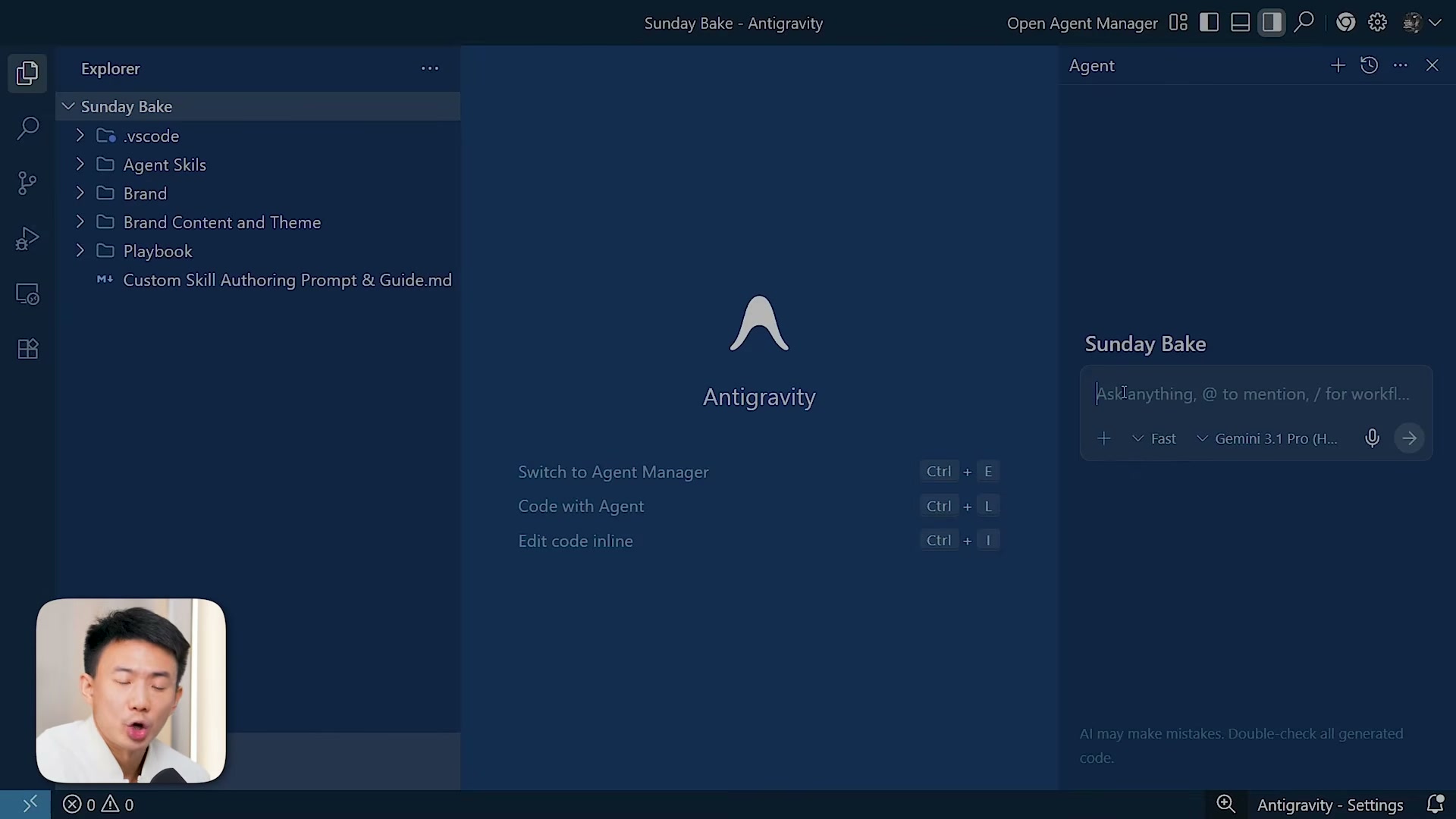
- Create the project folder structure in Antigravity. Open Antigravity and set up a new project with five subfolders:
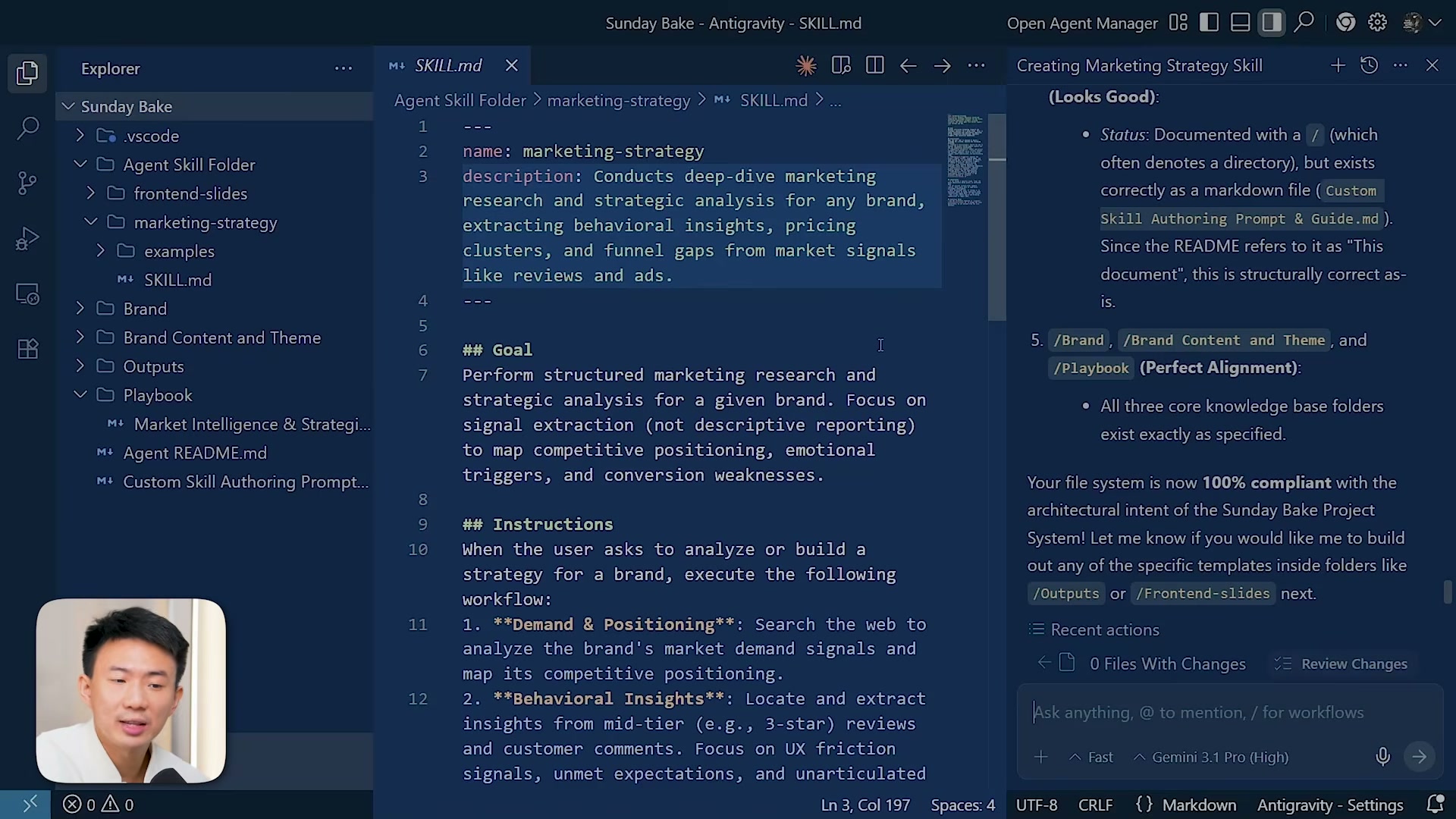
agent-skills(where custom marketing skills live),brand(product info, audience, mission, tone),content-and-theme(visual guidelines, voice, creative direction),outputs(all deliverables), andplaybook(marketing intelligence docs, strategy frameworks, SOPs, workflows). This hierarchy is not cosmetic — it determines how effectively Gemini 3.1 can reason across your brand context.
- Populate the brand and content folders. Add your brand identity documents — product descriptions, audience profiles, mission statements, and tone guidelines — into the
brandfolder. Incontent-and-theme, add platform-specific content guidelines, visual templates, and creative direction files. These documents become the persistent context your AI agents reference for every task.
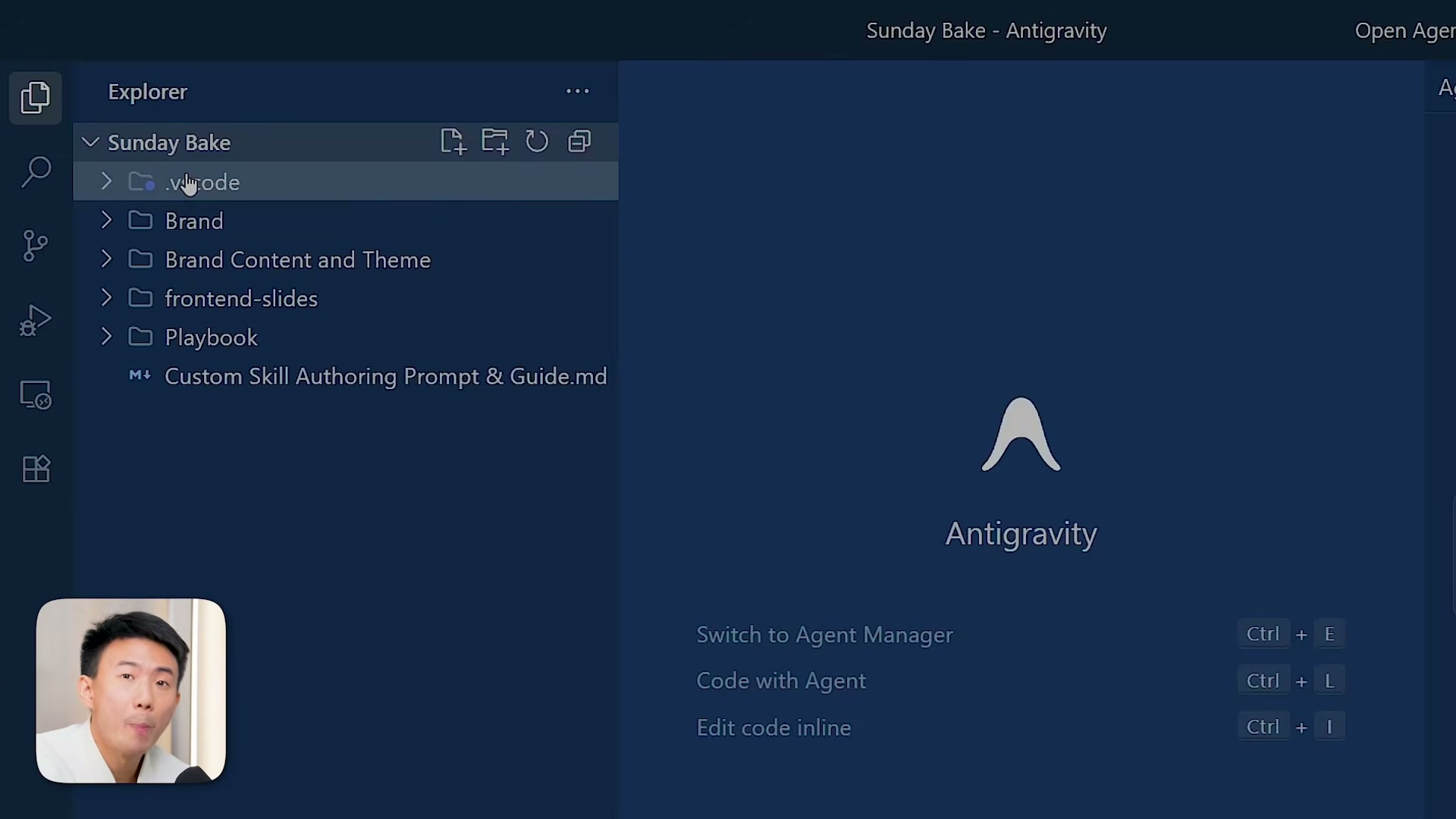
- Add an agent README to the project root. Create a markdown file at the top level that gives AI agents a high-level map of the project: folder purposes, navigation instructions, and file organization conventions. This acts as a persistent orientation document so agents behave consistently across tasks.
- Install the NotebookLM MCP server. Copy the GitHub repository URL for the NotebookLM MCP (
github.com/PleasePrompto/notebooklm-mcp.git) and paste it into the Antigravity chat agent with a request to install the MCP server. Let the agent run the installation.
Warning: this step may differ from current official documentation — see the verified version below.
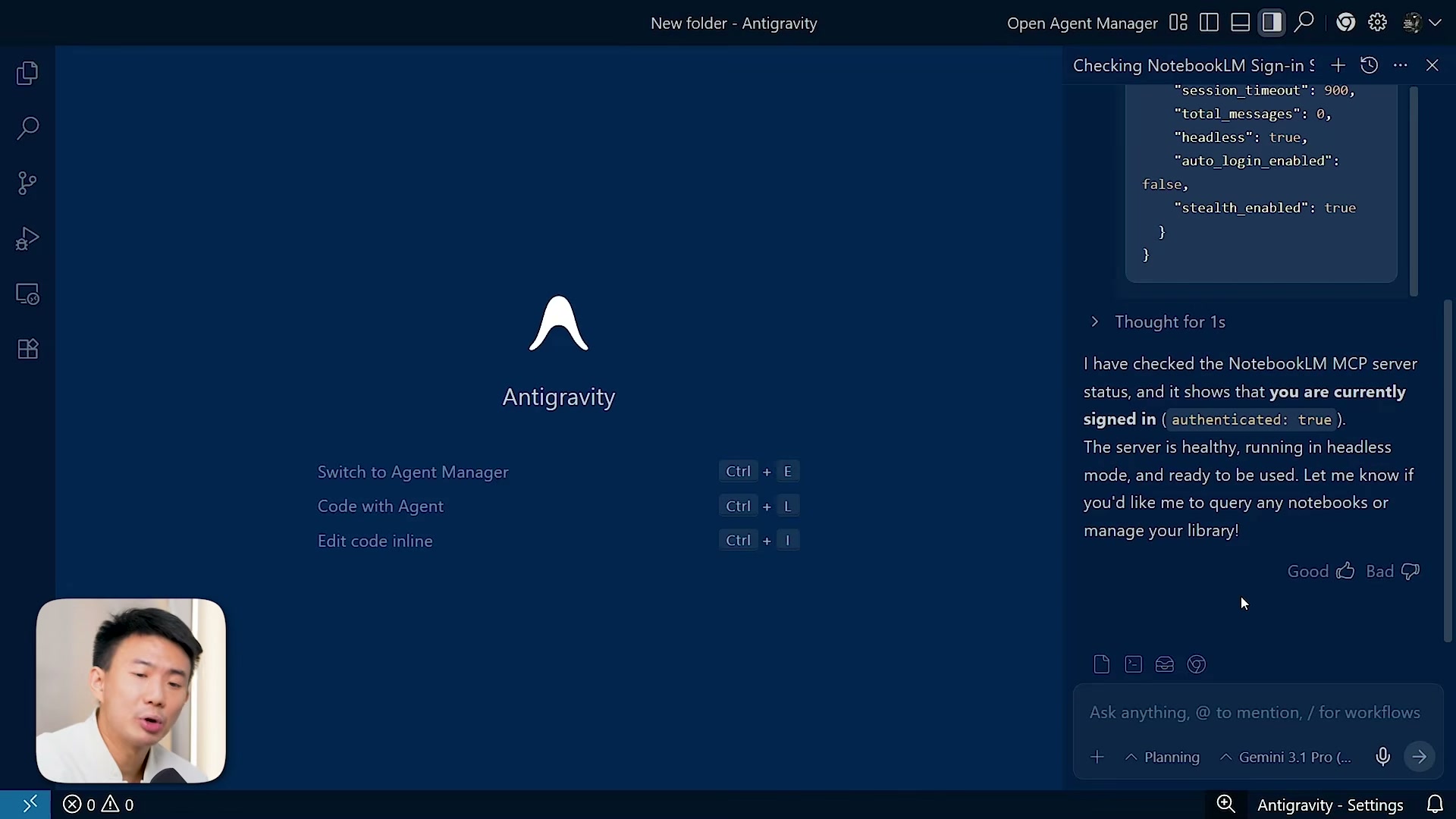
- Verify the MCP connection. Query the NotebookLM account connection status through the agent. The response should return
authenticated: trueand confirm the server is healthy. Do not proceed until this check passes — a disconnected MCP means your research workflows will silently fail.

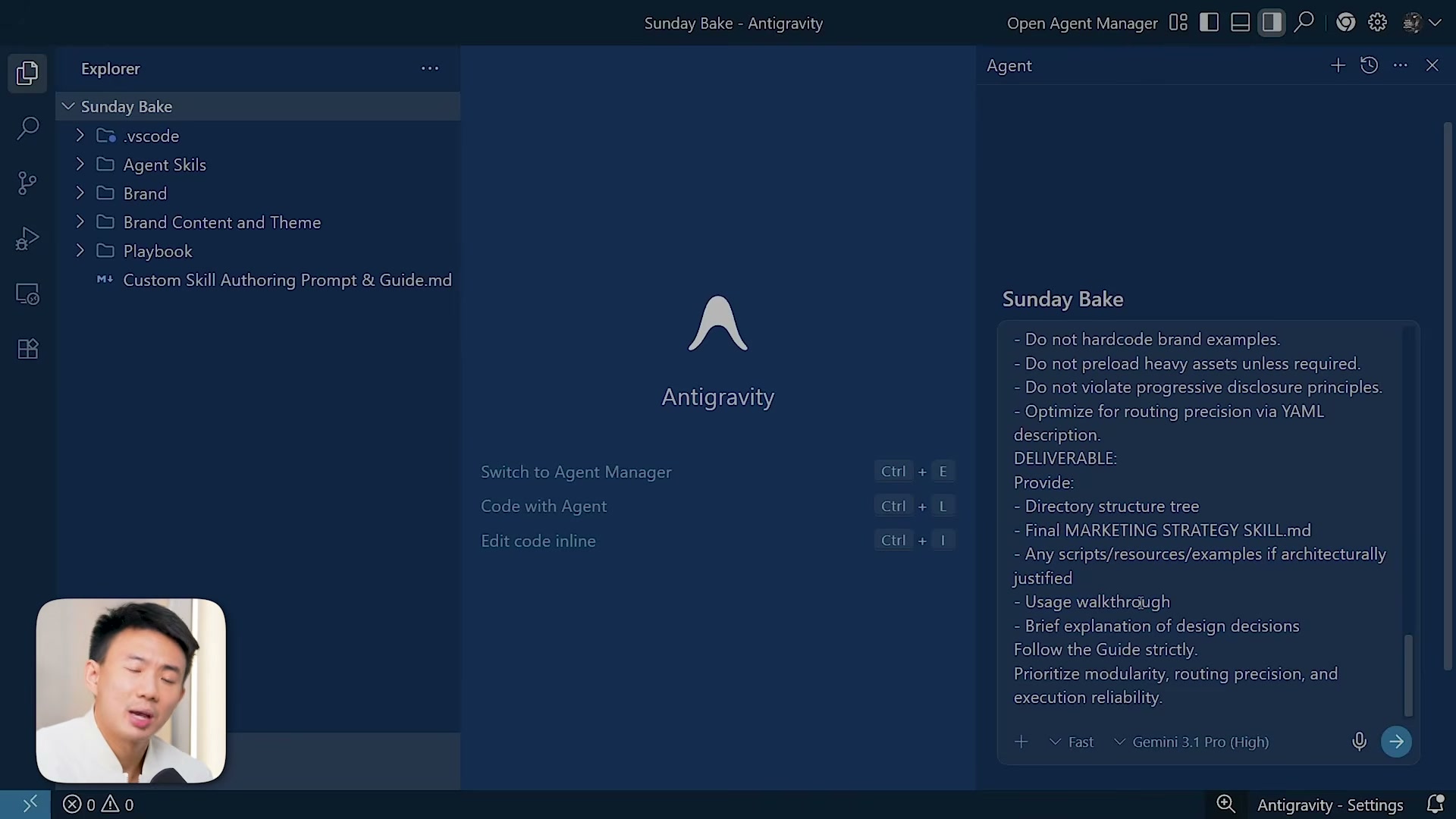
- Create a custom marketing intelligence skill. Point the agent to the
marketing-intelligence-and-strategy-execution.mdfile in your playbook folder and thecustom-skill-authoring-prompt-and-guide.md. The agent uses both — the first defines scope and deliverables, the second enforces proper skill structure. The resulting skill covers demand validation, competitive intelligence mapping, and customer behavior analysis.
-
Generate a research query using the skill. Ask the agent to use the newly created skill to produce an optimized three-to-four-sentence search query tailored for NotebookLM’s web search tool. This ensures the research pulls across brand strategy, market positioning, and customer perception layers.
-
Run deep research in NotebookLM. Open NotebookLM, add sources via web search using the generated query, and enable deep research mode before executing. Once sources finish importing, set sharing to “anyone with the link” and copy the notebook URL.
-
Execute the multi-phase extraction prompt. Return to Antigravity and paste a structured prompt with four phases: extract positioning mechanics, extract emotional triggers, extract strategic patterns, and synthesize everything into a reusable framework. Include the NotebookLM URL so the MCP can query that specific research environment. The agent auto-generates a task folder with structured markdown output.
-
Install the NanoBanana MCP server. Install the NanoBanana MCP globally in Antigravity using its official repo URL. If the setup pauses, provide the correct directory path for the Gemini Antigravity folder (found under MCP servers → manage → view config). Retrieve your NanoBanana API key from the NanoBanana dashboard and paste it into the MCP configuration.
Warning: this step may differ from current official documentation — see the verified version below.
- Build a content creation skill on NanoBanana. Create a dedicated skill layered on top of the NanoBanana MCP for systematic visual production — the creative director role in the four-agent team.
How does this compare to the official docs?
Google’s own documentation for Antigravity, NotebookLM, and the MCP protocol tells a slightly different setup story — the next section walks through what the docs actually specify and where the two versions diverge.
Here’s What the Official Docs Show
Act 1 walked through a compelling workflow for building a coordinated AI marketing team — and the core architecture holds up. What follows fills in the gaps where official documentation tells a more precise story, particularly around model naming, product terminology, and which integrations the MCP protocol currently lists.
1. Create the project folder structure in Antigravity.
No official documentation was found for this step — proceed using the video’s approach and verify independently.
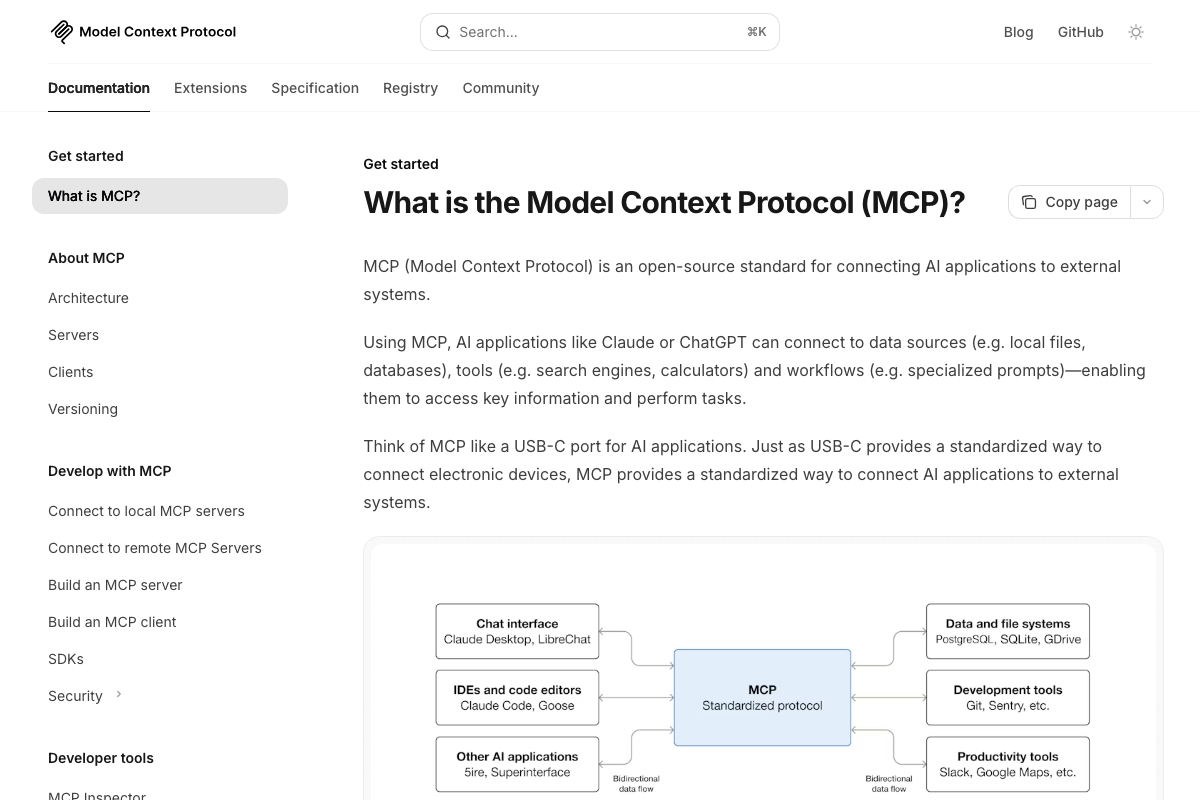
The MCP documentation lists Claude Desktop, LibreChat, Claude Code, Goose, 5ire, and Superinterface as known MCP clients. Antigravity does not appear in that list as of March 5, 2026.
2. Populate the brand and content folders.
No official documentation was found for this step — proceed using the video’s approach and verify independently.
3. Add an agent README to the project root.
No official documentation was found for this step — proceed using the video’s approach and verify independently.
4. Install the NotebookLM MCP server. NotebookLM is confirmed as a Google product requiring Google Account authentication. However, NotebookLM and Nano Banana are not listed among the example MCP servers in the official MCP documentation — though the protocol is designed as an open standard supporting any compliant implementation. The MCP docs describe it as “a USB-C port for AI applications,” meaning third-party servers can exist outside the official examples.
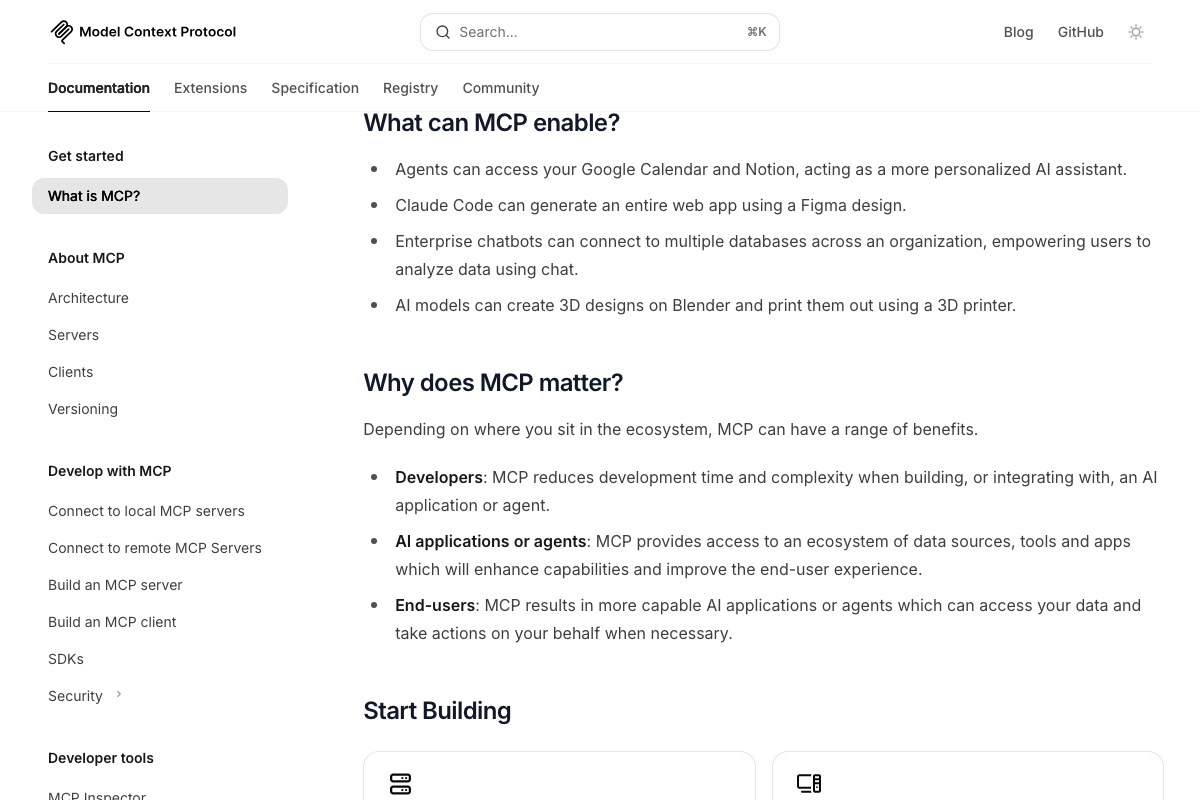
5. Verify the MCP connection. The video’s approach here matches the current docs exactly — MCP supports bidirectional data flow between clients and servers, and verifying a healthy connection before proceeding is consistent with the documented architecture.
6. Create a custom marketing intelligence skill. The video’s approach here matches the current docs exactly. MCP confirms that agents can access external tools and data sources, and the skill-authoring pattern shown aligns with how the protocol enables tool ecosystems.
7. Generate a research query using the skill. The video’s approach here matches the current docs exactly.
8. Run deep research in NotebookLM. NotebookLM’s authentication wall prevented documentation capture of the actual product interface. The tutorial’s specific features — web search, deep research mode, source importing, and notebook sharing — could not be verified from the available screenshots.
No official documentation was found for this step — proceed using the video’s approach and verify independently.
9. Execute the multi-phase extraction prompt.
No official documentation was found for this step — proceed using the video’s approach and verify independently.
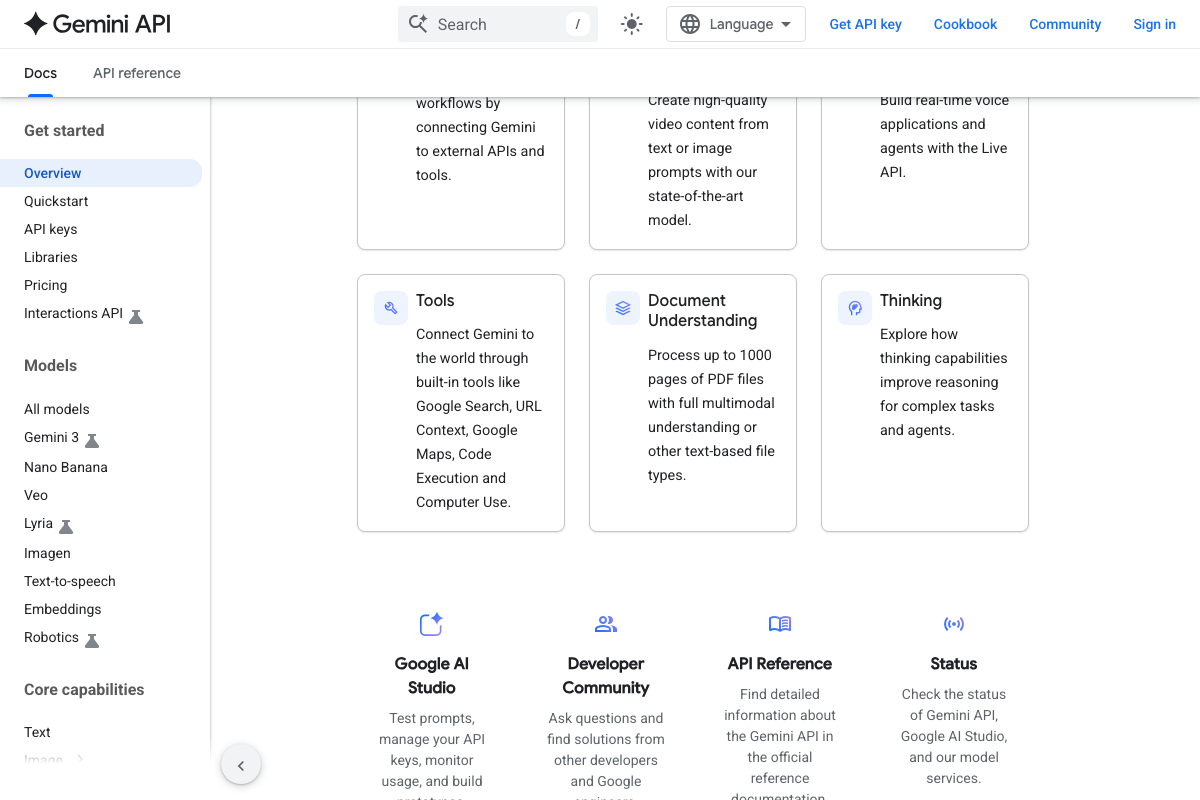
10. Install the Nano Banana MCP server. Two naming clarifications here. As of March 5, 2026, the official product name is “Nano Banana” (two words) — the video uses “NanoBanana” (one word). The docs list current variants as Nano Banana 2 and Nano Banana Pro, described as “state-of-the-art image generation and editing models.” Additionally, the video refers to the model family as “Gemini 3.1,” but the docs list the primary family as “Gemini 3” — the production code sample uses gemini-3-flash-preview. “Gemini 3.1 Flash-Lite Preview” is a specific preview release, not the main model identifier.
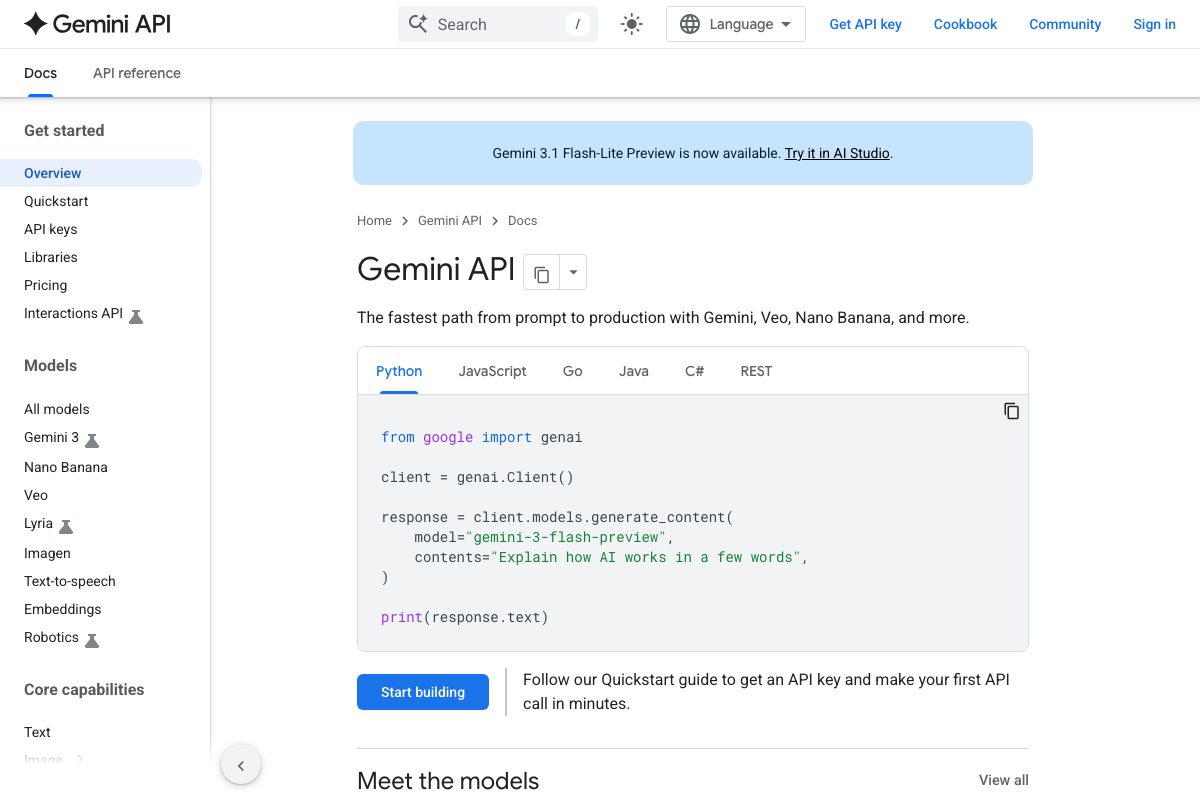
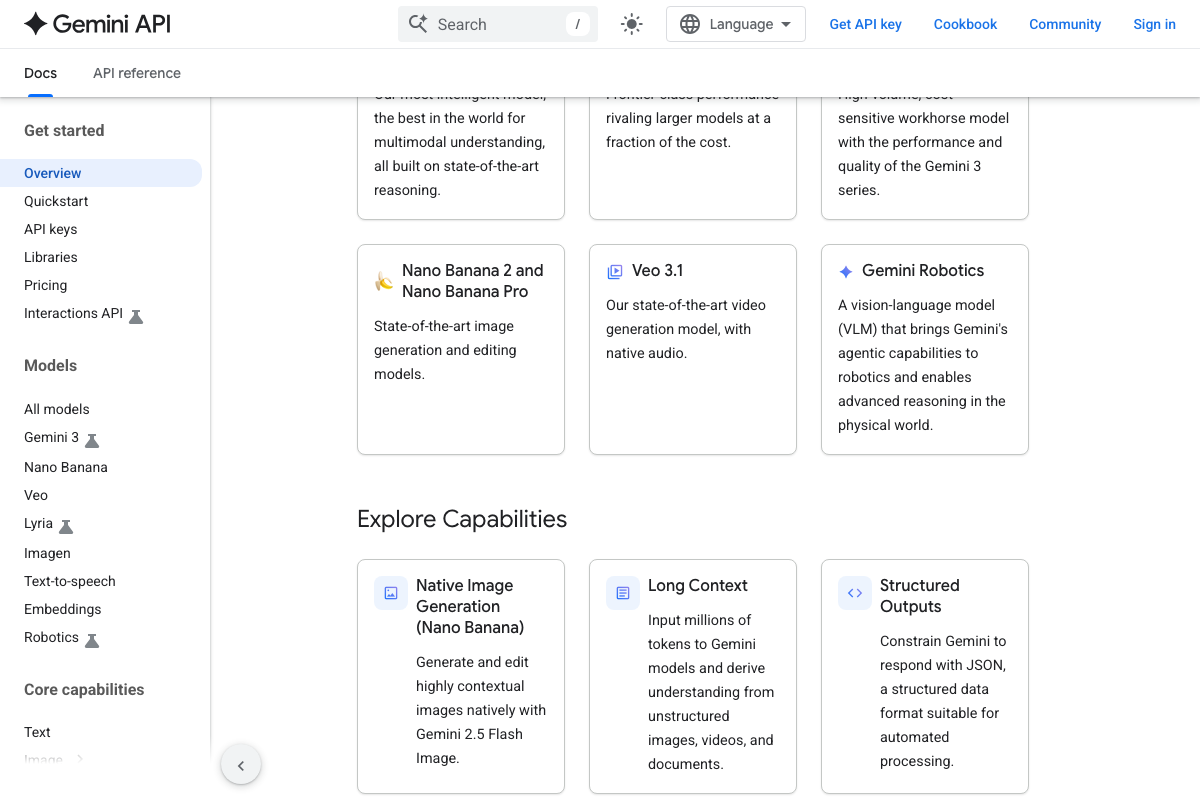
11. Build a content creation skill on Nano Banana. The docs confirm Nano Banana is a first-class product in the Gemini API ecosystem — the tagline reads “The fastest path from prompt to production with Gemini, Veo, Nano Banana, and more.” Gemini also supports built-in tools including Google Search, URL Context, Google Maps, Code Execution, and Computer Use, which provide native tool-use capabilities separate from MCP.
Useful Links
- Gemini API | Google AI for Developers — Central documentation hub for Gemini 3, Nano Banana, and all supported SDKs
- What is the Model Context Protocol (MCP)? — Official MCP introduction covering architecture, use cases, and the open-source governance model under the Linux Foundation
- NotebookLM — Google’s research tool requiring Google Account authentication to access


0 Comments