

Track Your Brand’s AI Visibility Across ChatGPT, Claude, and Gemini with Visb
AI search has quietly become a second front in brand discoverability — and unlike Google, none of the major LLMs publish ranking data. Visb fills that gap by querying ChatGPT, Claude, and Gemini directly, measuring how often your brand surfaces in their responses, and benchmarking that visibility against competitors. By the end of this walkthrough, you’ll have your domain connected, your prompt funnel configured, and a prioritized task board driving your next optimization moves.
-
Navigate to Visb and connect your domain to begin onboarding. The setup flow is linear: enter your URL and the platform starts crawling your site to establish a baseline before any tracking begins.
-
When prompted, define your primary competitors. Visb uses these during its AI queries so it can benchmark your share of voice against each brand across ChatGPT, Gemini, and Claude simultaneously.
-
Define the prompts you want Visb to track. These should span your full funnel — from broad awareness queries (“what is AI visibility?”) down to conversion-intent queries (“best AI visibility platform for agencies”). Visb’s entire reporting structure is organized around this funnel, so the quality of your prompt list determines the quality of everything downstream.
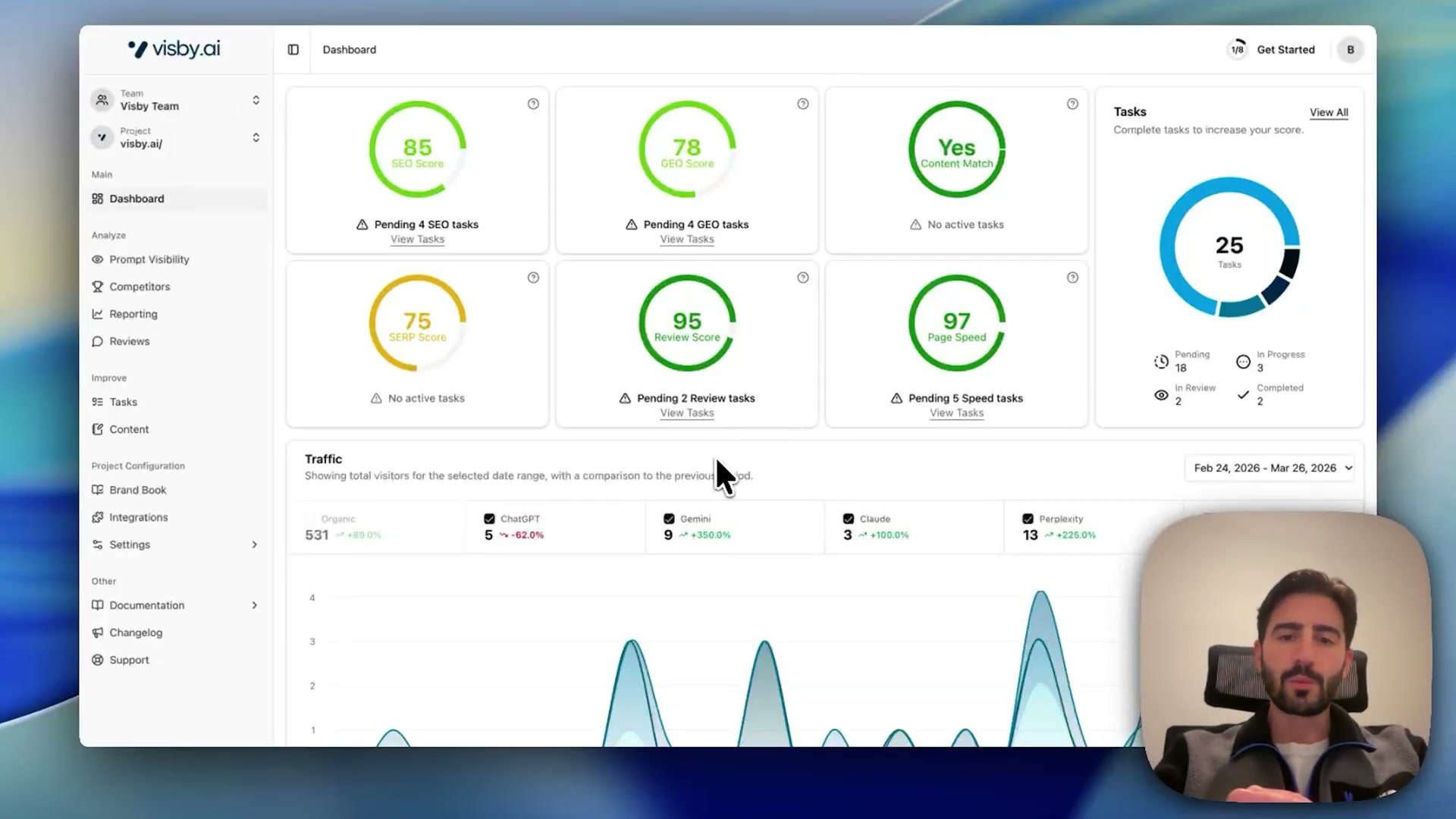
- After onboarding completes, you land on the main dashboard. Six scored KPIs appear at the top — SEO, GEO, Content Match, SERP, Review Score, and Page Speed — alongside a task count and a traffic breakdown segmenting inbound sessions by AI platform: ChatGPT, Gemini, Claude, and Perplexity.
-
Connect your Google Analytics account via the Reporting section. Once linked, the traffic panel breaks out AI-platform-referred sessions separately, letting you compare Gemini-sourced visits against ChatGPT or Claude in a single view.
-
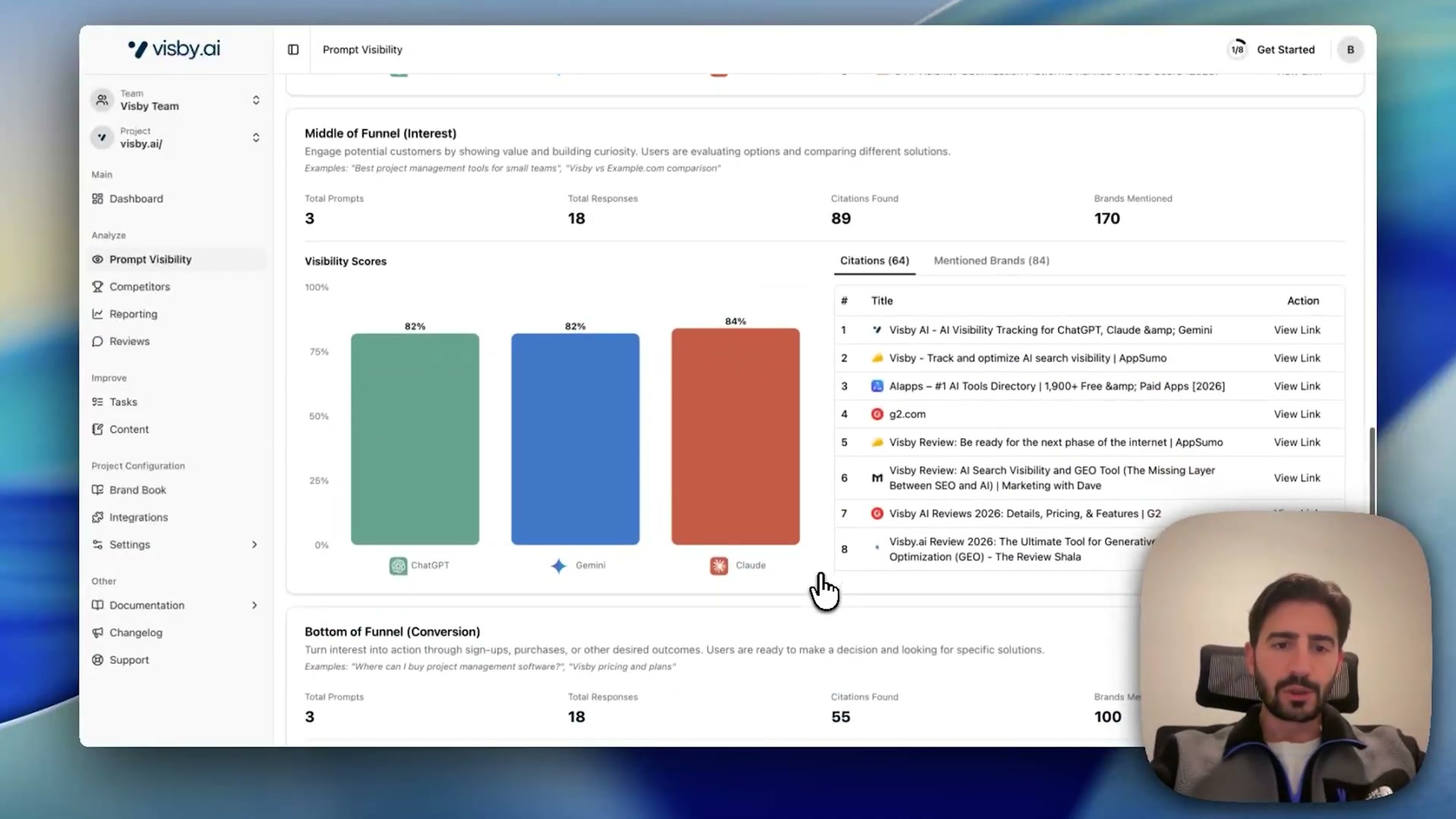
Return to Prompt Visibility to review your tracked queries organized by funnel stage. The list view shows per-model visibility scores for each prompt. Drilling into any individual stage surfaces aggregate metrics — a mid-funnel query set might return ChatGPT 82%, Gemini 82%, and Claude 84% visibility, with 89 citations found across all three models.
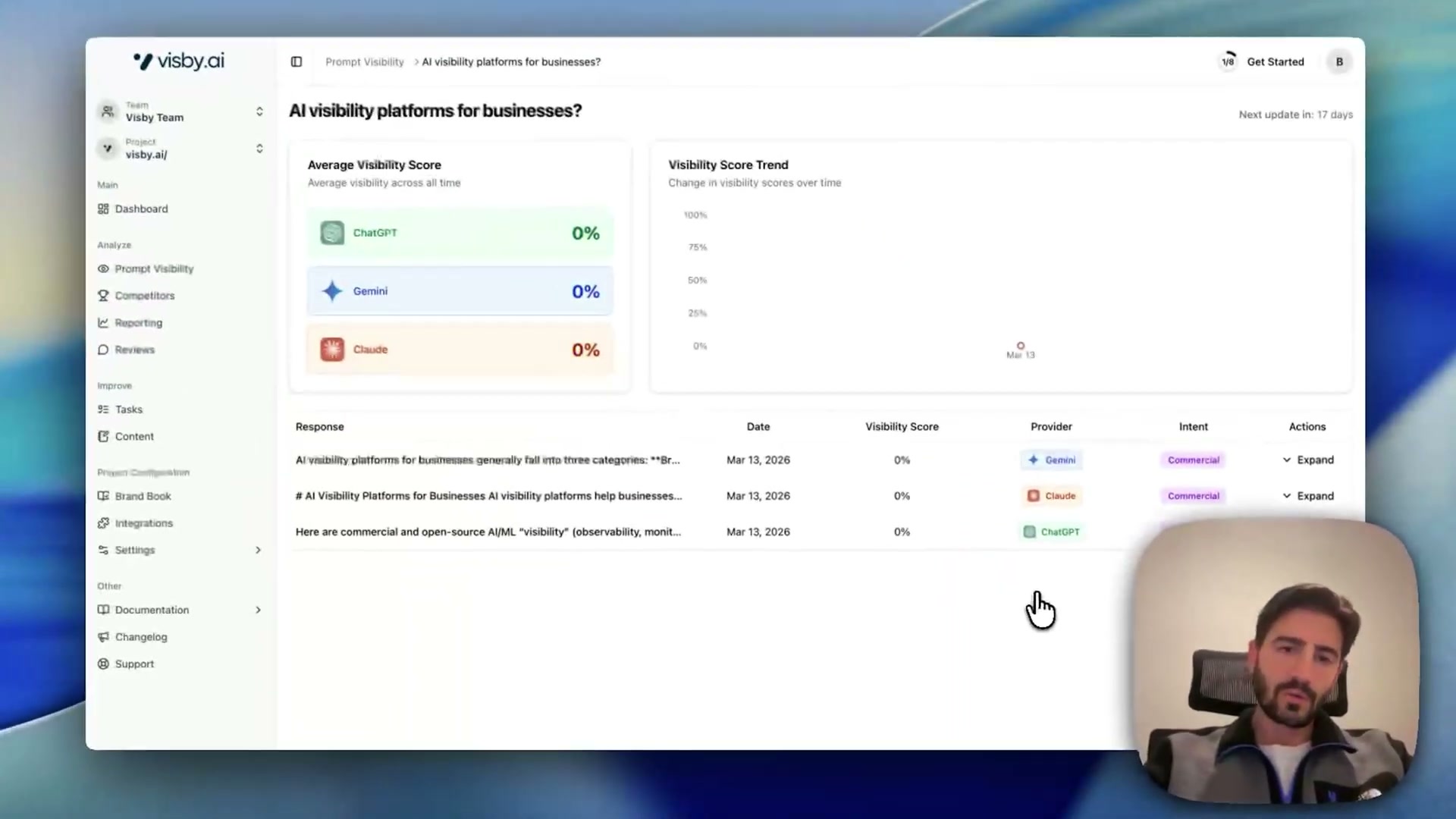
- Select any prompt to expand its full response panel. This view shows the citation sources Visb found inside the AI-generated answer, the competing brands mentioned alongside yours, and Visb’s analysis of the response’s intent and sentiment — giving you a ground-level view of what each model actually said.
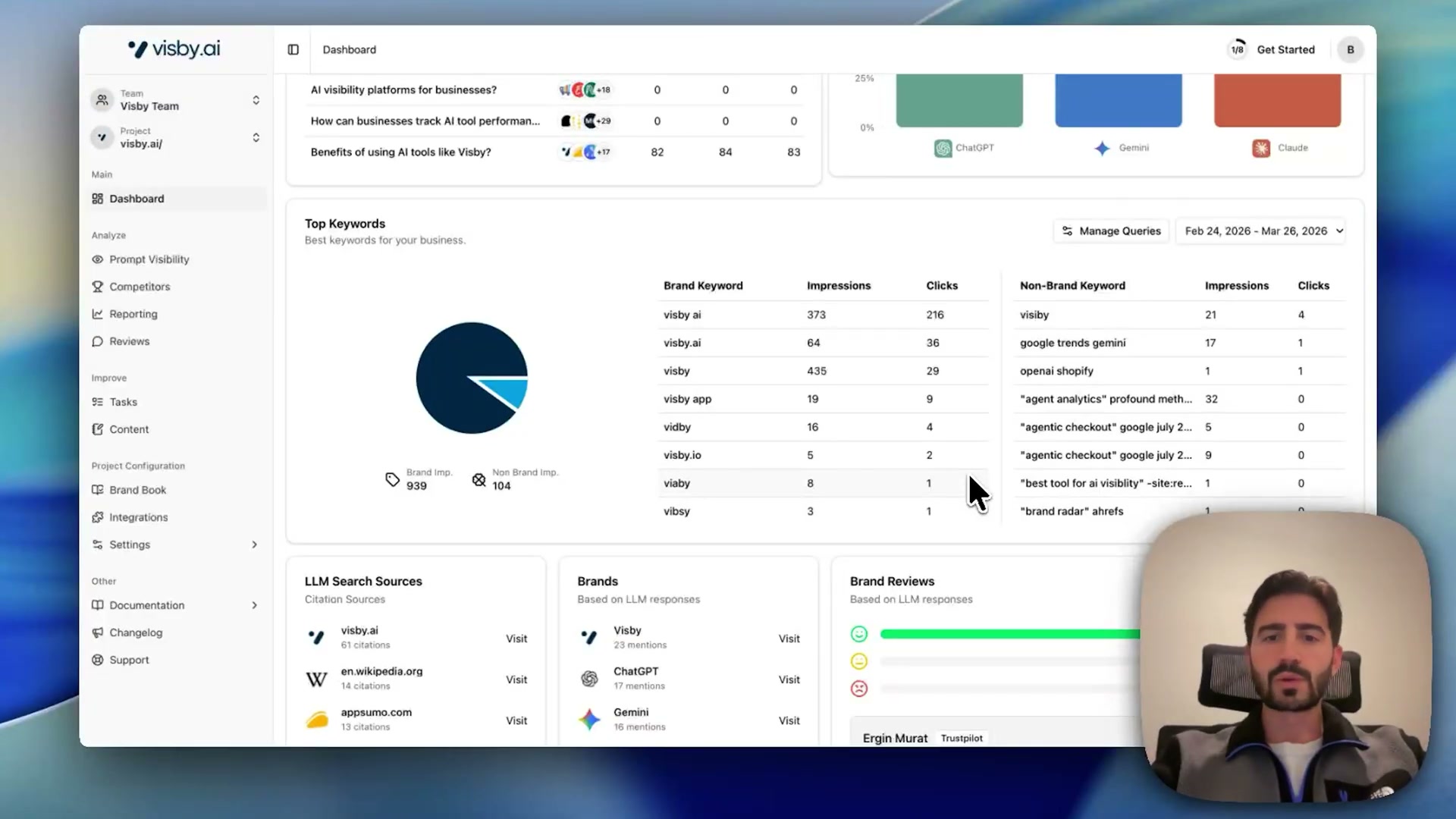
- Connect Google Search Console to pull branded and non-branded keyword data into Visb. The platform treats these keywords as proxy signals for LLM prompt construction, since major AI providers do not expose query-level traffic data directly.
Warning: this step may differ from current official documentation — see the verified version below.
-
Open the Competitors section to review share-of-voice data by brand across funnel stages. The interface shows which competitors are gaining or losing visibility over the tracked period, broken out by awareness, interest, and conversion.
-
Add Bing as a supplementary data source in the Reporting integrations panel, alongside Google Analytics, Search Console, and a Shopify integration currently in beta.
-
Navigate to Reviews to see social proof signals Visb has surfaced from AI responses. The platform pulls review excerpts from sources like Trustpilot and G2 that LLMs cited in their answers, each tagged with a sentiment indicator and a link back to the original source.
-
Open the Tasks section to work through Visb’s generated optimization backlog in a kanban board. Each task includes step-by-step instructions and defined acceptance criteria, and the board supports team assignment so work can be distributed across collaborators.
-
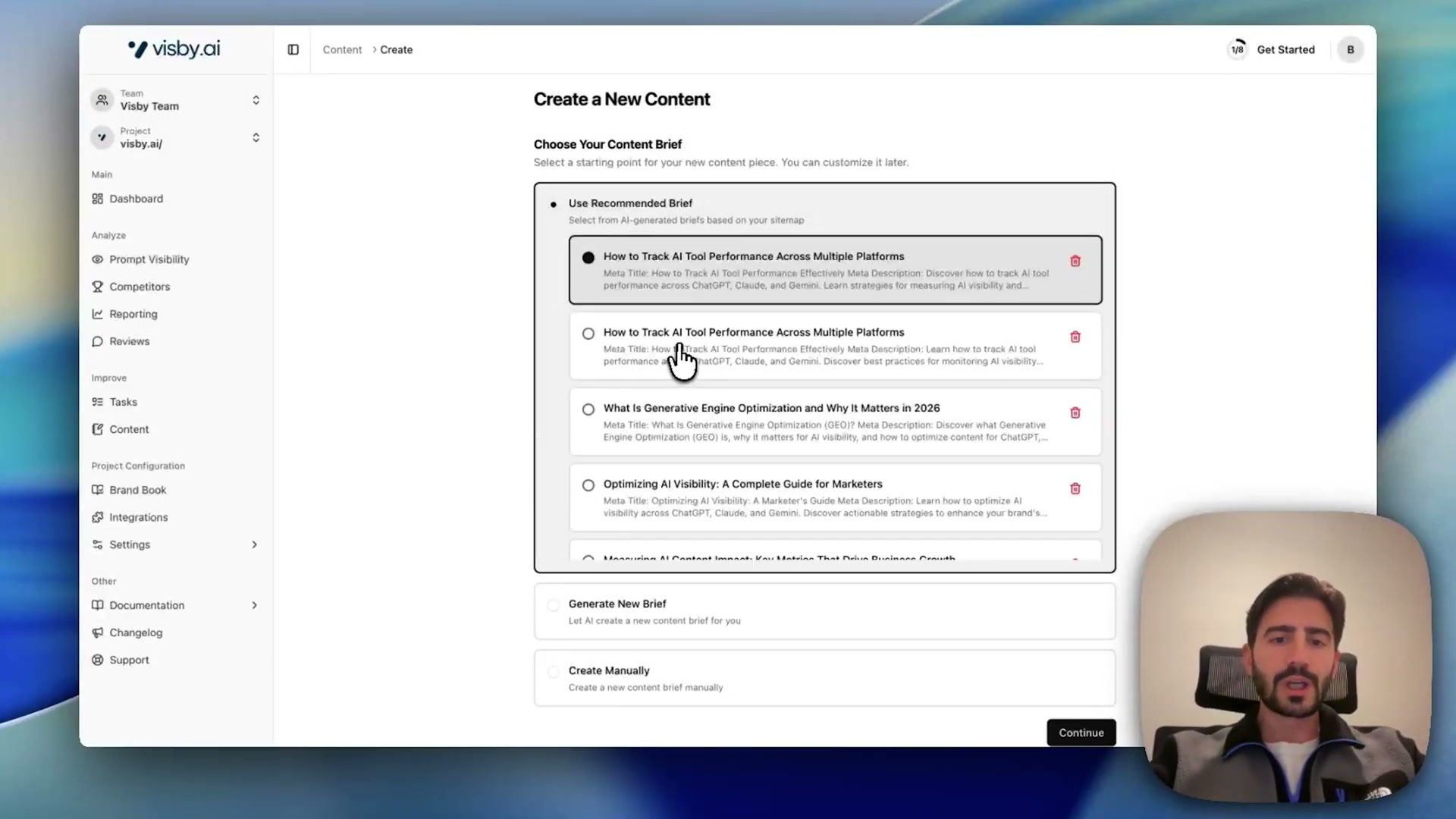
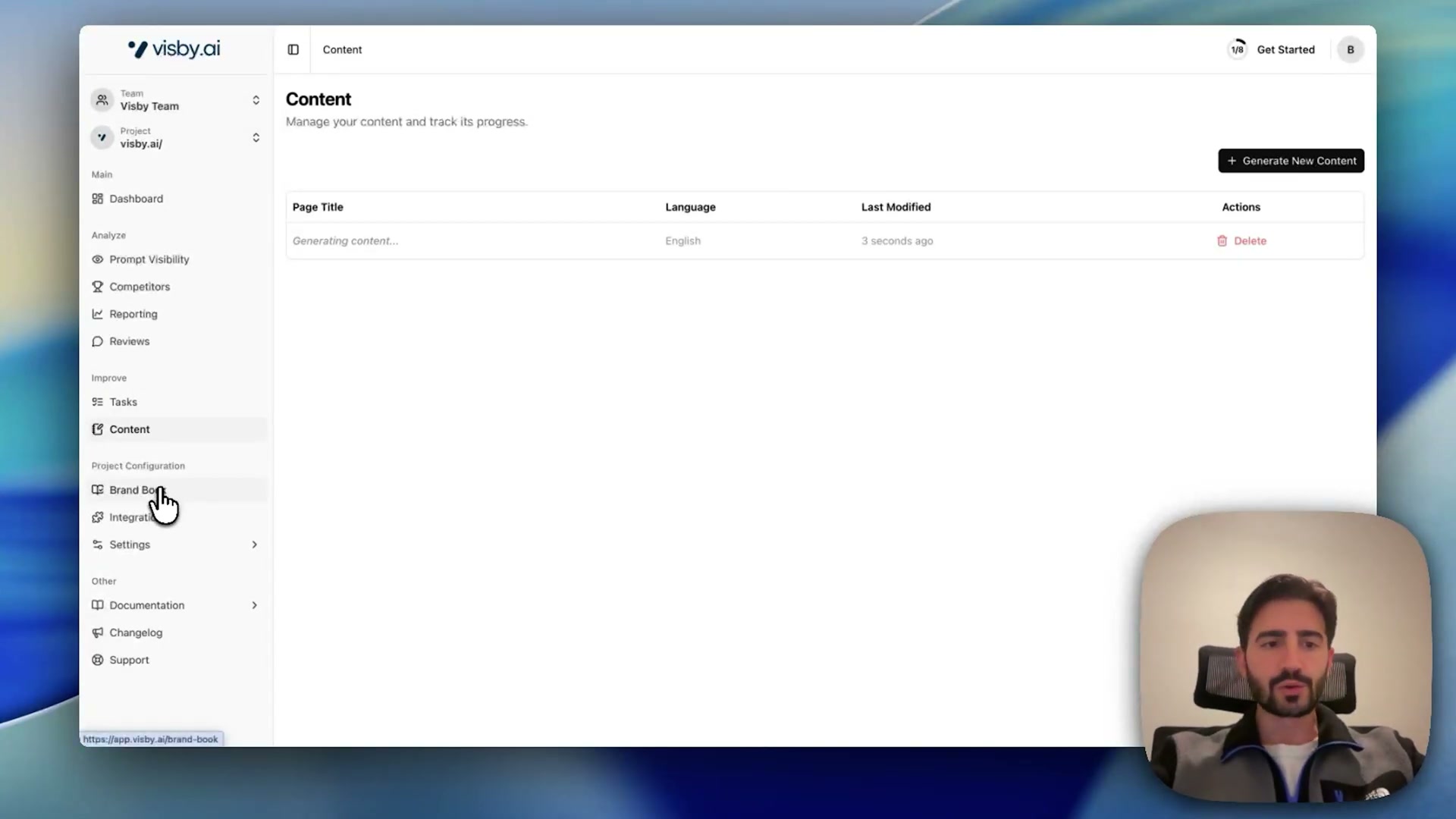
Use the Content section to generate briefs derived from Visb’s sitemap analysis and citation gap data. Select a recommended brief, review the visibility gap it targets, and trigger content generation directly from the interface.
How does this compare to the official docs?
The walkthrough moves fast and the core workflow is clear, but several mechanics — particularly how visibility scores are calculated, how prompt queries are actually constructed and sent to each model, and what the Search Console keyword proxy does and doesn’t represent — warrant a closer look at what Visb’s own technical documentation specifies.
Here’s What the Official Docs Show
Act 1 maps the full Visb workflow clearly and the core sequence holds up — what follows adds documentation context for the integration steps where third-party platforms are involved. For Visb’s internal features, no official interface screenshots were available, so those steps are flagged for independent verification.
Steps 1–4: Domain onboarding, competitor setup, prompt configuration, and dashboard
No official documentation was found for these steps — proceed using the video’s approach and verify independently.
Step 5: Connect Google Analytics
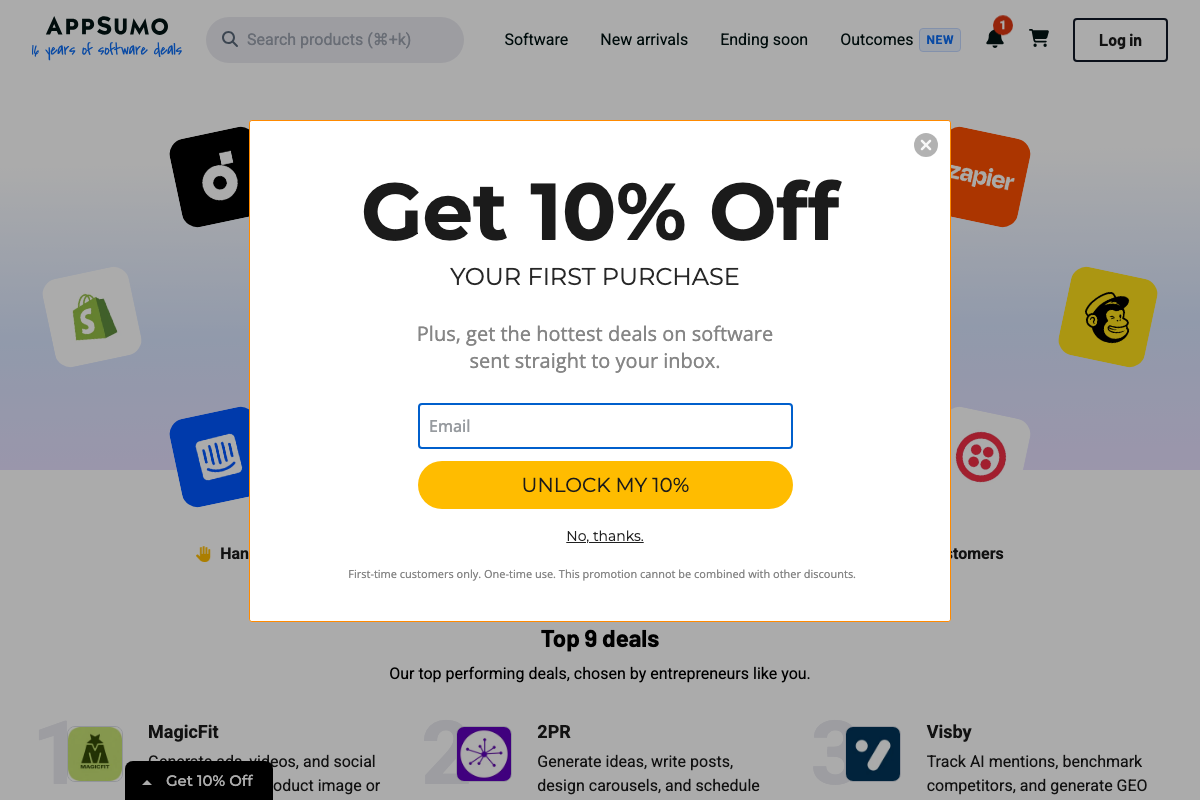
Connecting GA requires a standard Google OAuth authorization before Visb can read your Analytics data. The video’s approach here matches the current docs exactly on the authentication requirement. One useful extension: the GA4 channel grouping that segments AI-platform traffic by source (Gemini, ChatGPT, Claude) is not visible in available documentation. If the AI traffic breakdown panel doesn’t populate after connecting, check Admin → Data Display → Channel Groups in GA4 and confirm a custom channel group is configured for AI referral sources.
Steps 6–7: Prompt visibility and response panel
No official documentation was found for these steps — proceed using the video’s approach and verify independently.
Step 8: Connect Google Search Console
GSC’s documented capabilities — query tracking, impressions, clicks, and position — are fully consistent with the keyword proxy use case the video describes. The video’s approach here matches the current docs exactly. Before initiating the Visb integration, confirm your property is verified at search.google.com/search-console; the OAuth handshake inside Visb’s panel is not captured in available documentation.
Step 9: Competitor share-of-voice
No official documentation was found for this step — proceed using the video’s approach and verify independently.
Step 10: Add Bing as a data source
As of April 1, 2026, the correct Bing integration point is Bing Webmaster Tools at bing.com/webmasters — not the Bing consumer search homepage. The video references Bing as a connectable source, which is accurate, but the data connection requires a verified site in Webmaster Tools, not anything on the consumer search interface. Sign in to bing.com/webmasters with a Microsoft account, verify your site ownership there first, then return to Visb’s Reporting integrations panel.
Steps 11–13: Reviews, Tasks, and Content
No official documentation was found for these steps — proceed using the video’s approach and verify independently.
Useful Links
- Analytics Help — Google’s support documentation for Google Analytics, including setup and account management guidance.
- Google Analytics — The GA4 platform where you grant OAuth access and configure channel groupings for AI-referred traffic segmentation.
- Search Console Help — Google’s support documentation for Search Console, covering query data, impressions, clicks, and position metrics.
- Google Search Console — The logged-in Search Console interface where you verify site ownership before connecting to Visb.
- Bing Webmaster Tools — The correct Bing integration point for step 10; site verification must be completed here before linking to Visb.
- Search – Microsoft Bing — The Bing consumer search homepage, distinct from Webmaster Tools and not the integration point for step 10.
- AppSumo — Marketplace listing for Visby (the AppSumo product name for Visb), providing third-party confirmation of the platform’s core feature set.
- ChatGPT — OpenAI’s ChatGPT platform, one of the three primary AI engines Visb monitors for brand mention and citation tracking.
- Claude — Anthropic’s Claude platform, including current Free, Pro, and Max pricing tiers relevant to users evaluating AI platform access alongside a Visb setup.


0 Comments