

Build a Vendor-Agnostic AI Operating System on Claude Code
Anthropic’s product roadmap serves enterprise developers — and that means non-technical business owners are quietly accumulating lock-in they’ll regret. After completing this tutorial, you’ll have a four-step framework for auditing your AI requirements, identifying what major providers will commoditize, and designing a portable operating system on top of Claude Code that survives a model switch.
-
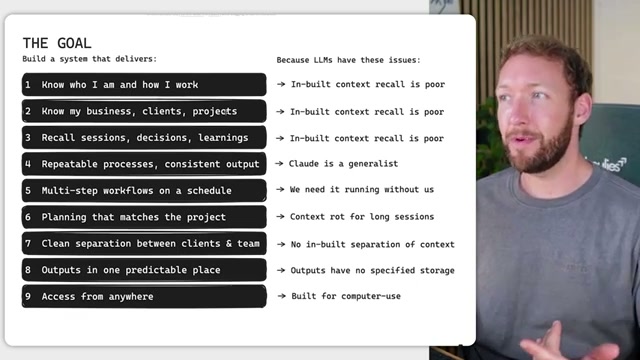
Before you open any tool or toggle any feature, write down every capability your AI system must perform. The creator’s list runs nine items: context injection, business and client knowledge, session recall, repeatable processes, scheduled multi-step workflows, project-scaled planning, domain separation, predictable output storage, and always-on access. Your list may differ — the discipline is the act of writing it before you build.
-
Go through that list and strike off anything that Anthropic, OpenAI, or other major providers will almost certainly ship natively within months. Remote task dispatch and output aggregation are strong candidates: the signals are already visible across Claude, Codex, and comparable environments. Anything that scores a 95% probability of being built out soon is not worth your architecture time — you won’t be dependent on Anthropic for those anyway.

- Look at what remains. For the creator, four items survived the strike-through: clean client and team domain separation, scheduled multi-step workflows, bespoke repeatable processes, and portable memory not tied to a vendor-specific file structure like
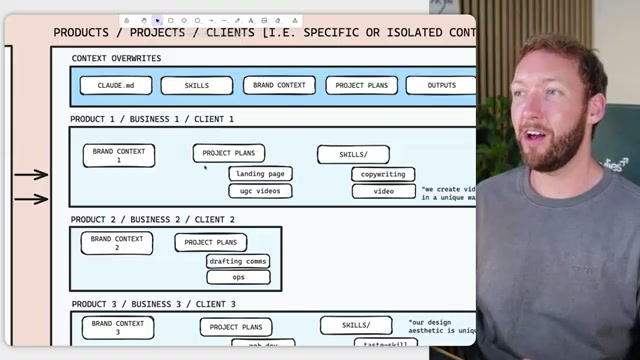
CLAUDE.md. Design these yourself — they are bespoke to your business and no platform will build them for you. The core implementation is a context-override hierarchy: a folder structure of markdown files that inherits the right brand, project, and skill context at the right time, with clean isolation between clients and team members.
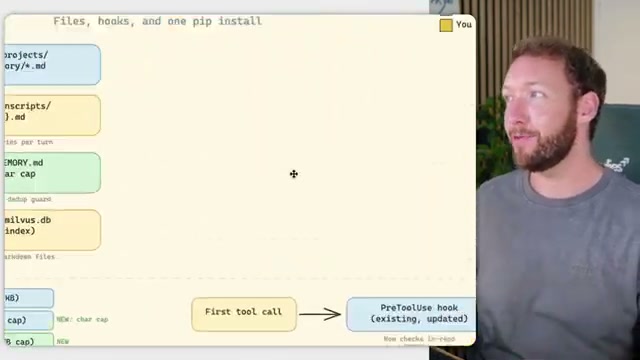
- Identify where the model itself is structurally weak and replace those components with your own. Claude Code’s two clearest gaps are long-term memory and short-term context recall at session start. The creator draws on patterns from Hermes and memarch to address both: a file structure pairing
MEMORY.mdwith a vector store (milvus.db), aPreToolUsehook that fires on the first tool call, and a singlepip installto wire semantic recall into every session.
- To illustrate where managed infrastructure falls short, the creator walks through Claude’s managed agents onboarding in full: write a prompt, create a cloud environment, set network access rules, configure a credential vault and MCP servers, then start a session. The headline promised “no infrastructure needed.” The five-step reality requires environment variables, container networking decisions, and MCP credential management.
Warning: this step may differ from current official documentation — see the verified version below.
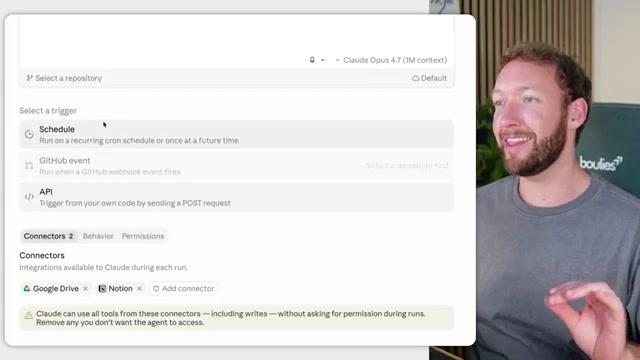
- Creating a remote scheduled routine in the Claude desktop app follows the same pattern. Naming the routine and writing instructions is straightforward. The moment you need it to run when your laptop is closed, you must connect a GitHub repository and configure version control infrastructure — pull requests, triggers, and merge behavior — to execute what should feel like a simple weekly automation.

How does this compare to the official docs?
Anthropic’s documentation tells a more complete story about what “no infrastructure needed” actually requires — and where the official guidance diverges from the workarounds the video normalizes is exactly where Act 2 begins.
Here’s What the Official Docs Show
The video maps the territory accurately — the documentation fills in specific numbers, native capabilities, and date anchors that sharpen each design decision. What follows runs the same six steps in the same order, confirming where the sources agree and adding precision where they diverge.
Step 1: Audit your requirements
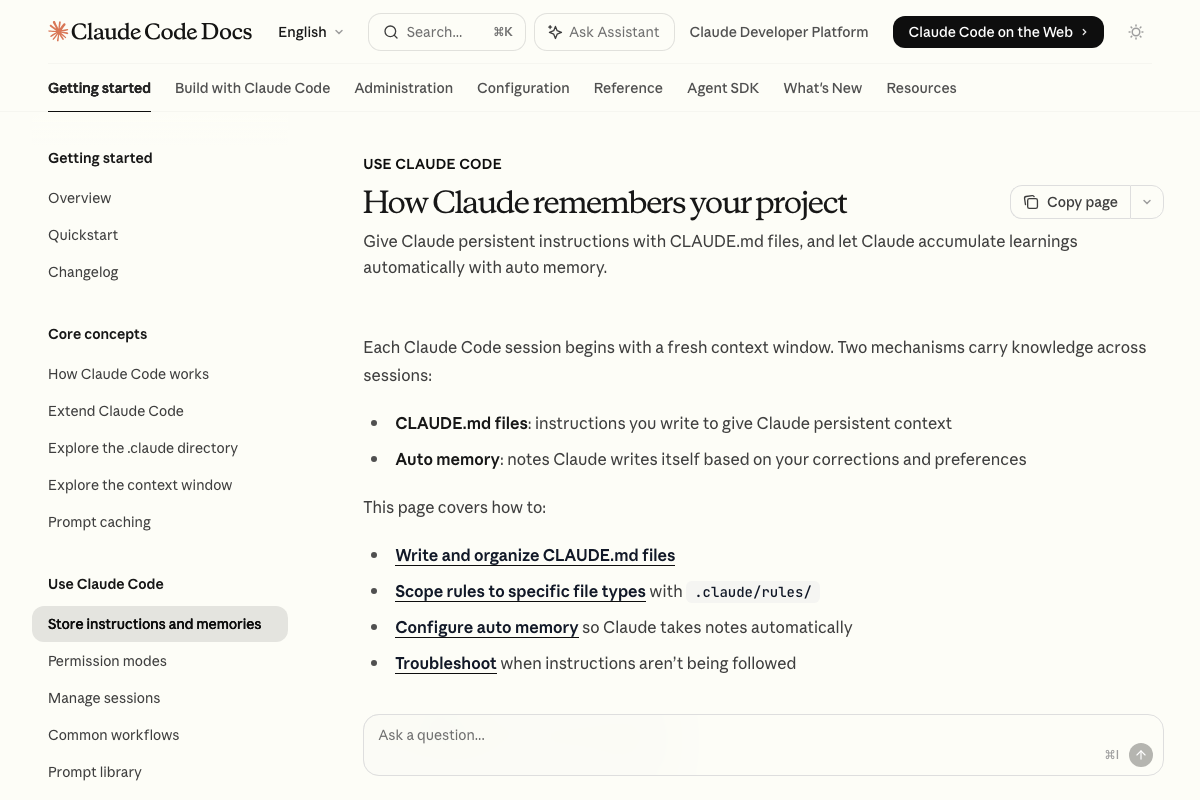
Context injection and session recall are confirmed as discrete, documented native capabilities. The official memory page — titled “How Claude remembers your project” — lists two mechanisms: CLAUDE.md files (user-written, loaded every session) and Auto memory (Claude-written notes, also loaded every session). The video’s approach here matches the current docs exactly.
Step 2: Strike what providers will commoditize
No official documentation was found for this step — proceed using the video’s approach and verify independently.
Step 3: Design what remains
No official documentation was found for this step — proceed using the video’s approach and verify independently.
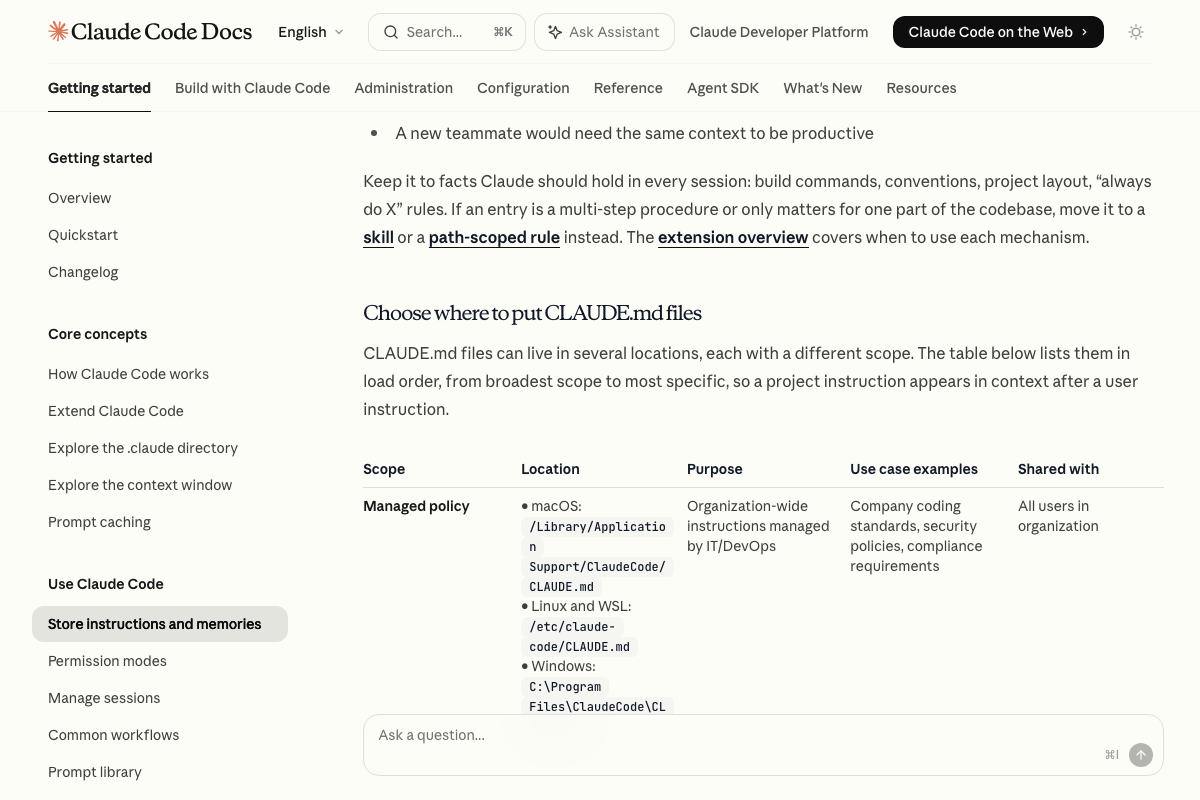
One useful addition: a native managed policy CLAUDE.md scope does exist, shared across all org users at an OS-specific path (macOS: /Library/Application Support/ClaudeCode/CLAUDE.md; Linux/WSL: /etc/claude-code/CLAUDE.md; Windows: C:\Program Files\ClaudeCode\CLAUDE.md). Its documented purpose is IT/DevOps standards enforcement — coding standards, security policies, compliance — not per-client business domain isolation. The gap the video identifies remains real at the use-case level even where the scoping mechanism is native. Separately, the docs list hooks and skills as first-class customization surfaces the video does not address; evaluate both before building bespoke process automation.
Step 4: Replace the model’s structural weak points
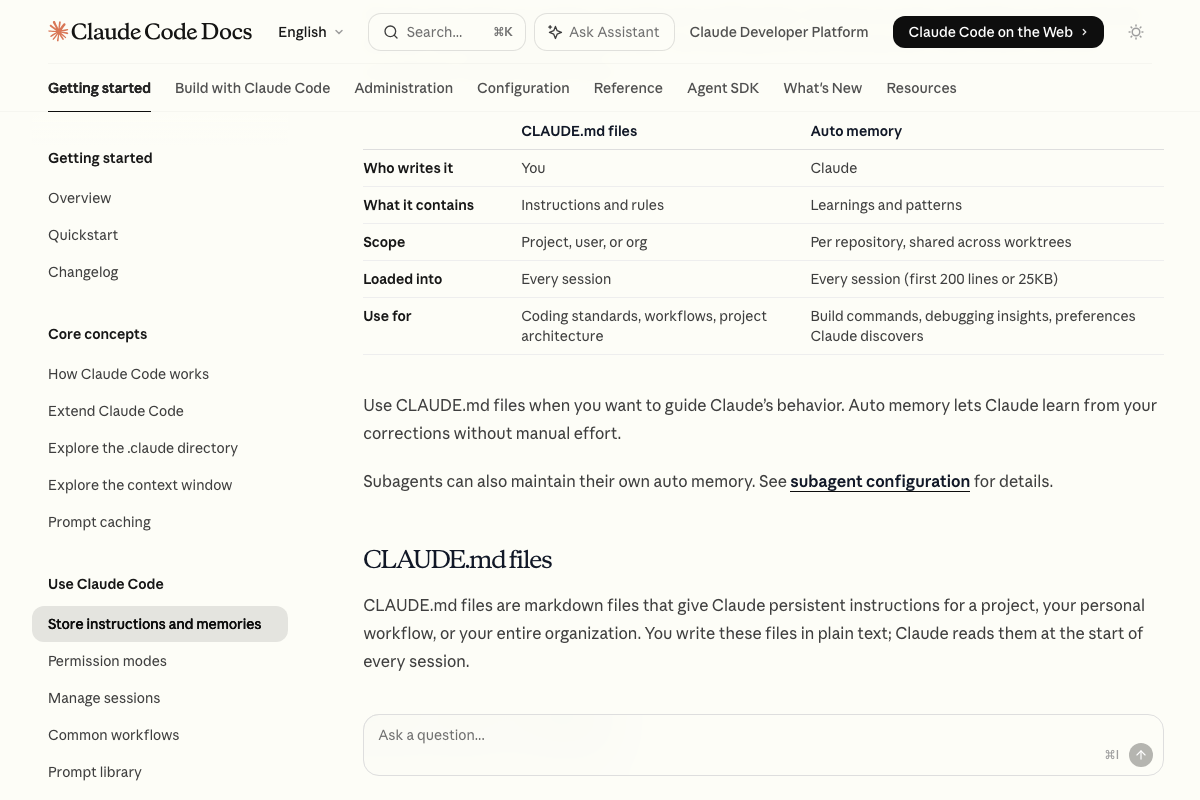
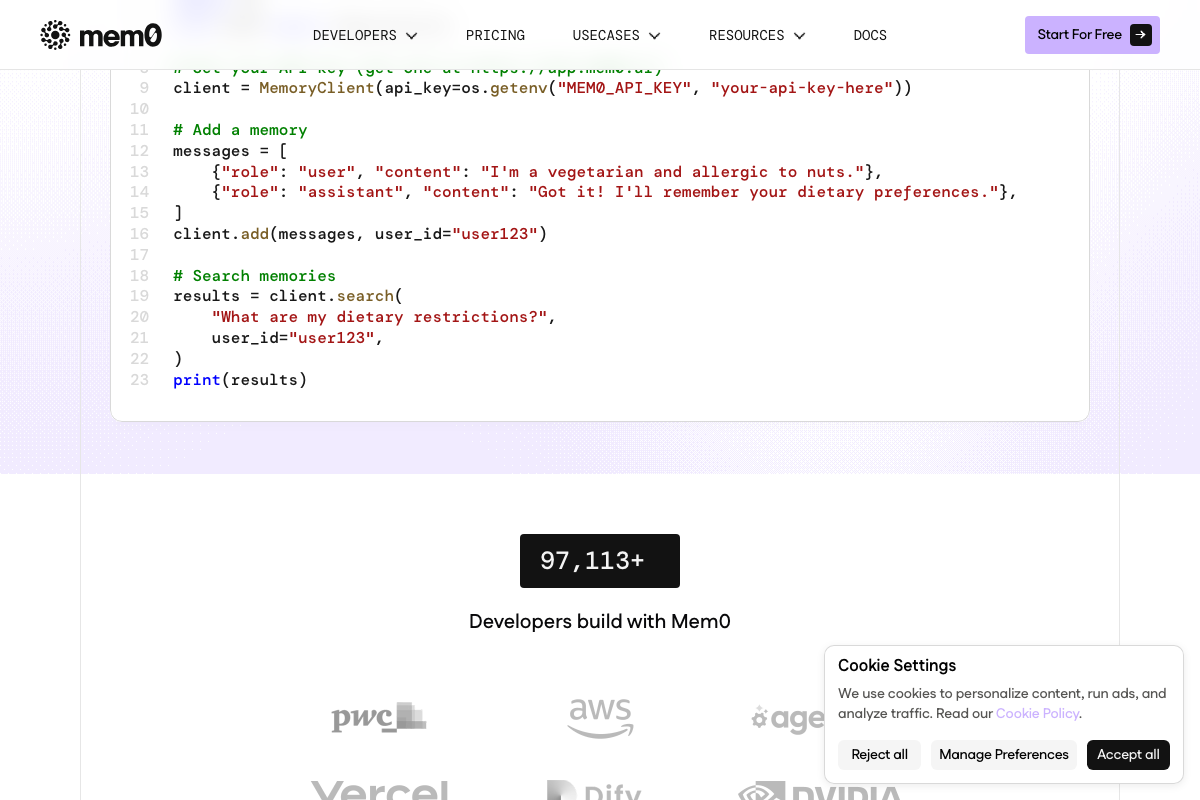
The video’s memory diagnosis is confirmed and quantified: Auto memory is capped at 200 lines or 25KB per session — the specific documented limit underpinning the video’s argument, not cited by number in Act 1. Mem0’s semantic search (client.search(query, user_id)) and Memory Compression Engine are confirmed as production-ready. Per-client memory isolation is available natively in Mem0 via user_id scoping — no custom storage code required. The architecture patterns named “Hermes” and “memarch” do not appear in any official documentation; their functional outcomes — compression, semantic search, session-start injection — are confirmed across Mem0’s published docs. The video’s approach here matches the current docs exactly.
Step 5: Walk through managed agents onboarding
No official documentation was found for this step — proceed using the video’s approach and verify independently.
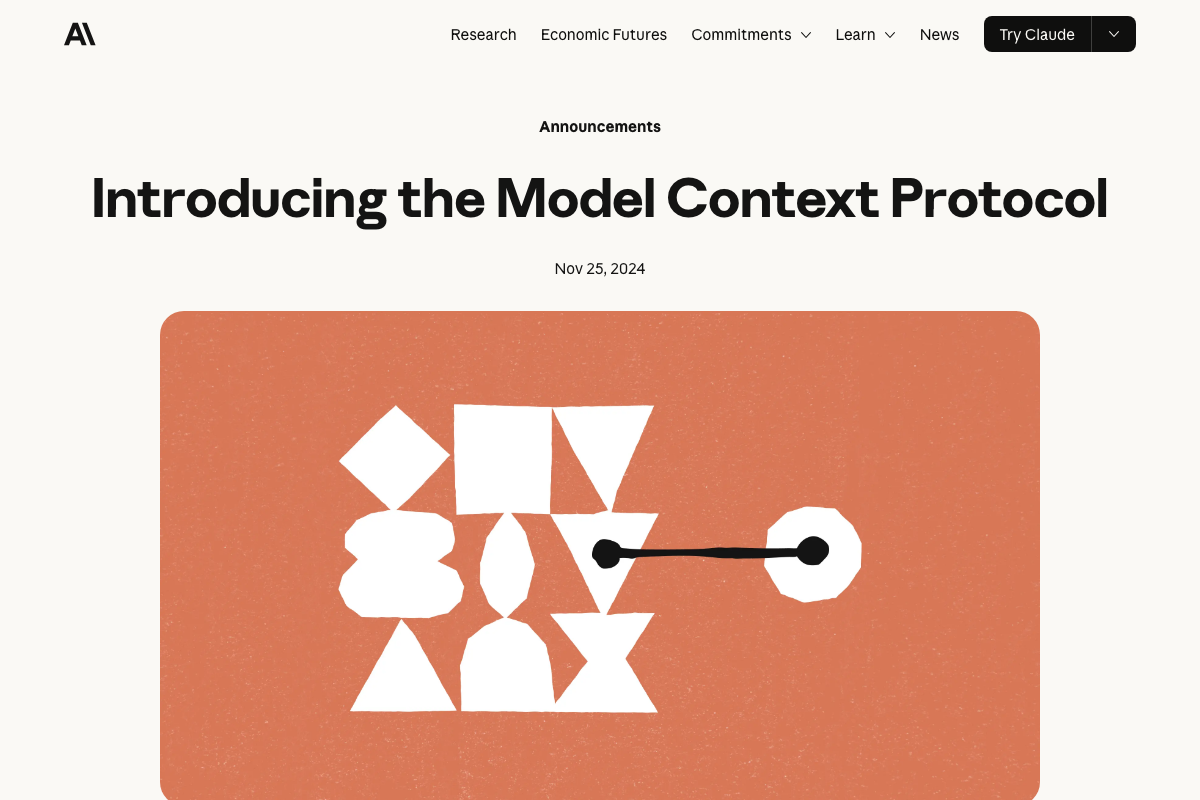
One date anchor the docs do provide: MCP launched November 25, 2024 — confirming it is deliberate infrastructure, not commodity tooling. Pre-built MCP servers cover Google Drive, Slack, GitHub, Git, Postgres, and Puppeteer; a credential vault server is not among them, consistent with the video’s characterization of vault setup as a manual step.

Step 6: Build a remote scheduled routine
No official documentation was found for this step — proceed using the video’s approach and verify independently.
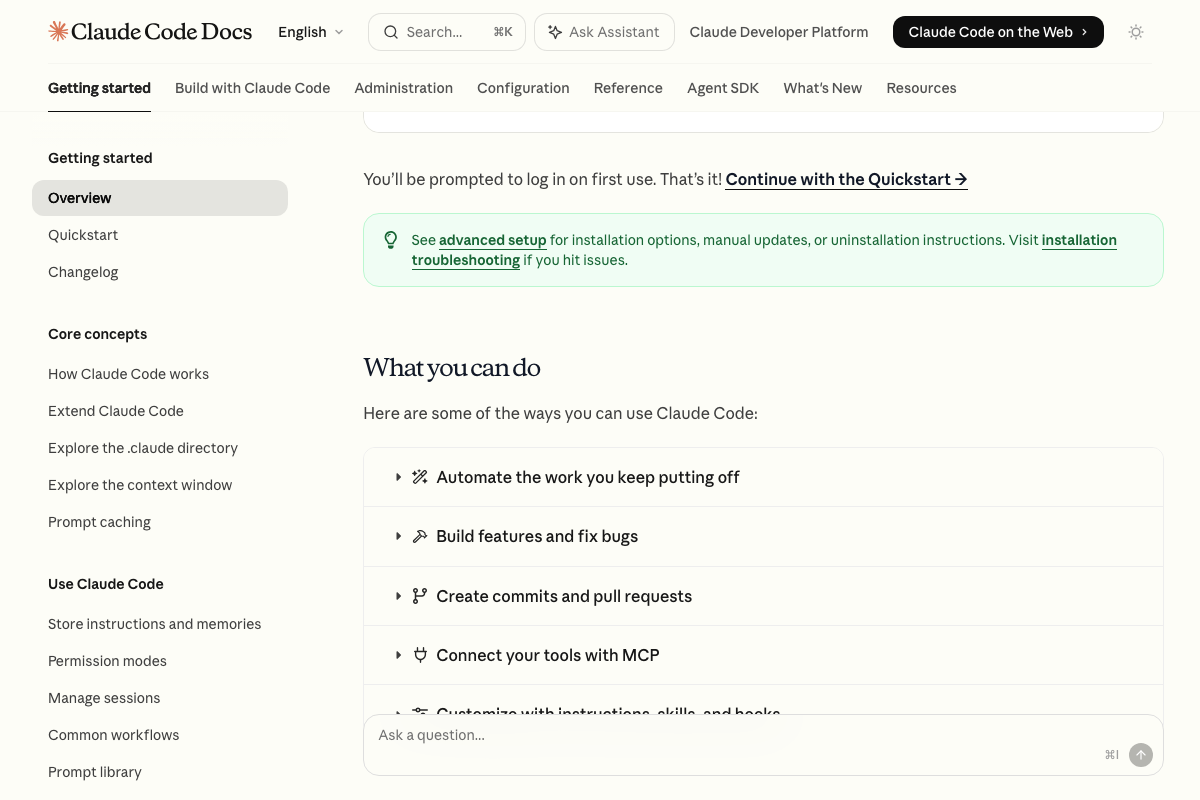
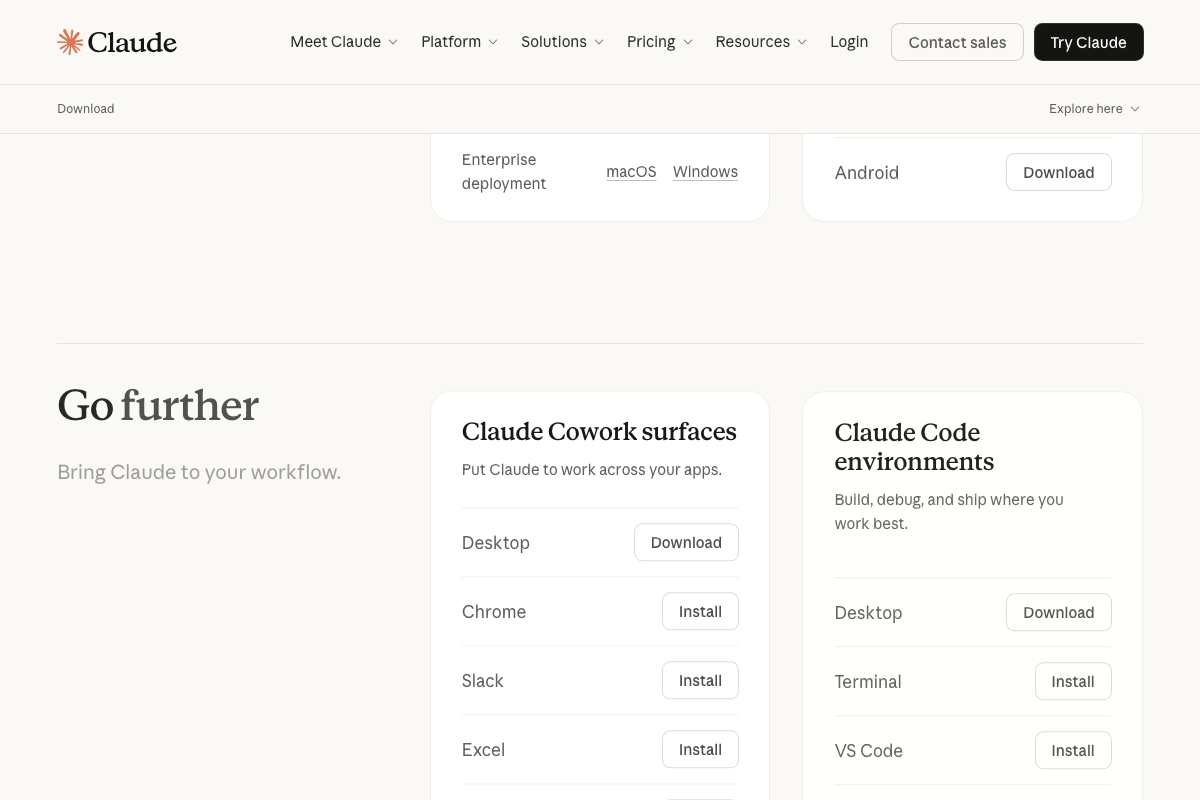
The Claude Desktop download page confirms Claude Code is bundled inside a single unified install alongside Claude Chat and Claude Cowork — these are documented as distinct product tracks within the same package. The GitHub infrastructure this step requires (repositories, pull requests, webhooks, GitHub Actions triggers) each carries its own documentation track within GitHub Docs.

Useful Links
- Overview – Claude Code Docs — Official reference for Claude Code environments, installation across platforms, and native capabilities including MCP connectivity and customization via instructions, skills, and hooks.
- How Claude remembers your project – Claude Code Docs — Documents CLAUDE.md files and Auto memory as native mechanisms, including the 200-line/25KB session cap and the full CLAUDE.md scope hierarchy from managed policy to project level.
- Introducing the Model Context Protocol — Anthropic — MCP launch announcement from November 25, 2024, covering the open-standard framing, two-way architecture, and the list of initial pre-built server integrations.
- Mem0 — AI Memory Layer for your Agents & Apps — Drop-in persistent memory infrastructure with SDK, user_id scoping for per-client isolation, and a Memory Compression Engine for token-efficient session-start injection.
- AI Workflow Automation Platform — n8n — Self-hostable workflow automation with 500+ integrations, AI Agent nodes, and pluggable memory sub-nodes including Postgres Chat Memory for the scheduled workflow layer.
- Download Claude — Claude by Anthropic — Unified Claude Desktop download bundling Chat, Claude Cowork, and Claude Code, with enterprise deployment options for macOS and Windows.
- GitHub Docs — Reference documentation for Repositories, Pull requests, GitHub Actions, Webhooks, and REST/GraphQL APIs — the infrastructure components required for Step 6’s remote routine configuration.


0 Comments