

Adversarial Plan Review with /grill-me-codex and OpenAI Codex CLI
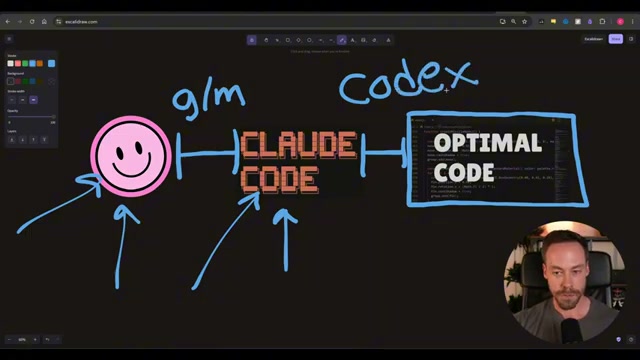
Every planning skill for Claude Code runs into the same ceiling: you’re asking one model to both write a plan and grade it. This tutorial shows you how to extend Matt Pocock’s /grill-me with an adversarial, multi-round review powered by Codex CLI — so two independent AI tools sign off before you write a line of implementation code. You’ll end the process with a hardened plan.md that has survived iterative critique, not just the first draft that felt right.
-
Grab the
grill-me-codexandgrill-with-docs-codexskill files from the pinned comment under the original YouTube video. These extend Pocock’s existing skills without replacing them — both sets coexist in your skills directory. -
Drop both files into your Claude Code skills directory alongside Pocock’s originals. The
grill-me-codexskill is structured in two acts: Act 1 runs the same deep planning questions as the base skill; Act 2 hands the resulting plan to Codex for adversarial review.
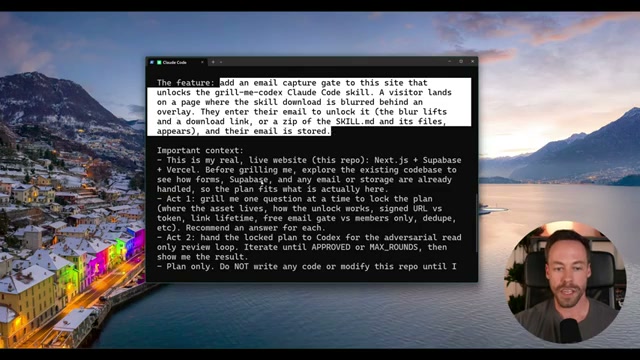
- Write a prompt describing the feature you want to build — include constraints, relevant existing infrastructure, and acceptance criteria — then invoke
/grill-me-codex. The skill reads your codebase before generating questions tailored to your context.
- Work through the planning questions Claude Code surfaces. The demo runs ten questions; each presents two or three labeled options alongside a recommendation with explicit rationale. You can accept a recommendation outright by typing
do your recommendation, or specify a different option — the skill handles both paths cleanly.

- Once all questions are resolved, Claude Code writes
plan.md— the single source of truth for the build — and initializesplan-review-log.md, which will record every exchange between Claude and Codex across all review rounds.
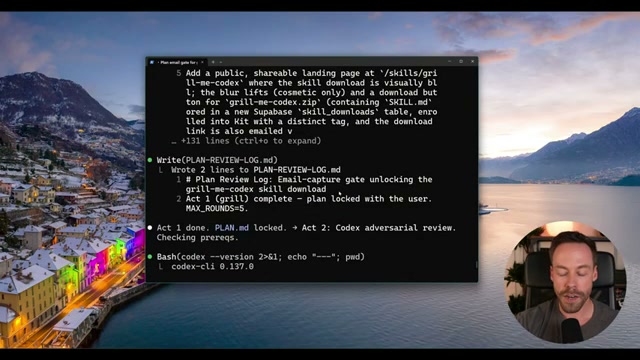
- Codex CLI launches headlessly with a shared session ID so it retains memory across rounds. It reads
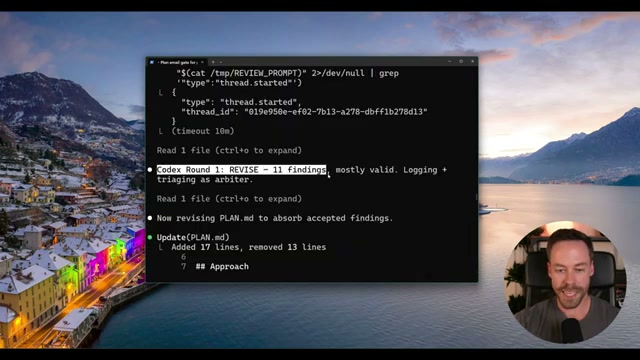
plan.mdand writes Round 1 findings toplan-review-log.md. In the demo, it surfaces 11 issues — security holes, correctness gaps, and unbounded inputs. Claude Code acts as arbiter: it absorbs valid findings, rejects weak ones, and updatesplan.mdbefore returning control to Codex.
Warning: this step may differ from current official documentation — see the verified version below.
-
Codex reviews the updated
plan.mdin Round 2, returning four findings — including false fixes from Round 1 that Claude Code claimed to address but never wired correctly. The plan is updated again. -
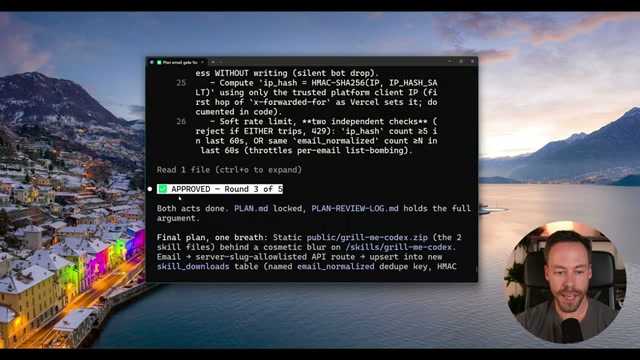
The loop continues until Codex issues an
APPROVEDverdict or five rounds complete. In the demo, Round 3 produces approval with three low-severity non-blockers that don’t halt implementation.
-
Before writing a single line of implementation code, read through the final
plan.mdand the open items at the bottom ofplan-review-log.md. The log captures every issue raised and every fix applied across all rounds — it doubles as a debugging reference if something breaks later. -
To swap Codex for a local or cheaper model, open the skill file and update the model invocation line. The iterative loop logic is model-agnostic.
How does this compare to the official docs?
The skill stitches together Claude Code’s planning layer and Codex CLI’s review capabilities in a way neither tool documents as a first-party integration — which makes it worth examining what each tool’s official documentation actually says about headless invocation, session continuity, and multi-round review before you build a production workflow around this pattern.
Here’s What the Official Docs Show
Act 1 gives you a solid working model for the /grill-me-codex workflow — this act layers in the verified prerequisites and version specifics that keep it reproducible across installs. Two official sources cover the available ground: Claude Code’s product pages and the openai/codex GitHub README.
Step 1 — Grab the skill files from the pinned comment
No official documentation was found for this step — proceed using the video’s approach and verify independently.

Step 2 — Drop both files into your Claude Code skills directory
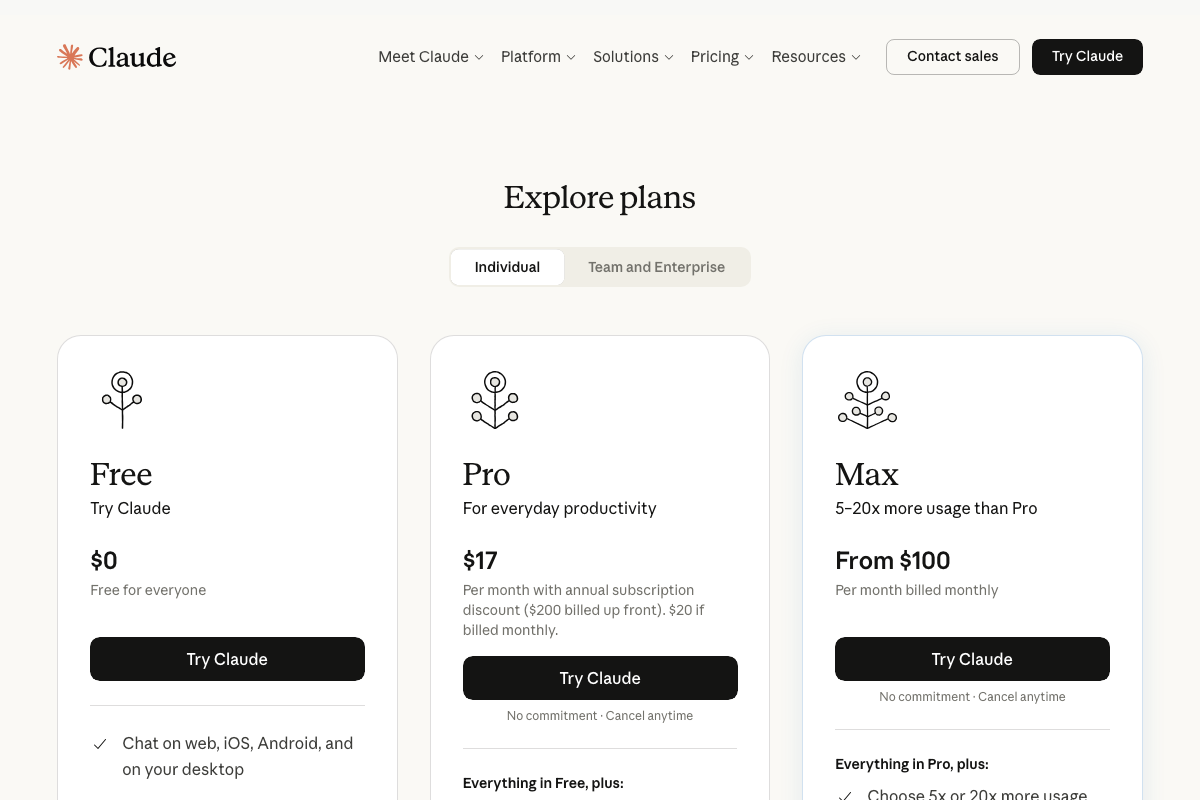
The video’s approach here matches the current docs exactly. One prerequisite the video skips: Claude Code requires an authenticated Anthropic account before any skill can be installed or invoked. It’s also worth flagging before you build a multi-round loop — the Free tier may hit context limits mid-review. As of June 2026, Pro runs $17–$20/month and Max starts at $100/month; extended agentic sessions lean toward the latter.
Step 3 — Write your feature prompt and invoke /grill-me-codex
No official documentation was found for this step — proceed using the video’s approach and verify independently.
Step 4 — Work through the planning questions Claude Code surfaces
No official documentation was found for this step — proceed using the video’s approach and verify independently.
Step 5 — plan.md is written; plan-review-log.md is initialized
No official documentation was found for this step — proceed using the video’s approach and verify independently.
Step 6 — Codex CLI launches headlessly; Round 1 findings written to the log
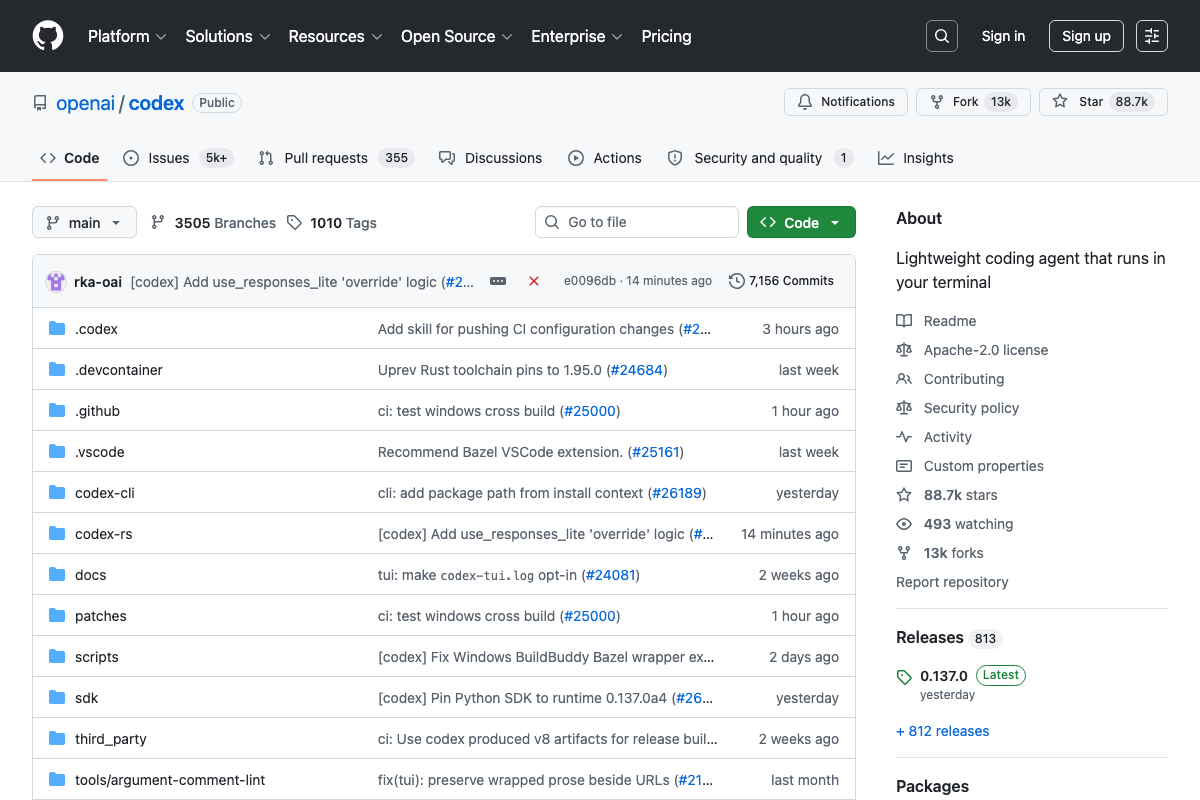
The video’s approach here matches the current docs exactly. The openai/codex README explicitly states Codex CLI “runs locally on your computer,” and the repository structure confirms headless terminal invocation is the intended use pattern. One reproducibility gap: the tutorial does not specify a tested version. The current release is v0.137.0 — pin to this when following Steps 6–8.
Step 7 — Round 2 review surfaces false fixes from Round 1
No official documentation was found for this step — proceed using the video’s approach and verify independently.
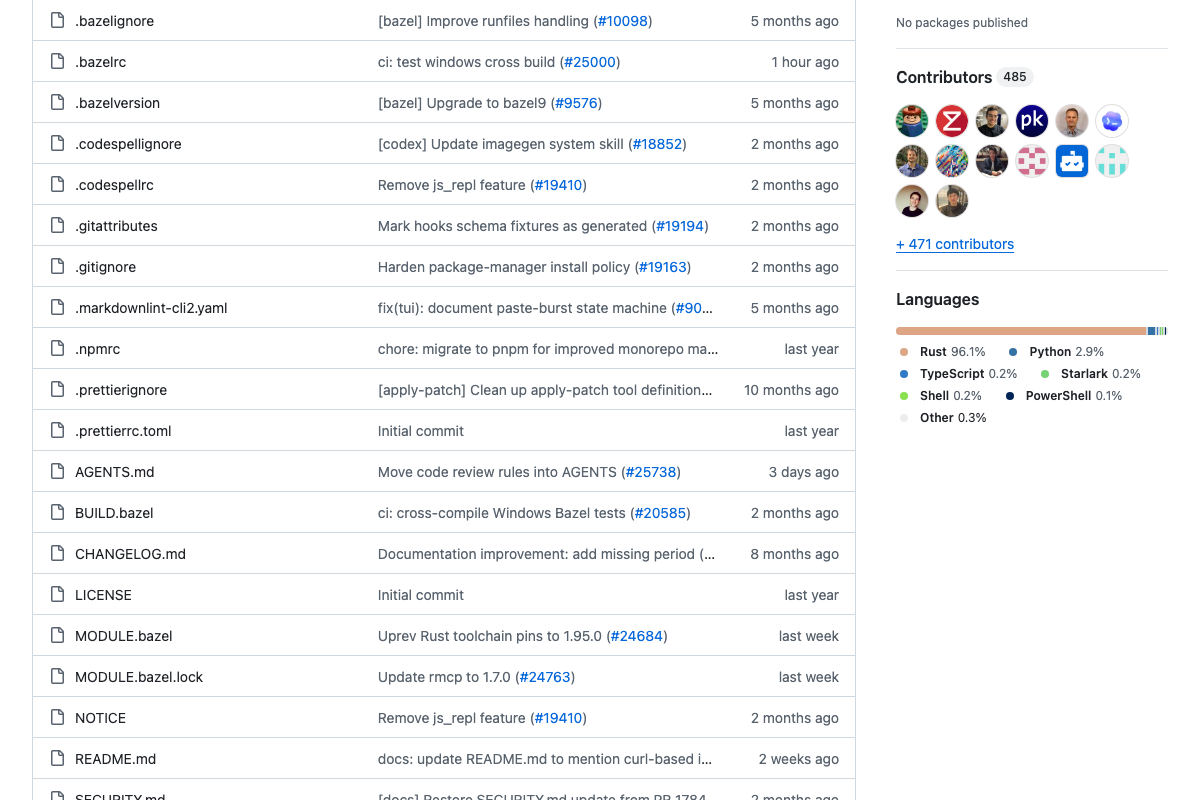
The openai/codex repo does include an AGENTS.md at root level — worth consulting for how Codex CLI interprets task instructions and structures its outputs across rounds.
Step 8 — Loop runs to APPROVED or five-round cap
No official documentation was found for this step — proceed using the video’s approach and verify independently.
Step 9 — Read plan.md and open items in plan-review-log.md before implementation
No official documentation was found for this step — proceed using the video’s approach and verify independently.
Step 10 — Swap the model by editing the skill file’s invocation line
No official documentation was found for this step — proceed using the video’s approach and verify independently.
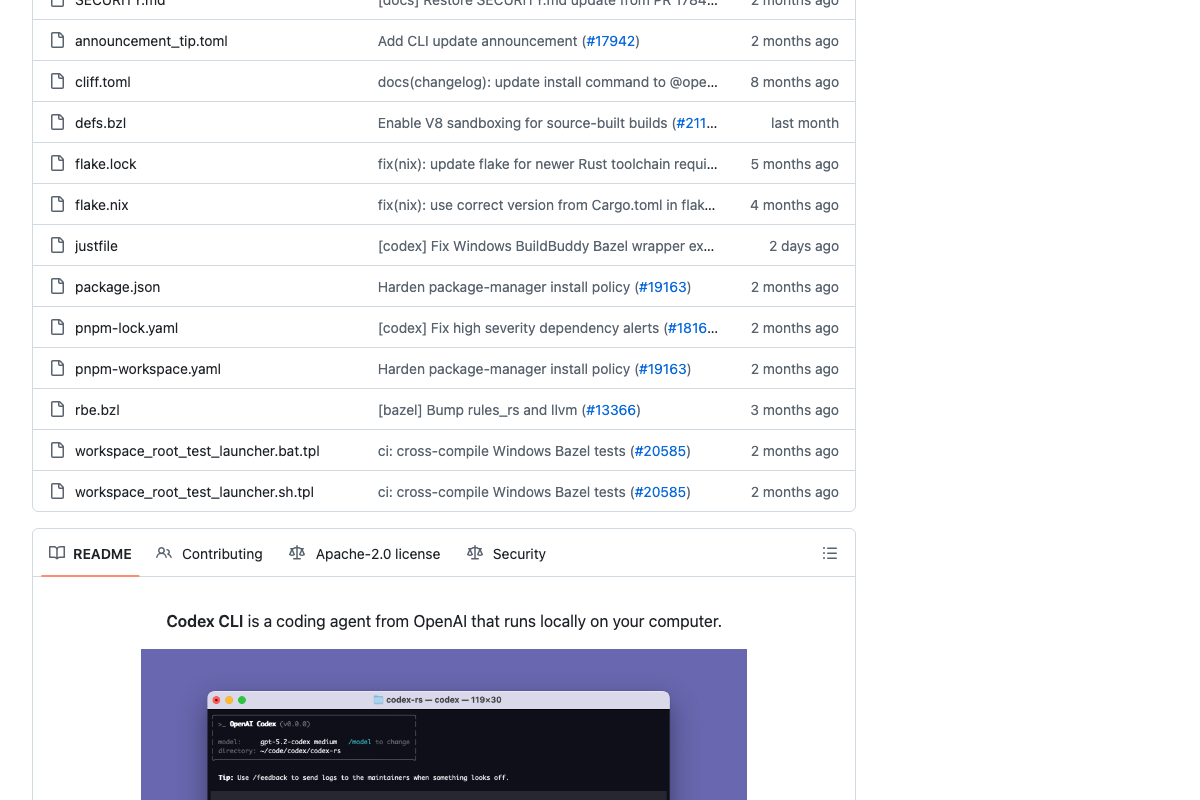
The Codex CLI README does confirm model selection is a real, configurable parameter — the terminal UI screenshot shows gpt-5.2-codex medium as the active model. The specific skill-file editing method the video demonstrates is a custom integration layer; no official source documents it directly.
Useful Links
- Sign in – Claude — Claude Code product entry point covering authentication requirements and current subscription pricing across Free, Pro, and Max tiers.
- GitHub – openai/codex: Lightweight coding agent that runs in your terminal — Official openai/codex repository with README, installation guide, AGENTS.md, and release history for Codex CLI v0.137.0.


0 Comments