

How to Run a Brand Gap Analysis for AI Search
A brand gap analysis measures the distance between where your brand should appear in AI and organic search results and where it actually does. After completing this walkthrough, you’ll be able to map your brand entity landscape, pull AI citation baselines from Ahrefs Site Explorer, use Brand Radar to benchmark against competitors, and classify every finding into a prioritized action plan. The framework comes from Module 2 of Ahrefs’ AEO course, presented by Ammo.
-
Map your branded entities. List every form your brand takes: main brand name, sub-brands, product names, proprietary features, proprietary metrics, and personal brands. Ahrefs maps not just “Ahrefs” but also Site Explorer, Brand Radar, Domain Rating, and team members like Tim Soulo — each entity carries its own visibility profile in search and AI results.
-
Connect each entity to topics and attributes. AI models infer brand meaning from how a brand is described, not just its name. Use keyword research to surface recurring adjectives, modifiers, and context phrases used alongside your brand or category — this becomes the benchmark for what your brand should be known and found for.
-
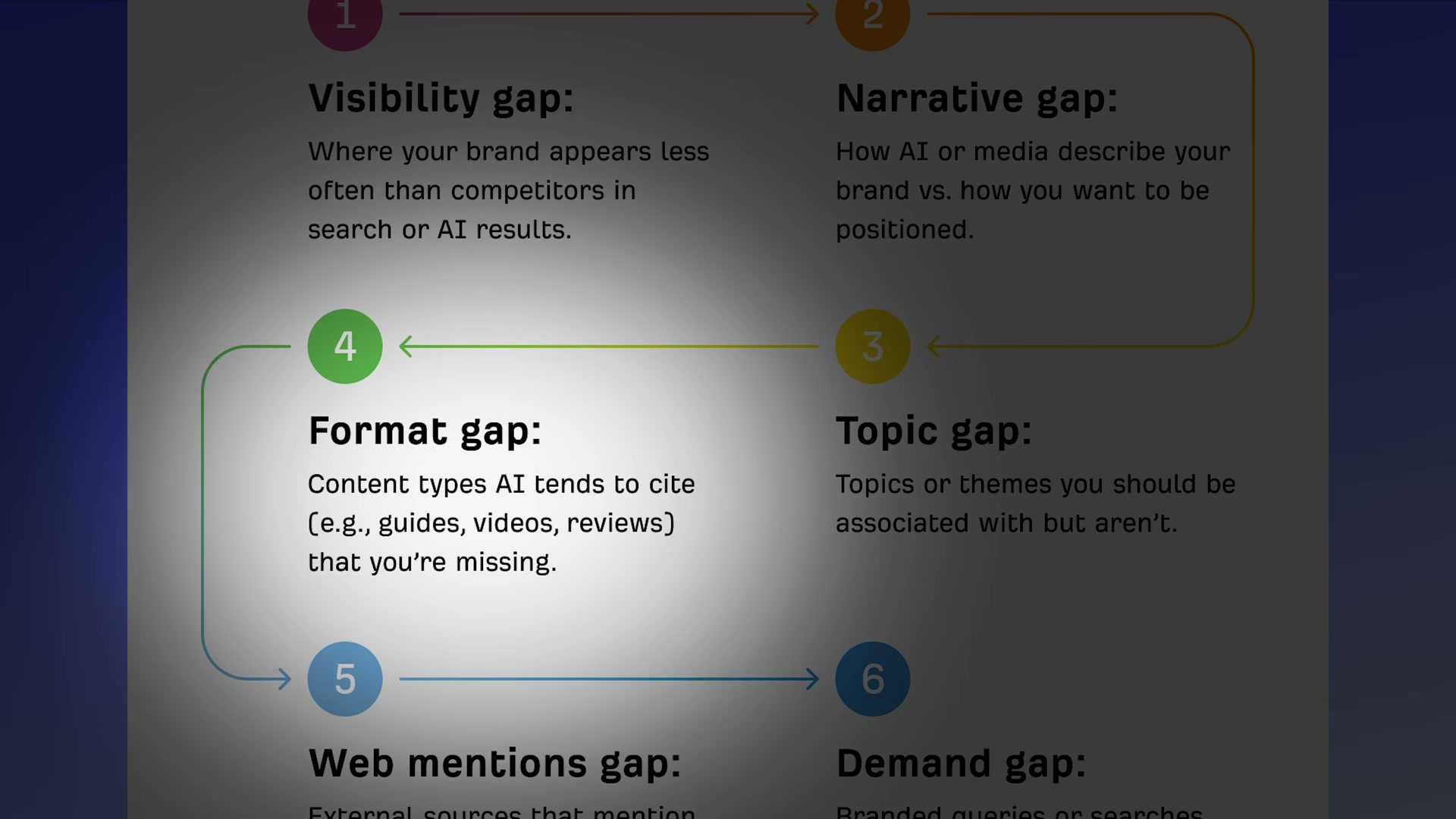
Anchor findings in the six-gap framework. Every discovery from the audit maps to one of six dimensions: visibility gap, narrative gap, topic gap, format gap, web mentions gap, and demand gap. Mapping findings to these buckets as you audit keeps your output structured and stakeholder-ready.
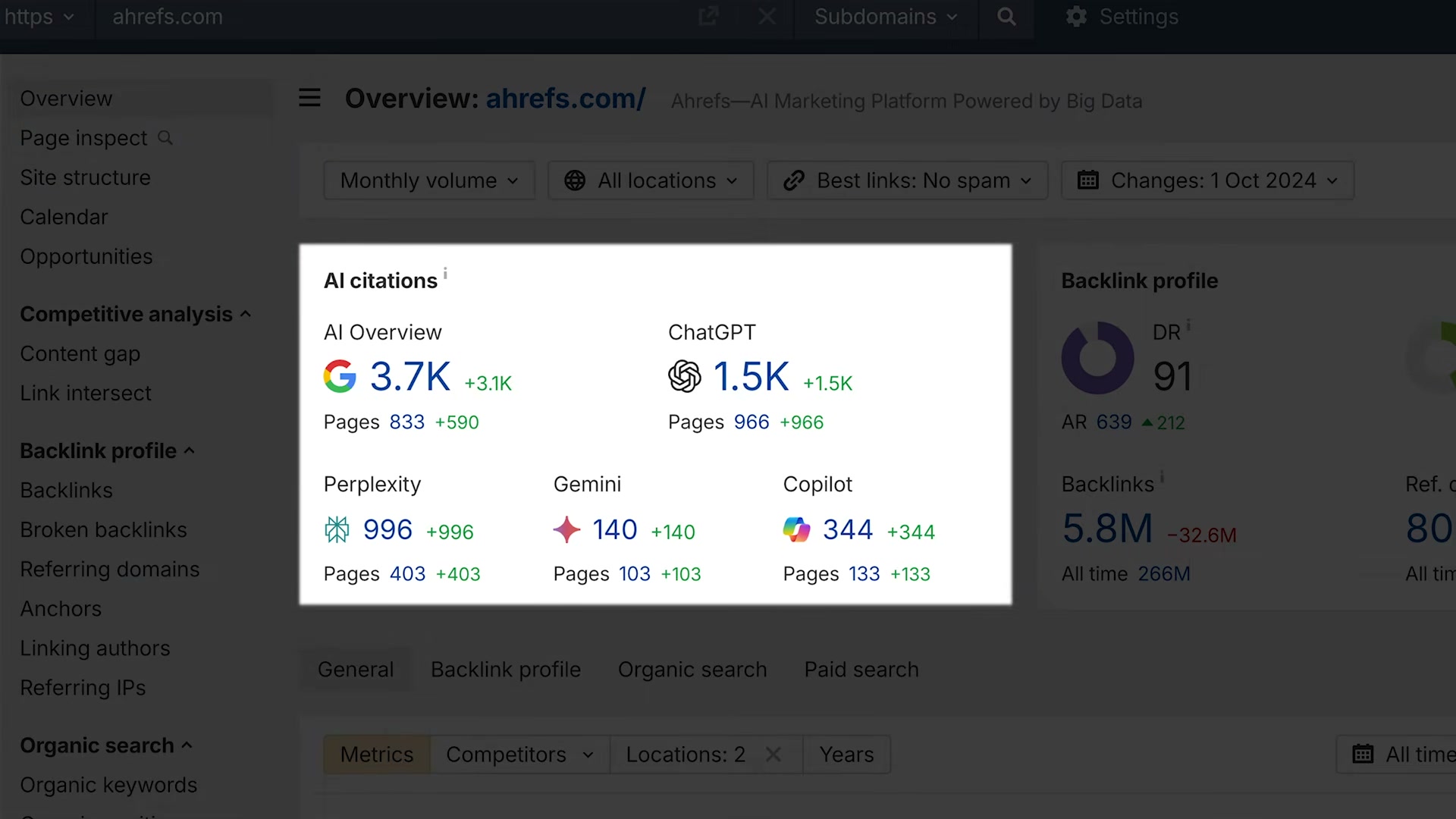
- Run the audit in Ahrefs Site Explorer. Enter the brand’s website to retrieve baseline metrics: Domain Rating, referring domains, organic keywords, organic traffic, and traffic value. The AI citation metrics panel below shows platform-by-platform citation counts across Google AI Overviews, ChatGPT, Perplexity, Gemini, and Copilot — your starting benchmark.
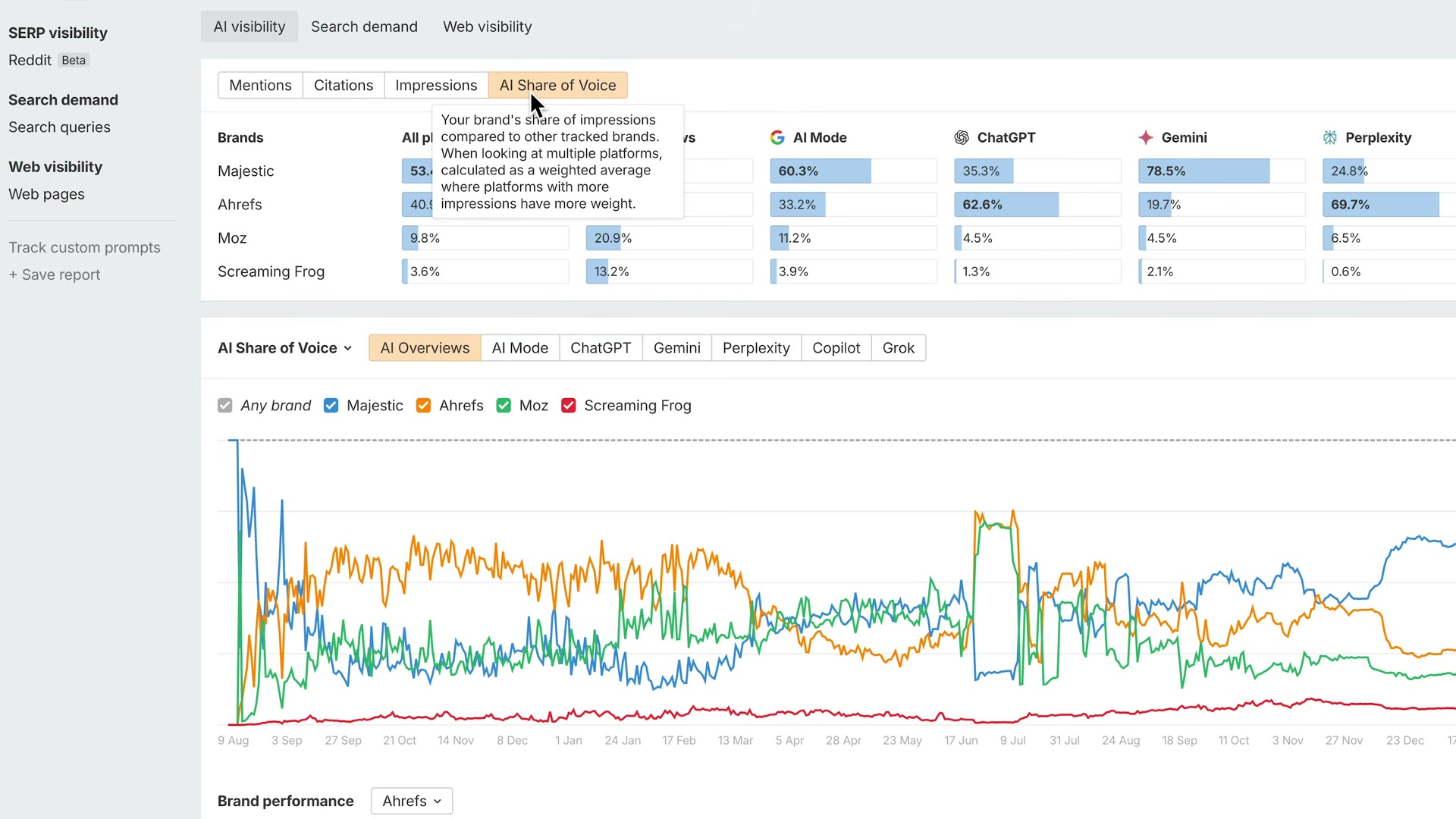
- Open Brand Radar and read the four core metrics. Clicking any citation count opens the Brand Radar report. Track mentions (appearances in AI responses), citations (times your site is sourced), impressions (estimated exposure), and AI share of voice (your presence relative to competitors across platforms).
-
Apply Brand Radar filters to isolate specific gaps. Filter for responses that mention your brand but don’t link your site — these are miscitation opportunities. Filter for queries where a competitor appears but you don’t. Filter by topic to see which subject areas AI connects to your brand versus rivals.
-
Prioritize gaps as Fix, Build, or Influence. Fix means optimizing content that already exists. Build means creating for opportunities you’re not covering. Influence means earning off-site mentions through outreach. Weigh each against demand potential, brand credibility impact, and AI citation likelihood — items already ranking but needing content updates are typically the lowest-effort, highest-impact starting point.
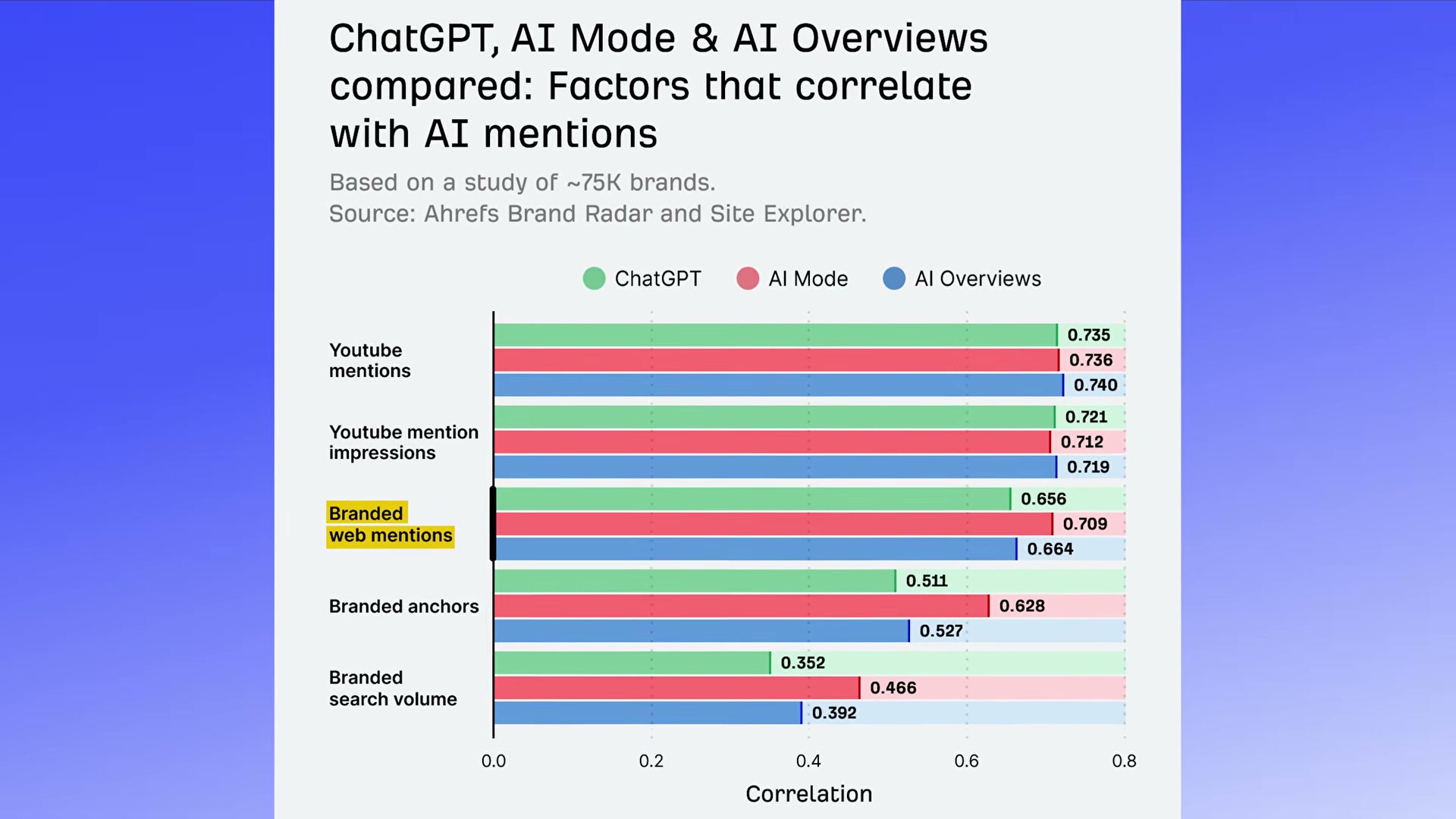
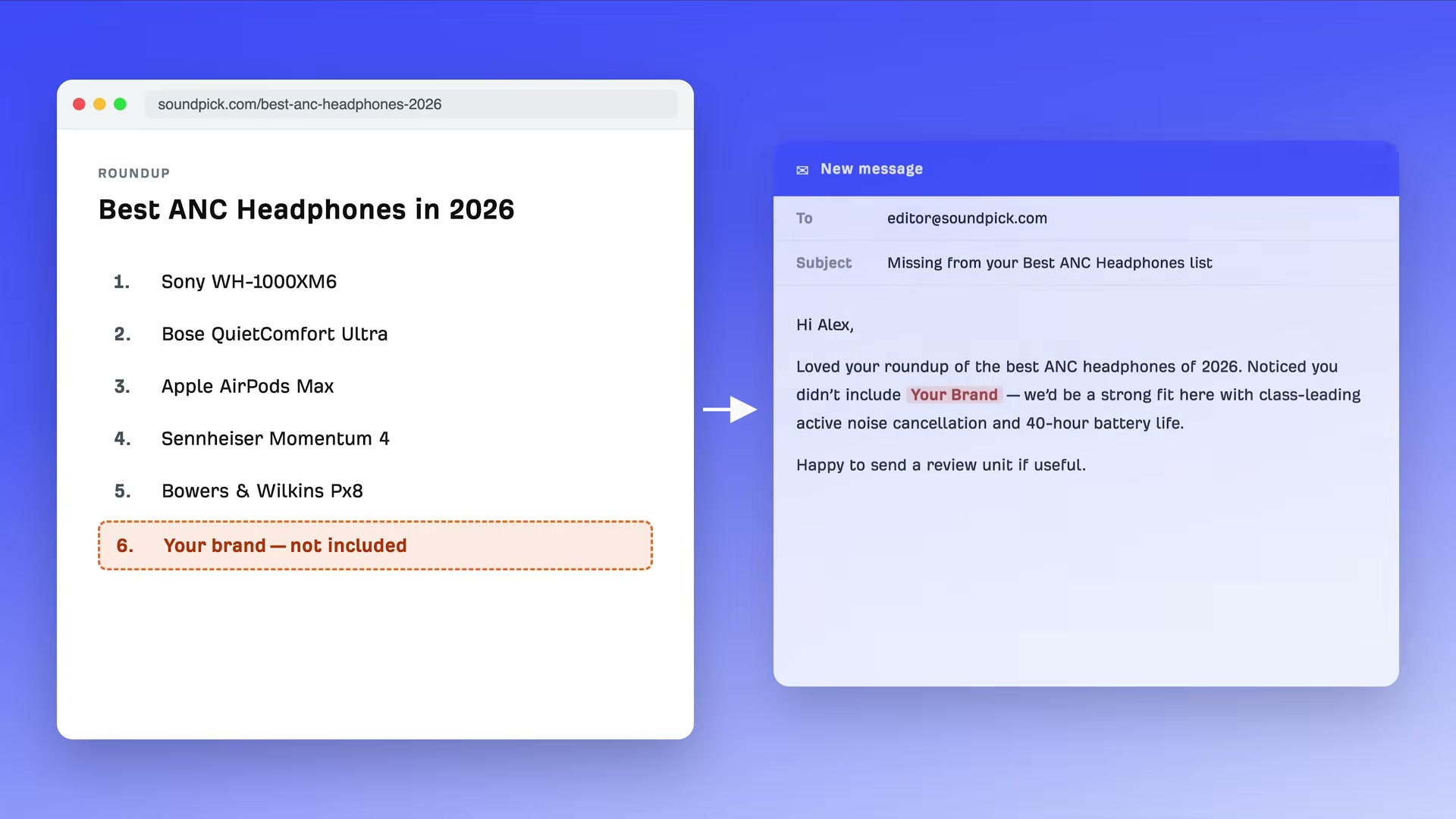
- Execute the Influence tactic with a targeted pitch. When Brand Radar surfaces a roundup where competitors appear and you don’t, the fix is a direct inclusion pitch to the editor — leading with differentiators, not a generic ask.
-
Repeat the audit for competitors. Running the same Brand Radar analysis on rivals surfaces topics and queries they’re winning that your brand hasn’t addressed — and often reveals opportunities where you have the product capability but not the supporting content.
-
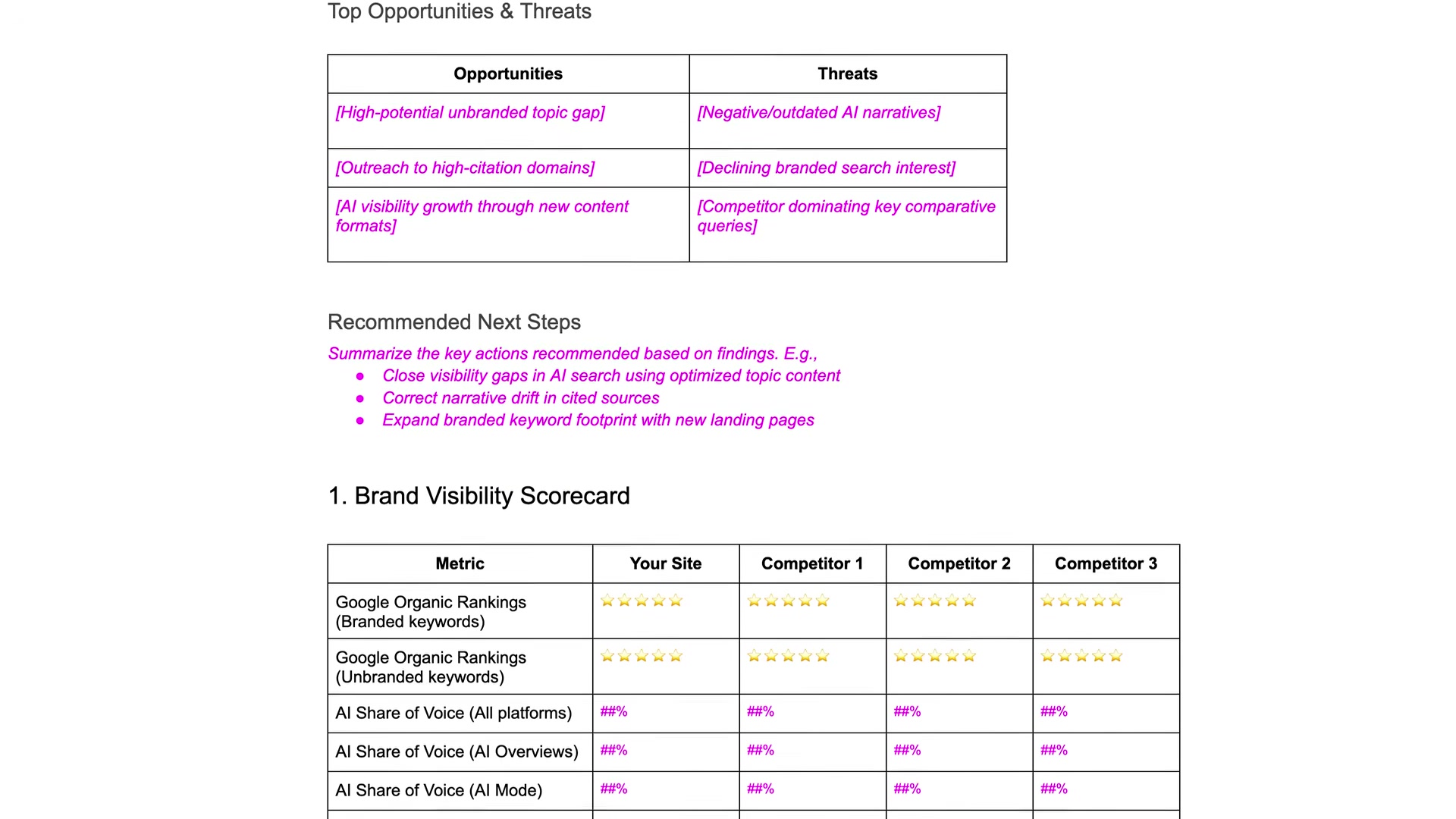
Organize findings with the Brand Visibility Scorecard template. Ahrefs provides a structured template comparing your site against up to three competitors across AI share of voice, AI Overviews, AI Mode, and organic rankings — formatted for stakeholder review.
How does this compare to the official docs?
The video draws from an Ahrefs-authored framework, but Brand Radar is an actively developed product — Act 2 checks the current Ahrefs documentation to confirm which metrics and filter options are available today, and flags anything that’s shifted since filming.
Here’s What the Official Docs Show
Act 1 covers the brand gap analysis workflow accurately — the tool sequence, filtering logic, and overall framework all hold up well against current Ahrefs documentation. What follows adds precision on a few metric labels, surfaces platform distinctions that directly affect how you prioritize gaps, and flags where the docs reveal capabilities the tutorial didn’t cover.
Step 1 — Map your branded entities
No official documentation was found for this step — proceed using the video’s approach and verify independently.
Step 2 — Connect each entity to topics and attributes
No official documentation was found for this step — proceed using the video’s approach and verify independently.
Step 3 — Anchor findings in the six-gap framework
No official documentation was found for this step — proceed using the video’s approach and verify independently.
Step 4 — Run the audit in Ahrefs Site Explorer
The video’s approach here matches the current docs exactly. Site Explorer is confirmed as covering “Organic & AI search traffic” as a primary analysis area, with organic keywords, referring domains, and organic traffic all available in the UI — and AI search data integrated directly, not siloed in a separate report.
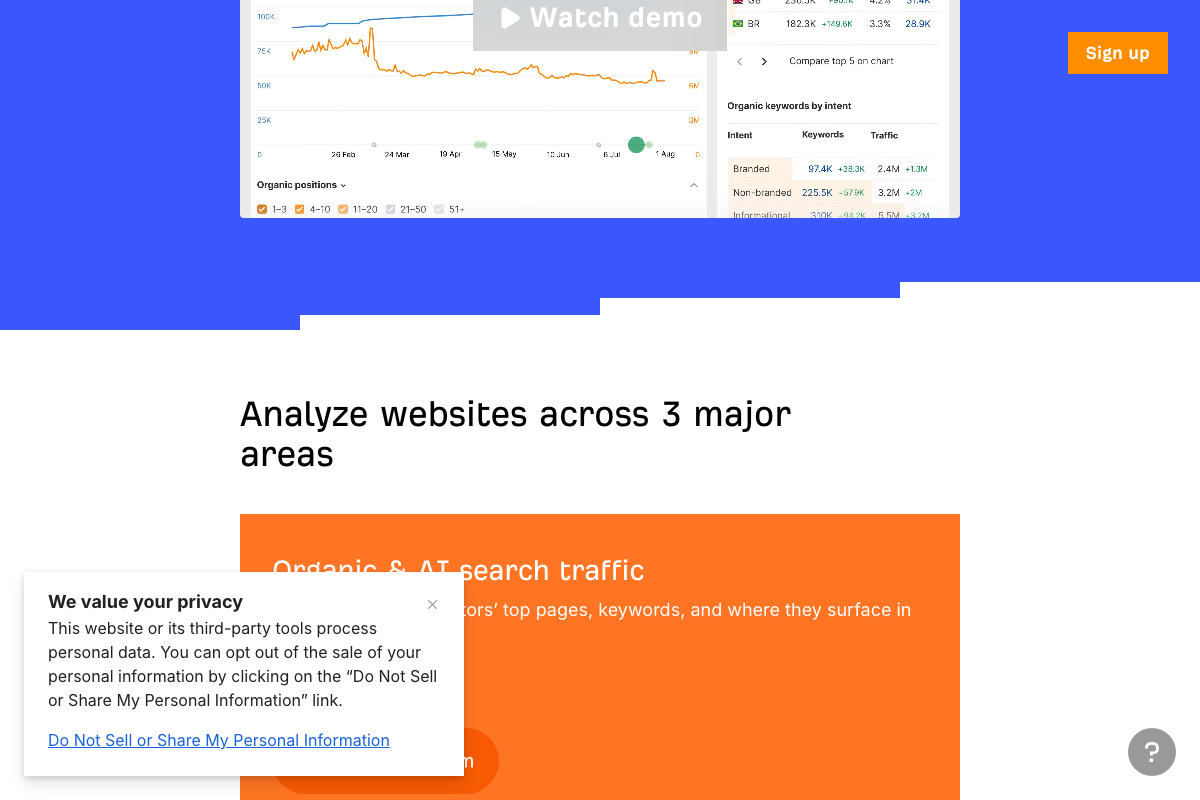
One caveat: Domain Rating and Traffic Value — two of the five baseline metrics named in this step — are not visibly labeled in the Site Explorer product page screenshots. Both are established Ahrefs metrics, but they cannot be confirmed as on-screen UI elements from the available documentation captures alone.
Step 5 — Open Brand Radar and read the four core metrics
No official documentation was found for the in-app navigation flow described in this step — proceed using the video’s approach and verify independently.
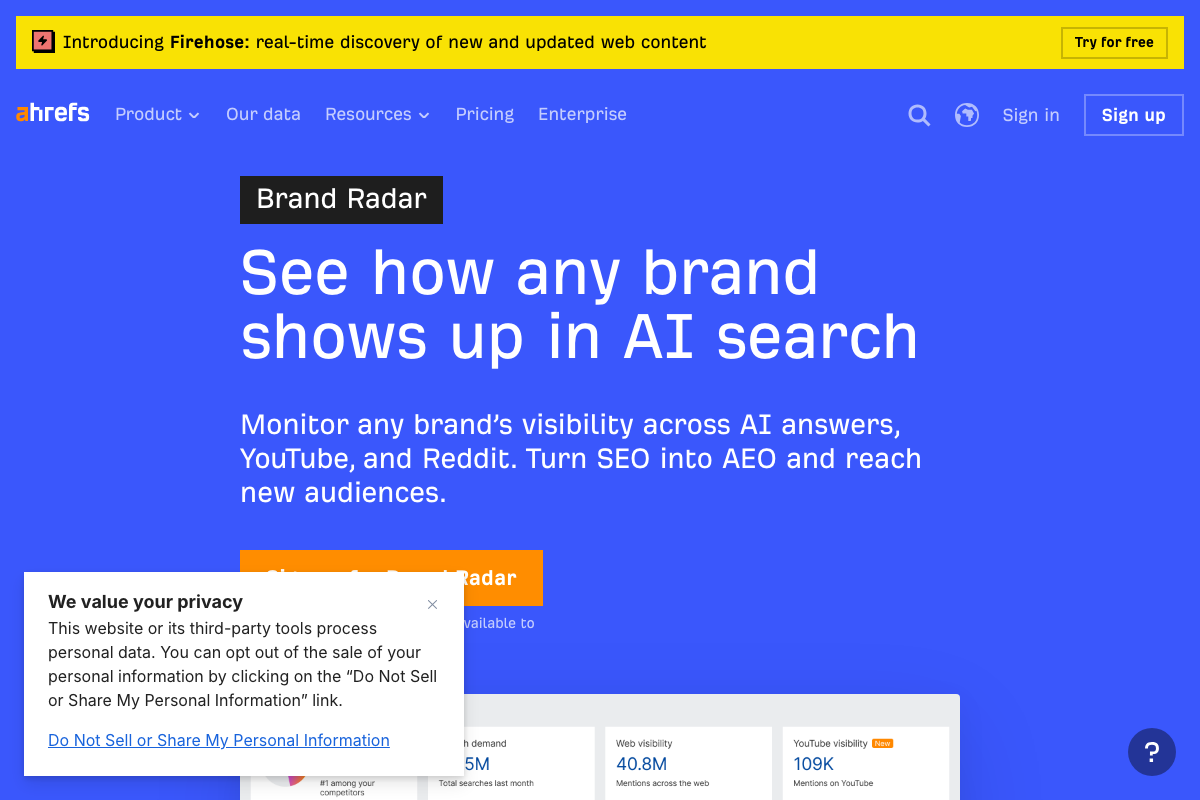
The metric names, however, need clarification. As of May 2026, Brand Radar’s primary navigation tabs are labeled AI visibility, Search demand, and Web visibility. “Mentions” is confirmed as a labeled sub-metric. “Citations,” “impressions,” and “AI share of voice” do not appear as distinct labeled UI elements in current screenshots — these names from the tutorial may reflect earlier labeling or descriptive shorthand rather than exact current UI labels.
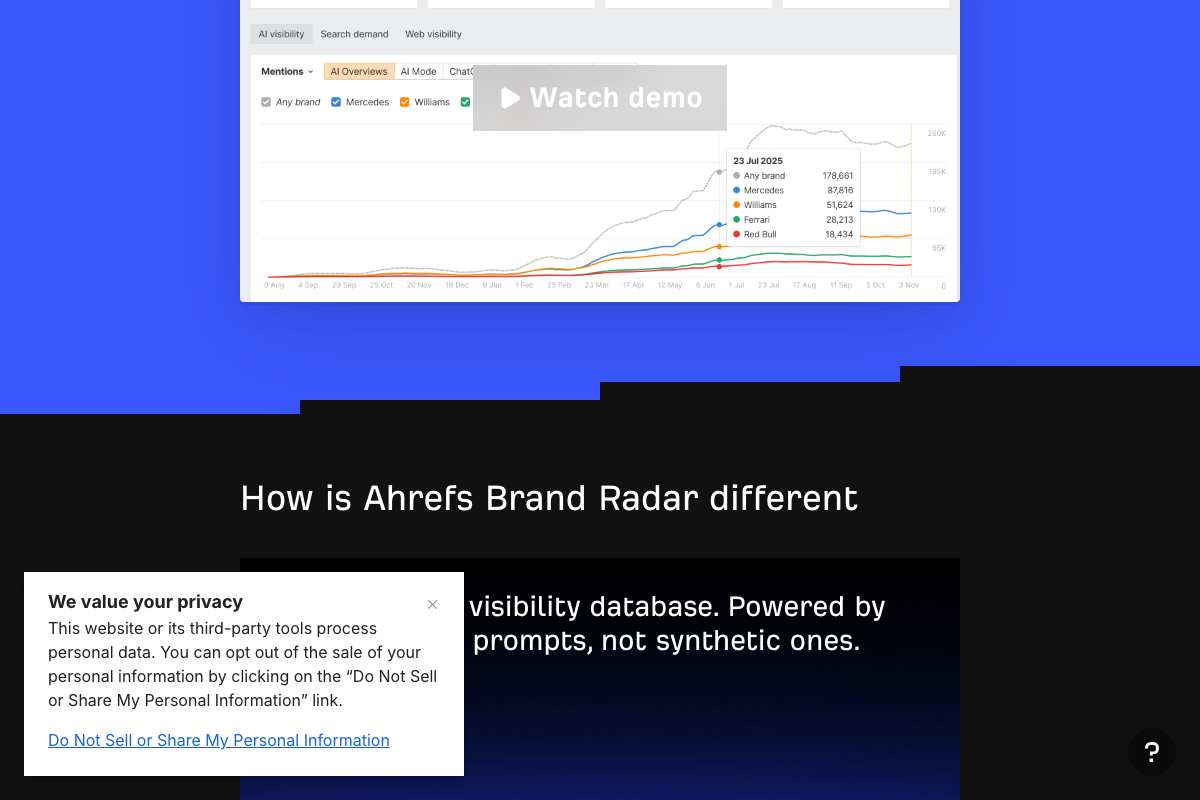
Brand Radar also tracks YouTube and Reddit visibility — two channels the tutorial doesn’t mention. If either platform is part of your brand strategy, include those tabs in your baseline.
Step 6 — Apply Brand Radar filters to isolate specific gaps
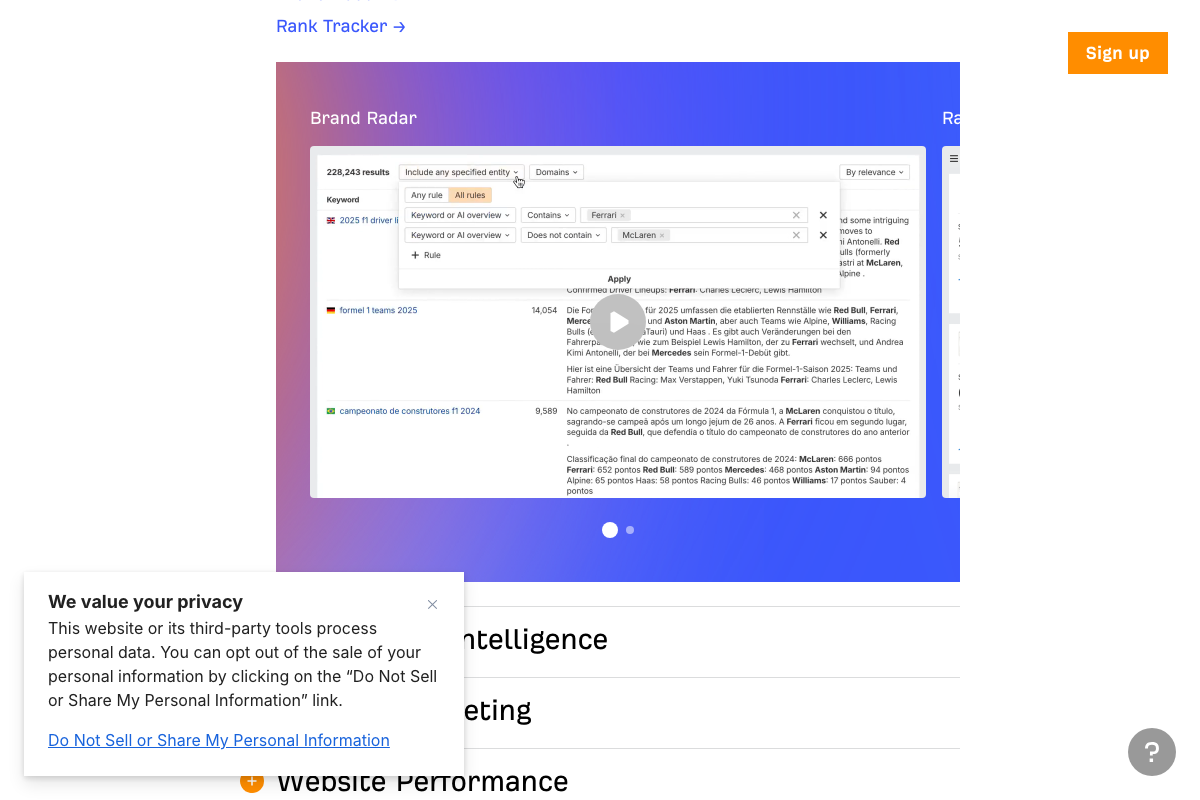
The video’s approach here matches the current docs exactly — entity-include and entity-exclude filter rules with an “Any rule / All rules” toggle work as described. One label to update: the filter dimension the tutorial refers to as “prompts” or “queries” is labeled “Keyword or AI overview” in the actual UI.
Step 7 — Prioritize gaps as Fix, Build, or Influence
No official documentation was found for this step — proceed using the video’s approach and verify independently.
Step 8 — Execute the Influence tactic with a targeted pitch
No official documentation was found for this step — proceed using the video’s approach and verify independently.
Step 9 — Repeat the audit for competitors
The video’s approach here matches the current docs exactly. One addition worth using: Brand Radar supports simultaneous multi-brand comparison in a single view — up to five brands with individual metric counts shown side by side. You don’t need to run sequential audits as described; load all competitors at once and read the gap directly.
Step 10 — Organize findings with the Brand Visibility Scorecard
No official documentation was found for this step — proceed using the video’s approach and verify independently.
Platform context for steps 4–9
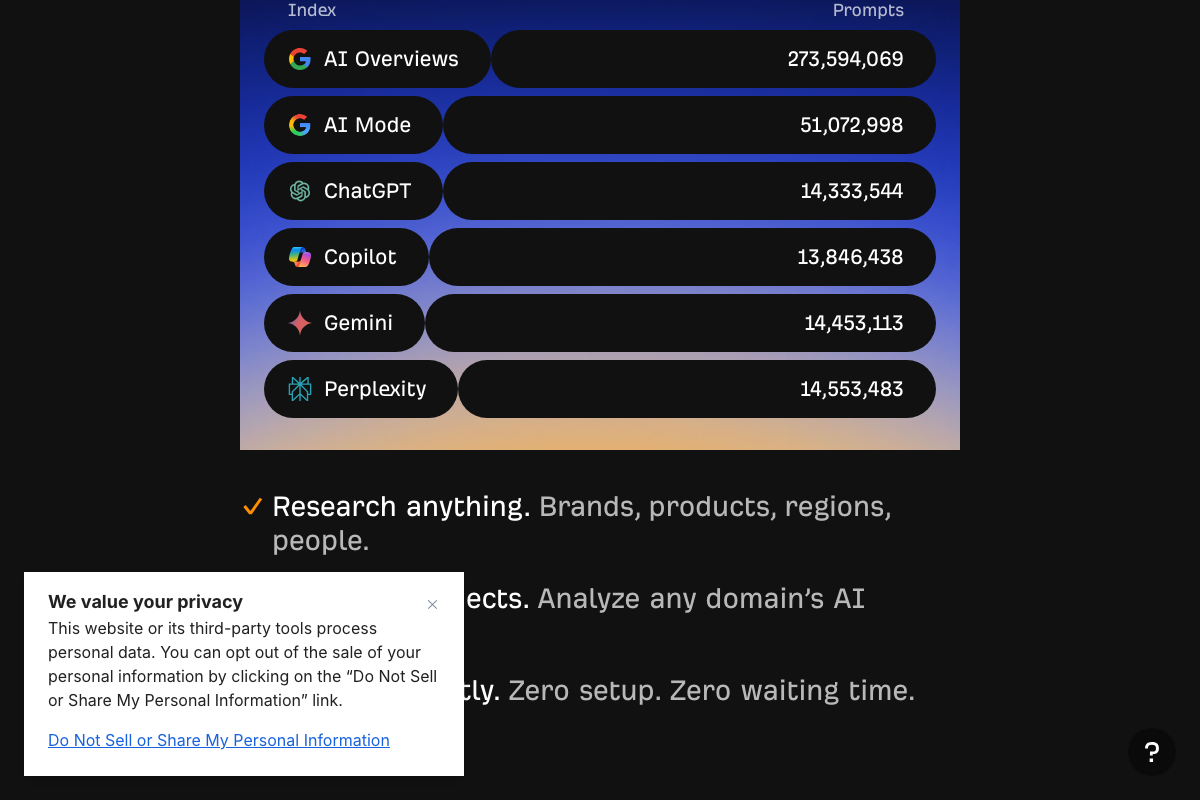
Brand Radar indexes six specific AI platforms: AI Overviews, AI Mode, ChatGPT, Copilot, Gemini, and Perplexity. AI Overviews alone accounts for 273.6 million indexed prompts — more than five times the remaining five platforms combined. Treat AI Overviews and AI Mode as separate gap analysis targets; they are distinct Google products with different prompt volumes, and Brand Radar already indexes them that way.
Useful Links
- Ahrefs — AI Marketing Platform Powered by Big Data — Ahrefs homepage confirming current platform positioning as an AI Marketing Platform with Brand Radar listed as a first-party product alongside core SEO tools.
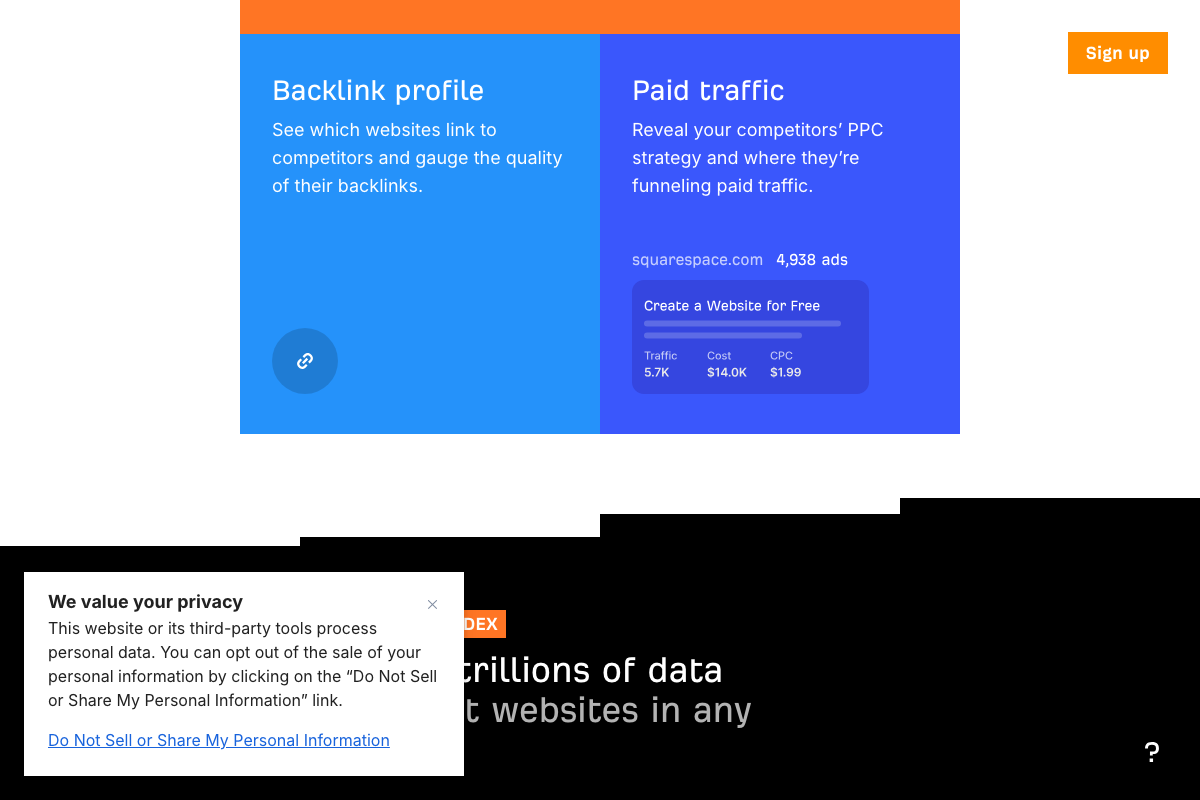
- Site Explorer by Ahrefs: The #1 Competitor Analysis Tool — Product page detailing Site Explorer’s three major analysis areas: organic and AI search traffic, backlink profile, and paid traffic.
- Ahrefs Brand Radar: See ANY brand’s AI visibility — Product page for Brand Radar covering AI, YouTube, and Reddit visibility tracking across six indexed AI platforms with real prompt data.
- Google — Google homepage confirming AI Mode as a distinct, dedicated search interface separate from standard search and AI Overviews.


0 Comments