

The Enterprise SEO Audit Framework That Grew a 10,000-Page Site by 27%
When a site crosses into the thousands of pages, SEO errors stop being isolated incidents and start compounding silently across entire sections for months. This tutorial walks through the audit-and-remediation system Exposure Ninja applied to a real 10,000+ page client site — the same process that produced 27% organic traffic growth and doubled AI search visibility. You will learn how to structure a seven-area enterprise audit, triage fixes by impact, and close the technical gaps that most large-site teams miss until the damage is already done.

- Recognize how technical issues compound at scale. On a small site, a misconfigured template is a nuisance. On a 10,000-page site, the same error silently degrades rankings across thousands of pages before it surfaces in analytics. A live audit of the case study site uncovered 349 duplicate page titles, 219 duplicate content issues, 195 orphaned pages with no inbound links, 118 hreflang errors across international markets, 200+ missing meta descriptions, 100+ missing H1s, and 1,500+ images without alt text. None of these issues caused the traffic decline alone — combined, they did.

- Shift from periodic audits to continuous monitoring. The standard 6-to-12-month audit cycle fails because the site keeps growing during remediation — by the next audit date, new issues have already compounded. The solution is tooling and process that keeps the site in a constant state of health, not more audit sprints.

- Conduct the audit across seven areas in sequence: technical crawlability, indexing, on-page signals (metadata, hreflang, canonicals, headings), content quality and intent alignment, schema coverage, website structure, and internal link authority flow. Gaps in crawlability invalidate everything downstream, so work through these in order.
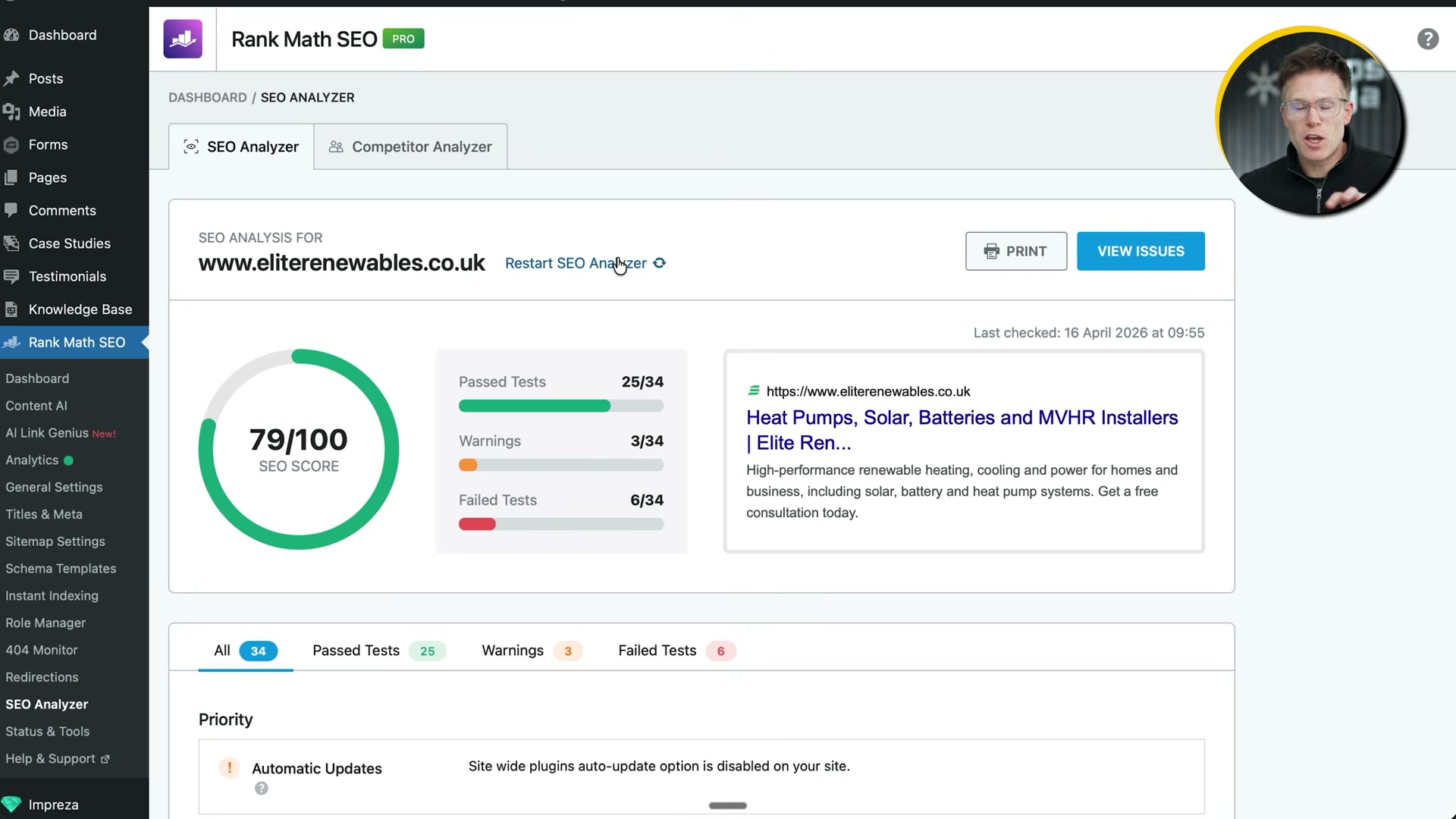
- Use Rank Math Pro’s SEO Analyzer inside WordPress to score the site across dozens of tests and receive specific remediation instructions for each failure. The plugin understands WooCommerce product pages and custom post types that generic crawler tools often misread. The built-in competitor analyzer runs the same audit against any competing domain.
- Prioritize fixes using the impact-versus-effort framework in this order: (1) low-effort, high-impact quick wins, (2) complex technical fixes, (3) content improvements, (4) internal linking. Sequence matters — do not fix redirects if a structural site overhaul is already planned.

- Establish tracking baselines before touching anything: keyword visibility, AI search visibility, page-level traffic, impressions and CTR for metadata effectiveness, and crawl error trends. Rank Math Pro’s analytics dashboard centralizes Search Console and GA4 data, surfaces winning and losing posts by performance trend, and supports scheduled email reporting for stakeholder updates.

- Audit robots.txt for stale disallow rules, leaked staging-site directives, and explicit blocks on AI crawlers — GPTBot, ClaudeBot, PerplexityBot, and Google-Extended. Then check meta robots tags for accidental no-index directives applied at the template or category level, which can silently de-index large page groups without any obvious signal in analytics.
Warning: this step may differ from current official documentation — see the verified version below.
-
Identify and resolve 404s and redirect chains using Rank Math’s 404 monitor and redirect manager. Enable auto-redirect on URL changes to prevent future link equity loss at scale.
-
Fix duplicate title tags and missing H1s at the template level. The root cause is almost always a CMS configuration or templating issue — fixing pages individually at enterprise scale is not viable.
How does this compare to the official docs?
The walkthrough above reflects what the video demonstrates on a live client site, but the behavior of robots.txt directives for AI crawlers, Rank Math’s indexing controls, and Google’s handling of duplicate metadata each have specific documented behaviors worth cross-referencing before you deploy these changes across thousands of pages.
Here’s What the Official Docs Show
The video’s framework is well-grounded where documentation can reach it, and this act confirms what could be verified while flagging the gaps. Several steps involve authenticated interfaces or proprietary workflows that public documentation screenshots couldn’t cover — those are called out explicitly below.
Step 1 — Technical issues compound at scale
No official documentation was found for this step — proceed using the video’s approach and verify independently.
Step 2 — Continuous monitoring over periodic audits
No official documentation was found for this step — proceed using the video’s approach and verify independently.

Step 3 — Seven audit areas in sequence
No official documentation was found for this step — proceed using the video’s approach and verify independently.
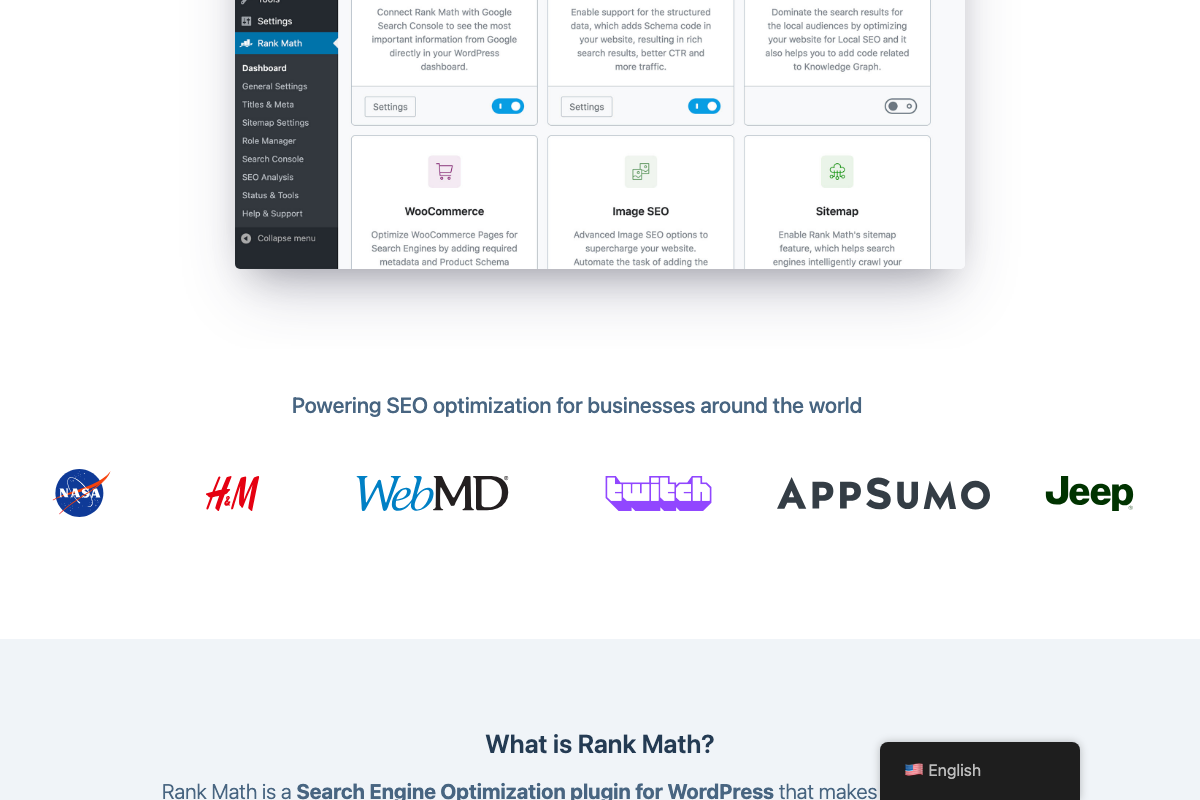
Rank Math’s modules screen does confirm native support for two of the seven areas: Schema (Structured Data) and Search Console integration are both listed as active modules in the plugin dashboard.

Step 4 — Rank Math Pro’s SEO Analyzer inside WordPress
The video’s approach here matches the current docs exactly. The SEO Analysis sidebar item is confirmed, and the WooCommerce module is explicitly documented as adding “required metadata and Product Schema” to product pages — the precise capability the video calls out. One caveat worth acting on before you start: Rank Math’s homepage leads with a free-tier CTA. Features the video attributes to Rank Math Pro — analytics dashboard, competitor analyzer, scheduled email reports — should be verified against the current pricing page before you build a workflow around them.
Step 5 — Impact-versus-effort prioritization framework
No official documentation was found for this step — proceed using the video’s approach and verify independently.
Step 6 — Establish baselines before touching anything
The video’s approach here matches the current docs exactly. Rank Math’s analytics dashboard is confirmed to surface Search Traffic, Search Impressions, Total Keywords, and Average Position inside WordPress — matching every baseline metric the video names. GA4 integration is a different story: all three GA4 screenshots hit the sign-in wall. Verify the current GA4 connection workflow in Rank Math’s own documentation before configuring it in a live environment. Email report scheduling is also unconfirmed — no scheduling UI appeared in any available screenshot.

Step 7 — robots.txt audit and AI crawler directives
No official documentation was found for this step — proceed using the video’s approach and verify independently.
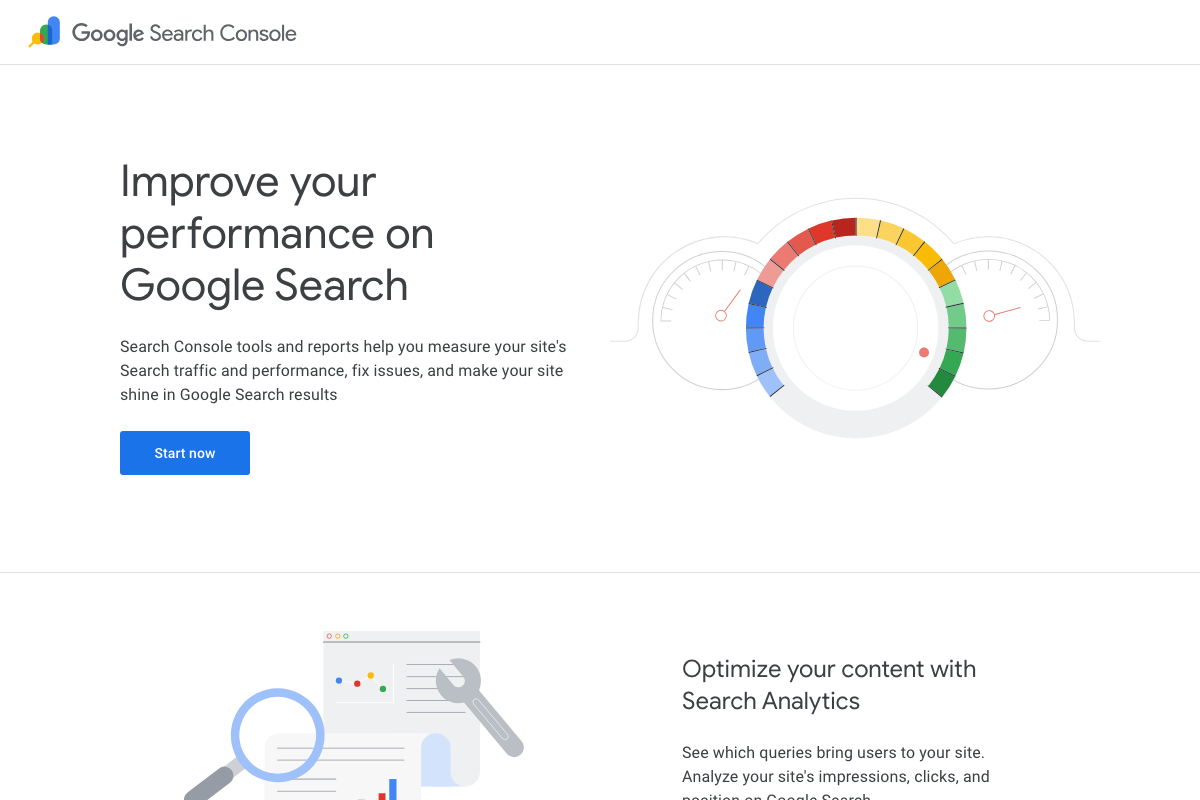
GSC is confirmed as a tool that surfaces crawl issues, but only the public landing page was captured — the authenticated Coverage report and URL Inspection panels were not available. For AI crawler directive syntax (GPTBot, ClaudeBot, PerplexityBot, Google-Extended), verify current guidance directly from Google’s published documentation.
Step 8 — 404s, redirect chains, and auto-redirect
No official documentation was found for this step — proceed using the video’s approach and verify independently.
No Rank Math redirect manager or 404 monitor UI appeared in the available screenshots. Confirm these features in Rank Math’s plugin documentation before deploying them at scale.
Step 9 — Template-level fixes for duplicate titles and H1s
No official documentation was found for this step — proceed using the video’s approach and verify independently.

Useful Links
- Rank Math – Best Free WordPress SEO Tools in 2026 — Official Rank Math homepage documenting plugin modules including WooCommerce, Image SEO, Schema, and Search Console integration, plus current free vs. Pro pricing tiers.
- Blog Tool, Publishing Platform, and CMS – WordPress.org — WordPress.org homepage confirming the CMS platform and enterprise-scale user base that underpins the entire tutorial workflow.
- Google Search Console — GSC landing page confirming search traffic, impression, click, and crawl-issue tracking referenced across steps 6 through 8.
- Google Analytics — GA4 access point; authentication required — verify Rank Math’s current GA4 integration steps in Rank Math’s own documentation before configuring.


0 Comments