

Build an Agentic Crypto Trading Pipeline with OpenAI Codex and Hyperliquid
By the end of this tutorial, you’ll have a working pipeline that connects OpenAI Codex to the Hyperliquid API, executes live cryptocurrency trades via natural-language prompts, and produces hypothesis-driven backtesting models aimed at a concrete daily profit target. The system runs autonomously from data collection through order execution. You need a funded Hyperliquid account, the Codex CLI installed locally, and roughly an hour.
-
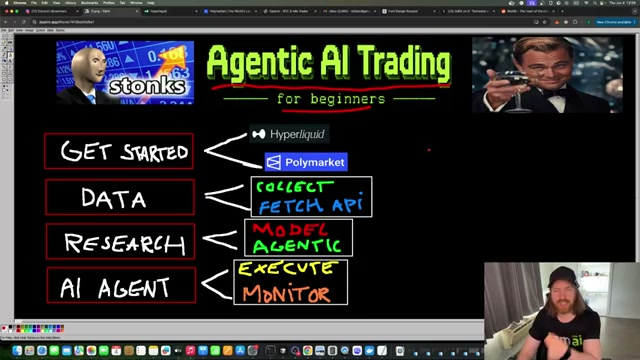
Choose your trading platform. Hyperliquid handles cryptocurrency perpetuals with direct API access for agent-driven order placement; Polymarket covers prediction markets. Robinhood has also launched an Agentic Trading product, but its account setup is more involved and not covered here.
-
Fund your Hyperliquid account and confirm your balance. The tutorial works from a $955 starting balance — enough to run test positions without meaningful exposure while the pipeline is being validated.
-
Create a
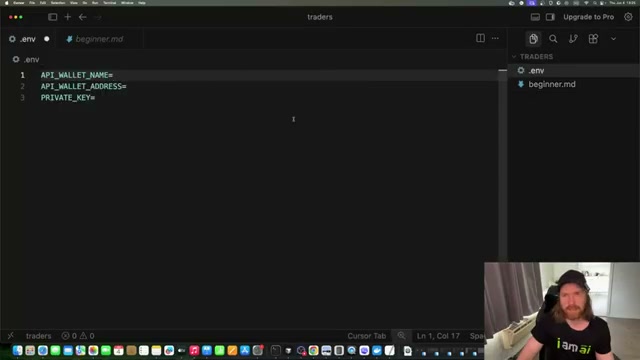
beginner.mdcontext file and a.envsecrets file. Thebeginner.mdfile holds environment setup instructions and API connection notes that you’ll feed to Codex as initial context. The.envfile requires three values —API_WALLET_NAME,API_WALLET_ADDRESS, andPRIVATE_KEY— retrieved from your Hyperliquid account settings.
- Launch Codex CLI in your trading project directory using the
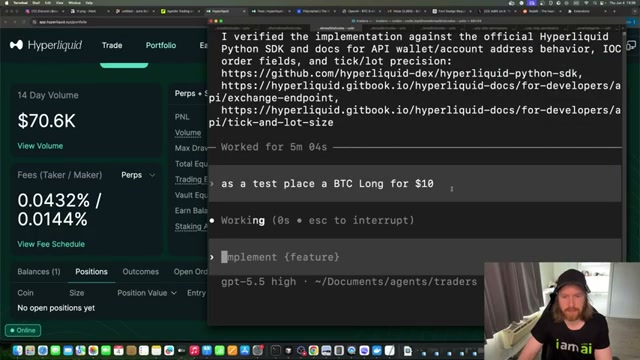
--yoloflag. Navigate to your project folder and runcodex --yoloto enable autonomous execution mode, which allows the agent to write and run code without requesting per-step confirmation.
Warning: this step may differ from current official documentation — see the verified version below.
- Feed
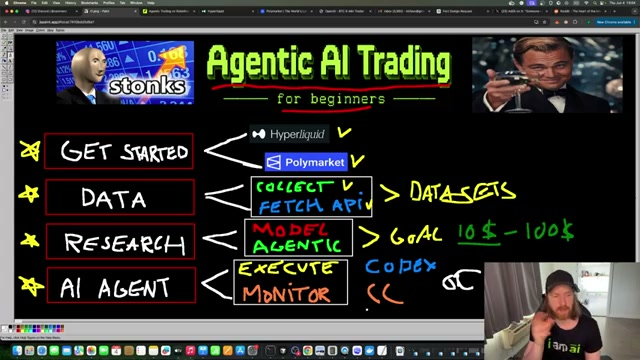
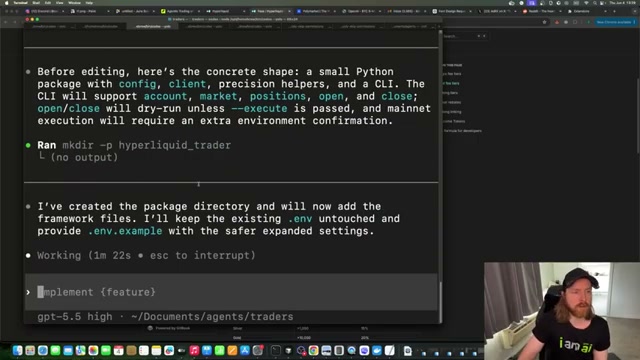
beginner.mdto Codex and prompt it to build a trading framework. Reference the file with@beginner.md, then prompt: “Create a framework based on this and our ENV so we can make our first trade on Hyperliquid.” Codex reads the 437-line guide, plans a Python package — config module, API client, precision helpers, CLI — and begins scaffolding the project directory autonomously.

- Place a test $10 Bitcoin long to verify connectivity. Prompt the agent: “As a test, place a Bitcoin long for $10.” The position appears in your Hyperliquid portfolio within seconds. Confirm the entry price and PNL display before proceeding.
-
Exit the test trade with a natural-language prompt. Type “Good — exit trade” and the agent closes the position immediately, confirming low-latency order execution through the Hyperliquid SDK before you commit to live data collection.
-
Copy the Hyperliquid API documentation into a local
docs/data.mdfile. Open the relevant docs page, copy the content, and paste it into your project using Cursor or any editor. This gives Codex a local reference for data endpoints without requiring live web lookups during research runs. -
Prompt Codex to collect market data for backtesting. Provide
docs/data.mdas context and instruct it: “Collect the relevant data we need to look for opportunity — goal is $10 today.” The agent prioritizes recent candles, order book snapshots, and funding rates, then writes output to/data/raw. -
Review the collected raw data in
/data/rawto confirm that candle history, order book depth, and funding rate series all populated correctly before the research phase begins. -
Review the agent’s initial backtesting findings and market bias analysis. Codex surfaces a directional read on current market conditions — use it as context for model generation, not as a trade signal on its own.
-
Prompt Codex to generate three hypothesis trading models targeting the $10 daily profit goal. The agent produces strategy outlines with distinct risk profiles calibrated to your account balance — a $10 target on $955 demands far less risk than the same target on $100, and each model reflects that ratio explicitly.
How does this compare to the official docs?
The video moves quickly through several configuration choices — particularly the --yolo flag behavior and the beginner.md scaffolding pattern — that warrant a closer look against OpenAI’s current Codex CLI reference and the Hyperliquid SDK documentation before you run this against a live account with real capital.
Here’s What the Official Docs Show
The video gives you a working mental model for wiring an agentic CLI to a live trading API — the architecture is sound and the step sequence is logical. What follows layers in what official documentation confirms, flags where doc coverage was unavailable at verification time, and surfaces one platform alternative that is better documented than anything in the video’s stack.
Step 1 — Choose your trading platform
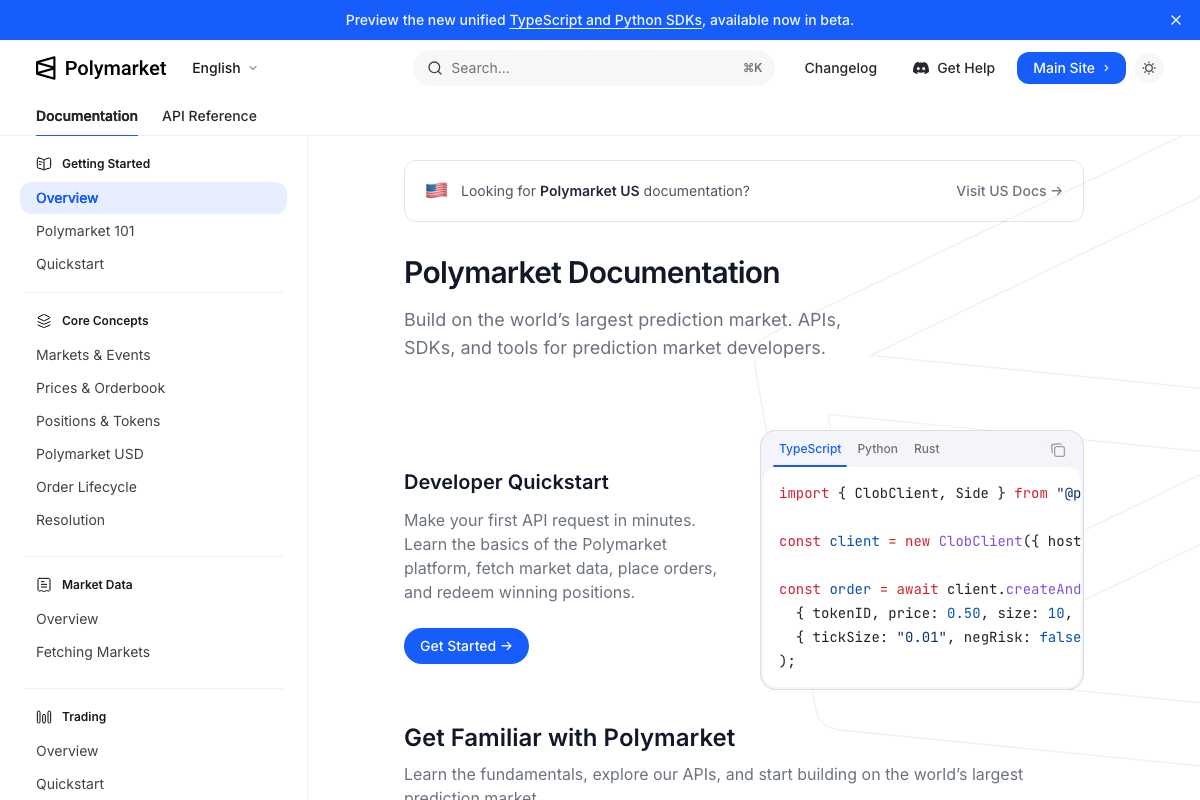
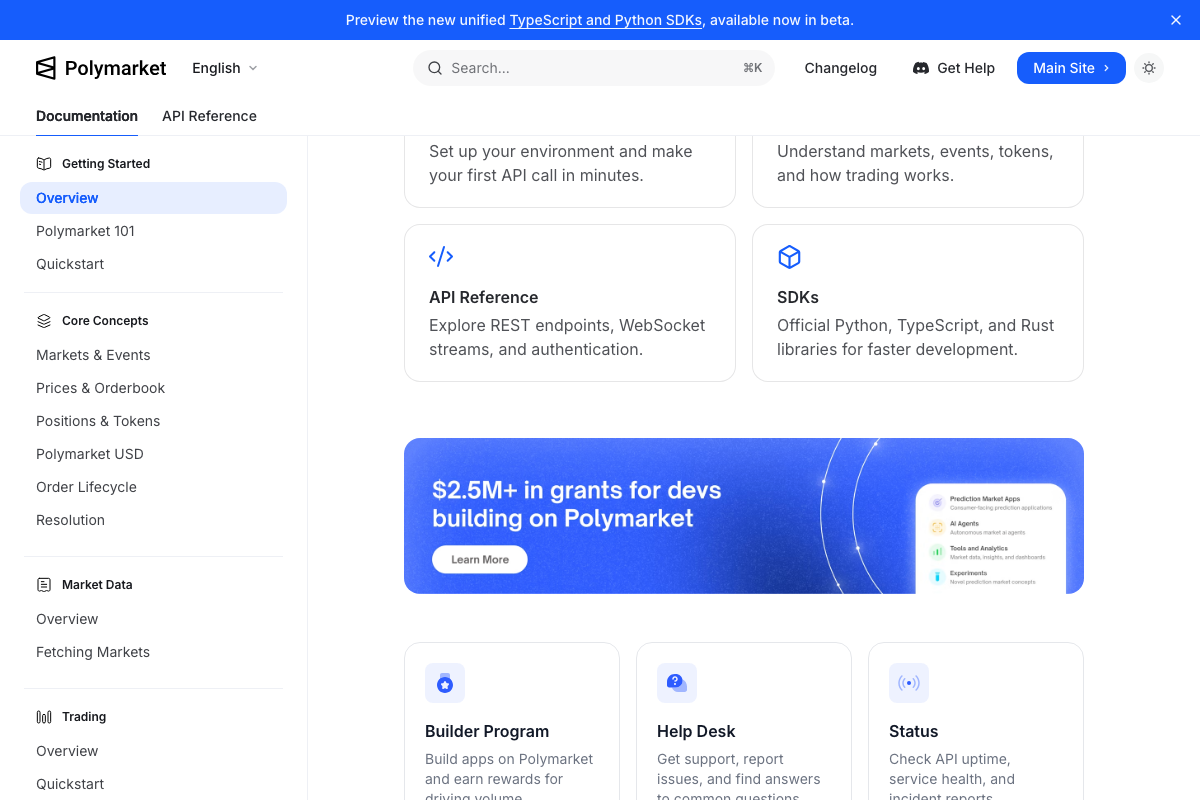
The video’s approach here matches the current docs exactly. Polymarket’s developer documentation confirms the platform exposes a public REST API and WebSocket streams, provides a TypeScript ClobClient SDK for programmatic order placement, and actively funds AI agent integrations through its $2.5M+ Builder Program — “AI Agents” is a named grant category. If you’re building on Polymarket instead of Hyperliquid, the Developer Quickstart gets you to your first API request in minutes.
Step 2 — Fund your account and confirm your balance
No official documentation was found for this step — proceed using the video’s approach and verify independently.
Step 3 — Create beginner.md and .env
No official documentation was found for this step — proceed using the video’s approach and verify independently.
Step 4 — Launch Codex CLI with --yolo
No official documentation was found for this step — proceed using the video’s approach and verify independently.
The openai.com/codex page returned a browser load error at verification time. The --yolo flag name, its behavioral scope, and any safety caveats specific to autonomous execution mode could not be confirmed against current OpenAI documentation. Verify the flag’s current syntax at openai.com/codex before running it against a live account.

Step 5 — Feed beginner.md to Codex and scaffold the trading framework
No official documentation was found for this step — proceed using the video’s approach and verify independently.
Step 6 — Place a test $10 Bitcoin long
No official documentation was found for this step — proceed using the video’s approach and verify independently.
Step 7 — Exit the test trade via natural-language prompt
No official documentation was found for this step — proceed using the video’s approach and verify independently.
Step 8 — Copy Hyperliquid API docs into docs/data.md using Cursor
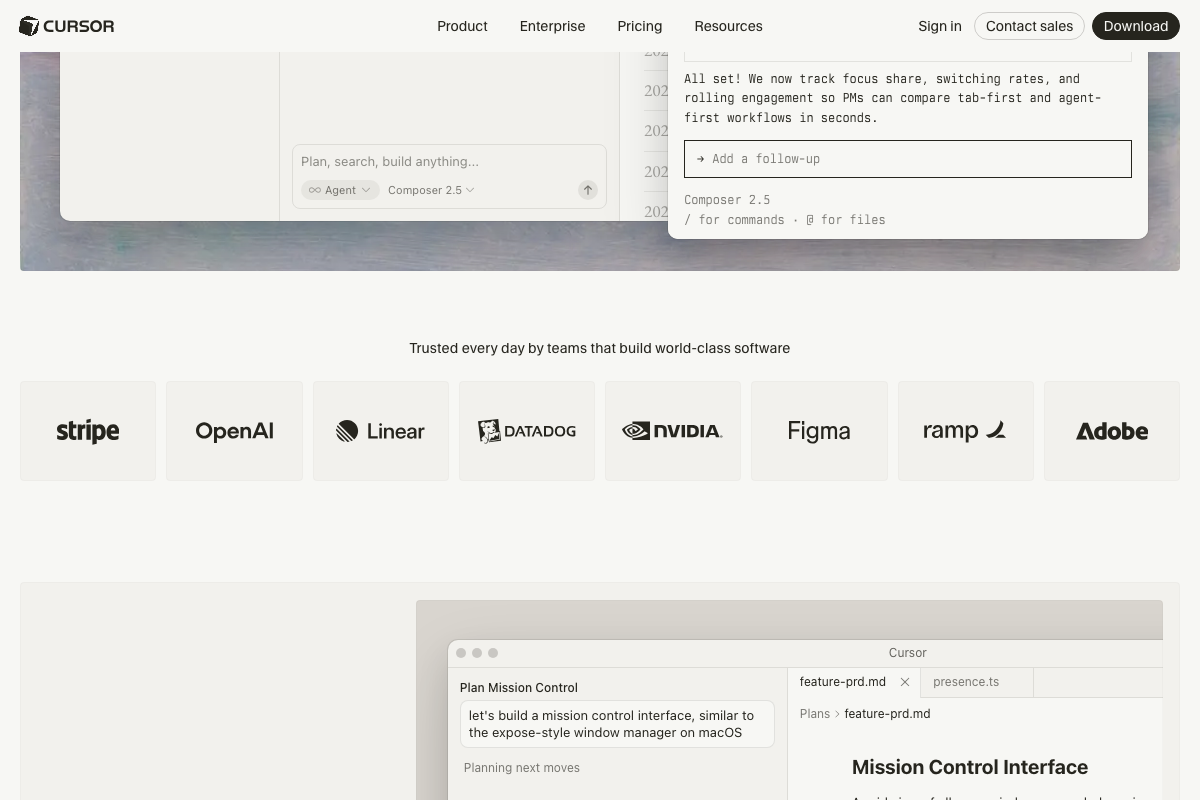
Cursor’s marketing homepage confirms the product is live and that its Composer 2.5 interface supports @ for files syntax — directly relevant to referencing a local docs/data.md file inside the agent context. However, the specific copy-paste procedure the video describes is a manual workflow and not documented in Cursor’s official docs.
No official documentation was found for the specific file-copy workflow in this step — the
@file reference syntax in Cursor Composer is confirmed as a feature, but the broader procedure should be verified at docs.cursor.com independently.
Step 9 — Prompt Codex to collect market data
No official documentation was found for this step — proceed using the video’s approach and verify independently.
The Hyperliquid screenshots captured the marketing homepage rather than the Gitbook API docs. Candle history, order book snapshot, and funding rate endpoint details referenced in this step are entirely unverified. Confirm current endpoint paths at hyperliquid.gitbook.io/hyperliquid-docs before running data collection against a live account.

Steps 10–12 — Review raw data, analyze market bias, generate hypothesis models
No official documentation was found for these steps — proceed using the video’s approach and verify independently.
Useful Links
- Overview – Polymarket Documentation — Developer quickstart, TypeScript/Python/Rust SDK references, REST and WebSocket API endpoints, and the Builder Program grant details including the AI Agents category.
- Codex | AI Coding Partner from OpenAI — Official product page for OpenAI Codex CLI; verify current flag names, execution modes, and agentic behavior documentation here before deploying against a live account.
- About Hyperliquid | Hyperliquid Docs — Gitbook API documentation covering market data endpoints (candles, order books, funding rates) and SDK setup required for steps 5–9.
- Cursor Docs — Agent, Rules, MCP, Skills & CLI — Official Cursor documentation covering Composer file-reference syntax, agent modes, and CLI usage relevant to step 8.


0 Comments