

Technical SEO for AI: Six Checks That Determine Whether AI Crawlers Can Find Your Site
Millions of websites are invisible to AI assistants — not because of poor content, but because a single misconfigured file is quietly blocking crawlers. After completing this checklist, you will have verified that AI systems can access, render, and parse your pages, and you will know how to recover traffic lost to hallucinated 404s. No code rewrites required.
- Navigate to
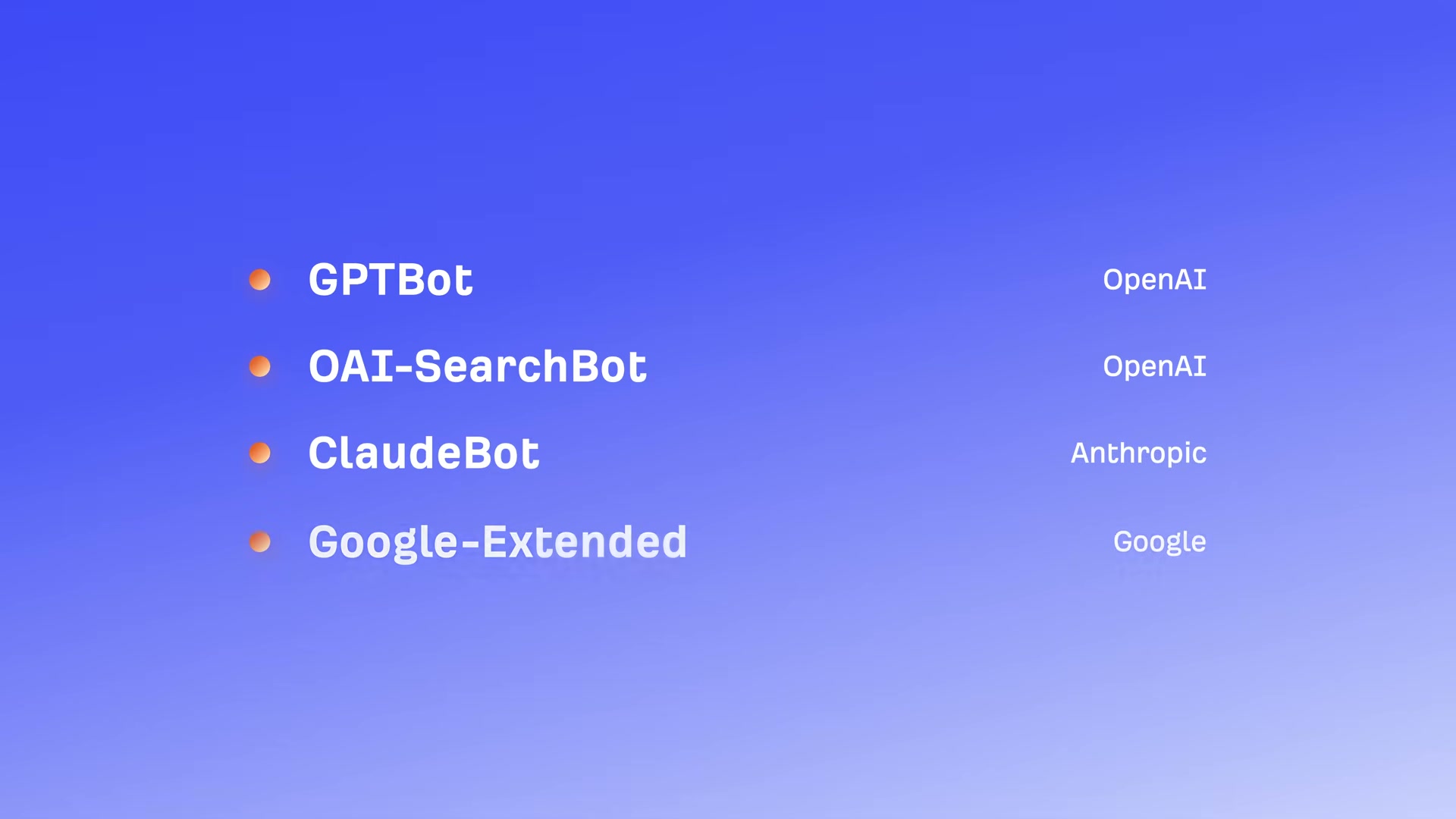
yourdomain.com/robots.txtand scan forDisallowrules targeting GPTBot, OAI-SearchBot, ClaudeBot, or Google-Extended. ADisallow: /entry under any of these user-agents tells that platform’s crawler to stay off your site entirely.
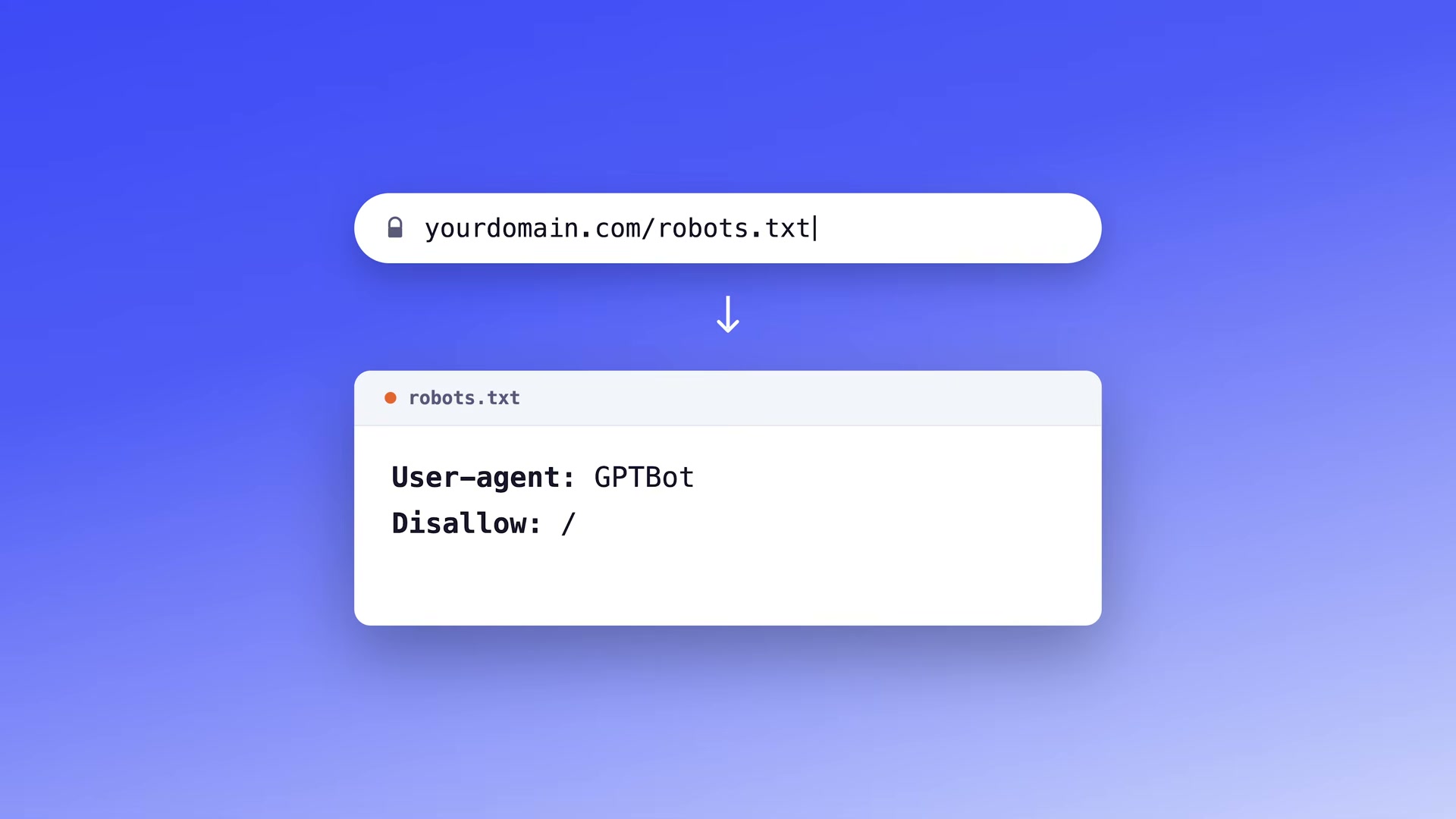
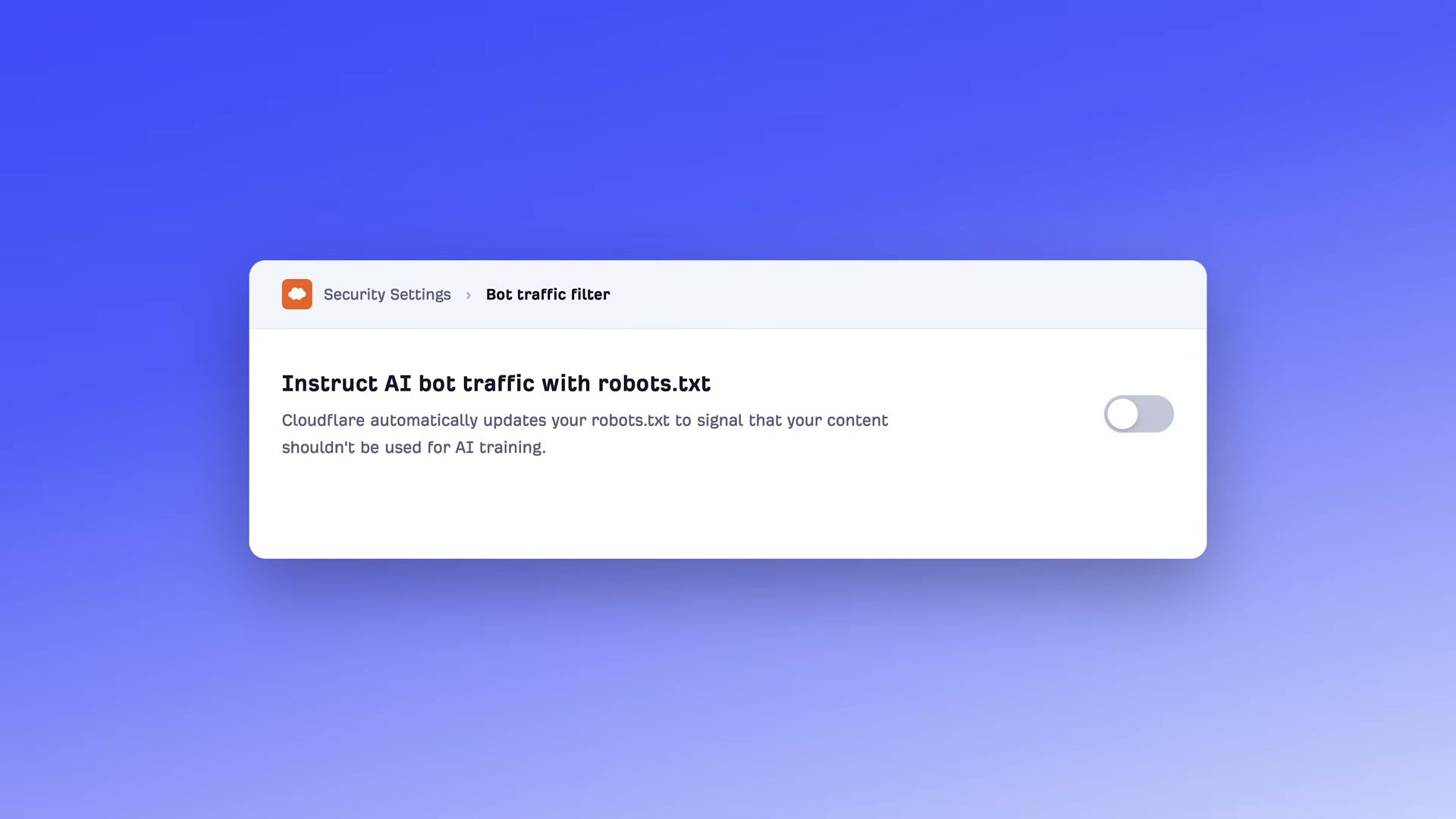
- If your site runs on Cloudflare, open the Security dashboard and locate the “Instruct AI bot traffic with robots.txt” toggle. It ships enabled by default, which means Cloudflare may already be blocking AI crawlers on your behalf without your knowledge. Disable it if that was not your intent.
- Run an Ahrefs Site Audit on your domain and review the flagged robots.txt rules. The audit surfaces any directives blocking AI crawlers, including inherited rules from templates or platform defaults you never deliberately wrote.
- Optionally, create an
llms.txtfile atyourdomain.com/llms.txtsummarizing your site’s identity, topic coverage, and key content locations.
Warning: this step may differ from current official documentation — see the verified version below.
- Disable JavaScript in your browser — open Chrome DevTools, press
Cmd+Shift+P, typedisa, and select “Disable JavaScript” — then visit your own site. If content disappears, ChatGPT’s crawler (which cannot render JS) is seeing an empty shell instead of your pages.

-
Implement server-side rendering (SSR) if your site uses React, Angular, or another JavaScript-heavy framework. SSR ensures crawlers receive fully rendered HTML rather than a blank page waiting on client-side JavaScript to execute.
-
Audit Core Web Vitals and overall page speed. AI retrieval systems fetch, parse, and chunk pages in real time — a slow page can be dropped before it is scored, regardless of content quality.
-
Audit your HTML heading structure. Use one
H1per page for the title,H2sfor main sections, andH3sfor subsections. Make each section self-contained because AI systems may chunk your content at any heading boundary. -
Add schema markup types — Article, FAQPage, HowTo, LocalBusiness — to new and existing pages. Direct AEO impact is unconfirmed, but schema costs nothing to add alongside standard SEO practice.
-
Pull your analytics and filter for AI-referrer sessions landing on 404 pages. AI assistants hallucinate URLs and send visitors to dead pages 2.87× more often than Google Search does. For any hallucinated URL receiving consistent traffic, redirect it to the most relevant live page on your site.
How does this compare to the official docs?
The six-point framework is actionable, but several specifics — particularly the adoption status of llms.txt and the precise crawl behaviors of GPTBot versus OAI-SearchBot — are worth checking against what OpenAI, Anthropic, and Google publish directly.
Here’s What the Official Docs Show
The video’s checklist covers the right ground, and the steps that could be verified against official documentation largely hold up. What follows adds precision where the docs reveal details the tutorial glosses over, and flags the majority of steps where documentation screenshots were unavailable for independent confirmation.
Step 1 — Check robots.txt for AI crawler blocks
No official documentation was found for this step — proceed using the video’s approach and verify independently.
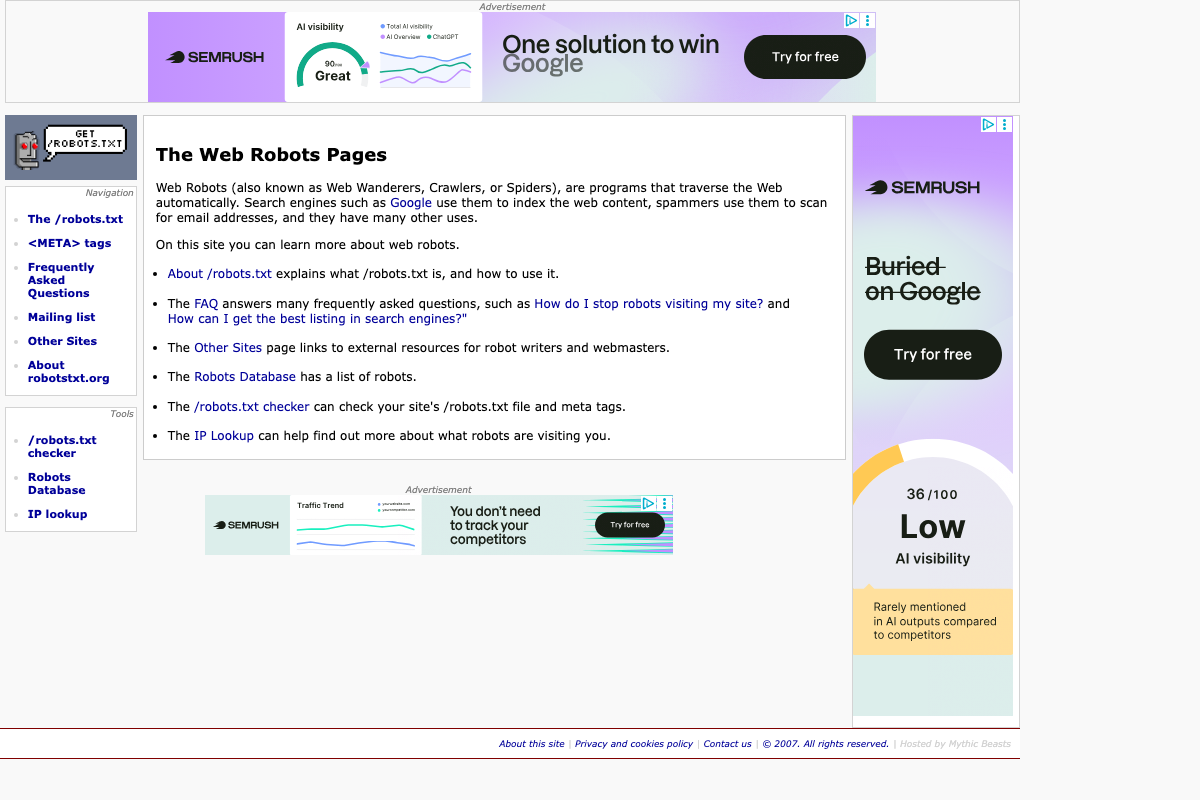
robotsTxt.org does confirm robots.txt as the recognized standard for crawler access control and provides a /robots.txt checker tool. However, the specific user-agent tokens — GPTBot, OAI-SearchBot, ClaudeBot, Google-Extended — must be verified directly at each provider’s developer documentation; the captured screenshots show marketing homepages only.
Step 2 — Cloudflare AI bot traffic toggle
No official documentation was found for this step — proceed using the video’s approach and verify independently.

Step 3 — Ahrefs Site Audit
No official documentation was found for this step — proceed using the video’s approach and verify independently.
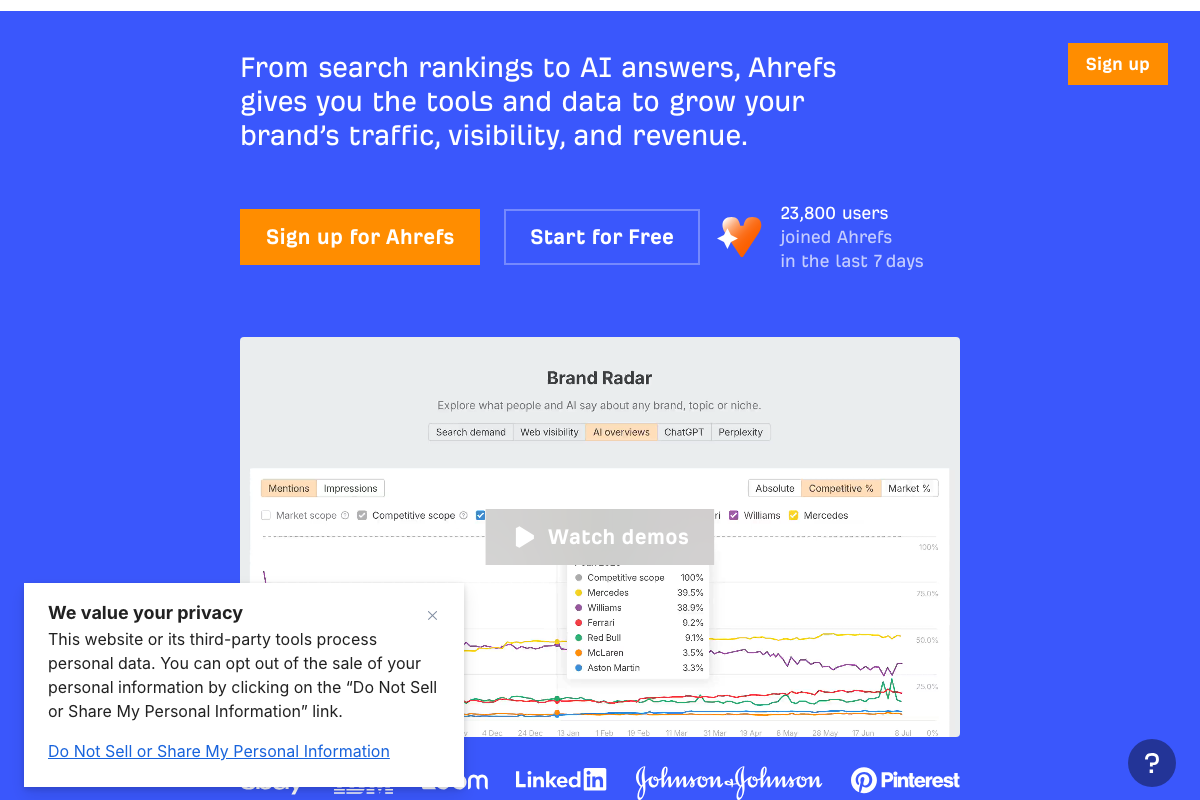
Worth knowing: Ahrefs has since added AI-specific visibility features — Brand Radar now tracks brand mentions across ChatGPT and Perplexity alongside traditional search. These are separate from the Site Audit robots.txt workflow the tutorial describes.
Step 4 — Create an /llms.txt file
The video’s direction is sound; three specifics need adding.
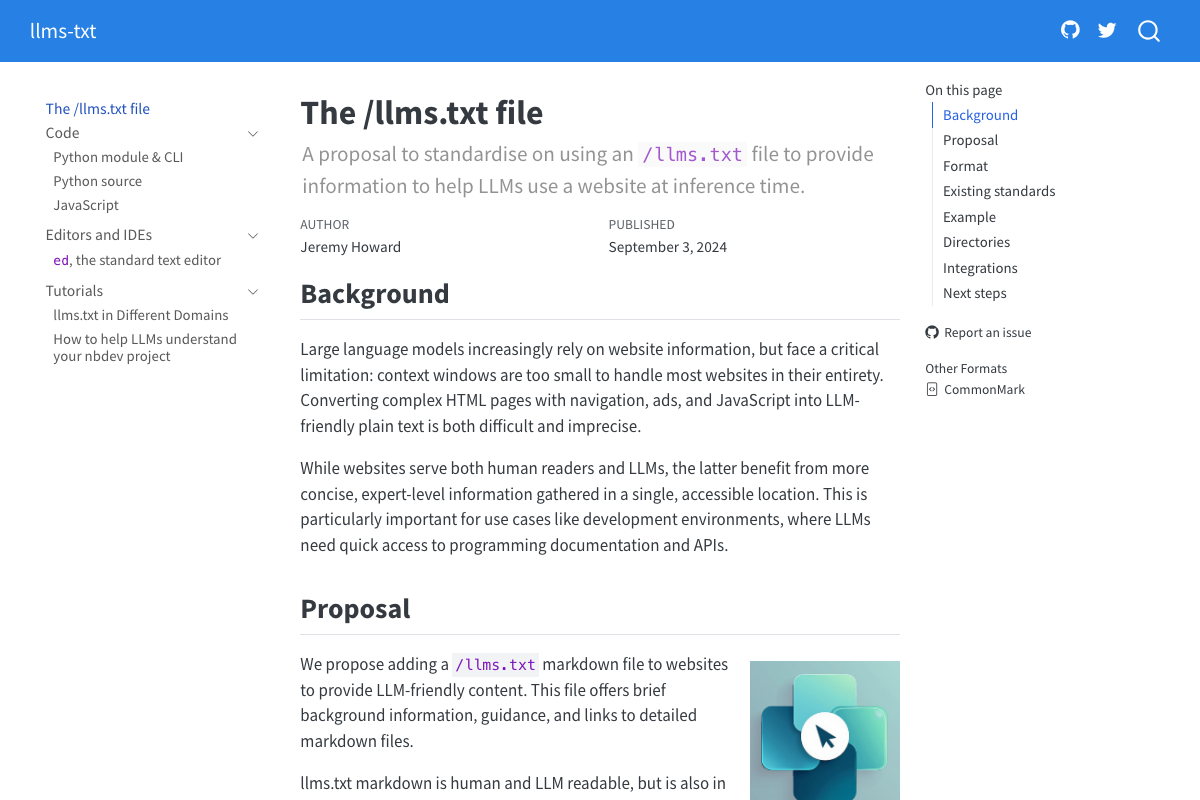
Format: The spec requires Markdown — not plain text. The file uses standard Markdown headings, blockquotes, and hyperlinks, because as llmstxt.org states, “the most widely and easily understood format for language models is Markdown.”
Required vs. optional: Only the H1 heading (your site or project name) is strictly required. The blockquote summary and H2-delimited content location lists the tutorial presents as a three-part structure are both optional extensions.
Standard status: As of May 2026, llmstxt.org explicitly describes this as “a proposal to standardise,” published September 3, 2024 — not a finalized or universally adopted standard. Adoption is voluntary.
Companion files the tutorial doesn’t mention: The spec defines two additional file types — llms-ctx.txt (without optional URLs) and llms-ctx-full.txt (with optional URLs) — generated via the llms_txt2ctx CLI tool for delivering expanded LLM context.

Step 5 — Disable JavaScript to test crawler view
No official documentation was found for this step — proceed using the video’s approach and verify independently.
Step 6 — Implement server-side rendering
No official documentation was found for this step — proceed using the video’s approach and verify independently.
Step 7 — Audit Core Web Vitals
No official documentation was found for this step — proceed using the video’s approach and verify independently.
Step 8 — Audit HTML heading structure
No official documentation was found for this step — proceed using the video’s approach and verify independently.
Step 9 — Add schema markup
The video’s approach here matches the current docs exactly. Schema.org is on version 30.0 (released 2026-03-19) and actively maintained by its founding consortium — Google, Microsoft, Yahoo, and Yandex. JSON-LD, RDFa, and Microdata are all confirmed valid encoding formats. Over 45 million domains currently implement the vocabulary, representing more than 450 billion Schema.org objects. The specific type definitions for Article, FAQPage, HowTo, and LocalBusiness are not shown in available screenshots — verify current definitions at schema.org directly.

Step 10 — Redirect AI-hallucinated 404s
No official documentation was found for this step — proceed using the video’s approach and verify independently.
Useful Links
- The Web Robots Pages — Community reference for the robots exclusion standard, including a /robots.txt file checker and searchable Robots Database
- OpenAI — OpenAI homepage; GPTBot and OAI-SearchBot crawler documentation lives at platform.openai.com/docs/bots
- Anthropic — Anthropic homepage; ClaudeBot user-agent and blocking instructions are documented at support.anthropic.com/en/articles/8896518
- Google for Developers — Google developer portal; Google-Extended crawler specification is at developers.google.com/search/docs/crawling-indexing/overview-google-crawlers
- Cloudflare — Cloudflare homepage; bot management documentation is at developers.cloudflare.com/bots/
- Ahrefs — Ahrefs homepage; Site Audit documentation is at help.ahrefs.com/en/articles/2291111-how-to-use-ahrefs-site-audit
- The /llms.txt file – llms-txt — Official specification for the /llms.txt community proposal, covering Markdown format requirements, required vs. optional elements, and companion file types
- Schema.org — Authoritative structured data vocabulary, version 30.0 as of March 2026, with full type definitions for Article, FAQPage, HowTo, LocalBusiness, and hundreds more


0 Comments