

Integrate RAG-Anything with LightRAG Using Claude Code for Multi-Modal Document Ingestion
Most RAG systems fail the moment you hand them a scanned PDF, a chart, or an image-heavy report — they simply cannot process non-text content. This tutorial shows you how to layer RAG-Anything on top of an existing LightRAG instance using Claude Code, extending your knowledge graph to handle scanned PDFs, embedded images, LaTeX equations, and bar charts. By the end, you will query a unified knowledge graph through the same Claude Code workflow you already know, with zero changes to how you ask questions.
-
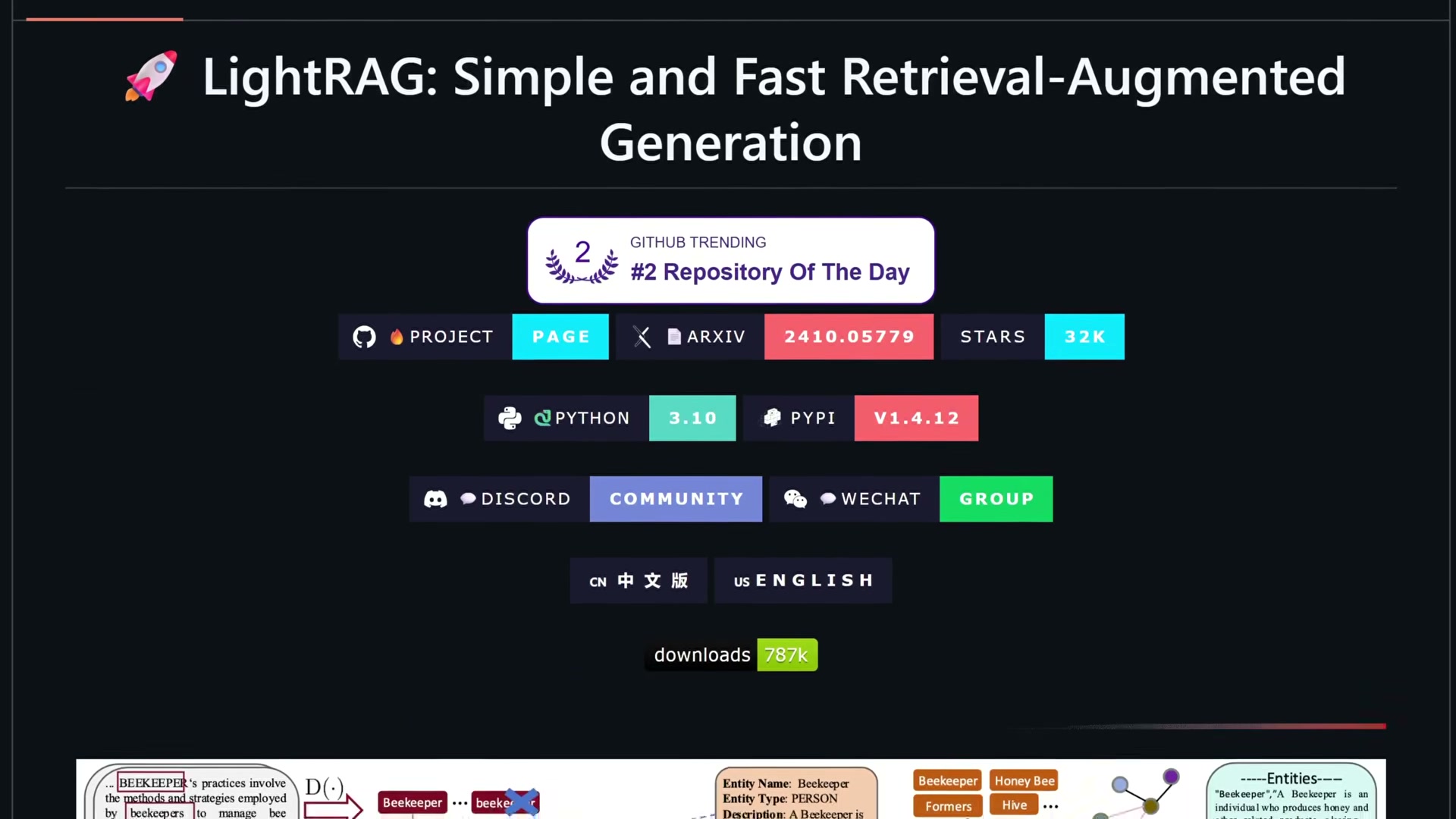
Confirm you have a running Docker LightRAG instance from the prior setup. RAG-Anything is a wrapper around LightRAG, not a replacement — the existing knowledge graph, vector database, and LightRAG web UI all carry over intact.
-
Open your terminal and navigate into the existing LightRAG project directory.
-
Run the one-shot Claude Code prompt provided in the Chase AI community. Claude Code handles the full RAG-Anything installation on top of your existing LightRAG stack without requiring manual dependency management.

-
After installation, Claude Code updates the storage path in the RAG-Anything config to point at your existing Docker LightRAG data directory, keeping both systems reading from the same source.
-
Claude Code updates the LLM model config — switching from GPT-4o mini to GPT-4.1 nano — and sets
text-embedding-3-largeas the embedding model.
Warning: this step may differ from current official documentation — see the verified version below.
- Claude Code patches the embedding double-wrap bug present in the RAG-Anything GitHub example scripts. The upstream examples wrap the embedding call inside a redundant outer layer that causes failures at ingest time; the fix removes it.
Warning: this step may differ from current official documentation — see the verified version below.
- MinerU, the document parsing engine RAG-Anything depends on, downloads and installs locally. MinerU runs entirely on your machine at no cost, using specialized sub-models — including PaddleOCR — to classify and extract content from complex documents.

-
To ingest a non-text document, tell Claude Code to use the RAG-Anything skill and pass it the file path. That single instruction triggers the full pipeline.
-
MinerU parses the document and segments it by content type — headers, body text, tables, LaTeX equations, and charts each receive their own classification. MinerU does not read or interpret the content; it identifies structure only.
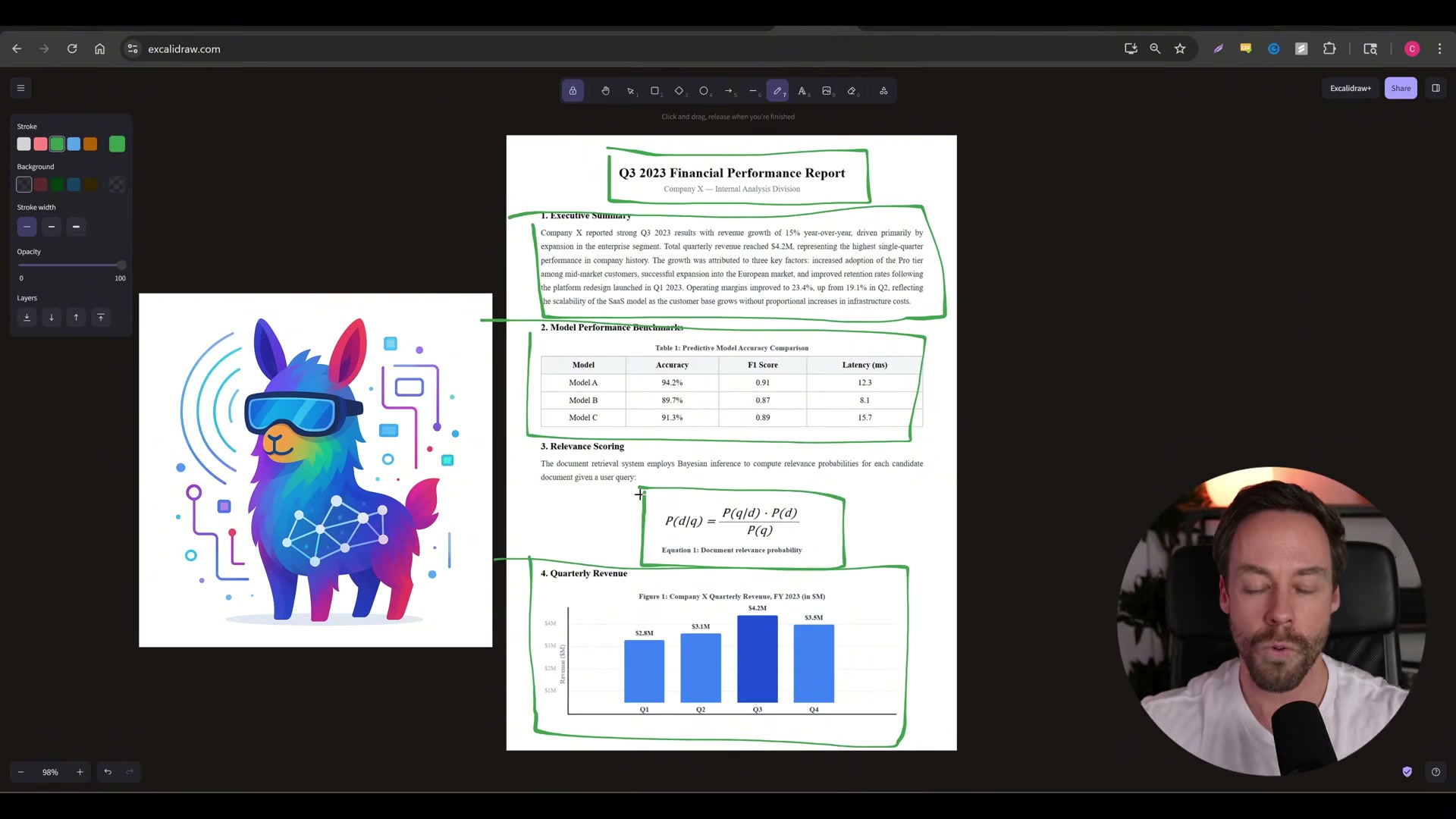
-
Every segment that can be converted to text — including OCR’d scan content and LaTeX equations — routes into the text bucket and is sent to the configured LLM, which extracts embeddings, entities, and relationships from each chunk.
-
Segments that cannot be converted to text (charts, diagrams, embedded images) are captured as screenshots and sent to the LLM as vision input. The vision model extracts the same three outputs: embeddings, entities, and relationships.
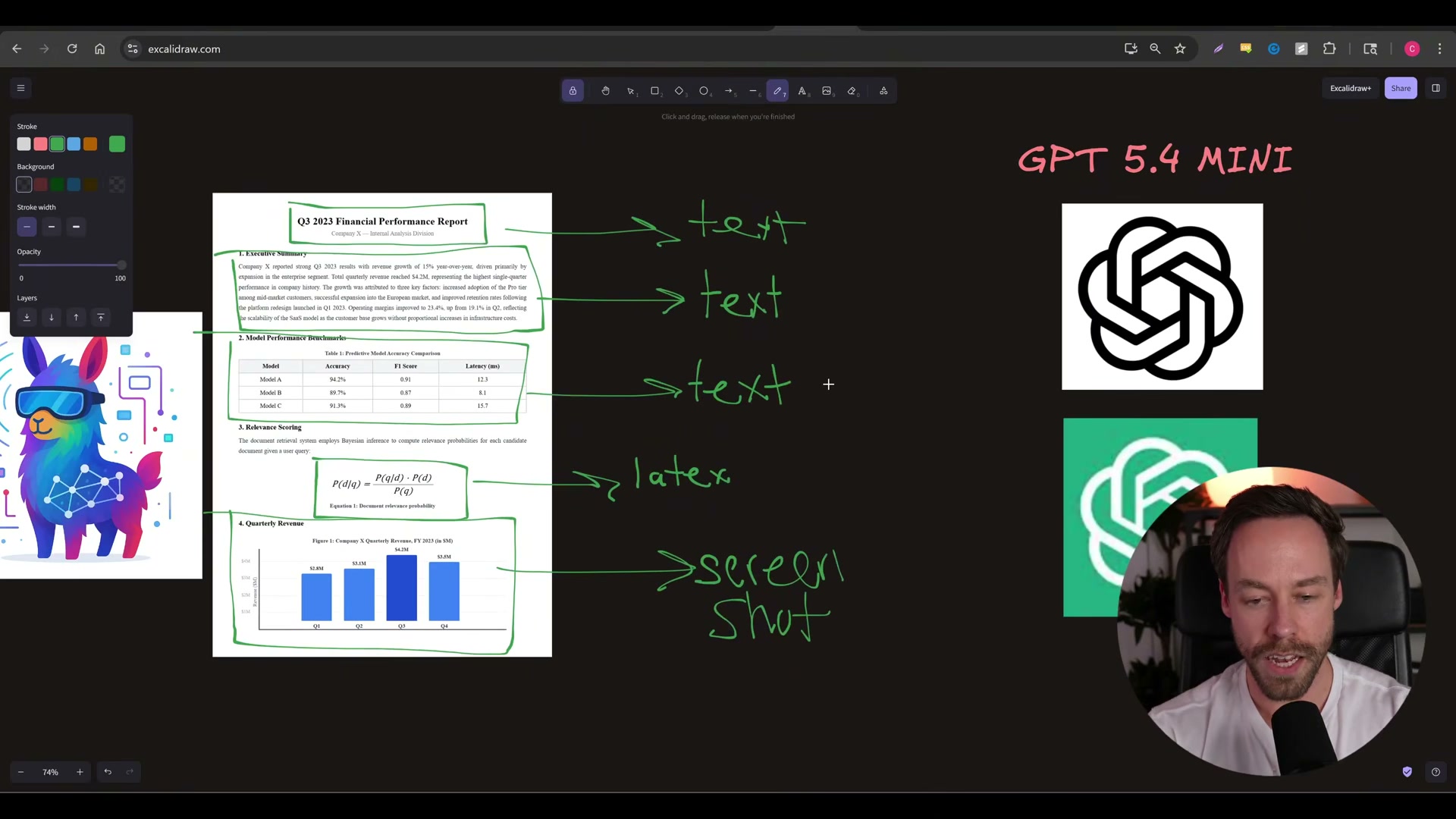
-
RAG-Anything merges the four resulting outputs — two vector databases and two knowledge graphs, one pair from the text path and one from the image path — into a single vector database and a single knowledge graph.
-
That combined RAG-Anything index merges with the existing LightRAG knowledge graph and vector database, producing one unified store containing both text-native and multi-modal documents.
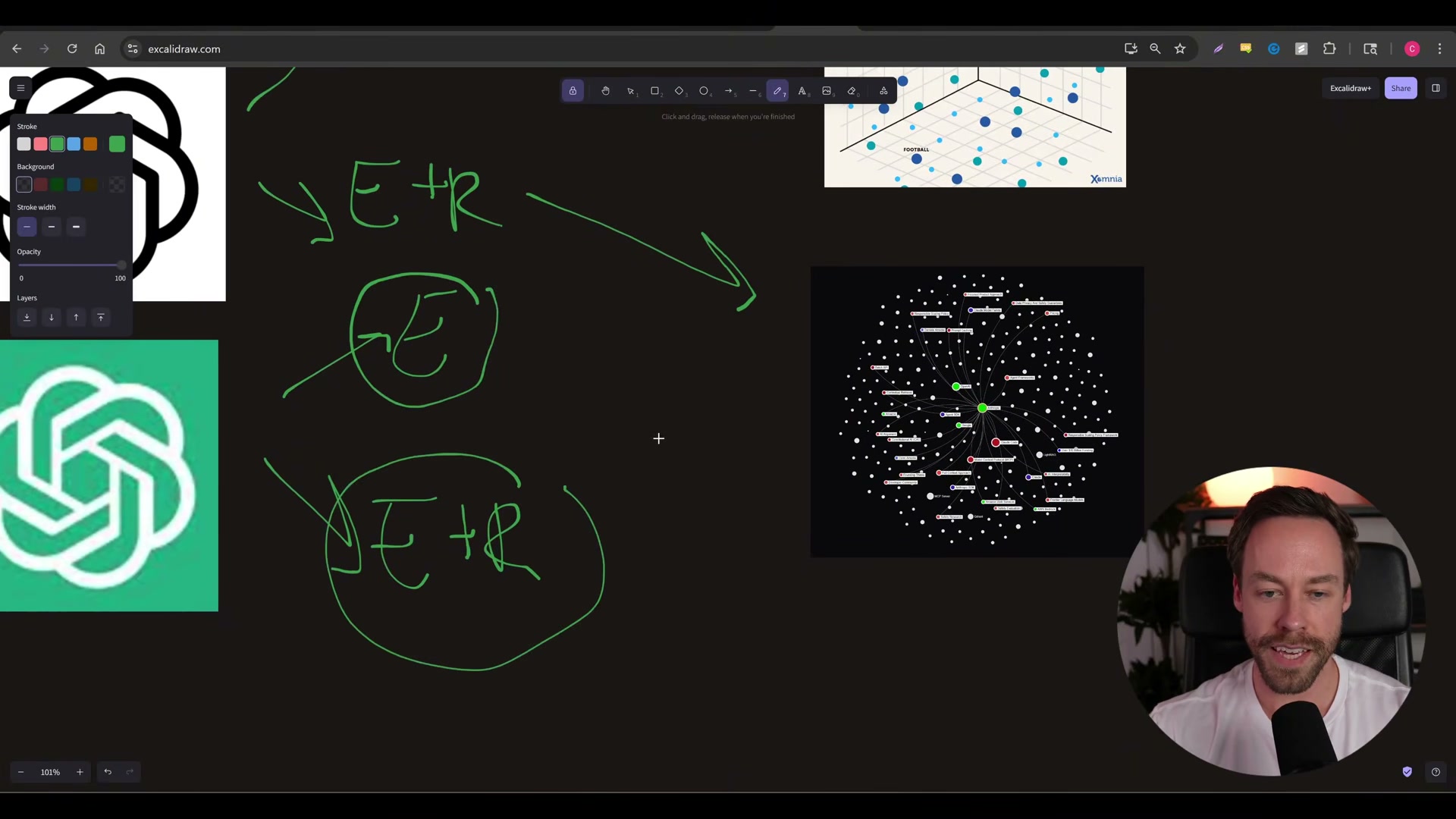
- Query the unified system exactly as before — the same LightRAG API, the same Claude Code workflow, and the same question format all work without modification.
How does this compare to the official docs?
The video gets the integration running fast, but the official RAG-Anything documentation defines canonical configuration options, supported model backends, and MinerU version requirements that determine whether this setup holds in production.
Here’s What the Official Docs Show
The video walks a solid path through this integration, and the core steps hold up well against the repositories. What the docs add is a critical architecture update for MinerU, a broader content-type map that expands what your pipeline actually handles, and a licensing flag you’ll want before shipping to production.
Step 1 — Confirm a running Docker LightRAG instance
The video’s approach here matches the current docs exactly. One addition worth flagging: LightRAG ships two Compose files — docker-compose.yml and docker-compose-full.yml. Which one your prior setup used determines how storage paths mount in step 4. Check before you proceed.
Step 2 — Navigate to the project directory
No official documentation was found for this step — proceed using the video’s approach and verify independently.
Step 3 — Run the Claude Code installation prompt
The video’s approach here matches the current docs exactly. RAG-Anything v1.2.10 is pip-installable, requires Python 3.10+, and is architecturally built on LightRAG — the README’s own BASED ON LIGHTRAG badge confirms the relationship the video describes.
One documentation note: the Claude Code screenshots captured for this step show the claude.ai consumer web application, not the CLI tool. The Claude Code terminal agent is documented separately at docs.anthropic.com/en/docs/claude-code.
Step 4 — Update storage path config
No official documentation was found for this step — proceed using the video’s approach and verify independently.
Step 5 — Switch LLM and embedding models
No official documentation was found for this step — proceed using the video’s approach and verify independently.
The OpenAI Platform screenshots captured show only the authentication page. GPT-4.1 nano and text-embedding-3-large from this step remain unverified against official model documentation.
Step 6 — Patch the embedding double-wrap bug
The video’s approach here matches the current docs exactly. The RAG-Anything examples/ commit history shows fix(examples): use openai_embed.func to prevent ... — this is a documented, known issue and the fix is already applied to the repository’s example scripts.
Step 7 — Install MinerU
MinerU is confirmed as the correct document parsing engine for this pipeline — the video’s tool selection matches the docs. As of April 2, 2026, however, the correct invocation model is service-based: MinerU v3.0.0 (released March 29, 2026) replaced direct binary execution with mineru-api orchestration. When --api-url is not provided, MinerU automatically starts a local temporary service. The video’s description of MinerU as a standalone locally installed tool reflects pre-3.0 behavior.
Additional flag: MinerU is licensed under AGPL-3.0. Any modifications to MinerU itself must be open-sourced under the same terms. The video does not mention this — it is a material consideration for commercial deployments.
Step 8 — Trigger ingestion via Claude Code
No official documentation was found for this step — proceed using the video’s approach and verify independently.
Step 9 — MinerU parses and segments the document
The video’s approach here matches the current docs exactly. MinerU’s repository tags (pdf-extractor-rag, layout-analysis, document-analysis) confirm the structural segmentation role the video describes. One addition: PaddleOCR is installed as part of MinerU’s dependency chain and handles OCR on scanned content. Its C++ and Java components may add platform-specific build complexity beyond a straightforward pip install.
Step 10 — Text segments route to the LLM
No official documentation was found for this step — proceed using the video’s approach and verify independently.
Step 11 — Image segments route to the vision model
The video’s approach here matches the current docs exactly. The RAG-Anything README confirms: “When documents include images, the system seamlessly integrates them into VLM for advanced multimodal analysis.” One important extension: the video describes the pipeline as processing “text and image buckets,” but the RAG-Anything README System Overview explicitly lists six distinct content types — text, images, tables, equations, charts, and multimedia. Tables and equations are separate processing categories with their own routing, not subcategories of the text path.
Steps 12–14 — Merge outputs and query
No official documentation was found for these steps — proceed using the video’s approach and verify independently.
Useful Links
- GitHub – HKUDS/RAG-Anything — Official repository with v1.2.10 release, pip install instructions, and the examples/ embedding-fix commit
- RAG-Anything README — System Overview section listing all six multimodal content types and VLM query mode details
- GitHub – HKUDS/LightRAG — LightRAG source including both Docker Compose configurations and v1.4.13 release
- GitHub – opendatalab/MinerU — MinerU source with v3.0.0 release notes documenting the mineru-api service architecture change and AGPL-3.0 license
- MinerU README — v3.0.0 changelog detailing the shift from standalone invocation to service-based orchestration
- GitHub – PaddlePaddle/PaddleOCR — PaddleOCR v3.4.0, the OCR engine bundled within MinerU for scanned document processing
- PaddleOCR Documentation — Official docs describing PaddleOCR as the “bedrock for building intelligent RAG and Agentic applications”
- OpenAI Platform — API reference for verifying model names used in step 5 (authentication required)
- Docker Docs — Official Docker documentation for Compose configuration reference relevant to LightRAG deployment


0 Comments