

The GEO Myth: Why AI Search Is Just SEO in Disguise
AI search tools like Perplexity, Claude, and ChatGPT don’t surface results from training data alone — they perform live web searches in real time, using a mechanism called query fan-out. Once you understand how query fan-out works, you can observe it directly, find the gaps where your brand is missing, and get a page ranking in those gaps fast. This tutorial walks you through exposing the hidden search queries each major AI tool issues and turning that intelligence into citations.
-
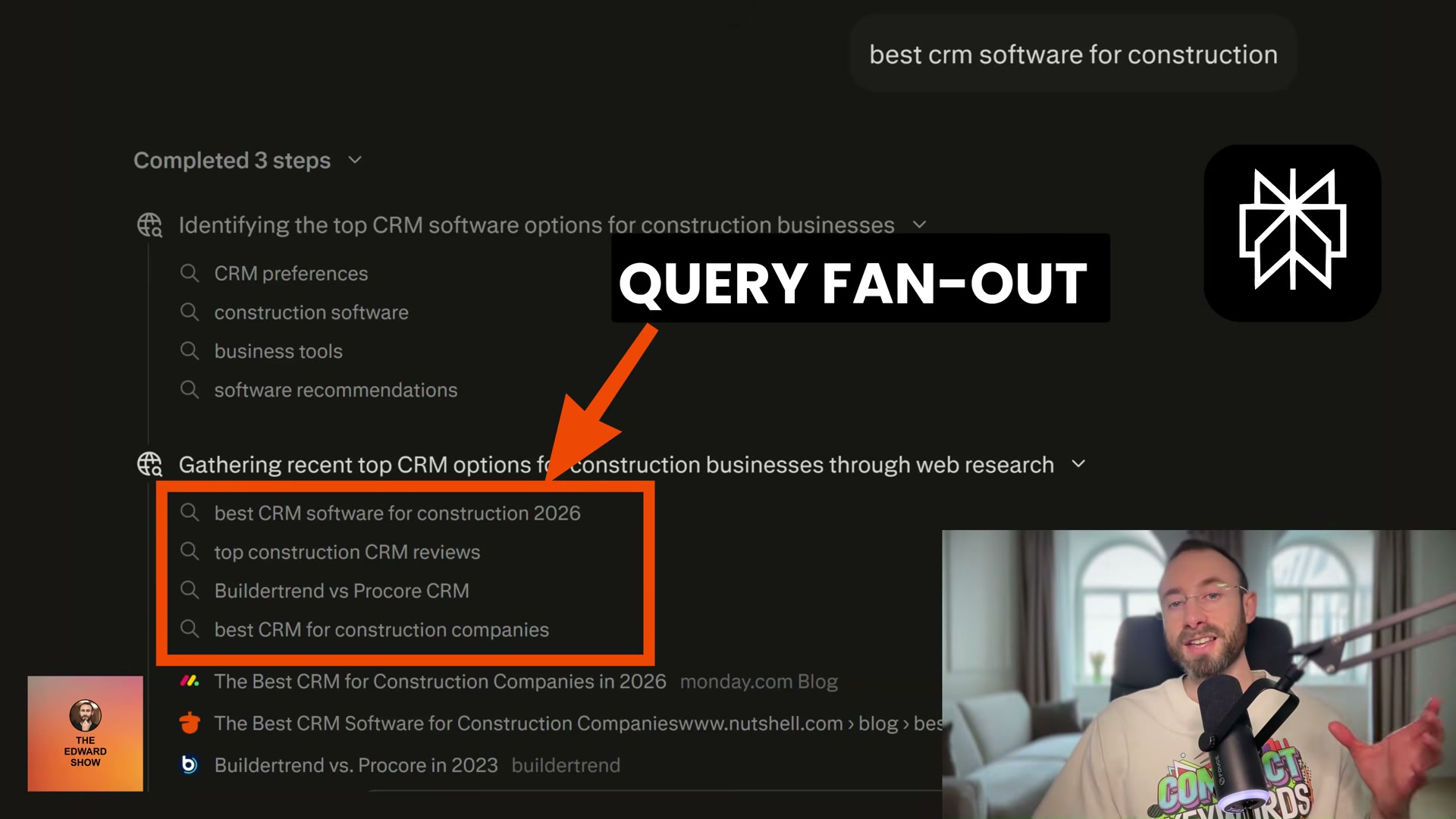
Open Perplexity AI and run a query that represents a target category for your brand — for example, top GEO agency NYC or best CRM software for construction.
-
Click the Steps tab in Perplexity after the results load. This reveals the initial query fan-out: the exact search strings Perplexity sent to its underlying search engine on your behalf. These are not guesses — they are the literal queries.
-
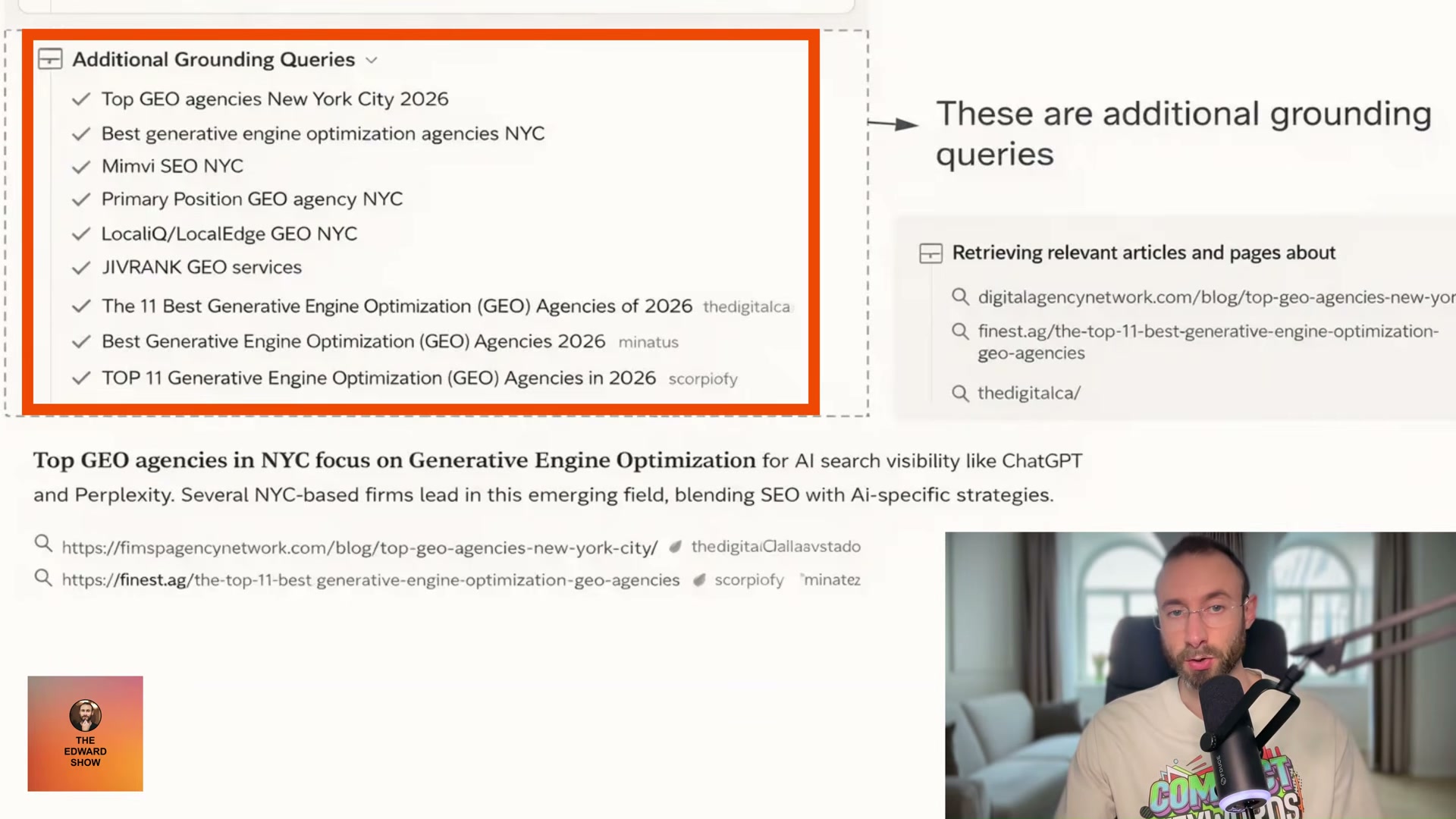
Scroll further in the Steps tab to find the Additional Grounding Queries. These are secondary searches Perplexity runs after the initial fan-out surfaces brand names, using those brands as search terms to validate and enrich the answer. If your brand doesn’t appear here, you don’t exist in that answer.
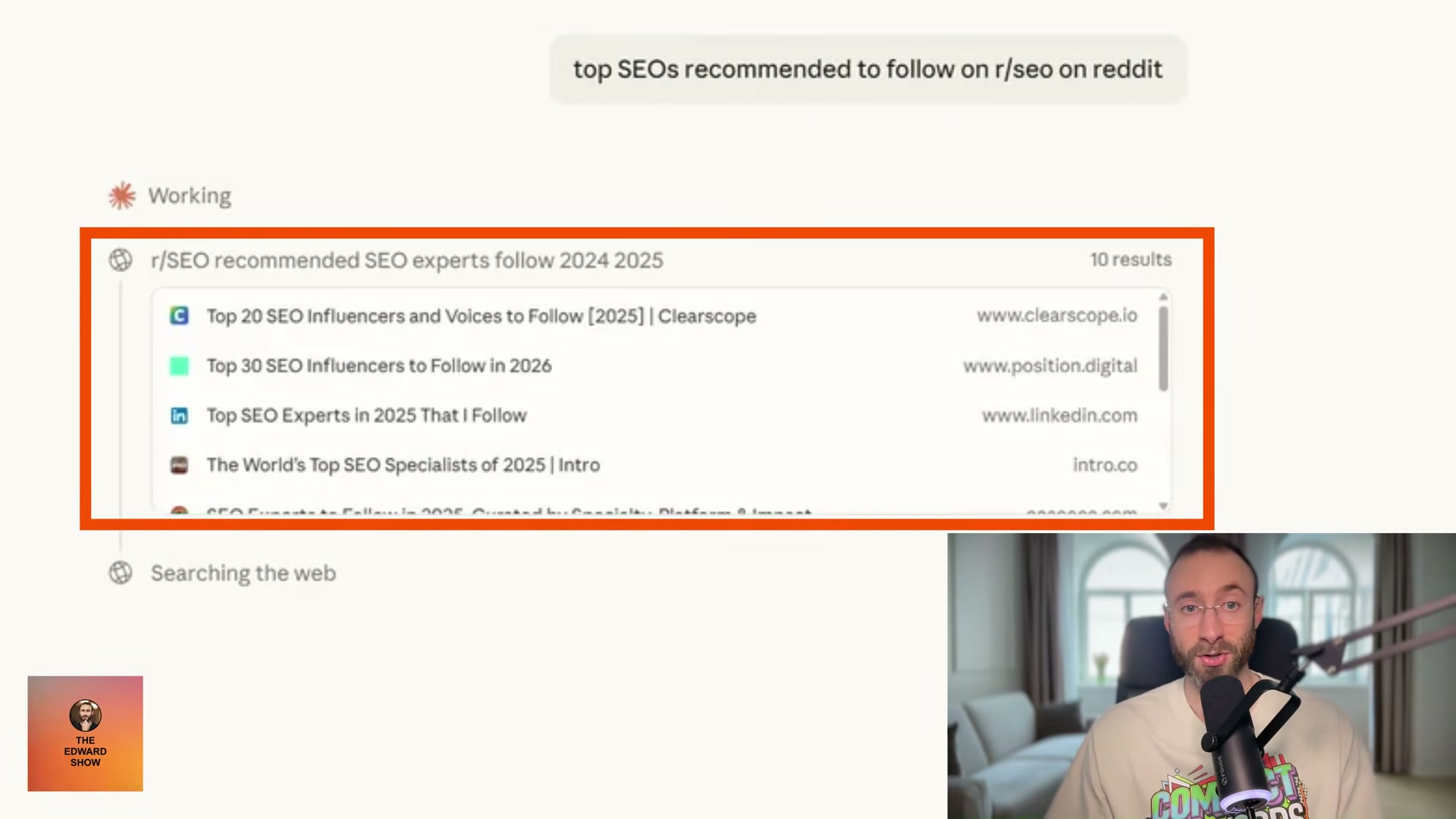
- Move to Claude and run a comparable query. Claude displays a live web search panel that shows exactly which pages it retrieves via Brave Search in real time — no bookmarklet required. Watch which domains appear and note whether yours is among them.
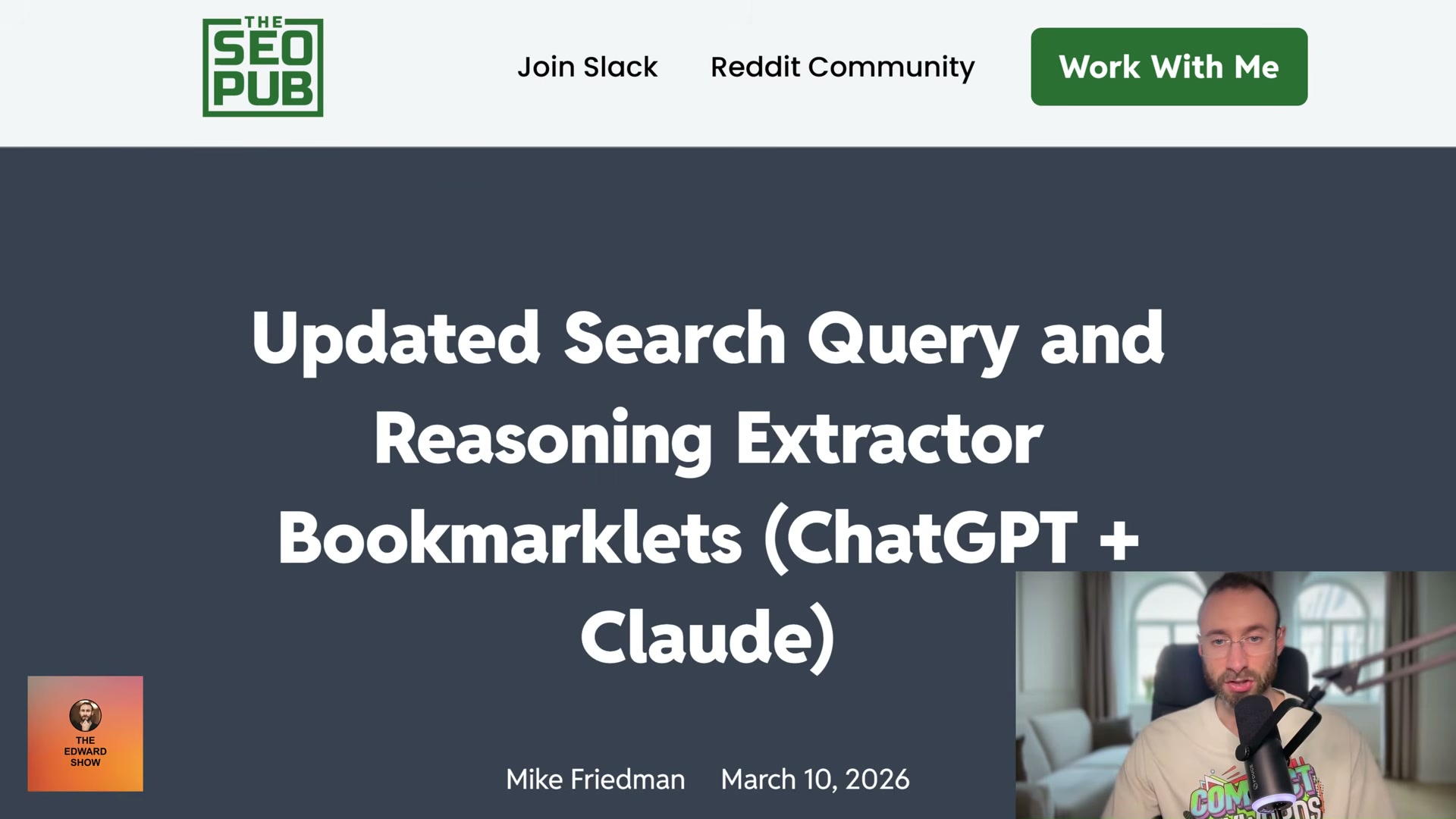
- For ChatGPT, navigate to The SEO Pub and install the Search Query & Reasoning Extractor bookmarklet by Mike Friedman. Activate it during a ChatGPT session to expose the search queries the model issues behind the scenes.
Warning: this step may differ from current official documentation — see the verified version below.
-
Cross-reference the fan-out phrases you’ve collected against your existing content. Identify every query string where your brand or a page you own does not appear in the results.
-
Write a new blog post targeting one uncontested query fan-out phrase — specifically one where rankings are thin and competition is low.
-
Publish and allow Google to index the post. For genuinely low-competition phrases, indexing and ranking can happen within the same day.
Warning: this step may differ from current official documentation — see the verified version below.
-
Rerun your original AI search query and check the Steps tab again. If your post ranked in Google and the phrase matches the fan-out pattern, your page should now appear in the grounding queries — confirmed through live retrieval, not training data.
-
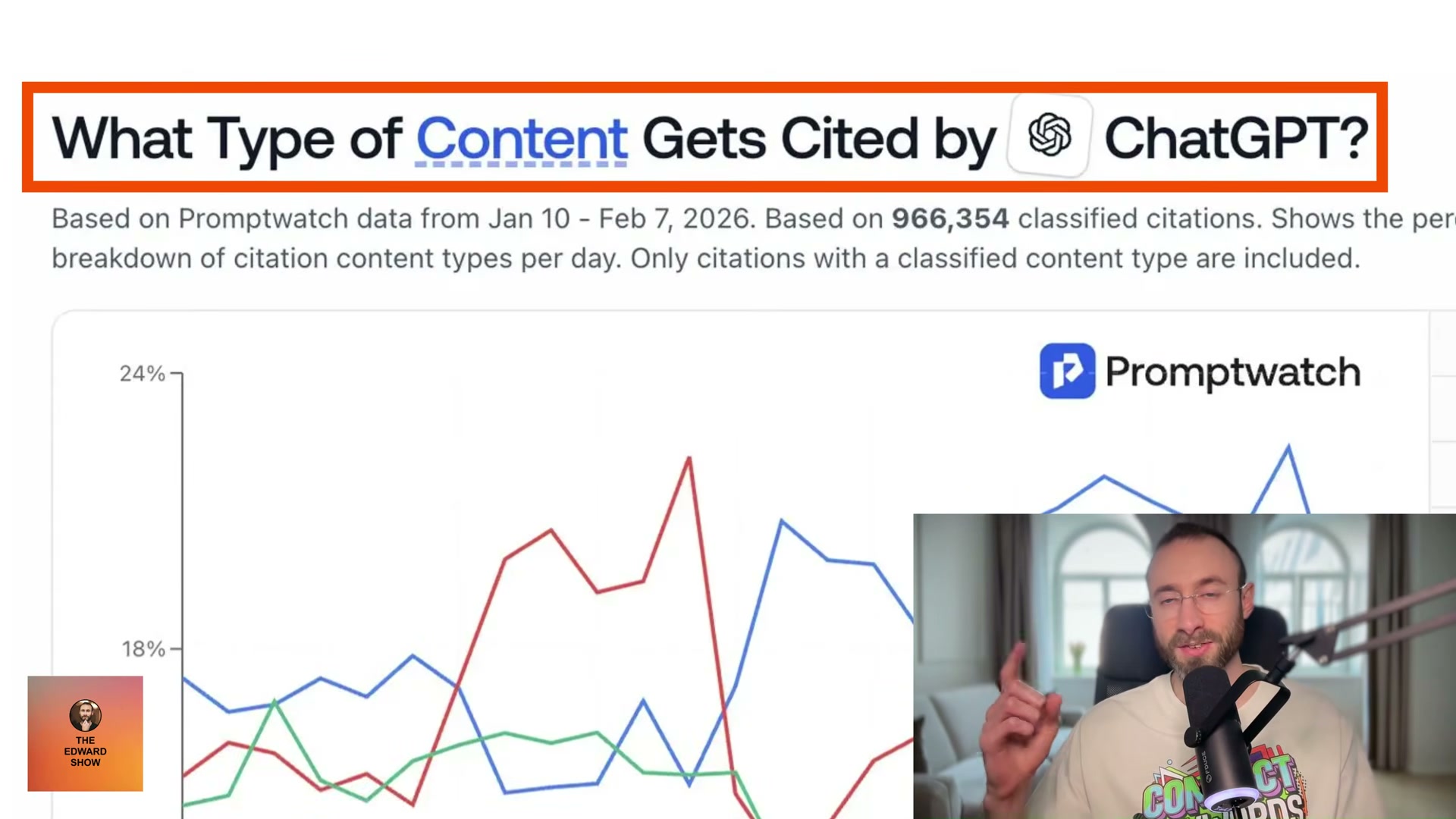
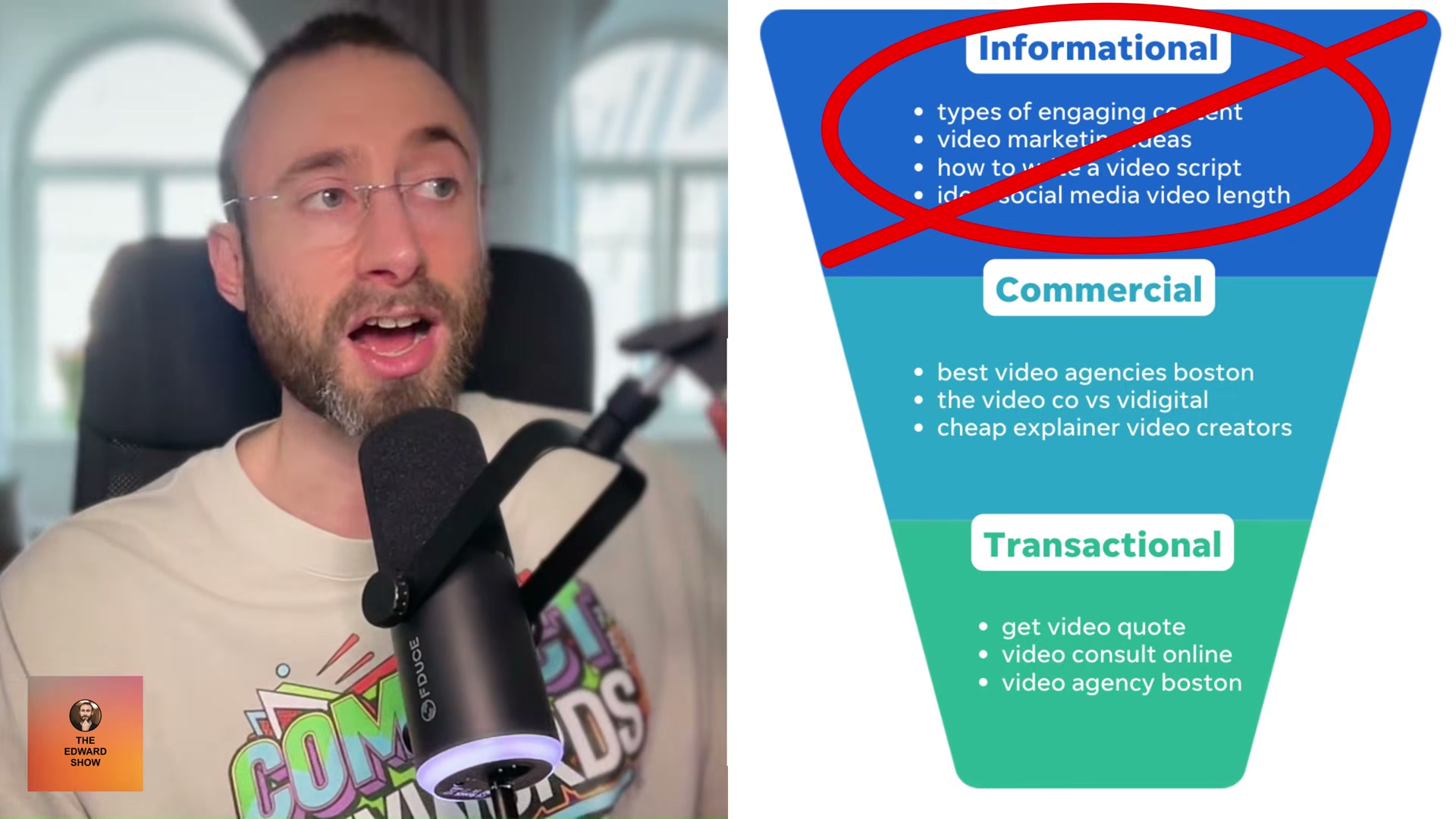
Set up PromptWatch to track ongoing AI citation rates across your content. Pay attention to which page types are earning citations — according to PromptWatch’s dataset of nearly one million classified citations, landing pages and product pages outperform informational articles by a wide margin.
How does this compare to the official docs?
The query fan-out behavior Edward demonstrates is real and observable, but each AI platform documents its retrieval architecture differently — and those differences matter for how reliably you can replicate these results at scale.
Here’s What the Official Docs Show
The video’s core argument — that AI search tools perform live web retrieval — is well-supported by available documentation, and what follows builds on that foundation with the platform-specific caveats the tutorial skips past. Where documentation was unavailable or screenshots failed to capture the right surfaces, those gaps are flagged explicitly so you can verify independently.
Step 1 — Run a target query in Perplexity
The video’s approach here matches the current docs exactly. Perplexity’s own API Platform overview at docs.perplexity.ai describes the product as providing “unparalleled real-time, web-wide research and Q&A capabilities” and lists “Search The Web” as a primary capability. The foundational premise — that Perplexity is performing live retrieval, not replaying training data — is documented fact.
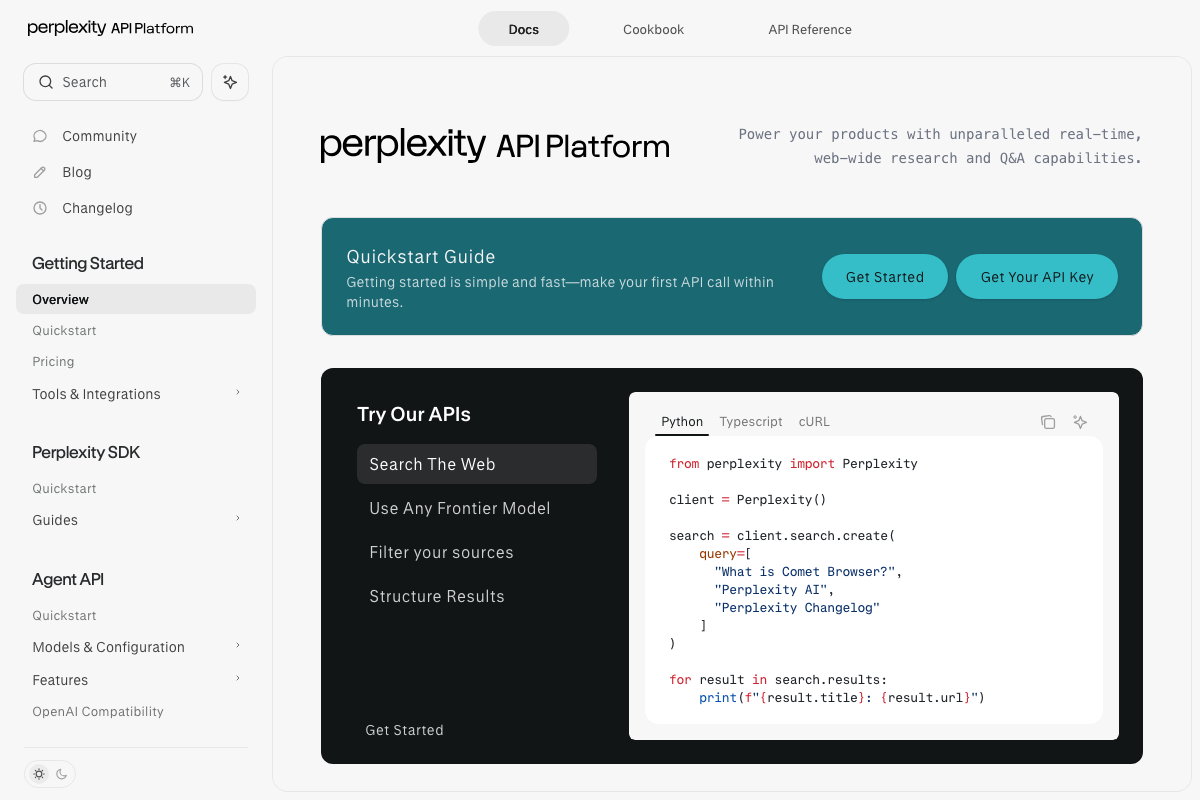
One clarification worth noting: the documentation captured here is the developer API at docs.perplexity.ai, which exposes search results programmatically via Python, TypeScript, and cURL. This is a distinct surface from the consumer chat interface at perplexity.ai where you’ll actually perform Step 1. Both surfaces use live retrieval; they’re just accessed differently.
Steps 2–3 — Read the Steps tab and Additional Grounding Queries
No official documentation was found for this step —
proceed using the video’s approach and verify independently.
The “Steps” tab and “Additional Grounding Queries” panel are consumer UI features. All three Perplexity documentation screenshots captured for this post show the API Platform developer docs — a completely separate surface. The tab’s existence and exact behavior cannot be confirmed or denied from available documentation captures.
Step 4 — Run a query in Claude and observe the web search panel
No official documentation was found for this step —
proceed using the video’s approach and verify independently.
All three Claude screenshots captured for this post show unauthenticated marketing and pricing pages — not an active chat session with web search enabled. Claude’s live web search panel and any Brave Search retrieval behavior are only visible inside an authenticated session with search active, which none of these captures show.
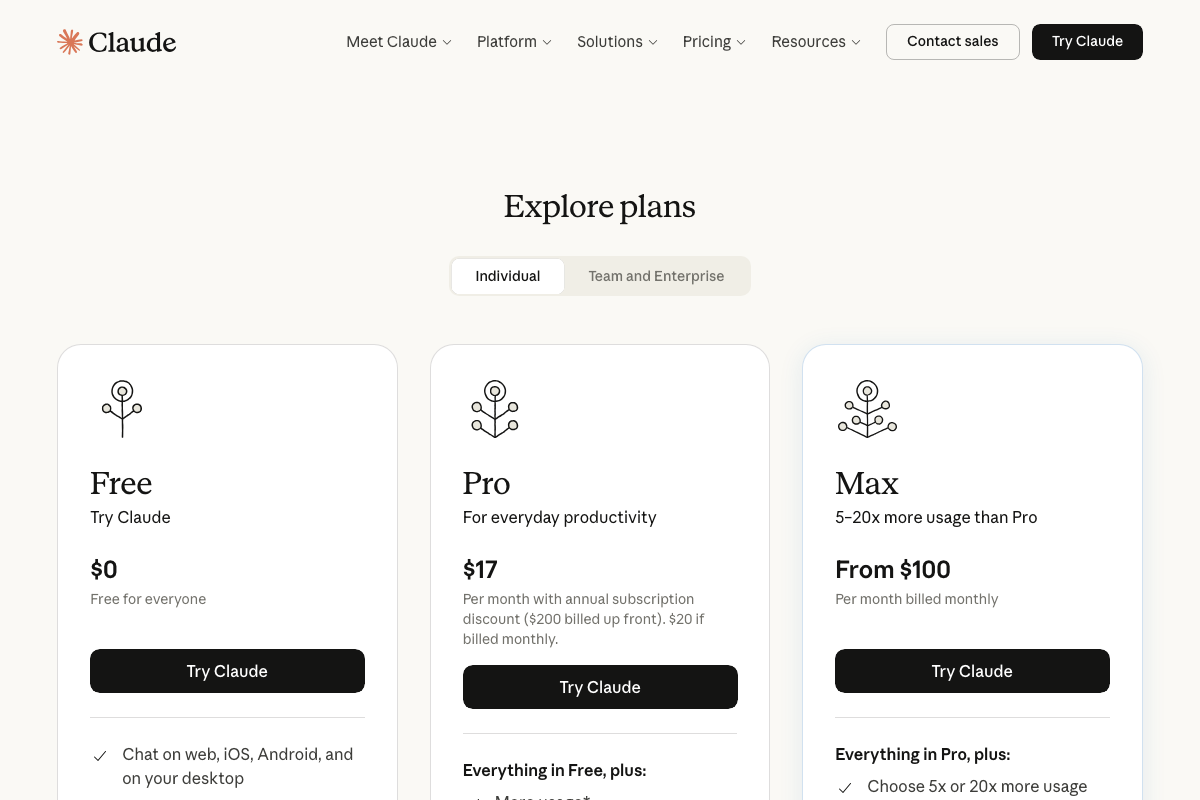
One gap the tutorial doesn’t address: Claude offers three pricing tiers (Free at $0, Pro at $17/month billed annually, and Max from $100/month). The video does not specify whether web search functionality requires a paid plan, and the full feature comparison in the pricing screenshot is cut off before that’s resolved. Confirm which tier unlocks web search before building a workflow around it.
Additionally, all three Brave Search API documentation screenshots captured for this post are blank white images — the pages failed to render. The tutorial’s claim that Claude retrieves pages via Brave Search cannot be confirmed from these captures.

Step 5 — Install the SEO Pub bookmarklet and extract ChatGPT queries
No official documentation was found for this step —
proceed using the video’s approach and verify independently.
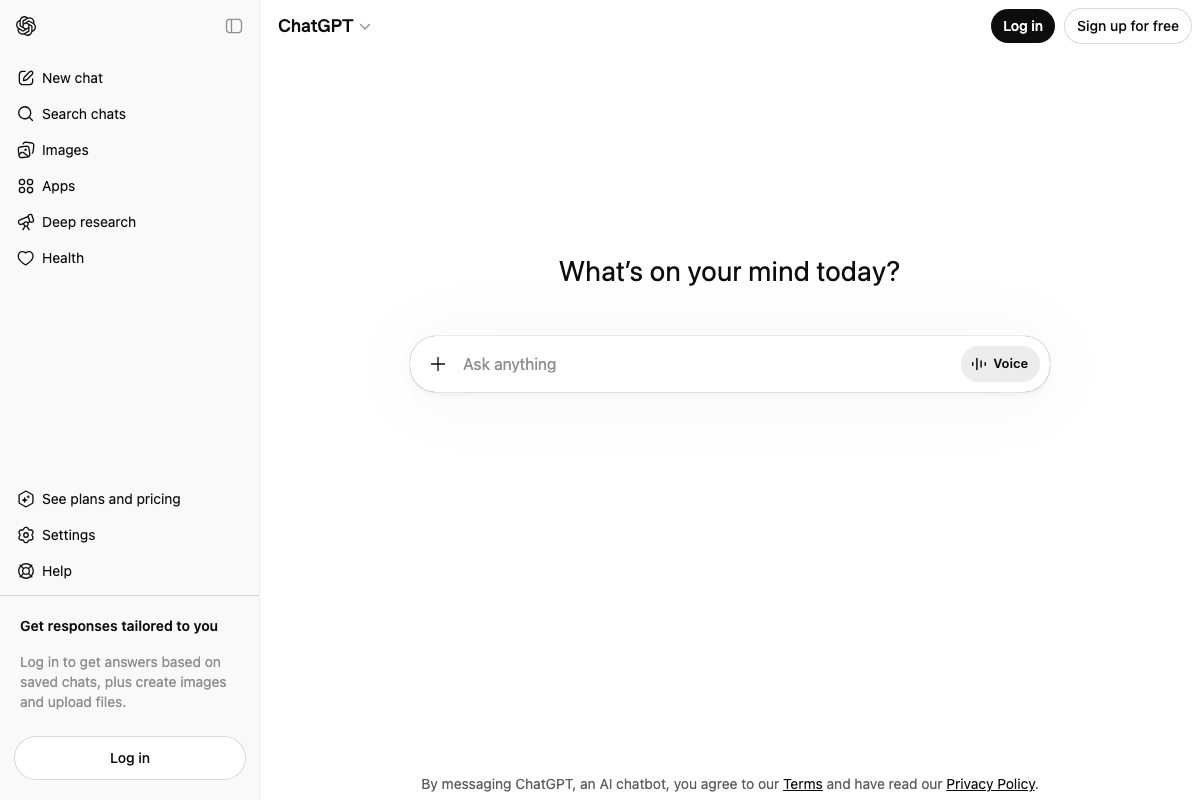
All three ChatGPT screenshots show the logged-out homepage. The bookmarklet described in Step 5 requires an active, authenticated ChatGPT session to function — none of the captures show this state. The hidden query extraction technique cannot be verified from available documentation.
Steps 6–9 — Gap analysis, content creation, indexing, and re-verification
No official documentation was found for these steps —
proceed using the video’s approach and verify independently.
These steps describe a tactical content workflow (identify uncontested fan-out phrases, write a targeted post, wait for indexing, re-run the AI query to confirm citation). No official platform documentation was captured that speaks to these steps. The underlying logic is consistent with standard SEO practice; the AI-specific loop-back in Step 9 is the novel claim and remains unverified from official sources.
Step 10 — Set up PromptWatch for ongoing citation tracking
No official documentation was found for this step —
proceed using the video’s approach and verify independently.
None of the three Reddit screenshots captured for this post show the r/SEO subreddit. All captures show Reddit’s general Popular feed — non-SEO posts, a Microsoft Copilot display ad, and unrelated community content. No community-sourced corroboration for PromptWatch’s citation data or the broader GEO practitioner discussion the video references is available from these captures.
Useful Links
- Overview – Perplexity API Platform — Developer documentation confirming Perplexity performs real-time, web-wide search; the authoritative source for the live retrieval claim at the tutorial’s core.
- Claude — Sign-in / Home — Consumer entry point for Claude; web search functionality requires an authenticated session not visible at this pre-login state.
- Claude — Explore Plans (Pricing) — Three-tier pricing page (Free, Pro at $17/mo annual, Max from $100/mo); review full feature comparison to confirm which tier includes web search.
- ChatGPT — Consumer interface for ChatGPT; bookmarklet-based query extraction in Step 5 requires an active authenticated session.
- Brave Search API Documentation — Intended source for confirming Claude’s Brave Search retrieval backend; pages failed to render during capture and should be reviewed directly.


0 Comments