

Google Ads vs. Local Service Ads: Which One Should Local Businesses Use?
Local service businesses often pour budget into Google Search Ads without knowing a higher-placement, lower-risk format exists alongside it. After working through this tutorial, you’ll understand how Local Service Ads (LSAs) differ from standard Search campaigns, what levers you actually control inside the platform, and how to decide where to put your money first.
- Understand where LSAs sit in the SERP. Local Service Ads appear above everything else on a Google results page — above traditional Search Ads, above the Map Pack, and above organic listings. That placement alone makes them worth understanding for any local service business, regardless of industry.

-
Know the payment model before you commit budget. Unlike Google Search Ads, which charge per click regardless of intent, LSAs operate on a pay-per-lead basis. A searcher can tap your listing, read your reviews, and navigate away — you pay nothing until they call or message you directly.
-
Recognize that your Google Business Profile is your ad creative. LSAs pull your star rating, review count, business details, and service area directly from your Google Business Profile. You write no headlines and no descriptions. The quality and completeness of your GBP is the primary input Google uses to construct the ad.
- Understand the real limitations before running LSAs. There is no keyword targeting, no negative keyword list, and no ad copy to test. Targeting a specific sub-service — say, water heater installation within a plumbing account — is not reliably possible. Google decides who sees your ad based on its own signals. Keeping your listed services and service areas tightly scoped to what you actually deliver reduces wasted leads and protects your algorithmic standing.
Warning: this step may differ from current official documentation — see the verified version below.
-
Leverage the trust signals LSAs uniquely provide. Top-of-SERP placement for high-intent local searches combined with the Google Guarantee verification badge creates a trust layer that Search Ads cannot replicate. Google’s vetting process — which includes background checks and license verification — is what earns that badge, and it signals legitimacy to searchers before they ever make contact.
-
Optimize the inputs Google actually responds to. Inside the LSA platform, the main levers are: a consistent review acquisition system that brings in new reviews weekly, fast response to calls and messages (voicemails and unanswered messages send negative signals), and accurate lead marking within the platform — categorizing each lead as good, bad, booked, out-of-area, or wrong service. Lead marking is how you guide the algorithm toward the outcomes you want.
-
Choose the right bidding strategy for your stage. Two options exist: Maximize Leads, which instructs Google to generate the highest lead volume possible, and Maximize Leads with a cost-per-lead cap, which adds a ceiling on what you’re willing to pay per lead. Most accounts start with Maximize Leads and introduce the cap once there’s enough data to set a defensible target.
-
Run both platforms in parallel if the budget exists. Tracking cost-per-appointment — not just cost-per-lead — across both channels reveals which platform produces better-qualified pipeline for a given market. That data drives where incremental budget goes.
-
Start with Search Ads if you have no review history. A new business with zero reviews will struggle in the LSA auction. Build your Google Search presence first, implement a review acquisition system, and introduce LSAs after three to four months once you have a credible rating and review volume.
-
Feed LSA learnings back into your Search campaigns. The call recordings and lead-type data from LSAs surface patterns — service lines that convert, areas that don’t — that sharpen keyword targeting, negative lists, and ad copy in your Search account.
How does this compare to the official docs?
The video provides a strong practitioner framework, but Google’s LSA setup requirements, bidding options, and eligibility rules have been updated since this interview — and the official documentation tells a more precise story about what’s actually configurable today.
Here’s What the Official Docs Show
The video gives you a solid practitioner framework for deciding between LSAs and Search Ads — and the core strategic logic holds up. What the docs add is a layer of platform-level precision that affects whether you can implement the video’s recommendations at all, particularly around eligibility gating and UI changes in the campaign creation flow.
Step 1: Understand where LSAs sit in the SERP.
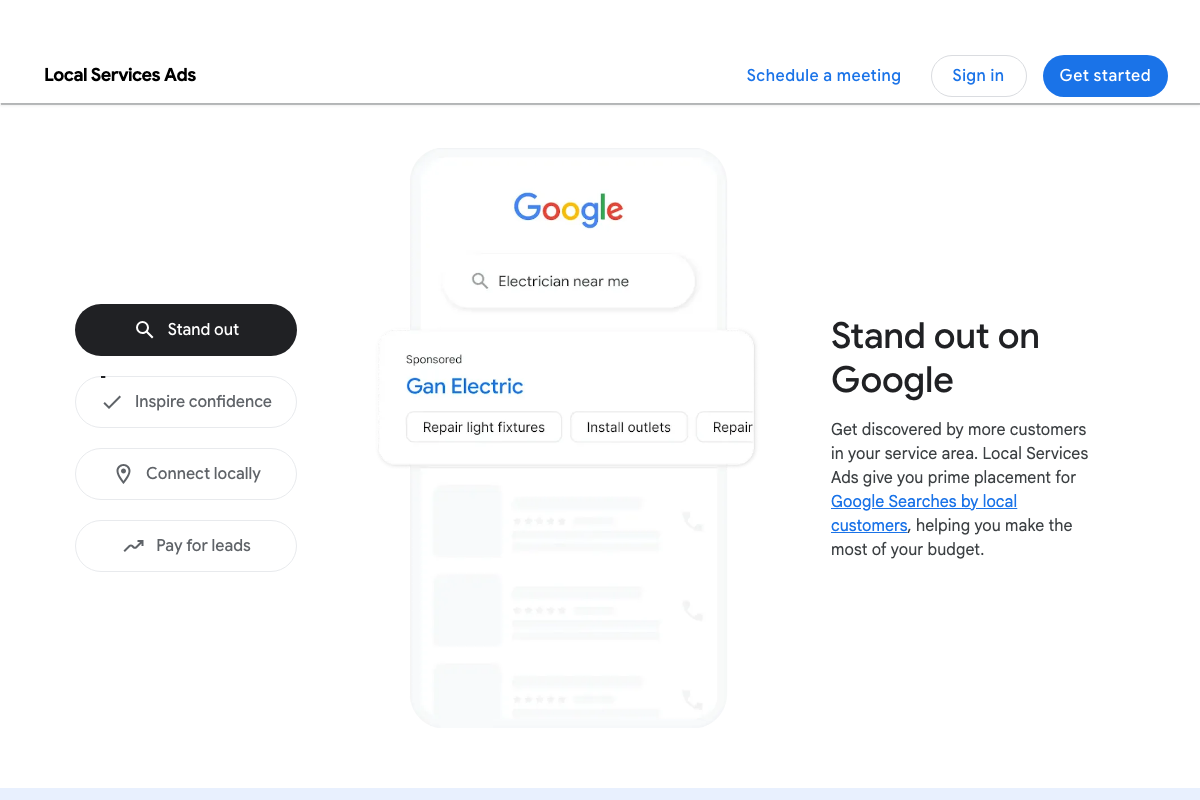
The official LSA product page includes a SERP mockup showing an LSA for “Gan Electric” labeled “Sponsored” at the top of an “Electrician near me” search — confirming prime above-fold placement. One note: the mockup isolates the LSA unit and doesn’t illustrate the full SERP stack (LSA → Map Pack → organic), so the specific ordering the video describes can’t be confirmed from this screenshot alone, but the top-of-page positioning claim stands.
The video’s approach here matches the current docs exactly.
Step 2: Know the payment model before you commit budget.
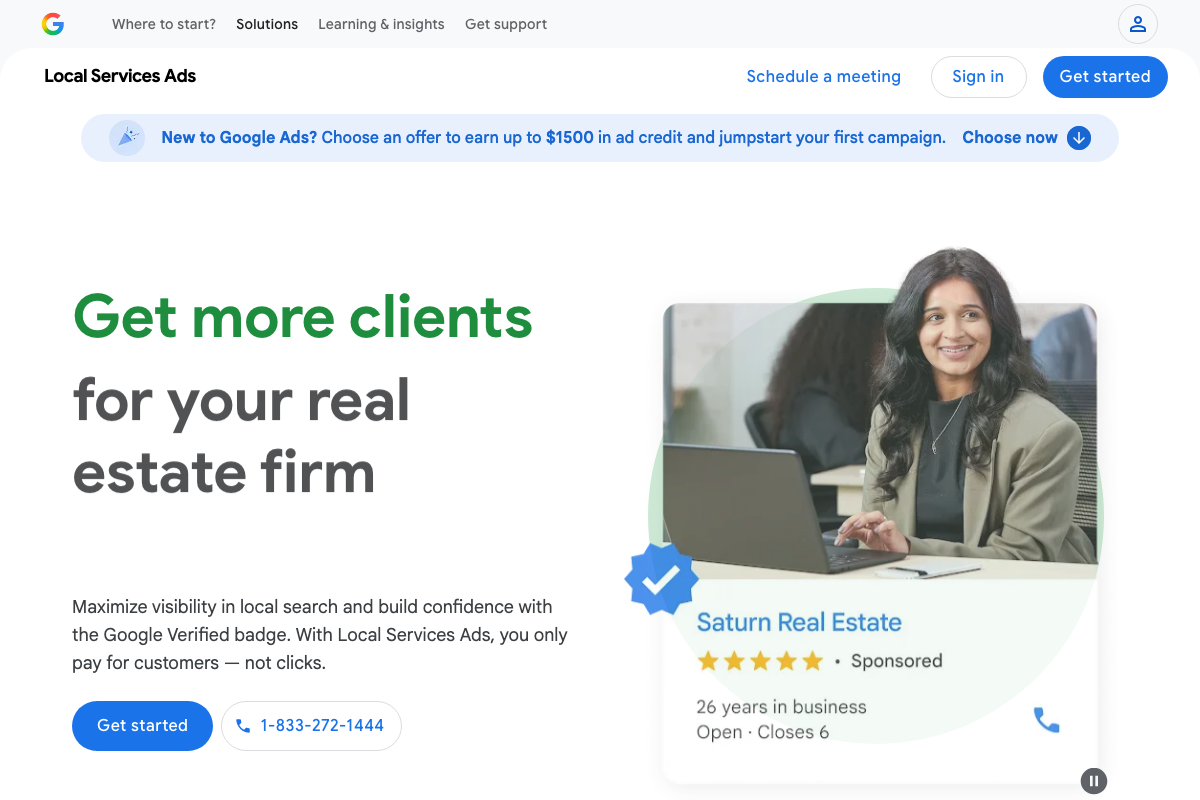
The official LSA product page states explicitly: “you only pay for customers — not clicks.” The feature list names “Pay for leads” as a core benefit. This is unambiguous.
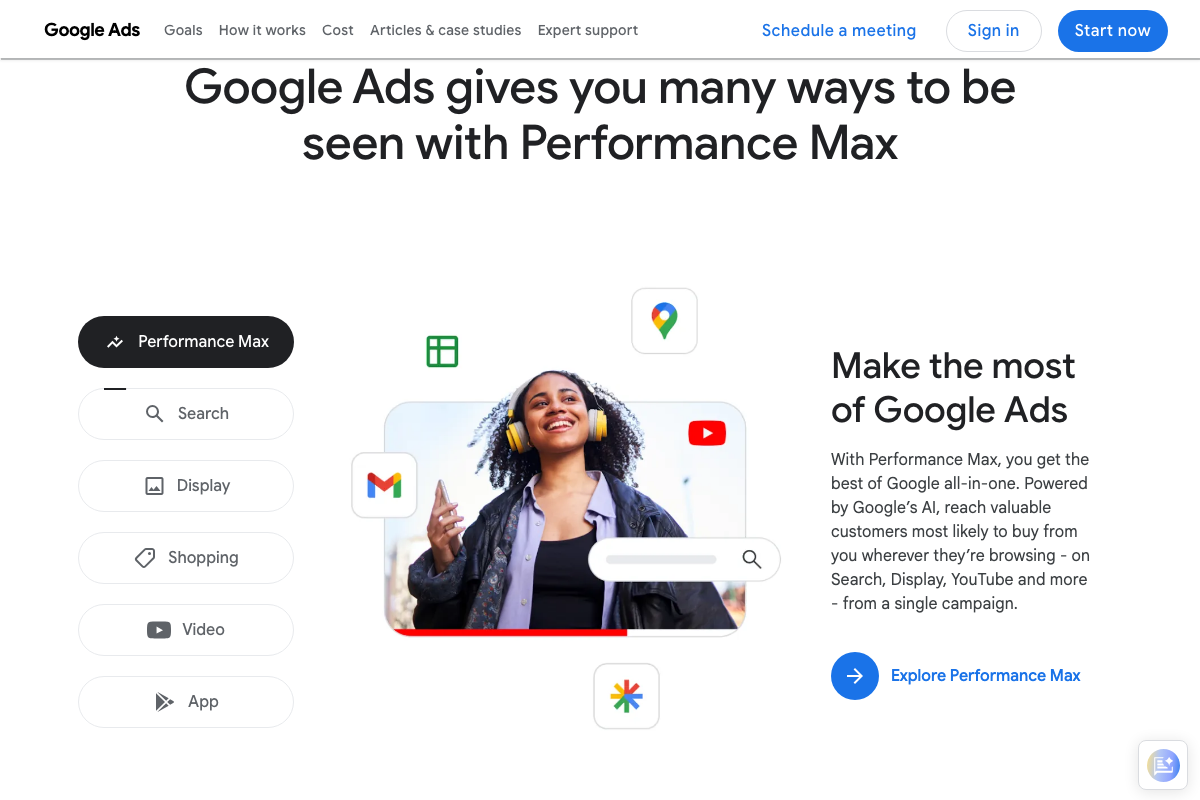
One important platform context the video doesn’t address: the Google Ads homepage now leads with Performance Max — not Search — as the primary product. Search campaigns remain selectable, but they are no longer the featured offering. If you’re running both formats simultaneously as the video recommends, expect to navigate past the Performance Max default when setting up the Search side.
The video’s approach here matches the current docs exactly on the LSA pay-per-lead model.

Step 3: Recognize that your Google Business Profile is your ad creative.
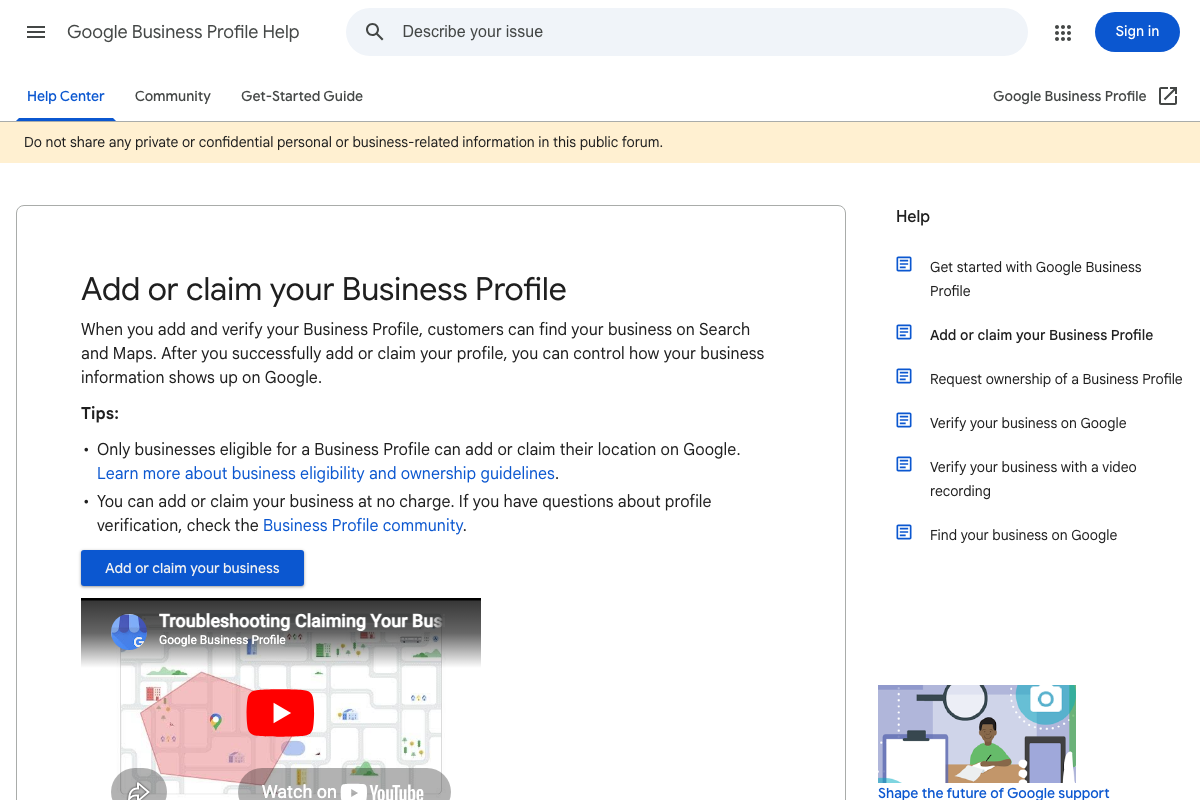
The GBP Help documentation confirms that a verified Business Profile controls “how your business information shows up on Google” — supporting the video’s claim that your GBP data drives LSA ad appearance. The official LSA product page also shows that sample ad units surface star ratings, years in business, and phone numbers alongside review counts, indicating GBP fields beyond reviews alone are rendered in the unit.
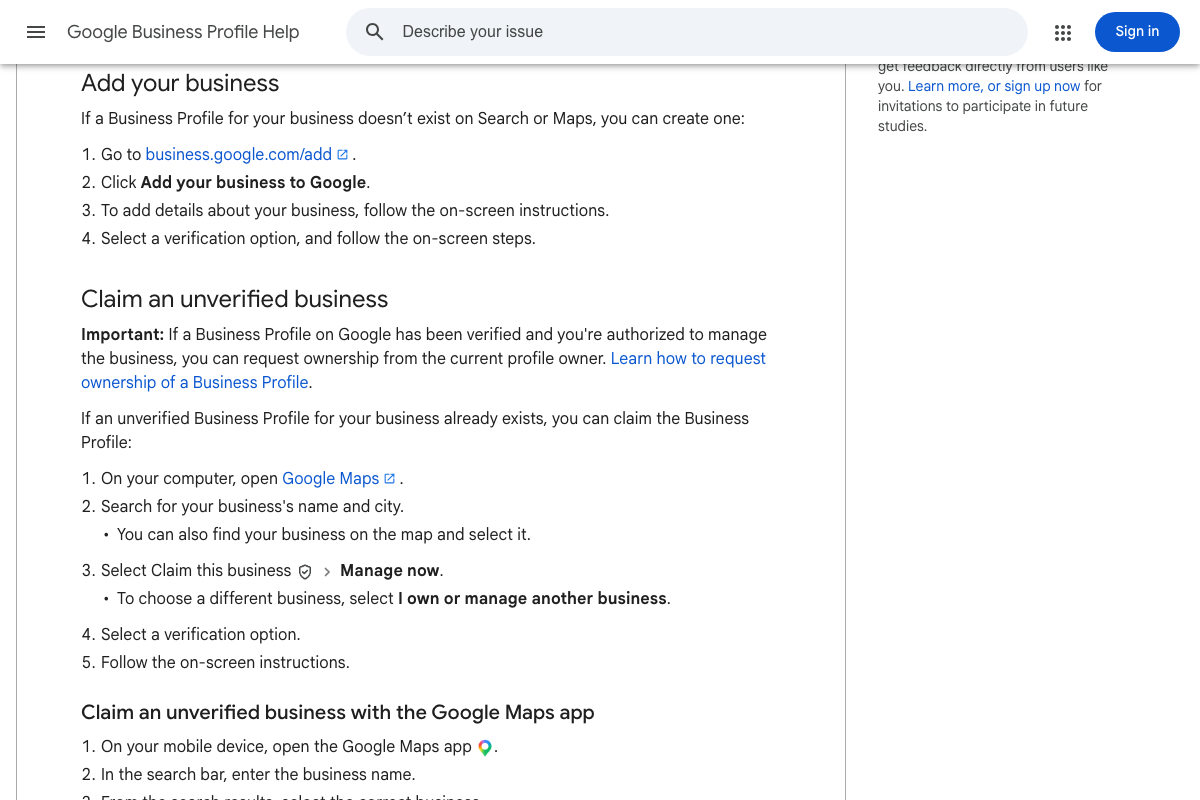
One practical addition: GBP verification is a distinct, multi-step process that can take days to weeks. If you’re a new business starting from scratch, that verification lead time is part of your pre-LSA runway — it runs in parallel with, not after, your review-building phase. Also worth checking: an unverified GBP may already exist for your business location. Claiming an existing profile rather than creating a new one can affect the review history that feeds into your LSA auction standing.
The video’s approach here matches the current docs exactly.
Step 4: Understand the real limitations before running LSAs.
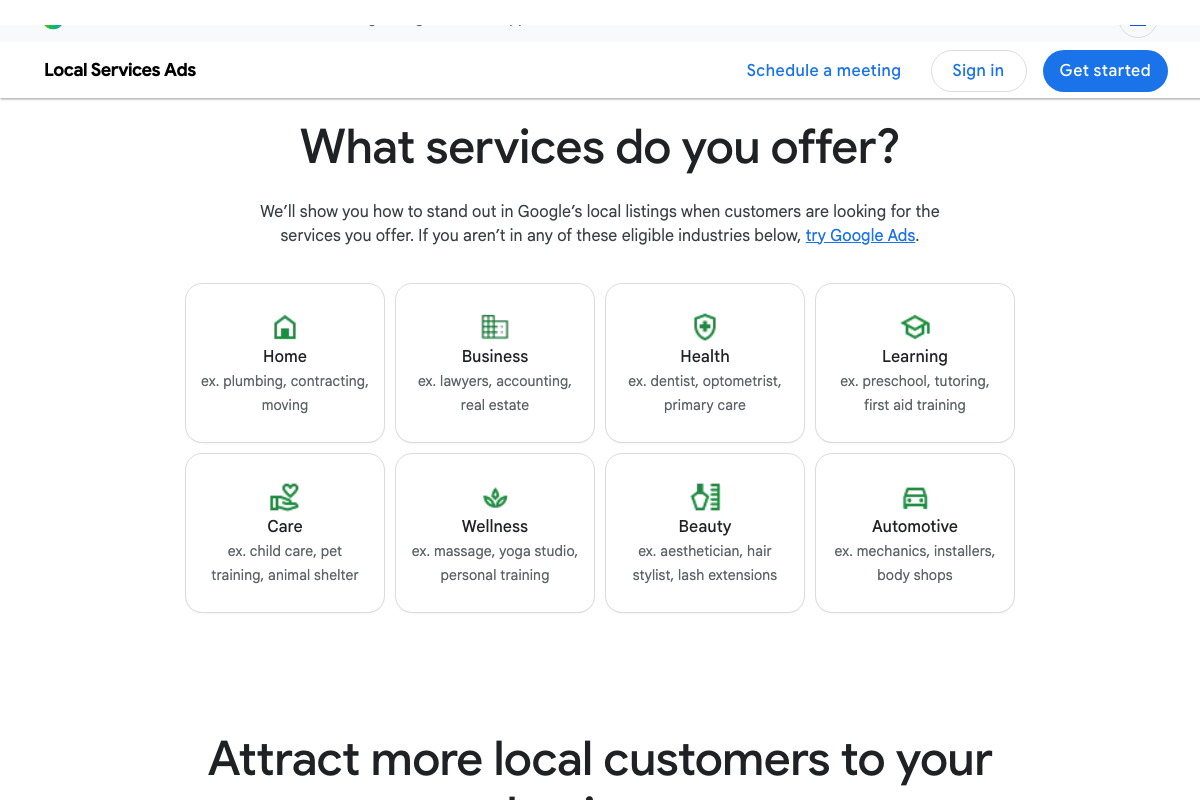
The video’s point about limited sub-service targeting is accurate as far as it goes — but the docs surface a constraint the video skips entirely: LSA eligibility is restricted to eight specific industry verticals. As of March 29, 2026, those verticals are: Home (plumbing, contracting, moving), Business (lawyers, accounting, real estate), Health (dentist, optometrist), Learning (tutoring), Care (child care, pet training), Wellness (massage, yoga), Beauty (aesthetician, hair stylist), and Automotive (mechanics).
If your business doesn’t fall into one of these eight categories, LSAs are not available to you. The video presents LSA adoption as a strategic choice; the docs make clear it’s first a gating question.
On the service chip display the video references: LSA units do render sub-service chips (visible in the “Gan Electric” mockup showing “Repair light fixtures,” “Install outlets,” etc.), but these are a display feature — not an advertiser-controlled targeting mechanism. The video’s framing of limited targeting control is consistent with this.
No official documentation was found for the keyword targeting limitation mechanics described in this step — proceed using the video’s approach and verify independently.
Step 5: Leverage the trust signals LSAs uniquely provide.
The official LSA product page displays a sample ad unit with a blue checkmark labeled “Google Verified badge” — confirming the verification badge as a visible trust signal in the ad unit. One naming distinction worth flagging for advertiser-facing use: the official advertiser-facing term is “Google Verified badge.” The video uses “Google Guarantee,” which is the consumer-facing label for the same program. Both terms refer to the same verification, but if you’re briefing a client or writing platform documentation, “Google Verified badge” is the accurate label.
The video’s approach here matches the current docs exactly on substance.
Step 6: Optimize the inputs Google actually responds to.
No official documentation was found for this step — proceed using the video’s approach and verify independently.
Step 7: Choose the right bidding strategy for your stage.
No official documentation was found for this step — proceed using the video’s approach and verify independently.
Step 8: Run both platforms in parallel if the budget exists.
The docs confirm that LSAs and Google Search Ads are managed from entirely separate platforms — localservices.google.com vs. ads.google.com — consistent with the video’s framing of them as distinct systems. Cross-platform tracking, however, involves LSA platform-interior features not visible in the captured documentation.
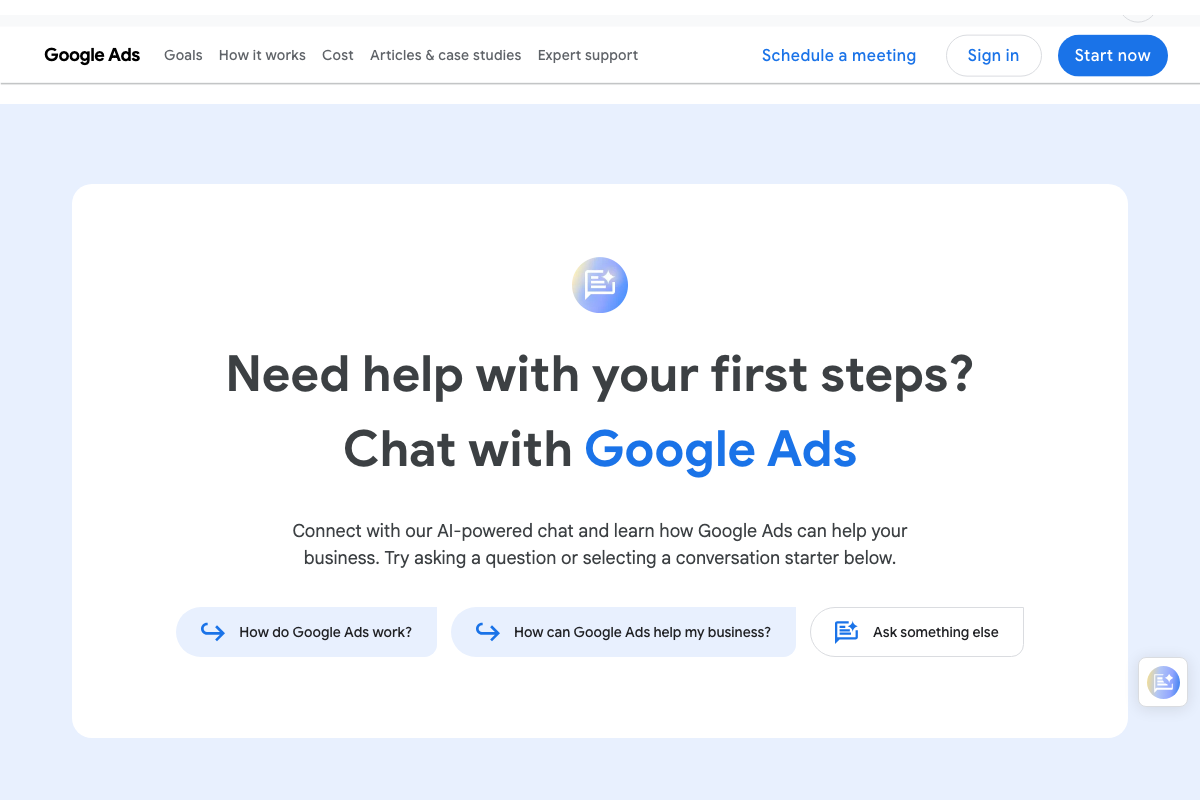
One meaningful UI change: the Google Ads campaign creation flow now includes an AI-powered chat widget (“Chat with Google Ads”) as a setup entry point. Advertisers following the video’s step-by-step Search Ads setup guidance will encounter this interface, which was not present at filming. Additionally, as of March 29, 2026, Performance Max is listed above Search in the campaign type selector — explicitly select “Search” to avoid defaulting into a Performance Max campaign.
No official documentation was found for the cross-platform cost-per-appointment tracking described in this step — proceed using the video’s approach and verify independently.
Step 9: Start with Search Ads if you have no review history.
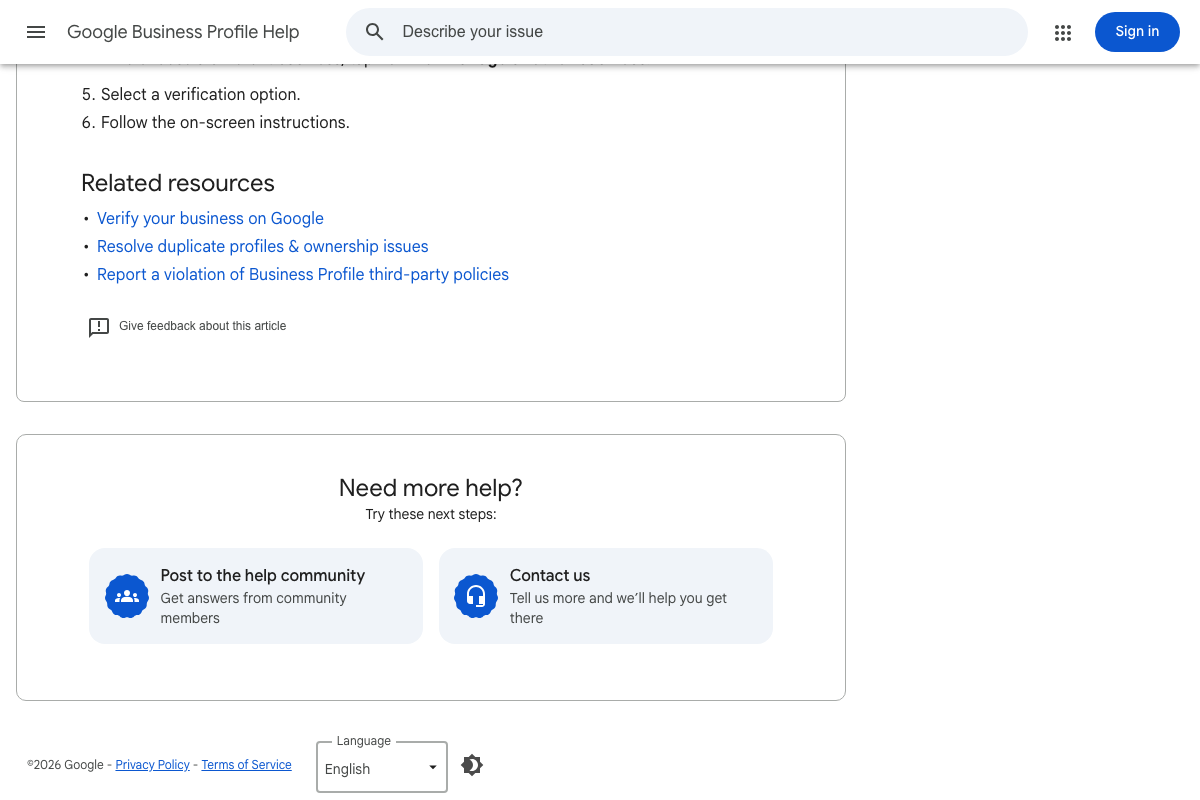
The docs back the video’s logic here from two angles. First, the LSA product page explicitly states: “If you aren’t in any of these eligible industries below, try Google Ads” — making Search Ads the documented fallback for businesses outside the eight eligible verticals, not just for new businesses without reviews. Second, GBP verification documentation confirms that profile setup and verification must be completed before review signals are available for the LSA auction, adding lead time the video doesn’t account for.
One additional scenario the video doesn’t address: duplicate GBP profiles are a documented obstacle that can block verification entirely. Before beginning the 3–4 month review-building runway the video recommends, audit your business location for existing duplicate profiles and resolve them first.
The video’s approach here matches the current docs exactly on the Search-first recommendation.
Step 10: Feed LSA learnings back into your Search campaigns.
No official documentation was found for this step — proceed using the video’s approach and verify independently.
Useful Links
- Reach Local Customers with Local Service Ads – Google Ads — Official LSA product page covering the pay-per-lead model, Google Verified badge, eligible industry verticals, and sample ad unit formats.
- Google Ads – Get Customers and Sell More with Online Advertising — Google Ads homepage and campaign creation interface, including the Performance Max default positioning and Search campaign type selector.
- Add or claim your Business Profile – Google Business Profile Help — Step-by-step GBP setup and verification documentation, covering new profile creation, claiming existing profiles, and resolving duplicate listings.


0 Comments