

Google I/O 2026: The 5 Updates Every Marketer Needs to Know
Google’s 2026 I/O keynote marked what the company’s head of Search, Elizabeth Reed, called “a new era for AI search” — and the marketing implications are concrete. AI Mode now claims over one billion monthly active users, AI Overviews 2.5 billion, and queries inside AI Mode are reportedly doubling every quarter. After working through this breakdown, you will know what each of the five major announcements means for your content architecture, your discoverability in agent-driven search, and your local business presence.
- Optimize for long-form, conversational queries. Google’s search input now accepts multi-sentence queries, emotional context, image uploads, and file attachments — the kind of detailed brief you would previously take to ChatGPT. A user planning a trip to Lisbon in October can now paste in a Google Doc with dates and a budget alongside the query. Pages built around two-to-four keyword phrases are no longer sufficient; build pillar content with structured data, FAQs, comparisons, and contextual depth that answers the longer, intent-rich questions users will increasingly type.
- Prioritize content freshness and PR breadth to be found by information agents. Google is launching personal AI agents that monitor blogs, news sites, and social posts around the clock on a user’s behalf — meaning the user’s agent, not the user, is doing the searching. A user can instruct an agent to alert them when a favorite brand drops a collaboration or when a specific property listing appears. These agents launch in summer 2026 for Google AI Pro and Ultra subscribers first. Reviews, fresh content, and wide-reach PR all become discovery signals for agent-driven retrieval.
- Earn early citations in AI Mode conversations. AI Mode now supports full multi-turn conversations with persistent context across desktop and mobile, mirroring the experience in ChatGPT or Gemini. The compounding advantage is significant: brands cited in the first response carry forward through every follow-up question in the session. More than half of purchase decisions are reportedly made inside a single AI conversation, making first-mention positioning a meaningful conversion lever.
- Make all website data structured and machine-readable for generated experiences. Powered by Gemini 3.5 and Google’s “anti-gravity” platform, Search will generate custom interactive dashboards, trackers, and mini-apps directly from queries, launching summer 2026. A wedding planning query, for example, could return a personalized multi-event dashboard rather than ten blue links. Ensure your site’s data is semantically marked up so it can surface correctly inside these generated experiences.
Warning: this step may differ from current official documentation — see the verified version below.
- Treat your Google Business Profile as a real-time data feed. Available across roughly 200 countries in 98 languages, AI Mode’s personal intelligence layer can now access a user’s Gmail, Photos, and Calendar with permission to personalize answers. Google’s agentic calling feature extends this further: AI can autonomously phone local businesses — restaurants, plumbers, beauty services, pet care — to verify availability, hours, and pricing on a user’s behalf. Keep every field in your Business Profile accurate and current, and ensure your phone systems are responsive so the AI relays correct information.
How does this compare to the official docs?
Google’s Search Central documentation and the official I/O 2026 developer materials tell a more precise story about several of these rollouts — and on at least one point, the implementation details diverge from what the video describes.
Here’s What the Official Docs Show
Act 1 walked through five Google I/O 2026 announcements in sequence — the documentation screenshots confirm the core framing and add precision on pricing tiers, model specifics, and where certain claims remain unverified by any publicly captured official source.
Step 1: Optimize for Long-Form, Conversational Queries
The live Google homepage confirms two of the input modalities the video describes: the + icon in the search bar — the visible affordance for expanded input — and the Google Lens camera icon for image queries. Both are present in the current production interface.
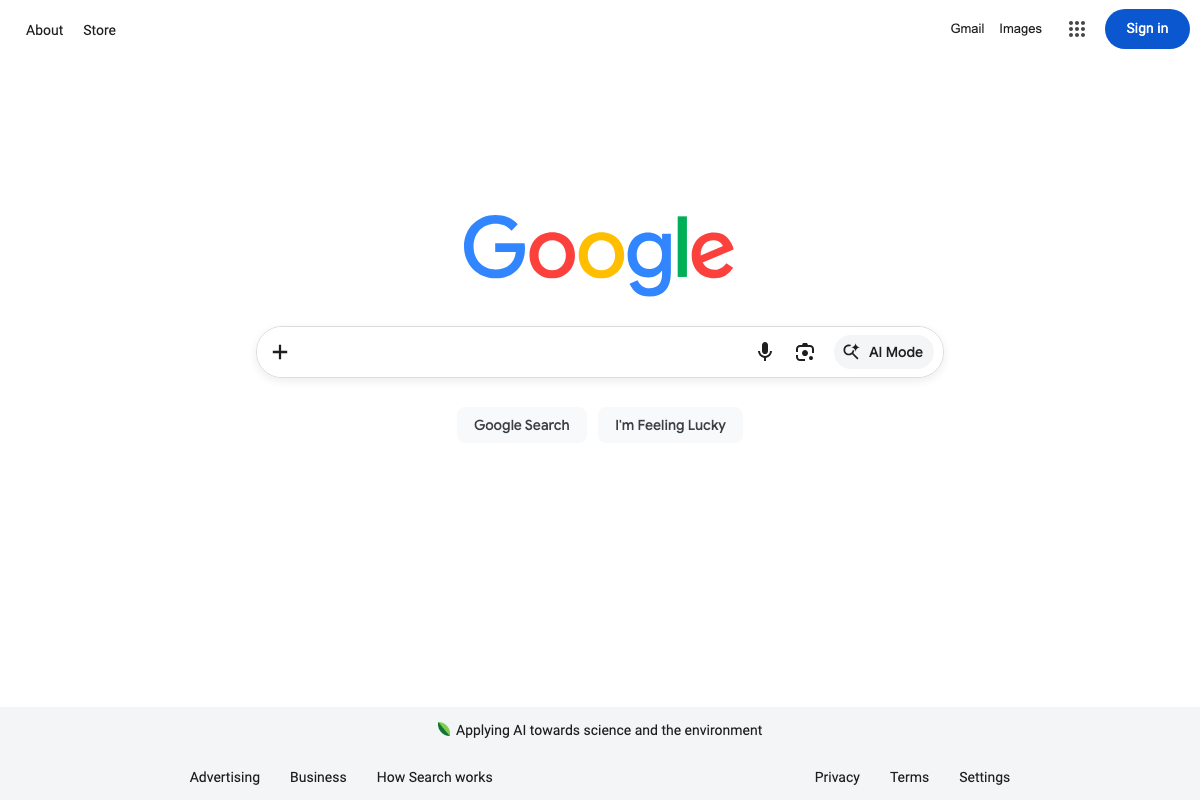
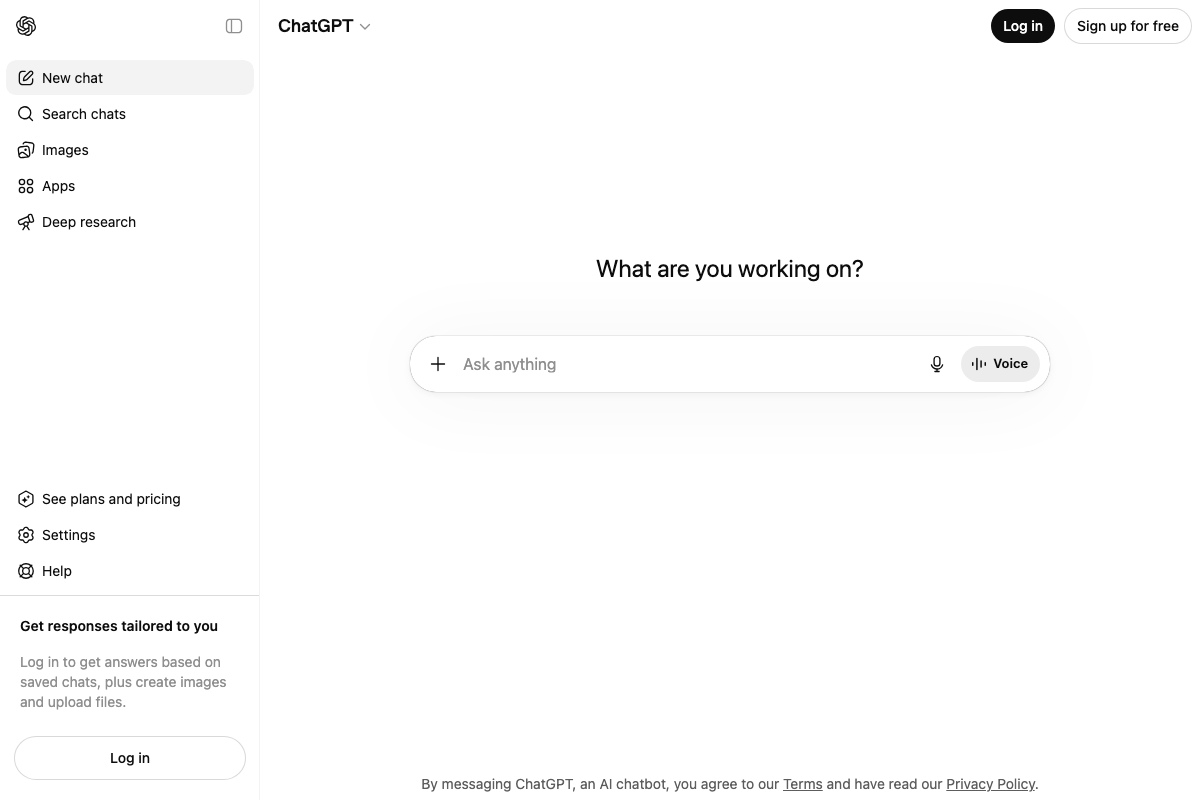
The video’s approach here matches the current docs on the core interface point. One worth noting: the ChatGPT comparison holds — a + attachment icon is present and active in the ChatGPT interface, though file upload requires a logged-in account per ChatGPT’s own sidebar messaging. The static homepage screenshot confirms the + icon and Lens icon but cannot verify file attachment, emotional context framing, or full multi-modal capability from a single page capture alone — those claims are plausible given the interface affordances, but treat them as directionally accurate rather than fully confirmed.
Step 2: Prioritize Content Freshness and PR Breadth for Information Agents
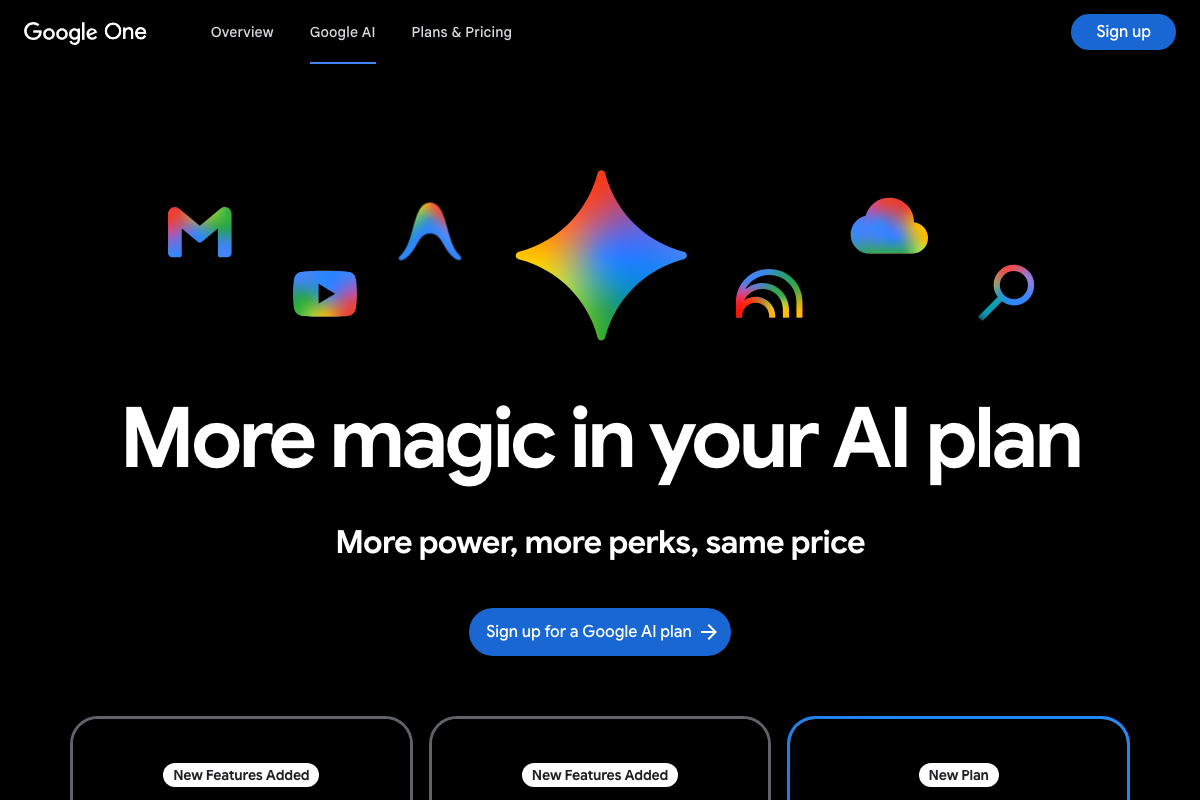
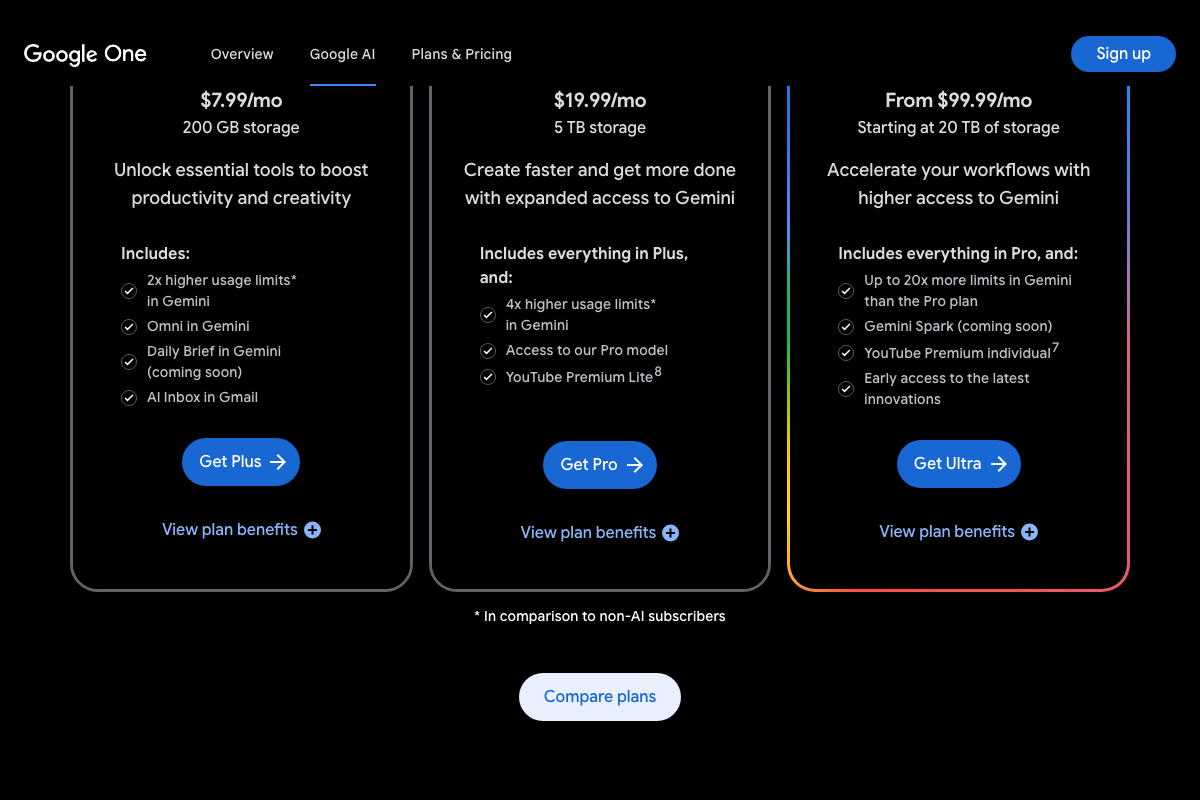
The video correctly identifies Pro and Ultra as early-access subscriber tiers for new agent features. However, the official Google One plan structure confirmed at one.google.com/about/ai-premium includes a third tier the video omits: Plus at $7.99/month (200 GB storage), which includes AI Inbox in Gmail and 2x higher Gemini usage limits. As of May 26, 2026, the correct plan lineup is Plus / Pro / Ultra — not just Pro / Ultra.

The page also shows “Daily Brief in Gemini (coming soon)” for Plus-tier subscribers — language consistent with a monitoring or briefing agent, though it does not specify a summer 2026 launch date or confirm the 24/7 blog-and-social-scanning mechanism the video describes.
No official documentation was found for Step 2’s specific claims about information agents scanning blogs, news, and social posts on a 24/7 basis, or for the summer 2026 launch timeline — proceed using the video’s approach and verify independently.
Step 3: Earn Early Citations in AI Mode Conversations
The video’s approach here matches the current docs exactly.
AI Mode is live, named, and reachable directly from google.com. The compounding citation advantage the video describes — first-mention brands carrying forward through multi-turn sessions — is consistent with how persistent-context AI conversations work across every major platform showing the same conversational UX pattern.
Step 4: Make Website Data Structured and Machine-Readable for Generated Experiences
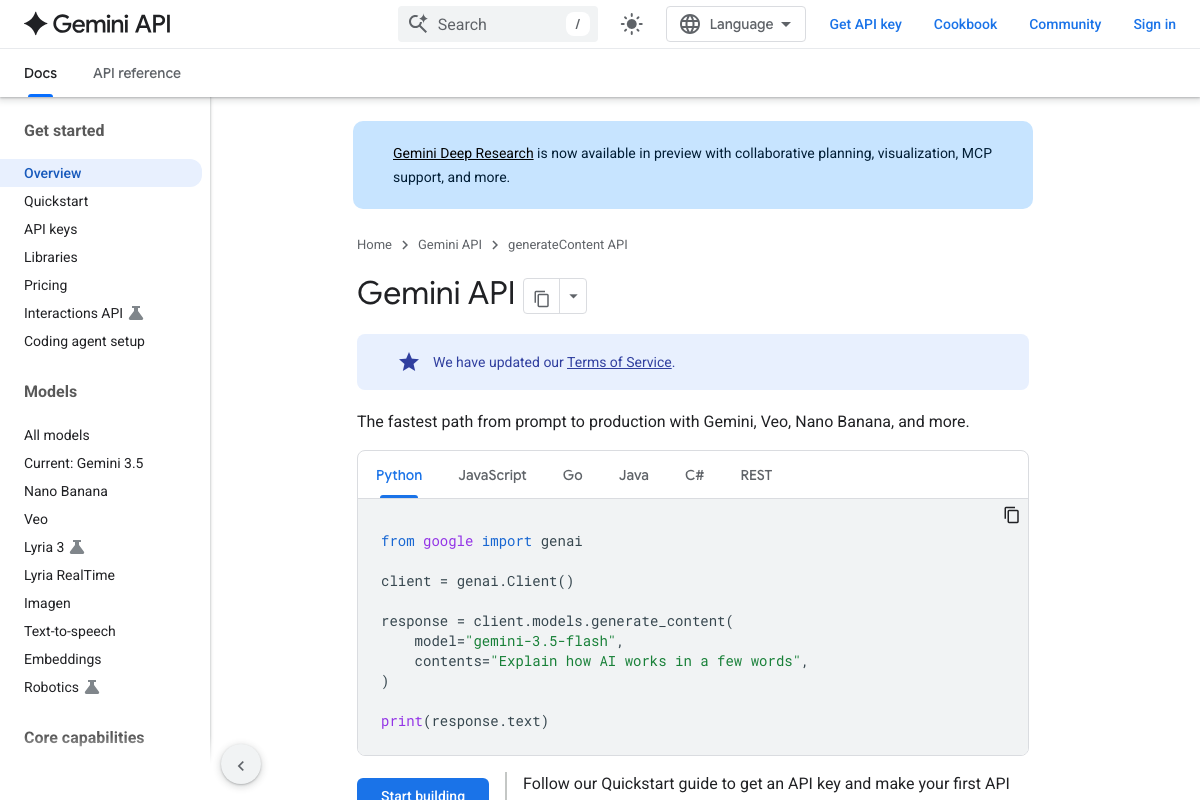
Gemini 3.5 is confirmed as the current model family — “Current: Gemini 3.5” appears explicitly in the API sidebar, and model='gemini-3.5-flash' is the default in the quickstart code sample. The video’s model reference is accurate.
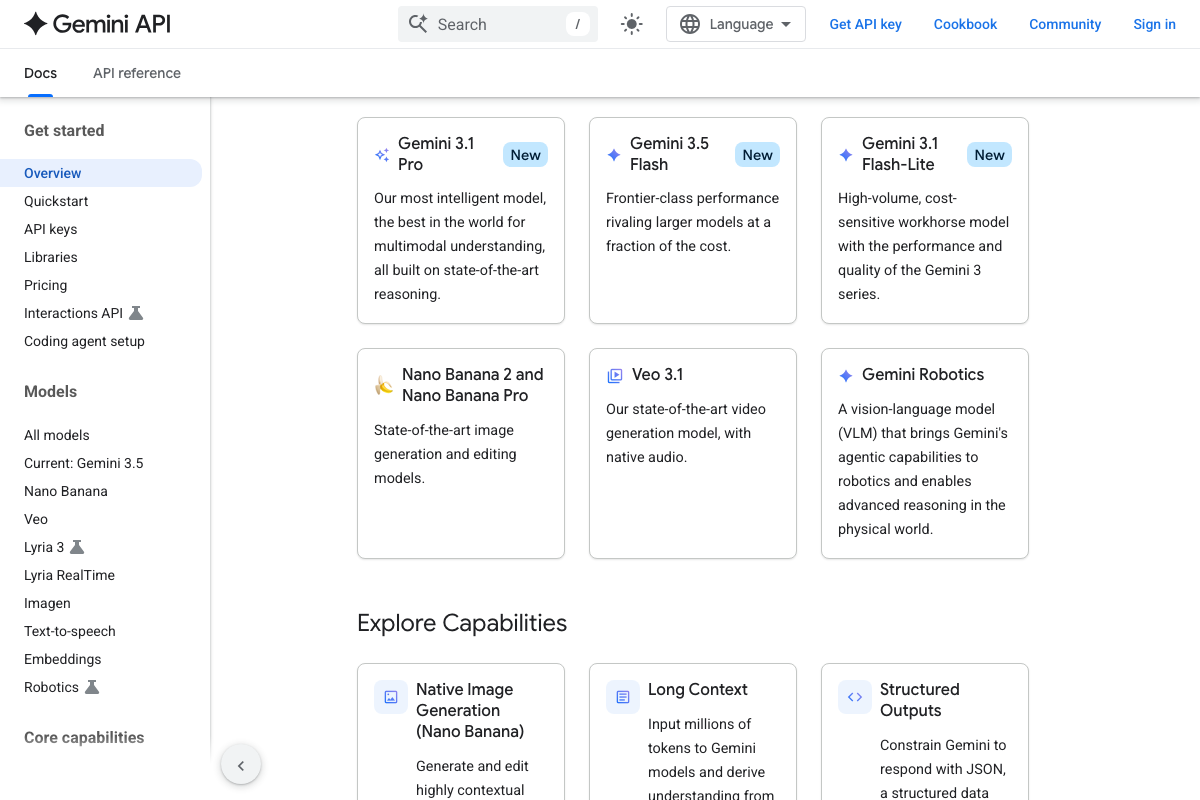
One distinction the video does not draw: the docs identify Gemini 3.1 Pro as the “most intelligent” model for multimodal understanding, while Gemini 3.5 Flash is positioned as “frontier-class performance at a fraction of the cost.” They serve different performance and cost tradeoffs — relevant context if you’re evaluating which model tier powers a given feature.
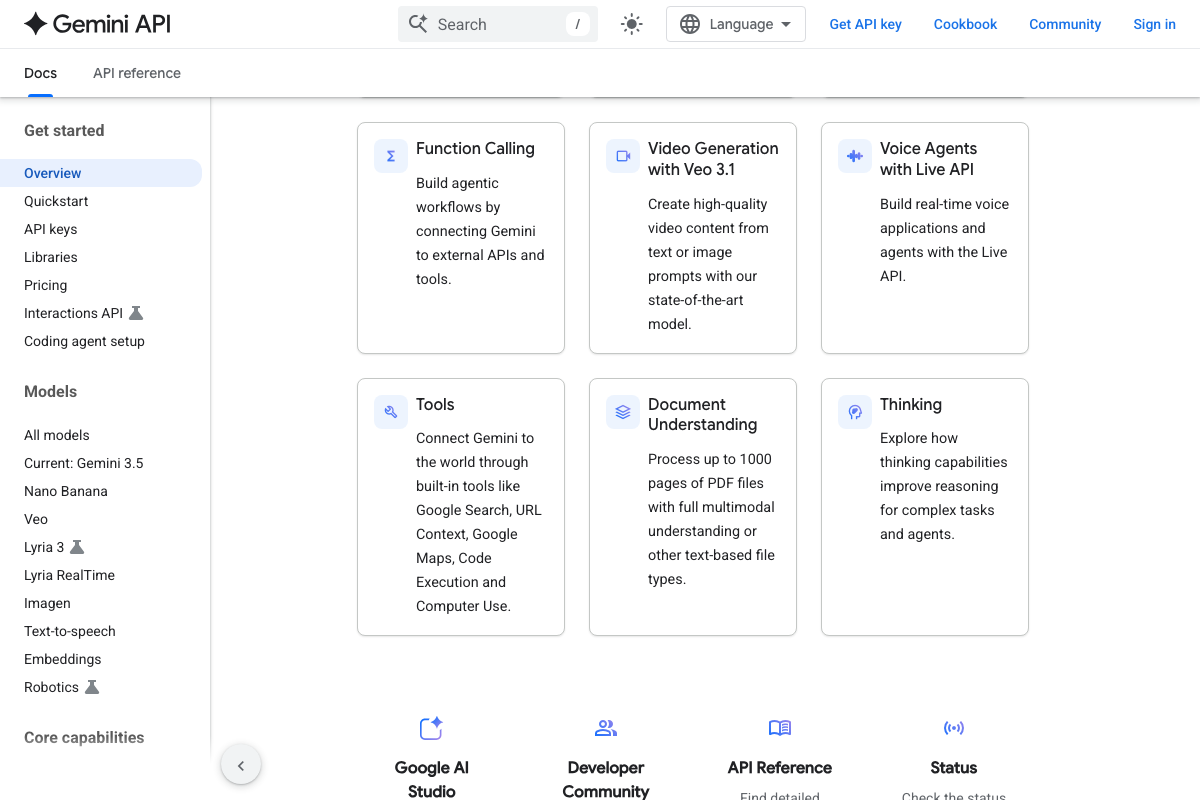
As of May 26, 2026, the term “anti-gravity platform” does not appear anywhere in the Gemini API documentation captured in these screenshots. The video itself flagged it as a possible transcript error. The agentic and code-generation capabilities the video describes are real — Function Calling, Code Execution, and Google Search integration are all confirmed in the developer docs — but “anti-gravity” as a named platform or product term has no documentation corroboration in any screenshot captured.
Step 5: Treat Your Google Business Profile as a Real-Time Data Feed
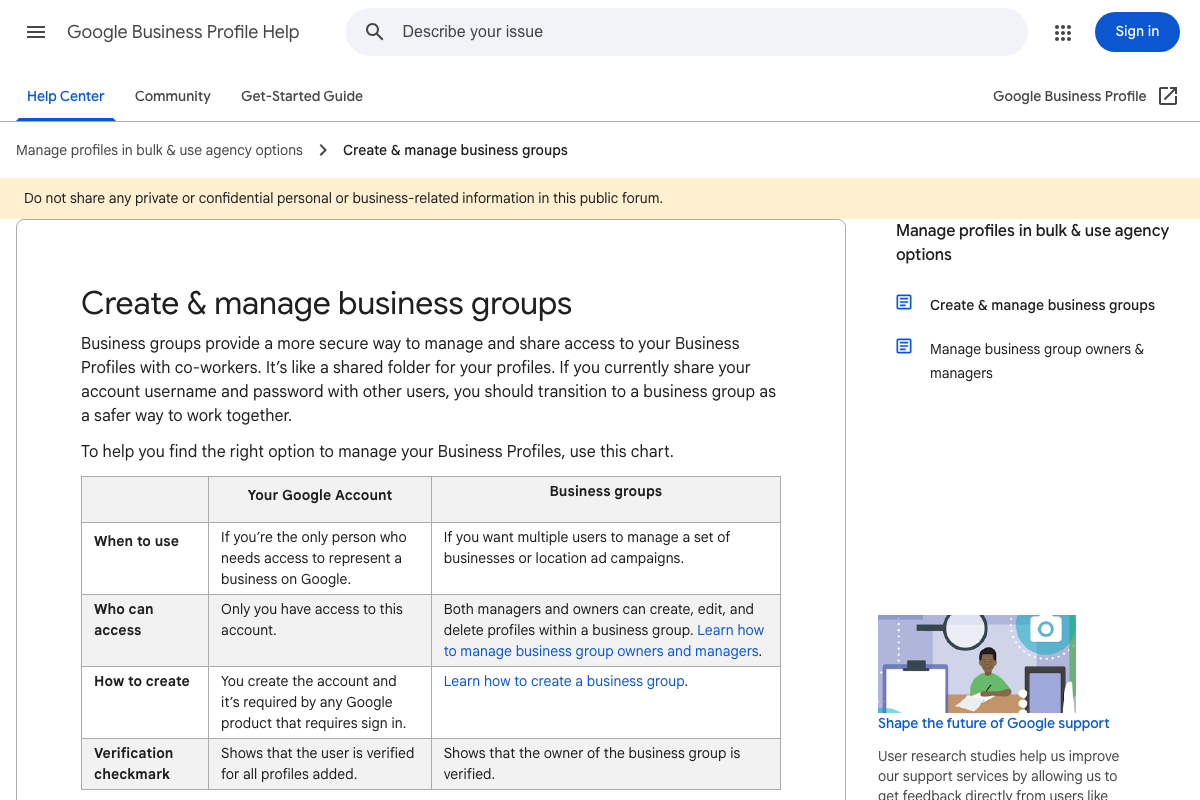
The GBP documentation page captured (support.google.com/business/answer/6085339) covers business group administrative structure — who can access which profiles across a multi-location account. It does not address the specific actions the video recommends: optimizing hours, services, pricing, and booking links as a real-time data feed for AI-driven agentic calling.
The video’s advice is neither contradicted nor corroborated by the page shown. It’s sound operational guidance for any GBP-dependent business, but it is sourced from the video’s analysis, not from the documentation captured here.
No official documentation was found for Step 5’s agentic calling feature or the specific business categories (restaurants, plumbers, beauty, pet care) cited in the video — proceed using the video’s approach and verify independently.
Useful Links
- Google — Live Google homepage confirming the AI Mode button and expanded search bar input affordances in the current production interface.
- Google AI Plans with Cloud Storage – Google One — Official pricing and feature lists for the Plus ($7.99/mo), Pro ($19.99/mo), and Ultra (from $99.99/mo) Google AI plan tiers launched at Google I/O 2026.
- Gemini generateContent API | Google AI for Developers — Gemini API documentation confirming Gemini 3.5 as the current model family, the full model catalog, and agentic capabilities including Function Calling, Code Execution, and Tools integrations.
- Create & manage business groups – Google Business Profile Help — GBP Help Center page covering multi-user business group access management; does not address AI agentic calling or profile content optimization.
- ChatGPT — ChatGPT homepage confirming the attachment (
+) icon and Voice mode button used as the comparison baseline in Step 1. - Microsoft Copilot: Your AI companion — Microsoft Copilot interface showing attachment and mode-selection affordances, providing comparative industry context for the multi-modal AI input shift described in Step 1.
- Overview – Perplexity — Perplexity API Platform developer documentation; no content directly relevant to the five Google I/O 2026 tutorial steps.


0 Comments