

Run Claude Opus 4.8’s Dynamic Workflow to Build a Full App Autonomously
Claude Opus 4.8 ships with a multi-agent orchestration feature that lets a single prompt kick off hundreds of parallel sub-agents, each handling a discrete slice of a complex build. By the end of this walkthrough, you’ll know how to trigger a dynamic workflow in Claude Code, select the right model and effort level, and hand off a full application build — start to finish — without writing a single line of code yourself.
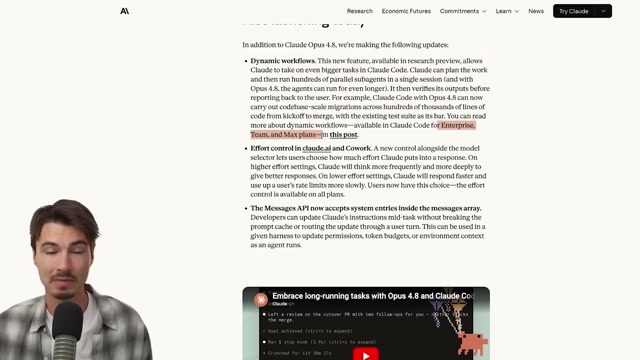
- Open Claude Opus 4.8 through whichever surface fits your stack: the Claude.ai web app, Claude Code on your local machine, or the Anthropic API. The model is available across all three on launch day.

-
In the Claude.ai web UI, locate the effort selector — a new addition that gives you five levels from adaptive up to Max. Set it to Max before submitting any prompt that benefits from extended reasoning or creative latitude. Higher effort burns more of your weekly usage allocation, so treat Max as intentional, not default.
-
Submit a deliberately open-ended, subjective prompt — something like “create a visually stunning design website for a studio that will impress web frontend developers” — to calibrate how the model handles creative ambiguity. Opus 4.8 was tuned to interpret vague directives more liberally than its predecessor, which tended toward literal, over-specified output. A prompt like this surfaces that difference fast.
-
Run the SVG benchmark prompt (“Death Star above Los Angeles”) and compare the output side-by-side against an Opus 4.7 response at the same effort level. The outputs are functionally similar — this step establishes a visual baseline rather than a meaningful capability gap.
-
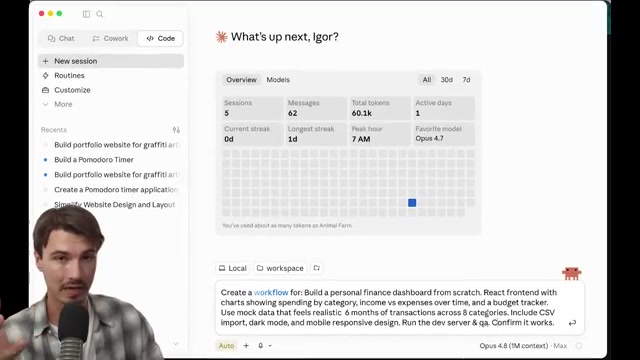
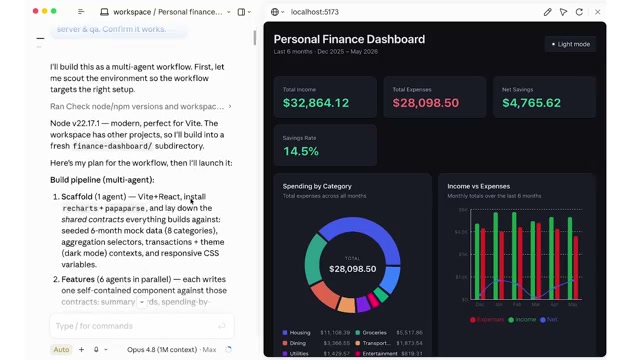
Switch over to Claude Code on your local machine and compose a detailed build prompt. Include the word workflow explicitly in the prompt text — the transcript demonstrates this keyword as the trigger for dynamic sub-agent orchestration.
Warning: this step may differ from current official documentation — see the verified version below.
-
Before submitting, change the active model in Claude Code to Opus 4.8 and confirm you’re using the 1-million-token context window variant. The extended context is what makes long-horizon, multi-agent sessions tractable without mid-session truncation.
-
Submit your build prompt — the video uses “personal finance dashboard” with React, mock data, CSV import, dark mode, and mobile-responsive requirements — and let the workflow execute without interruption. Expect the process to run 30–45 minutes for a project of this scope, consuming roughly 300,000 tokens.
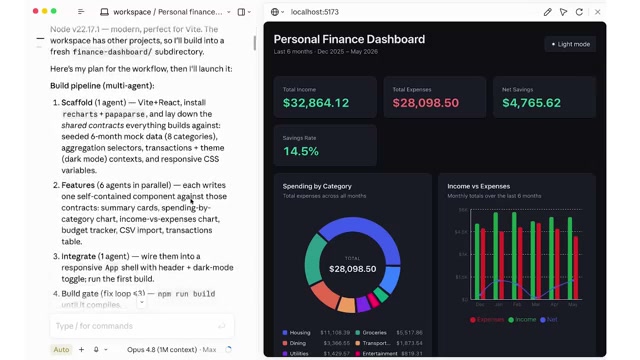
- Once the workflow completes, audit the output across four layers: the feature-by-feature build plan, the model’s self-verification pass, the QA checklist (populated with mock data interactions), and the mobile optimization step the agent ran mid-session without prompting.
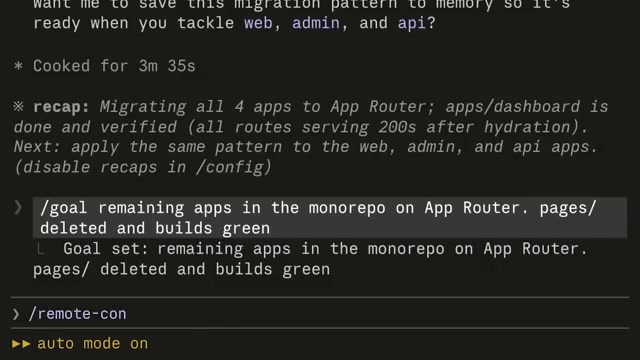
- Open your Claude account usage dashboard and review token consumption against your plan’s weekly allocation. The video reports this 45-minute, 300,000-token session registered as approximately 4% of a Max plan’s weekly budget — but that figure scales sharply for longer-running jobs like full codebase migrations.
How does this compare to the official docs?
The keyword-trigger mechanism and the exact conditions that activate dynamic workflows deserve a closer look against Anthropic’s published documentation — which is where Act 2 picks up.
Here’s What the Official Docs Show
The video gives you a capable working picture of Claude Opus 4.8 and Claude Code’s multi-agent potential. The official documentation confirms the foundation — access methods, plan structure, and model positioning — and adds meaningful context around thinking modes and sub-agent architecture that the tutorial leaves implicit.
Step 1 — Access Claude Opus 4.8
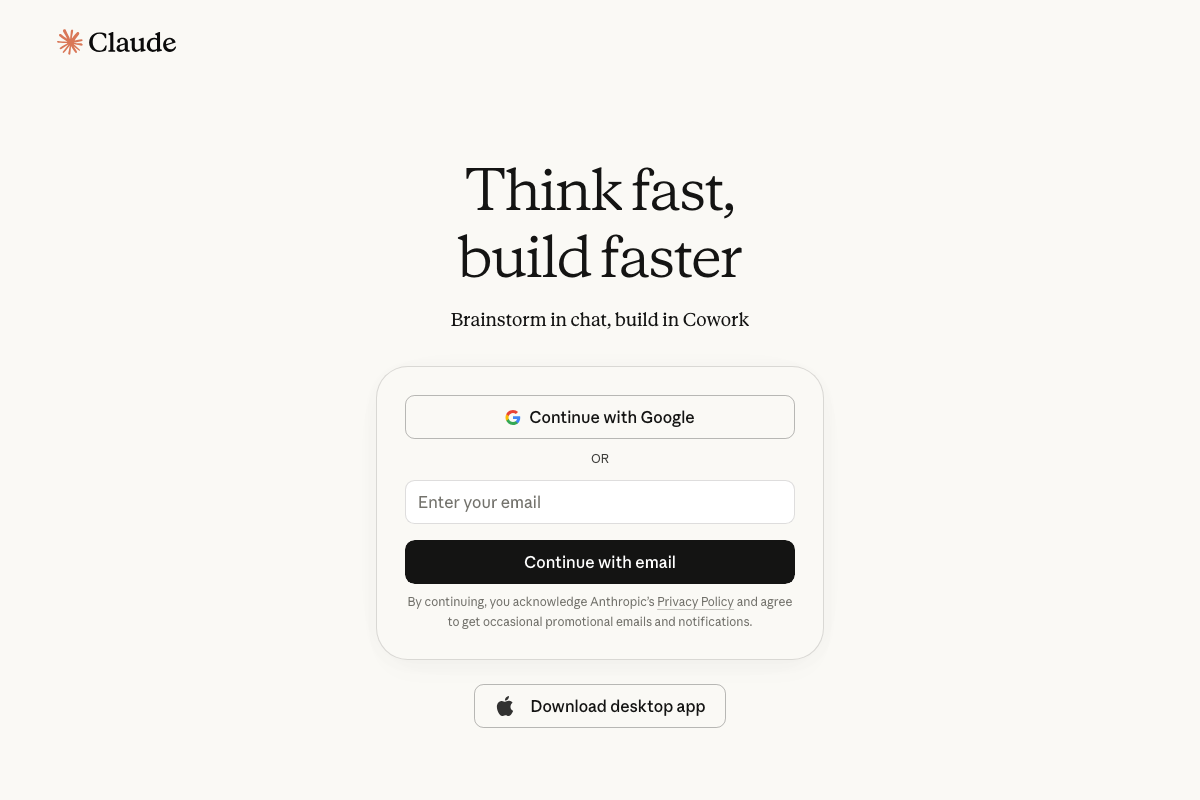
The video’s approach here matches the current docs exactly. Claude Opus 4.8 is confirmed in Anthropic’s documentation as “Anthropic’s most capable model for complex reasoning and agentic coding,” and the web app, Claude Code CLI, and Anthropic API are all documented access paths. One addition worth noting: a desktop app download is surfaced directly on the Claude.ai sign-in page — a fourth access route the tutorial doesn’t mention.


Step 2 — Set effort to Max
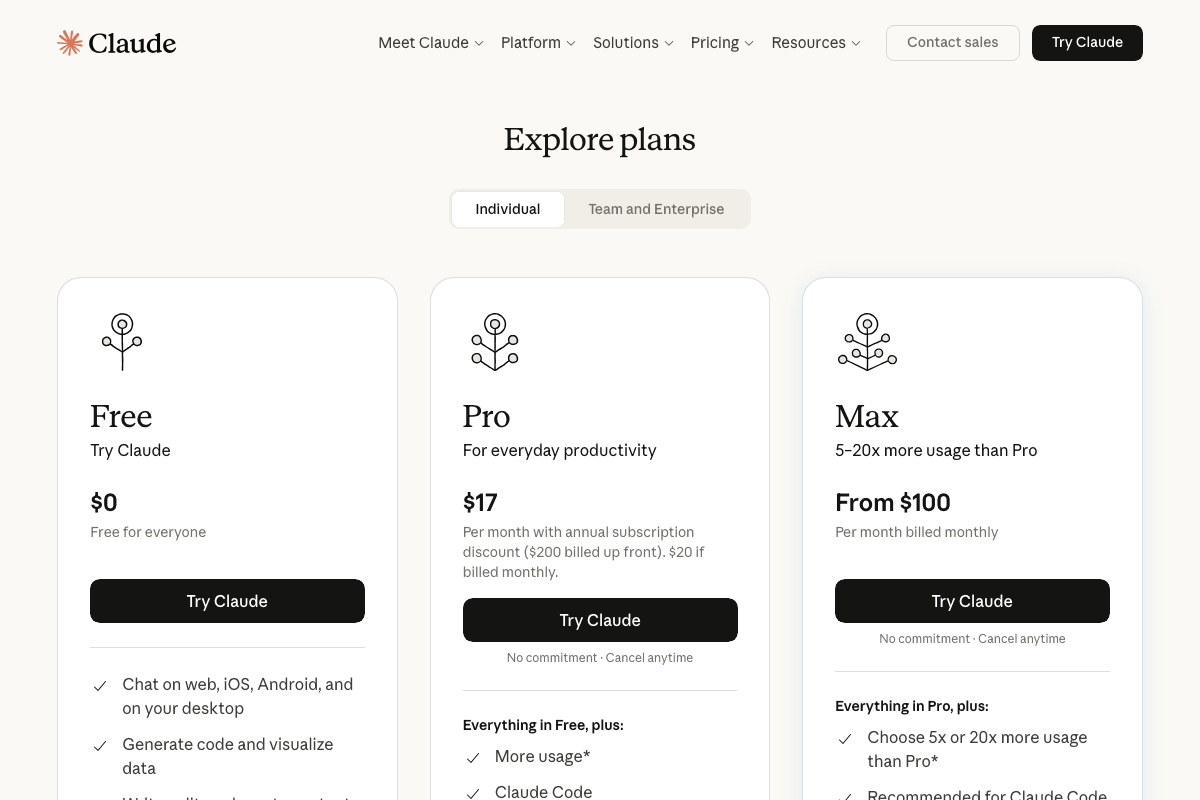
The video’s approach here matches the current docs exactly. The Max plan is confirmed at $100/month and is explicitly tagged “Recommended for Claude Code” in Anthropic’s pricing page. One clarification the docs add: the Pro plan at $17/month also includes Claude Code access — Max is the right call for heavy agentic sessions, but it’s not the only option. The docs sidebar also distinguishes Effort, Adaptive thinking, and Extended thinking as three separate documented capability modes. The tutorial treats these as a single dial; in practice they may behave differently depending on task complexity.
Step 3 — Submit a creative open-ended prompt
No official documentation was found for this step — proceed using the video’s approach and verify independently.
Step 4 — Run the SVG benchmark
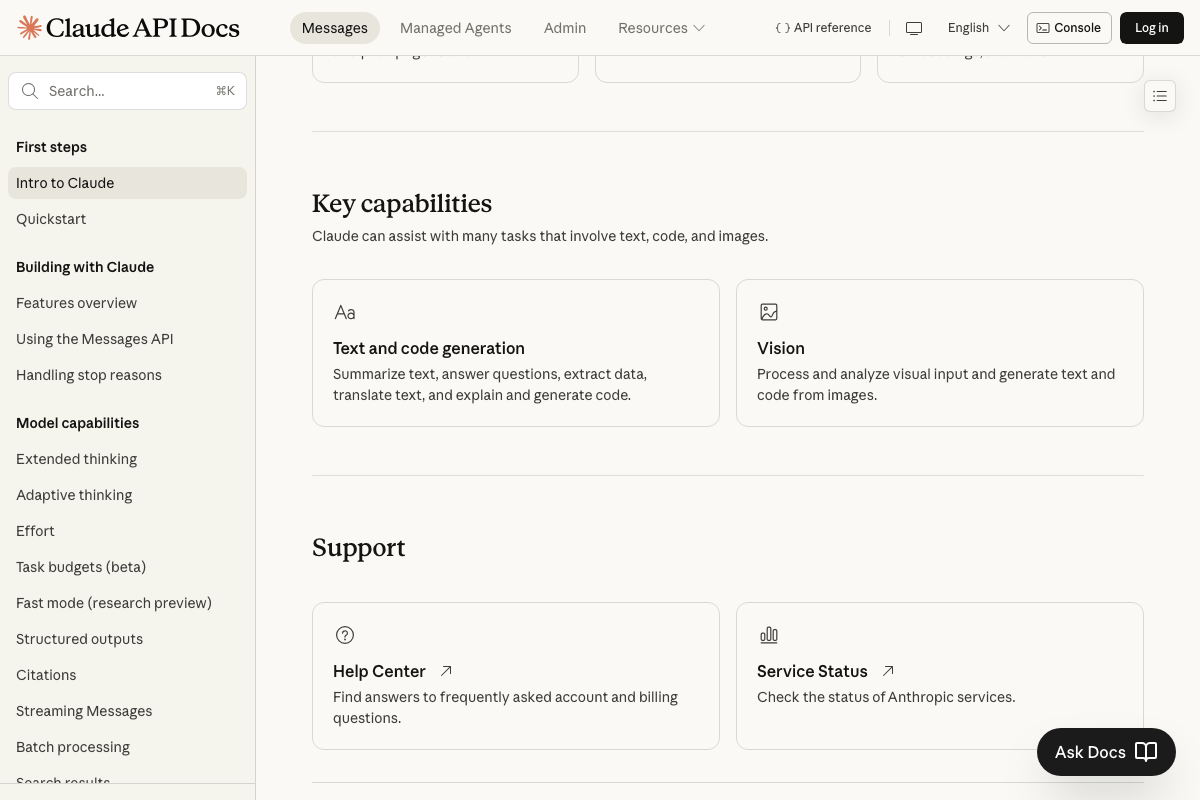
The docs confirm that SVG generation falls under “Text and code generation,” not Vision — Vision in Anthropic’s documentation refers specifically to image input processing. The benchmark comparison against Opus 4.7 is not addressed in any captured documentation.
No official documentation was found for the comparative SVG benchmark — proceed using the video’s approach and verify independently.
Step 5 — Trigger a dynamic workflow in Claude Code
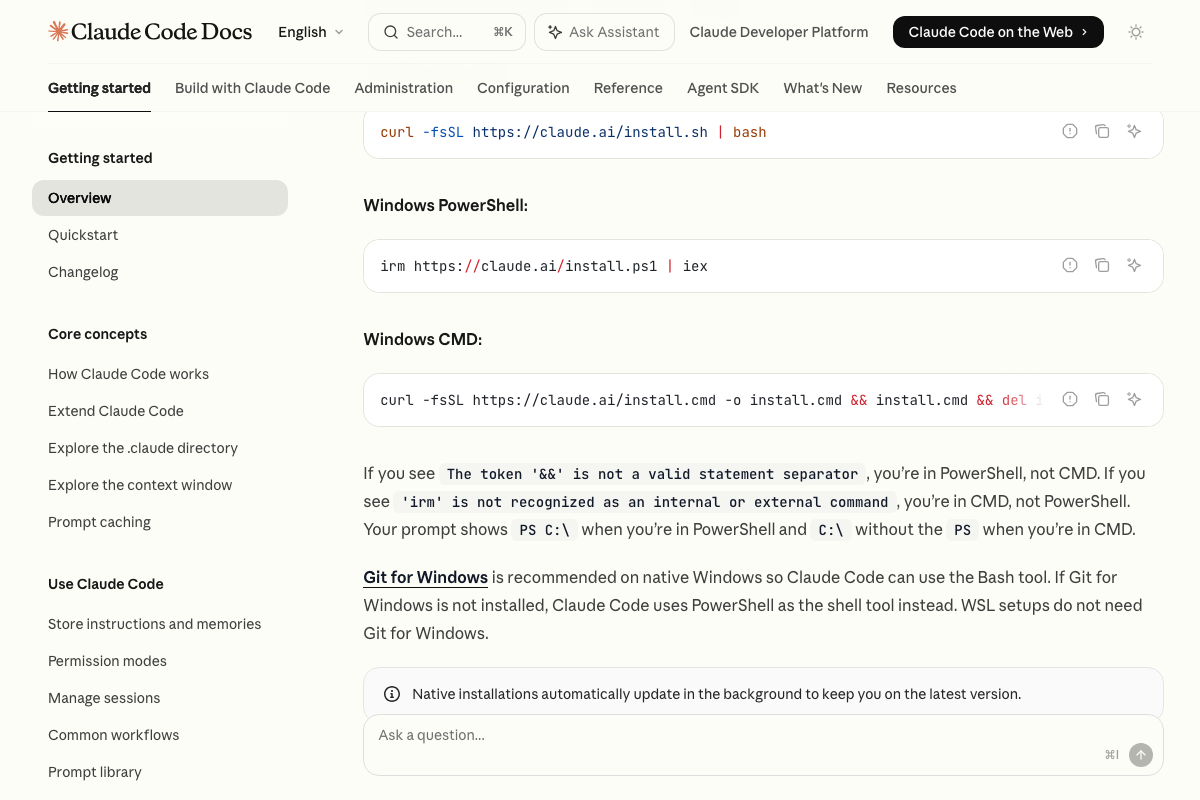
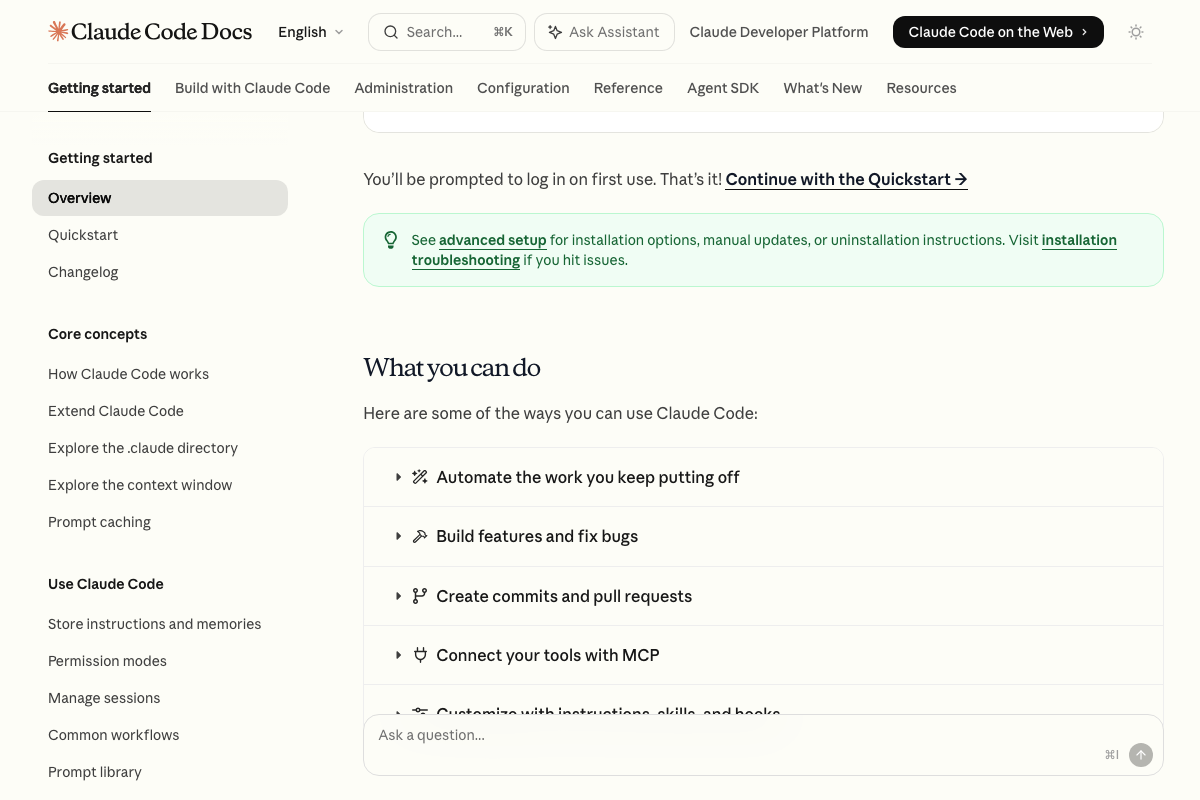
As of May 2026, no official documentation confirms that typing the keyword “workflow” activates dynamic sub-agent orchestration in Claude Code. The docs confirm Claude Code is an agentic coding tool with a documented Agent SDK supporting sub-agent architecture — but the specific keyword-trigger mechanism shown in the video does not appear in any current documentation. Use this step as demonstrated, and verify against the Claude Code docs before building production pipelines around it.
Step 6 — Select Opus 4.8 and confirm the context window
As of May 2026, the 1-million-token context window attributed to Claude Opus 4.8 in Claude Code is not confirmed in any captured screenshot. The canonical source for context window specs is the models overview page at docs.anthropic.com/en/docs/about-claude/models/overview — that page was not successfully captured during this review. Verify the current figure there directly before scoping long-horizon sessions around it.
No official documentation was found confirming the 1-million-token context window for this step — proceed using the video’s approach and verify independently.
Steps 7 and 8 — Execute and audit the build
No official documentation was found for these steps — proceed using the video’s approach and verify independently.
Step 9 — Review token consumption
The Max plan’s existence at $100/month is confirmed. The specific figures the video cites — 300,000 tokens consumed, 45-minute runtime, approximately 4% of a weekly Max plan budget — are not verifiable from any captured documentation. Usage dashboards and per-session token rates are not covered in the pages reviewed here.
No official documentation was found for the specific consumption figures in this step — proceed using the video’s approach and verify independently.
Useful Links
- Sign in – Claude — Claude.ai web app and marketing site, the primary consumer interface for accessing Claude Opus 4.8 and comparing subscription plans including Max.
- Overview – Claude Code Docs — Official Claude Code documentation covering installation commands for all platforms, capability overview, and subscription requirements.
- Intro to Claude – Claude API Docs — Anthropic’s developer onboarding page confirming Opus 4.8’s positioning, documented thinking modes, and links to the models overview for context window specifications.


0 Comments