

Track and Improve Your Brand’s Visibility in ChatGPT, Gemini, and Perplexity Using HubSpot AEO
Answer Engine Optimization is no longer theoretical — AI platforms are actively routing purchase decisions, and most brands have no idea whether they’re appearing in those answers. HubSpot’s AEO tool gives you a structured way to track brand mentions across ChatGPT, Perplexity, and Gemini, diagnose why competitors rank higher, and generate a content roadmap to close the gap. This walkthrough uses Hampton, Sam Parr’s founder community, as a live working example.
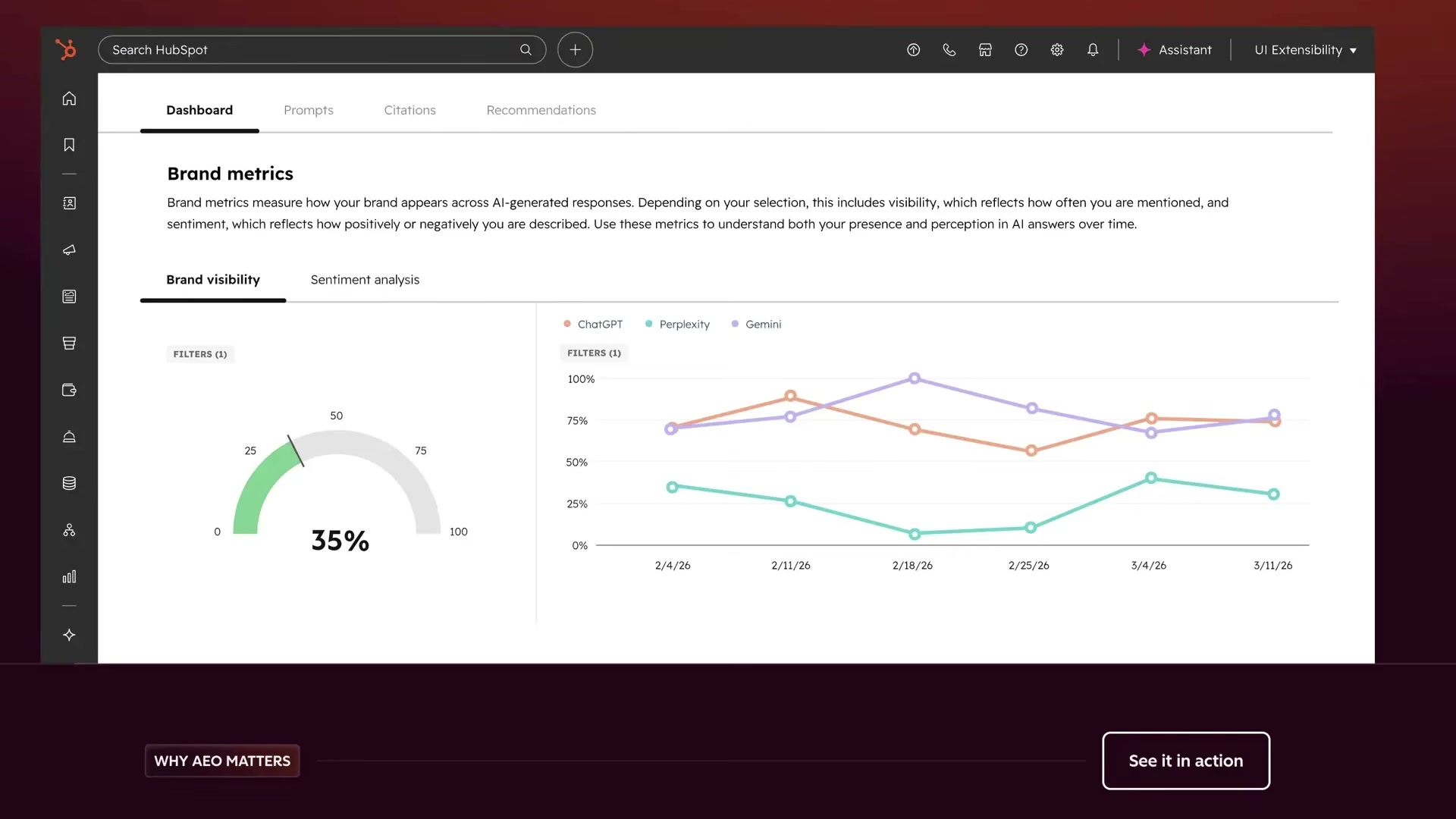
-
Go to hubspot.com/aeo to access the tool. It’s available as a standalone product at $50/month or included in Marketing Hub Pro and Enterprise plans. A 28-day free trial is also available.
-
Create a portal for your target brand. If you’re already a HubSpot CRM customer, the tool auto-populates your product catalog and Ideal Customer Profile (ICP) data — no manual setup required for those fields.
-
Add tracking prompts. You can enter them manually, or use the “Generate with AI” option. To generate prompts, select an ICP (for example, “B2C startup founders in the US”), choose a product or service line, set a desired prompt count, and pick a buyer journey phase — Awareness, Consideration, Evaluation, or Decision. For audiences unfamiliar with a product category, Awareness is the right starting point.
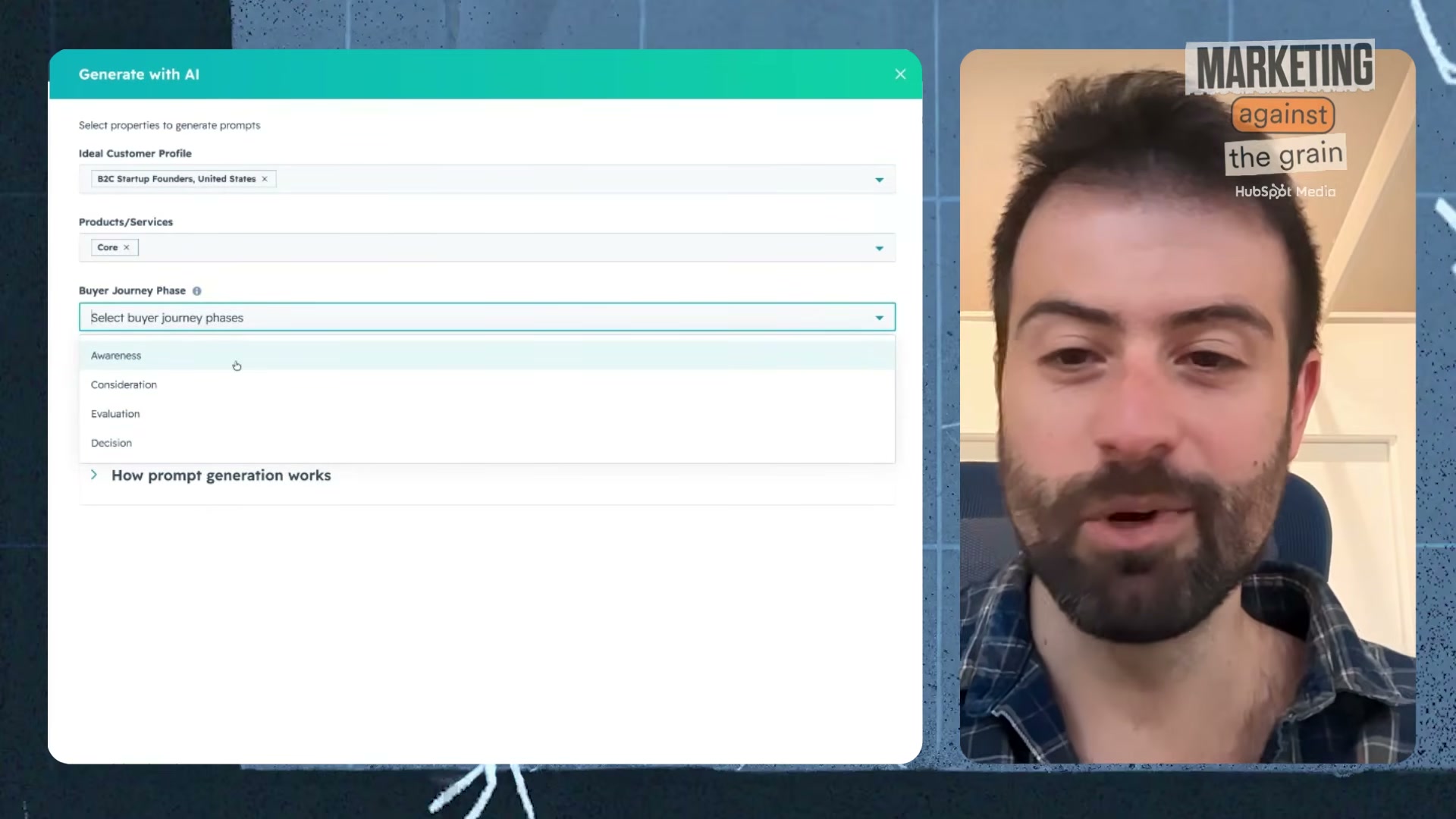
-
Associate each prompt with a specific ICP and product line. This segmentation lets you track visibility separately across different customer segments and offerings — useful if your brand serves meaningfully different audiences.
-
Review the AI-generated prompts one by one, approving or discarding each. Once saved, the tool begins running them daily against all three AI engines.
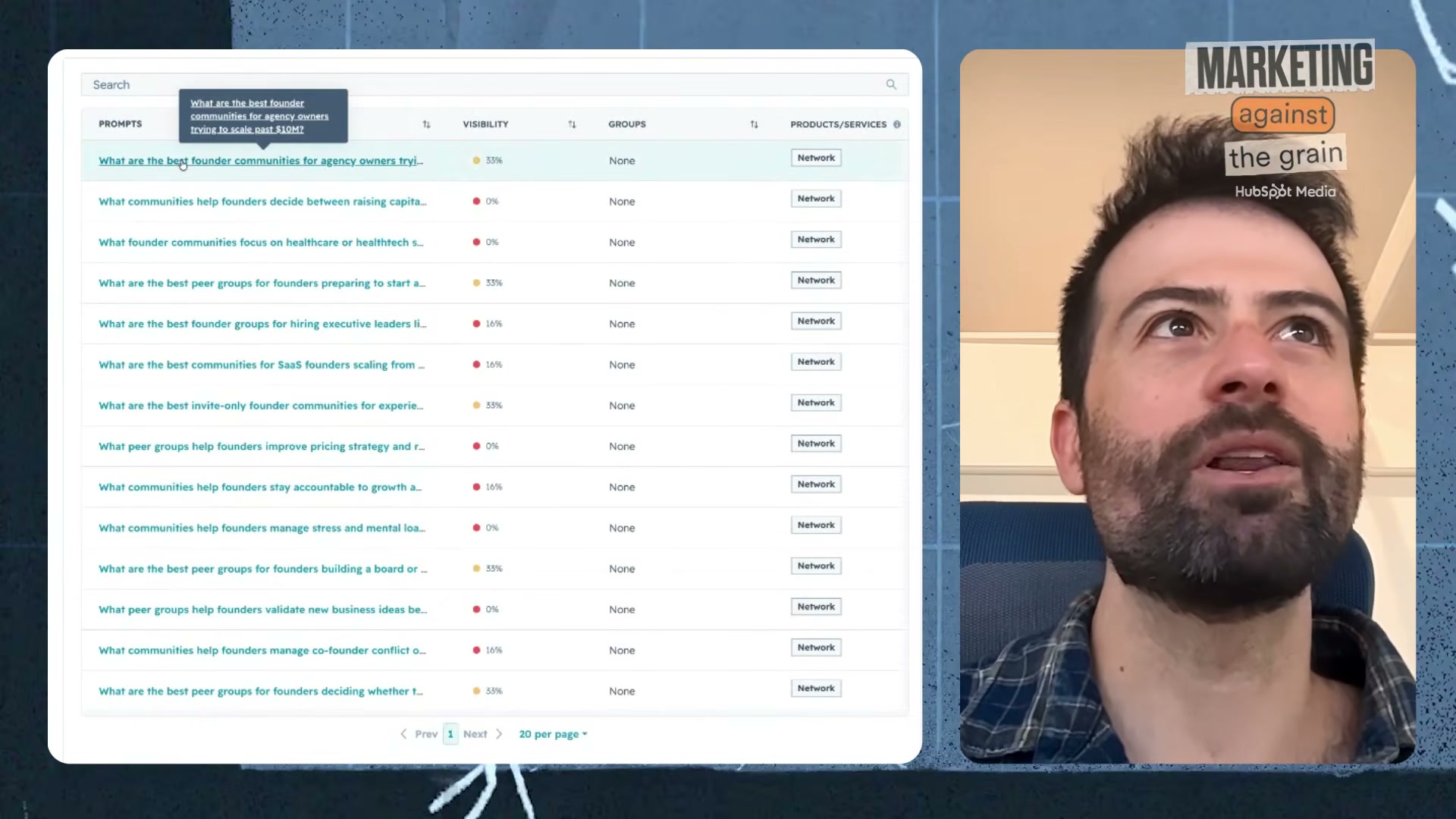
-
Open any prompt to see the inline AI-generated answers from ChatGPT, Perplexity, and Gemini, along with whether your brand appeared in each response.
-
Check the daily mention rate for each prompt. The tool flags whether your brand was mentioned in the current run versus the previous day’s run — useful for spotting volatility in AI outputs.
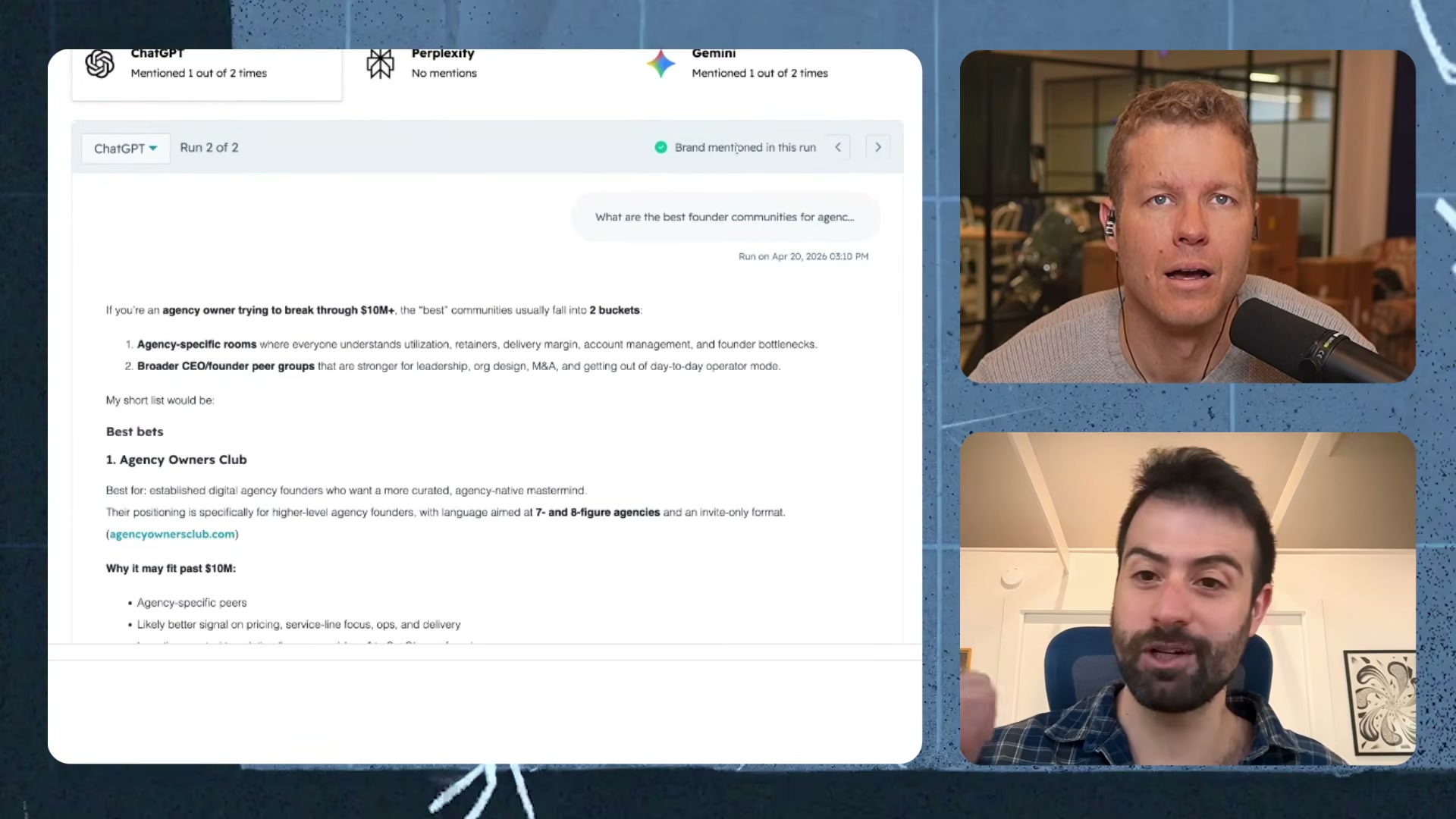
Warning: this step may differ from current official documentation — see the verified version below.
Note that AEO tracking does not include traditional search volume data. Conversational AI prompts average 23–24 words, making keyword volume metrics irrelevant — there is no measurable frequency for a highly specific prompt.
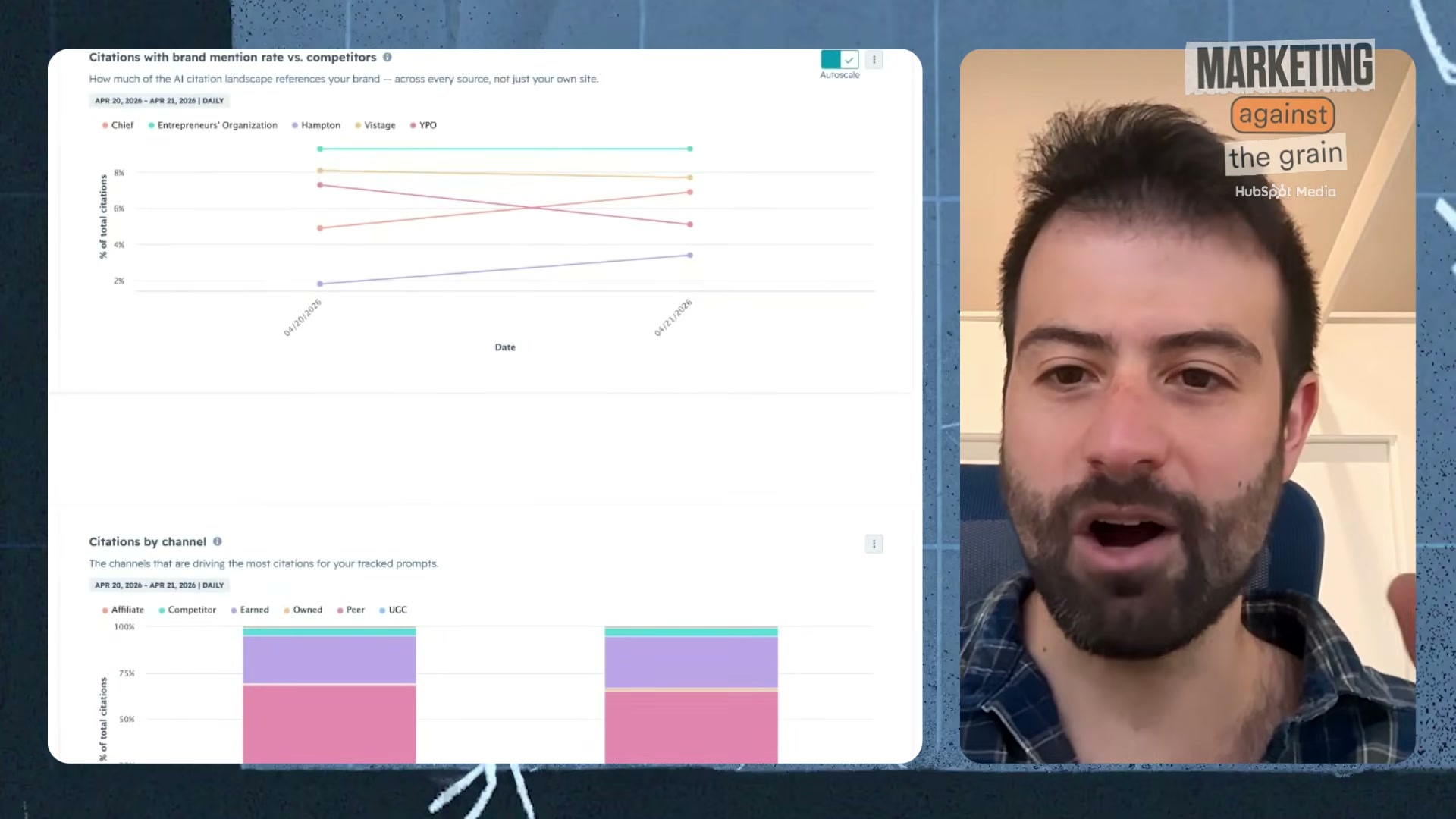
- Navigate to the Citations tab to see which source types are driving AI answers: earned media, peer sites, competitors, and UGC. Each citation type represents a different influence lever you can act on.
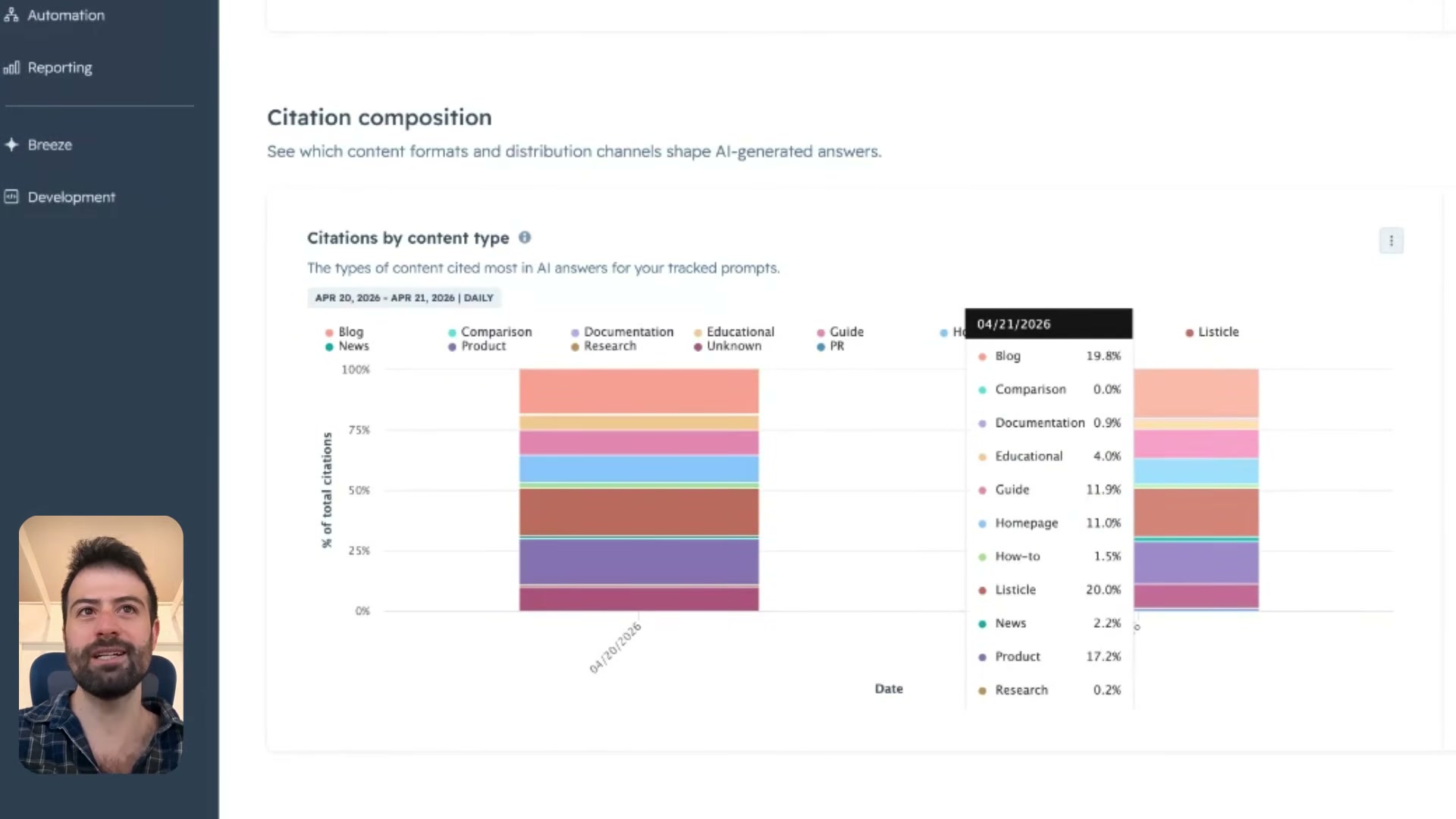
- Drill into “Citations by content type” to see the exact content formats — listicles, blog posts, product pages, how-to guides, homepage content — that AI engines pull from most when answering your tracked prompts.
-
Review the auto-generated content recommendations under the Recommendations tab. Each suggestion includes a mini content brief with target keywords sourced from third-party keyword data providers, giving you a prioritized production queue tied directly to citation gaps.
-
Hand the content brief to a writer or AI writing tool to produce the content. The brief specifies format, topic angle, and keywords — the gap between what AI engines cite and what your brand currently publishes is the opportunity.
How does this compare to the official docs?
The walkthrough moves fast and relies on HubSpot’s pre-configured Hampton account to skip several setup steps — what the official documentation covers in those gaps changes how you’d approach this from a cold start.
Here’s What the Official Docs Show
The tutorial gives you a practical, fast-moving orientation to HubSpot AEO — and the official product pages confirm the core workflow holds up. What follows layers in the details the docs surface that the video didn’t have time to cover.
Step 1 — Access HubSpot AEO
The video’s approach here matches the current docs exactly: hubspot.com/aeo is the correct entry point, and AEO is confirmed as a Marketing Hub feature. Two additions from the official page: the product carries a prominent Beta badge the video does not mention, and a “Start your free trial” CTA exists alongside “Buy now.” As of April 2026, the $50/month standalone price stated in the video is not displayed anywhere on the public landing page — confirm current pricing directly at hubspot.com/aeo before purchasing.

Steps 2–5 — Portal setup, prompt generation, ICP tagging, and prompt review
No official documentation was found for these steps — proceed using the video’s approach and verify independently.
Step 6 — View per-engine AI answers
The video’s approach here matches the current docs exactly. The Marketing Hub product page independently confirms ChatGPT, Perplexity, and Gemini as the three tracked engines. Worth noting: how AEO programmatically queries each engine is not documented in any available screenshot — the Gemini and Perplexity screenshots captured are developer API interfaces, not the integrated behavior inside AEO.
Step 7 — Monitor daily mention rate
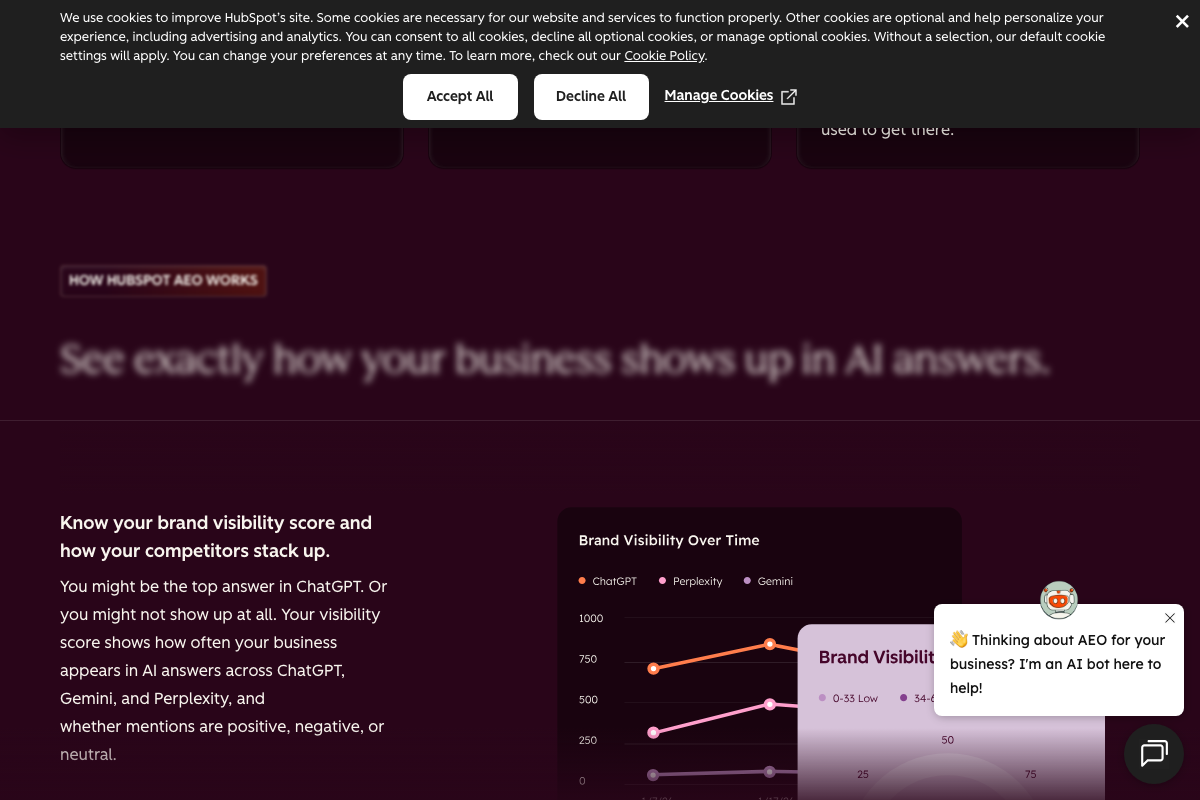
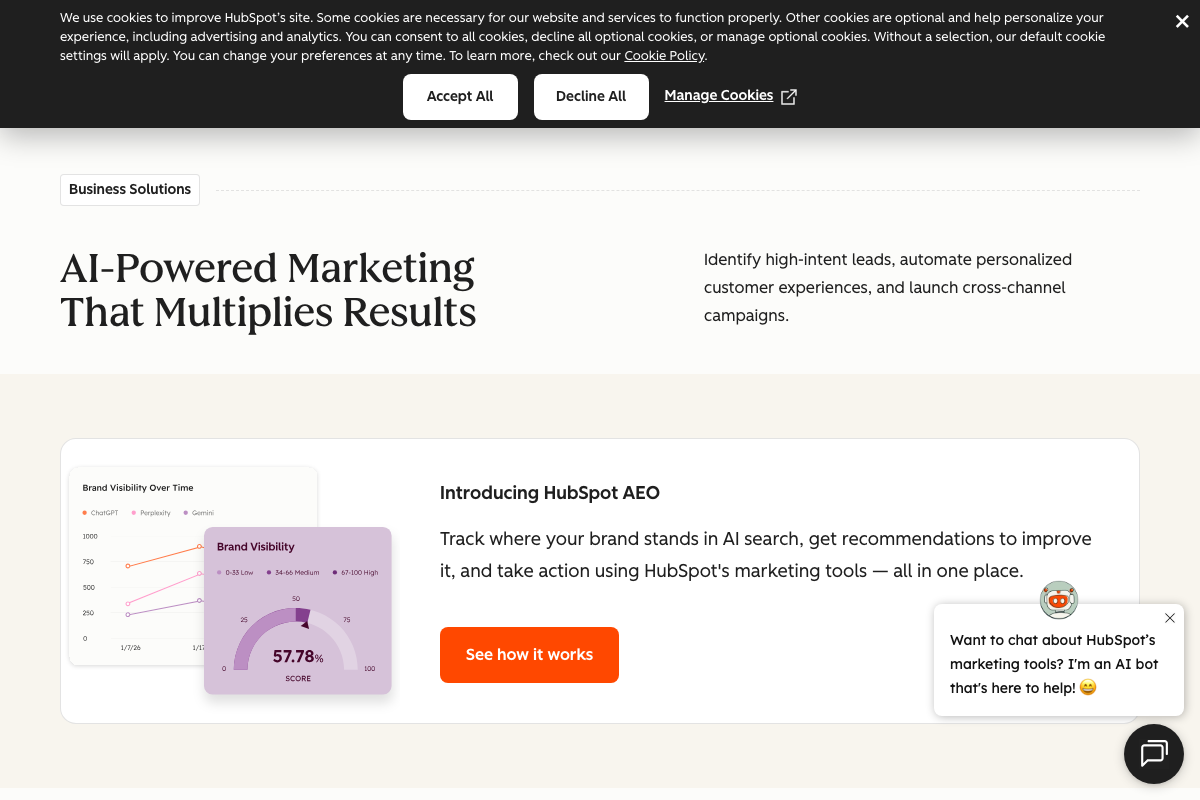
The video’s approach here matches the current docs exactly, with one meaningful addition: the official UI expresses brand visibility as a 0–100 percentage score structured into tiers (Low: 0–33, Medium: 34–66, High: 67–100), not the raw fractional framing the video uses. The docs also confirm that the score tracks whether mentions are positive, negative, or neutral — a documented sentiment classification feature the tutorial does not cover.
Step 8 — Navigate to Citations
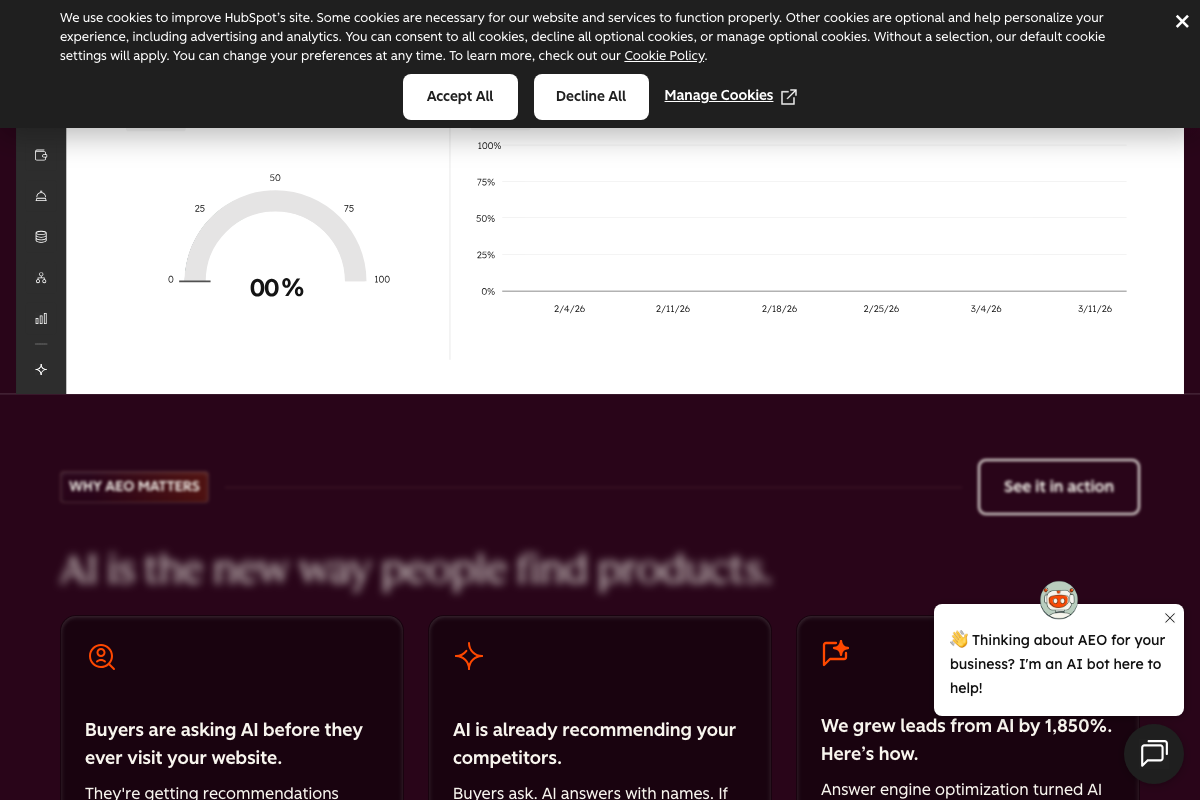
The video’s approach here matches the current docs exactly. The AEO landing page dashboard preview confirms Citations as one of four primary navigation tabs alongside Dashboard, Prompts, and Recommendations.
Step 9 — Citations by content type
No official documentation was found for this step — proceed using the video’s approach and verify independently.
Step 10 — Review Recommendations
The video’s approach here matches the current docs exactly. One addition: HubSpot’s Breeze AI is the named underlying engine powering Marketing Hub’s AI-driven features, including recommendation generation — the video does not identify Breeze by name.
Step 11 — Brief a writer or AI tool
No official documentation was found for this step — proceed using the video’s approach and verify independently.
Useful Links
- HubSpot AEO | See How Your Brand Shows Up in AI Search — Official AEO product landing page, including Beta status, pricing CTAs, and dashboard feature previews.
- AI-Powered Marketing Software that Multiplies Results | HubSpot — Marketing Hub product page confirming AEO as a core feature with per-engine visibility tracking and Breeze AI integration.
- ChatGPT — Consumer-facing ChatGPT interface; one of the three AI engines tracked by HubSpot AEO.
- Gemini API | Google AI for Developers — Gemini developer API documentation showing the current Gemini 3.x model generation.
- Overview – Perplexity — Perplexity API Platform documentation; one of the three AI engines tracked by HubSpot AEO.


0 Comments