

How to Pick Your First Marketing Channels When You Have Zero Audience
Rand Fishkin built two companies simultaneously — AlertMouse and Snack Bar Studio — and ran completely different marketing playbooks for each. In this tutorial, you’ll learn his three-criteria framework for selecting channels when starting from scratch, then extend that foundation with data tools that sharpen your targeting before you produce a single piece of content. By the end, you’ll have a repeatable process for evaluating any channel against your specific audience, your own capacity, and the competitive landscape.
- Map where your audience already pays attention, segmented by business type. Fishkin’s AlertMouse targets LinkedIn, podcasts, conferences, and Reddit — channels where B2B buyers spend professional time. Snack Bar Studio, his indie game label, demands Steam, Twitch, and short-form video. Before you open a scheduling tool, list every platform your buyers use and mark the ones where purchase decisions are actually influenced. Platform presence and purchase influence are not the same thing.

- Filter that list by personal passion and interest. Fishkin could run a Discord for Snack Bar Studio — the audience is there — but no one on his team has the bandwidth or genuine enthusiasm to sustain it. A channel you cannot maintain at quality is worse than no channel at all because inconsistency signals neglect. Cross off anything you would dread showing up for six months from now.

- For each channel that survives the first two filters, define the specific thing you will do that competitors are not doing. Fishkin describes the SEO content space on LinkedIn as ten thousand voices saying the same thing. Your entry point needs a genuinely different format, data angle, voice, or sub-topic — something that earns attention rather than blends into the feed.
- Before committing to a niche, run a SERP and on-page grader analysis to locate low-competition keyword gaps. Tools like Moz surface searches where existing pages underserve intent — meaning you can rank without matching a dominant incumbent’s domain authority. Prioritize gaps where search volume is modest but buyer intent is high.
Warning: this step may differ from current official documentation — see the verified version below.

-
Use an audience research tool such as SparkToro to pull behavioral and demographic data on your target segment without running a single survey. SparkToro indexes what a given audience reads, watches, follows, and engages with — giving you channel-level intelligence that previously required expensive clickstream buys from providers like SimilarWeb or Comscore.
-
For product category decisions, pull tag-level overperformance data from platform analytics. On Steam, wish-list-to-conversion ratios by category reveal segments where demand outpaces supply. The same logic applies to any platform with structured category or tag taxonomies: find where buyer intent tilts against available content before you commit resources to building.
How does this compare to the official docs?
Fishkin’s framework is grounded in practice rather than any single platform’s published guidelines, which means the tool-specific steps — particularly the keyword gap analysis in Step 4 — deserve a close look against what Moz, SparkToro, and Steam actually document today.
Here’s What the Official Docs Show
The framework Rand Fishkin lays out in Act 1 holds up where the tools enter the picture — the docs confirm the core claims about Moz and SparkToro, and add a few capabilities worth layering in. Two steps also need a practical correction before you act on them.
Step 1 — Map audience attention by platform
No official documentation was found for this step — proceed using the video’s approach and verify independently.
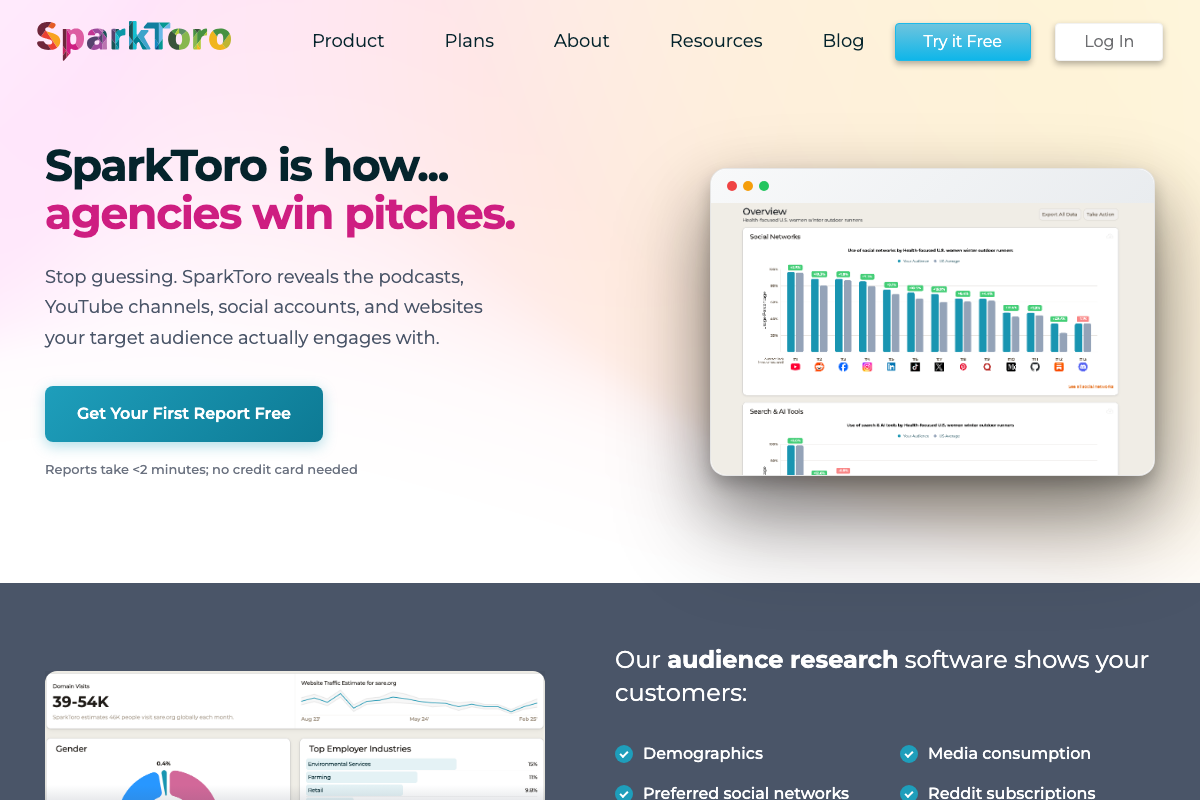
One useful note: SparkToro’s homepage lists “Preferred social networks” and “Reddit subscriptions” as distinct data outputs — channel-level behavioral signals that can sharpen this mapping exercise before you ever open a spreadsheet.
Step 2 — Filter by personal passion and capacity
No official documentation was found for this step — proceed using the video’s approach and verify independently.
Step 3 — Define your unique entry angle
No official documentation was found for this step — proceed using the video’s approach and verify independently.
Step 4 — Run a SERP and keyword gap analysis with Moz
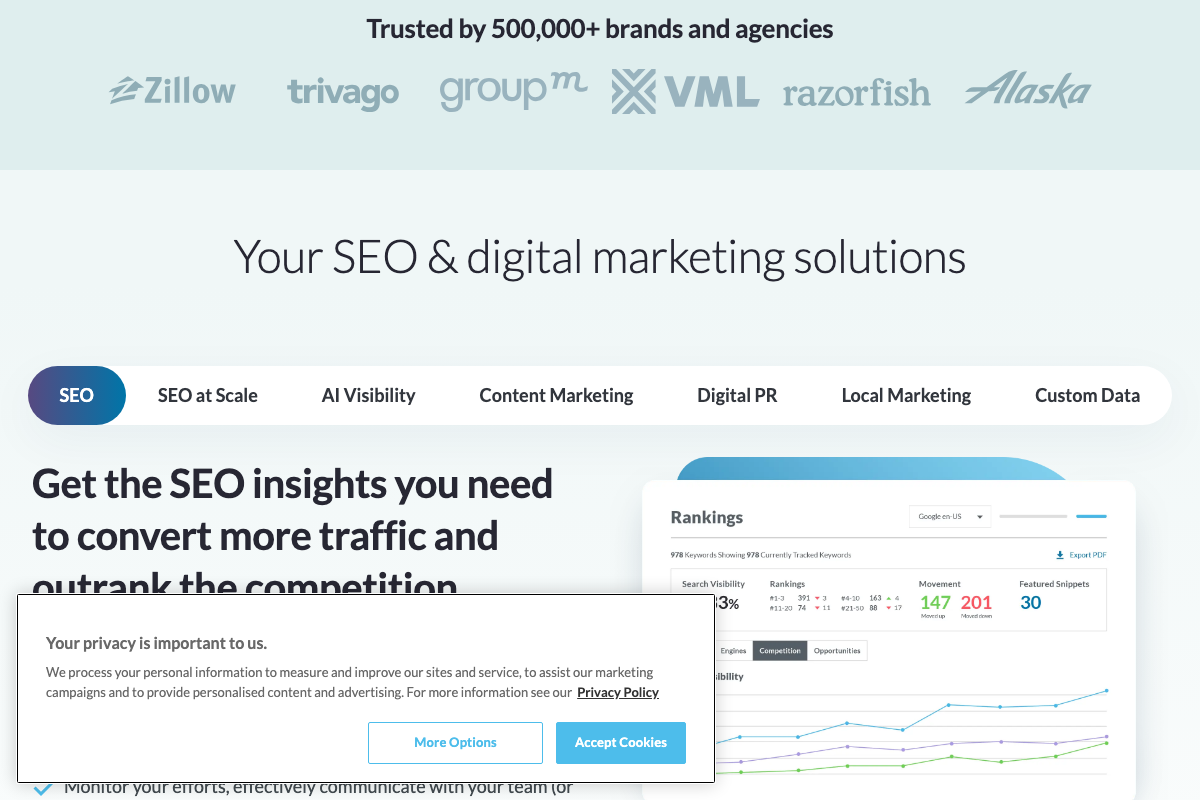
The video’s approach here matches the current docs exactly on the core capability: Moz Pro’s homepage explicitly confirms it helps you “analyze your competition, identify SERP opportunities and keyword gaps, and adapt your strategy for success.” The Rankings dashboard surfaces Search Visibility percentage, position-band breakdowns (1–3, 4–10, 11–20, 21–50), Movement indicators, and Featured Snippets counts — more granular than the tutorial describes.
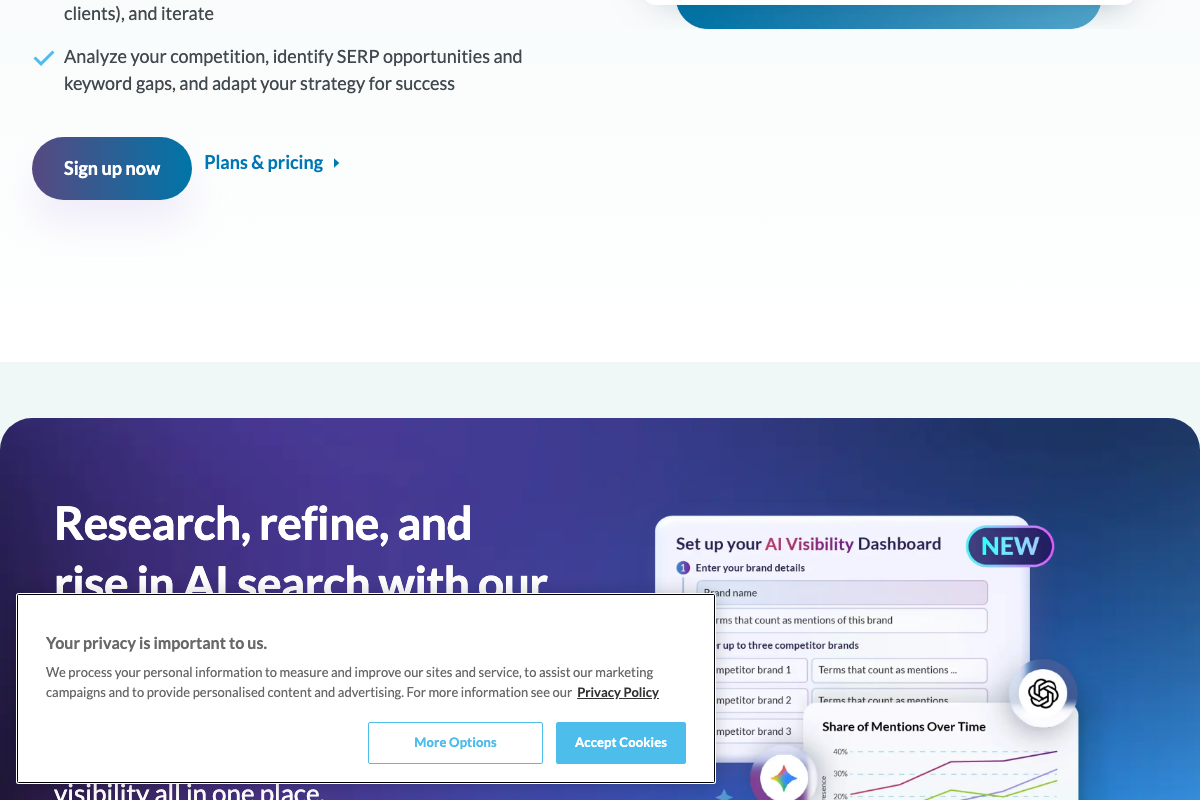
As of May 2026, the On-Page Grader the tutorial names by name is no longer prominently featured on the Moz homepage — the video reflects an earlier product surface. The current homepage foregrounds an AI Research toolkit, Prompt Suggestions, and a newly launched AI Visibility Dashboard. The On-Page Grader remains inside Moz Pro; navigate there directly rather than looking for it from the homepage.
The AI Visibility Dashboard is worth flagging separately: it tracks your brand’s share of mentions in AI-generated search results and monitors up to three competitors simultaneously. That capability did not exist when this tutorial was recorded and is not referenced anywhere in the video.
Step 5 — Pull behavioral data with SparkToro
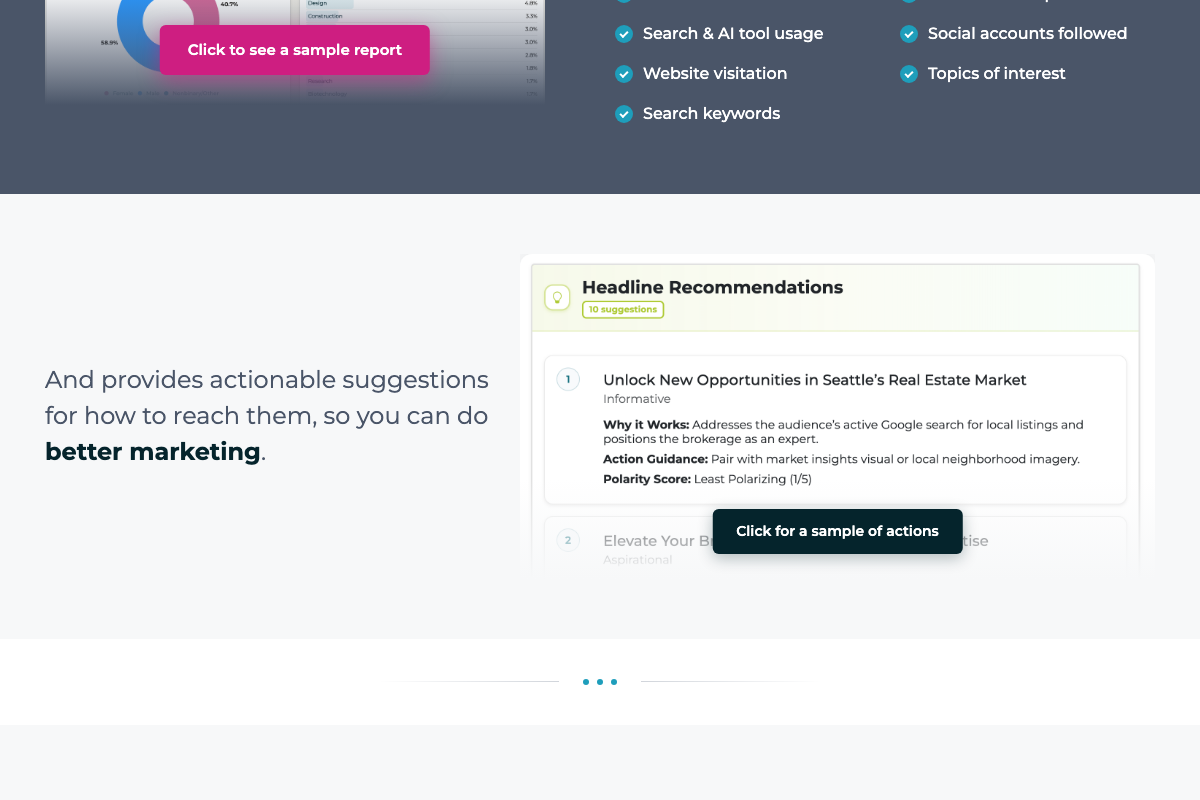
The video’s approach here matches the current docs exactly. SparkToro’s homepage confirms the tool reveals podcasts, YouTube channels, social accounts, and websites a target audience engages with — no surveys required. Documented outputs include Search & AI tool usage, social accounts followed, website visitation, topics of interest, and search keywords.
One addition the tutorial doesn’t cover: SparkToro now generates Headline Recommendations — up to 10 per report — each with a “Why it Works” explanation, Action Guidance, and a Polarity Score on a 1–5 scale. If content tone is part of your channel differentiation strategy (Step 3), that signal is worth pulling alongside the behavioral data.
Step 6 — Use tag-level overperformance data to pick a product category
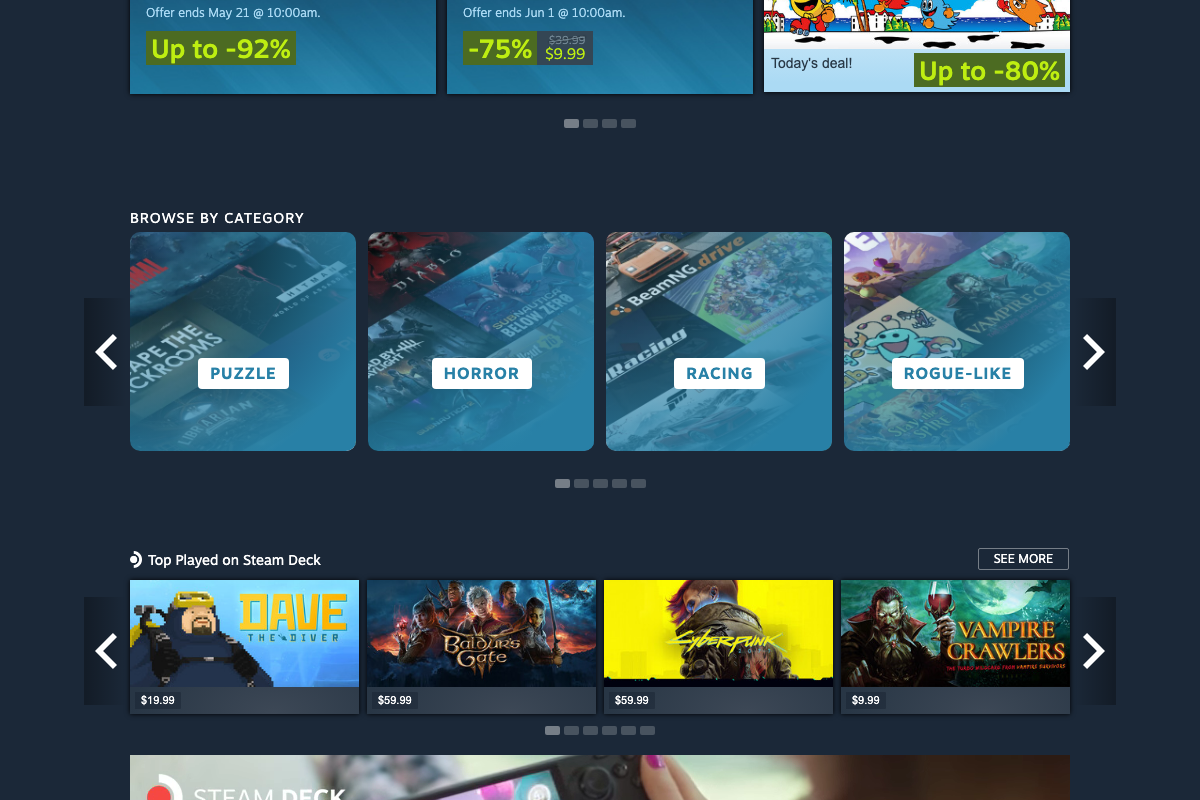
The genre tag structure the tutorial references does exist on Steam — “Browse by Category” surfaces Puzzle, Horror, Racing, Rogue-like, and other genre tags on the consumer storefront. As of May 2026, however, the wishlist-to-conversion ratios the tutorial describes are not accessible at store.steampowered.com. That data lives in the Steamworks developer portal at partner.steamgames.com, which requires a developer account. The public storefront shows pricing, promotions, and category browsing only — no conversion analytics appear anywhere on the consumer-facing pages.
Useful Links
- SparkToro | Audience Research at Your Fingertips — Official SparkToro product homepage confirming behavioral audience data outputs including podcasts, YouTube channels, social accounts, Headline Recommendations, and Polarity Scores.
- SparkToro Blog | The Latest in Digital Marketing and Audience Research — SparkToro’s editorial hub for digital marketing and audience research content.
- Moz – SEO Software for Smarter Marketing — Moz Pro homepage confirming SERP opportunity and keyword gap identification capabilities, plus documentation of the newly launched AI Visibility Dashboard.
- Help Hub – Moz — Moz support and product documentation hub for navigating Moz Pro features including the On-Page Grader.
- Welcome to Steam — Steam public consumer storefront; genre tags and promotional data are accessible here, but wishlist-to-conversion ratios and developer analytics require a Steamworks account at partner.steamgames.com.


0 Comments