

SEO Forensic Autopsy: How to Reverse-Engineer a 97.6% Traffic Collapse
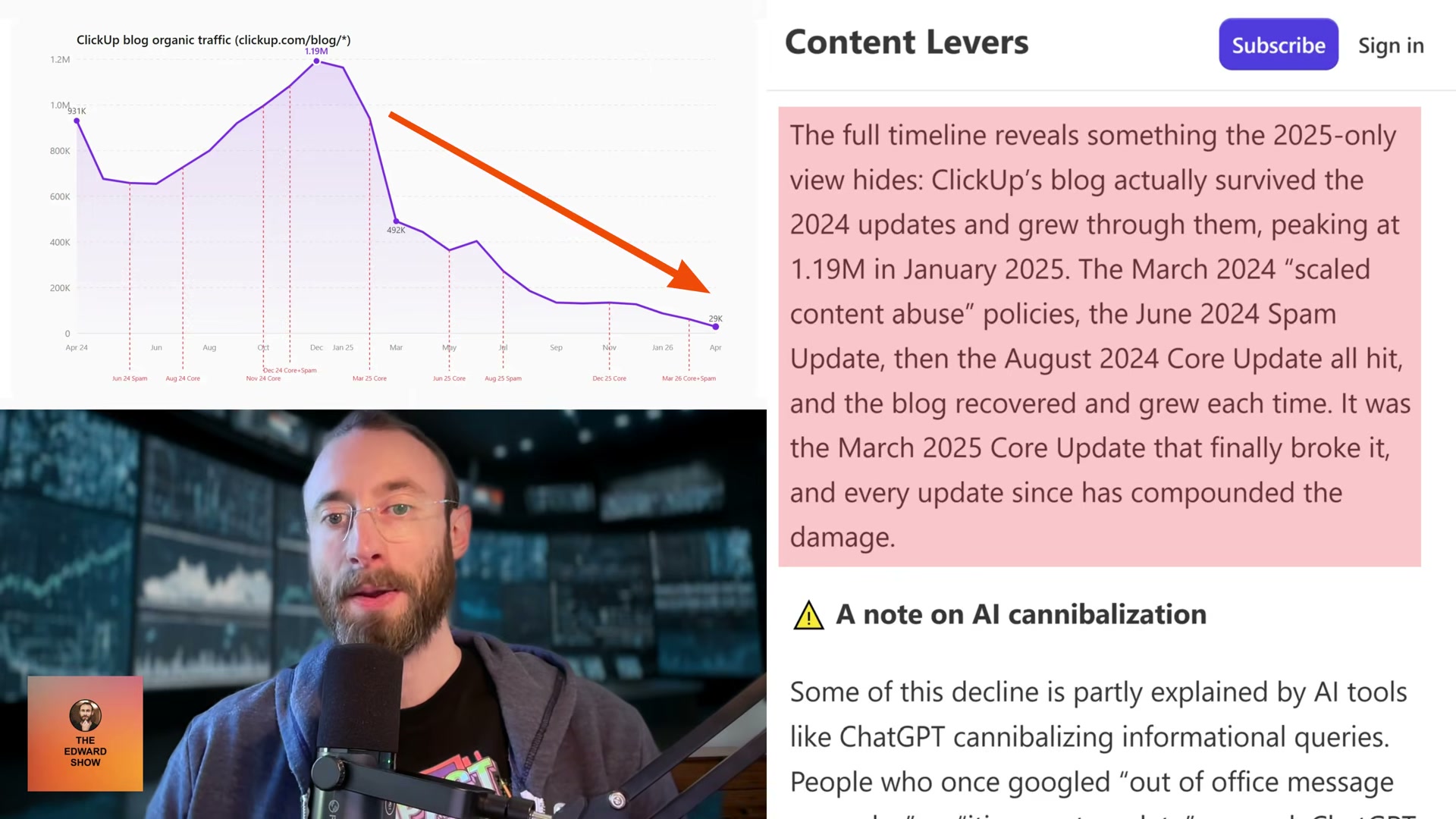
ClickUp’s blog dropped from 1.19 million monthly organic visitors to 28,790 in 15 months — a collapse that most SEO commentary misdiagnosed by a factor of two. This walkthrough shows you how to run a full algorithmic post-mortem on any penalized site: isolating section-level penalties, eliminating false causes like backlinks, and surfacing the exact content patterns Google targeted. The methodology applies to any site, any niche, any penalty type.
-
Pull the target site’s complete organic search history from Ahrefs, going back at least two years. A single-moment snapshot will misrepresent the scale — ClickUp’s crash was widely reported as a 50% decline; the full historical pull shows 97.6% and still falling. Export month-by-month data so you can plot exact inflection points against external events.
-
Crawl the site’s XML sitemaps at multiple historical timestamps — the traffic peak and today, at minimum. Comparing which URLs existed at each point reveals what was added, removed, or silently redirected during the decline period.
-
Map every confirmed Google algorithm update against the traffic timeline using Search Engine Land’s update log overlaid on your Ahrefs export. This step almost always contradicts the intuitive explanation: ClickUp’s blog survived four consecutive 2024 updates and was still growing when it peaked at 1.19M in January 2025 — the March 2025 Core Update broke it permanently, and every update since has compounded the damage.
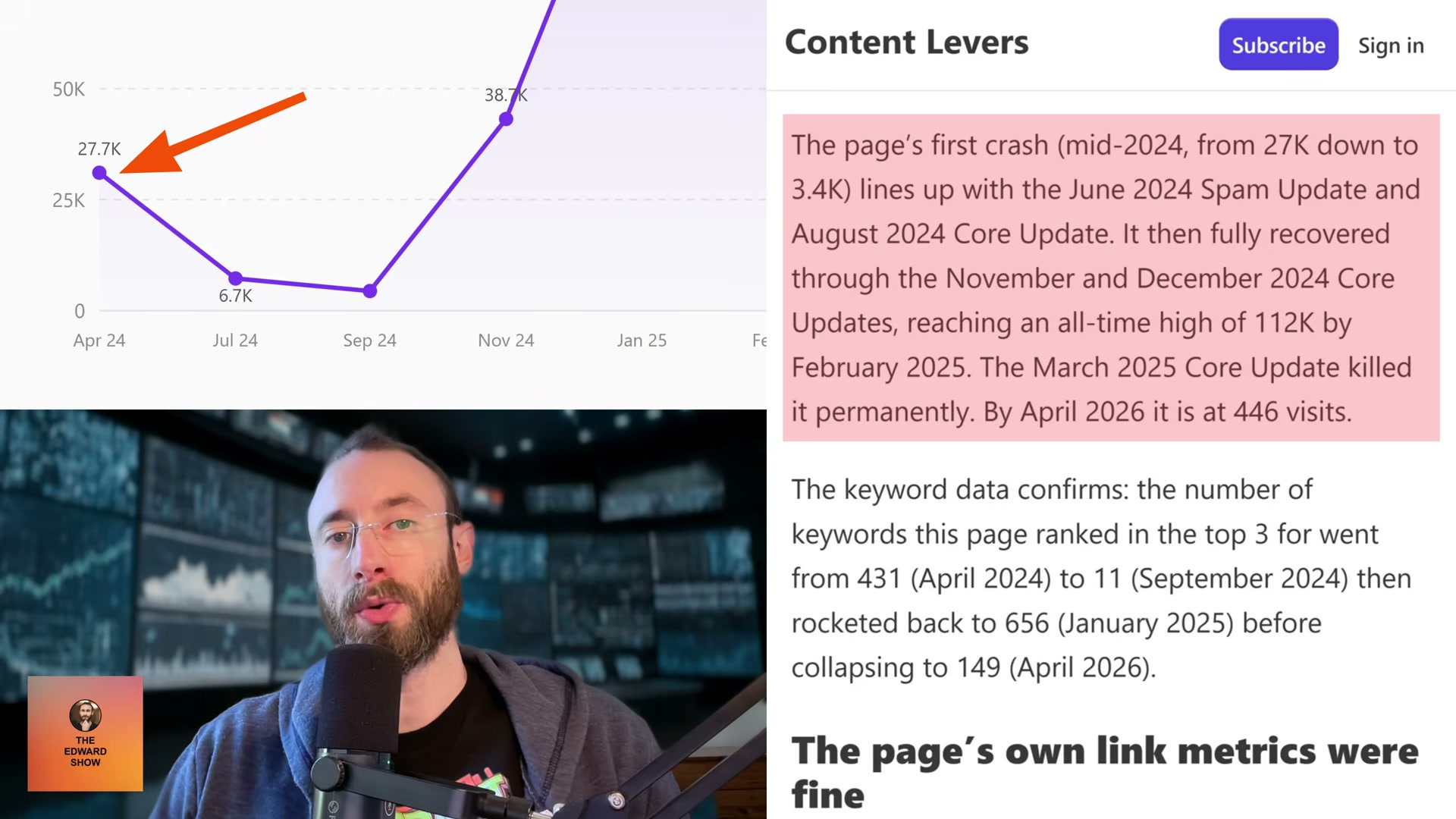
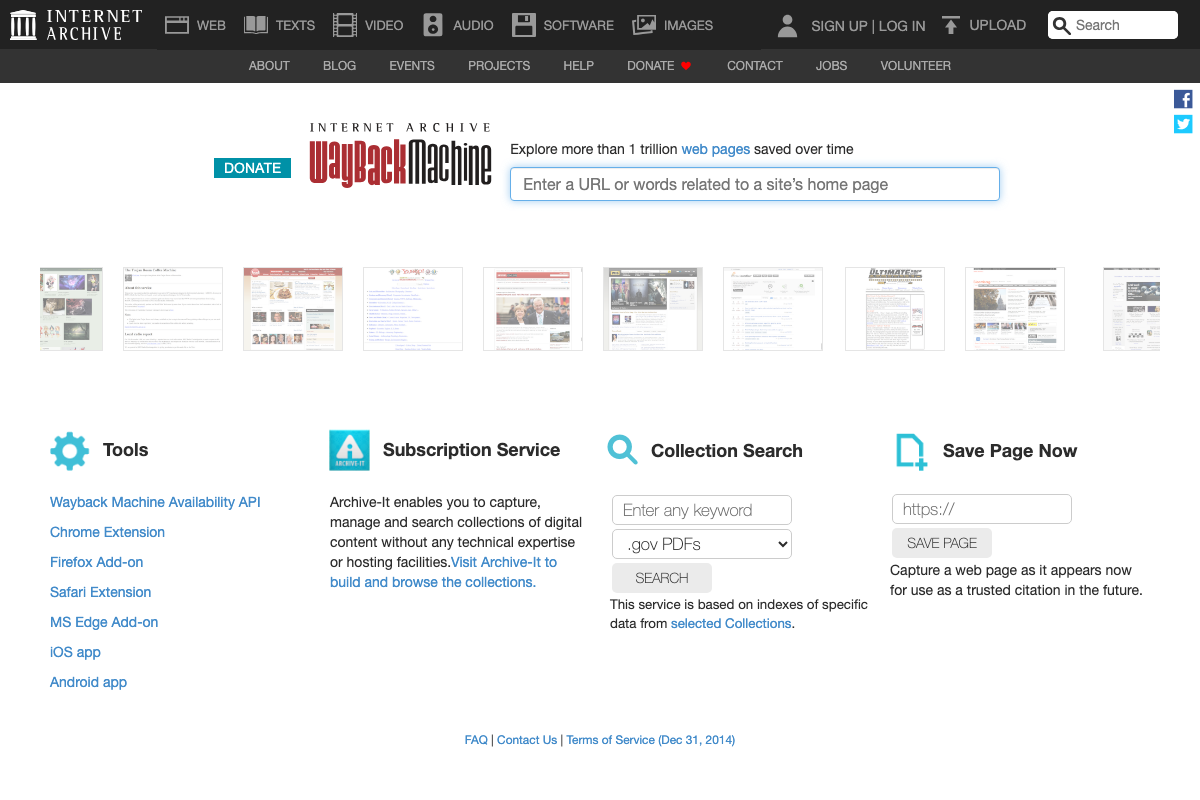
- Pull archived versions of the site’s highest-traffic pages from the Wayback Machine, capturing at least one snapshot per major update cycle. Document structural changes version by version: author attribution, content length, promotional density, and list depth. ClickUp’s ChatGPT alternatives article ran six versions over two years — the fifth version recovered traffic from 3,400 to 112,000 monthly visits; every subsequent version increased promotional density until March 2025 ended it permanently.
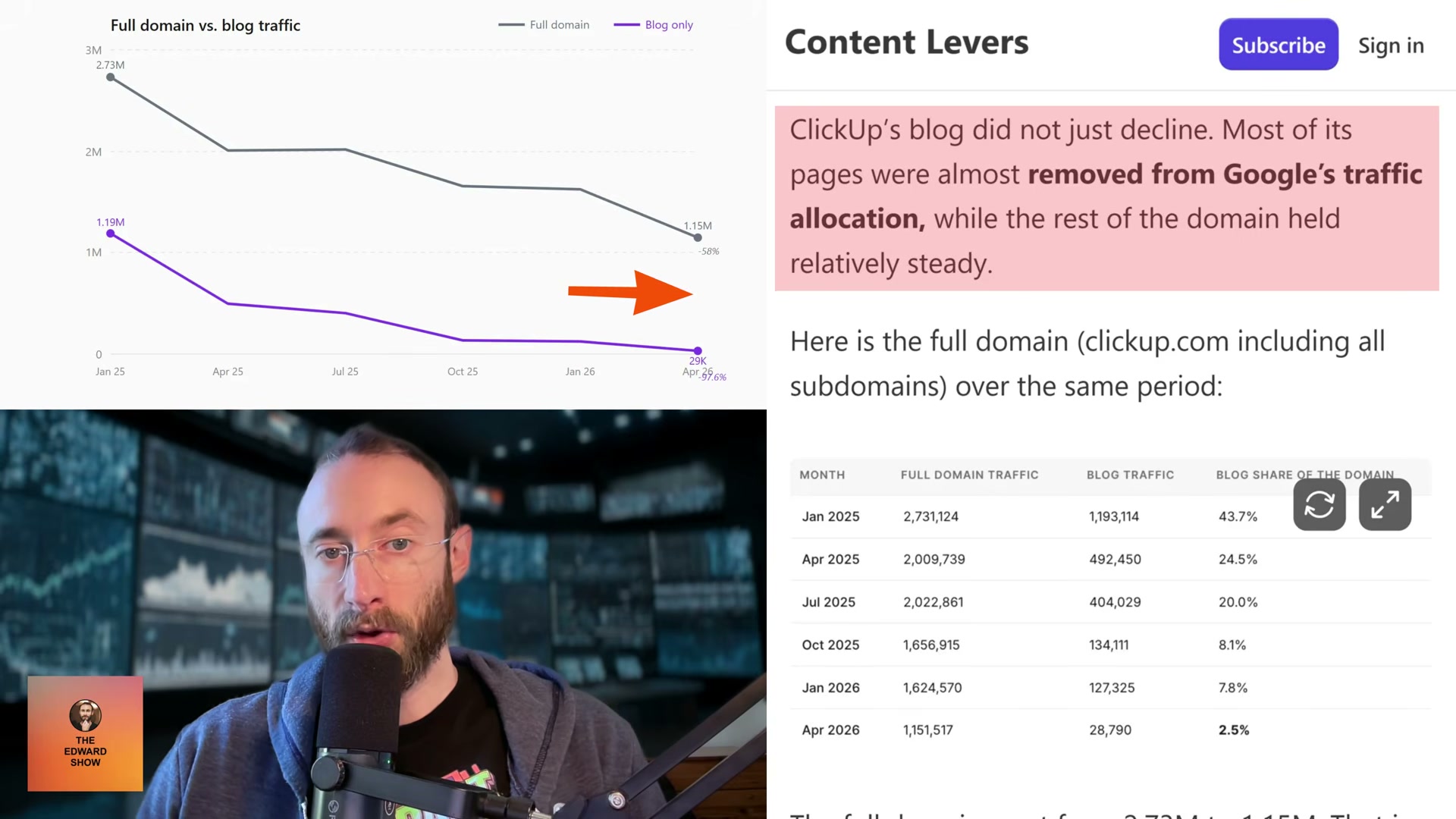
- Isolate blog subdirectory traffic from root domain traffic in Ahrefs to determine whether the penalty is section-level or sitewide. Calculate the blog’s share of total domain traffic at peak and today. ClickUp’s blog fell from 43.7% of domain traffic to 2.5%, while non-blog pages declined only 27% — confirming Google’s classifier targeted the subdirectory specifically, not the brand.
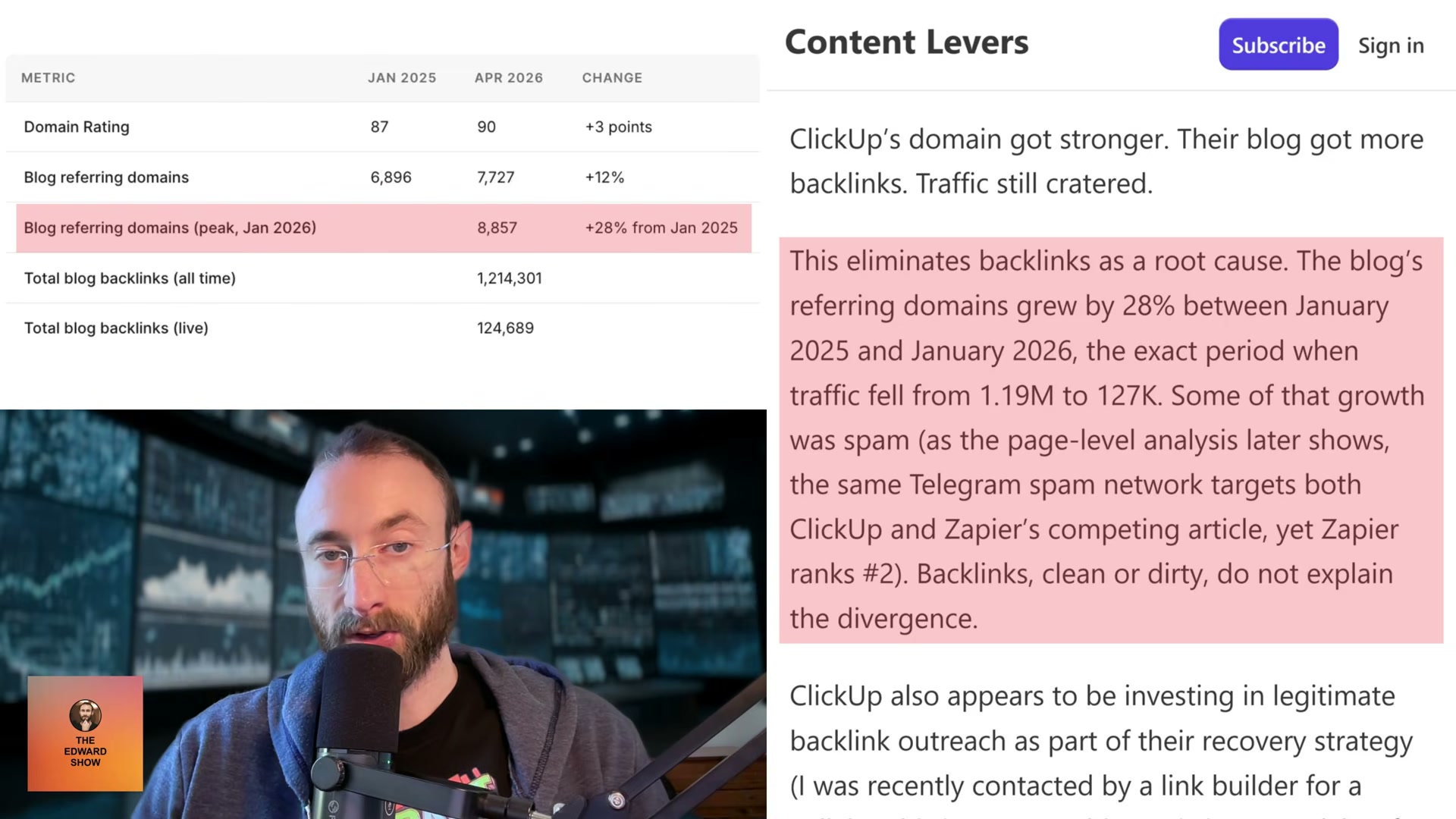
- Analyze referring domain growth across the same crash window to rule out backlinks as root cause. ClickUp’s referring domains grew 28% between January 2025 and January 2026 — the exact period traffic fell from 1.19M to 127,000. When domain rating rises while traffic craters, link acquisition is solving a problem that doesn’t exist.
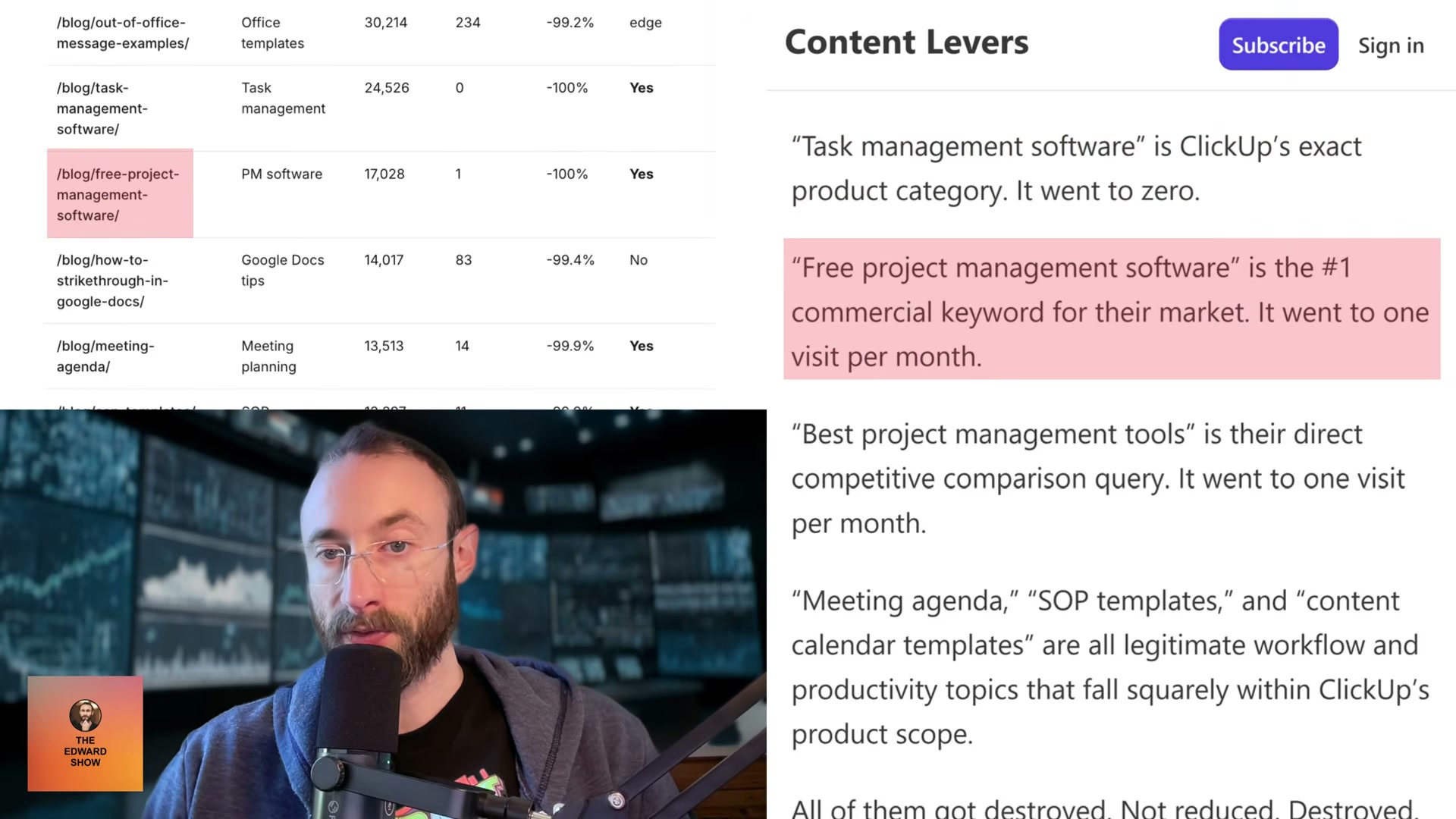
- Audit the six to ten biggest traffic losers for promotional density, template repetition, and asymmetric competitor framing. Count how often the host brand appears as a top recommendation regardless of keyword fit, measure word allocation to the brand versus any competitor entry, and tally promotional CTAs per page. Across 7,000-plus ClickUp posts, the brand’s listicle section ran four to seven times longer than every competitor entry — including a 2,500-word ClickUp section on the free project management software page where competitors received 300 words and a screenshot.
- Fetch the JSON-LD structured data from penalized pages and compare it to top-ranking competitors targeting the same keywords. ClickUp’s schema contained a literal
[year]placeholder in three fields — article headline, webpage name, and breadcrumb list — that Google’s structured data parser read as the string “year” rather than the rendered value.
Warning: this step may differ from current official documentation — see the verified version below.
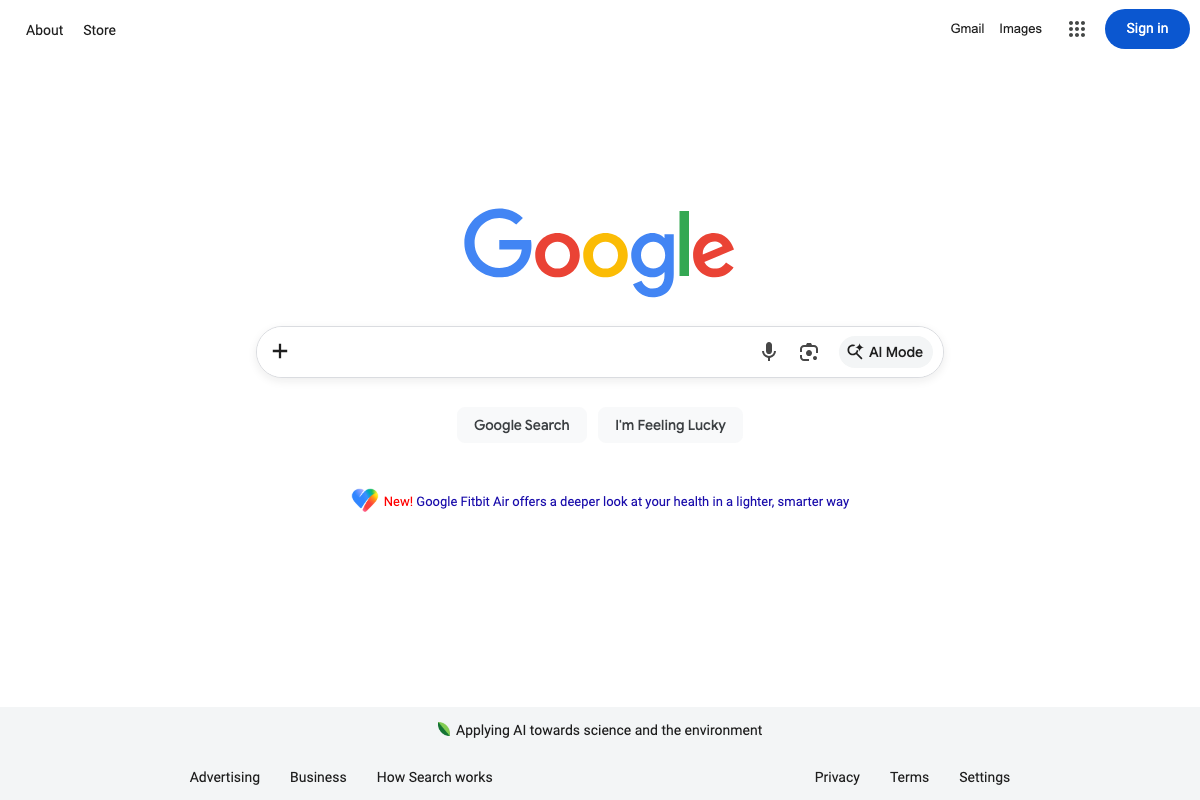
- Pull current SERPs for the site’s former top commercial keywords to confirm traffic transferred to competitors rather than disappearing from search. Searching “task management software” today — ClickUp’s own product category — returns no ClickUp result in the top ten.

- Compare top-ranking competitor pages for each lost keyword against the penalized pages, documenting execution differences at the content structure level. Zapier’s ChatGPT alternatives page was hit by the same spam backlink network as ClickUp’s version and still ranks number two. The divergence is not links — it’s how each page treats the reader’s question relative to the brand’s promotional agenda.
How does this compare to the official docs?
Google’s public documentation on Helpful Content classifiers, scaled content abuse policies, and JSON-LD structured data requirements adds important precision to several of these steps — and reframes what recovery actually requires.
Here’s What the Official Docs Show
The video’s forensic framework is structurally sound — documentation fills a few navigational gaps and flags one platform change that meaningfully affects how you interpret results today. Where screenshots cover the tools used, the methodology holds; where they don’t, the video remains your primary guide.
Step 1 — Pull organic search history from Ahrefs
Navigate to Site Explorer > [target domain] > Organic search — the video doesn’t spell out this path, and the Ahrefs homepage shown in current documentation won’t get you there directly. Worth knowing: Ahrefs has expanded its positioning to “AI Marketing Platform” since most forensic SEO workflows like this were established, adding Brand Radar for tracking brand visibility across AI overviews, ChatGPT, and Perplexity. Site Explorer’s organic traffic history function is unchanged, but the platform is considerably broader than the tutorial implies.
![Ahrefs homepage as of May 2026 — organic search history requires Site Explorer > [domain] > Organic search, not shown here.” style=”max-width: 100%; height: auto; border-radius: 8px; box-shadow: 0 4px 20px rgba(0,0,0,0.15);” /><figcaption style=](https://marketingagent.blog/wp-content/uploads/2026/05/ahrefs_01.png) 📄 Ahrefs homepage as of May 2026 — organic search history requires Site Explorer > [domain] > Organic search, not shown here.
📄 Ahrefs homepage as of May 2026 — organic search history requires Site Explorer > [domain] > Organic search, not shown here.No official documentation was found for this step — proceed using the video’s approach and verify independently.
Step 2 — Crawl XML sitemaps at historical timestamps
No official documentation was found for this step — proceed using the video’s approach and verify independently.
Step 3 — Map algorithm updates against the traffic timeline
No official documentation was found for this step — proceed using the video’s approach and verify independently.
Step 4 — Pull Wayback Machine snapshots
The video’s approach here matches the current docs exactly. One addition worth using: the Wayback Machine Availability API, listed under Tools on web.archive.org, enables programmatic multi-date snapshot queries — considerably more efficient than manual URL lookups when you’re tracking page state across five or more historical timestamps.
Step 5 — Isolate blog subdirectory traffic from root domain
No official documentation was found for this step — proceed using the video’s approach and verify independently.
Step 6 — Analyze referring domain growth
No official documentation was found for this step — proceed using the video’s approach and verify independently.
Step 7 — Audit promotional density
No official documentation was found for this step — proceed using the video’s approach and verify independently.
Step 8 — Fetch and compare JSON-LD structured data
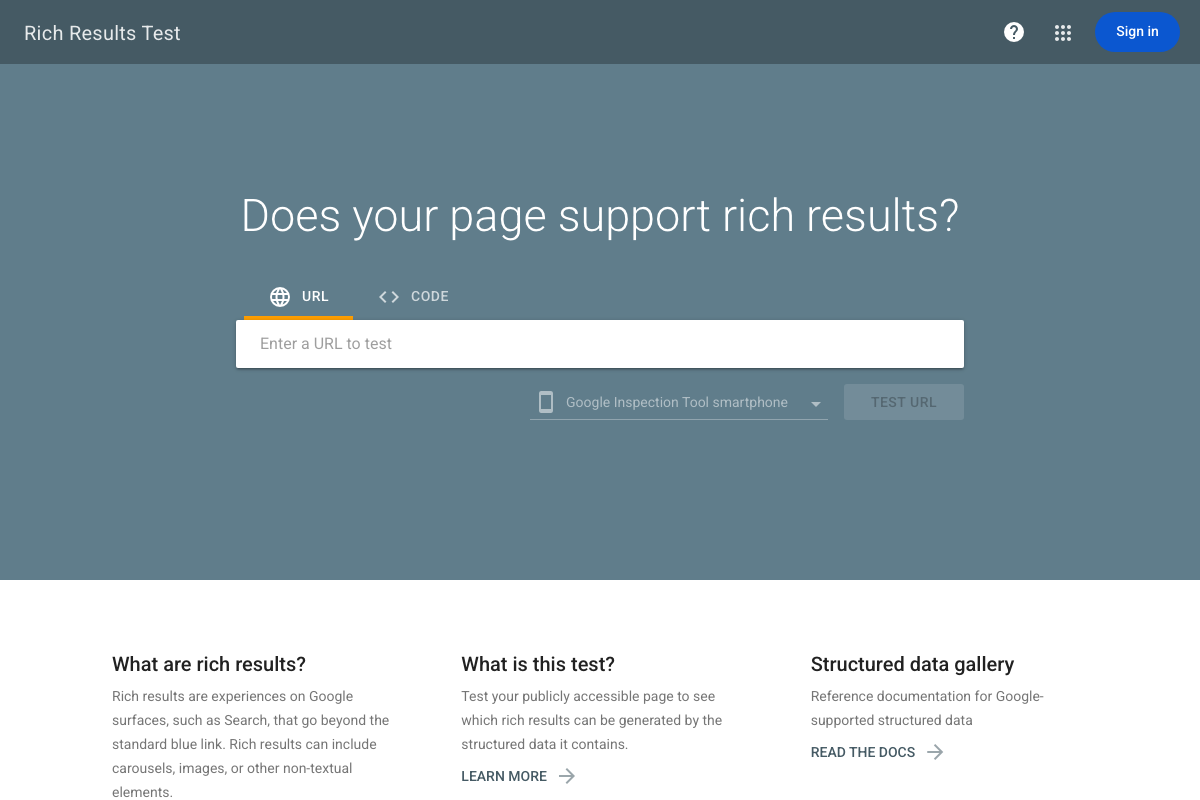
The video’s approach here matches the current docs exactly. Two additions from the current tool documentation: the Rich Results Test accepts pasted markup via the CODE tab — useful for testing extracted JSON-LD from archived pages when a live URL is no longer accessible, which is directly relevant to step 4’s archival pulls. The tool also defaults to mobile rendering (“Google Inspection Tool smartphone”). Step 8 doesn’t specify device context, and mobile vs. desktop can surface different structured data states for the same page — worth running both when the comparison is inconclusive.
Step 9 — Pull current SERPs for former top commercial keywords
The video’s approach here matches the current docs exactly. One live platform change to account for: Google Search now includes an AI Mode button in the search bar. For commercial keywords like “task management software,” AI Mode may generate summaries that surface brand visibility outside traditional ranked results entirely. The tutorial doesn’t address this, and it’s worth checking whether your target keyword triggers AI Mode before drawing conclusions about where the lost traffic redistributed.
Step 10 — Compare competitor pages by content structure
No official documentation was found for this step — proceed using the video’s approach and verify independently.
Useful Links
- Ahrefs — AI Marketing Platform Powered by Big Data — Primary tool for organic traffic history and competitive analysis; access historical data via Site Explorer > [domain] > Organic search, not the homepage.
- Wayback Machine — Historical page snapshot tool for step 4; the Availability API (listed under Tools) supports programmatic multi-date queries across multiple URLs.
- Rich Results Test — Google Search Console — Official structured data auditing tool for step 8; accepts both live URLs and pasted code, and defaults to mobile rendering.
- Google Search — SERP verification interface for step 9; now includes AI Mode, which may alter how visibility is distributed for commercial keywords.


0 Comments