

What YouTube Actually Pays: CPM, RPM, Niche, and the Numbers That Matter
Subscriber count predicts almost nothing about AdSense revenue — the actual drivers are CPM rate, content format, niche, and viewer geography. This breakdown pulls real creator dashboards across multiple niches to show where the money actually goes and why a channel with 1,200 subscribers can out-earn one with double that. Work through these steps and you’ll be able to read your own analytics with a sharper eye and position your channel for higher advertiser demand.
-
Understand the CPM vs. RPM gap. When an advertiser spends $100 to run an ad on your content, that figure is the CPM (cost per mille). YouTube passes roughly 55% to the creator — $55 — which appears in your dashboard as RPM (revenue per mille). Every earnings figure you see in YouTube Studio is your RPM, not the advertiser’s gross spend.
-
Know both YPP tiers and their unlock requirements. The first tier activates at 500 subscribers and 3,000 watch hours, enabling channel memberships, Super Chats, and Super Thanks — but no AdSense. The second tier, which switches on ad revenue, requires 1,000 subscribers and 4,000 watch hours sourced exclusively from long-form video or live streams.
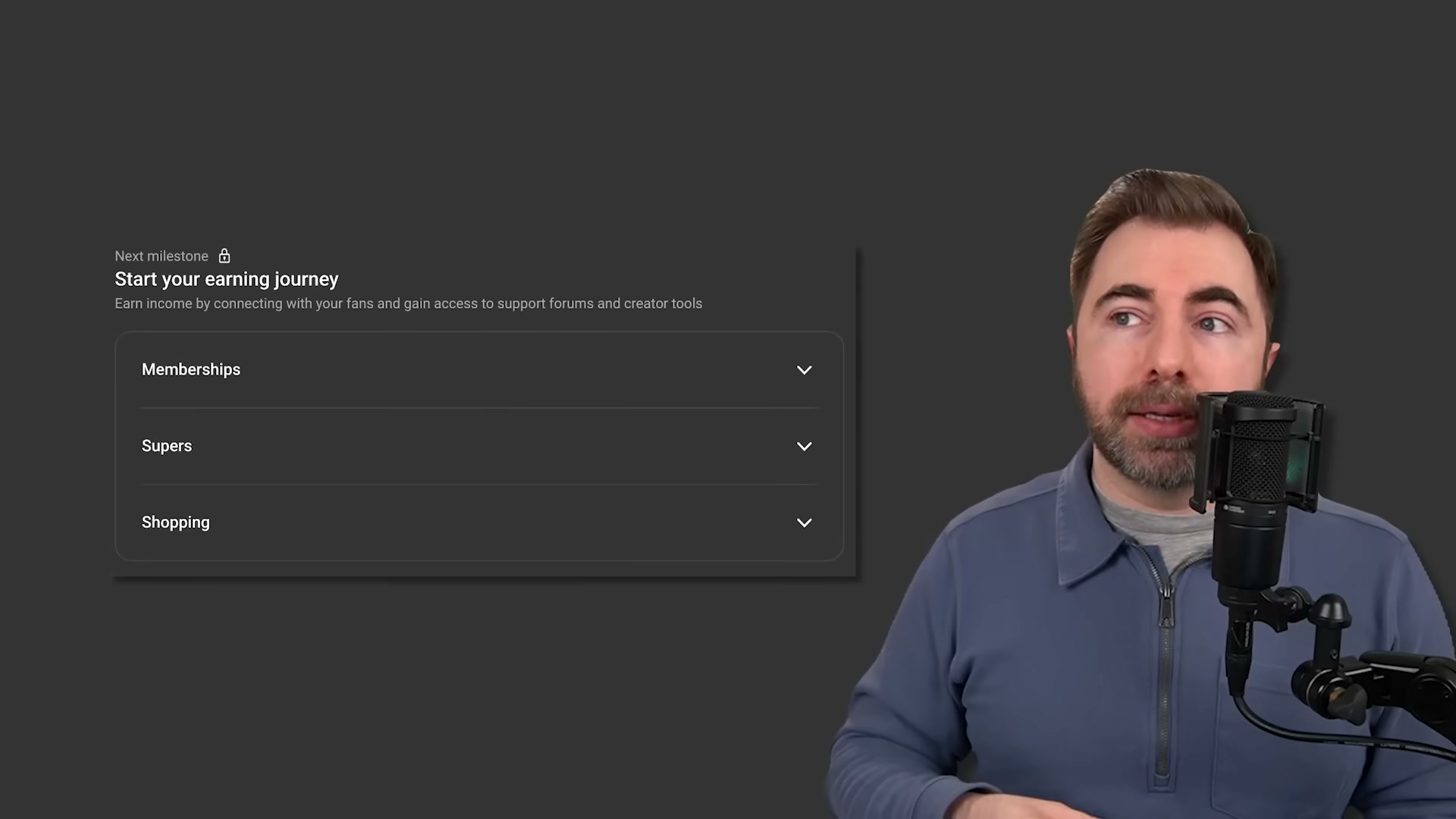
- Recognize that Shorts watch time does not count toward the 4,000-hour threshold. YouTube tracks long-form and Shorts watch time in separate buckets, and only long-form hours apply to AdSense eligibility. Creators who build their watch-time base primarily through Shorts may find themselves stalled well short of monetization despite healthy subscriber growth.
-
Start your AdSense signup at 500 subscribers, not 1,000. Google sends a verification code by mail — a process that takes roughly three weeks. Waiting until you hit 1,000 subscribers to initiate it means approved videos sit earning nothing while the letter is in transit. Starting at the 500-subscriber mark aligns the postal delay with the time it typically takes to reach full AdSense eligibility.
-
Audit your geographic view distribution before drawing conclusions about RPM. A travel channel in the data pulled 15,000 views on a single video yet saw only a $2 RPM because the majority of viewers came from Egypt. If your view counts look healthy but revenue feels disproportionately low, open the geography breakdown in YouTube Analytics before assuming anything is wrong with your content.
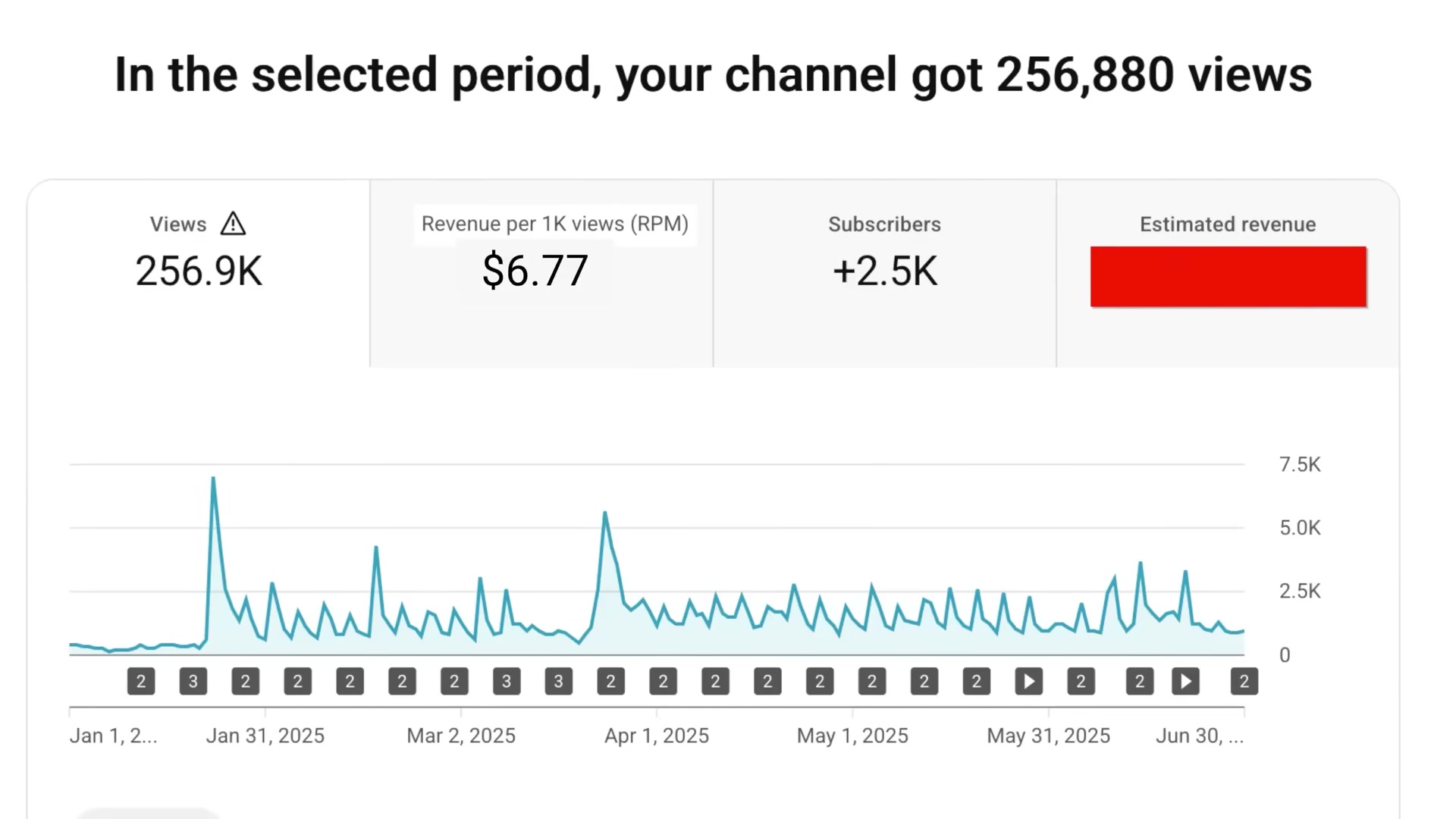
- Use Shorts for audience acquisition and nothing else. Across multiple channels in the data, 1.8 million Shorts views generated $197 while 93,000 long-form views on the same channel generated $727 — roughly 71 times more revenue per thousand views. One travel channel posted Shorts consistently for six months and collected $62 total in ad revenue from the format.
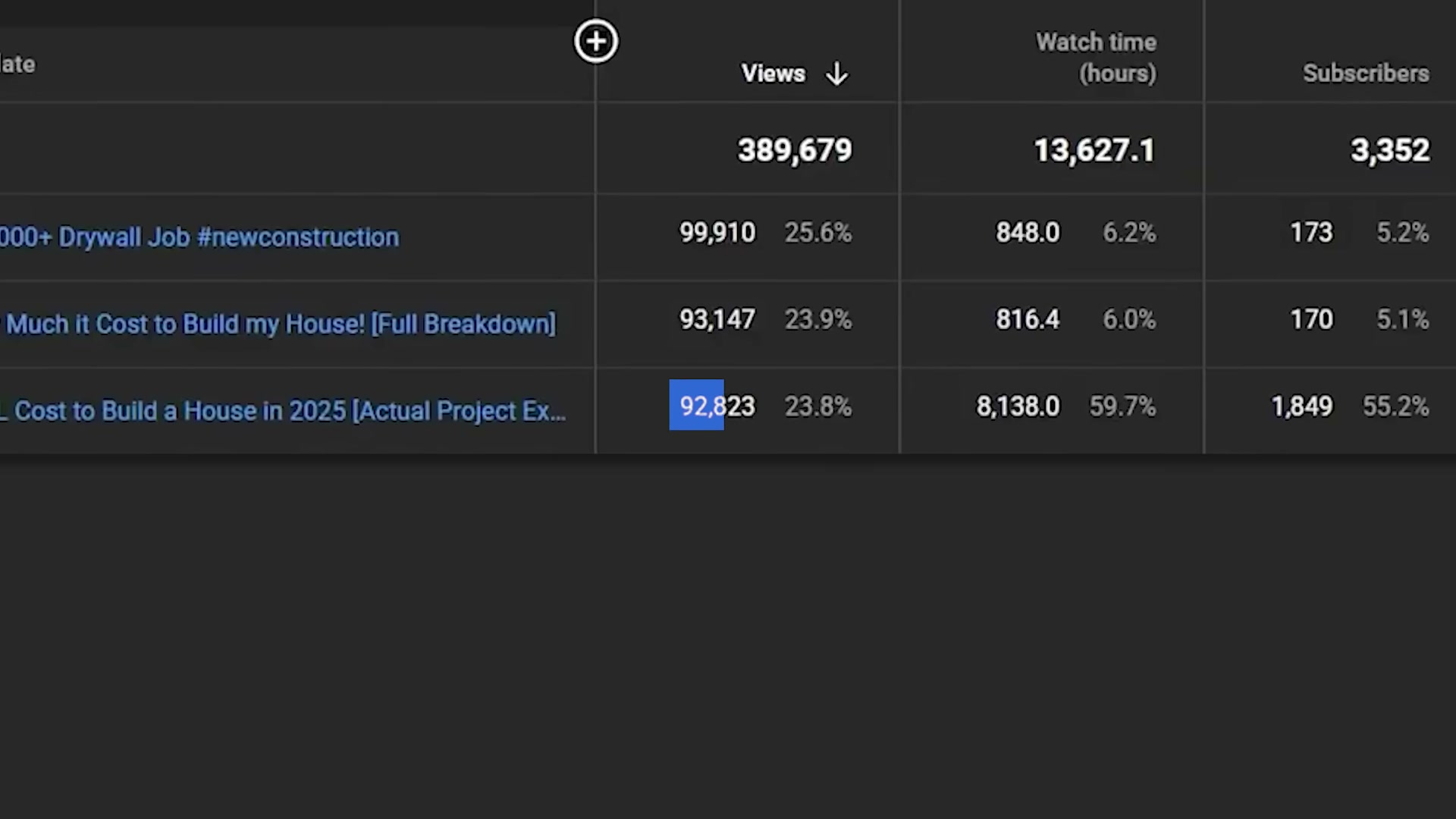

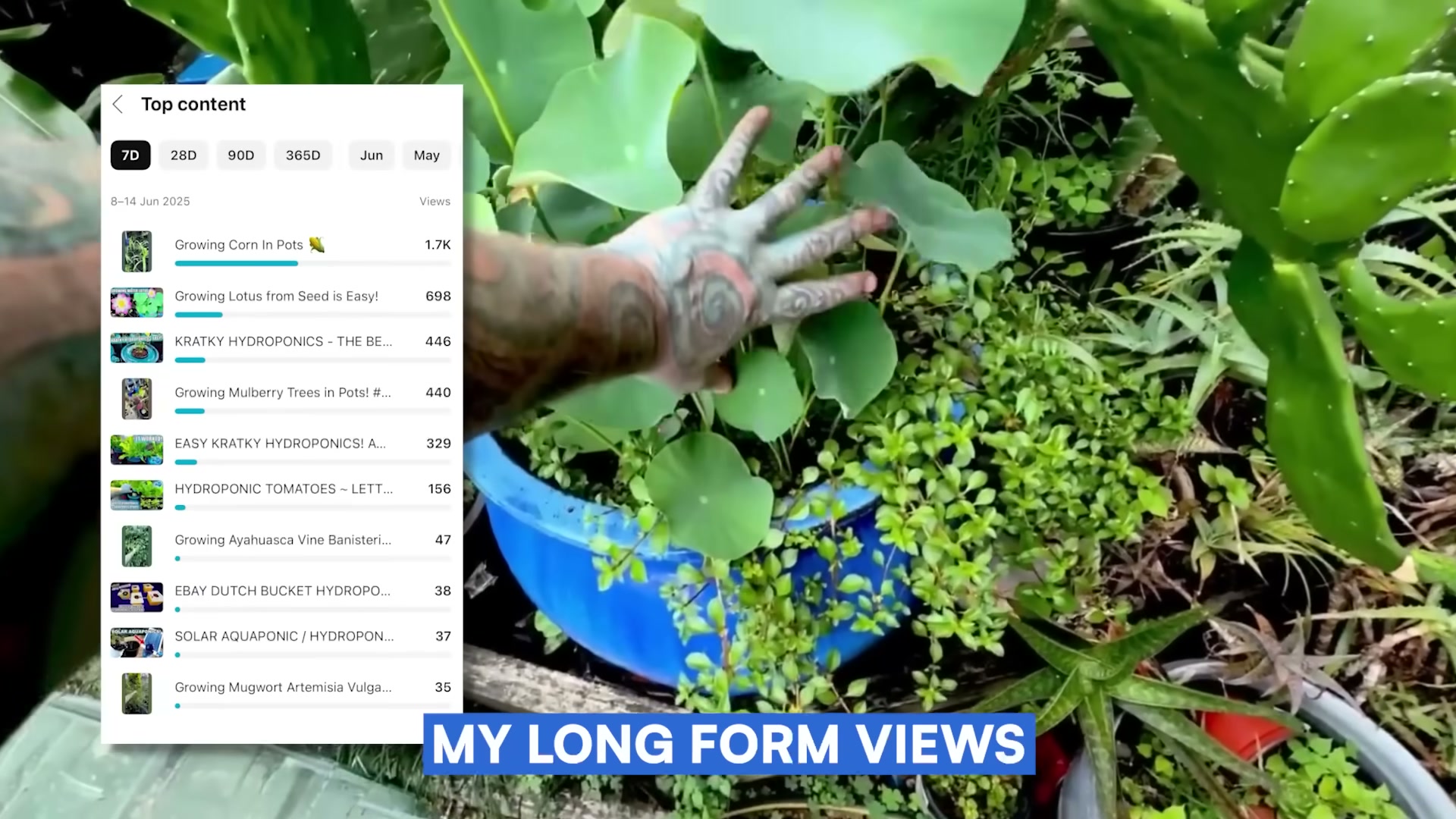
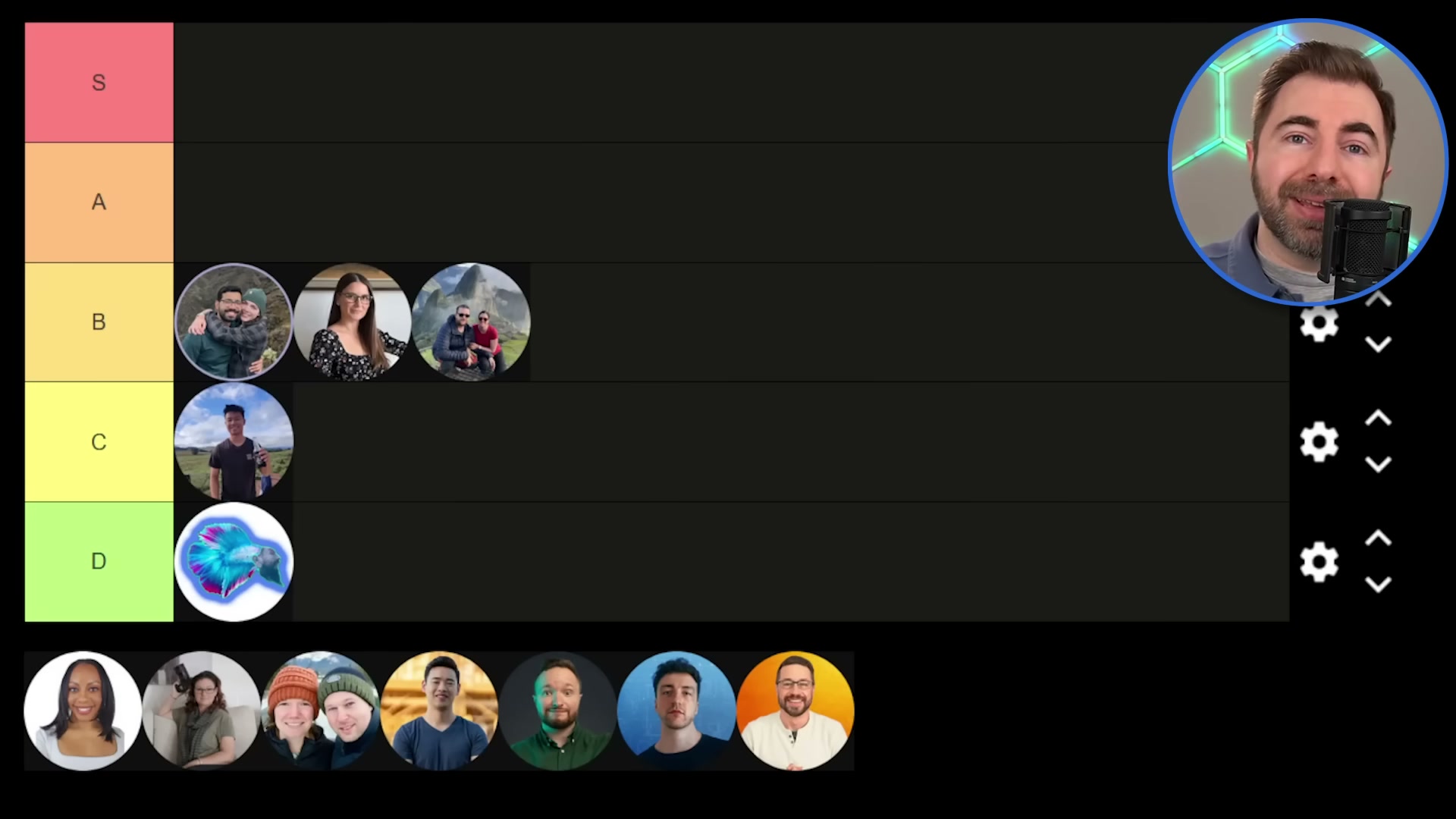
- Rank your niche against the RPM tier framework before investing further. Gardening (D-tier) earned roughly $24 USD across the first two weeks of monetization. Fitness (C-tier) ranged $2–$6 RPM. Travel (B-tier) averaged $6.77 RPM with high geographic variance. Kids and family content (A-tier) generated close to $1,000 in an initial payout. Knowing your tier sets realistic revenue benchmarks and clarifies whether repositioning to a higher-CPM niche makes financial sense.
- Build your publishing cadence around Q4 RPM spikes. Advertiser spend peaks during the holiday quarter, lifting CPM — and therefore creator RPM — across most niches. Concentrating long-form output in Q4 captures higher per-view revenue from the same audience without changing a single thing about your content strategy.
How does this compare to the official docs?
The tier rankings and RPM figures above come from real creator dashboards filtered through one editorial lens — Act 2 cross-references those numbers against YouTube’s Partner Program terms and AdSense payout documentation to confirm what holds and flag what the video left out.
Here’s What the Official Docs Show
The video gives you a working mental model for how YouTube AdSense earnings are structured, and that foundation holds directionally. This act layers in what the official documentation actually confirms, what it adds, and — in most cases here — what simply couldn’t be verified from available captures.
Step 1: The CPM vs. RPM gap
The AdSense homepage confirms advertisers bid for ad placements in an auction — a bidding visual explicitly labels ad slots with “BID,” consistent with the CPM mechanism the video describes. One useful addition: Google states its AI automatically optimizes ad delivery to maximize creator earnings, a variable the tutorial doesn’t factor into RPM expectations.
No official documentation was found for the 55% revenue share figure — proceed using the video’s approach and verify independently.

Step 2: YPP tiers and unlock requirements
No official documentation was found for this step — proceed using the video’s approach and verify independently.
Step 3: Shorts watch time exclusion from the 4,000-hour threshold
The Shorts player UI does confirm that Shorts is a distinct platform surface with its own navigation, playback interface, and engagement model — consistent with the video’s treatment of it as a separate format. Policy text on watch-time eligibility is a different matter entirely.
No official documentation was found for the Shorts watch-time exclusion rule — proceed using the video’s approach and verify independently.

Step 4: Start AdSense signup at 500 subscribers
The AdSense homepage confirms signup is a discrete, creator-initiated three-step process (Sign up → Take control → Start earning), which supports the video’s guidance directionally. It also surfaces a detail the video skips: after approval, creators can customize ad placements and block individual ads — controls that directly affect effective RPM.
No official documentation was found for the 500-subscriber timing trigger or the three-week postal verification timeline — proceed using the video’s approach and verify independently.

Step 5: Geographic view distribution audit in YouTube Studio
No official documentation was found for this step — proceed using the video’s approach and verify independently.
Step 6: Shorts for audience acquisition only
No official documentation was found for this step — proceed using the video’s approach and verify independently.
Step 7: Niche RPM tier framework
No official documentation was found for this step — proceed using the video’s approach and verify independently.
Step 8: Q4 publishing cadence and seasonal RPM spikes
No official documentation was found for this step — proceed using the video’s approach and verify independently.
Useful Links
- Google AdSense — The AdSense marketing homepage confirming the advertiser auction model and the three-step creator signup flow.
- YouTube — YouTube homepage; the intended YPP Partner Program help page at support.google.com/youtube/answer/72857 covering tier requirements and watch-hour thresholds did not render during capture.
- YouTube Shorts — The Shorts player surface; the Shorts help article at support.google.com/youtube/answer/10059070 covering watch-time eligibility and revenue treatment was not captured.
- YouTube Studio — Requires authentication; geographic view distribution and RPM analytics are accessible after sign-in at studio.youtube.com/channel/analytics.


0 Comments