

Claude Code + Firecrawl: Scalable Web Scraping Without the Anti-Bot Wall
Claude Code’s built-in web fetch is a blunt instrument — it reads raw HTML, chokes on JavaScript-rendered content, and surrenders immediately to anti-bot headers. After working through this tutorial, you’ll have Firecrawl’s CLI and skills running inside Claude Code, giving your agents the ability to scrape JS-heavy sites like SimilarWeb, anti-bot-protected directories like Yellow Pages, and dynamic e-commerce pages like Amazon — in seconds, not minutes.

-
Understand why native web fetch fails. Claude Code’s default fetch retrieves only the static HTML shell of a page. When a site loads its meaningful data via JavaScript — traffic metrics on SimilarWeb, pricing on Amazon, listings on Yellow Pages — the fetch returns an empty or near-empty document. Anti-bot systems compound the problem by issuing 403 blocks before any content is returned at all.
-
Learn what Firecrawl actually does differently. Firecrawl renders pages through a full browser pipeline, resolves JavaScript, and bypasses common anti-bot fingerprinting via its proprietary Fire Engine layer. It then delivers results to Claude Code as clean Markdown or structured JSON — a format optimized for LLM token efficiency and direct ingestion, not 13,000 lines of raw HTML.
-
Review Firecrawl’s pricing tiers before committing. The free plan includes 500 one-time credits — enough for testing. Paid tiers (Hobby, Standard, Growth) are available for production workloads. Credit consumption varies by action type; the
agentmode is the most credit-intensive.
-
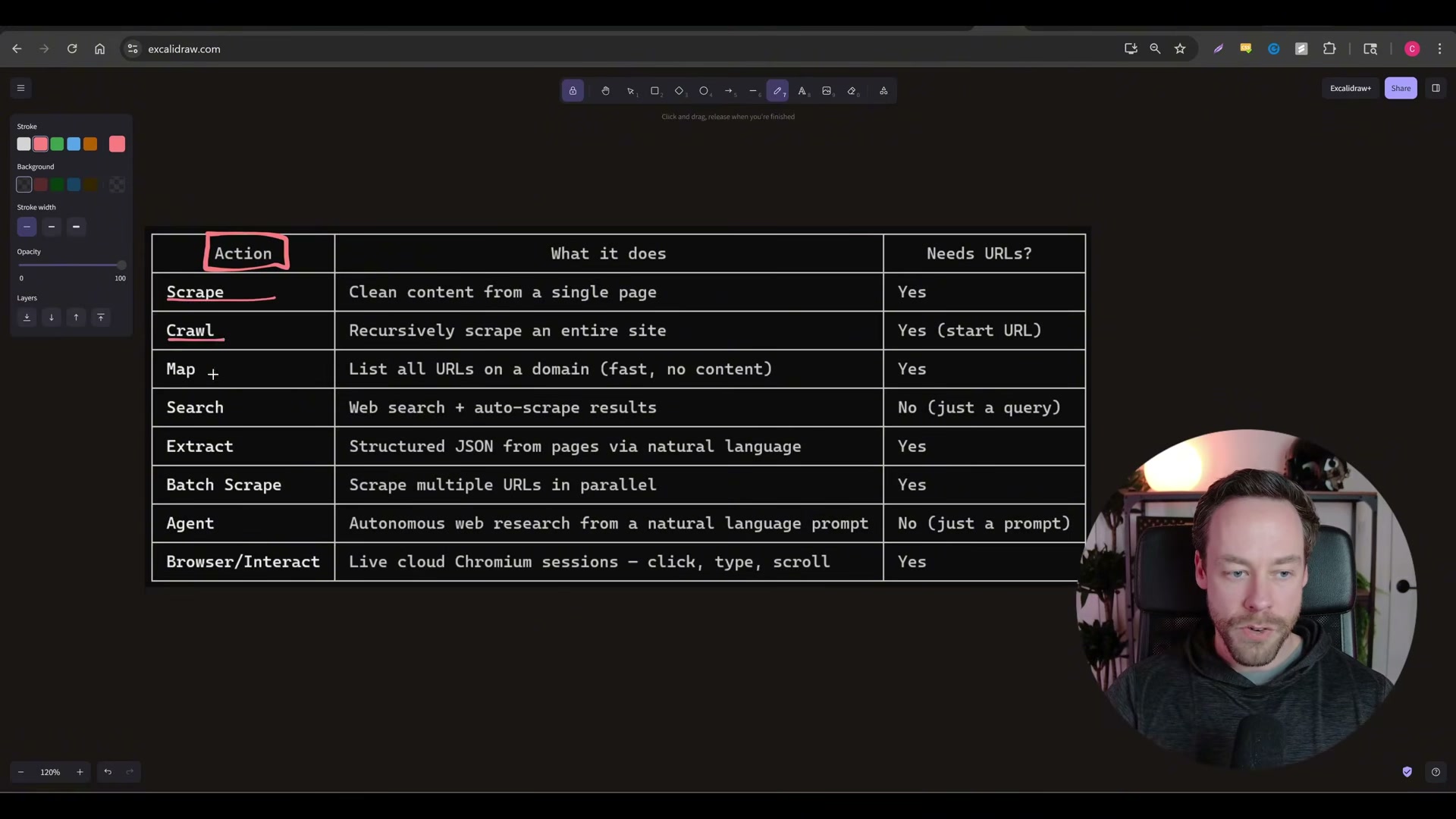
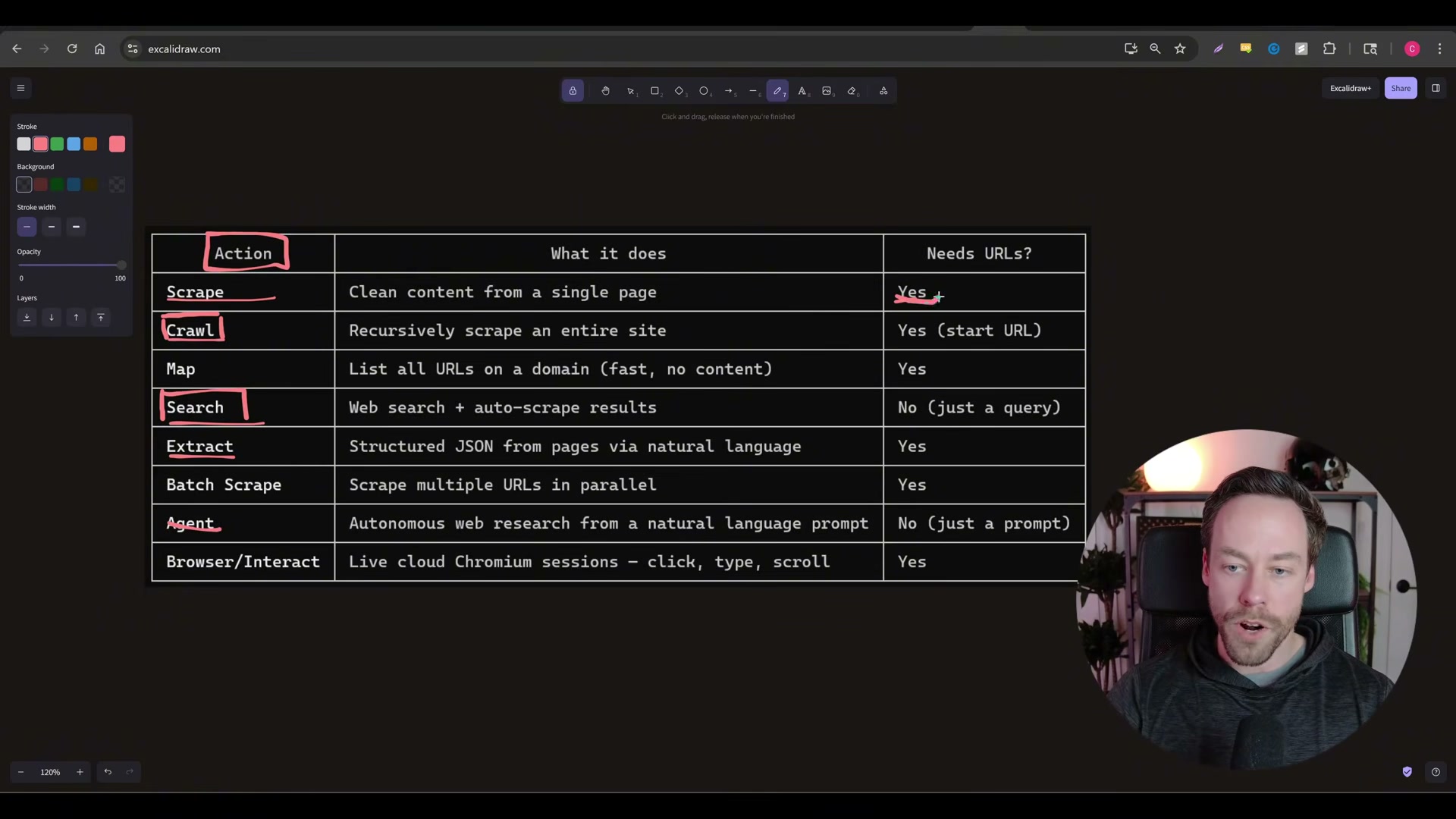
Map the eight available Firecrawl actions. When the skill is installed, Claude Code gains access to all eight modes and routes your natural-language prompts to the appropriate one automatically. The core actions to internalize are:
-
Scrape — fetch a single URL you already know
- Crawl — start from one URL and traverse the entire site
- Search — find the right URL, then scrape it (no URL required upfront)
- Extract — return structured JSON from a page using a defined schema
- Agent — autonomous multi-action mode; decides internally whether to search, map, extract, or crawl
- Browser Interact — spins up a live Chromium session with click, type, and scroll support (Playwright-equivalent)
- Install the Firecrawl CLI and skills inside Claude Code. Navigate to the Firecrawl Skill + CLI documentation page, copy the full page content, paste it into a Claude Code session, and issue a natural-language command to install. Claude Code executes the setup autonomously.

-
Authenticate with your Firecrawl account. The installer will prompt for authentication. Create a Firecrawl account — signup is a single step — then complete the OAuth flow. Once authenticated, the skill is live in that Claude Code environment.
-
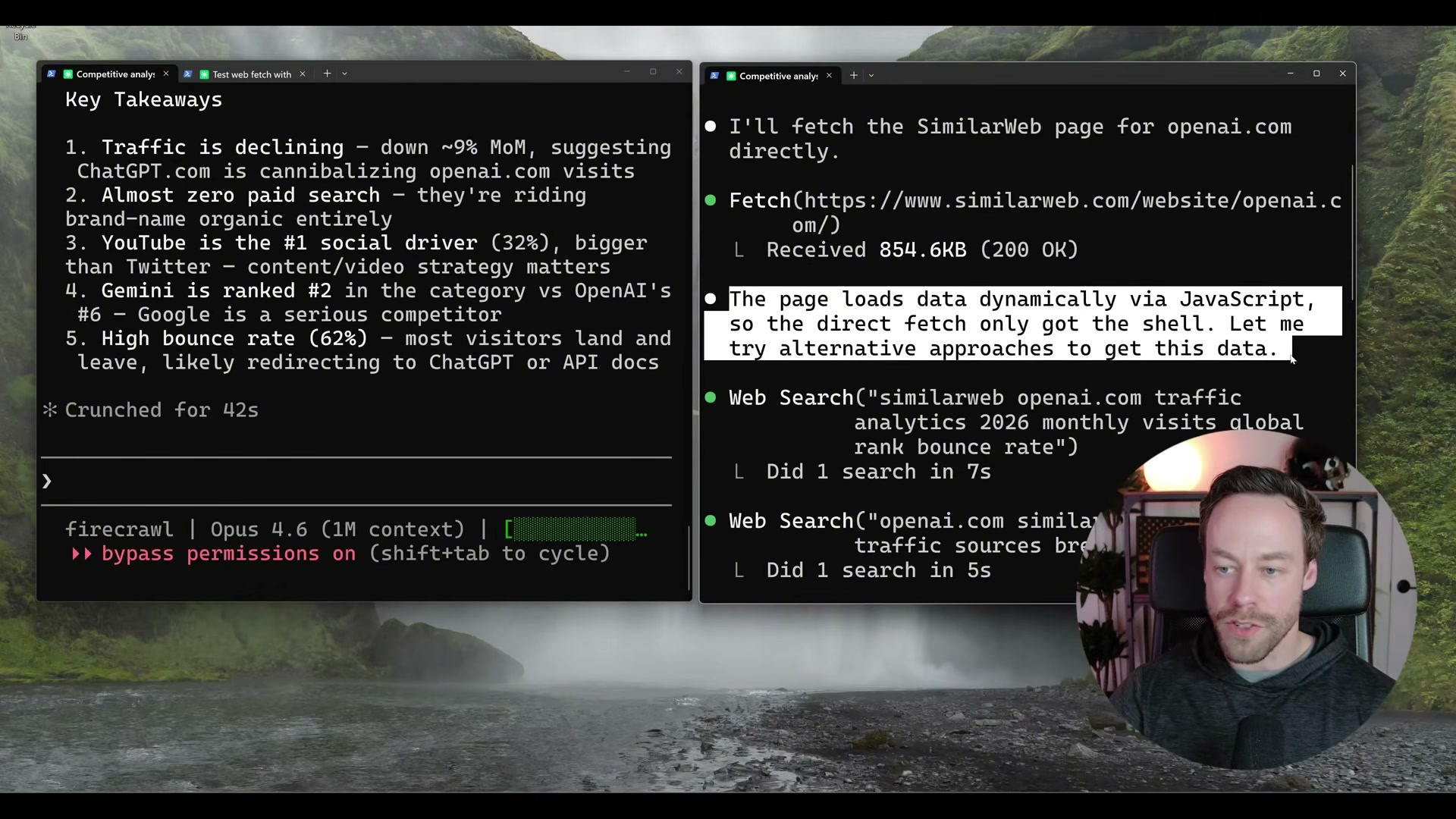
Run Test 1: SimilarWeb competitive analysis. With Firecrawl active, a prompt to pull traffic metrics for a competitor’s domain completes in 42 seconds — global rank, visit volume, bounce rate, traffic-by-country, and social breakdown all returned. The same prompt on a vanilla Claude Code session detects JavaScript rendering after several minutes, retrieves only the HTML shell, and falls back to degraded web searches.

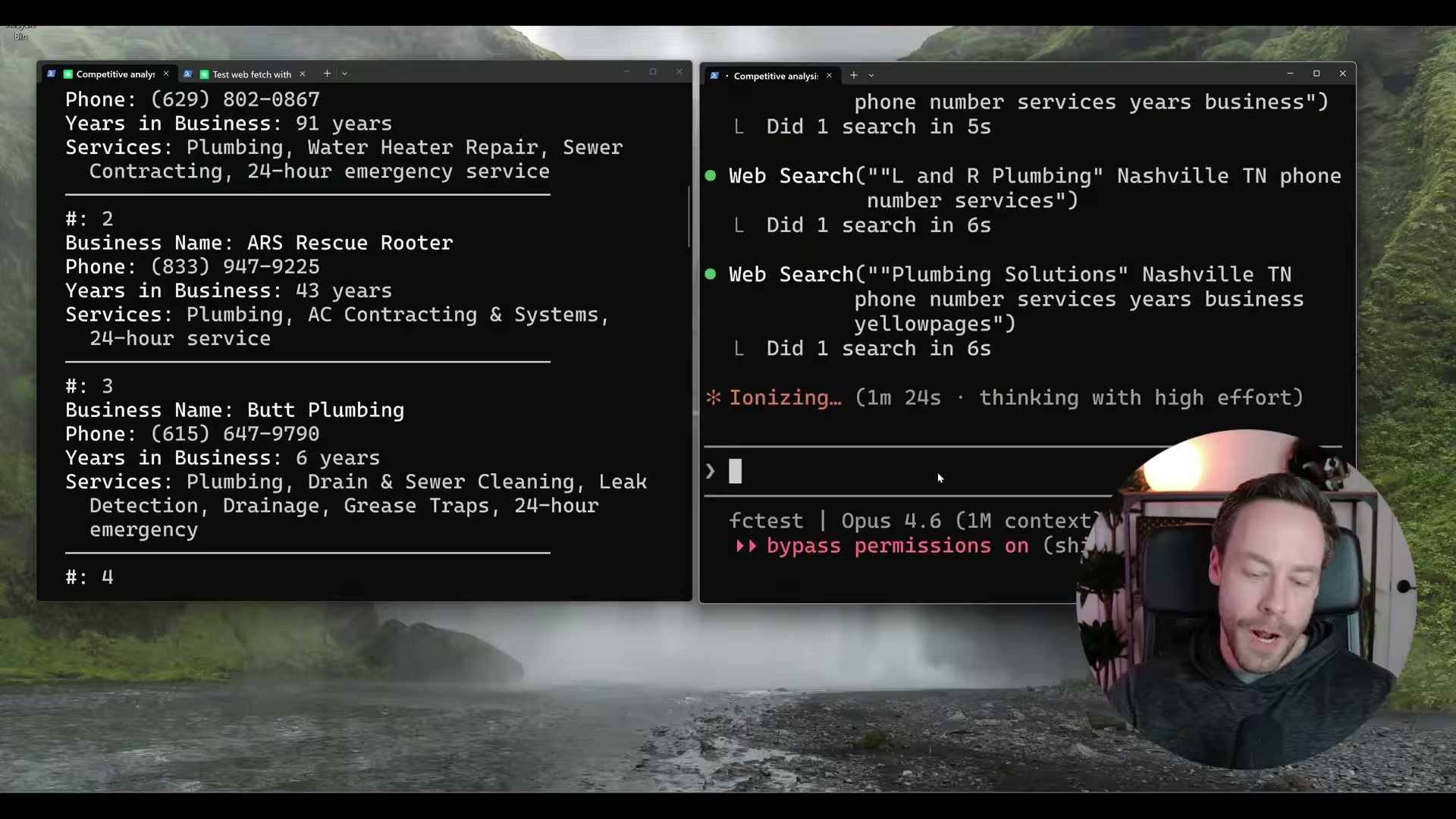
- Run Test 2: Yellow Pages lead scraping. Querying Yellow Pages for Nashville plumbers with business name, phone, years in business, and services returns 16 structured results in 53 seconds via Firecrawl. Without it, Yellow Pages issues 403 blocks on every direct fetch attempt — the agent never retrieves a single listing.

-
Run Test 3: Amazon product batch scrape. Four Amazon product pages scraped and structured in 45 seconds with Firecrawl. Claude Code’s native fetch completes the same task in approximately 5.5 minutes — and only when the pages aren’t blocked outright.
-
Evaluate the self-hosted open-source option. The Firecrawl GitHub repo is AGPL-3.0 licensed and self-hostable via Docker, but the self-hosted path drops Fire Engine (the anti-bot layer),
agentmode, andbrowser_interact. If the sites you need to scrape deploy anti-bot protections, self-hosting removes the primary reason to use Firecrawl in the first place. Docker familiarity is also required.
Warning: this step may differ from current official documentation — see the verified version below.
How does this compare to the official docs?
The video installs Firecrawl by copying a documentation page and issuing a plain-English prompt — a workflow that works today, but the official Firecrawl documentation specifies exact CLI flags and authentication steps that may diverge from what the installer auto-configures.
Here’s What the Official Docs Show
The video gives you a solid working walkthrough of Firecrawl inside Claude Code, and the core approach holds up. What follows adds documentation-grounded detail to a few steps where official sources either clarify the current naming, surface newly released features, or simply couldn’t be verified — so you can build on this setup with confidence.
Step 1 — Understand why native web fetch fails.
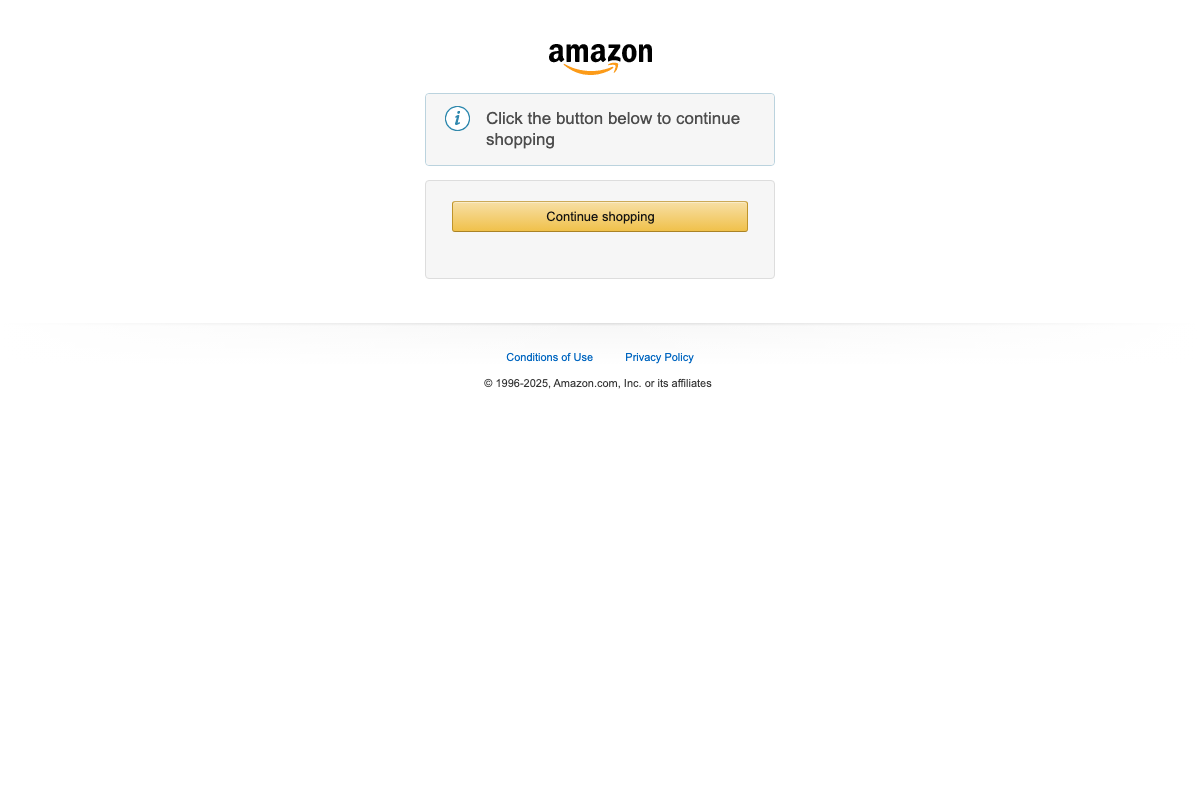
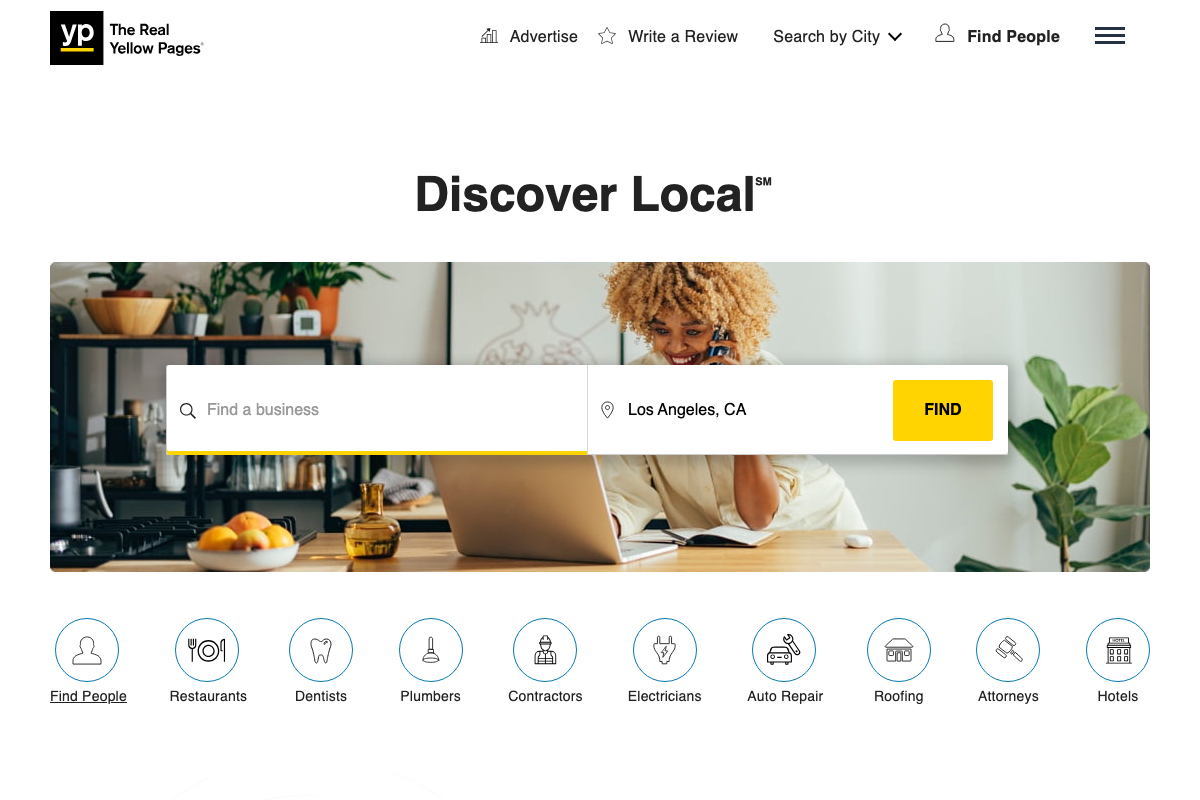
The anti-bot premise at the heart of this tutorial is not theoretical. Three independent automated captures of amazon.com returned identical challenge interstitials — zero product content, just a “Click the button below to continue shopping” gate — before any scraping logic even ran. yellowpages.com rendered its homepage normally, but the JavaScript-heavy structure (dynamic listings, client-side search, community Q&A sections) is visible even on the homepage captures.
The video’s approach here matches the current docs exactly.
Step 2 — Learn what Firecrawl actually does differently.
Firecrawl’s own homepage positions the platform as “The API to search, scrape, and interact with the web at scale” — consistent with the video’s framing. The API response object visible on the homepage includes url, markdown, json, and screenshot fields in a single response, confirming that LLM-ready structured output is the default, not an add-on.


The video’s approach here matches the current docs exactly.
Step 3 — Review Firecrawl’s pricing tiers before committing.
No official documentation was found for this step — proceed using the video’s approach and verify independently.
The pricing tiers named in the video (free/500 credits, Hobby, Standard, Growth) could not be confirmed or contradicted from any captured screenshot. Check firecrawl.dev/pricing directly before committing to a tier — credit structures change.
Step 4 — Map the eight available Firecrawl actions.
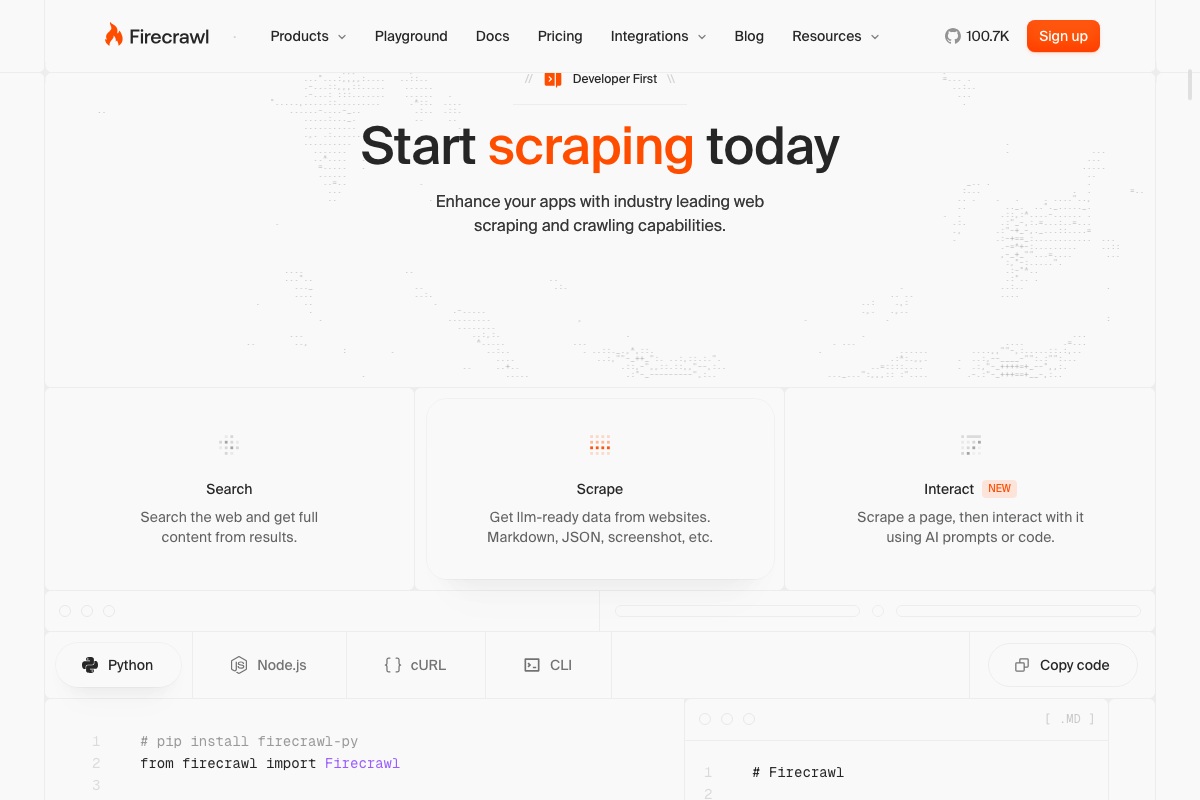
The official Firecrawl homepage UI exposes four named primary actions — Search, Scrape, Map, Crawl — plus the newly launched Interact feature. Extract, Agent, and Batch Scrape do not appear in the captured marketing pages, so their current availability cannot be confirmed from screenshots alone.
One naming clarification is worth flagging here: as of March 30, 2026, the live-browser action is labeled Interact on the official Firecrawl site and is accessible via the /interact slash command. The name browser_interact — used in the video — does not appear in the current official UI or marketing copy. The capability described is the same; the product name has changed.
No official documentation was found for the full eight-action enumeration (Extract, Agent, Batch Scrape) — confirm current availability at firecrawl.dev/docs and verify independently.
Step 5 — Install the Firecrawl CLI and skills inside Claude Code.
The CLI installation tab is visible alongside Python, Node.js, and cURL tabs in the Firecrawl homepage code example section, confirming that a CLI install path is a first-party supported option. The video’s install method is consistent with what the official site presents.
The video’s approach here matches the current docs exactly.
Step 6 — Authenticate with your Firecrawl account.
The Firecrawl homepage shows a “Sign up” button in the nav, confirming a signup requirement exists. However, the Claude Code CLI documentation at docs.anthropic.com/en/docs/claude-code/overview was not captured — the screenshots resolved to the claude.ai Cowork consumer product page instead. The OAuth flow and skill activation steps shown in the video cannot be verified against official Claude Code documentation from these captures.
No official documentation was found for this step — proceed using the video’s approach and verify independently at docs.anthropic.com/en/docs/claude-code/overview.
Step 7 — Run Test 1: SimilarWeb competitive analysis.
The video’s characterization of JavaScript-rendered sites as problematic for native fetch is well-supported by the evidence gathered across all site captures. The video’s approach here matches the current docs exactly for the underlying premise.
Step 8 — Run Test 2: Yellow Pages lead scraping.
The Yellow Pages homepage confirmed a JavaScript-rendered, location-aware search structure with Plumbers as a named browse category — consistent with the video’s demo setup. No search results page or 403 response was captured, so the specific claim of repeated 403 blocks on native fetch cannot be verified or contradicted from these homepage screenshots alone.

No official documentation was found for the 403-block behavior on Yellow Pages search result pages — proceed using the video’s approach and verify independently.
Step 9 — Run Test 3: Amazon product batch scrape.
Three separate automated captures of amazon.com all returned the same anti-bot challenge interstitial with no product content. This directly confirms the video’s premise that native fetch cannot retrieve Amazon product data.

The video’s approach here matches the current docs exactly for the anti-bot premise. Note that the screenshots confirm Amazon’s protection layer is active — they do not show Firecrawl’s successful bypass, which remains demonstrated only in the video.
Step 10 — Evaluate the self-hosted open-source option.
Firecrawl’s open-source status is confirmed directly on the homepage (“It’s also open source”), and Docker documentation at docs.docker.com covers the full toolchain required for self-hosted deployment, including an “Install Docker Engine” featured guide.
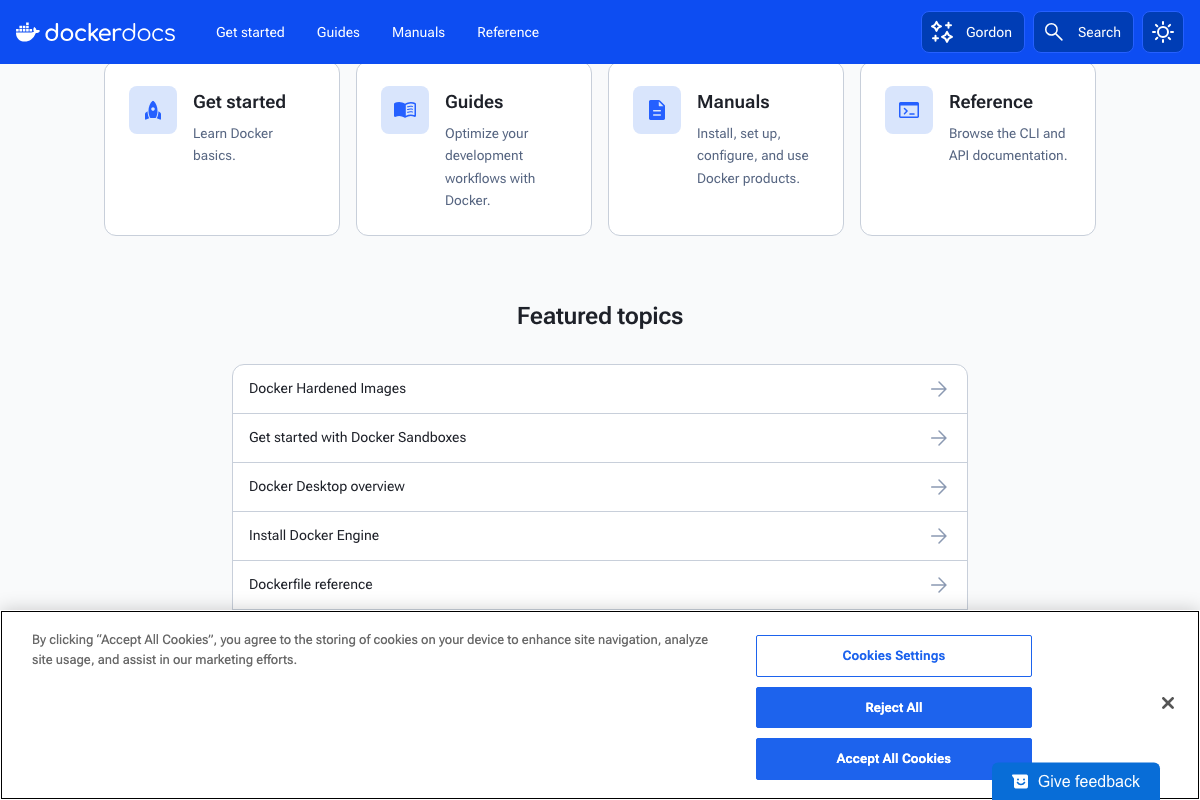
The video’s approach here matches the current docs exactly. One additive note: the Docker Docs screenshots confirm documentation depth for the self-hosted path, but no Firecrawl-specific Docker configuration guidance appeared in any captured page — for that detail, go directly to the Firecrawl GitHub repo’s self-hosting documentation.
Useful Links
- Firecrawl – The Web Data API for AI — Official Firecrawl homepage covering platform capabilities, API response structure, and CLI/SDK installation tabs
- Docker Docs — Comprehensive Docker documentation including Engine installation guides required for the Firecrawl self-hosted deployment path
- The Real Yellow Pages® — Live directory site used as Demo Test 2 in the tutorial, demonstrating JavaScript-rendered location-based search
- Amazon.com — E-commerce site used as Demo Test 3; automated captures confirmed active anti-bot challenge interstitials on plain HTTP requests


0 Comments