

Build an AI YouTube Thumbnail Generator with Claude Opus, Gemini, and Ahrefs
After completing this tutorial, you’ll have a working thumbnail generator that uses Claude Opus to produce concept briefs and Gemini to render download-ready 16:9 mockups — all built without writing a line of code. You’ll then wire it to live Ahrefs keyword data so every thumbnail you generate is already matched to a search opportunity where YouTube videos rank on Google page one.
-
Write a detailed natural-language prompt that specifies the full application requirements: three distinct thumbnail concepts per run, each rendered as a downloadable mockup styled like a real YouTube feed tile, a two-to-three sentence click-rationale for each concept, a history tab accessible to the whole team, 16:9 aspect ratio, and all text overlays baked directly into the generated image rather than added as a separate layer.
-
Upload a YouTube best-practices reference document to Agent A alongside the prompt. This document acts as the knowledge base Claude Opus will draw on when evaluating concept choices — in the demo, it encodes eight years of thumbnail principles covering focal-point limits, color contrast, and text economy.
-
Submit the prompt to Agent A. Before writing a single file, the agent enters a planning mode and asks four targeted clarifying questions: how overlay text should be treated during generation, whether a channel-logo placeholder is needed, whether history entries can be deleted, and how Gemini should be routed through the existing API proxy.

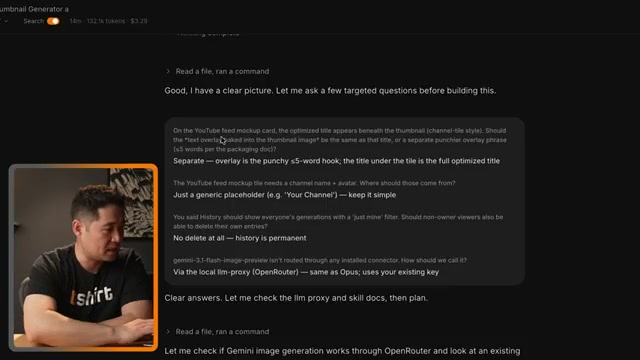
- Answer each clarifying question — in the demo, the creator opts for a generic placeholder, permanent history (no deletes), and Gemini routed through the same OpenRouter proxy as Opus. Once Agent A has its answers, it reads the llm-proxy skill docs and begins building. Budget roughly 16 minutes and $3–4 in API costs for the initial build.
Warning: the transcript references “Opus 4.7” and “gemini-3.1-flash-image-preview” as model identifiers — these strings do not match current Anthropic or Google model naming conventions and may reflect internal Agent A aliases or preview labels. Verify the exact model IDs against official Anthropic and Google AI documentation before configuring your own deployment.
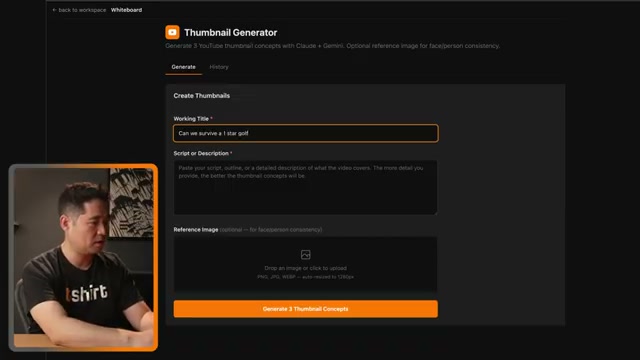
- Test the finished app by entering a working title (e.g., “Can we survive a 1-star golf course?”), an optional short description, and an optional reference photo of a person whose likeness should appear in the thumbnail. Hit Generate 3 Thumbnail Concepts.
- Review the three concepts rendered side by side as YouTube feed mockups. Expand each card to read the click-rationale explanation and the exact image prompt Opus wrote before passing it to Gemini. The history tab logs every generation session with thumbnail strips, giving the full team a shared record of what has been produced.
-
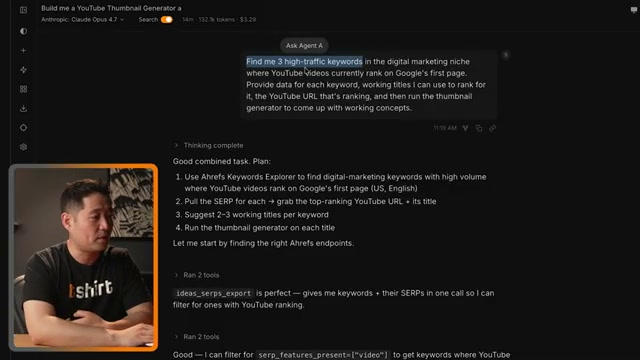
In the same Agent A session, prompt it to query Ahrefs Keywords Explorer for high-traffic keywords in your niche where YouTube videos currently rank on Google’s first page. The agent builds a four-step plan: pull keyword data from Keywords Explorer, filter for SERP results containing YouTube URLs, generate two to three working titles per keyword, then pipe each title through the thumbnail generator automatically.
-
Review the keyword report Agent A returns. Each entry includes search volume, keyword difficulty, estimated traffic potential, existing YouTube video URLs that rank, and monthly visit estimates for those videos. Use the video URLs to verify that the traffic pattern looks search-driven — consistent, passive growth — before committing to a topic.
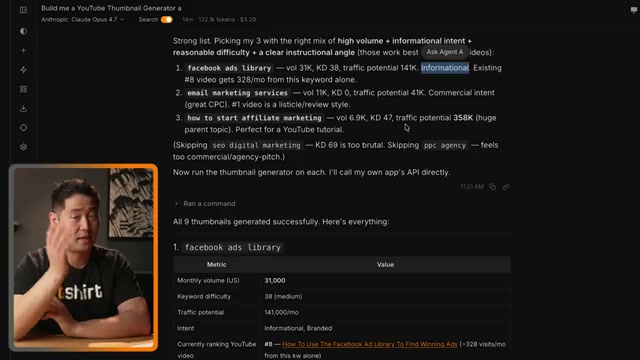
- Open the history tab to view all nine generated thumbnails — three concepts for each of the three keywords. Download the ones you want to pursue, or export them with the accompanying rationale notes for a designer handoff.

- Iterate by typing adjustment requests directly into the Agent A chat. Any feature change or regeneration request — different color treatment, revised text, an added export option — triggers Agent A to modify the live application in place.
How does this compare to the official docs?
The video demonstrates one specific configuration of Agent A, Claude Opus, and Gemini, but the underlying tools each have their own documented APIs, model options, and rate limits that can meaningfully change how you build and scale this pipeline.
Here’s What the Official Docs Show
The walkthrough above is solid, and the core workflow holds up against the official documentation. What the docs add is precision — specific model names and metric definitions that matter the moment you start configuring your own deployment.
Step 1 — Define the prompt requirements
No official documentation was found for this step —
proceed using the video’s approach and verify independently.
Step 2 — Upload a best-practices reference document
No official documentation was found for this step —
proceed using the video’s approach and verify independently.
Step 3 — Submit the prompt to Agent A
Agent A’s role is confirmed on the Ahrefs platform, officially described as the agent with “unrestricted access to your Ahrefs data, built to do the marketing work you’d rather not.” One version clarification: as of May 27, 2026, the current Opus release is Claude Opus 4.7 — the video references “Claude Opus” without a version number. When configuring your own deployment, verify the exact model ID against the Claude API models overview page rather than relying on a generic label.


Step 4 — Answer Agent A’s clarifying questions
The video’s approach here matches the current docs exactly on the planning-then-building sequence. One correction on model wiring: the tutorial attributes image rendering to “Gemini,” but the Gemini API documentation shows that image generation on the Google AI platform is handled by the Nano Banana model family (Nano Banana 2 and Nano Banana Pro) — not by the core Gemini models (Gemini 3.1 Pro, Gemini 3.5 Flash). As of May 27, 2026, the correct model family for image generation through the Google AI platform is Nano Banana; the video’s use of “Gemini” likely refers to the broader platform rather than a specific model.

Step 5 — Test with a working title
No official documentation was found for this step —
proceed using the video’s approach and verify independently.
Step 6 — Review the three rendered concepts
No official documentation was found for this step —
proceed using the video’s approach and verify independently.
Step 7 — Prompt Agent A to query Keywords Explorer
No official documentation was found for this step —
proceed using the video’s approach and verify independently.
Step 8 — Review the keyword report
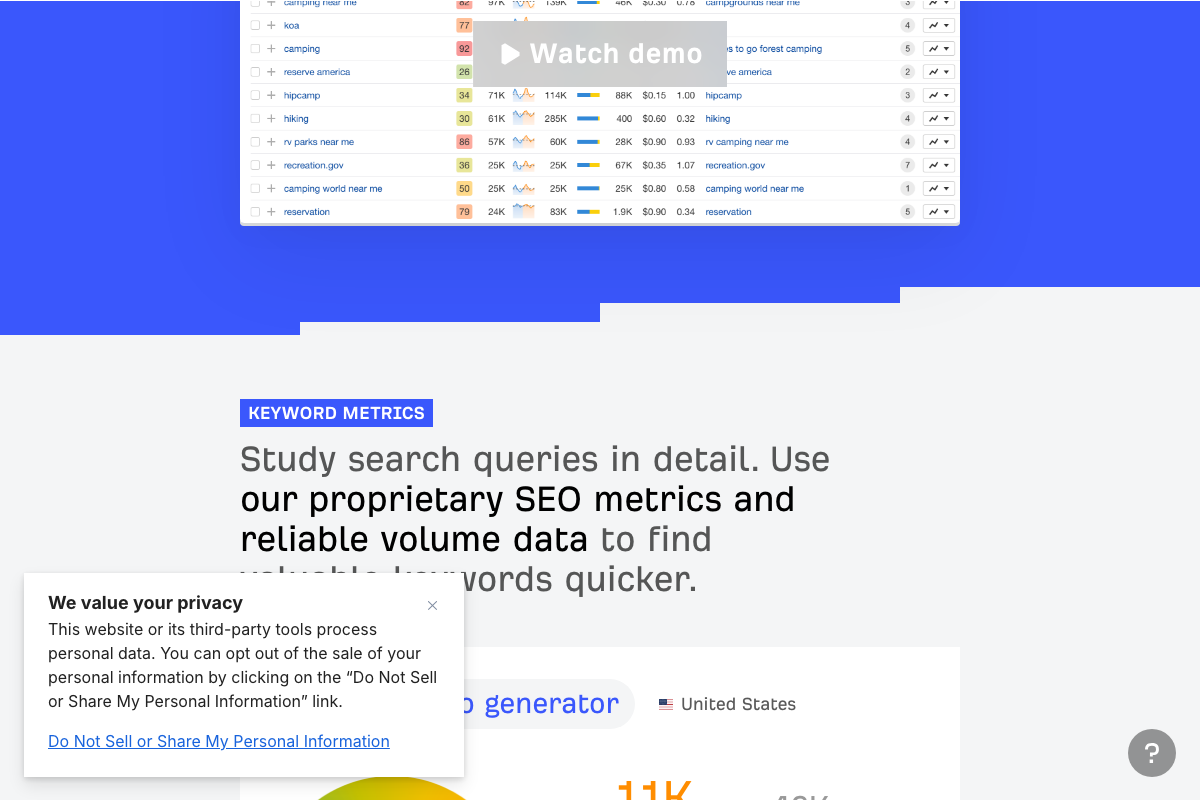
The video’s approach here matches the current docs exactly. One naming addition: the filter the tutorial describes — keywords where YouTube videos appear on Google’s first page — maps to the SF (SERP Features) column in Keywords Explorer. That is the documented mechanism for surfacing those results. Filter by SF before pulling your keyword list to avoid manually scanning for YouTube presence.
Step 9 — Download thumbnails from the history tab
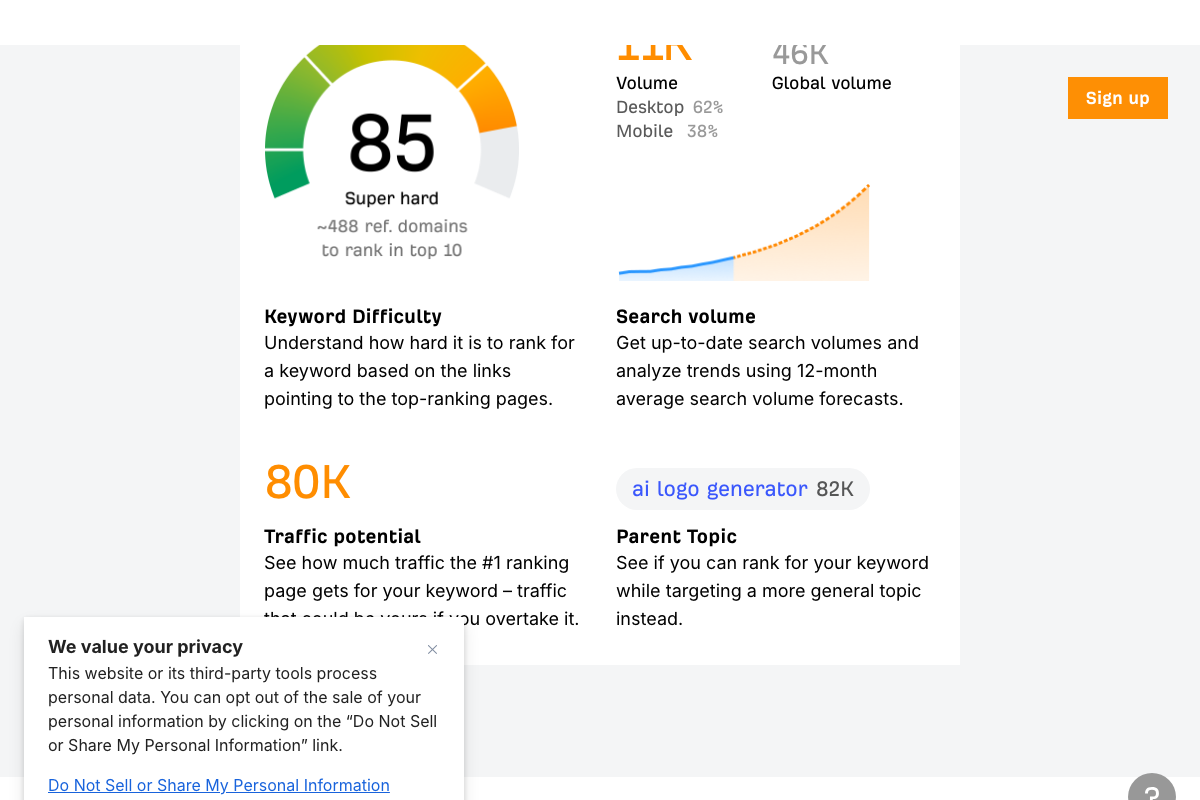
The video’s approach here matches the current docs exactly. One terminology note: what the tutorial calls “existing video traffic” is Traffic Potential (TP) in Ahrefs’ official vocabulary, defined as the traffic the #1 ranking page receives for a keyword. Evaluate TP — not raw search volume — before committing to a topic. The distinction matters: a keyword with 46K global searches may yield only 11K locally, and TP captures the realistic traffic ceiling far more accurately.
Step 10 — Iterate via Agent A chat
No official documentation was found for this step —
proceed using the video’s approach and verify independently.
Useful Links
- Ahrefs — AI Marketing Platform Powered by Big Data — Official Ahrefs homepage confirming Agent A’s role and its integration within the broader Ahrefs marketing platform.
- Home \ Anthropic — Anthropic homepage showing Claude Opus 4.7 as the current Opus model, described as built for coding, agents, vision, and complex professional work.
- Gemini generateContent API | Google AI for Developers — Gemini API documentation covering the full model catalog, including the Nano Banana image generation family and Gemini 3.5 Flash as the current default text model.
- Keywords Explorer by Ahrefs: Find Winning Keyword Ideas. At Scale. — Keywords Explorer product page documenting KD, Search Volume, Traffic Potential, and SERP Features columns referenced in steps 8 and 9.
- YouTube — YouTube homepage; no thumbnail dimension, aspect ratio, or feed tile layout documentation is available on the public-facing site.


0 Comments