

Ranking #3 in Google Is a Loss Now — Here’s How to Factor That Into Keyword Targeting
A third-place Google ranking used to signal a healthy content strategy. In the era of AI Overviews, it can mean near-zero organic traffic. After working through this tutorial, you’ll know how to evaluate a keyword’s true click potential by accounting for AI Overviews and other SERP features — and how to use that analysis to decide whether a keyword is worth targeting at all.
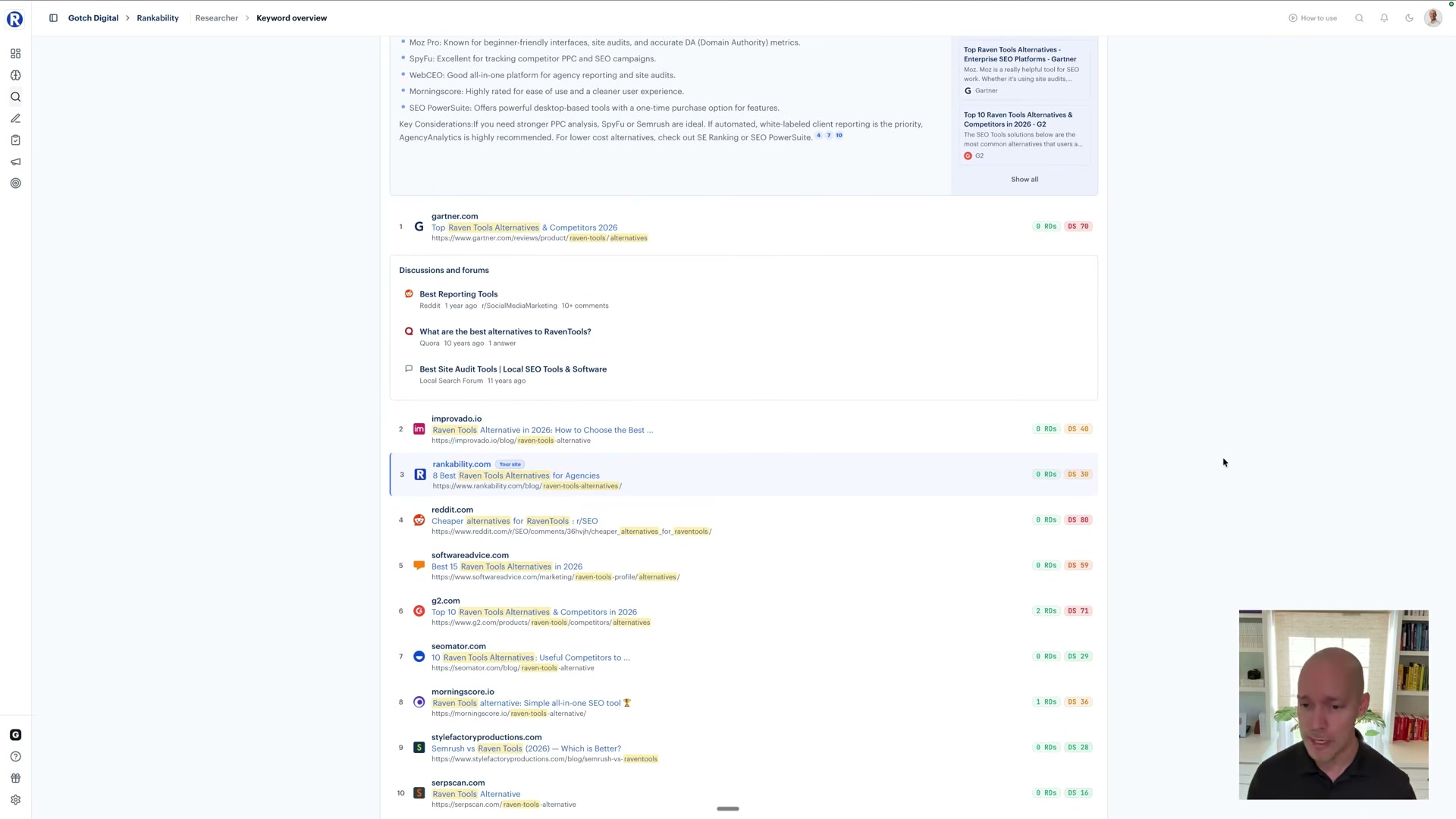
- Open a target keyword inside Rankability’s Keyword Overview tool. The default view displays the ten traditional blue links and their ranking positions — which, at first glance, makes a #3 ranking look viable.
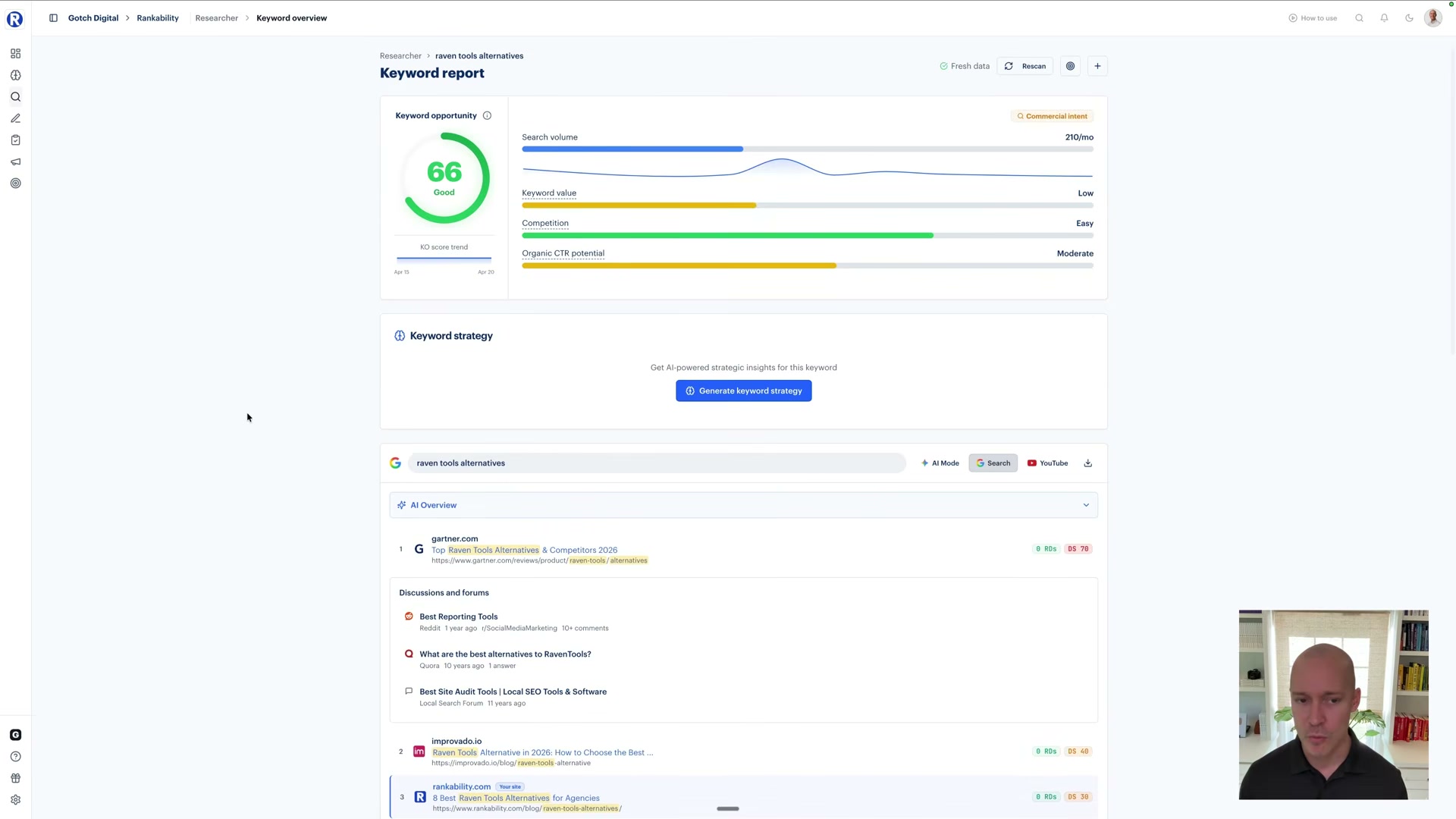
- Locate the AI Overview panel in the SERP preview and expand it. In the collapsed state, your result at #3 appears on the page. Once the AI Overview expands to its full height — answering the query with a detailed bullet-point list — every blue link is pushed below the fold. Position #1 is gone from the initial viewport; position #3 doesn’t exist on the first scroll.
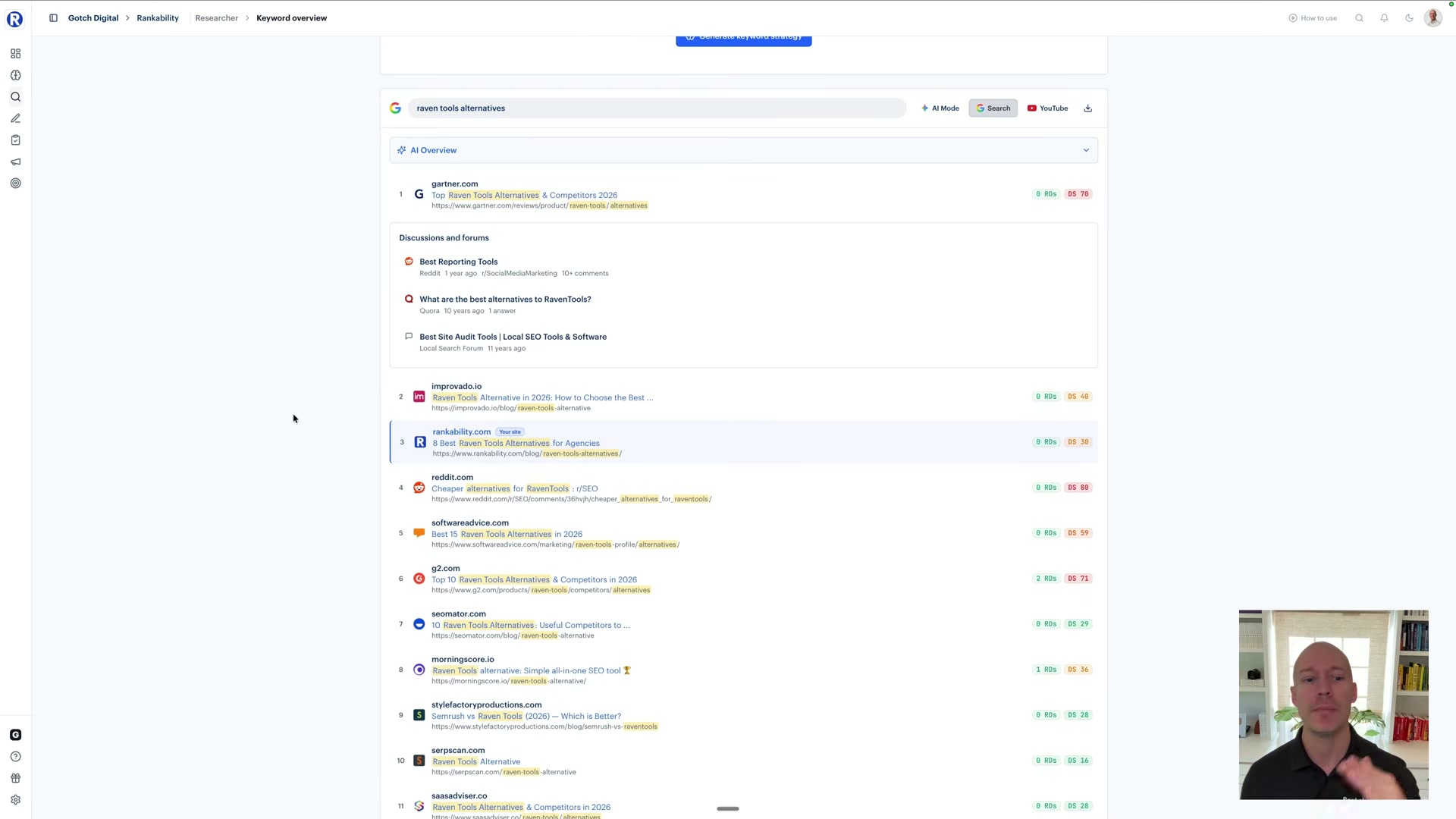
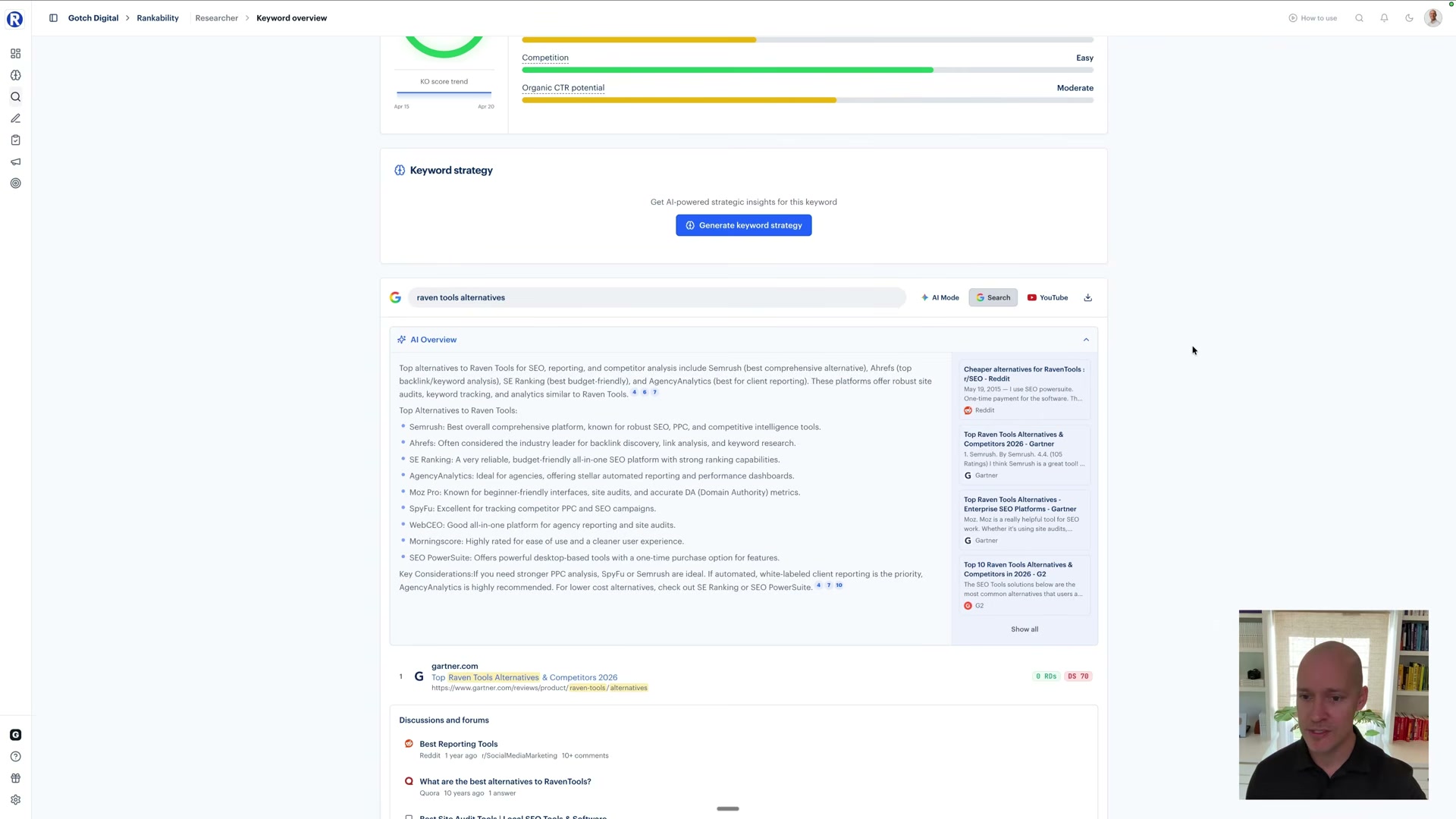
- Establish a CTR baseline for the keyword by treating the #1 blue link as a roughly 30% CTR position — but only when you strip out all SERP features and look at traditional results in isolation. That 30% is your ceiling. Every SERP feature present reduces it. AI Overviews reduce it far more than features like Discussions & Forums, because the AI block actually resolves the query on the page, giving searchers no reason to click through at all.
-
Audit every SERP feature present for the keyword, not just the blue link count. A Discussions & Forums block occupies limited real estate and doesn’t answer the question — it invites exploration. An AI Overview answers the question completely. The two are not equivalent CTR threats, and your prioritization framework needs to weight them differently.
-
Check Rankability’s Keyword Opportunity Score, which already bakes AI Overview presence into its CTR reduction weighting. A keyword showing “Organic CTR potential: Moderate” alongside a fully expanded AI Overview is the clearest signal that the label undersells the actual risk — the score surfaces the ceiling; the SERP preview shows you the floor.
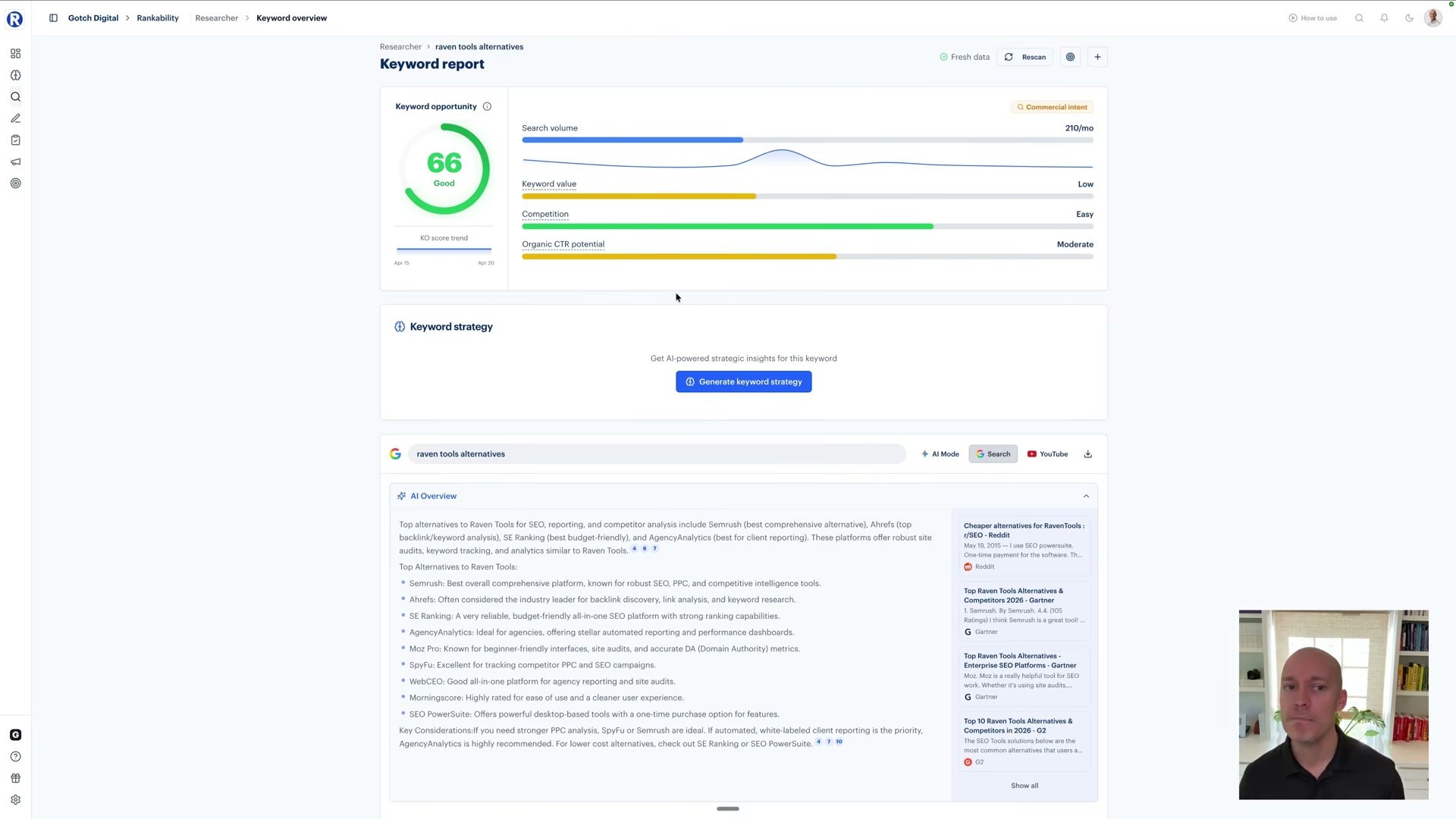
- Weigh projected clicks against the competitive authority required to reach #1. If claiming the top spot demands significant backlink investment and the AI Overview still sandwiches you between SERP features, the expected ROI from that singular phrase shrinks. Ranking for the sake of ranking isn’t the goal — ranking with a realistic click projection that moves the business forward is.
How does this compare to the official docs?
The tutorial grounds its CTR benchmarks and SERP feature weighting in Rankability’s proprietary scoring — the next step is to check how Google’s own documentation and independent CTR studies frame these numbers, and where that changes the targeting calculus.
Here’s What the Official Docs Show
The tutorial’s core argument — that AI Overviews have materially changed what any ranked position is worth — is well-grounded, and the Rankability documentation adds useful structural context the video doesn’t cover. A few steps couldn’t be verified against official sources; those are flagged clearly below rather than glossed over.
Step 1 — Opening a keyword in Rankability’s Keyword Overview
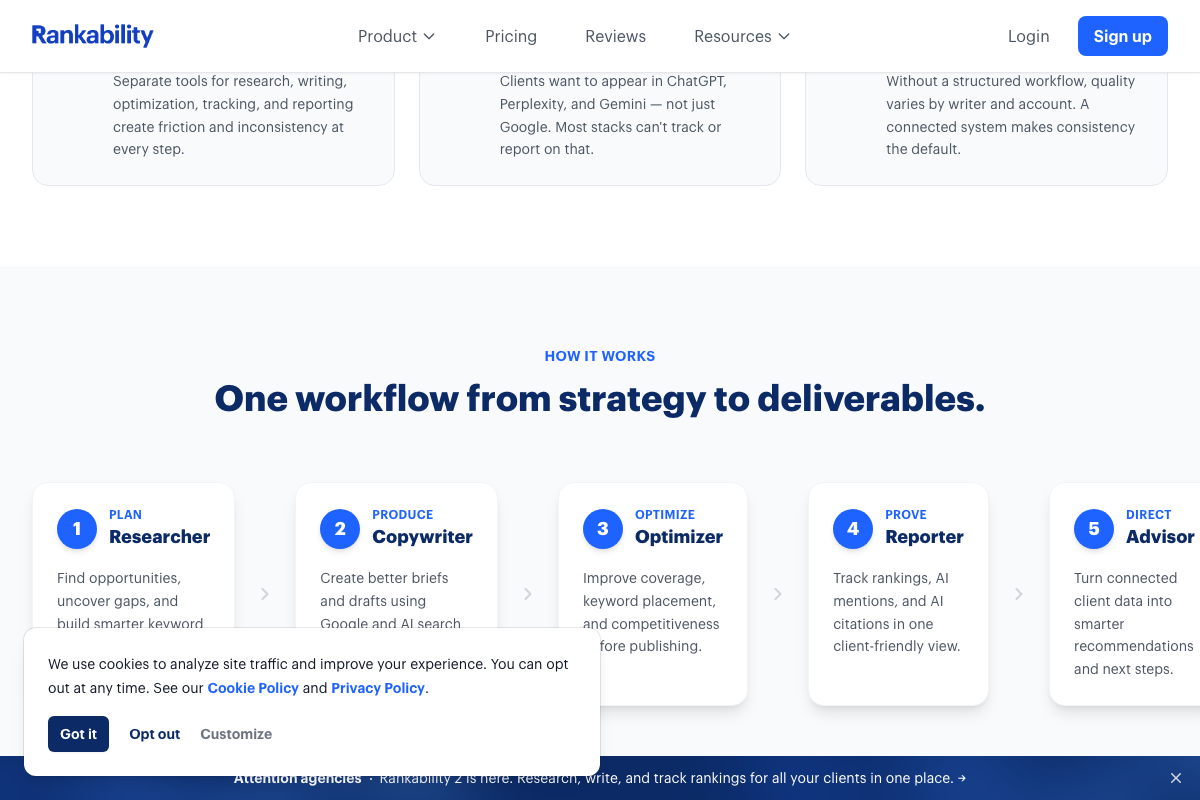
The video’s approach here matches the current docs exactly. Rankability’s homepage confirms a Researcher module as Step 1 in its five-module workflow, described as finding opportunities and building keyword strategy — precisely the starting point the tutorial demonstrates.
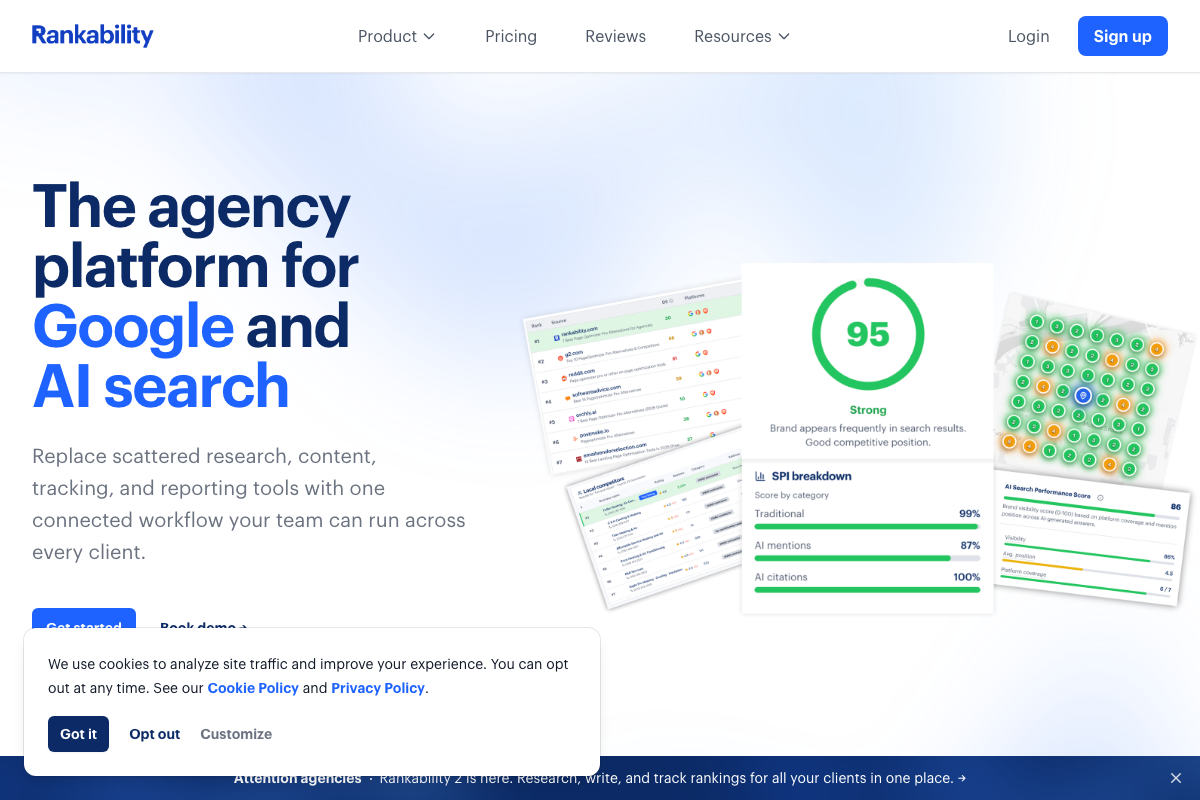
One structural note worth flagging before you open the product: Rankability now ships as Rankability 2, confirmed by a footer announcement banner on the current homepage. Any UI layout differences between the tutorial and your screen today likely trace back to this version update.
Step 2 — Locating the AI Overview panel inside the keyword view
No official documentation was found for this step —
proceed using the video’s approach and verify independently.
One clarification from the homepage: Rankability’s AI tracking — mentions and citations — is documented as living inside the Reporter module, not within a keyword research screen. If you can’t locate an AI Overview panel in the keyword view, check the Reporter module first.
Step 3 — Establishing a ~30% CTR baseline for position #1
No official documentation was found for this step —
proceed using the video’s approach and verify independently.
All three screenshots intended to capture support.google.com/websearch/answer/14901683 pulled the Google homepage instead. SERP layout, fold-displacement behavior, and CTR benchmarks remain unverified against official Google documentation.
Step 4 — Auditing every SERP feature present, not just blue link count
No official documentation was found for this step —
proceed using the video’s approach and verify independently.
Step 5 — Checking Rankability’s Keyword Opportunity Score
No official documentation was found for this step —
proceed using the video’s approach and verify independently.
As of April 20, 2026, no element labeled “Keyword Opportunity Score” appears in Rankability’s current homepage or module descriptions. The platform does surface an AI Search Performance Score with three sub-scores — Traditional, AI mentions, and AI citations — which may be the metric the tutorial references under a name that changed in Rankability 2.
Step 6 — Weighing projected clicks against the competitive authority required
No official documentation was found for this step —
proceed using the video’s approach and verify independently.
Useful Links
- SEO + AEO (AI search) Software for Agencies | Rankability — Rankability’s current homepage confirming its five-module workflow, AI Search Performance Score metric structure, and Rankability 2 version status.
- Find information in faster & easier ways with AI Overviews in Google Search — Google’s official support article on AI Overviews in Search; this page was not successfully captured during documentation review and should be consulted directly for SERP layout and fold-displacement context.


0 Comments