

How YouTube Auto-Converts Community Posts into Shorts (And What It Does to Your Analytics)
YouTube has been quietly turning image-based community posts into Shorts without creator consent — and routing the views through your analytics in a way that first inflates, then erases, your numbers. After working through this investigation, you’ll know how to spot auto-converted community post Shorts in YouTube Studio, interpret the engagement signals accurately, and understand why those view counts are effectively phantom data. The process requires no third-party tools, only YouTube Studio’s built-in analytics.
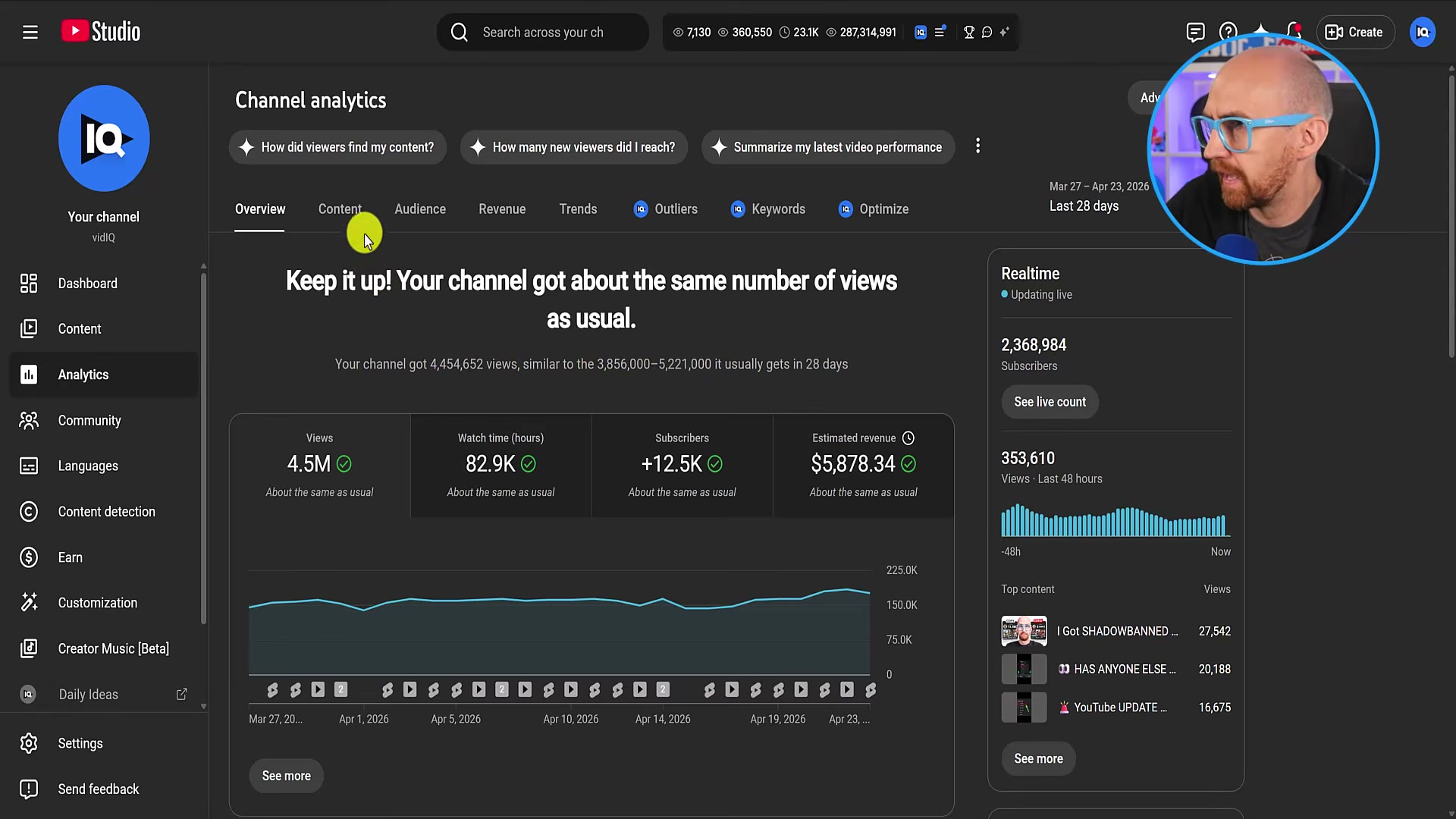
- Open YouTube Studio and navigate to Analytics > Overview. Set the date range to the last 7 days and scroll to the Views by content table. Sort by views to surface your top-performing items for the period.
-
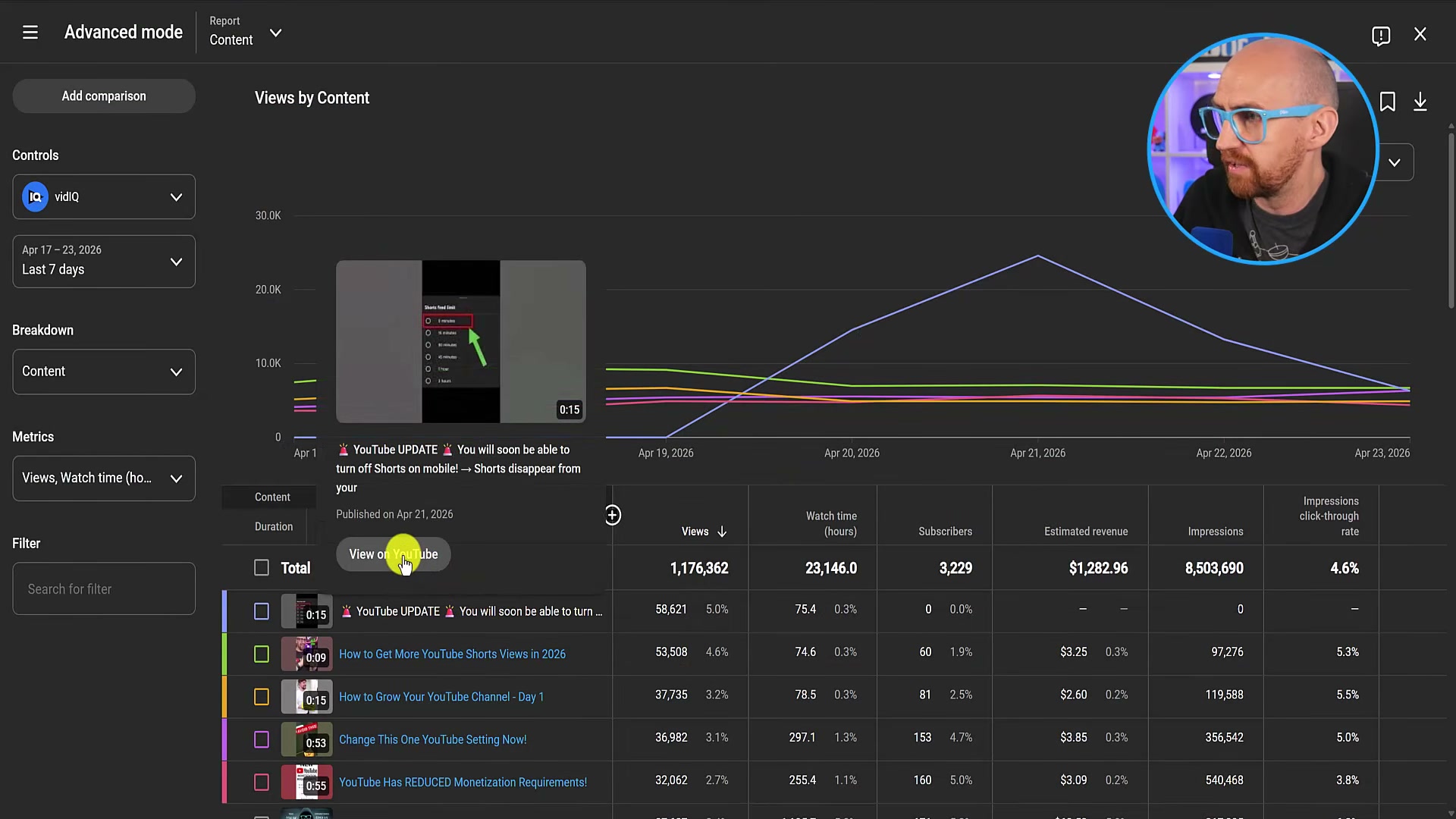
Scan the content list for any item rendered as plain blue text rather than a clickable hyperlink. A non-linked entry cannot be opened for deeper analytics through the standard path — this is the first signal that YouTube has classified the item outside the normal video or Short taxonomy.
-
Hover over the non-clickable row. A tooltip will surface a View on YouTube option. Click it. If the destination is a community post rather than a video URL, YouTube has converted that post into a Short and is attributing Shorts-feed views to it inside Studio.
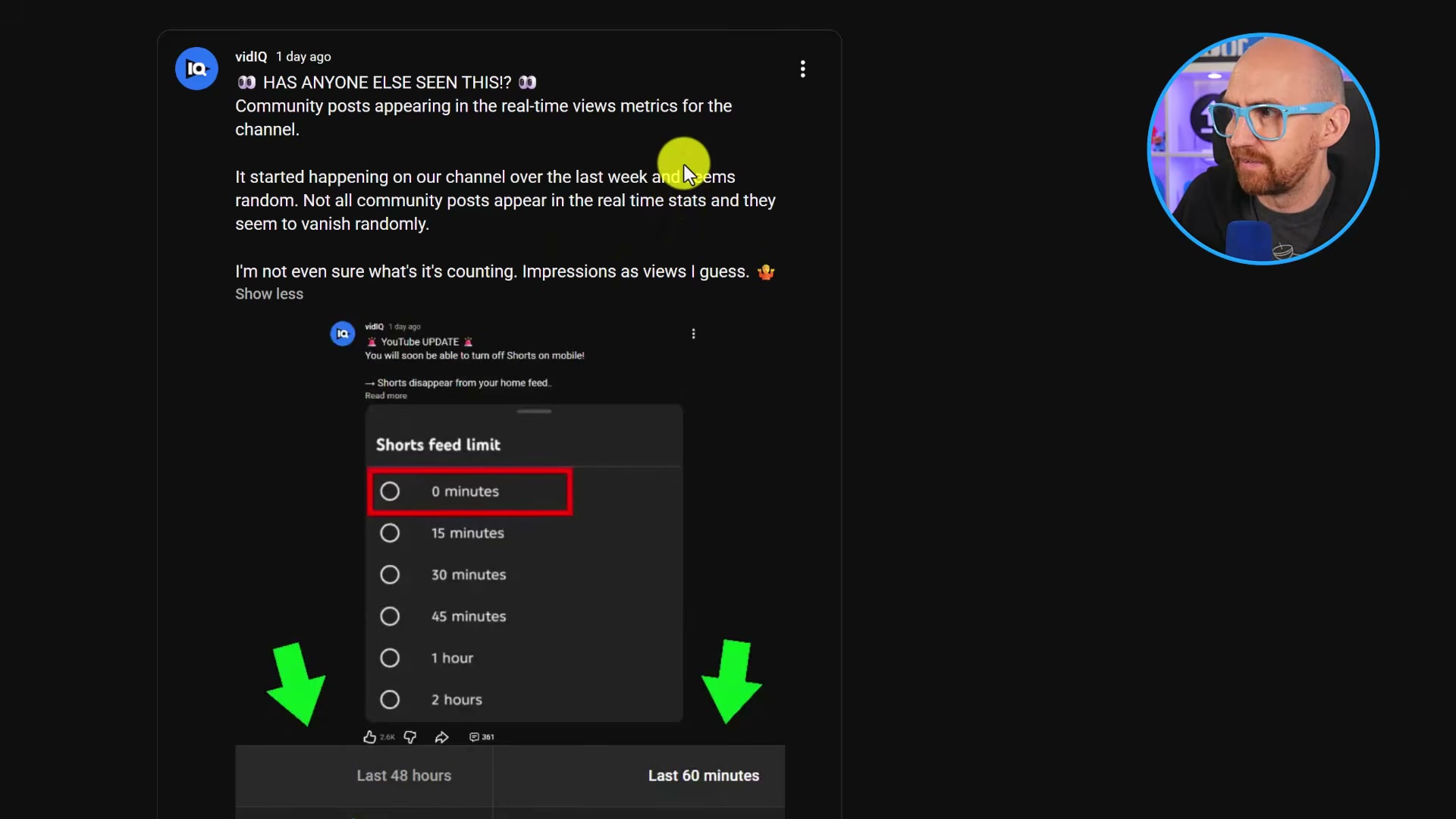
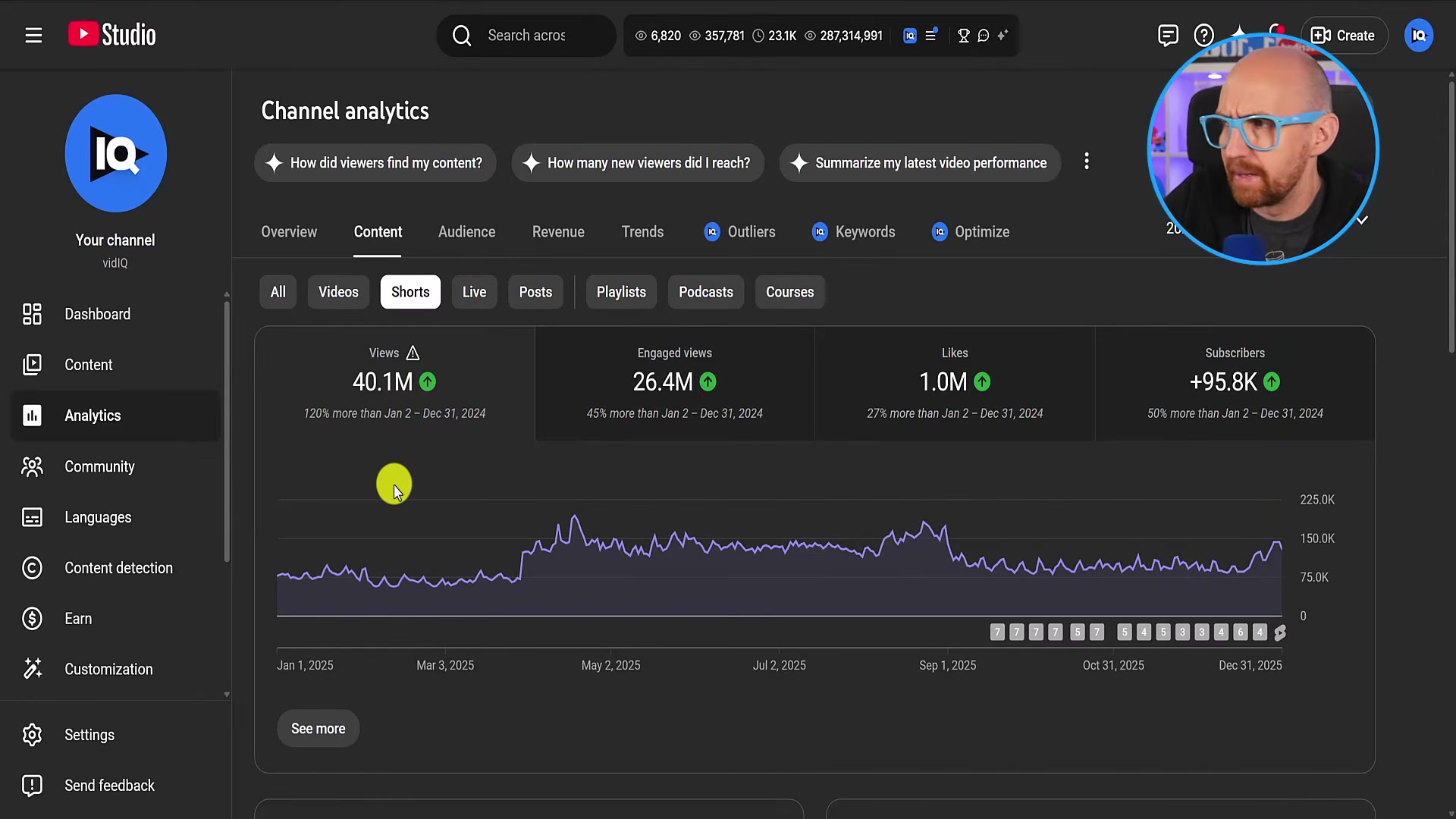
- To rule out the possibility that you’re looking at community post impressions relabeled as views, go to Analytics > Content > Posts. Pull impression counts for the same 7-day window. Compare that Posts impression figure against the views figure in the main analytics table — the numbers will not match, confirming the views are being generated in the Shorts feed, not from standard post impressions.
-
Back in the main views table, check the thumbnail timestamp on the flagged item. A 15-second duration badge alongside meaningful watch-time hours is a strong indicator the community post is looping as a Short. The static image repeats on a 15-second cycle in the Shorts feed.
-
Navigate to Analytics > Real-time and open the Content type filter dropdown. Select Shorts. Watch whether the community post Short appears or disappears from the filtered list. In testing, these entries vanish under the Shorts filter even while actively accumulating Shorts-feed views — meaning YouTube’s own filters do not consistently surface them as Shorts.
Warning: this step may differ from current official documentation — see the verified version below.
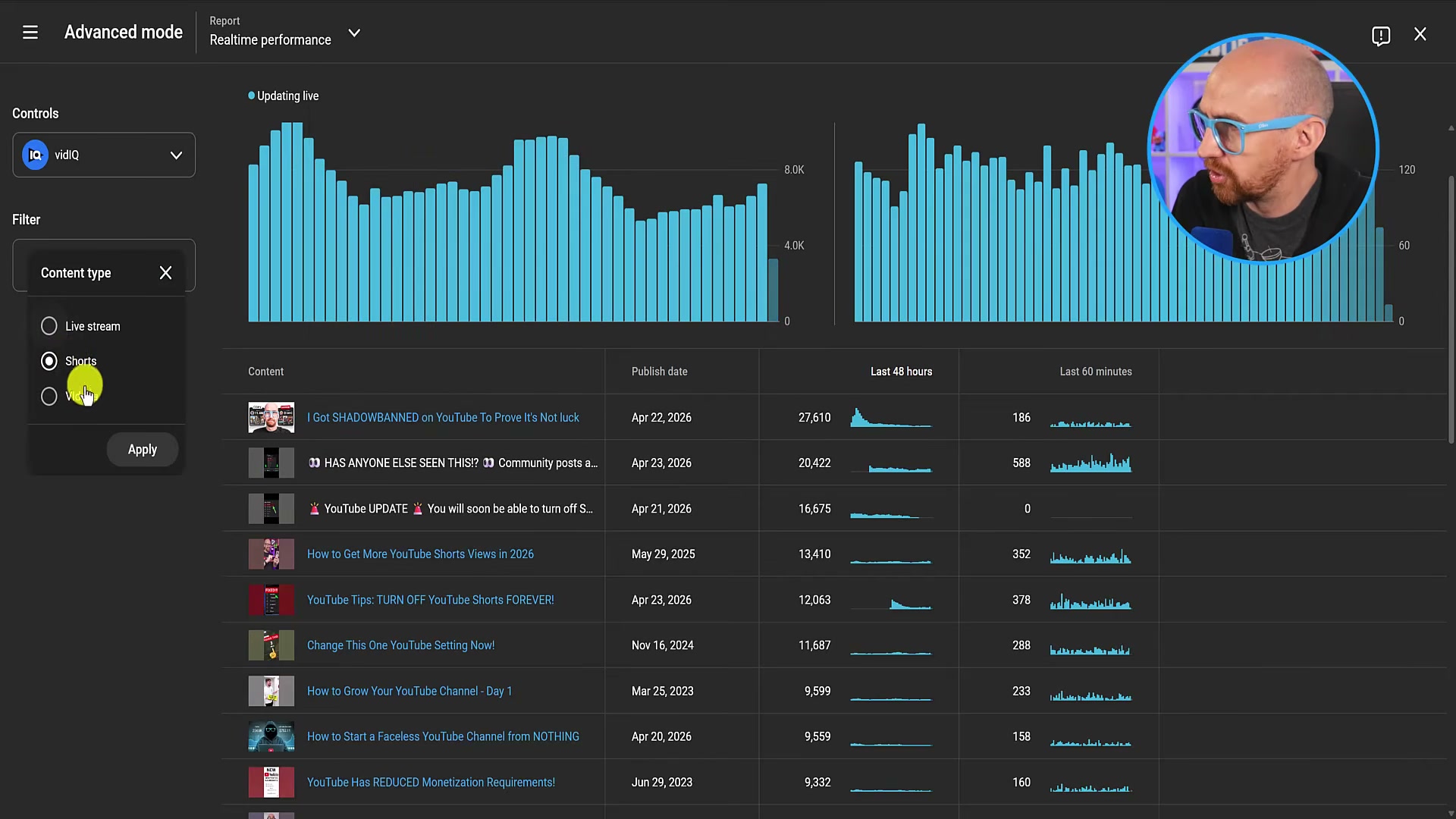
- Hover over the community post row in the Advanced Mode table to open the full tooltip, which displays the content title and publish date. Cross-reference the title against your actual community post feed to confirm exactly which post YouTube selected for conversion.
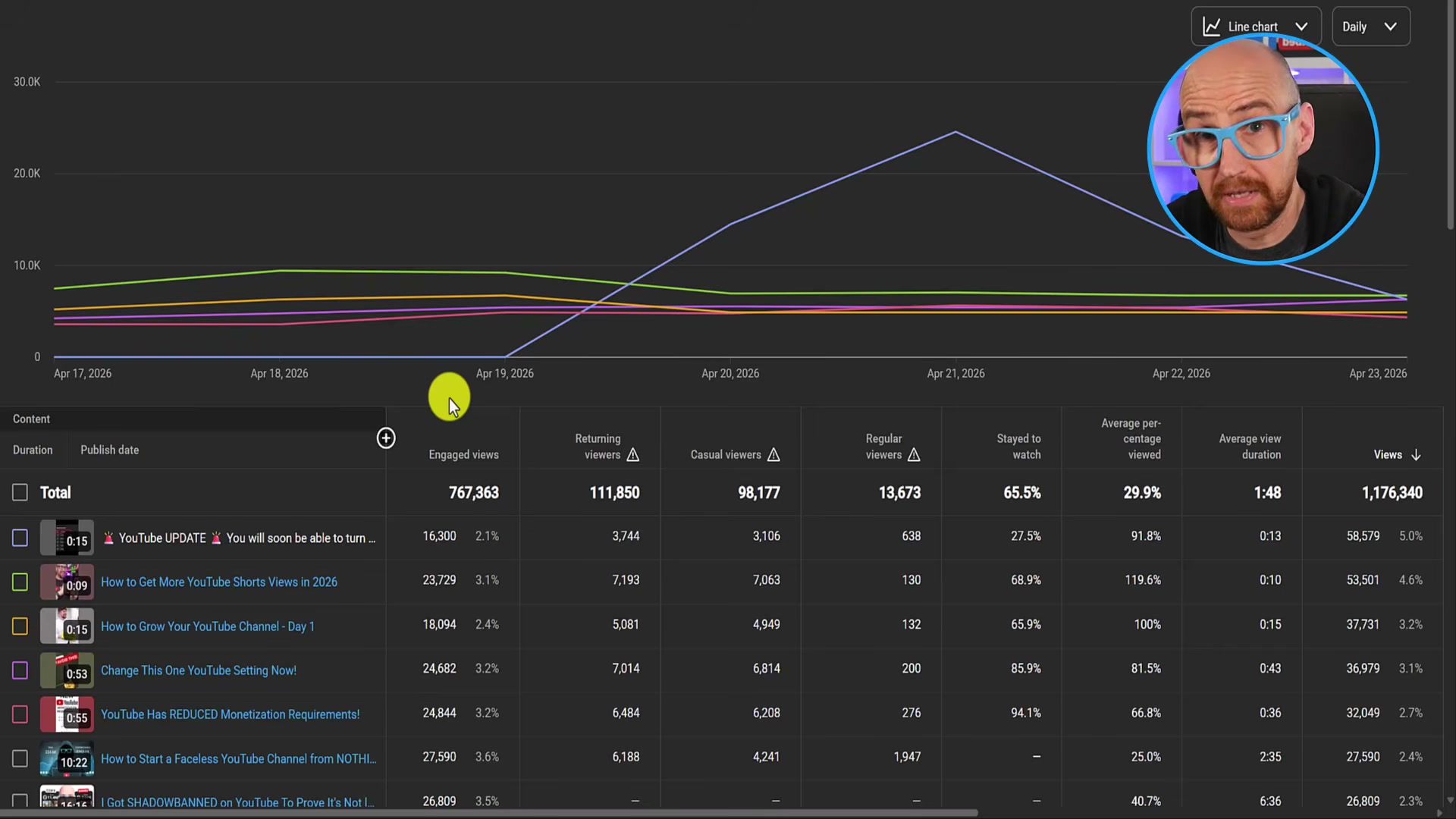
- Add supplemental columns to the Advanced Mode table: Engaged views, Stayed to watch %, and Average % viewed. For any community post Short, compare engaged views against raw views. A gap of 40,000+ raw views versus 16,000 engaged — a 27% stayed-to-watch rate — indicates viewers are swiping away almost immediately, consistent with non-intentional content appearing in the Shorts feed.
-
Return to the same 7-day analytics window one to two days later and record the updated view count for the community post Short. An approximately 85% retroactive reduction — while channel-level daily totals shift by only a few hundred views — confirms that these Shorts-feed views do not feed into long-term channel metrics or watch-hour accumulation.
-
Check Real-time stats one more time. If a new community post Short is actively accumulating views, the behavior is ongoing. Based on available data, YouTube appears to target image-based posts for conversion and largely ignore polls, quizzes, and text-only posts.
How does this compare to the official docs?
YouTube’s support documentation does acknowledge that community posts can appear in the Shorts feed — but the full mechanics of how Studio reports those views and later adjusts them retroactively is precisely where the official guidance stops and the undocumented behavior begins.
Here’s What the Official Docs Show
Act 1 documents what one creator discovered inside YouTube Studio — this act reports what official documentation can confirm as of April 29, 2026. The honest addition here is a structural one: the documentation gaps are themselves informative, and understanding where Google’s help system goes dark tells you as much about this behavior as any confirmed step would.
Step 1 — Open Analytics > Overview
No official documentation was found for this step — proceed using the video’s approach and verify independently.

Steps 2–3 — Identify non-clickable rows and hover to confirm post status
No official documentation was found for these steps — proceed using the video’s approach and verify independently.
Step 4 — Cross-check Posts impressions against the main views count
No official documentation was found for this step — proceed using the video’s approach and verify independently.
Step 5 — Confirm the 15-second duration badge and looping behavior
No official documentation was found for this step — proceed using the video’s approach and verify independently.
Step 6 — Apply the Real-time Content type filter for Shorts
No official documentation was found for this step — proceed using the video’s approach and verify independently.
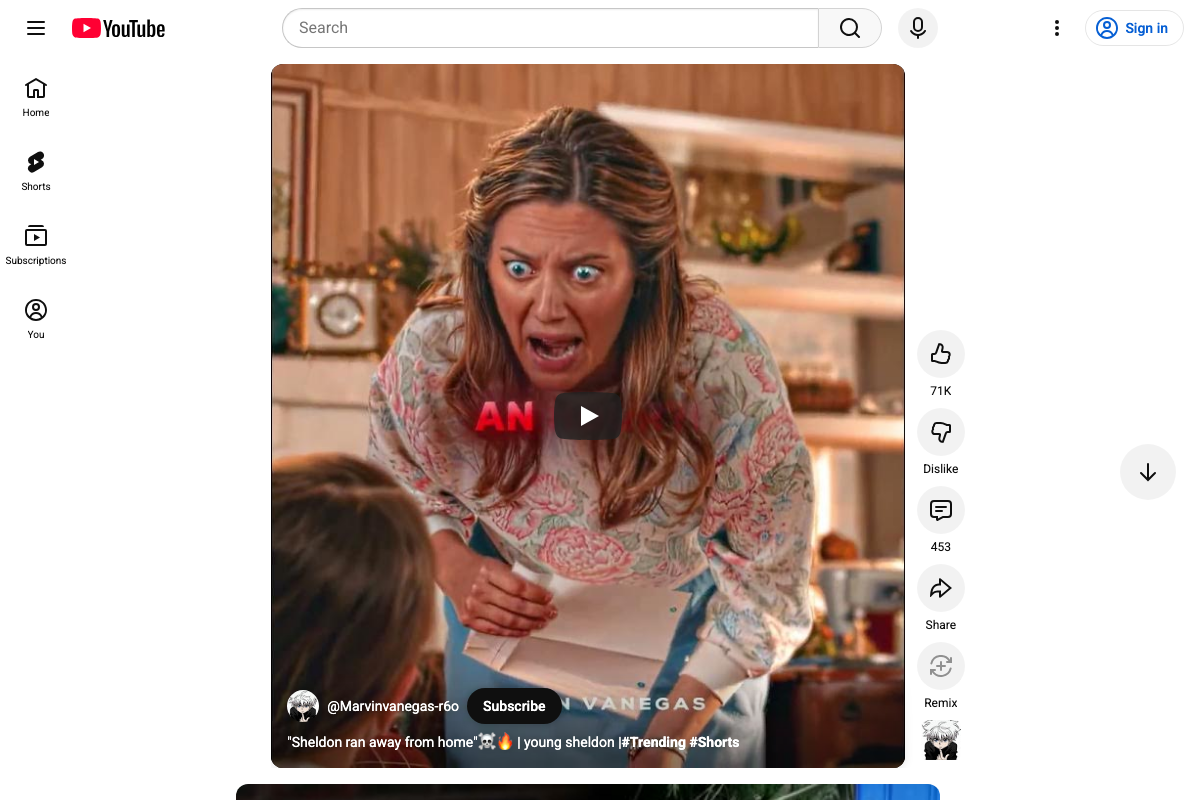
Step 7 — Attempt manual URL construction with the community-post content ID
The /shorts/ URL path at youtube.com/shorts is confirmed valid and functional for standard Shorts content. The failure the video describes — substituting a community-post content ID into that path — is therefore specific to the content ID type, not the URL format itself. That distinction matters if you’re troubleshooting: the path works, the ID doesn’t.
One platform detail worth adding: the current Shorts player UI includes a Remix action button alongside Like, Dislike, Comments, and Share. This capability is absent from every tutorial step and represents an additional creator-interaction surface present in the live Shorts feed as of April 2026.
Steps 8–10 — Advanced Mode columns, retroactive view reduction, and Real-time monitoring
The YouTube Studio help topic that would cover these steps (support.google.com/youtube/topic/9257098) returns a 404 as of April 29, 2026 — confirmed across three consecutive capture attempts. YouTube Studio itself requires authentication, which blocked any unauthenticated documentation of the Analytics UI described across these steps.
No official documentation was found for steps 8–10 — proceed using the video’s approach and verify independently.
Useful Links
- YouTube Studio Analytics Help — Official Studio analytics help topic; returns a 404 as of April 2026 and has been removed or relocated with no forwarding destination
- YouTube Studio — Direct entry point for YouTube Studio; requires a signed-in Google account to access any analytics or content features
- Learn about Posts — YouTube Help — Official Community Posts documentation; article content failed to render during all three verification attempts, returning the YouTube homepage instead
- Get Started Creating YouTube Shorts — YouTube Help — Official Shorts creation guide; rendered the live Shorts player rather than help text across all three capture attempts
- YouTube Shorts — Live Shorts player feed confirming the
/shorts/URL structure is valid and functional for standard Shorts content


0 Comments