

Install the OpenAI Codex Plugin in Claude Code for Adversarial Code Reviews
The OpenAI Codex plugin for Claude Code puts OpenAI’s model directly inside the Anthropic CLI, billable against your existing ChatGPT subscription. After completing this tutorial, you’ll be able to install and authenticate the plugin, delegate autonomous coding tasks to Codex as a cost-efficient alternative to Opus 4.6, and run structured adversarial reviews that surface high-severity bugs a single-model workflow routinely misses. The real payoff is the head-to-head comparison — two models, one codebase, zero shared blind spots.
-
Register the plugin source by running the
marketplace addcommand inside Claude Code. The exact command string is available in the plugin’s GitHub repository, linked in the video description. -
Install the plugin by running the plugin install command targeting
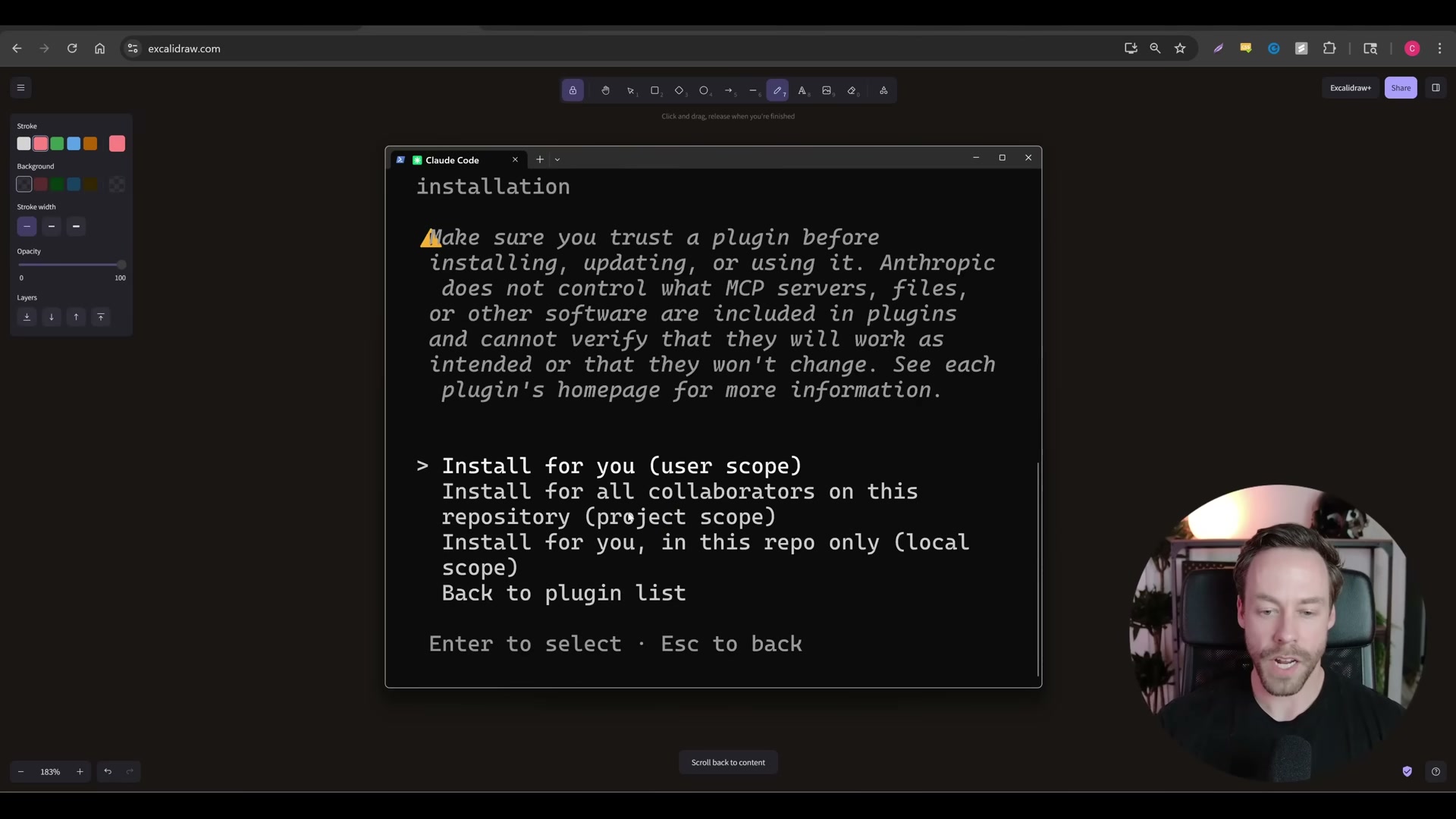
codex@openai-codex(the package identifier shown in the transcript). Claude Code presents a trust warning and asks you to choose an install scope.
- Reload Claude Code plugins to activate the newly registered commands. The full palette —
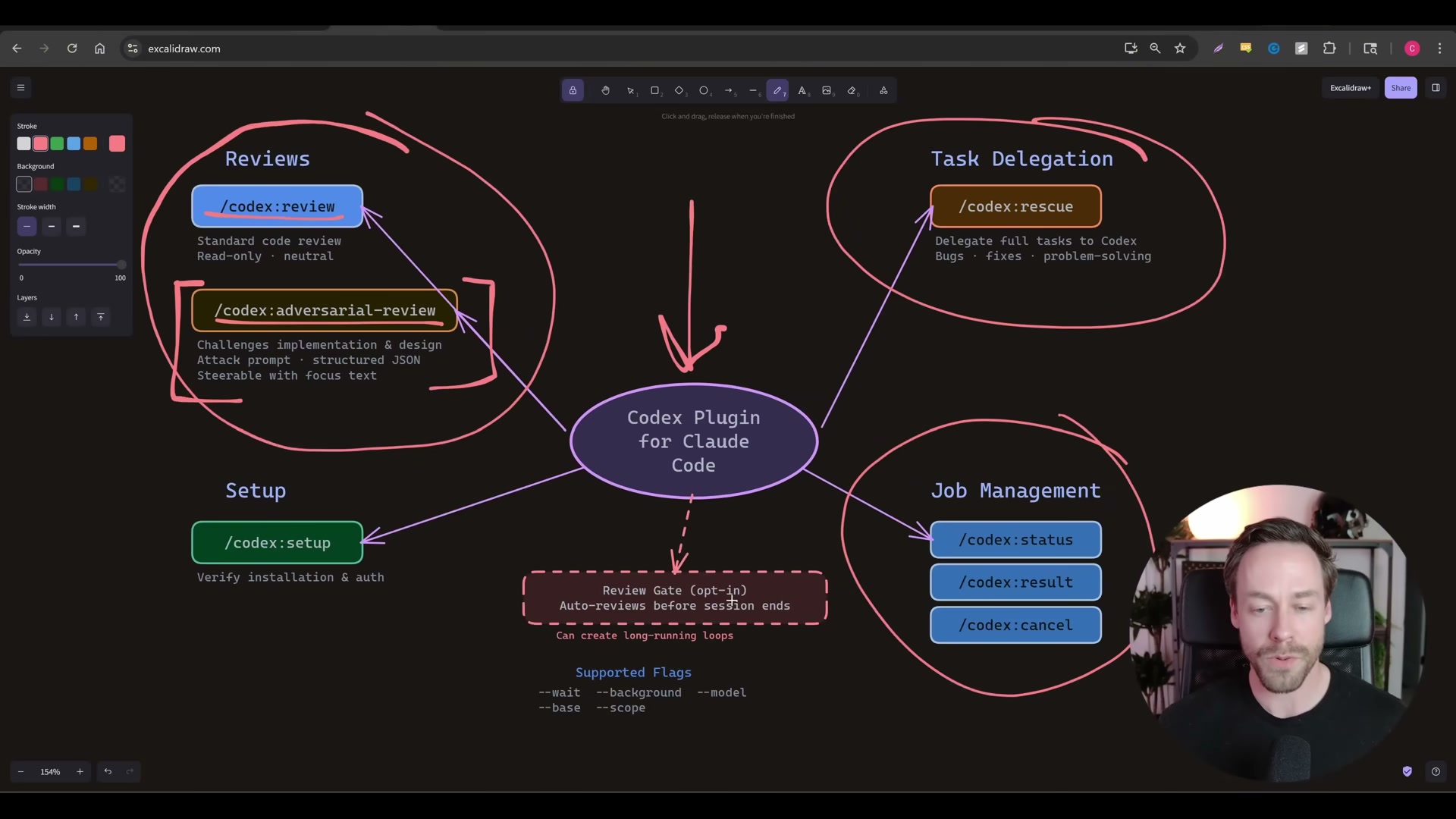
/codex:setup,/codex:status,/codex:rescue,/codex:result, and/codex:cancel— then appears in autocomplete with inline descriptions.
-
Run
/codex:setupto initialize the plugin. Claude Code prompts you to confirm the Codex binary installation before proceeding. -
Authenticate by completing the OAuth flow in your browser. The plugin links usage to your ChatGPT account — the transcript notes this applies even on a free-tier account — so charges pull from your OpenAI quota, not your Anthropic plan.
Warning: this step may differ from current official documentation — see the verified version below.
-
To hand off a full coding task to Codex, run
/codex:rescuefollowed by your prompt. The command accepts flags for execution mode (--backgroundor--wait), effort level (nonethroughxhigh), model selection, and session continuity (--resumeor--fresh). -
To run an adversarial review, invoke
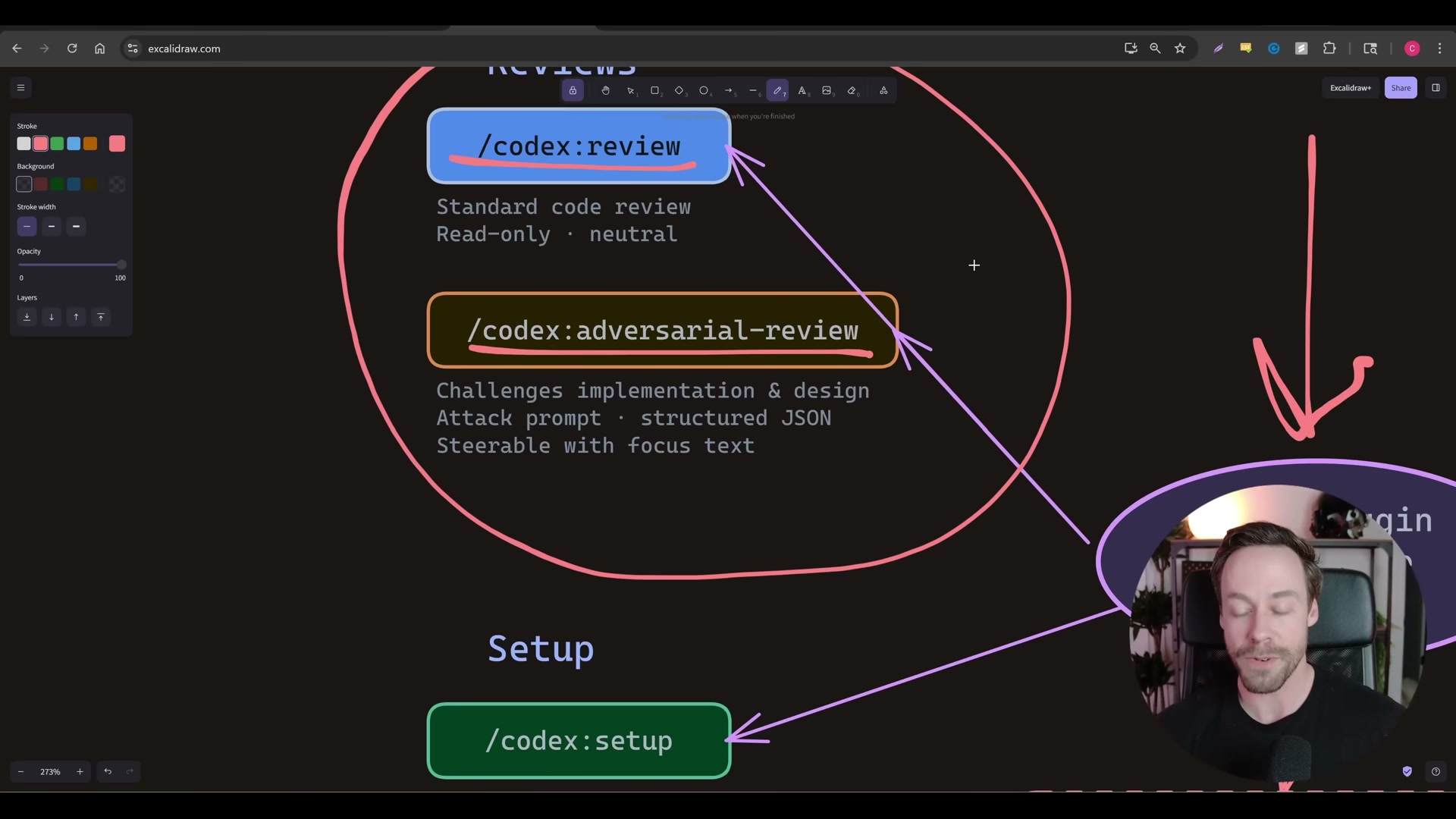
/codex:adversarial-reviewand point it at your target codebase. Unlike the neutral/codex:review, the adversarial mode builds a prompt that attacks implementation and design choices across seven ranked surfaces: authentication boundaries, data loss vectors, rollback failures, race conditions, degraded dependencies, version skew, and observability gaps.
-
When prompted, choose whether to wait for results inline or dispatch the job to run in the background. Codex reports review scope — including untracked files and working-tree changes — before dispatching to OpenAI’s servers.
-
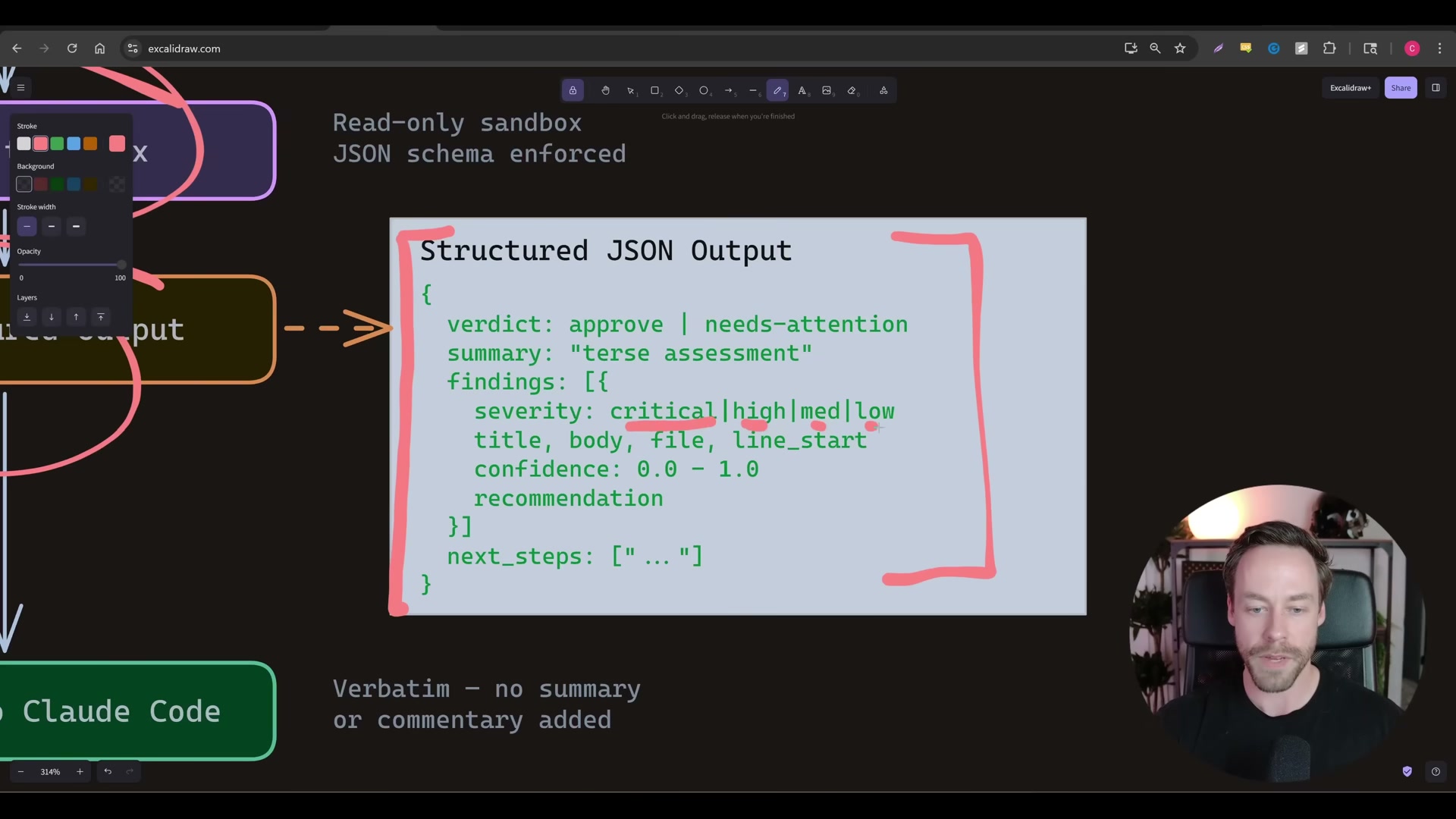
Read the structured JSON output. Each finding includes a
severityrating (critical, high, medium, or low), the affected file path, start and end line references, a confidence score, and arecommendationfield. The top-level envelope carries averdict(approveorneeds-attention) and anext_stepsarray.
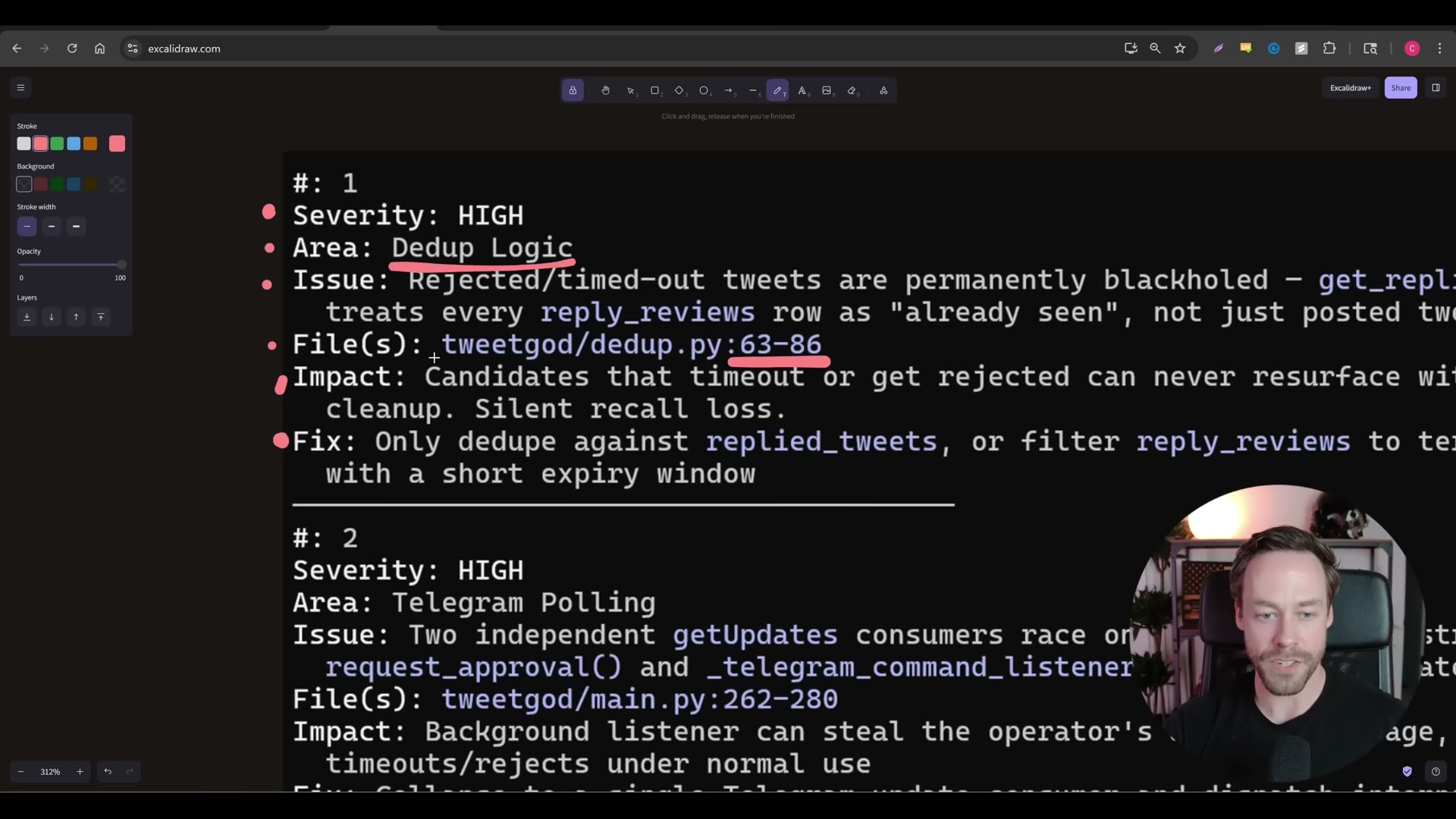
- Run the same adversarial review prompt through Claude Opus 4.6 and compare findings side by side. In the video’s live test on a tweet-ranking bot, Codex and Opus shared one finding (a Telegram polling race condition), while Codex exclusively surfaced three HIGH-severity bugs — a silent DB crash on first deploy, a schema drift issue, and a broken dashboard import — that Opus did not flag.
How does this compare to the official docs?
The install sequence shown here moves quickly past several configuration details — scope behavior, PATH resolution, and quota limits — that the plugin’s official documentation and OpenAI’s Codex CLI reference treat with considerably more precision.
Here’s What the Official Docs Show
Act 1 gives you a complete walkthrough of the OpenAI Codex plugin as demonstrated in the video — Act 2 layers in documentation context to give you a firmer footing before you run any of these commands in a production environment. Because no official documentation sources were captured during the research phase for this post, every step below carries an unverified flag — treat this as a prompt to do your own due diligence before committing this plugin to a shared codebase.
Step 1 — Register the plugin source
No official documentation was found for this step —
proceed using the video’s approach and verify independently.
Step 2 — Install and choose scope
No official documentation was found for this step —
proceed using the video’s approach and verify independently.
Step 3 — Reload plugins and confirm the command palette
No official documentation was found for this step —
proceed using the video’s approach and verify independently.
Step 4 — Run /codex:setup
No official documentation was found for this step —
proceed using the video’s approach and verify independently.
Step 5 — Complete the OAuth flow
No official documentation was found for this step —
proceed using the video’s approach and verify independently.
Step 6 — Hand off a task with /codex:rescue
No official documentation was found for this step —
proceed using the video’s approach and verify independently.
Step 7 — Run /codex:adversarial-review
No official documentation was found for this step —
proceed using the video’s approach and verify independently.
Step 8 — Choose inline or background dispatch
No official documentation was found for this step —
proceed using the video’s approach and verify independently.
Step 9 — Parse the JSON output
No official documentation was found for this step —
proceed using the video’s approach and verify independently.
Step 10 — Run a parallel review in Claude Opus 4.6 and compare
No official documentation was found for this step —
proceed using the video’s approach and verify independently.
Useful Links
No official documentation sources were captured during the research phase for this post. Before deploying this plugin, verify the following resources directly:
- OpenAI Codex CLI — GitHub Repository — Primary source for installation commands, flag references, and release notes
- Claude Code Plugin Documentation — Official Anthropic reference for plugin installation, scopes, and marketplace commands
- OpenAI Platform Usage Dashboard — Confirm quota routing and billing before running background jobs at scale


0 Comments