

How Browsers Really Parse HTML (and What That Means for SEO)
Browser HTML parsing is the invisible layer beneath every SEO signal you rely on — canonical tags, hreflang, meta robots — and most developers have never read the spec that governs it. This tutorial, drawn from Google Search Central’s Search Off the Record episode 106, walks you through how parsers actually interpret your document structure, which elements are legally head-only, and how a single injected iframe can silently move your hreflang links into the body where Google ignores them.

-
Before the Google team could discuss Client Hints — a newer mechanism for serving responsive content — they established that HTML parsing itself is the prerequisite. Understanding where elements are allowed in the document is the foundation everything else builds on.
-
HTML appears structured, but browsers are deliberately lenient by design: they accept malformed markup rather than error out. That leniency cascades to developers, who learn that “anything goes” and ship inconsistent markup. The result is a document format that is extremely difficult to parse reliably with anything other than a dedicated parser.
-
The authoritative reference for how browsers must handle HTML — including malformed markup — is the WHATWG HTML Living Standard. It is a living document that evolves with the web while explicitly trying not to break pages that already exist.
- The W3C Validator was once the canonical tool for checking HTML compliance, and in the cross-browser era — Netscape, Internet Explorer, early Firefox, Safari — writing spec-compliant HTML meaningfully reduced compatibility problems. CSS hacks like the star hack existed specifically to exploit the differences in how those browsers parsed the same document. Today, the consensus is that strict HTML validity matters far less, unless the specific markup pattern you are using has defined behavior that breaks silently when malformed.
Warning: this step may differ from current official documentation — see the verified version below.

-
Looking up the
<link>element directly in the Living Standard, the spec defines three allowed contexts: where metadata content is expected (the<head>), inside a<noscript>element that is a child of<head>, and in the body — but only under specific conditions. -
The body exception for
<link>is narrower than it appears. A link element is permitted in the body only if it carries anitempropattribute, or if itsrelattribute contains exclusively body-allowed keywords:stylesheet,preload,prefetch, orpingback. Every other use of<link>belongs in the head. -
<meta name>elements — includingmeta name=robotsandmeta charset— are head-only with no body exception. The spec permits meta elements where metadata content is expected, and the only valid metadata context is the<head>.

-
The real-world consequence: a site had valid hreflang
<link>tags in the<head>, preceded by a<script>that injected an<iframe>inline. The moment the parser encountered the<iframe>— a non-metadata element — it implicitly closed<head>and opened<body>. Everything after that point, including the hreflang links, was treated as body content and ignored by Google’s infrastructure. -
Allowing
canonicalin the body creates a direct security risk. Any feature on the page that outputs unescaped user content — a comment field, a review widget — becomes an injection vector. An attacker can close a tag early and insert a<link rel="canonical">pointing to their own domain, hijacking the page’s authority signal.

- JavaScript could inject a canonical tag into the
<head>withdocument.head.appendChild(), but the attack surface is simpler in the body: fewer encoding requirements, more injection points, and no need for script execution context.
How does this compare to the official docs?
The Living Standard and Google’s own documentation agree on the structure, but the spec’s language around “allowed contexts” is abstract enough that the practical SEO consequences — which the video illustrates clearly with a live bug — require a closer read to surface.
Here’s What the Official Docs Show
The video covers this ground accurately in its broad strokes, and what follows adds precision where official documentation has more to say. Two specific points — validator framing and a Client Hints connection that ties the whole tutorial together — warrant direct additions before you apply these techniques to a production site.
Step 1 — HTML parsing as the foundation
No official documentation was found for this step — proceed using the video’s approach and verify independently.
Step 2 — Browser leniency and lenient parsing
No official documentation was found for this step — proceed using the video’s approach and verify independently.

Step 3 — The WHATWG HTML Living Standard as authoritative reference
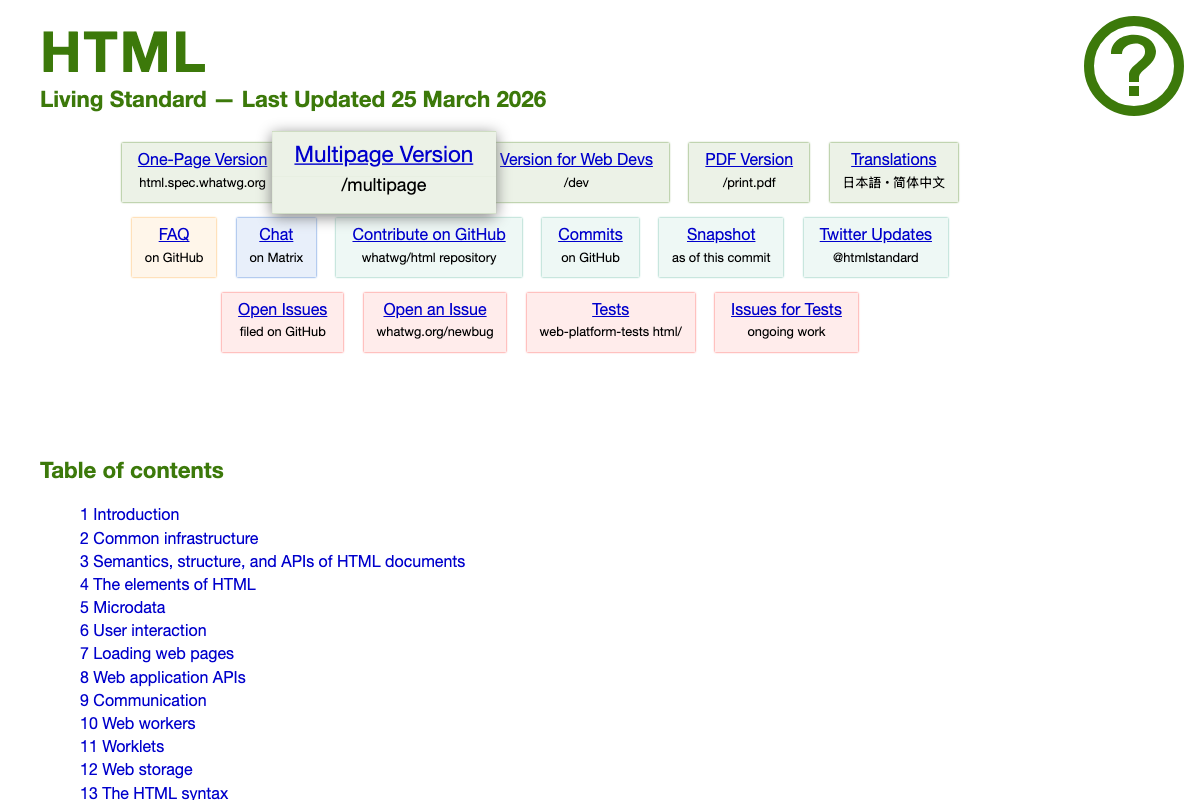
The video’s approach here matches the current docs exactly. The Living Standard was last updated 25 March 2026, two days before this post published. One addition worth noting: the spec maintains a practitioner-facing Web Developers version at html.spec.whatwg.org/dev that strips implementation-only content — a cleaner starting point when looking up element definitions.
Step 4 — The W3C Validator and HTML compliance tools
As of March 2026, the spec’s section 1.10.3 is titled “How to catch mistakes when writing HTML: validators and conformance checkers” — and it treats conformance checking as a current, ongoing concern, not a legacy one. The video frames the W3C Validator as primarily historical, but the spec’s own categorization does not support that framing. The validator remains a recommended tool for catching exactly the content-model errors this tutorial describes.

Steps 5–6 — <link> allowed contexts and the body exception
No official documentation was found for this step — proceed using the video’s approach and verify independently.
The spec’s section 1.11.3 confirms that content-model restrictions exist at the normative level, but the actual <link> element definition and its full list of body-allowed keywords live in Chapter 4, which was not captured in available screenshots. The structure the video describes is consistent with the spec’s framing, but the specific keyword list cannot be confirmed from available evidence.
Step 7 — <meta name> as head-only
No official documentation was found for this step — proceed using the video’s approach and verify independently.
Steps 8–9 — The iframe head-close bug and canonical injection risk
No official documentation was found for this step — proceed using the video’s approach and verify independently.
Step 10 — Google’s treatment of body-placed SEO signals
The Google Search Central screenshots captured show the general homepage, not the Googlebot documentation at developers.google.com/search/docs/crawling-indexing/googlebot. The specific claims — that Google ignores hreflang placed in <body> and that body-canonical creates a meaningful injection vector — cannot be confirmed or contradicted from available screenshots. Verify directly against Google’s crawling and indexing documentation before acting on either claim in a production environment.

Step 11 — Client Hints
The video’s approach here matches the current docs exactly. MDN confirms Client Hints operate at the HTTP header level: browsers send low-entropy Sec-CH-UA-* headers by default, and servers request additional hints via Accept-CH. One connection the tutorial does not surface: MDN explicitly documents a <meta http-equiv="Accept-CH"> HTML delivery path for Client Hints. That means the head-placement rules this entire tutorial builds toward apply directly to Client Hints triggering — a misplaced <meta http-equiv="Accept-CH"> in <body> carries the same risk as any other misplaced metadata element.

Useful Links
- HTML Standard — The WHATWG HTML Living Standard; authoritative source for parsing rules, content models, and element definitions including the normative basis for where
<link>and<meta>elements are permitted. - Google Search Central — Google’s SEO documentation hub; the Googlebot crawling and indexing documentation covering hreflang and canonical placement rules is at
developers.google.com/search/docs/crawling-indexing/googlebot. - HTTP Client hints – HTTP | MDN — MDN reference for HTTP Client Hints, covering the
Accept-CHnegotiation cycle, low- and high-entropy hint taxonomy, and the<meta http-equiv="Accept-CH">HTML delivery path.


0 Comments