

Build a Five-Skill AI Marketing Team in Claude Code
By the end of this tutorial, you’ll have a library of five reusable Claude Skills — research, content, creative design, data analysis, and campaign presentation — wired together in Claude Code Desktop and orchestratable through sub-agents or Agent Teams. You’ll build each skill once, then let Claude act as the team lead that deploys them across any campaign task.

- Create a project folder for your brand with subfolders for
/context(brand, product, and audience documents),/data,/examples, and/SOP. Add aCLAUDE.mdfile at the root — it functions as project-level instructions that every skill in this project inherits automatically, governing how Claude navigates your folder structure and what rules apply across all skills.

- Install the Skill Creator tool from its official external GitHub repository. The Skill Creator is not bundled with Claude Code — without it, Claude cannot scaffold skill files in the correct structure.
Warning: this step may differ from current official documentation — see the verified version below.
- Install the Perplexity MCP server. Both the research and social content skills call Perplexity for live web data, so it must be active before you create those skills.
- In Claude Code Desktop, prompt Claude to create a skill named
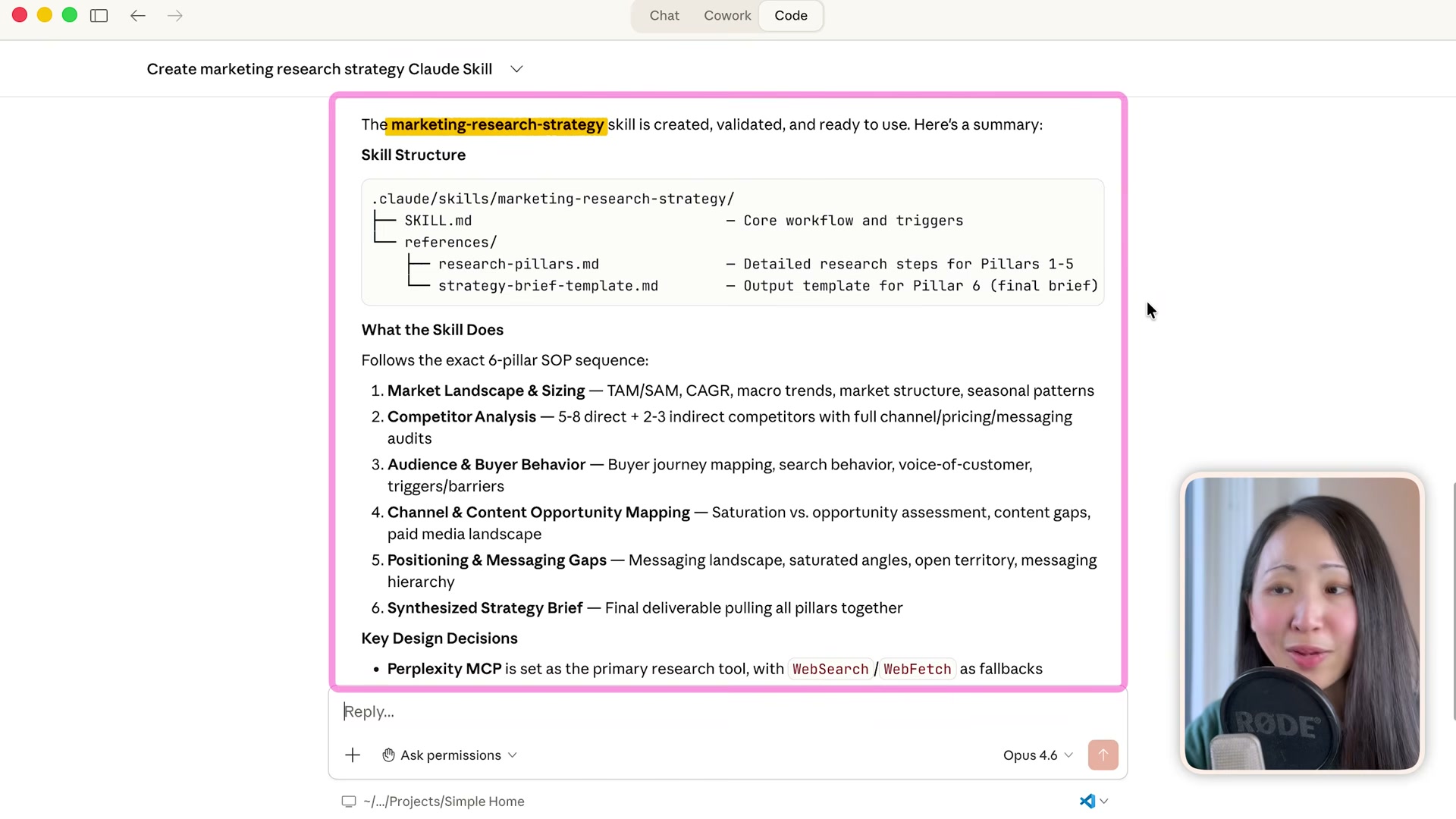
marketing-research-strategy, referencing your SOP documents as the workflow blueprint and specifying Perplexity MCP as the primary research tool with a fallback. Claude reads the SOP, generates a six-pillar skill file under.claude/skills/marketing-research-strategy/, and makes it invokable via slash command. Calling/marketing-research-strategy analyze [competitor]queues all six research pillars and runs them in parallel — no additional prompting required.
-
Create the
social-media-contentskill by feeding Claude your best-performing past posts alongside any storytelling frameworks you’ve collected from subject-matter experts. Claude reverse-engineers the patterns and encodes them into the skill, which also calls Perplexity MCP for trending context before drafting copy. -
Install the Nano Banana MCP server, then prompt Claude to create the
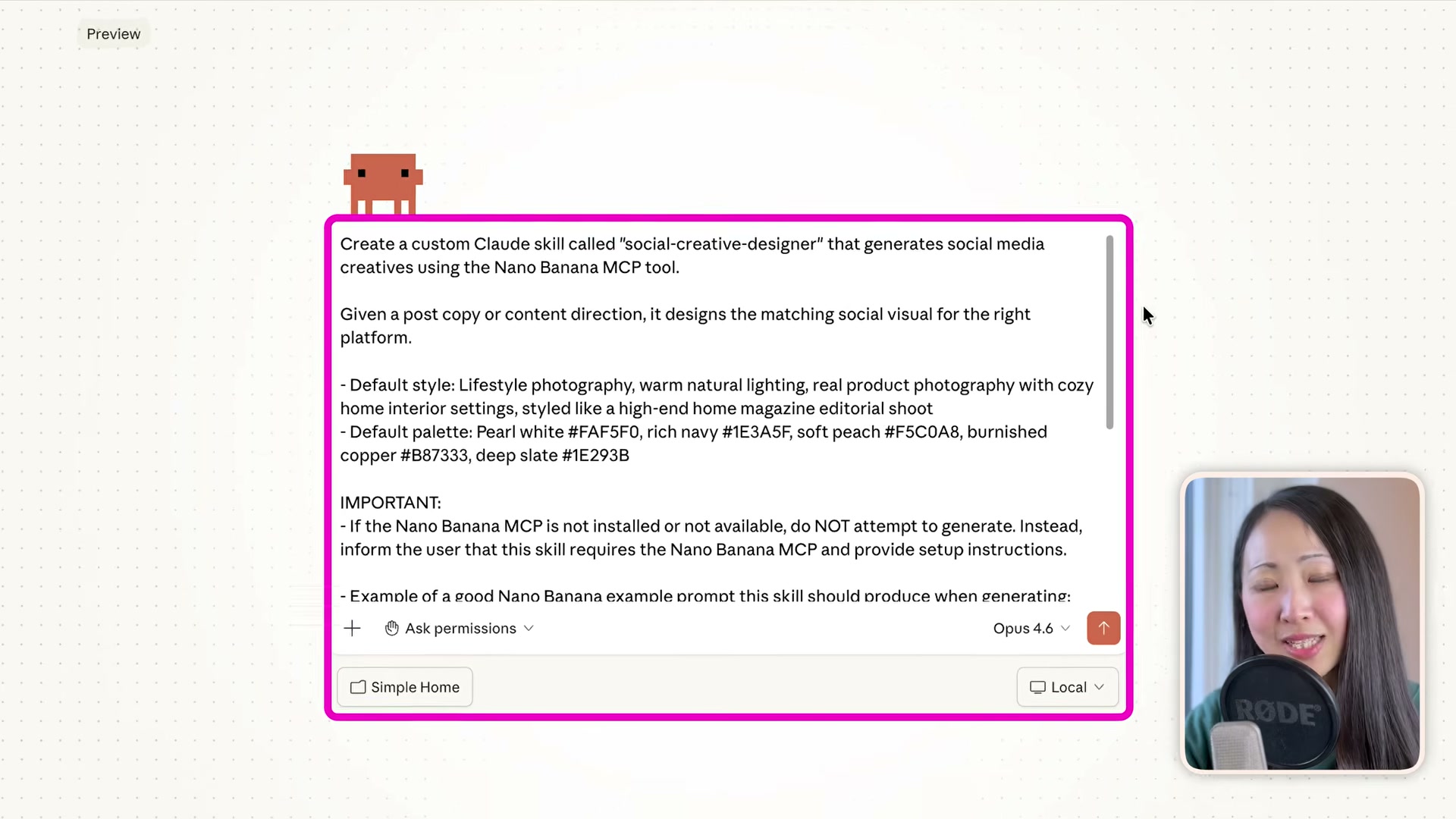
social-creative-designerskill. Include your brand’s hex color palette, a default visual style description, and a guard clause that halts execution if Nano Banana MCP is unavailable — this prevents silent failures when image generation is a hard dependency of the skill.
-
Build the
data-analysisskill by describing the expected input format and desired dashboard output, then build thecampaign-presenterskill by describing how raw campaign materials should transform into a branded presentation or landing page. Both follow the same prompting pattern as the earlier skills. -
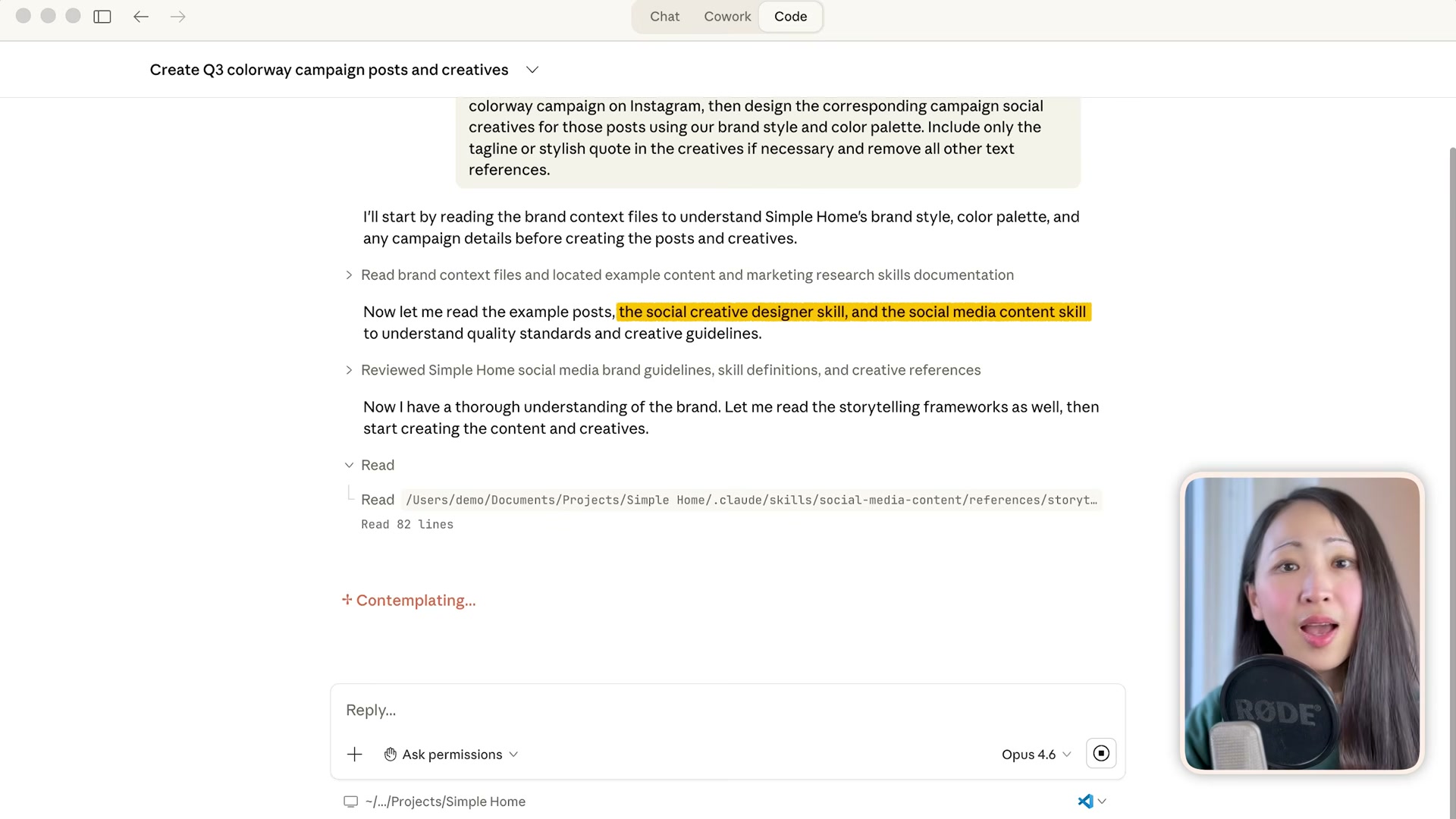
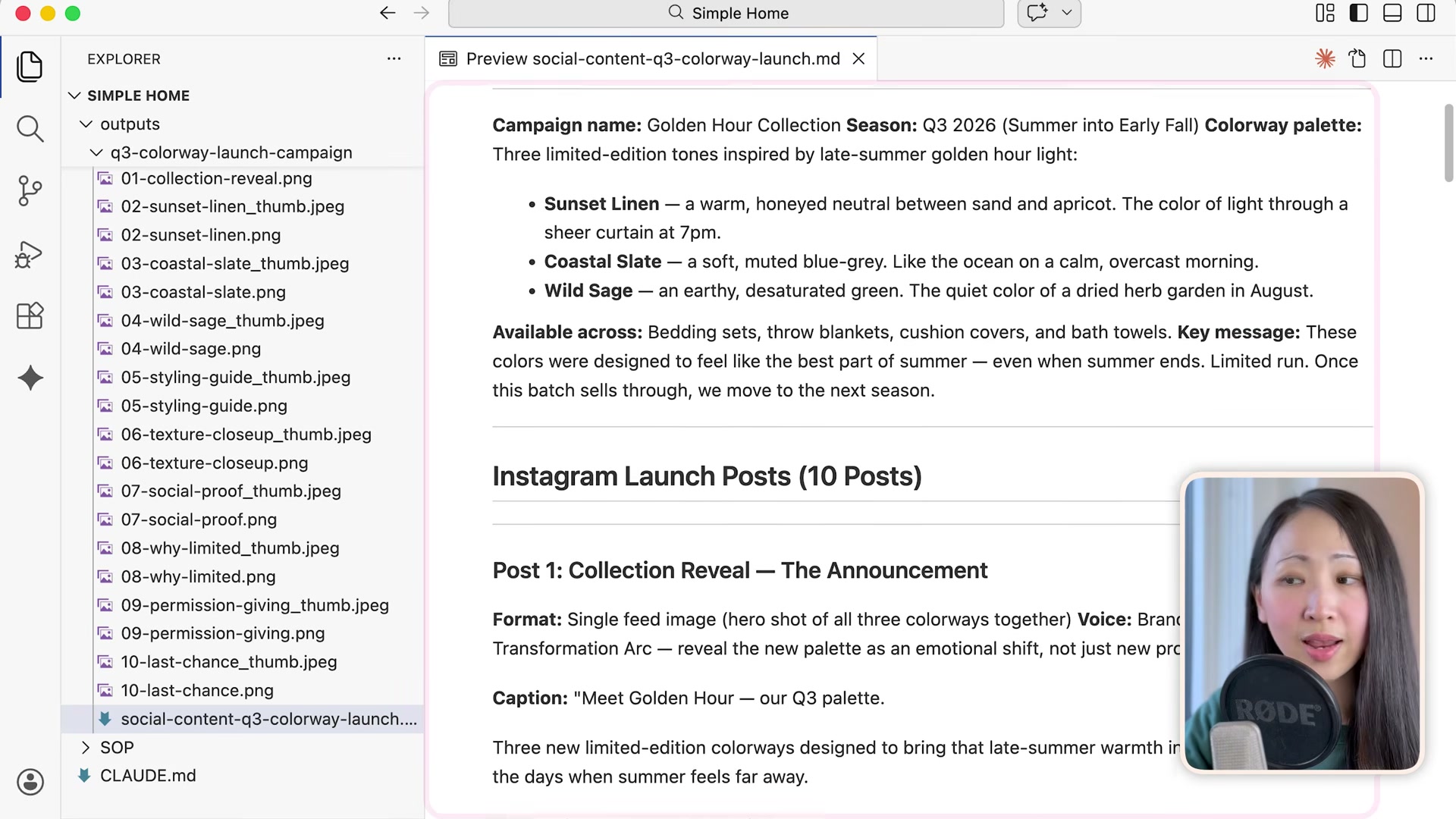
Test multi-skill orchestration with a single natural-language task: generate 10 Instagram posts and matching campaign visuals, then save everything to a new folder. Claude reads brand context, chains the
social-media-contentandsocial-creative-designerskills in sequence, and delivers a complete campaign folder — copy, captions, storytelling framework notes, and 20-plus on-brand visuals — without you specifying how to divide the work.
-
For a complex task like a quarterly review, give Claude a single prompt and let it spawn parallel sub-agents — one per workstream. Each sub-agent runs its assigned skill (research, data analysis, or presentation) independently and reports back. Claude synthesizes all outputs into a final deliverable folder without you managing the handoffs.
-
To enable cross-agent review, turn on the Agent Teams feature in global Claude Code settings, define three specialized agents, and assign a task that requires inter-agent feedback before finalization. Token usage is significantly higher than sub-agents, so reserve Agent Teams for workflows where agents reviewing each other’s work materially changes the output quality.
-
Package your skills, agents, and context system into a Claude Plugin with a custom slash command such as
/landing-page. This makes the full marketing team portable across projects, clients, and other Claude-compatible environments.
How does this compare to the official docs?
The video moves quickly through installation steps and feature flags that Claude’s official documentation covers in considerably more detail — and in some cases with different defaults than what’s demonstrated here.
Here’s What the Official Docs Show
Act 1 maps a solid end-to-end build you can follow from project setup to campaign delivery. The documentation adds naming precision, environment context, and plan-tier clarity the video moves past quickly — knowing these details upfront prevents the kind of friction that stalls a build mid-step.
- Create your project folder and context file. The video’s approach here matches the current docs exactly. One naming note worth catching before you start: the official interface surfaces the context file as
SKILL.mdin the Context panel — the video specifiesCLAUDE.md. Both may be accepted as context inputs, but matching the UI convention reduces confusion when cross-referencing community templates or support threads. A clarification that applies to every step that follows: the video refers to the environment as “Claude Code Desktop” throughout; the official product brands the agentic execution mode as Cowork, and Claude Code is described as a terminal, IDE, or browser tool — desktop is one download option, not the exclusive environment.

-
Install the Skill Creator tool from GitHub.
No official documentation was found for this step — proceed using the video’s approach and verify independently.
-
Install the Perplexity MCP server.
No official documentation was found for this step — proceed using the video’s approach and verify independently.
-
Create the marketing-research-strategy skill.
No official documentation was found for this step — proceed using the video’s approach and verify independently.
-
Create the social-media-content skill.
No official documentation was found for this step — proceed using the video’s approach and verify independently.
-
Install Nano Banana MCP and create the social-creative-designer skill.
No official documentation was found for this step — proceed using the video’s approach and verify independently.
-
Build the data-analysis and campaign-presenter skills.
No official documentation was found for this step — proceed using the video’s approach and verify independently.
-
Test multi-skill orchestration with a single prompt. The video’s approach here matches the current docs exactly. Cowork’s numbered Progress panel — visible in the official interface — confirms that Claude natively sequences multi-step tasks, tracks each phase, and allows mid-run cancellation. The Context panel’s native third-party integrations (Notion and Linear are the examples shown) are consistent with the chained-skill pattern the video demonstrates across content and design skills.
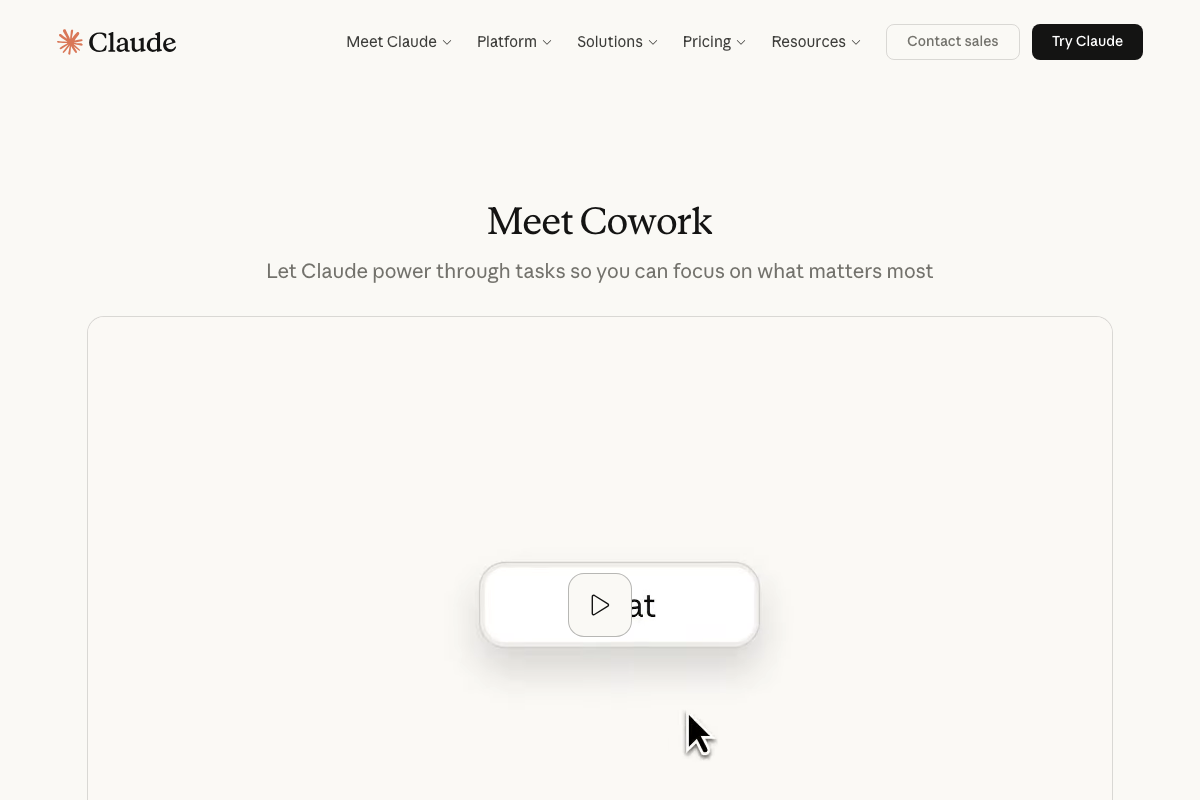
- Spawn parallel sub-agents for a complex task. The video’s approach here matches the current docs exactly — parallel multi-step agentic execution is Cowork’s stated purpose, described officially as letting “Claude power through tasks so you can focus on what matters most.”
-
Enable Agent Teams in global Claude Code settings.
No official documentation was found for this step — proceed using the video’s approach and verify independently.
-
Package your skills into a Claude Plugin with a custom slash command.
No official documentation was found for this step — proceed using the video’s approach and verify independently.
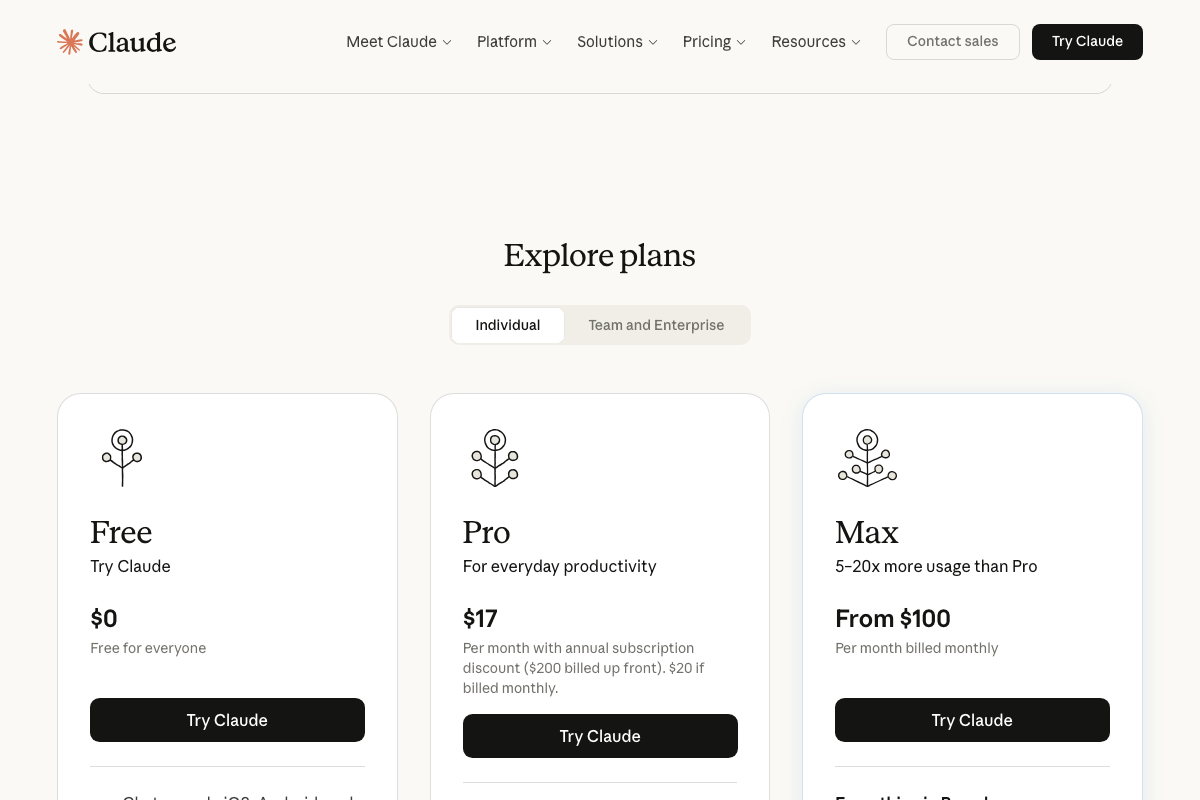
One disclosure the video omits entirely: the pricing page confirms a Max plan at $100+/month built for users needing 5–20x more usage than Pro. Running parallel sub-agents, Agent Teams, and multi-skill pipelines at real campaign volume — the workload steps 9–11 describe — is precisely the use case the Max tier is positioned for. Audit your expected usage before committing client workflows to this architecture.
Useful Links
- Claude — Official Claude Code / Cowork landing page covering the agentic execution environment, Context panel with native third-party integrations, and individual plan pricing including the Max tier for high-volume agentic workloads.


0 Comments