

How a Boring IT Tool Hits $60K/Month: Thomas’s Niche SaaS Playbook
Thomas spent years as an IT admin packaging Windows applications for Microsoft Intune — a task that could consume an hour per app with no adequate tooling. He built Pckgr to solve his own problem, launched it free on Reddit, and crossed $60K/month without outside funding or a large team. After working through this tutorial, you’ll be equipped with his five-step framework for finding an underserved niche, validating demand before over-building, and a hands-on walkthrough of the Pckgr one-click deployment workflow.
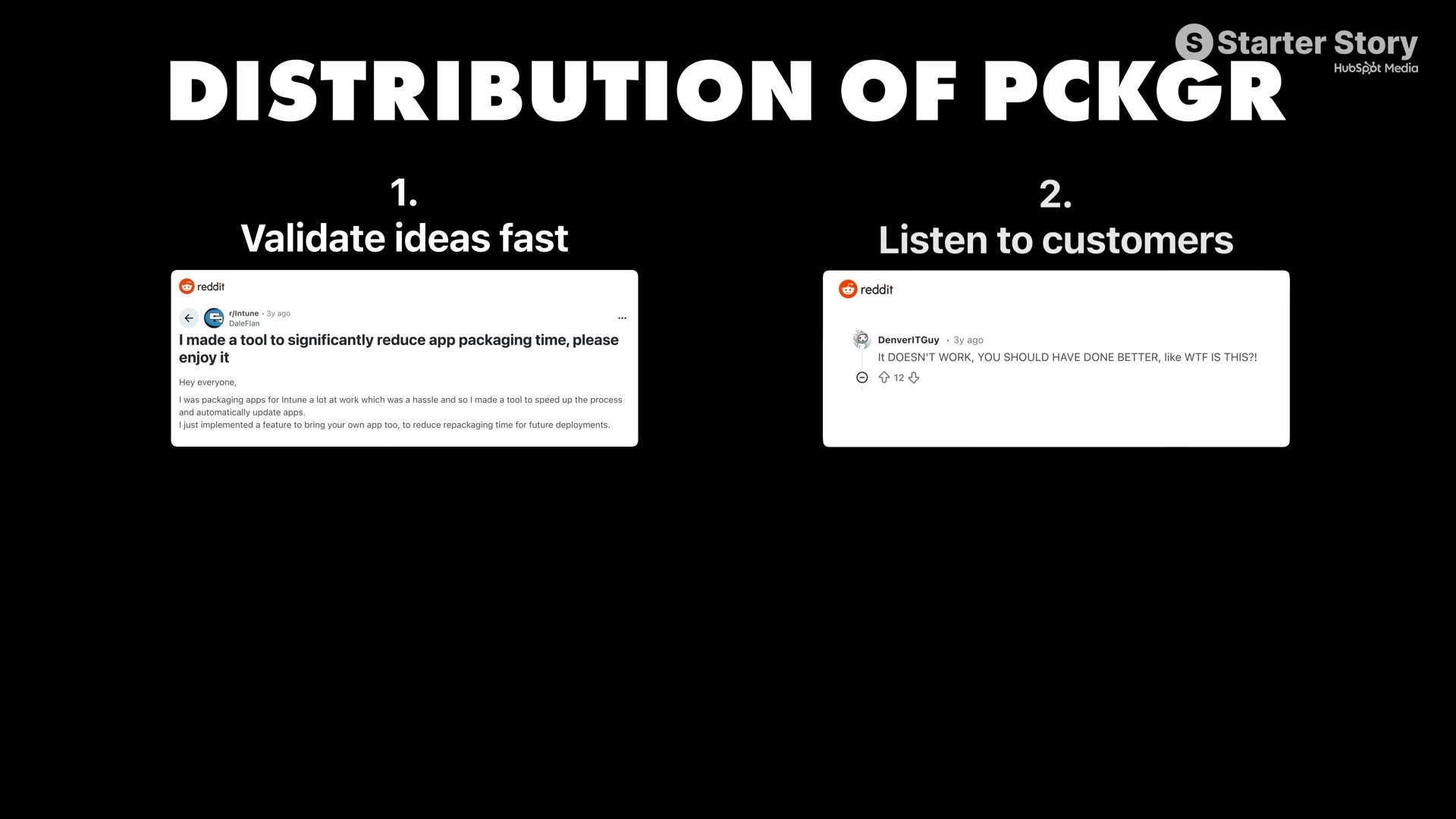
- Build where you already have credibility. Start in a domain where you have genuine professional depth, not just surface curiosity. Thomas had spent years operating inside Microsoft Intune environments. That expertise meant he understood the actual failure modes — and customers could detect his fluency during support calls, which built trust faster than any marketing copy.
- Hunt for pain points, not ideas. Rather than brainstorming in the abstract, watch what colleagues and community members complain about repeatedly. Thomas noticed the same packaging frustrations recurring across Intune forums before he wrote a single line of code. The problem surfaced; he simply listened closely enough to hear it.
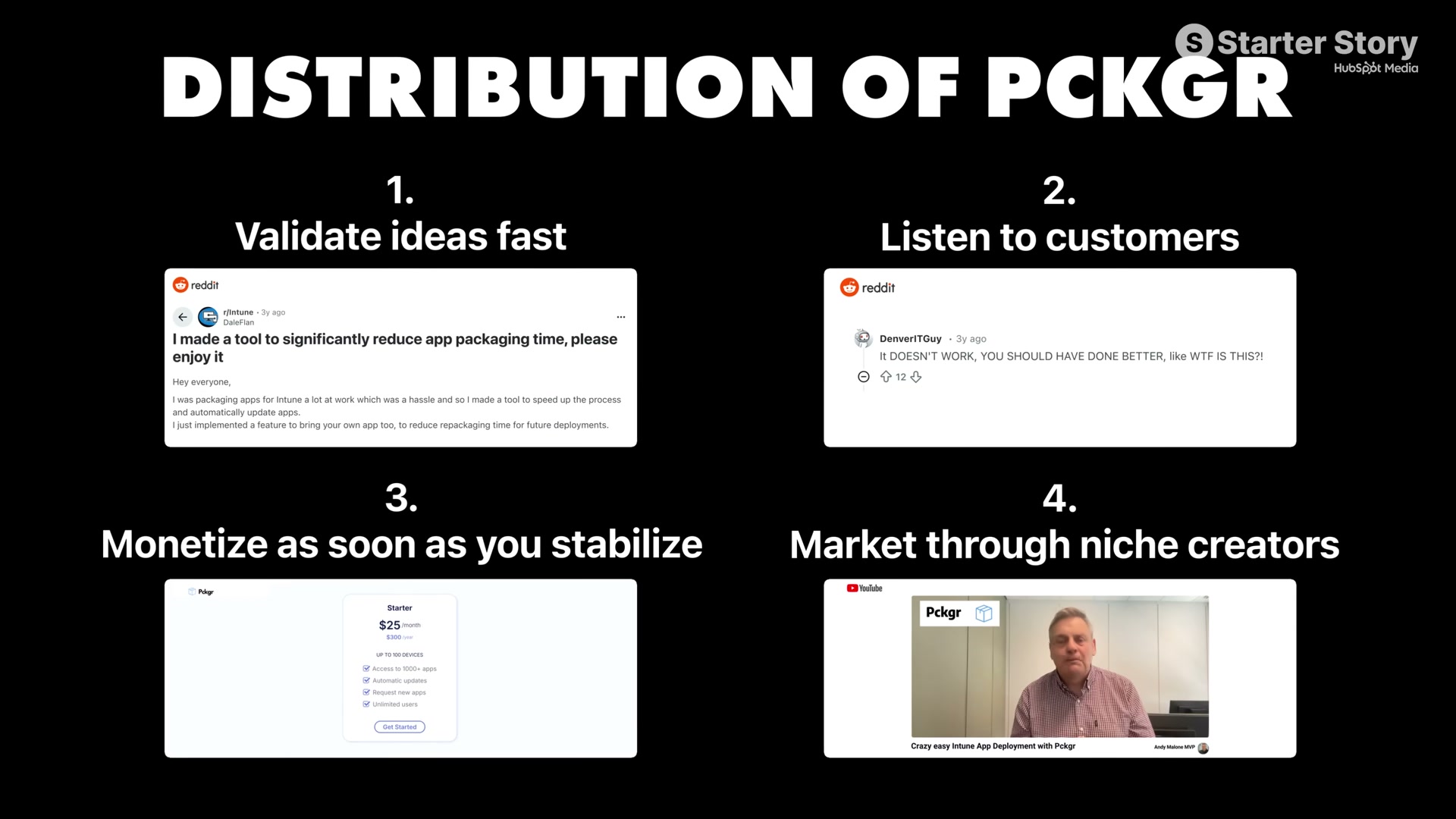
3. Avoid competing with the masses. While most founders chase the same large addressable markets, the gaps sit in niches those founders dismiss as too small. Pckgr’s enterprise competitors targeted customers managing millions of devices; Thomas aimed at smaller IT teams and found more than enough volume to sustain a full-time business at premium pricing.
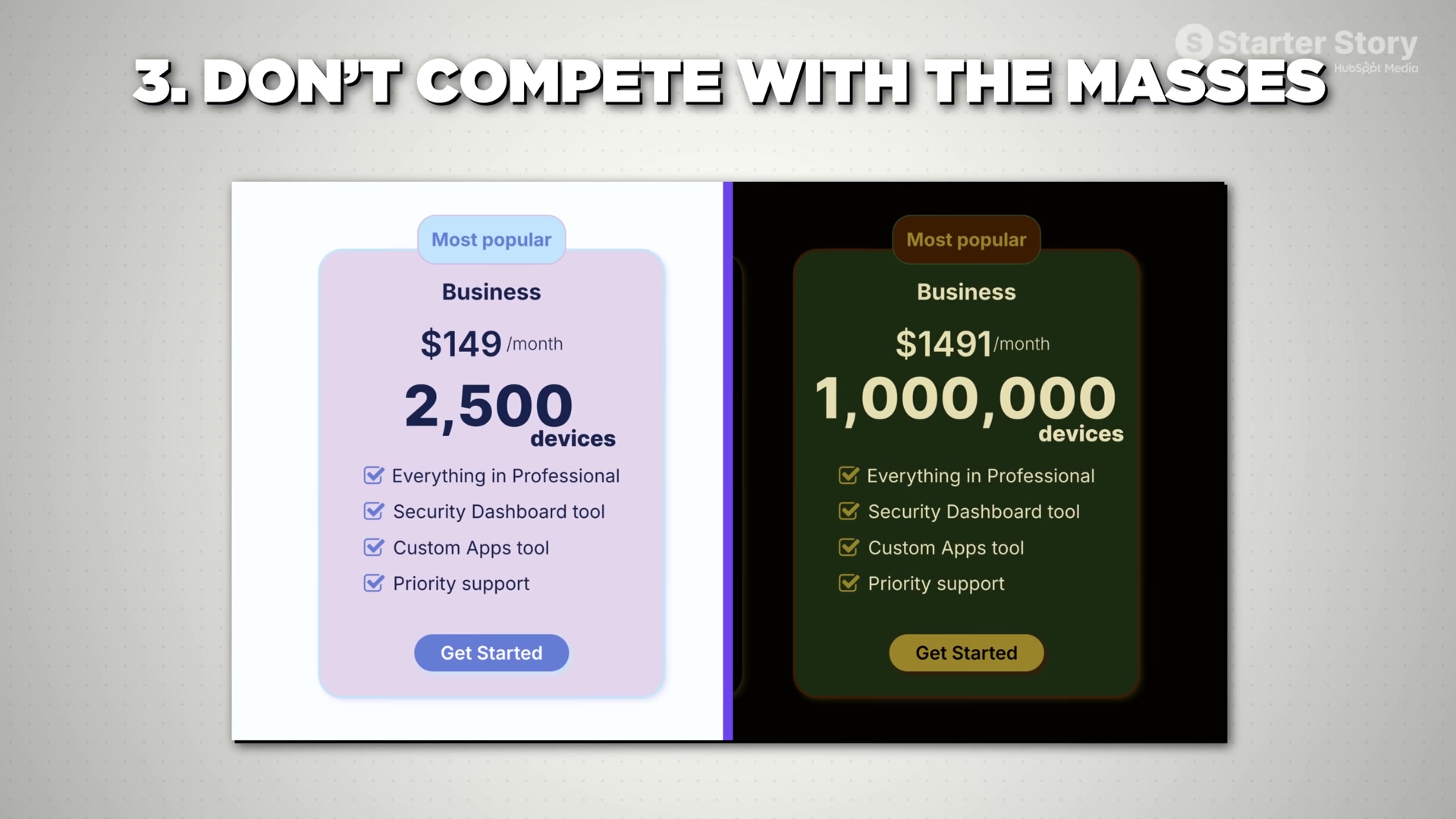
4. Charge early, even at a low price. Thomas introduced a $25/month subscription during the beta — not to maximize revenue, but to confirm customers would actually open their wallets. If nobody pays at $25, they won’t pay at $250. Early pricing is a validation signal, not a monetization strategy.
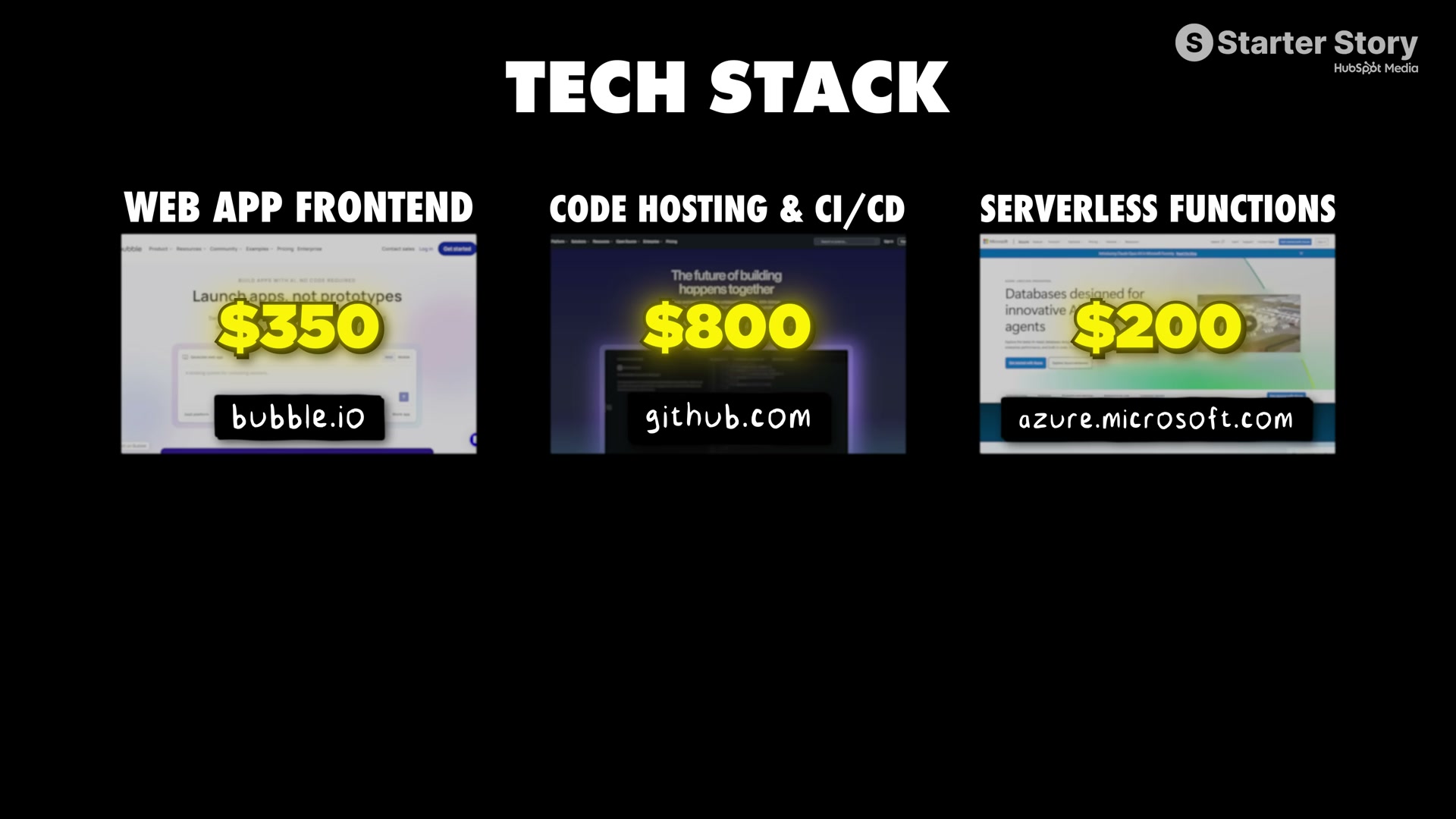
5. Optimize for freedom over growth-at-all-costs. A lean team and tight cost controls mean the revenue you generate stays yours. Pckgr runs on Bubble.io for the frontend ($350/month), GitHub Actions for CI/CD ($800/month), and Azure serverless functions ($200/month) — keeping margins high while preserving the work-life balance Thomas explicitly set out to build.
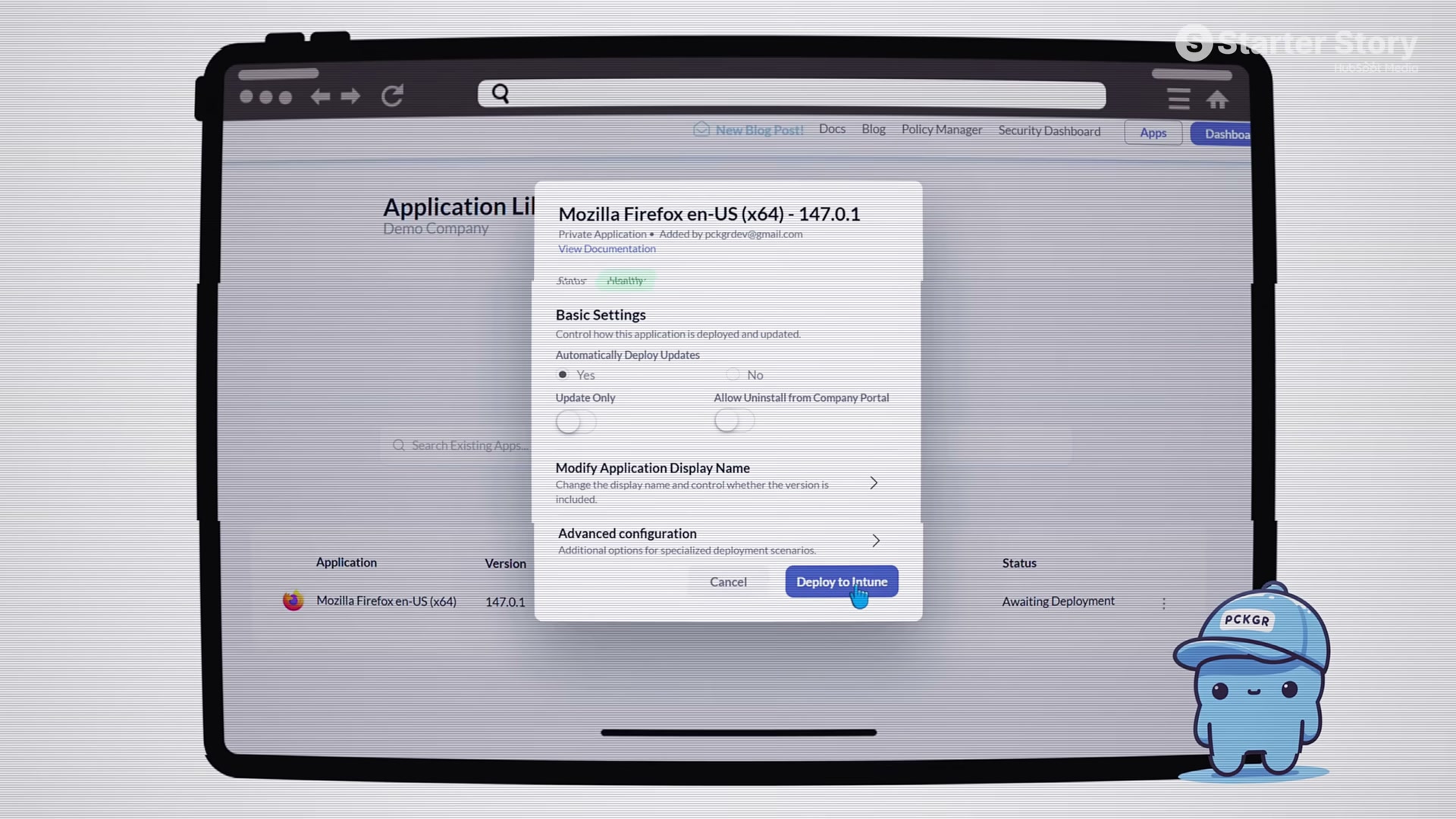
6. Open the Pckgr app library and select your company profile. Click Add an App, then choose Pckgr Library to access pre-managed packages. Select your target application — 7-Zip in the demo — and confirm it shows an Awaiting Deployment status. Click Deploy to Intune, review configuration options including the auto-update toggle, and confirm. Pckgr’s backend packages the application and uploads it directly to your Microsoft Intune tenant. Open Intune, verify the app entry has populated with metadata and a logo, then assign it to all devices.

How does this compare to the official docs?
The video gives you a confident walkthrough of the Pckgr interface, but Microsoft’s own Intune documentation covers the underlying Win32 packaging requirements — .intunewin format, detection rules, and assignment scopes — that Pckgr abstracts away, and those details become critical when a deployment behaves unexpectedly.
Here’s What the Official Docs Show
Act 1 walks you through Thomas’s niche SaaS playbook and the Pckgr deployment workflow exactly as he demonstrated it. What follows fills in the documented foundation underneath that workflow — specifically what Microsoft’s own published materials confirm about Intune as the deployment target, and where the official record runs out.
Step 1 — Build Where You Already Have Credibility
No official documentation was found for this step —
proceed using the video’s approach and verify independently.
Step 2 — Hunt for Pain Points, Not Ideas
No official documentation was found for this step —
proceed using the video’s approach and verify independently.
Step 3 — Avoid Competing with the Masses
No official documentation was found for this step —
proceed using the video’s approach and verify independently.
Step 4 — Charge Early, Even at a Low Price
No official documentation was found for this step —
proceed using the video’s approach and verify independently.
Step 5 — Optimize for Freedom Over Growth-at-All-Costs
No official documentation was found for this step —
proceed using the video’s approach and verify independently.
Step 6 — The Demo: Deploying an App Through Pckgr into Intune
This is the one step where official documentation is adjacent — and the distinction matters.
The screenshots captured for this post confirm that Microsoft Intune is an active, commercially supported, cloud-hosted endpoint management platform. The “unified device management” positioning Microsoft publishes is consistent with what Thomas showed in the demo: apps deployed via Packager’s backend are pushed to a live Intune tenant and can be assigned to all devices from a single action.

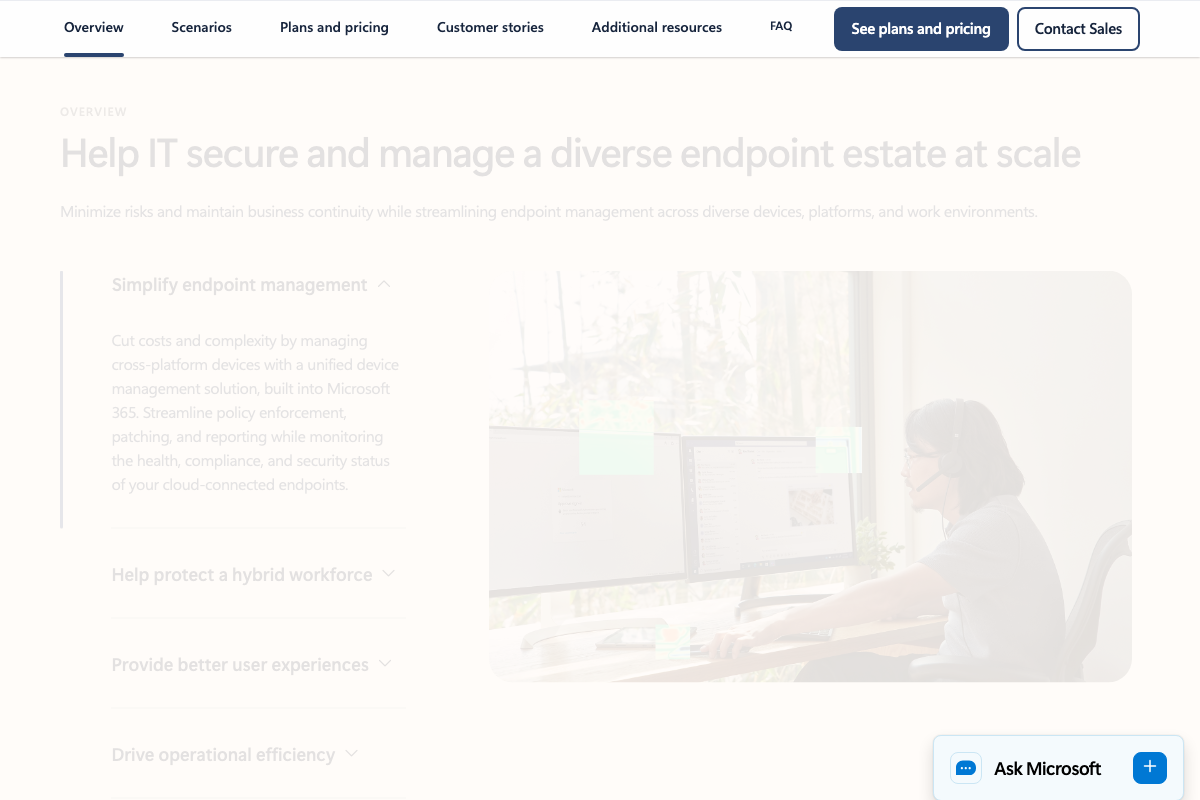

What the screenshots do not show is Packager’s proprietary interface — the app library, the Add an App button, the catalog selection, or the Deploy to Intune modal — nor the Intune admin center at intune.microsoft.com where you would actually verify that a deployed app has populated with metadata and a logo. The screenshots captured here are from Microsoft’s external marketing site, not the admin UI. To verify the deployment outcome Thomas describes, you will need to log into your own Intune tenant directly.
One additional detail worth noting: Packager abstracts the Win32 packaging requirements that Intune enforces natively — .intunewin format, detection rules, and assignment scope configuration. Microsoft documents all of these at learn.microsoft.com. Those details become critical if a deployment behaves unexpectedly and you need to debug below Packager’s abstraction layer. The video does not cover this layer, which is appropriate given Packager’s one-click value proposition — but you should know it exists.
No official documentation was found for Packager’s specific UI workflow or the 7-Zip catalog entry shown in the demo —
proceed using the video’s approach and verify independently.
Useful Links
- Microsoft Intune Core Features | Microsoft Security — Microsoft’s official product overview for Intune, confirming its cloud-based endpoint management capabilities and cross-platform device assignment features that underpin the Packager deployment workflow.
- Bubble: Build web & mobile apps with the only no-code AI app builder — The no-code platform referenced in Step 5 as Packager’s frontend layer, running at approximately $350/month in Thomas’s disclosed tech stack.
- GitHub Actions · GitHub — The CI/CD platform referenced in Step 5 as Packager’s build and automation layer, running at approximately $800/month in the disclosed stack.
- Cloud Computing Services | Microsoft Azure — The cloud infrastructure platform referenced in Step 5 as Packager’s serverless functions layer, running at approximately $200/month and serving as the underlying runtime for Intune’s cloud services.
- monday.com Support — Captured during the screenshot research phase; not referenced in any tutorial step and included here for documentation completeness only.


0 Comments